
Electrical Invoice App for Commercial Electricians: What to Look For in 2026
The best electrical invoice app for commercial electricians turns accepted work into billable invoices without re-typing line items, supports deposit and milestone billing for multi-week projects, and shows exactly which invoices are aging past due. Commercial jobs run on progress payments and tight cash cycles, so your invoice app needs to connect estimating, dispatch, and job tracking to billing. AceWatt is built for exactly this workflow, from quote to job to invoice to paid.
What an Electrical Invoice App for Commercial Electricians Must Do in 2026
Residential invoicing is mostly one visit, one invoice. Commercial electrical work is different. A tenant improvement might span six weeks, require a deposit before materials are ordered, and bill out at 30, 60, and 90 percent completion. A service call for a restaurant chain gets billed against a corporate PO number, not a handshake.
That means a commercial invoice app has to handle three things a generic invoice generator cannot:
- Line-item continuity from estimate to invoice. When the customer accepts a quote for a 200A panel upgrade with feeder runs and device trim-out, those line items should flow into the invoice as-is. Re-typing them is where billing errors and margin leaks start.
- Status tracking across a long lifecycle. An invoice in a commercial shop moves through draft, sent, paid, overdue, void, or written off. You need to see that at a glance, plus how old each unpaid invoice is.
- Field-to-office connection. The tech closing out a job site at 4:45 PM should not be texting the office a photo of a handwritten ticket. Clock in and out, notes, and expenses should land in the same system the invoice comes from.

If you are comparing apps in 2026, start with the best electrical contractor invoice software tools and test each one against your actual billing cycle, not a demo job.
Billing Features That Support Commercial Electrical Projects
Deposits on acceptance
Commercial customers expect to pay a deposit on larger jobs, and contractors should expect to collect one. When a customer accepts a quote in AceWatt, the app can create a deposit invoice and email it with a pay link. The customer pays online by card, and bank ACH payment works when the contractor's Stripe account has it enabled. That deposit can hit your account before you order the first reel of THHN.
Milestone billing by percentage of completion
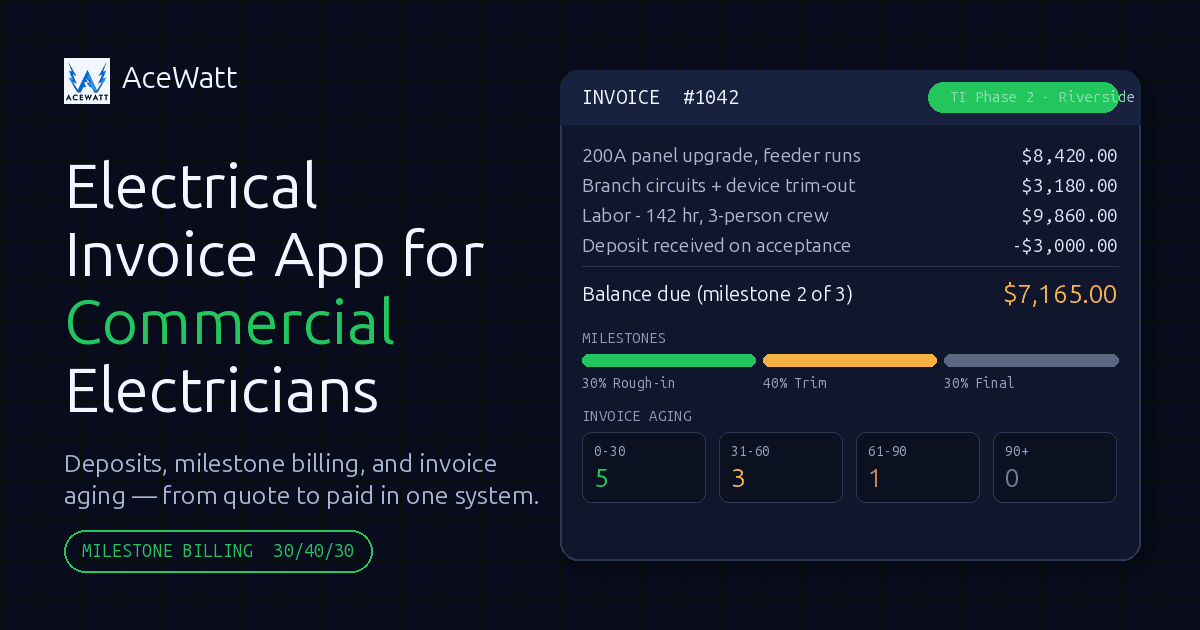
Commercial projects are commonly billed by progress milestone, for example 30 percent at rough-in inspection, 40 percent at trim, 30 percent at final. AceWatt supports milestone billing by percentage of completion, so you can invoice a project in stages tied to how far the work has actually progressed. One honest note for commercial contractors doing public work: AceWatt does not handle retainage tracking or AIA G702/G703 pay applications. If your work is bonded public jobs, plan on pairing AceWatt with your accounting process for those.
Invoice aging and automatic reminders
Slow commercial payers are the norm, not the exception. AceWatt marks unpaid invoices as overdue automatically and includes an invoice aging report bucketing receivables from 0 to 30 days through 120+ days. Automatic email reminders go out at 1, 7, 14, and 30 days past due, so following up on a net-30 invoice no longer depends on someone in the office remembering. Reminders are email only; there is no SMS follow-up today.
For a deeper comparison of billing workflows, see our guide to the best electrician invoicing app for 2026.
How AceWatt Connects Estimating, Dispatch, Job Tracking, and Invoicing
The core problem in most growing electrical shops is that estimating lives in one place, scheduling in another, and invoicing in a third. Every handoff between them is a chance to lose a line item or a labor hour.
AceWatt runs the whole pipeline in one system: quote to job to invoice to paid.
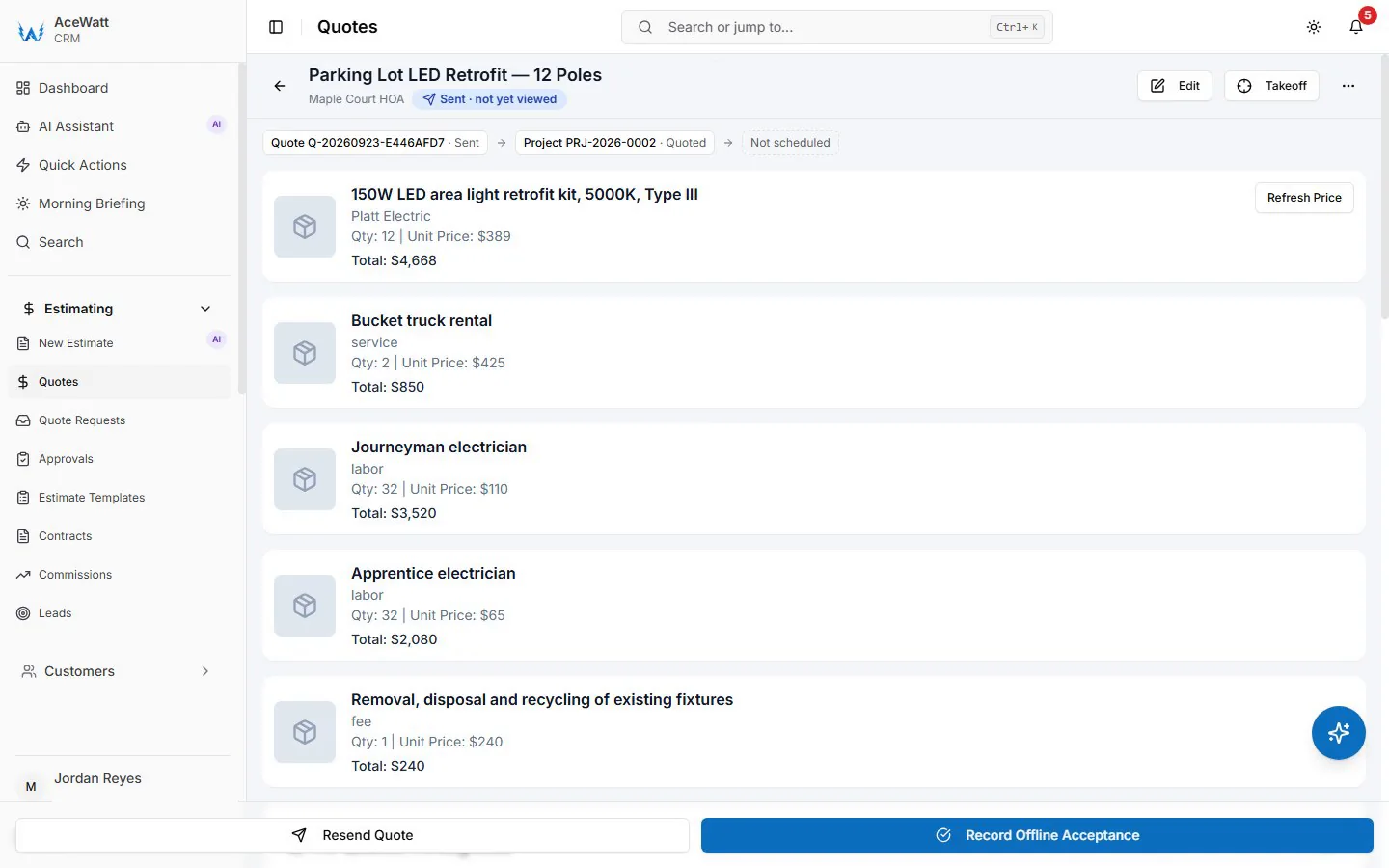
Estimating. AceWatt's AI estimating drafts a quote for review from a job walk, photos, a typed description, or an uploaded PDF plan set, using your company's pricebook and assembly templates. On a commercial bid, you upload the plan set, review the draft against your takeoff, and adjust. You can read more about the mechanics in our guide to the AI quote builder for electricians.
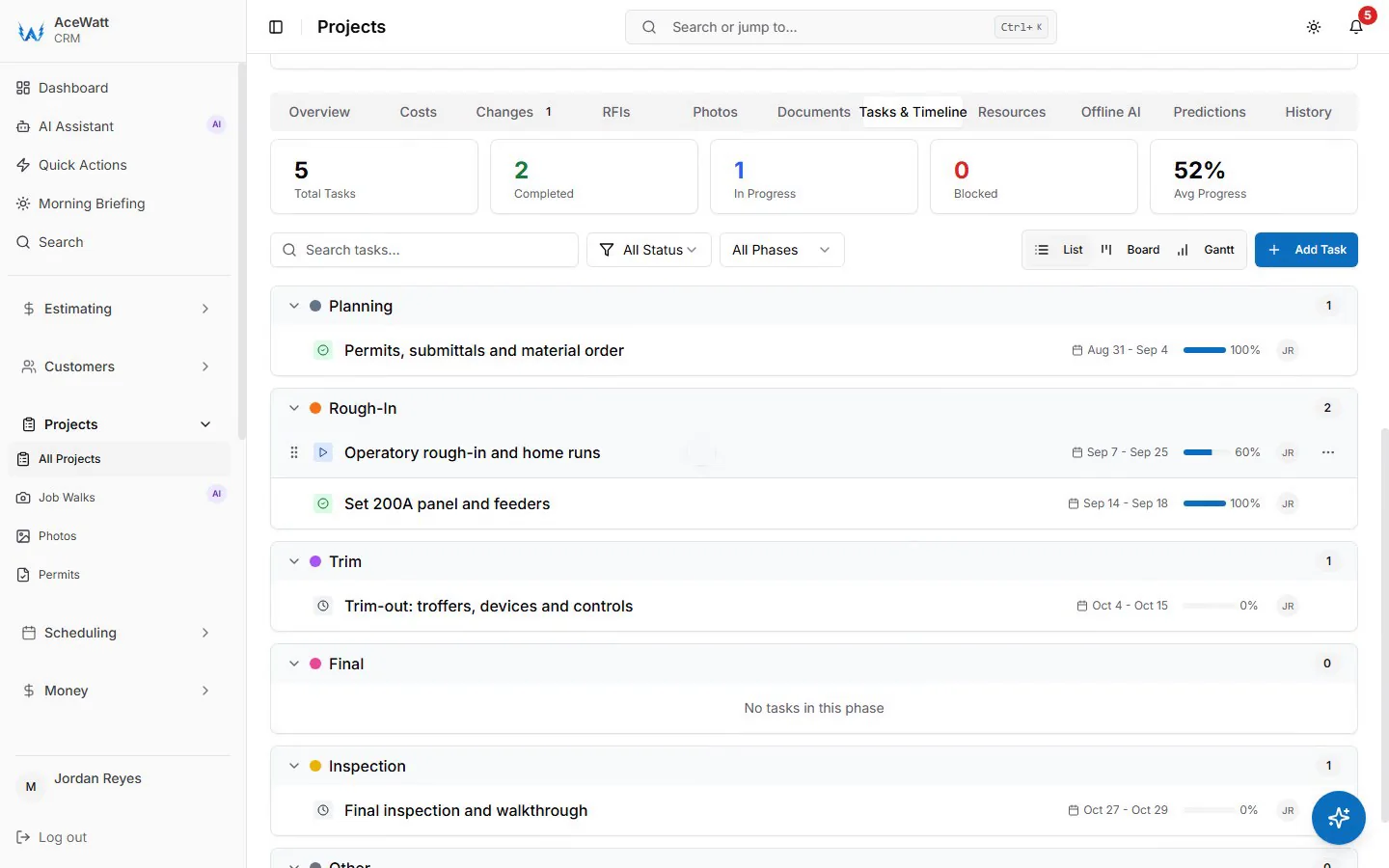
Dispatch and crew management. The drag-and-drop dispatch board includes skill-based scheduling suggestions, which matters when one tech holds a journeyman card for panel work and another is best on lighting controls. While the app is open, tech locations update every few minutes on a live dispatch map. Techs clock in and out from their phones, and AceWatt records the location and flags whether the tech was actually at the job site, which settles time disputes with actual data.
Job tracking and documentation. AI Job Walk lets a foreman walk a site dictating notes and snapping photos, and AceWatt generates a report with material suggestions. That documentation is what backs up a progress invoice when the GC's project manager asks what was completed in billing period three. For shops tightening up their record keeping, our post on AI tools that auto-update CRM notes covers the same theme.
Invoicing. When a customer accepts a quote, AceWatt creates a draft invoice with the quote's line items copied over. Nothing gets re-typed. Customers can open quotes and invoices from an emailed link through the customer portal, and e-sign quotes and contracts the same way. For field-side invoicing specifics, see our breakdown of the best electrician invoice app for field work.
Accounting handoff. Growth and above include QuickBooks-ready exports: an invoice-list spreadsheet and a payroll-hours CSV in QuickBooks layout. Full QuickBooks sync is in development, but there is no live two-way connection today, so plan on importing exports into QuickBooks. We cover the current state honestly in electrical invoice apps and QuickBooks in 2026.
Quote-to-Paid Workflow: Deposits, Milestone Billing, and Invoice Aging
Here is how a typical commercial job runs through AceWatt:
- Job walk and estimate. Walk the tenant space, dictate notes and photos with AI Job Walk, or upload the PDF plan set. AI estimating drafts the quote from your pricebook; you review and send it.
- Acceptance and deposit. The customer accepts and e-signs by link. AceWatt creates a deposit invoice with a pay link, and can also create the draft invoice with the quote's line items ready for later billing.
- Execution. Dispatch assigns techs with skill-based suggestions. Techs clock in and out on site with location flags. AI Job Walk documents progress for each billing milestone.
- Milestone invoicing. Invoice by percentage of completion as rough-in, trim, and final milestones pass inspection.
- Collection. Automatic email reminders fire at 1, 7, 14, and 30 days past due. The aging report shows exactly which receivables are 60 or 90-plus days out so you can call before it becomes 120.
For contractors weighing accounting options alongside invoicing, our piece on accounting software for electrical contractors goes deeper. Solo operators have a different set of constraints, covered in our guide to the best invoice app for solo electricians.
Choosing Between AceWatt Starter, Growth, and Scale
All plans include the core quote-to-paid pipeline, and every plan starts with a 14-day trial and a 30-day money-back guarantee on the first subscription payment.
Starter, $49/month, 1 user. Core CRM covering jobs, quotes, invoices, and scheduling, plus the AI quote builder, basic dispatch and calendar, and email support. This fits a solo commercial electrician who bids and bills their own work.
Growth, $99/month, up to 5 users. Adds AI Copilot and Voice, which lets you search CRM data, get financial summaries and your schedule, and update projects by voice. Also includes the schedule optimizer, AI document scanner, AI Job Walk, commission tracking, the customer portal, QuickBooks-ready exports, and priority support. For a small commercial crew, this is the plan where the field and office pieces connect.
Scale, $199/month, unlimited users. Adds route optimization (straight-line distance between stops, not road routing) and a dedicated support contact. This is for shops running multiple commercial crews.
AI usage matters at estimate-heavy shops. Plans include 5,000, 10,000, and 25,000 promo AI credits per month on Starter, Growth, and Scale respectively until November 19, 2026. Top-up packs cost $5 for 25, $15 for 100, or $40 for 300 AI requests, never expire, and roll over month to month.
Common Mistakes Electrical Contractors Make When Comparing Invoice Apps
Believing "QuickBooks integration" means live sync. Many apps advertise integration that is really a CSV export or a third-party connector. Ask the vendor to demonstrate the exact data that moves and in which direction. AceWatt's position today is QuickBooks-ready exports, with full sync in development, and that is stated plainly.
Buying invoicing without estimating. If your quote tool and invoice tool are separate, you will re-type line items on every job. That is the single largest source of billing leakage in commercial electrical work.
Ignoring proof of field time. Commercial GCs dispute labor hours. Phone-based clock in and out with job-site location flags gives you evidence, not just a claim.
Overpaying for users you do not have. A solo electrician does not need a 5-user plan, and a 12-person shop should not hit a per-seat wall mid-growth. AceWatt's pricing at $49, $99, and $199 per month covers both ends.
Assuming offline means fully offline. Some field apps stop working entirely without signal. AceWatt queues clock in and out, new leads, field notes, expenses, and project notes offline and sends them when the connection returns, but customer and job lists need a connection.
FAQ
Does AceWatt automatically follow up on unpaid commercial invoices?
Yes. AceWatt emails automatic reminders for overdue invoices at 1, 7, 14, and 30 days past due, and the invoice aging report breaks receivables into buckets from 0 to 30 days through 120-plus days. Reminders are email only, and follow-up on unanswered quotes is not automated today.
Can I bill a commercial project in stages as work completes?
Yes. AceWatt supports milestone billing by percentage of completion, so you can invoice a project in increments tied to progress. It does not track retainage or produce AIA G702/G703 pay applications, so bonded public work will need those handled in your accounting process.
How do deposits work when a customer accepts a quote?
When a customer accepts a quote, AceWatt can create a deposit invoice and email it with a pay link. The customer pays online by card, and ACH bank payment is available when the contractor's Stripe account has it enabled.
Do my customers need an account to view and pay invoices?
No. AceWatt's customer portal lets customers open their quotes and invoices from an emailed link, with no account creation on their end. They can also e-sign quotes and contracts from that same link.
What happens to my data if I try the 14-day trial and do not subscribe?
Account data is retained for 30 days after a trial ends without a subscription. If you do subscribe and change your mind, AceWatt offers a 30-day money-back guarantee on the first subscription payment.
Ready to run your commercial jobs from quote to paid in one system? Start your 14-day AceWatt trial and send your first invoice this week.