
Electrician Invoice App for Field Work: What Actually Matters on the Job Site
An electrician invoice app built for field work should let a tech finish a panel swap, clock out from the truck, and have the invoice already tied to the quote, the labor hours, and the schedule. AceWatt does this by copying accepted quote line items into a draft invoice, tracking time from the job site, and emailing overdue reminders at 1, 7, 14, and 30 days past due. Nothing gets re-typed after the crew leaves.
What Field Work Means for Electrician Invoicing in 2026

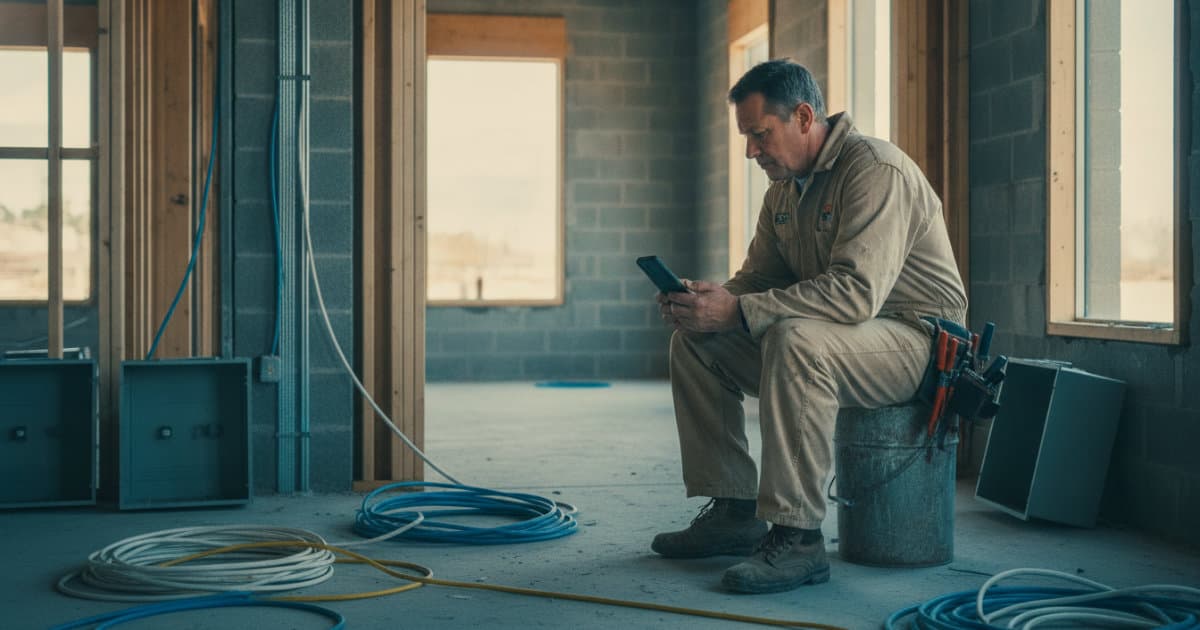
Most invoicing problems in electrical work are not invoicing problems. They are capture problems. The tech pulls wire all day in a basement with two bars of signal, the notes live in a text message to the office, the receipts sit in the truck console, and the invoice goes out Friday night with a labor number somebody guessed at. The result is underbilling: forgotten fixture adds, unlogged hours on a truck run for MC cable, a change conversation that never made it to paper.
The electrical trades also carry estimating risk that a generic invoicing tool ignores. Material prices moved hard through 2021 to 2024, and copper THHN that sold near $1.60 per foot in some markets in 2022 cost well over $3 in 2024, per NASDAQ commodity pricing. If your quote and your invoice are not pulling from the same pricebook, every job bills against stale numbers.
A field-ready invoice app has one core job: connect the job walk to the quote, the quote to the dispatch, the dispatch to the clock-in, and the clock-in to the invoice. When those links exist, billing is a review step. When they do not, billing is a reconstruction project.
Job-Site Tests That Matter in an Electrician Invoice App

Before choosing any app, run it against what actually happens on electrical jobs.
Basements, crawlspaces, and metal buildings kill signal. An app that only works on Wi-Fi is useless on a service call in a poured-concrete mechanical room. AceWatt queues clock in and out, new leads, field notes, expenses, and project notes while offline, then sends them when the connection returns. Be aware of the boundary: customer and job lists still require a connection, so the tech should open what they need before heading into the dead zone.
Labor is billed by the hour, and hours are disputed. AceWatt records the tech's location at clock-in and clock-out and flags whether they were at the job site. When a customer questions 6.5 hours on a 200-amp service upgrade, you have a timestamp and a location, not a memory.
Electrical work bills in phases. Rough-in, trim, service change, inspection. AceWatt supports milestone billing by percentage of completion, so a residential rewire can invoice 30 percent at rough-in approval and the balance after the final, without building a spreadsheet per job.
Quotes become invoices, or they become chaos. If your app treats quotes and invoices as separate documents, someone re-types every line item. That is where transcription errors and missing fixtures creep in.
For a wider view of tools that pass these field tests, our 2026 roundup of the best electrician apps covers the category.
From AI Job Walk to Accepted Quote to Draft Invoice

The cleanest billing chain starts before the quote exists. With AceWatt's AI Job Walk, a contractor walks the site with their phone, dictating notes and snapping photos, and AceWatt generates a report with material suggestions. On a panel replacement, that means photographing the existing 100-amp main breaker, noting the meter main location, and capturing the ground rod condition, then getting a structured scope instead of napkin notes. We cover that workflow in detail in AI Job Walk documentation: field notes to quote-ready scope.
From there, AceWatt's AI estimating drafts a quote for your review from the job walk, photos, a typed description, or an uploaded PDF plan set, using your company's pricebook and assembly templates. If you price a standard 20-amp arc-fault circuit as an assembly (12/2 NM-B, box, device, plate, labor), the plan set becomes a quote draft you verify rather than a takeoff you build from zero.
When the customer accepts the quote, two things happen. AceWatt creates a draft invoice with the quote's line items copied over, so nothing is re-typed. And AceWatt can create a deposit invoice and email it with a pay link, which matters on service upgrades and generator installs where you are fronting a 200-amp meter main and transfer switch. Customers can also e-sign quotes and contracts by link through the customer portal, so the acceptance is documented before the first hole is drilled.
Dispatch, Clock-In, and Job Tracking That Keep Billing Accurate
Billing accuracy depends on knowing who was where, doing what, for how long. AceWatt's drag-and-drop dispatch board includes skill-based scheduling suggestions, so a journeymen-only commercial job does not get staffed with a first-year apprentice. While the AceWatt app is open, techs' locations update every few minutes on a live dispatch map, which is how an office dispatcher handles the mid-morning call: "panel done at the Henderson job, roll Jake to the bakery rough-in."
The clock-in data flows straight into job tracking. Hours logged against a job feed the financial pipeline AceWatt maintains from quote to job to invoice to paid, which means the number on the invoice can be checked against the number in the field. For shops that want to go deeper on labor and material costs per job, our guide to electrician job costing for wire, conduit, and labor hours explains how to structure it.
Two honest limits worth knowing. AceWatt applies one hourly labor rate per job title, with no automatic overtime or after-hours multipliers, so a Saturday service call billed at time-and-a-half needs a manual adjustment. And markup applies on quotes only; material costs logged in the field post at cost.
Overdue Invoice Reminders, Aging Reports, and Customer Payments
Getting paid is where field invoicing either holds up or falls apart. AceWatt handles the follow-up automatically: overdue invoices trigger email reminders at 1, 7, 14, and 30 days past due. The contractor does not have to remember to chase the general contractor who sat on the rough-in invoice for six weeks, and the reminders are email only, so if a GC only answers texts, that call is still yours.
AceWatt marks unpaid invoices as overdue and provides an invoice aging report running from 0 to 30 days through 120+ days. In a trade where receivables age badly, that aging view is how you decide who gets materials next week and who gets a phone call first. Invoice statuses run draft, sent, paid, overdue, void, and written off, which covers the real lifecycle including the job that got cancelled halfway and the invoice you wrote off after the customer went quiet.
On the payment side, your customers pay AceWatt invoices online by card, and bank (ACH) payment is available when your connected Stripe account has it enabled. ACH matters for commercial work: card fees on a $14,000 commercial panel upgrade are real money, and most GCs pay by check or ACH anyway. Solo operators can see the full setup in our guide to invoicing for solo electricians.
QuickBooks-Ready Exports for Electrical Accounting
Most electrical shops run QuickBooks on the accounting side, and the handoff is usually a Friday data-entry session. AceWatt's Growth plan and above include QuickBooks-ready exports: an invoice-list spreadsheet and a payroll-hours CSV laid out in QuickBooks format. Your bookkeeper imports the invoice list, imports the payroll hours, and reconciles, without typing job-by-job.
Be clear about what this is today. AceWatt offers exports, not a live connection. Full QuickBooks sync is in development, but there is no automatic two-way push of invoices, payments, or customers right now. If a live QuickBooks integration is a hard requirement for your shop this quarter, plan on the export workflow.
AceWatt Plan Fit for Solo Electricians and Growing Shops
Starter, $49/month, 1 user. Core CRM covering jobs, quotes, invoices, and scheduling, plus the AI quote builder, basic dispatch and calendar, and email support. This fits the solo electrician who needs quotes, invoices, and a schedule in one place.
Growth, $99/month, up to 5 users. Adds AI Copilot and Voice (search your CRM, get financial summaries and your schedule, update projects by voice), the schedule optimizer, an AI document scanner, AI Job Walk, commission tracking, the customer portal, priority support, and the QuickBooks-ready exports. For a shop with two to four techs, the voice Copilot and job walk features are the difference between documenting jobs and reconstructing them.
Scale, $199/month, unlimited users. Adds route optimization (straight-line distance between stops, not road routing) and a dedicated support contact, built for shops running multiple crews.
All plans include promotional AI credits monthly (5,000 on Starter, 10,000 on Growth, 25,000 on Scale) until November 19, 2026, and top-up credit packs cost $5 for 25 requests, $15 for 100, or $40 for 300, with credits that never expire. AceWatt offers a 14-day trial, a 30-day money-back guarantee on the first subscription payment, and annual billing that saves roughly two months versus monthly.
FAQ
Can AceWatt invoice by milestone on long electrical projects?
Yes. AceWatt supports milestone billing by percentage of completion, so a residential rewire or commercial tenant build-out can be invoiced at set stages such as 30 percent at rough-in and the balance at final. It does not handle retainage tracking or AIA G702/G703 pay applications, so GC work with retainage needs manual tracking.
Does AceWatt work with no cell signal on the job site?
Partially. Clock in and out, new leads, field notes, expenses, and project notes queue offline and send when the connection returns. Customer and job lists require a connection, so techs should open what they need before entering a basement or metal building.
How does AceWatt turn a quote into an invoice?
When a customer accepts a quote in AceWatt, a draft invoice is created with the quote's line items copied over automatically. AceWatt can also generate a deposit invoice with a pay link and email it at acceptance, so materials on a service upgrade or generator install are covered before work starts.
Is AceWatt's QuickBooks integration a live sync?
Not yet. Growth and Scale plans include QuickBooks-ready exports: an invoice-list spreadsheet and a payroll-hours CSV in QuickBooks layout. Full QuickBooks sync is in development, but there is no automatic two-way connection today.
Does AceWatt remind customers about unpaid invoices automatically?
Yes, by email. AceWatt sends automatic reminders at 1, 7, 14, and 30 days past due, marks unpaid invoices as overdue, and provides an aging report from 0 to 30 days through 120+ days. SMS reminders are not available.
Start a 14-day AceWatt trial and connect your job walks, quotes, dispatch, and invoices in one place.