
Product demo
Watch AceWatt in 5 minutes
Follow a demo electrical shop from the first phone call to a paid invoice: the lead, the AI Job Walk, the quote, the project, the crew's phones, and the invoice. No call, no sales pitch.
Recorded in a demo company with sample data; email addresses are hidden. The narration is computer-generated. Captions are on by default. Length 4 min 42 s.
Click through it
Prefer to go at your own pace?
The same workflow as six real screens. Step through them in order, or jump to the part you care about.
Capture the lead
Add the customer once. The lead pipeline shows every open opportunity from cold lead to closed won, with follow-ups and pipeline value on the same screen.
Learn more about the CRM for electricians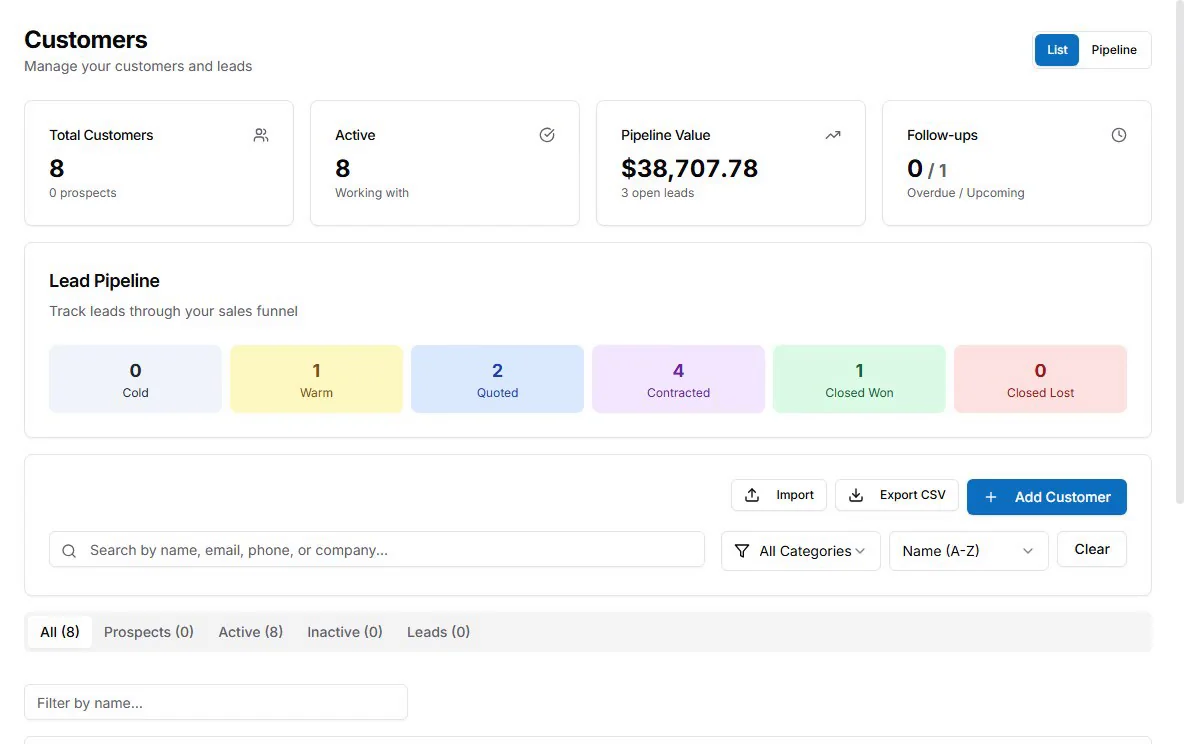
Walk the job
Walk the site with your phone camera and talk through what you see. AI Job Walk turns the walk into notes on equipment, materials, measurements, and safety concerns, linked to the job (Growth plan and up).
Learn more about AI Job Walk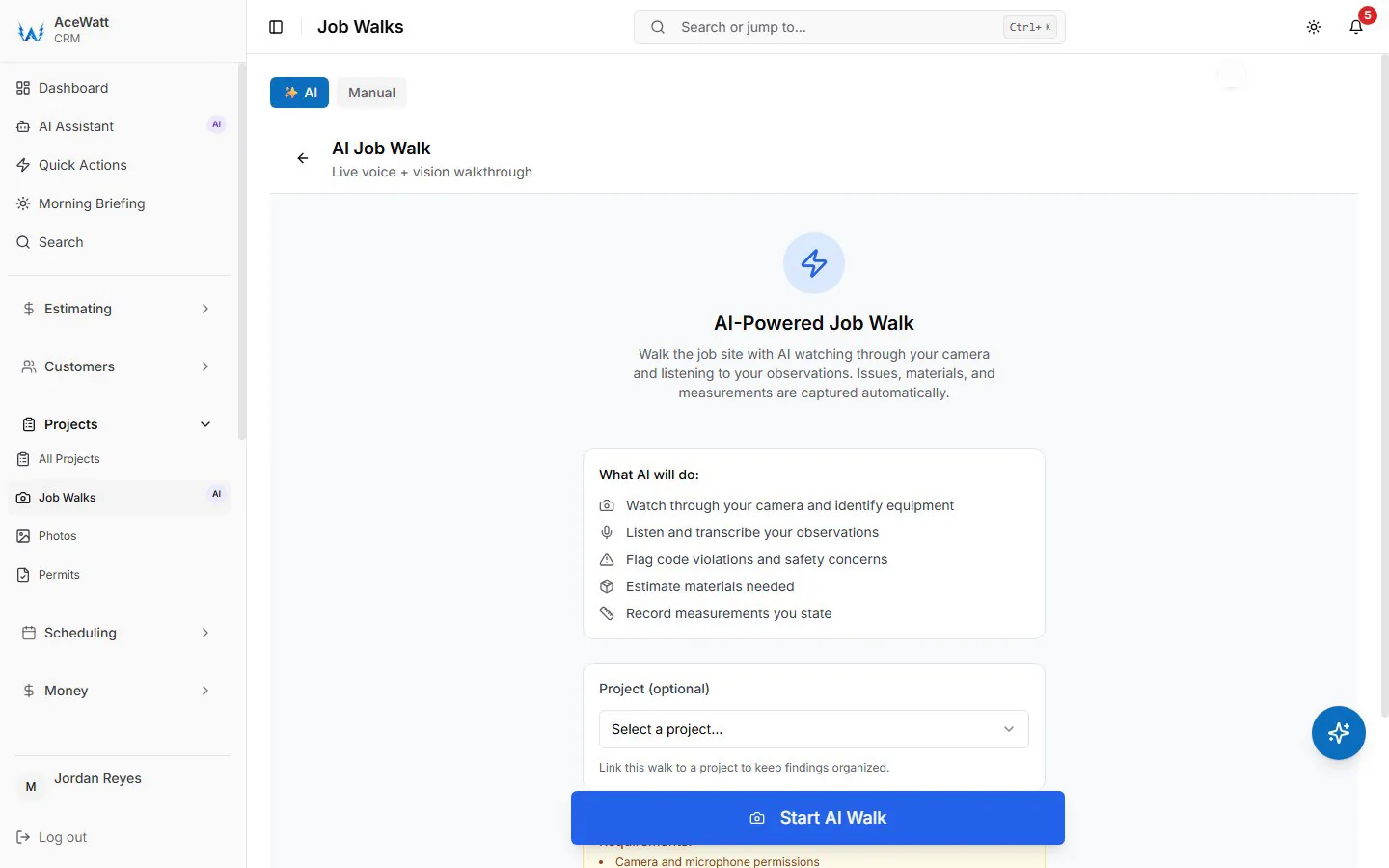
Build the quote
Start the estimate from the job walk, photos, a description, or PDF plans. You get an itemized draft with materials, labor, and equipment to review and price before it goes out.
Learn more about estimating and quotes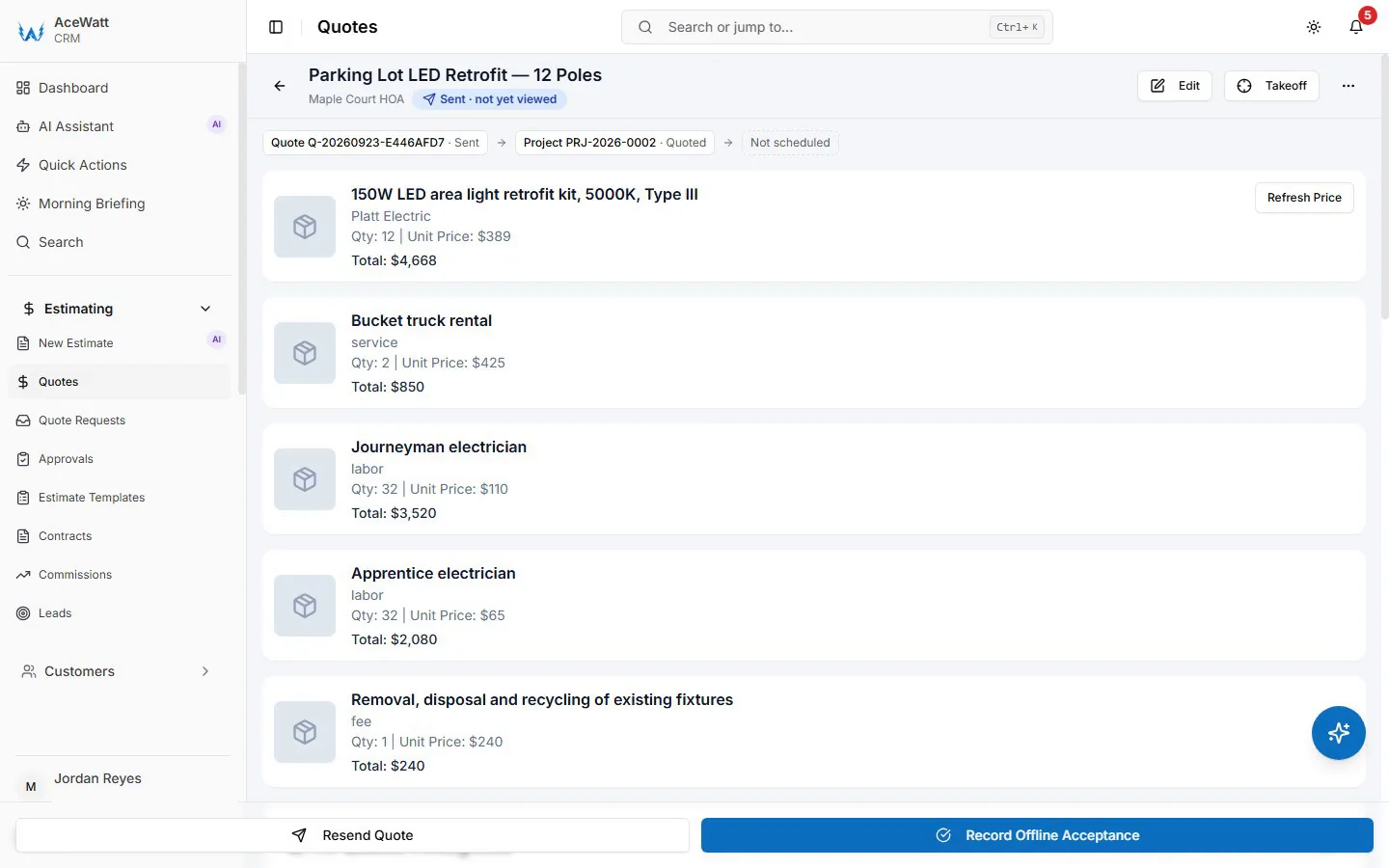
Schedule the crew
Put the job on the calendar and assign the crew. Month, week, day, and dispatch views show who is working where, with drag-and-drop dispatch and a live crew map.
Learn more about scheduling and dispatch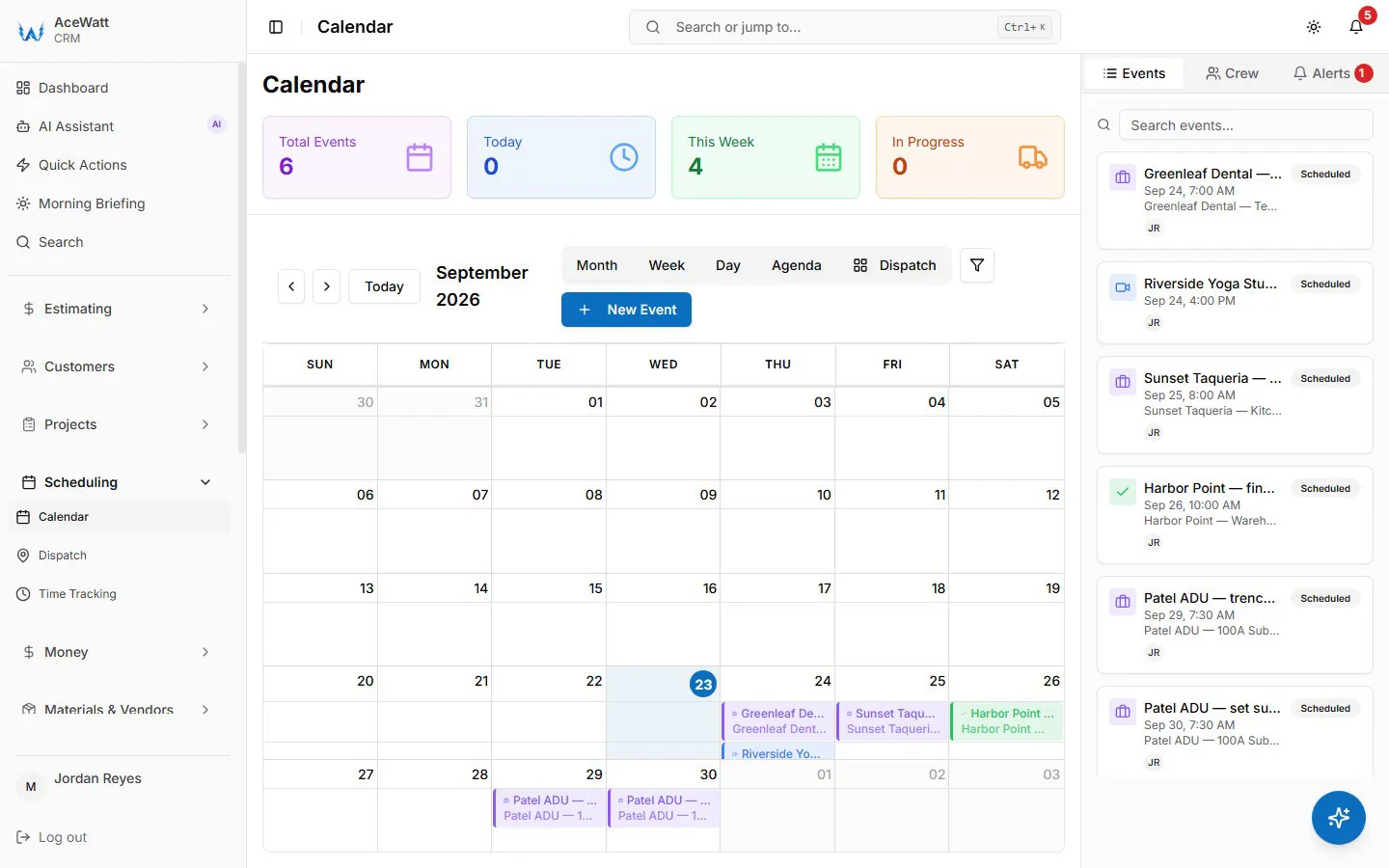
Run the job
The accepted quote becomes the project. Schedule, photos, permits, punch list, and hours against the quote stay on one record, so the office and the field see the same job.
Learn more about job management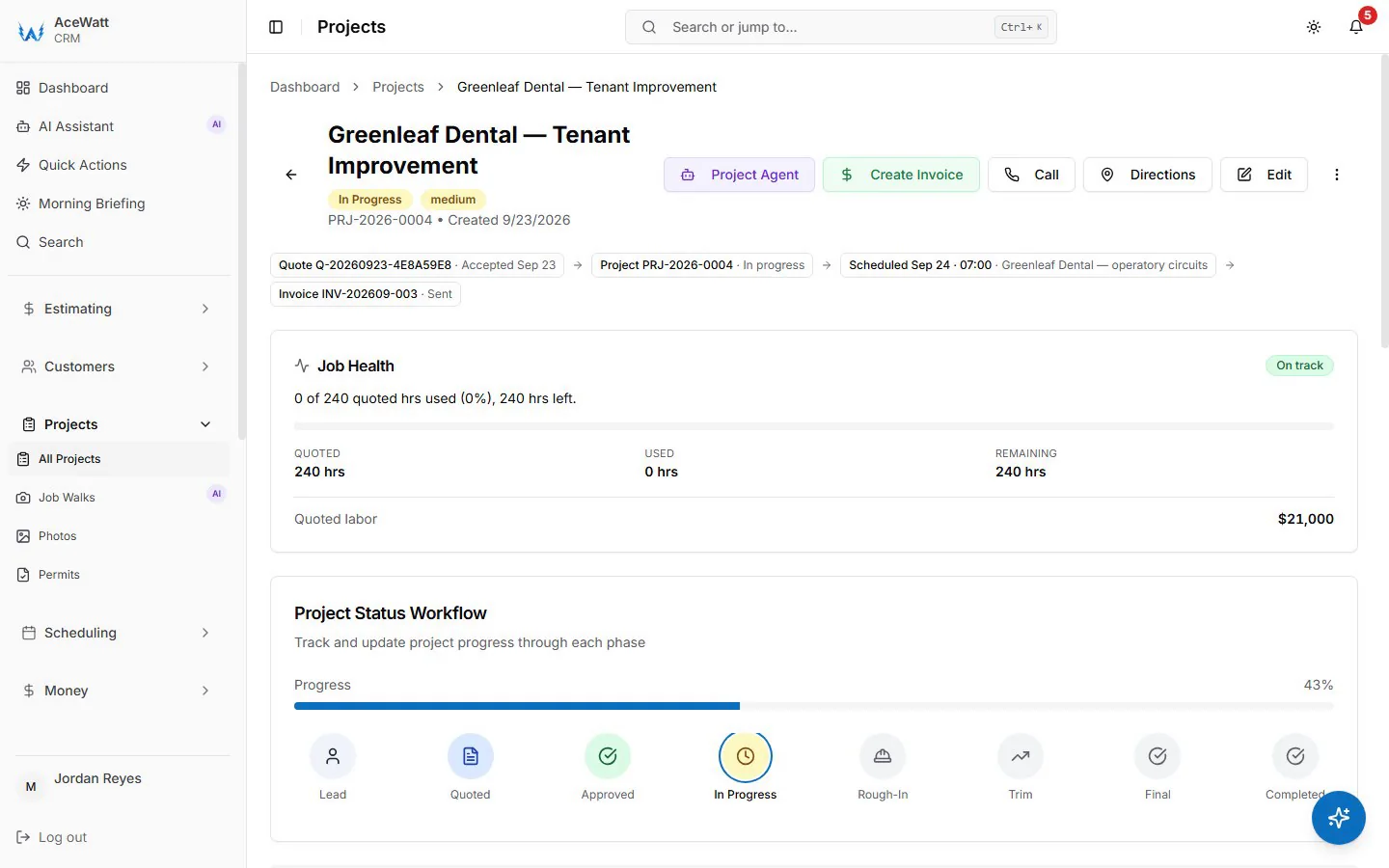
Invoice the customer
Turn the accepted quote into an invoice with the same line items. Send it, take a deposit on acceptance, and let overdue reminders go out by email at 1, 7, 14, and 30 days.
Learn more about invoicing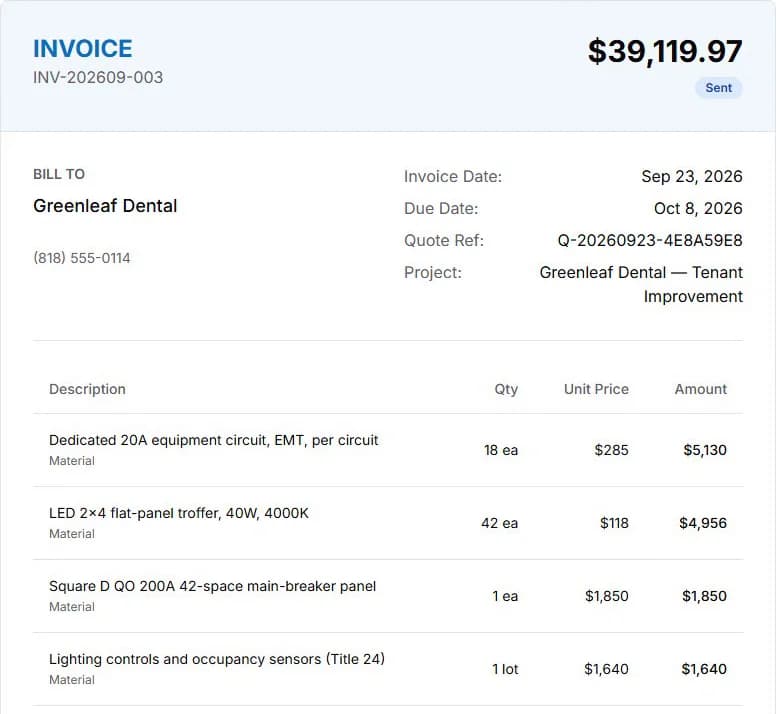
Step 1 of 6
Try it on your own jobs
Start a free trial and run your next quote through AceWatt on your own schedule. Questions first? Send us a message and we will answer by email.
- 14-day free trial
- Plans from $49/month
- 30-day money-back guarantee
Read the transcript
Intro and dashboard
Welcome to AceWatt, the CRM built for electrical contractors. This is Brightline Electric. A demo shop, with a normal week of work. The dashboard shows it at a glance. Jobs under way. Open quotes, money outstanding, and this month's revenue. Let's follow the work from the first phone call to money in the bank. Everything here is live data in this demo shop.
Leads and customers
Every job starts as a lead. The pipeline shows where each customer stands. From warm leads to quoted, contracted, and won. Here's Riverside Yoga Studio in Echo Park. They called about dimmable track lighting and new exit signs. Their contact details, lead source, estimated value, and follow-up date are all in one place. When they're ready to move ahead, one click turns the lead into a project.
Scheduling and the AI Job Walk
The site walk is already on the calendar for tomorrow afternoon, next to the crew's other jobs this week. On site, the tech can use AI job walk from a phone. It listens to their notes, watches through the camera, and captures issues, materials, and measurements for the quote. The dispatch and crew views show who is where, and each tech sees their own day on their phone.
Building the quote
Back at the office, the estimator builds the quote. This one is for Maple Court. Parking lot LED retrofit. Every line has a quantity and price. With supplier pricing on the materials, crew labor at the shop's rates, and fees for the lift and disposal. Once a manager approves it, one click sends it to the customer. And their acceptance is recorded right on the quote. If the customer signs on paper, you record that too, with who accepted and how.
From quote to project
When a quote is accepted, it becomes a project. Greenleaf Dental is a good example. You can see the whole chain at the top. The accepted quote The project The scheduled crew day And the invoice. Job health compares the hours used against the hours quoted. And the status bar tracks the job from rough-in through final. On this job, 240 quoted hours become the budget the crew works against.
Change orders and tasks
The project keeps everything the crew touches. Change orders are drafted when the customer asks for more work, and they wait for the customer's approval. The task timeline breaks the job into phases, from permits and rough-in to trim and the final inspection. Photos, documents, and RFIs live on the same project, so the office and the field always see the same thing.
On the crew's phones
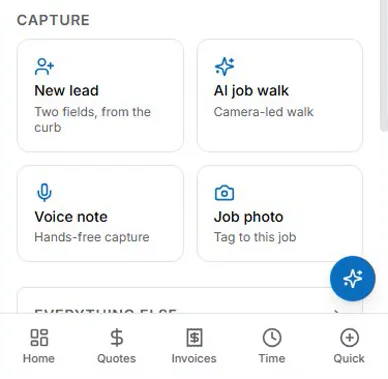
The same app runs on the crew's phones. Techs see today's jobs and clock in with one tap. The field page captures photos, videos, and voice notes even without a signal, and syncs when the phone is back online.
Invoices and payments
Invoices are created from the accepted quote, so nothing gets retyped. The invoice list shows what's been sent, what's paid, and what's still outstanding. Greenleaf is on progress billing. Half has been paid, and the balance is due when the work is done. Payments can be recorded by check, card, or bank transfer. And once the shop connects payments, customers can pay online. When the last payment comes in, the invoice is marked paid, and the job can be closed out.
A finished job
The Ortega service upgrade went from lead to paid in one system. The finished job keeps its full history. The quote, the invoice, every payment, and each status change. That's AceWatt. Thanks for watching.