

Electrical Invoice App With QuickBooks Sync: What AceWatt Offers in 2026
Electrical contractors evaluating an electrical invoice app with QuickBooks support should know exactly what they are getting before signing up. AceWatt manages the full quote-to-paid pipeline for electrical jobs: quotes convert to draft invoices automatically, customers pay online by card or ACH, and overdue reminders go out by email on a set schedule. For QuickBooks, AceWatt provides QuickBooks-ready exports today (an invoice spreadsheet and a payroll-hours CSV in QuickBooks layout), and a full QuickBooks sync is in development.
What to Look for in an Electrical Invoice App With QuickBooks Support

Most invoice apps built for generic field service work miss the specifics of electrical contracting. When you compare options, judge them on these points:
- Quote-to-invoice continuity. If a quote's line items have to be retyped into an invoice, you are paying your office staff to duplicate data. The app should carry accepted quote lines straight into an invoice.
- Clear, honest QuickBooks support. Some vendors blur the line between a real sync and a CSV export. Ask directly: does the app push invoices, payments, and customers into QuickBooks automatically, or does it hand you a file you import yourself? Both can work, but you deserve to know which one you are buying.
- Payment collection. Online payment by card, and ACH where it is enabled, shortens the gap between sending an invoice and seeing the money.
- Collections tooling. Automatic overdue reminders and an invoice aging report tell you which customers need a phone call this week.
- Project billing options. Service upgrades, new construction rough-in and finish work, and commercial TI jobs rarely bill as a single invoice. Deposit invoices and milestone billing matter.
For a broader comparison of accounting platforms, see our breakdown in the 2026 accounting software showdown for electrical contractors.
Why Electricians Are Moving Invoicing Off Paper and Spreadsheets in 2026

The paper invoice habit persists in the trades, and it costs real money. An invoice written on a truck seat after a panel replacement gets mailed days later, entered into QuickBooks whenever someone gets to it, and chased with awkward phone calls when it goes unpaid. Spreadsheets fix some of that and create new problems: version conflicts, formula errors, and no link between what happened on the job site and what the customer owes.
The IRS requires businesses to keep records that support the amounts reported on tax returns, generally for at least three years, and sloppy invoicing makes that harder than it needs to be (see the IRS recordkeeping guidance). On the cash-flow side, the U.S. Chamber of Commerce's small business resources consistently flag late customer payments as a top cash-flow strain for small firms. An app that sends invoices the day a job closes, tracks payment status, and chases overdue balances automatically addresses both problems.
Solo electricians have an additional reason: one person cannot afford office hours. A phone-based workflow where the quote, invoice, and payment link all live in one system is the difference between invoicing from the truck and invoicing from the kitchen table at 9 p.m. We cover that solo workflow in more detail in how solo electricians get paid faster with an invoice app.
How AceWatt Handles the Quote-to-Paid Pipeline for Electrical Jobs
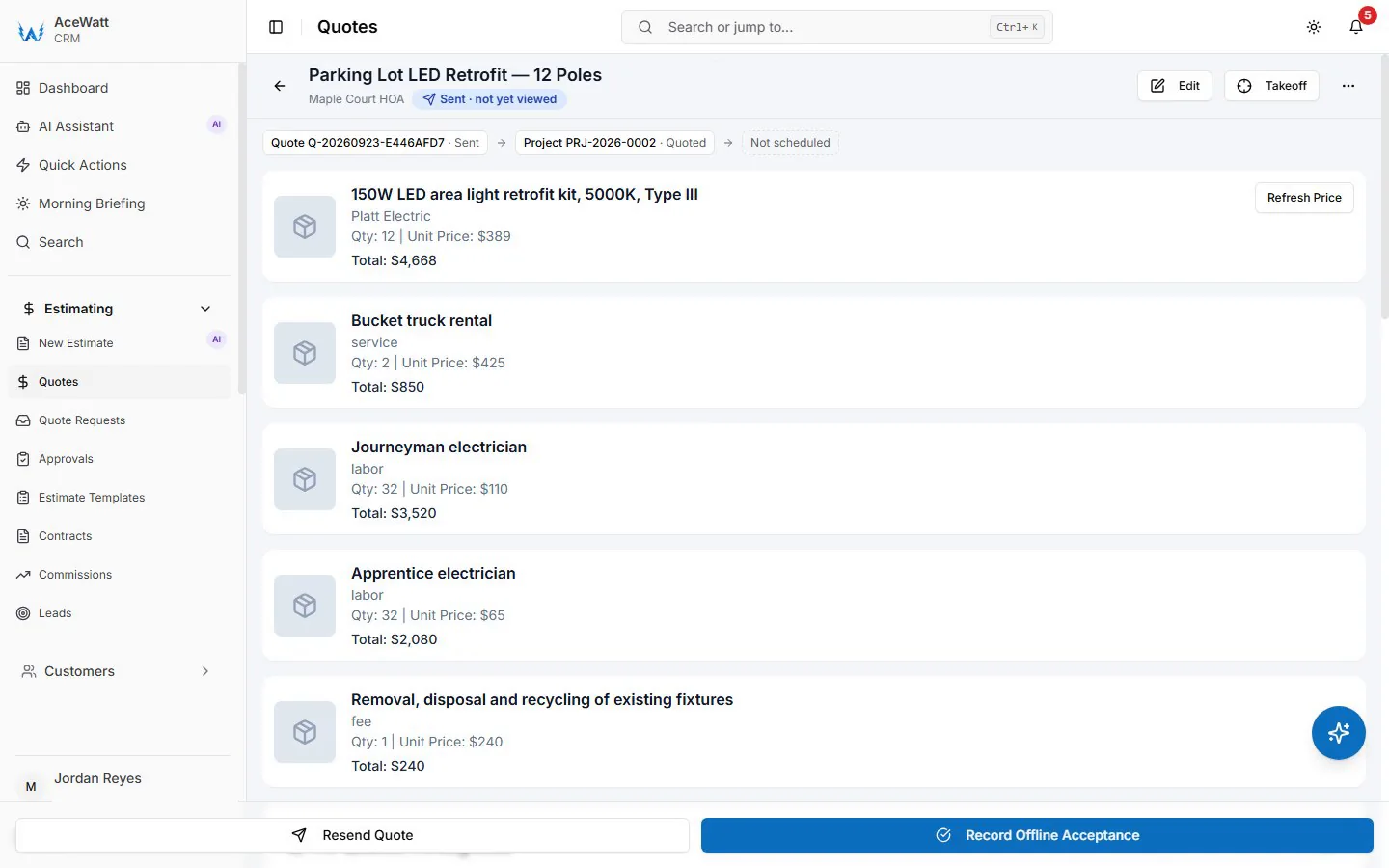
AceWatt tracks a financial pipeline from quote to job to invoice to paid, and the handoffs are where the double-entry disappears:
- Estimating. AceWatt's AI estimating drafts a quote for your review from a job walk, photos, a typed description, or an uploaded PDF plan set, using your company's pricebook and assembly templates. On the Growth plan, AI Job Walk lets you walk a site with your phone, dictating notes and snapping photos to generate a report with material suggestions.
- Quote acceptance. Customers e-sign quotes and contracts through an emailed link in the customer portal. When a customer accepts a quote, AceWatt creates a draft invoice with the quote's line items copied over. Nothing is retyped.
- Deposit. On acceptance, AceWatt can create a deposit invoice and email it with a pay link, so material money arrives before you order gear.
- Job tracking and invoicing. Jobs are tracked in the same system, so the invoice reflects what was actually installed, including milestone invoices on multi-stage projects.
- Payment. Customers open invoices from an emailed portal link and pay online by card, or by bank ACH when the contractor's Stripe account has ACH enabled.
If you want the fuller picture of how lead tracking feeds this pipeline, read how an electrical CRM tracks the lead-to-invoice lifecycle.
Getting Invoice Data Into QuickBooks: Exports Today, Sync in Development
This is the part where honesty matters, so here it is plainly: AceWatt does not have a live QuickBooks sync today. There is no automatic, two-way connection that pushes invoices, payments, or customers into QuickBooks in real time.
What AceWatt offers on the Growth plan and above is QuickBooks-ready exports: an invoice-list spreadsheet formatted for import into QuickBooks, and a payroll-hours CSV in QuickBooks layout built from your techs' clock-in and clock-out records. The workflow is straightforward: export, download, import into QuickBooks, reconcile. For many small shops that already close their books monthly with a bookkeeper, this fits an existing routine. QuickBooks Online supports importing lists and transactions from Excel and CSV files, as documented in Intuit's import guidance.
Full QuickBooks sync is in development. When you evaluate any vendor's QuickBooks claims, this article's approach is the standard to hold them to: ask what happens today, not what is on the roadmap. For a deeper look at the category, including dispatch tools with accounting connections, see electrical dispatch software and QuickBooks/Sage integration and our 2026 guide to QuickBooks integration for electrical contractors.
Automatic Overdue Reminders and Invoice Aging: Getting Paid Faster
Collections is where most invoice apps stop and where cash flow lives or dies. AceWatt handles it with three connected features:
- Automatic email reminders for overdue invoices at 1, 7, 14, and 30 days past due. You do not have to remember to send them, and the customer hears from a consistent system rather than an increasingly frustrated owner.
- Automatic overdue status. Unpaid invoices are marked overdue without manual intervention, so the pipeline view reflects reality.
- Invoice aging report bucketing receivables from 0-30 days through 120+ days. The 90+ buckets are your call list; the 0-30 bucket is your normal cycle. Invoice statuses in AceWatt are draft, sent, paid, overdue, void, and written off, so written-off bad debt stays visible in your reporting rather than quietly deleted.
Late payment is a structural problem in construction trades, and the federal Prompt Payment Act exists precisely because payment delays in government contracting were bad enough to require legislation. Private-sector electricians do not get that protection, which makes systematic, automated follow-up your own best defense.
Milestone Billing and Deposit Invoices for Larger Electrical Projects
A 200-amp service upgrade, a multi-month commercial fit-out, or a new-construction job with rough-in and finish phases does not bill like a service call. AceWatt supports two billing structures for these jobs:
- Deposit invoices, created automatically when a customer accepts a quote and emailed with a pay link. For jobs with significant material cost, this covers gear before it is ordered.
- Milestone billing by percentage of completion. You can invoice a project at defined completion stages, for example 30 percent at rough-in sign-off and the balance at final inspection, which smooths cash flow across long jobs.
One limitation worth knowing: AceWatt does not handle retainage tracking or AIA G702/G703 pay applications. If you primarily do bonded commercial work with retainage, plan to track those amounts in QuickBooks or alongside AceWatt. For percentage-based milestone billing, which covers most residential and light commercial electrical projects, the built-in tooling does the job.
Pricing: What AceWatt Costs per Plan
AceWatt offers a 14-day trial and a 30-day money-back guarantee on the first subscription payment, so you can test the full pipeline on real jobs before committing.
- Starter: $49/month, 1 user. Core CRM (jobs, quotes, invoices, scheduling), the AI quote builder, basic dispatch and calendar, and email support. This is the solo electrician plan.
- Growth: $99/month, up to 5 users. Adds AI Copilot & Voice (search CRM data, get financial summaries and your schedule, update projects by voice), the schedule optimizer, an AI document scanner, AI Job Walk, commission tracking, the customer portal, priority support, and QuickBooks-ready exports.
- Scale: $199/month, unlimited users. Adds route optimization (straight-line distance between stops, not road routing) and a dedicated support contact.
Plans include 5,000, 10,000, and 25,000 promotional AI credits per month respectively until November 19, 2026. If you run past your monthly credits, top-up packs cost $5 for 25 AI requests, $15 for 100, or $40 for 300, never expire, and roll over month to month. Annual billing saves roughly two months compared to monthly. Subscriptions are paid through Stripe Checkout by Visa, Mastercard, or American Express, with ACH available on annual plans, and you manage billing yourself through the Stripe billing portal from your account settings.
FAQ
Does AceWatt sync with QuickBooks automatically?
Not yet. AceWatt offers QuickBooks-ready exports on the Growth and Scale plans: an invoice-list spreadsheet and a payroll-hours CSV in QuickBooks layout that you import into QuickBooks. Full QuickBooks sync is in development, but there is no live, automatic connection today. Any vendor comparison should weigh both options on their actual merits.
How do deposit invoices work when a customer accepts a quote?
When a customer accepts a quote in AceWatt, a draft invoice is created with the quote's line items copied over, and AceWatt can create a deposit invoice and email it with a pay link. Customers e-sign quotes and contracts through an emailed portal link.
Can my customers pay invoices online?
Yes. Customers open their invoices from an emailed link in the AceWatt customer portal and pay by card online. Bank ACH payment is available when your connected Stripe account has ACH turned on.
How does AceWatt handle overdue invoices?
AceWatt emails automatic reminders at 1, 7, 14, and 30 days past due, marks unpaid invoices as overdue automatically, and provides an invoice aging report from 0-30 days through 120+ days. Reminders are email only; AceWatt does not send SMS reminders.
Does AceWatt handle retainage for commercial jobs?
No. AceWatt supports milestone billing by percentage of completion, but it has no retainage tracking and does not generate AIA G702/G703 pay applications. Contractors doing bonded commercial work with retainage should track those amounts in their accounting system.
Next Step
Start the 14-day trial and run one real job through the full pipeline: job walk, AI-drafted quote, deposit invoice, milestone invoices, and payment. That single job will tell you more than any demo. If it does not fit, the 30-day money-back guarantee covers your first subscription payment.
Related Reading
- Electrician invoice software: invoices stay connected to the estimate and job that earned them.