

Accounting Software for Electrical Contractors: The 2026 Comparison of QuickBooks, Sage, and Specialized Field Platforms
Why 2026 Is the Year Electrical Contractors Are Rethinking a QuickBooks-Only Setup
For the full QuickBooks-versus-trade-platform breakdown, see QuickBooks vs. Electrical Contractor Accounting Software in 2026.
Three forces are pushing electrical contractors to rework their back office this year.
First, material volatility. When COMEX copper pushed past $5 a pound in 2025, quotes written 60 days earlier stopped covering the wire inside them. Add long lead times on transformers and panelboards, and a fixed-price estimate now carries real downside risk unless it is documented, versioned, and defensible.
Second, labor scarcity. With experienced electricians hard to hire and harder to keep, every hour an office manager spends retyping paper tickets into accounting software is an hour of administrative drag on a shop that could be selling and scheduling.
Third, QuickBooks itself is showing its seams for this trade. It keeps clean books, but it does not dispatch crews, build estimates, or turn logged field hours and materials into a time-and-material invoice. Any honest accounting software for electrical contractors comparison in 2026 has to start with that gap, because the question is no longer "which books package should I buy." It is "what runs the field, and how does the field feed the books."
QuickBooks for Electrical Contractors: Where the Books Stop and the Job Begins
QuickBooks Online deserves credit for what it does well. General ledger, accounts payable and receivable, 1099 filing, multi-state sales tax, bank reconciliation, and payment acceptance (bank transfers around 1 percent capped near $10 per transaction, cards around 2.9 percent plus $0.25). The Plus tier adds project-level P&L, so you can see revenue and expenses by job. At current published rates, Simple Start sits in the mid-$30s per month and Plus around $99, which is why most solo electricians and small shops start here.
The failures start where the job begins. Time tracking lives in a separate product. There is no dispatch board, so scheduling happens by text message and whiteboard. Estimating is a blank template: every breaker price and labor hour is typed by hand with no assemblies. Job costing shows you what already happened, not what was committed, and labor burden gets tracked in a spreadsheet if it gets tracked at all. Before choosing accounting tools, see our electrical estimating software picks — they cover the bid side.
The result is a familiar pattern in shops of two to ten techs: the invoice gets built in the office from a paper ticket, a photo of a ticket, or a tech's memory. The books are accurate to what was invoiced, and blind to what actually happened on the job.
Sage for Electrical Contractors: Built for Large EC Firms, Heavy Lifting for Growing Shops
Sage 100 Contractor and Sage Intacct Construction are the reference standard for project accounting in electrical construction, and for good reason. Committed cost tracking, subcontract and purchase order control, AIA progress billing on G702/G703 forms, retainage handling, certified payroll for Davis-Bacon work on WH-347 forms, and union fringe and benefit calculation. If you run bonded commercial work, prevailing wage jobs, or multi-year projects, this is real capability that QuickBooks cannot match.
The tradeoff is weight. Sage does not publish pricing, and contractor implementations commonly land in the mid four figures to five figures annually once modules, users, and implementation services are counted. Setup is measured in months, not afternoons. Dispatching a Tuesday service call is not what the system is built around; it is accounting-first software, which is exactly right for a large EC firm and exactly wrong for a growing service shop trying to get three vans out the door by 7 a.m.
Side-by-Side Showdown: Estimating, Dispatching, Job Costing, Invoicing, and QuickBooks Sync
| Capability | QuickBooks Online | Sage 100 Contractor / Intacct | AceWatt |
|---|---|---|---|
| Estimating | Blank templates; every price and labor hour typed manually; no assemblies | Assemblies and price books; accounting-first quoting | AI Estimating builds photo-backed quotes from job walk notes with per-task unit pricing |
| Crew scheduling and dispatching | None | Project schedules, not day-of dispatch boards for service calls | Drag-and-drop dispatch board with tech status and job stage in real time |
| Job costing | Project P&L on Plus and above; no committed costs; labor burden tracked manually | Full job cost: committed costs, subcontracts, burden, certified payroll | Labor hours and materials logged per job in the field; costs tie directly to the invoice |
| Invoicing and payment tracking | Strong AR and aging; ACH and card acceptance built in | AIA progress billing and retainage handling for commercial contracts | Accepted quotes invoiced and emailed automatically; T&M invoices built from the job record with a button (materials logged at cost; markup is set on the quote); card payments by pay link (ACH if enabled in Stripe); payment status tracked to collection |
| QuickBooks integration depth | It is the books | Weak; typically exports and third-party connectors | QuickBooks-ready exports: invoice-list spreadsheet and payroll-hours CSV (full sync in development) |
The T&M Billing Gap: How Hours, Materials, and Markups Get From the Field to the Invoice
Time-and-material work is where residential and light commercial shops quietly bleed margin, and it is the weakest link in a QuickBooks-only stack.
Consider a routine service call: a homeowner reports a dead outlet. The tech pulls the device, finds burned conductors from a backstabbed connection, and spends two hours splicing, replacing, and testing. On paper, that is a clean T&M ticket: 2.0 hours of labor, $38 in materials, 35 percent materials markup. In practice, the ticket rides in the truck for three days, the office retypes it, the markup gets applied inconsistently or forgotten, and the customer questions the line items because nothing documents what was found.
The math compounds. Three techs missing 30 minutes of logged labor per day at a $95 billed rate forfeits more than $33,000 across a 235-day year. A shop billing $2,000 a month in materials without its standard markup leaves another $8,400 on the table. That is a journeyman's wages leaking out through administrative friction.
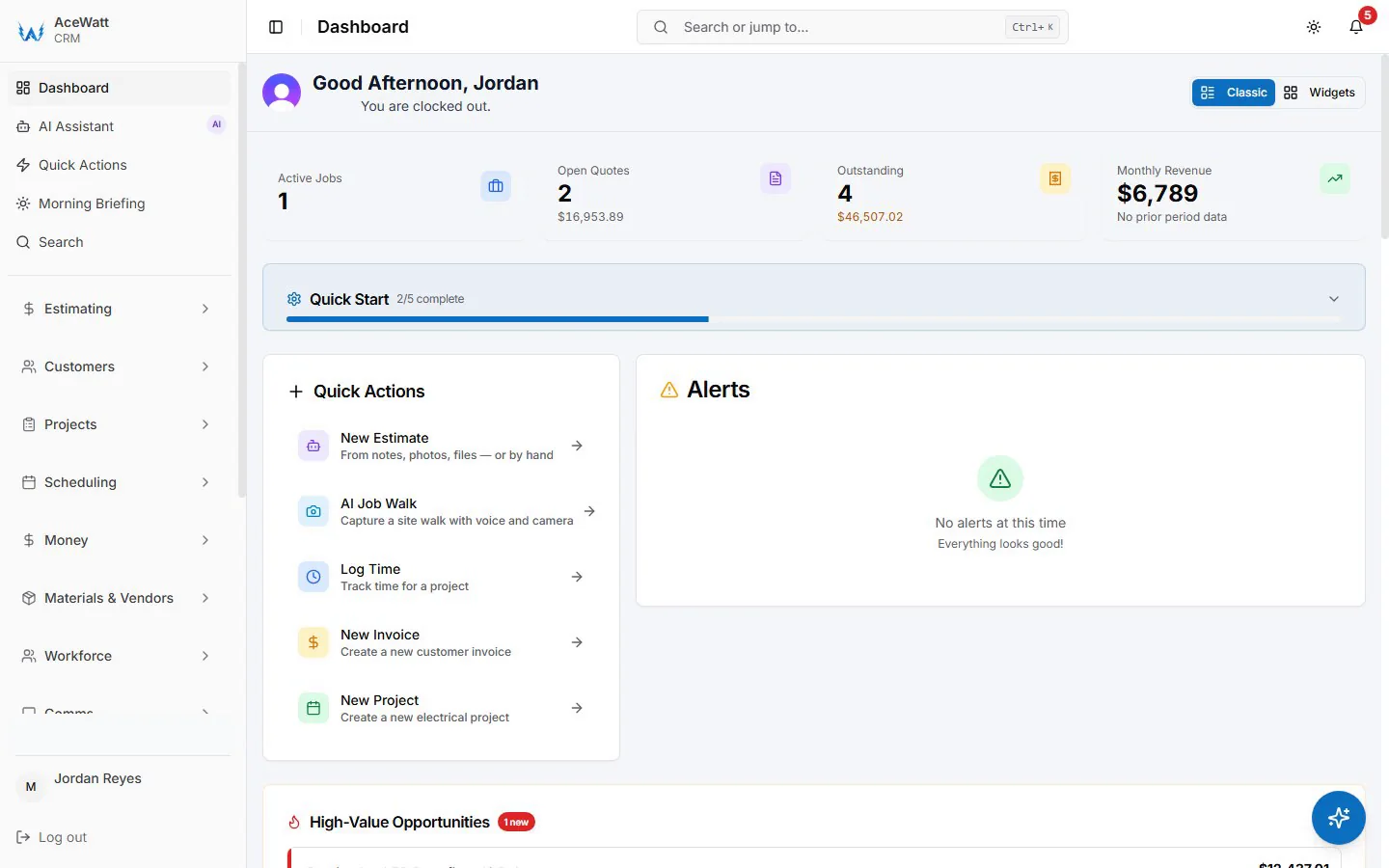
This is the specific problem T&M billing software for electricians exists to solve. AceWatt's Job Tracking runs the clock per job, captures materials at cost as they are used (markup is set on the quote), so the office can build the invoice from the job record with a button while the tech is still on site, and the invoice and payment status sit on the job record, without anyone retyping a ticket.

The Hybrid Play: Run the Field in One Platform, Keep the Books in QuickBooks
The most common question we get is whether AceWatt replaces QuickBooks. It does not, and it is not trying to. Your accountant, your tax filings, and your chart of accounts should stay in QuickBooks. The hybrid model keeps the books there and moves the field into a platform built for electrical work.
The workflow looks like this:
- Job walk. The contractor walks the site and talks through what he sees in plain language. AI Voice and Job Walk Documentation transcribes it, attaches the photos, and creates a record of site conditions.
- Estimate. AI Estimating turns that record into a photo-backed quote with per-task unit pricing.
- Handoff. QuickBooks-ready exports give your bookkeeper the invoice list as a spreadsheet and the payroll hours as a QuickBooks-format CSV; the accepted estimate stays in AceWatt. There is no native, real-time, bidirectional sync today.
- Field execution. Dispatch sends the job, techs log hours and materials, and the invoice assembles from the logged hours and materials (markup is set on the quote).
- Closeout. The invoice list, with each invoice's status and balance, exports as a spreadsheet for your bookkeeper, and your books remain the single source of truth for taxes.
The margin protection here is not a slogan. Say the job is a 200A panel upgrade quoted from a job walk that documented a Federal Pacific Stab-Lok panel with double-tapped neutrals. When the load calc under NEC 220.83, accounting for a new EV charger under 220.57, shows the service upgrade scope growing, the documented condition and photos justify the change order. Disputed line items collapse when the customer can see a photo and a timestamped voice note describing exactly what the tech found. Contractors shopping for ai electrical estimating software or the best CRM for electrical contractors are solving this same problem: quote accurately, document conditions, follow up automatically, and get paid for the work actually performed. The accounting decision cannot be separated from those functions.
Solo Electrician vs. Multi-Crew Shop: Matching Your Stack to Your Size in 2026
Solo electricians. QuickBooks Simple Start plus an electrical invoice app is usually enough bookkeeping. What a one-truck operation actually lacks is an office: estimating, invoicing the same day, and chasing estimates. A solo operator running AceWatt on a phone can quote from the job walk, invoice from the van, and let automatic email reminders chase overdue invoices at 1, 7, 14 and 30 days late. On the Growth plan and above, AceWatt exports the invoice list as a spreadsheet for your QuickBooks entries.
Two to ten tech shops. This is the segment QuickBooks alone fails hardest, and where Sage is overkill. The right architecture is a field platform with a clean QuickBooks handoff: dispatch board, job tracking for T&M, AI estimating, and invoicing that ties to true job costs. QuickBooks Plus with classes per job gives you project P&L that actually reflects field data.
Large EC firms. Commercial backlogs, bonding requirements, AIA billing, and prevailing wage work justify Sage-level project accounting. Many firms of this size still run a field service tool alongside Sage for the service division, because dispatching day-of calls through Sage remains clumsy.
Bottom Line: Which Platform Fits Which Electrical Contractor
- QuickBooks alone fits a solo electrician or a shop that bills flat-rate, has no service dispatch, and is willing to do the office work by hand.
- Sage fits commercial EC firms with bonded projects, certified payroll obligations, and progress billing. It is the wrong tool for a growing service shop.
- AceWatt alongside QuickBooks fits solo electricians and two to ten tech shops that need estimating, dispatching, T&M billing, and follow-up to run in one place while the books stay in QuickBooks.
The 2026 answer for most growing shops is not switching accounting platforms. It is stopping the double entry between the field and the books, and making sure every logged hour, every marked-up material, and every documented change order actually reaches the invoice.
Related Reading
- Accounting software for electrical contractors: the full category breakdown, from solo shops to multi-crew commercial contractors.
- Electrical job costing software: getting billed-versus-actual comparisons out of your field data.
- See how estimating, dispatching, and invoicing fit together on the pricing page.
- AceWatt vs QuickBooks for electrical contractors: which actually handles job costing in 2026