
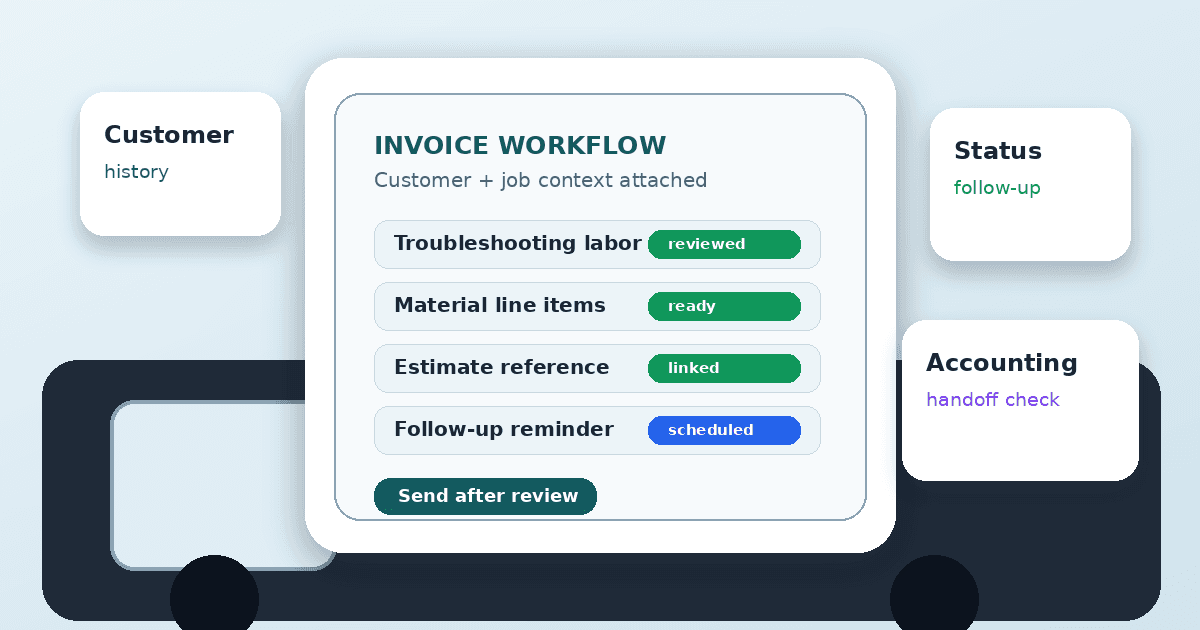
An electrician invoicing app should do more than create a PDF. Electrical contractors need invoices that connect to estimates, job notes, materials, customer history, payment status, and follow-up. A simple invoicing app can work for a solo operator, but a growing shop often needs invoicing connected to the rest of the job workflow.
Quick answer: An electrician invoicing app helps electrical contractors create, send, track, and organize invoices from a phone or web workflow. The best option depends on whether you only need standalone invoices or a connected CRM workflow that also manages estimates, job notes, and customer history. Verify payment processing, accounting sync, and privacy features before choosing a platform.
This guide compares practical app categories and common options. It also explains where AceWatt fits as an electrical CRM for shops that want estimates, invoices, and follow-up connected instead of scattered across separate tools.
For related AceWatt resources, use the electrician software comparison hub, see electrician invoice software, and review invoicing features and pricing. For a field-focused shortlist, see the best electrician invoicing app guide for 2026.
Best Electrician Invoicing Apps in 2026: Quick Comparison
Use this table to shortlist tools by workflow fit. The right electrician invoicing app depends on how your shop sells, documents, collects, follows up, and hands work into accounting, not on feature count alone.
| App or category | Best fit | What to evaluate |
|---|---|---|
| AceWatt | Electrical contractors that want invoices connected to CRM, estimates, job walk context, and follow-up | Estimate-to-invoice context, customer history, reminders, and electrical workflow fit |
| Jobber | Home-service shops that want broad field-service workflows | Scheduling, client hub, invoice workflow, and fit for electrical-specific notes |
| Housecall Pro | Residential service teams that want booking, dispatch, and invoicing in one field-service app | Invoice workflow, customer communication, and operational complexity |
| ServiceTitan | Larger trade businesses with enterprise field-service needs | Depth of operations, reporting, dispatch, and implementation fit |
| QuickBooks Online | Contractors that prioritize accounting workflow | Bookkeeping, tax/accounting handoff, and whether field notes stay connected elsewhere |
| Joist | Contractors that want simple estimates and invoices | Ease of use, mobile invoice creation, and limits as the shop grows |
| Invoice Simple / Billdu / PayXT / similar apps | Solo operators that need lightweight invoicing | Simplicity, payment options, exports, data controls, and lack of CRM depth |
The common pattern: standalone invoice apps are faster to adopt, while a CRM-connected electrician invoicing app helps when the invoice needs job context.
What Is an Electrician Invoicing App?
An electrician invoicing app is software that helps a contractor turn completed work, approved quotes, materials, labor, fees, and payment terms into an invoice. Some apps are simple: customer name, line items, tax, total, send. Others connect invoices to estimates, work orders, job notes, photos, reminders, customer history, and payment status.
Electricians have different invoice needs than many generic freelancers. Electrical invoices may need to reference service call details, approved changes, fixtures, materials, labor, diagnostics, permit fees, inspection notes, deposits, progress billing, or final balance. The invoice should be clear enough for the customer and organized enough for the office.
A good electrician invoicing app workflow answers five questions:
- What work was approved?
- What work was completed?
- What materials, labor, and fees are included?
- What does the customer owe, and when?
- What follow-up happens if the invoice is not paid or needs revision?
An app can help organize those details. It should not create unsupported claims, hide terms, or replace accounting/legal advice.
Electrician Invoicing App vs. Electrical CRM
A standalone electrician invoicing app is enough when the job is simple and the owner personally knows every customer. It becomes limiting when invoicing depends on prior estimates, job-walk photos, customer conversations, change orders, or repeat work.
An electrical CRM keeps the invoice close to the customer record. That matters because most invoice questions are not really invoice questions. They are context questions: What was quoted? Who approved the change? Which photos show the completed work? Was this customer waiting on a panel upgrade estimate? Did we already follow up?
| Workflow need | Standalone invoice app | Electrical CRM |
|---|---|---|
| Create a quick invoice | Strong fit | Also supported if invoicing exists |
| Track customer history | Limited or basic | Central workflow |
| Connect estimates to invoices | Depends on app | Core reason to use CRM |
| Keep job notes and photos attached | Often limited | Stronger fit when job documentation matters |
| Manage unpaid follow-up | Basic reminders in some apps | Follow-up can sit in customer workflow |
| Coordinate across office and field | Limited | Better for growing teams |
The choice is not "simple is bad." A solo contractor may be better served by a lightweight electrician invoicing app than a heavy platform. But if invoices keep requiring detective work, the missing piece is usually connected context.
Features to Compare in an Electrician Invoicing App
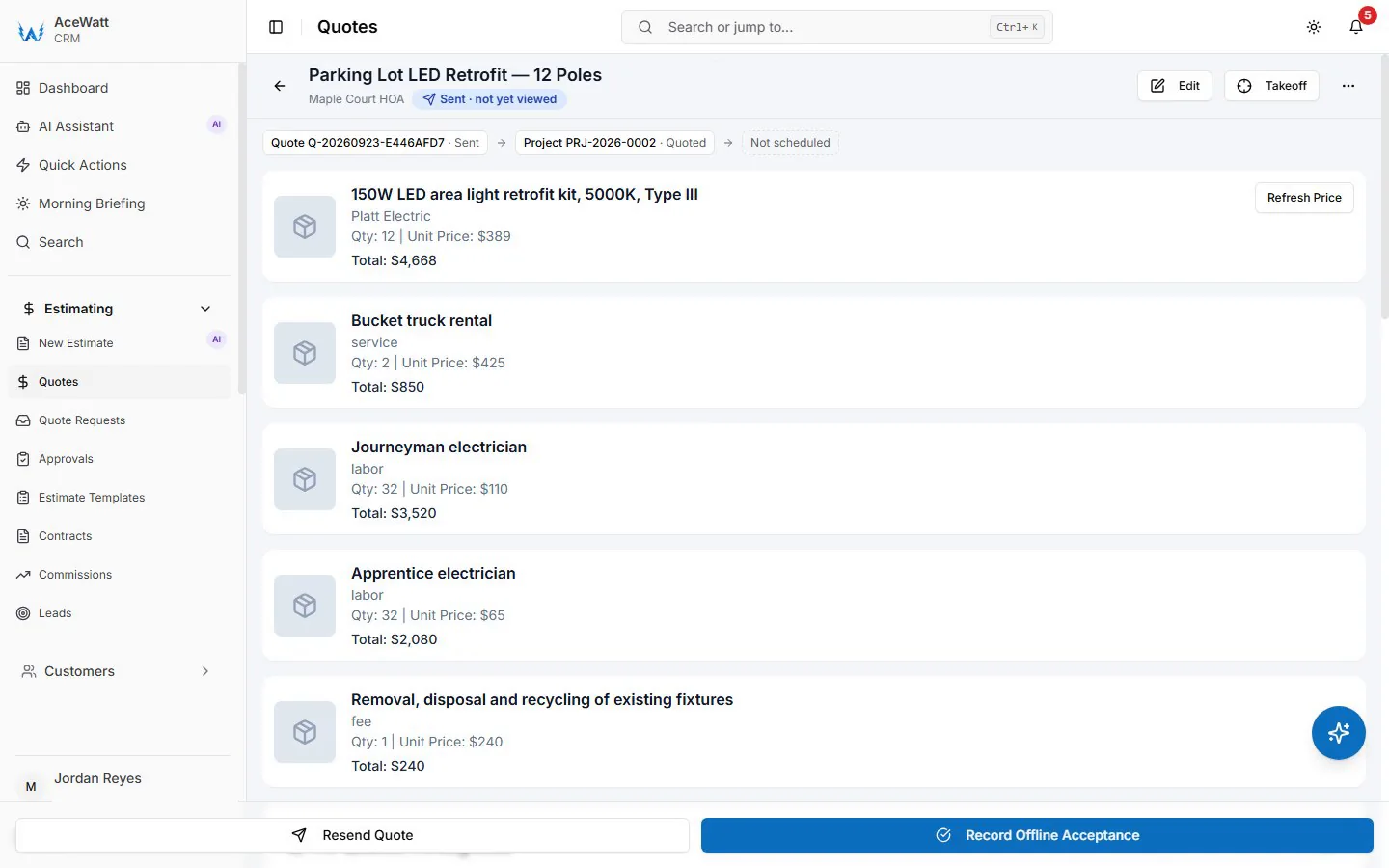
Estimate-to-invoice workflow
A strong invoicing workflow starts before the invoice. If the estimate, approved scope, and field notes are already connected inside the electrician invoicing app, the invoice is easier to prepare and easier to explain.
Line items, labor, and materials
Electrical invoices should clearly describe labor, materials, service fees, diagnostics, equipment, and other charges. Vague line items create customer confusion. Overly technical line items can also create confusion. The goal is plain English supported by job detail.
Job notes and photos
Photos and notes can support internal review and customer questions. Contractors should use them carefully and avoid collecting unrelated personal or property information. Sensitive job records should be handled according to the company's privacy policy and access controls.
Payment links and payment processing
Many electrician invoicing apps advertise payment links or online payment workflows. Verify this directly with each vendor. Check processor fees, supported payment methods, deposit handling, refunds, chargebacks, customer notifications, accounting sync, and how payment data is stored. The U.S. Consumer Financial Protection Bureau publishes guidance on transparent payment and billing practices that contractors can use as a reference when evaluating how a processor discloses fees and handles disputes. AceWatt should be evaluated for invoice workflow and customer context; do not assume a native payment-processing feature without checking the current product and plan.
Deposits, progress billing, and change orders
Electrical work may involve deposits, partial payments, progress invoices, or change orders. If your shop handles panel upgrades, commercial maintenance, generators, EV chargers, or larger remodels, make sure the electrician invoicing app can represent how you actually bill.
Follow-up reminders
A sent invoice is not a completed workflow. Contractors need reminders for unpaid invoices, disputed invoices, missing approvals, or follow-up estimates. The SBA's general finance guidance at sba.gov is a useful reminder that cash flow matters; the app should help the office see what needs attention.
Accounting handoff
QuickBooks or another accounting system may still be the source of truth for bookkeeping. If invoicing happens in a separate electrician invoicing app, verify export, sync, taxes, customer matching, chart-of-account mapping, and reconciliation. Do not assume every invoice app replaces accounting software. For a deeper comparison of ledger-first options versus an electrical CRM feeding QuickBooks clean job-costed data, see our guide to accounting software for small electrical contractors.
Best Electrician Invoicing App Options
AceWatt
AceWatt is best evaluated as an electrical CRM workflow, not just a standalone invoice generator. Its public positioning centers on customer records, job notes, estimates, quotes, invoices, scheduling, AI-assisted contractor workflows, and follow-up. That makes it relevant for shops where invoices need context from a job walk or estimate.
AceWatt is a good fit when the office needs to know what was quoted, what changed, what the customer approved, and what follow-up is still open. It is especially useful when invoice problems come from scattered job context instead of the invoice form itself.
Review AceWatt pricing and invoicing features before deciding. If payment links, accounting sync, or processor-specific features are required, verify the current product and plan before purchase.
Jobber
Jobber is a broad home-service platform often considered by contractors that need scheduling, customers, quotes, invoices, and client communication. It may fit shops that want one general field-service workflow. Electrical contractors should test how well it stores electrical job context, revisions, photos, and estimate details.
Housecall Pro
Housecall Pro is another broad field-service platform for service businesses. It can be useful when invoicing is part of a larger operational workflow that includes scheduling, dispatch, customer communication, and office workflows. Compare setup complexity and electrical-specific documentation needs before choosing.
ServiceTitan
ServiceTitan is commonly evaluated by larger trade businesses that need enterprise field-service depth. It can be powerful when dispatch, call handling, reporting, memberships, and multi-team operations matter. Smaller shops should decide whether the implementation weight is justified by their current invoicing pain.
QuickBooks Online
QuickBooks Online is strong when accounting is the main concern. Many contractors already use it for bookkeeping, taxes, payment records, and financial reporting. But QuickBooks may not be the best place to manage job-walk notes, estimate revisions, field photos, or sales follow-up. A shop may use QuickBooks for accounting and a separate electrician invoicing app or CRM for job context.
Joist
Joist is often considered for simple estimates and invoices. It can fit solo contractors or small teams that want fast document creation without a large platform. The key question is whether it will still work when customer history, repeat jobs, and follow-up become more important.
Invoice Simple, Billdu, PayXT, and other lightweight invoice apps
Lightweight invoice apps can be useful when the contractor only needs to create professional-looking invoices quickly. Evaluate mobile ease, payment options, exportability, customer record depth, and whether data can move with you later. If the app does not connect to job records, keep a separate process for notes, photos, and approvals.
Common Invoice Problems an Electrician Invoicing App Should Solve
Lost job context
The invoice says "service call" but the customer asks what was actually done. If the electrician invoicing app does not connect to the technician's notes, the office has to reconstruct the job from memory.
Vague line items
Customers are more likely to question invoices when line items are too vague. "Repair electrical issue" is less helpful than a plain-English description of the completed work, materials, diagnostic time, and limitations.
Forgotten follow-up
A customer may need a revised invoice, missing W-9, deposit reminder, payment status update, or quote for additional work. Without reminders tied to the electrician invoicing app, unpaid invoices and open questions sit too long.
Separate apps with no handoff
If estimates live in one tool, invoices in another, photos on phones, and customer notes in a spreadsheet, every invoice requires manual cleanup. This is why connected CRM matters as a shop grows.
Payment assumptions
Do not assume the electrician invoicing app handles every payment workflow you need. Verify deposits, partial payments, ACH, card fees, surcharges where allowed, refunds, chargebacks, receipts, and accounting sync. Also verify compliance obligations with your processor and local requirements.
How AceWatt Connects Invoices to Job Walks and Follow-Up
AceWatt is strongest when invoicing is treated as part of the larger electrical customer workflow: quote, job, invoice, and follow-up stay connected to one customer record.
- Use AI job walk to document site context.
- Use automated estimating to support reviewed estimate and quote preparation.
- Use electrician job management software content to connect the work through scheduling, notes, and follow-up.
- Use electrician invoice software to compare invoice workflow needs.
- Use pricing to review current AceWatt plans and decide where an electrical invoicing app earns its cost back.
The safest way to describe AceWatt is: it helps keep job context, estimates, invoices, customer records, and follow-up organized for electrical contractors. For invoices tied to electrical scope, diagnostics, approved changes, inspection notes, or safety/code-compliance-sensitive job details, a licensed electrician or qualified reviewer should verify the work description, scope context, customer commitments, and compliance-sensitive statements before the invoice is sent. Final pricing, tax/accounting treatment, customer terms, and payment-processing details still require human review and vendor/product verification.
Invoice Fields Every Electrical Contractor Should Standardize
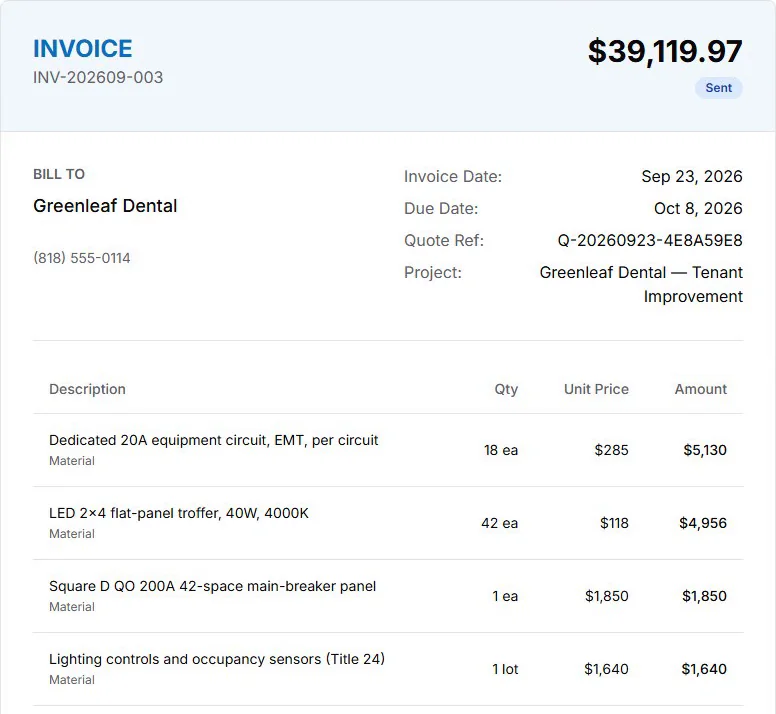
A good electrician invoicing app helps most when the team already knows what a clean invoice should contain. Standardize fields before arguing about software.
Useful fields include customer name, service address, billing contact, invoice date, due date, job or estimate reference, plain-English scope, labor description, material line items, service fees, taxes where applicable, deposit or progress-payment notes, exclusions, warranty or follow-up notes when appropriate, and the best contact for invoice questions.
For electrical work, also keep internal context close to the invoice: technician notes, customer approval, photos when appropriate, and any open recommendation that should become a future quote. The customer-facing invoice should stay clear and professional; the internal record should preserve enough context that the office can answer questions later.
Privacy and Data Controls in an Electrician Invoicing App
Invoices contain sensitive business and customer information. They can include names, addresses, phone numbers, pricing, payment status, photos, job notes, and property details. Before choosing an electrician invoicing app, check user permissions, exports, deletion options, retention periods, and whether the workflow matches your privacy policy.
If your team uses photos or customer notes to support invoices, make sure the app lets you limit access and avoid collecting unrelated information. A clean invoice process should improve documentation without turning every job into an unnecessary data collection exercise.
Buying Checklist for an Electrician Invoicing App
Before choosing an electrician invoicing app, run a real job through it:
- Create a customer record.
- Start from an approved estimate.
- Add labor and materials.
- Attach or reference job notes.
- Explain a change order.
- Send or export the invoice.
- Track status.
- Record a follow-up reminder.
- Export or sync the invoice into accounting.
- Retrieve the full customer history later.
Then ask these questions:
- Can the electrician invoicing app represent deposits, progress billing, or partial payments if needed?
- Can you export customer and invoice data?
- Can office users and field users see the right level of information?
- Are payment features built in, integrated, or handled by another provider?
- Does the app explain fees, data retention, privacy, and customer notifications clearly?
- Does it support your workflow without forcing unnecessary admin work?
Frequently Asked Questions
What is the best electrician invoice app for contractors?
The best electrician invoice app depends on workflow. A solo electrician may need a lightweight invoice app. A growing electrical contractor may need CRM-connected invoicing so estimates, job notes, invoices, customer history, and follow-up stay together.
Can electricians use QuickBooks as their invoicing app?
Yes. QuickBooks can be useful for accounting and invoice records. Contractors may still need a separate electrician invoicing app or CRM for job notes, estimates, photos, scheduling, and customer follow-up.
Should electricians use standalone invoicing software or a CRM-style electrician invoicing app?
Use standalone invoicing software when invoice creation is the main problem. Use an electrical CRM with a built-in electrician invoicing app when invoices depend on estimates, job-walk notes, customer history, follow-up, and repeat work.
What should be included on an electrical invoice from an electrician invoicing app?
An electrical invoice should include customer details, service address, invoice date, description of completed work, labor, materials, fees, taxes when applicable, payment terms, due date, and contact information. For complex work, reference approved scope and change orders clearly.
Do electrician invoicing apps include payment links?
Some electrician invoicing apps do, but features vary by vendor, plan, processor, and region. Verify payment links, fees, refunds, chargebacks, receipts, accounting sync, and payment-data handling before relying on any platform.
For most shops, a well-chosen electrician invoicing app is what keeps estimates, jobs, and invoices in sync.
How can electricians get paid faster with an electrician invoicing app?
Clear invoices, prompt delivery, payment-status visibility, accurate customer records, and consistent follow-up can reduce delays. An electrician invoicing app helps organize the workflow, but terms, payment methods, and customer communication still need clear business process.
In practice, an electrician invoicing app is the piece that keeps your estimates, jobs, and invoices in sync.
Related Reading
- Browse the full AceWatt feature set: AI job walk, estimating, invoicing, scheduling.
- offline capture app for daily service work
- See AceWatt vs ServiceTitan invoicing differences → ServiceTitan alternative
- AceWatt vs Housecall Pro invoicing comparison → Housecall Pro alternative
- Jobber vs. AceWatt for Electrical Contractors (2026)
- ServiceTitan vs. AceWatt: an honest 2026 comparison for electrical contractors
- Mobile Invoice Apps That Get Electricians Paid Faster
- Electrician Invoice Apps in 2026: The Complete Guide
- All head-to-head pages → AceWatt alternatives for electricians
- Best electrical quote app for estimates and invoicing in one place: how quote-to-invoice flow works in one app.