

From the Job Trailer to the General Ledger: Why Electrical Contractor QuickBooks Integration Is the Missing Link in Field Time Tracking
Every hour an electrician works in the field should arrive in the general ledger exactly once, at the source. Instead, most shops re-key the same hours two or three times across paper tickets, spreadsheets, and QuickBooks, and the difference shows up as delayed payroll, disputed invoices, and quiet margin loss. Here is how the right integration closes that gap.
1. Why Manual Double-Entry Is Draining Electrical Contractors in 2026
The average electrical service van rolls out every morning with a clipboard, a stack of work orders, and a journeyman who already lost 15 minutes logging into three different systems before turning a single screw. By the end of the day, the foreman has handwritten time on a job ticket, the apprentice punched in on a separate tablet, and the office manager still has to reconcile both against whatever hours the crew texted at 5:47 p.m.
That handoff is where money leaks. Industry benchmarks put the cost of re-keying a single timesheet at $3 to $8 once you factor in labor, error correction, and downstream invoice rework. For a 12-person shop running five jobs a day, that adds up to tens of thousands of dollars a year in uncompensated office time, and that is before counting the billable hours that never make it onto an invoice because someone forgot to enter Friday's service call.
The 2026 electrical market compounds the problem. Material costs on copper, PVC, and panel gear remain volatile. Residential service entrance upgrades from 200A to 400A and commercial EV charger installations are stretching job durations, and prevailing wage work on public projects demands WH-347 certified payroll reporting that punishes even small clock-in errors.
2. Where QuickBooks Alone Falls Short for Electrical Field Service Work
QuickBooks is excellent accounting software. It is not field service software. Any electrician who has tried to run a three-crew commercial buildout from the QB dashboard already knows the gap:
- No dispatch board. QuickBooks cannot route a service call to the closest journeyman or show where two trucks are sitting on the same block.
- No trade-specific estimating. A residential panel swap involves different labor units, material assemblies, and NEC compliance checks than a 480V three-phase commercial service. Generic line items do not capture that.
- No job walk documentation. Walking a 40,000-square-foot tenant improvement while capturing scope, voice notes, and measurements on a tablet is not a QuickBooks feature.
- No T&M billing engine. Time and material billing for electrical work requires capturing clock-in and clock-out times, job codes, material markups of 20 to 30 percent, and labor burden rates that often run 30 to 40 percent above base wage. Those numbers then have to land on a customer-ready invoice.
- No crew scheduling or CRM follow-up. Leads from service calls, warranty callbacks, and failed inspections need to land in a pipeline, not in an accountant's inbox.
The result is a stack of disconnected tools: a CRM over here, a dispatching app over there, paper timesheets, and QuickBooks trying to stitch everything together at month-end.
3. How Field Time Entries Sync Directly into QuickBooks for Electricians
The fix is straightforward in concept and significant in practice. A purpose-built electrical contractor QuickBooks integration setup handles field time tracking like this:
- The foreman taps Clock In on the job ticket when the truck arrives.
- Hours accumulate by job, cost code, and crew classification. Typical cost codes include 200A panel upgrade (service), rough-in (tenant improvement), and feeder pull (commercial).
- Lunch breaks, drive time, and material runs are flagged separately so they hit the right cost buckets.
- At clock-out, the entries sync to QuickBooks Online or QuickBooks Desktop as completed timesheets, mapped to the correct employee, job, and class.
No clipboard. No end-of-day phone call asking what time anyone left the church job. No office manager typing 47 line items into QB on Monday morning while the AP clerk waits.
4. Connecting T&M Billing, Job Tracking, and QuickBooks Invoicing
Time and material work is where electrical contractors make or lose margin on service calls. A residential job billed at $95 per hour with a 25 percent material markup looks simple on paper. It stops looking simple when the tech used 14 feet of 6/3 cable instead of 10, burned an extra 40 minutes troubleshooting a mislabeled panel, and the office forgot to bill the permit fee.

When time tracking, job tracking, and T&M billing live in one field service platform, every labor hour and material line rolls up automatically. The invoice generator pulls:
- Labor: clock-in to clock-out hours multiplied by rate, with overtime flagged.
- Materials: items issued from truck inventory or pulled against a purchase order, marked up per contract terms.
- Subcontractor costs: broken out separately for compliance and customer transparency.
Those line items then push to QuickBooks as finalized invoices, correctly coded to the right customer, job, and class, with the chart of accounts, sales tax handling, and deposits behaving exactly as QuickBooks expects.
5. Reducing Payroll Errors and Disputes with Real-Time Crew Hours
The most expensive timesheet mistake is the one a customer catches. Short pays, disputed labor hours, and rejected certified payroll reports all start with a timestamp that does not match reality.
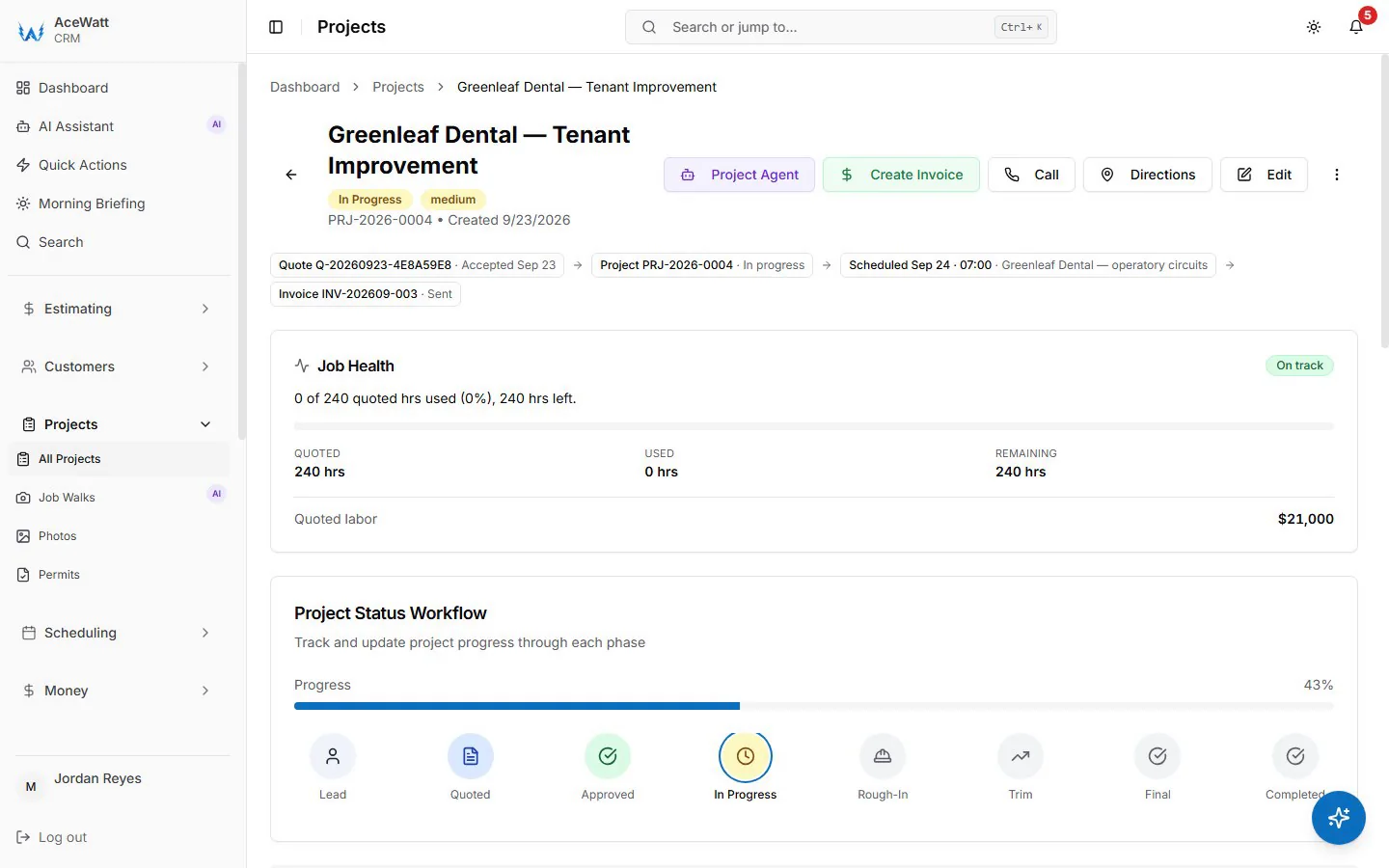
Real-time crew hours eliminate three categories of payroll pain:
- Davis-Bacon and state prevailing wage jobs. The WH-347 form requires exact hours by classification, fringe benefits, and apprentice ratios. Manual transcription invites misapplied wage determinations, a finding that can disqualify a contractor from future public bids.
- Customer disputes on commercial progress billings. When the general contractor's project manager asks for backup on labor billed to date, you need to produce clock-in times, job notes, and crew assignments, not a scribbled timesheet.
- Internal payroll corrections. Job cost reports that reconcile within 1 percent of the general ledger require accurate labor allocation in near real time, not three weeks after the job closes.
6. What to Look for in an Electrical Contractor QuickBooks Integration
Not every integration is built for the trades. Before committing, verify the following:
- QuickBooks Online and Desktop support. Many commercial contractors still run Desktop in multi-user mode for performance reasons.
- Bidirectional sync. Customer records, jobs, items, and invoices should flow both directions, not just one-way exports that create new reconciliation work.
- Multi-state capability. Sales tax rules, labor classifications, and prevailing wage requirements differ by state. The integration must respect class and location tracking across every jurisdiction you work in.
- A unified platform, not another silo. A quoting tool that does not talk to the dispatch board creates the exact problem QuickBooks alone creates: disconnected data. Look for software that connects an AI-powered CRM, AI estimating, automated follow-up, crew scheduling and dispatching, job tracking, AI voice and job walk documentation, and invoicing with payment tracking with a QuickBooks-ready time export.
- A mobile app that works offline. Basements, elevator shafts, and concrete-pour commercial sites do not have reliable signal. Hours should queue locally and sync when the crew regains connectivity.
7. Implementation Steps for Growing Electrical Shops
Rolling out a new system mid-season is risky, but a structured cutover keeps the lights on:
- Audit the current workflow. Map every place a timesheet, invoice, or job status touches a human hand. Most shops find 7 to 12 handoffs per job.
- Stand up the chart of accounts and job classes in QuickBooks first. The integration cannot map what does not exist.
- Import customer and vendor lists, then enable bidirectional sync.
- Run a pilot with one crew for two weeks. Compare the pilot job's QuickBooks reports against the legacy method and measure the time delta.
- Train foremen and office staff separately. Crews need a 15-minute mobile walkthrough; office staff need mapping and reporting training.
- Decommission the old timesheet process by day 30. A hybrid stack is worse than either system alone.
The contractors making this switch in 2026 are not chasing shiny software. They are protecting margin on hours their crews already worked. QuickBooks does the accounting. The right field service platform makes sure the field gets paid.
Related Reading
- How to Sync Dispatch Software With QuickBooks: Guide
- Electrical contractor payroll and labor cost guide
- Electrical Dispatch Software: QuickBooks & Sage Sync