

Why Electrical Contractors Need QuickBooks-Integrated Dispatch Software in 2026
Most electrical contractors lose close to a full workday every week to paperwork that has nothing to do with pulling wire. Dispatching crews, keying timesheets, matching supply house tickets, and chasing invoices adds up fast. Ten hours a week at a $125 billable rate is $1,250, or $65,000 a year, and that is before counting the revenue that simply never gets billed.
The problem in 2026 is not a shortage of software. It is that most platforms treat dispatch and accounting as separate islands. Crew scheduling lives in one app, job tracking in another, and QuickBooks sits on the office desktop waiting for someone to manually re-key labor hours, material tickets, and change orders on Friday night. Electrical dispatch software with QuickBooks integration exists to close exactly that gap, and contractors who use it capture revenue that disconnected shops quietly donate to their customers.
The Field-to-Finance Gap: What Breaks When Dispatch and Accounting Don't Talk
Walk into any growing electrical shop and you will find the same three leaks:
The material leak. Your foreman grabs 500 feet of 12/2 MC cable and a 200A panel from the supply house on Tuesday. The $847 ticket rides in his truck until Friday. By the time it reaches QuickBooks, the job has already been invoiced, and the materials never hit the bill.
The labor mismatch. Dispatch schedules a journeyman and an apprentice for a service change-out. The job runs long and overtime kicks in, but the work order was never updated, so payroll shows straight time. You absorb the overtime premium. The customer never sees it.
The change order black hole. On a commercial tenant improvement, the GC adds six data drops and a subpanel relocation. The crew documents it on paper, someone texts the office, and three weeks later the T&M invoice goes out missing two of the six additions because the paper trail broke.
None of this is hypothetical for shops running dispatch off a whiteboard or a generic field service tool that was never built for electrical work.
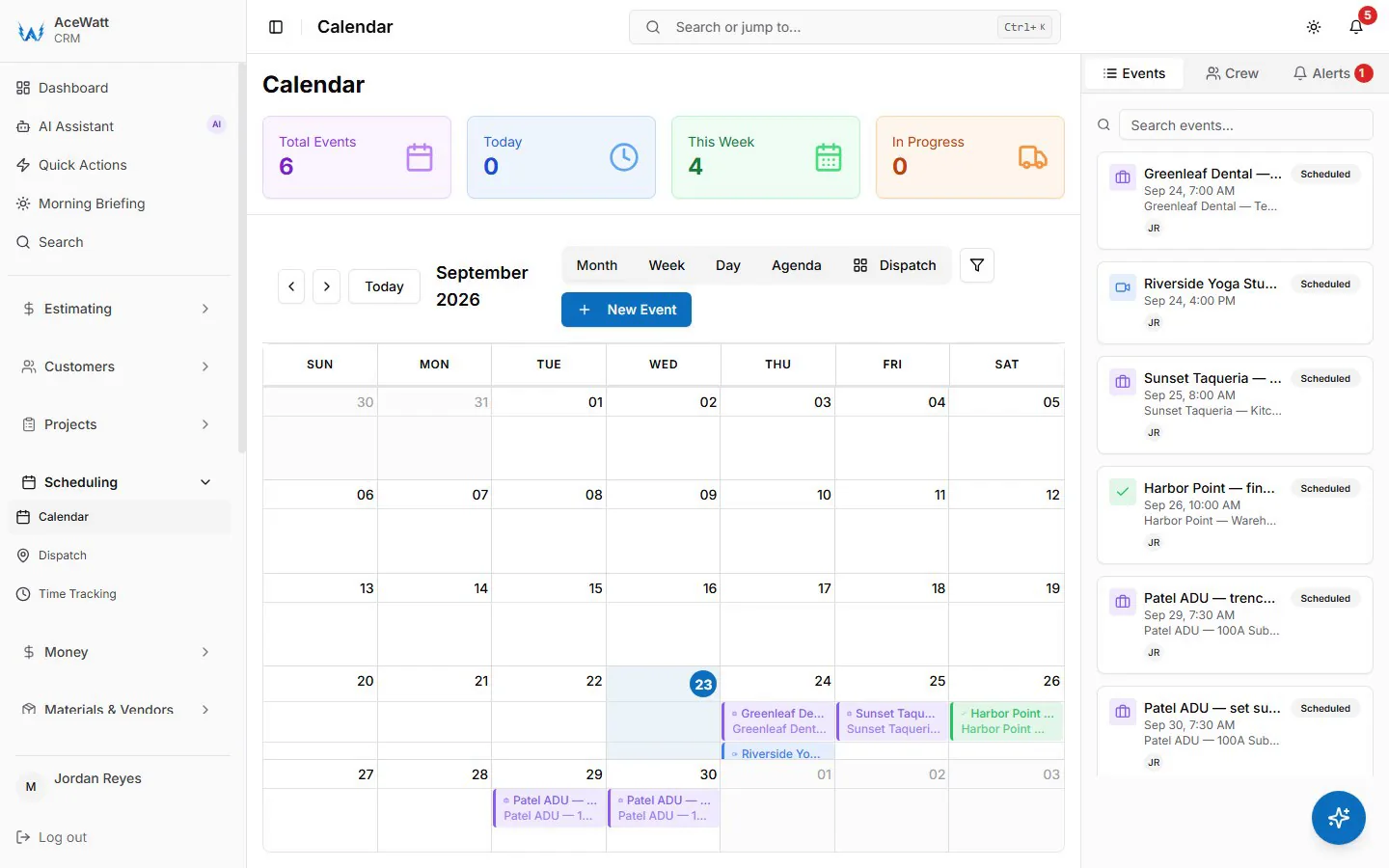
Mapping the Workflow: From Crew Scheduling and Dispatching to Invoicing and Payment Tracking
A true field-to-finance workflow connects four stages with no manual handoffs:
- Crew Scheduling and Dispatching. The dispatcher assigns a two-person crew to a panel upgrade at 7:00 AM. The work order carries the service address, panel specs (200A, 42-circuit, main breaker), the permit number, and the material list pulled from the original estimate. The crew sees all of it in the mobile app before leaving the shop.
- Job Tracking. On site, the foreman opens the work order and the clock starts: arrival time, photos of the existing service, materials pulled from truck stock, the utility meter pull, and inspection sign-off with the inspector's name. Every event is timestamped against the job.
- Invoicing and Payment Tracking. When the foreman marks the job complete, the office builds the invoice from the job record: the accepted quote's line items, journeyman and apprentice hours at each job title's rate, materials at cost, equipment time, and any approved change orders. A payment link goes out with it by email.
- Automated Follow-Up. Once an invoice is overdue, email reminders with the invoice and a payment link go out at 1, 7, 14 and 30 days late. Nobody on your team has to remember to send them.
This is what electrical dispatch software QuickBooks integration looks like when it is built for the trade rather than bolted onto a generic CRM.
How a QuickBooks Accounting Sync Keeps Electrical Job Costs Accurate
A generic sync pushes a lump sum into QuickBooks. Electrical contractors need cost-category fidelity. A proper QuickBooks Accounting Sync maps field data like this:
| Field Data | QuickBooks Mapping |
|---|---|
| Journeyman hours | COGS: Labor, Journeyman |
| Apprentice hours | COGS: Labor, Apprentice |
| Overtime premium | COGS: Labor, Overtime |
| Supply house tickets (Graybar, CED, Rexel) | COGS: Materials, Job Specific |
| Truck stock consumption | COGS: Materials, Truck Stock |
| Permit fees (city or county) | COGS: Permits and Fees |
| Equipment rental (trencher, lift) | COGS: Equipment Rental |
| Low-voltage or fire alarm subcontractor | COGS: Subcontractors |
When the sync respects these categories, job-level P&L actually means something. You can see that the downtown restaurant remodel ran 12 percent over on labor and 3 percent under on materials, and know exactly why.
Two-way sync matters just as much. When your bookkeeper enters the Graybar vendor bill in QuickBooks, it should appear on the job's cost detail in the field app within minutes, so the project manager sees committed costs before the next progress billing goes out.
Using AI Voice and Job Walk Documentation to Prevent Billing Errors
Electrical scope changes fast. A call logged as "troubleshoot lighting circuit" becomes "replace 30 feet of damaged EMT and four fixtures in a 14-foot ceiling." The customer agrees verbally, and somewhere between the ceiling grid and the office the details evaporate.
AI Voice and Job Walk Documentation closes that loop in real time. The foreman taps Record Job Walk and narrates: "Customer authorized replacing the damaged three-quarter-inch EMT run in the ceiling grid. Adding 30 feet of EMT, four 4-foot LED wraparounds, eight connectors. T&M per original agreement. Customer approved at 10:47 AM."
The system transcribes it, timestamps it, tags it to the work order, extracts the material list, and drafts the change order line item. On T&M electrical work, where disputes eat margins, that recording is your best defense: verbal approval, exact scope, timestamp, and material count, all attached to the invoice.
Step-by-Step: Syncing Job Tracking Data with QuickBooks for Electrical Service Calls
Here is how a connected system handles a routine residential service call from dispatch to reconciliation:
Step 1: Dispatch creates the work order. The customer record pulls from the AI-powered CRM. Estimate EST-4421, generated through AI Estimating after last month's walkthrough, links to the job. The dispatcher assigns a journeyman and an apprentice and pre-loads typical truck stock: 15A AFCI breakers, GFCI receptacles, connectors, tape.
Step 2: The techs execute and track in the field app. Clock in at 8:12 AM. Log materials used: two 15A AFCI breakers and one GFCI receptacle from truck stock. Document findings: "AFCI nuisance tripping on the kitchen small-appliance circuit. Replaced breaker per NEC 210.12, tested 30 minutes, holding." Capture before-and-after panel photos. Clock out at 10:08 AM for 1.93 hours each.
Step 3: Completion builds the invoice. The office builds invoice INV-18842 from the job record: labor at 1.93 hours journeyman ($241.25) plus 1.93 hours apprentice ($125.45), materials at $102, and the $85 truck charge, for a total of $553.70. The invoice emails to the customer with a payment link, job costing updates the estimate-versus-actual variance instantly, and the invoice lands on the invoice-list export for your bookkeeper.
Step 4: Payment closes the loop. The customer pays by card at 2:14 PM. The payment lands on the invoice record, marks it paid, updates its balance on the invoice-list export, and the Automated Follow-Up sequence stops on its own. No double entry from paper tickets. No after-hours reconstruction.

Common Integration Pitfalls for Growing Electrical Shops
One-way sync only. If vendor bills, credit memos, and payments never flow back to the field app, your PMs are still flying blind. Test any QuickBooks sync for electrical contractors by entering a vendor bill and confirming it appears on the job cost report the same day.
No progress billing support. On a $180,000 tenant improvement, invoicing only at completion strangles cash flow. Look for AIA-style progress billing (G702/G703) with percent-complete by phase, 10 percent retainage handling, and stored materials, all mapped correctly in QuickBooks.
Estimate-to-invoice drift. AI Estimating builds a bid with 47 line items and invoicing spits out a single "Electrical Services" lump sum, which makes job costing useless. Demand line-item traceability from estimate to invoice, with variance reporting by category.
Payroll disconnect. Field hours feed job costing in one system while payroll runs in another with different totals. The same time entry should feed both.
Multi-entity confusion. Shops running separate service and construction LLCs with QuickBooks classes need every dispatch board entry, estimate, and invoice tagged to the correct entity before sync.
Choosing Electrical Dispatch Software Built for Real Contractor Finances
For solo electricians: one mobile app covering scheduling, documentation, invoicing, and QuickBooks sync, so a completed job becomes a sent invoice and a collected payment without opening a laptop. AI Voice capture ensures every small add-on gets billed instead of forgotten.
For growing shops (3 to 15 trucks): a dispatcher dashboard with drag-and-drop crew scheduling, GPS, and skill matching; permissioned access so foremen see their jobs while the office sees financials; and a progress billing engine that handles multi-month projects with retainage and change orders.
For every contractor: electrical-specific cost codes instead of generic "Labor" and "Materials," direct PO transmission to supply houses, escalation logic that knows commercial GCs pay Net-60 while residential customers pay on completion, and AI Estimating that understands a 200A service upgrade means permit, meter base, panel, grounding and bonding, and utility coordination, not just a panel swap.
The Bottom Line
Contractors who keep dispatch and accounting in separate systems are subsidizing their customers with unbilled hours and materials. The technology to stop that subsidy exists right now. The right platform enforces the discipline: every truck roll tracked, every material ticket captured, every change order documented, every invoice accurate, every payment collected.
Your foremen did not apprentice for four years to key data into spreadsheets at midnight. Connect the field to the books and get paid for all of it.
Related reading: How to Sync Field Time Entries with QuickBooks for Electrical Contractors: Eliminate Double-Entry in 2026.