

Electrical dispatch accounting integration means field data — hours, materials, and job notes — is captured once and flows automatically into scheduling, estimating, invoicing, and your accounting system. Here is how it cuts double entry, and what to demand from the tools you evaluate.
You finish a service call at a commercial panel upgrade in Dallas. Your apprentice fills out a paper time ticket. The foreman texts you a list of materials pulled from the truck: 200 feet of 4/0 THHN, three 200A breakers, a NEMA 3R disconnect. You drive back to the shop and hand the paperwork to your office manager, who types it into QuickBooks. Then she types it again into the estimating spreadsheet for the next bid. Then a third time into an email to the customer.
Three entries. One job. Zero reason for it in 2026.
Electrical contractors lose an estimated 8 to 12 hours per week per admin person to redundant data entry. At a loaded cost of $28 to $35 per hour for back-office staff, that is $11,000 to $18,000 a year per employee, burned on transcription errors, lost receipts, and invoices that go out two weeks late. For a solo electrician doing the books at 10 p.m., the cost is measured in missed family time and bids that never get sent.
The fix is not "better organization." It is electrical dispatch accounting integration: a connected workflow where field data is entered once and flows into every system that needs it, including scheduling, estimating, job tracking, invoicing, and accounting.
What Electrical Dispatch Accounting Integration Actually Means
Integration gets thrown around as a buzzword. In practice, it means three things for electrical shops:
- Single source of truth. The job site address, assigned electrician, service call type, and customer details enter the system once at dispatch and populate every downstream record.
- Bidirectional sync. Changes in the field (materials added, scope changed, labor hours adjusted) push to accounting in real time, and adjustments in QuickBooks (a vendor bill for that GE breaker order) pull back into job costing.
- No manual mapping. Line items carry NEC-compliant descriptions, correct tax treatment, and phase codes without anyone retyping "3/4-inch EMT, 10 feet" from a crumpled receipt.
When the dispatch board, field mobile app, estimating engine, and QuickBooks file share a common data model, you stop being a data entry business and start being an electrical contracting business.
Capturing Accurate Job Data at the Source with Crew Scheduling and Dispatching
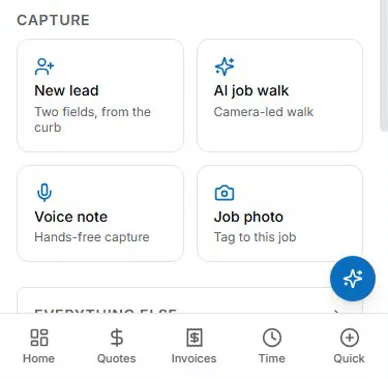
The dispatch board is where profit leakage starts, or where it stops. Modern electrical dispatch software does more than assign trucks. It structures the job record before wheels roll.
When a dispatcher creates a work order for a 400A service upgrade at 14200 Midway Rd, the system pulls:
- Customer account history from the AI-powered CRM, including past-due balance and preferred payment terms
- Site-specific requirements such as lockout/tagout procedure, parking restrictions, and noise limits
- The assigned electrician's license class and certifications (Master Electrician license number, OSHA 30)
- Truck inventory allocation (conduit benders, megohmmeter, phase rotation meter)
That work order becomes the skeleton for everything downstream. The electrician clocks in on the mobile app, which records location and flags whether they are at the job site. Labor hours tag to the job. Materials used are logged to the job at cost with exact SKUs, not "pipe and wire."
No paper time tickets. No "I think we used 3/4-inch EMT but maybe it was 1-inch." The job record is complete before the crew loads out.
Using AI Voice and Job Walk Documentation to Prevent Lost Billable Items
The walk-through is where scope lives, and where it dies if it goes uncaptured. AI Voice and Job Walk Documentation changes that dynamic.
Your foreman walks the job with the customer. Instead of scribbling on a notepad, he opens the app and speaks: "Customer wants two additional 20A circuits for EV chargers in the garage. Pull 12/2 from the subpanel in the laundry room. Add two AFCI breakers. Drywall patch and paint by others."
The AI transcribes, structures, and tags:
- Scope change: two 20A/120V EV charger circuits
- Materials: 50 ft of 12/2 NM-B, two 20A AFCI breakers (Square D QO120AFI), two 1-gang boxes, connectors
- Labor estimate: 3 hours journeyman plus 1.5 hours apprentice
- Exclusions: drywall repair, painting, permit amendment fee
That voice note becomes a job-walk report with a materials list, and the office writes the change order from it and approves it in-house. The labor flows into job tracking. If the extra work needs a new price, the customer can e-sign a quote for it before the crew leaves the driveway.
No lost billable items. No "I forgot to put those breakers on the invoice." No disputes three weeks later when the customer says the work was never approved.
From Job Tracking to Invoicing and Payment Tracking Without Retyping

Invoicing is only as good as the job data feeding it. Job tracking bridges field completion and back-office billing. When the foreman marks the job complete on the mobile app, the job record already holds:
- Final labor hours at each job title's rate
- The complete material list at cost (markup is set on the quote)
- Equipment rental (trencher, scissor lift) with daily rates
- Permit and inspection fees paid
- Approved change orders
- The customer PO or signed proposal reference
The office builds the invoice from that package with a button in Invoicing and Payment Tracking (an accepted quote was already invoiced and emailed at acceptance): milestone (percentage-of-completion) invoices for commercial work, a clean service invoice for residential. Line items carry your standard descriptions, such as "Furnish and install 200A main breaker panel, 42-circuit, NEMA 1, including all breakers, grounding, and bonding per NEC Article 250."
The invoice goes out by email with a payment link (card, or ACH if your Stripe account has it enabled). Automated Follow-Up then emails reminders at 1, 7, 14 and 30 days past due. The aging report sorts open balances from 0–30 to 120+ days, so you always know which invoices are sent, overdue, or paid.
What a Full QuickBooks Accounting Sync Handles for Electrical Contractors
Most so-called integrations push an invoice to QuickBooks and stop there. They do not sync the accounting reality of an electrical shop. A full QuickBooks accounting sync handles the chart of accounts complexity contractors actually run (what AceWatt offers today is covered below):
- Revenue accounts by division: Service, Construction, Maintenance, Low Voltage
- Cost of goods sold split: Materials, Subcontractors, Equipment Rental, Permits, Direct Labor
- Labor burden allocation: workers' compensation (class code 5190 for electrical wiring), health insurance, 401(k), payroll taxes
- Inventory versus non-inventory items: conduit and wire track as inventory, permit fees do not
- Retainage tracking on commercial jobs (10% held until substantial completion)
- Progress billing against a schedule of values
When the field closes out a job, a full sync creates:
- The customer-facing invoice in QuickBooks
- The vendor bill for materials received (payable side)
- A journal entry for direct labor burden allocation
- An inventory adjustment for truck stock consumed
- A retainage receivable entry where applicable
All balanced. All coded to the right accounts. All traceable to the work order number. Your CPA stops asking about the mystery $4,200 charge because the memo field reads: "WO-2026-0847 | 14200 Midway Rd | 400A Service Upgrade | Square D 42-circuit panel and breakers."
What to Look for in 2026 Electrical Contracting Software
Not every field service management platform marketed as electrical contractor software with QuickBooks sync delivers this depth. Evaluate against these non-negotiables:
| Capability | Minimum standard | Why it matters for electrical |
|---|---|---|
| Dispatch-to-invoice flow | A work order created at dispatch populates 100% of invoice line items without re-entry | Eliminates the "what did we do on that job" gap |
| AI voice capture | Field notes become structured change orders with material and labor breakdowns in under 60 seconds | Captures scope changes before the crew leaves the site |
| QuickBooks sync depth | Bidirectional: invoices, bills, inventory adjustments, journal entries, retainage, classes and locations | Keeps the chart of accounts clean |
| AI estimating engine | Learns from your completed job labor units and material costs, not national averages | Bids reflect your crew's actual speed |
| Automated follow-up | Multi-channel (email, SMS, portal) with aging-based escalation rules per customer type | Reduces DSO without you playing collections agent |
| Mobile field app | Works offline, GPS time clock, photo and document attachment, material barcode scan | Crews actually use it instead of paper |
| Compliance features | Built-in license tracking, continuing education alerts, permit workflow per jurisdiction | Avoids fines and job shutdowns |
| Inventory by truck and warehouse | Real-time quantities, reorder points, vendor catalog sync | Ends the "we are out of 200A breakers" surprise |
Ask for a sandbox demo with your own data: a recent service call, a change order, and a commercial progress bill. Run each one through dispatch, field capture, invoicing, QuickBooks, and the job cost report. If it takes more than three clicks to see the full audit trail, keep looking.
The Bottom Line
Double entry is not a nuisance. It is a margin tax that compounds every week you tolerate it. In 2026, the electrical shops scaling profitably, whether solo or 20 trucks deep, are the ones where field data is entered once and serves every function: scheduling, estimating, tracking, invoicing, collecting, and accounting.
Electrical dispatch accounting integration is not a feature. It is the operating system for a modern electrical contracting business. The contractors who adopt it stop paying for administrative friction and start investing in better tools, better people, and better margins.
The wire does not pull itself. Neither should your data.
Where AceWatt fits: AceWatt is the field-operations side of this loop — dispatch board, job tracking, AI voice job-walk notes, invoicing, and payment collection — while QuickBooks stays the accounting system of record. AceWatt's Growth and Scale plans include QuickBooks-ready exports — your invoice list as a spreadsheet and your payroll hours as a QuickBooks-format CSV for your bookkeeper. There is no native, real-time sync today; full sync is in development. For the adjacent workflows, see syncing dispatch software with QuickBooks, the electrical contractor invoicing software guide, and electrical job costing software — then check AceWatt pricing for export availability by plan.
Frequently Asked Questions
Does AceWatt replace QuickBooks?
No. AceWatt captures quotes, job notes, invoices, and payments as the job-management layer. QuickBooks handles the formal accounting. Growth and Scale plans include QuickBooks-ready exports — your invoice list as a spreadsheet and your payroll hours as a QuickBooks-format CSV for your bookkeeper. There is no native, real-time sync today.
What is electrical dispatch accounting integration?
It is a connected workflow where data entered once in the field — labor hours, materials, job notes, change orders — flows to every system that needs it: scheduling, estimating, job tracking, invoicing, and accounting. No component re-keys the same information.
How much does double entry cost an electrical shop?
Back-office staff commonly spend 8 to 12 hours a week re-keying field data, which at a loaded $28 to $35 per hour is roughly $11,000 to $18,000 a year per admin person — before counting transcription errors and late invoices. Your numbers depend on ticket volume and crew size.
Related reading: Electrical Dispatch Software That Syncs With QuickBooks & Sage: 2026 Field Test.