
Commercial Electrician Software: What to Look for in 2026
Commercial electrician software should carry a job from quote to schedule to paid invoice without anyone re-typing line items between steps, and it should support milestone billing on multi-week projects. AceWatt is an AI-powered CRM built for electrical contractors across the US that tracks the full financial pipeline from quote to job to invoice to paid, with plans from $49 to $199 per month and a 14-day trial.
Why Commercial Electricians Need Software Built for Quotes, Scheduling, and Invoicing in 2026
Commercial electrical work differs from residential in ways that break generic tools. Jobs run for weeks or months, billing happens in draws rather than one final invoice, and estimating depends on plan sets rather than a quick walkthrough of a living room. A panel upgrade for a retail tenant fit-out is quoted differently than a 40,000-square-foot warehouse lighting retrofit, and your software needs to handle both.
The administrative load is where commercial shops lose margin. Before you pick any tool, map your current workflow for one typical job and count every place the same information gets typed twice: quote, schedule, timesheet, invoice, accounting entry. Most shops find five or more re-entry points, and each one is a chance to drop a line item, misprice labor, or bill late. Whatever platform you choose, the test is simple: once a quote is accepted, no one should have to key those line items again. The best app for electricians in 2026 should close that loop, and AceWatt does by tracking the pipeline from quote through to paid in one system.
There are compliance reasons too. Commercial jobs are subject to NEC requirements on feeder and branch-circuit calculations, and the NFPA 70 code cycle updates every three years, with the 2023 NEC in force across most jurisdictions as of 2026. The National Fire Protection Association publishes the code and its cycle schedule at nfpa.org, and your state electrical board determines which edition applies locally. Documented job conditions, materials, and changes protect you when a dispute or inspection issue surfaces months after rough-in, so pick software that makes documentation the default rather than an afterthought.
AI Estimating and Job Walk Documentation for Commercial Electrical Bids
Estimating commercial work is where most money is won or lost. A disciplined process helps regardless of tool. Break every estimate into assemblies you reuse: a 277V lighting circuit, a receptacle circuit, a panel home run. Price each assembly from your actual supplier quotes and actual labor hours, and review those numbers quarterly, because copper and gear pricing move enough in a quarter to erase the margin on a mid-size bid.
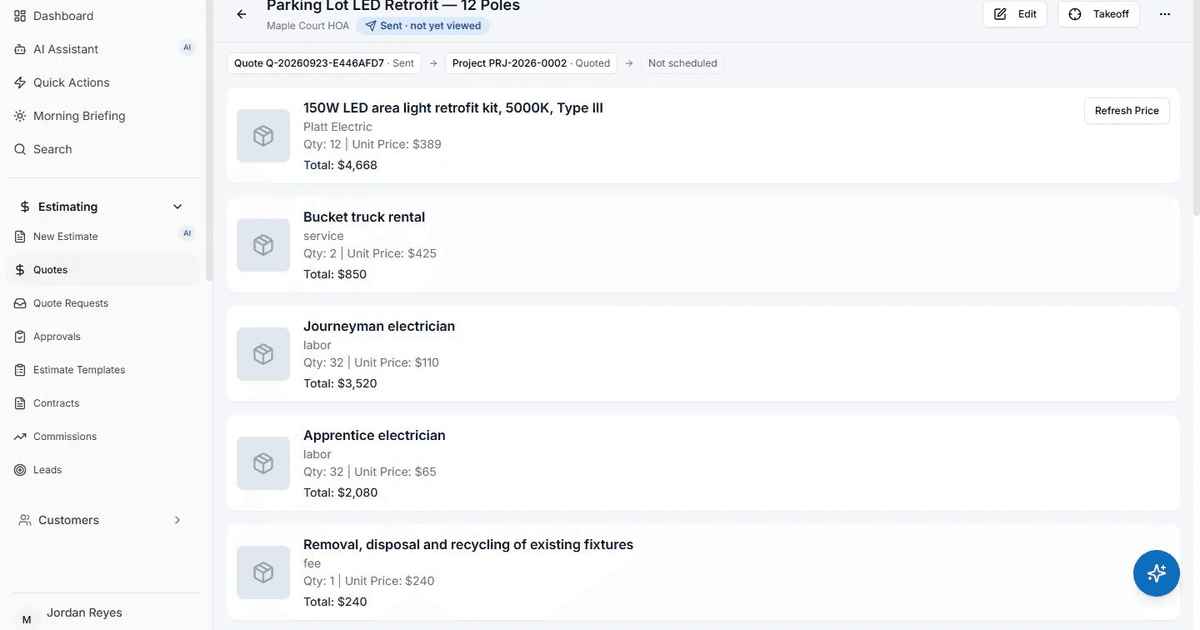
AceWatt's AI estimating drafts a quote for your review from a job walk, photos, a typed description, or an uploaded PDF plan set, using your own pricebook and assembly templates. That last part matters: the draft reflects what your suppliers charge you and the rates you pay, not a generic material database. On the plan-set path, upload the electrical sheets from a drawing set and the estimator drafts the quote, saving the hours you would spend hand-counting fixtures and devices across a floor plan. You review and adjust before anything goes out; the AI produces the draft, you make the pricing decision.
Site documentation is the other half of a defensible bid. Before quoting a tenant space or an existing building, capture panel schedules, conduit fills, ceiling access, and equipment nameplates. If the general contractor later claims the ceiling was open when you started, dated photos and notes settle it. AceWatt's AI Job Walk supports exactly this: walk the site with your phone, dictate notes, snap photos, and the app generates a report with material suggestions.
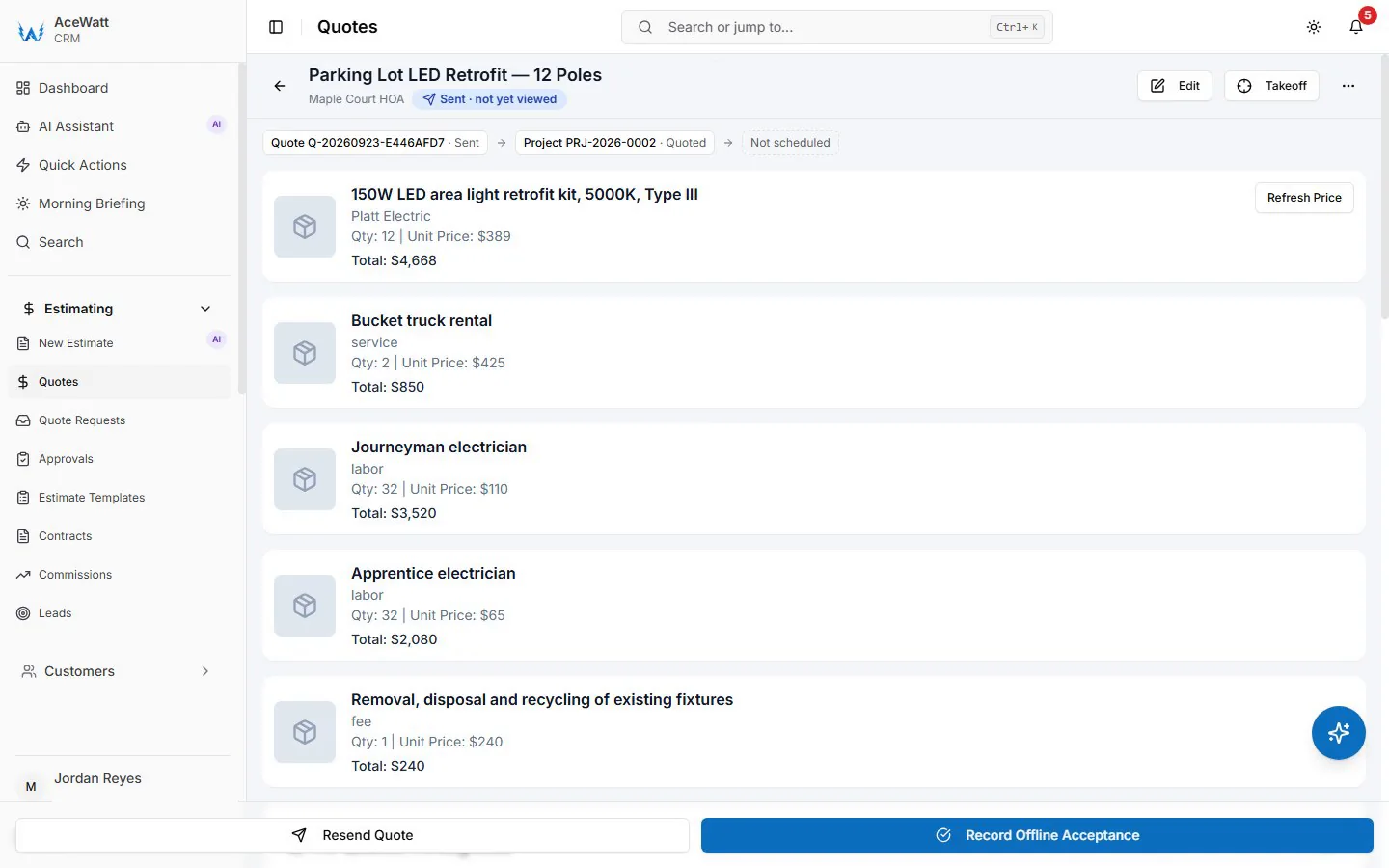
For a deeper look at how AI quote generation works in practice, see the AI quote builder guide for electricians.
Crew Scheduling, Dispatching, and Job Tracking for Commercial Jobs
Commercial jobs rarely run one tech at one address all day. A crew might rough-in a tenant space in the morning, pull wire at a distribution center after lunch, and close out a service call on the way home. Scheduling software earns its keep by matching the right skills to the right job and giving the office a live picture of where everyone is.
AceWatt's drag-and-drop dispatch board handles that mix and gives skill-based scheduling suggestions, so a fire alarm circuit or a 480-volt gear install lands with a tech who has the right background rather than whoever happens to be free. Note that skill suggestions are a starting point: state licensing rules still govern who can pull permits and supervise certain work, so verify license coverage yourself. The U.S. Department of Labor's occupational overview for electricians at bls.gov summarizes the licensing landscape, and your state board is the authority.
Time tracking is where job costing either works or falls apart. AceWatt techs clock in and out from their phones, and the app records the location and flags whether the tech was at the job site, which settles timesheet disputes with a record instead of an argument. While the app is open, tech locations update every few minutes on a live dispatch map, so you can reroute a crew when a service call comes in hot.
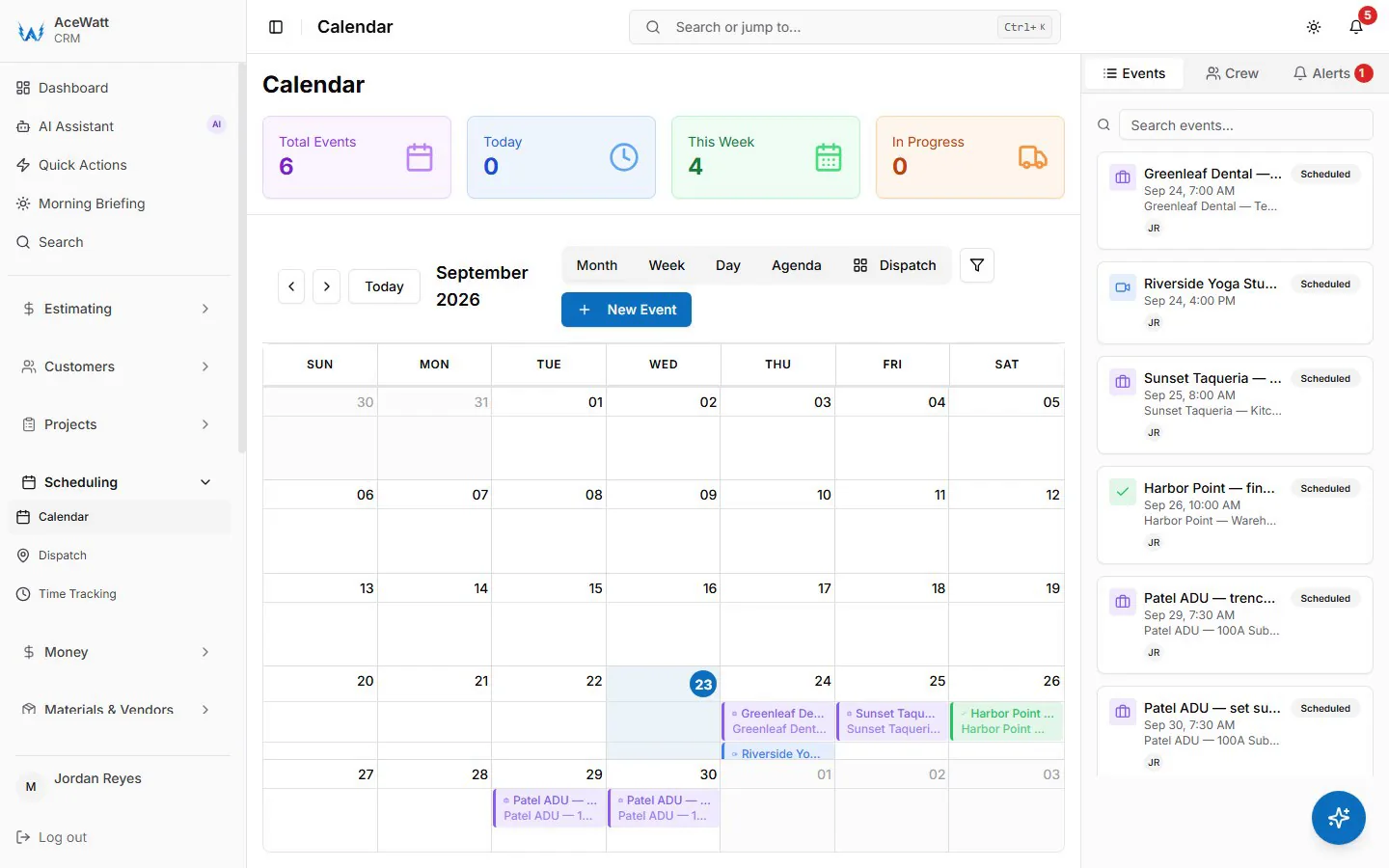
For scheduling strategy specifically, the AI scheduling software guide for electricians covers how schedule optimization changes crew utilization.
Invoicing, Milestone Billing, and Automated Overdue Payment Reminders
Invoicing is where commercial jobs get paid slowly or quickly, and the process decides which. Structure every project contract with a payment schedule before work starts: a deposit, draws tied to milestones, and a final payment tied to completion rather than to the GC's convenience. A common pattern on commercial fit-outs is 30 percent at rough-in, 40 percent at trim, 30 percent at final, but your contract language should define what triggers each draw, such as "rough-in complete and passed inspection."
AceWatt supports this directly. When a customer accepts a quote, the app creates a draft invoice with the quote's line items copied over so nothing is re-typed, and it can also create a deposit invoice and email it with a pay link, which gets mobilization money in the door before material is ordered. For multi-week projects, AceWatt supports milestone billing by percentage of completion. Your customers pay online by card, and ACH bank payment is available when your connected Stripe account has it enabled; ACH matters on commercial accounts because card fees on a $30,000 draw are real money.
Collections should run without you chasing. AceWatt emails automatic reminders for overdue invoices at 1, 7, 14, and 30 days past due, marks unpaid invoices as overdue, and produces an invoice aging report from 0 to 30 days through 120-plus days. Use that aging report weekly to decide which account gets a phone call and which one goes to a collections letter. Customers can also open their own quotes and invoices from an emailed link through the customer portal, which cuts the "can you resend that" emails.

More detail on the invoicing side is in the commercial electrical invoice app comparison and the guide to getting paid before you leave the job site.
Financial Pipeline and QuickBooks-Ready Exports for Electrical Accounting
For a shop running 15 commercial jobs at once, the owner's weekly questions are constant: what is quoted and outstanding, what is in progress, what is invoiced and unpaid, and what has cleared. AceWatt answers those from the financial pipeline it tracks from quote to job to invoice to paid, in one view.
On the accounting side, be clear-eyed about what any tool connects to QuickBooks. AceWatt's Growth and Scale plans include QuickBooks-ready exports: an invoice-list spreadsheet and a payroll-hours CSV in QuickBooks layout, so your bookkeeper imports clean data instead of keying from PDFs. Full QuickBooks sync is in development, but there is no live two-way connection today, so treat the exports as a reliable handoff rather than a real-time link. Payroll hours export cleanly because clock-in and clock-out times with job-site location flags are already recorded per tech.
One practical tip regardless of platform: reconcile your software's invoice list against QuickBooks monthly, in the same week each month. Drift between field records and books is the most common reason electrical shops discover unbilled change orders a quarter late.
If change orders are your accounting pain point, the change order and dispatch platform comparison covers how approval workflows should work.
How AceWatt Plans Fit Solo Electricians, Small Shops, and Growing Teams
Three plans, no permanent free tier, and a 14-day trial to test with real jobs.
Starter, $49/month, 1 user. Core CRM covering jobs, quotes, invoices, and scheduling, plus the AI quote builder, basic dispatch and calendar, and email support. This fits the solo electrician doing commercial service work and tenant build-outs alone who needs quoting and invoicing to stop living in a notebook.
Growth, $99/month, up to 5 users. Adds AI Copilot and Voice for searching CRM data, getting financial summaries and schedules, and updating projects by voice, plus the schedule optimizer, AI Job Walk, the customer portal, and QuickBooks-ready exports. This is the plan for shops with two to five techs running a mix of commercial service and project work.
Scale, $199/month, unlimited users. Adds route optimization and a dedicated support contact for shops with multiple crews and dispatch staff.
Annual billing saves approximately two months compared to monthly, and the first subscription payment carries a 30-day money-back guarantee, so a real quarter-long test of a plan change carries limited risk.
FAQ
Does AceWatt sync with QuickBooks automatically?
Not yet. AceWatt offers QuickBooks-ready exports today: an invoice-list spreadsheet and a payroll-hours CSV in QuickBooks layout that your bookkeeper imports. Full QuickBooks sync is in development, but there is no live two-way connection at this time.
Can AceWatt handle progress billing on long commercial projects?
Yes. AceWatt supports milestone billing, letting you invoice a project by percentage of completion, such as draws at rough-in, trim, and final. It does not track retainage or generate AIA G702/G703 pay applications, so projects requiring formal pay apps need that handled outside the system.
How does AceWatt help collect overdue commercial invoices?
AceWatt emails automatic reminders at 1, 7, 14, and 30 days past due, marks unpaid invoices as overdue, and produces an invoice aging report from 0 to 30 days through 120-plus days. Customers pay online by card, and by ACH when the contractor's Stripe account has bank payments enabled.
Does AI estimating replace reviewing the quote before it goes out?
No. AceWatt's AI estimating drafts a quote for your review from a job walk, photos, a typed description, or an uploaded PDF plan set, using your pricebook and assembly templates. You review and adjust pricing before anything is sent to the customer.
Can customers see their own quotes and invoices?
Yes. Through the customer portal, customers open their quotes and invoices from an emailed link, which cuts down resend requests. Customers can also e-sign quotes and contracts by link.
Start a 14-day trial of AceWatt and run your next commercial bid through AI estimating, dispatch, and milestone billing with your own pricebook.