

Electrical Dispatch Software with Real-Time Job Costing Integration: The 2026 Guide for Electrical Contractors
Most electrical shops run two businesses without realizing it. The dispatch board tells you where your crews are. The job costing spreadsheet, updated sometime after Friday's timesheets hit the office, tells you whether you actually made money. By the time the second system catches up to the first, the job is closed, the invoice is out, and the margin leak has already repeated on three more panel upgrades. In 2026, electrical dispatch software with real-time job costing integration closes that gap. Here is what that looks like in practice, and what to demand when you evaluate it.
1. Why Electrical Dispatch and Job Costing Can't Live in Separate Systems in 2026
When dispatch and costing live apart, your cost data arrives one to two weeks late. Consider a 200 amp service upgrade sold at $3,200 with 14 labor hours budgeted. The crew opens the wall, finds a corroded meter base, and burns 6 extra hours rerouting grounding electrode conductors and coordinating with the utility. On the dispatch board, the job looks finished and profitable. In the costing spreadsheet, it looks like a mystery until someone cross-references paper timesheets a week later.
The economics make that delay expensive. A journeyman at $32 an hour in base wages actually costs roughly $48 to $55 an hour once you add payroll taxes, workers comp under electrical contractor class code 5190, vehicle, tool allowance, and overhead. If you bill service labor at $115 an hour, every untracked or misallocated hour chips directly at gross margin. With material escalation on copper wire and breakers still pressuring bids, and general contractors squeezing pricing on light commercial work, you cannot afford to learn about a 40 percent labor overrun three jobs after it happened.
2. What Real-Time Dispatch-to-Costing Sync Actually Means
Real-time sync means an event in the field updates the job's cost record within seconds, not overnight. When a tech taps Clock In at a service call, those hours post to that job immediately. When he photographs a receipt for $86 of EMT fittings and wire connectors, the material cost lands on the job the same minute. Anyone in the office can open the job and see hours burned, materials logged, and invoice status as of right now.
This is the line that separates true job management software for electricians from scheduling tools that share calendar entries. Many vendors claim integration but deliver a nightly batch sync or a CSV export someone has to babysit. Ask directly: when a tech clocks in on his phone, how long before that hour appears in the job's cost record? If the answer involves "tomorrow morning," the software is a dispatch board with a costing accessory, not a connected system. The practical payoff is mid-course correction. You can look at a job at noon on Wednesday, see 70 percent of budgeted labor already consumed, and make a call while the crew is still on site.
3. How Crew Scheduling and Dispatching Feeds Live Labor Hours into Job Costing
Our Crew Scheduling and Dispatching and Job Tracking modules are built so labor hours flow into costing without a reconciliation step. The sequence looks like this:
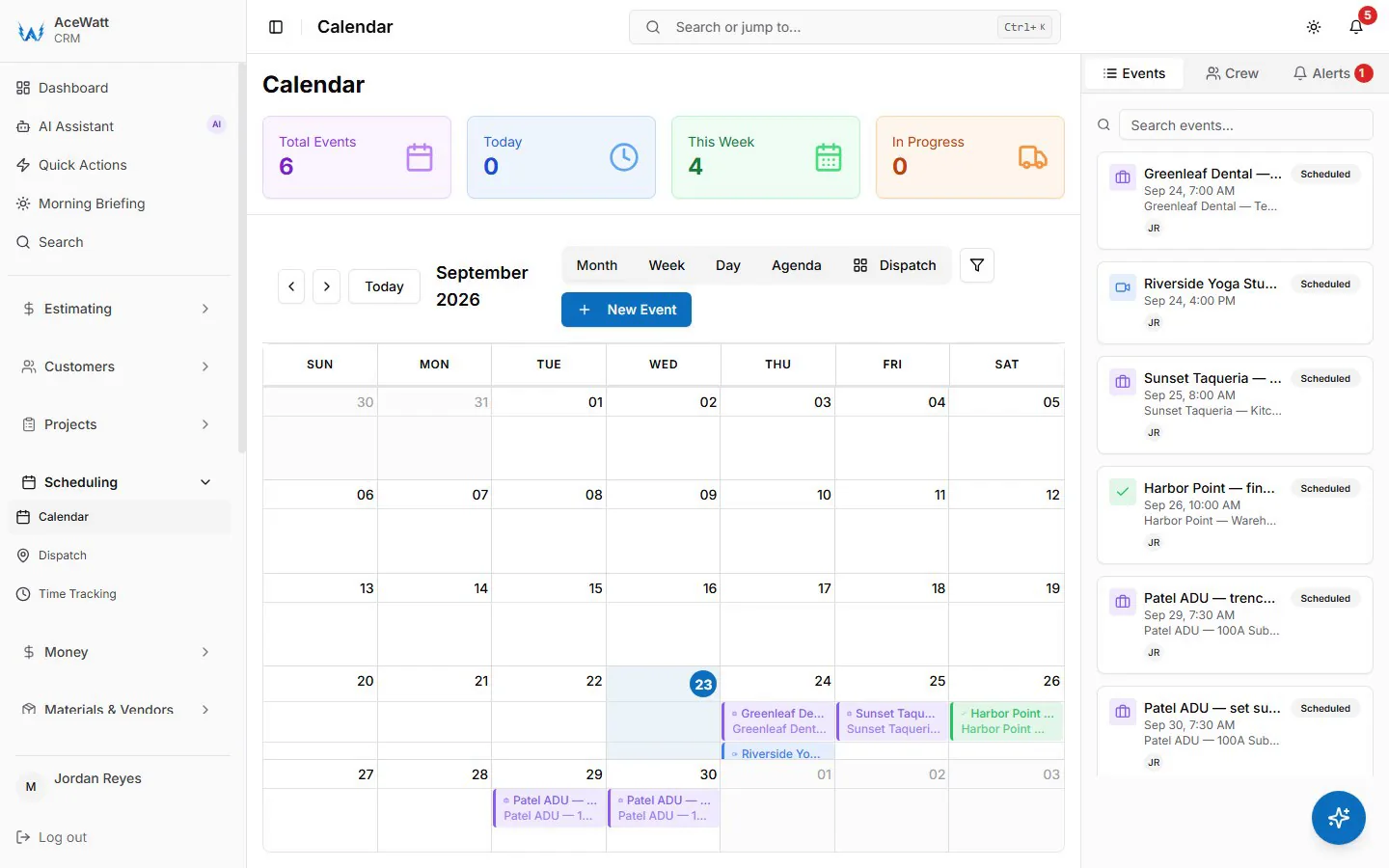
- The office drags a job onto a tech's schedule, guided by skill-based suggestions and the live dispatch map.
- The tech taps Clock In on arrival. GPS coordinates and a timestamp attach to the record.
- Hours post to that job's cost record in real time, at that tech's burdened rate.
- Travel time and shop time code to overhead, not to the customer's job.
- Multi-job days split automatically, so 2.5 hours at the rough-in and 1.5 hours at a service call land on the correct jobs.
For a residential rough-in, this means you can track hours by phase: rough, trim, service and bonding, final. For a solo electrician, the same app on one phone does the same work, and the 20 minutes you spent pulling a permit counts where it should. Nobody reconstructs Friday's day from memory, and nobody assigns hours to "Job 47-something" at the kitchen table.
4. Closing the Loop: Comparing AI Estimating Projections to Dispatched Labor Actuals
Job costing without a baseline is just a diary of spending. AI Estimating builds the baseline: labor hours by task, materials priced from your pricebook, and burdened labor rates applied automatically so the estimate reflects what the work actually costs you, not just what you pay in wages.
As dispatched hours post to the job, the dashboards compare estimated to actual, per job, per task, and per crew. Say you bid a tenant build-out at 120 labor hours for devices, fixture rough-in, and panel feeders. At the 50 percent completion mark, Job Tracking shows 78 hours consumed. That is your signal to walk the job: as-built deviations, a fixture layout that changed twice, or a crew that needs help on MC cable pulls. You can still issue a change order, adjust the remaining schedule, or at minimum learn something before the next bid goes out. That feedback loop, where actuals train the next estimate, is the core function of electrical contractor job costing software, and it is what stops fixed-bid residential and light commercial work from quietly eroding.
5. T&M and Fixed-Bid Work: Capturing Materials and Labor While Techs Are Still On Site
Time-and-material work is where delayed capture costs you the most, because the invoice is literally built from the hours and materials you can prove. Clock in and clock out from the phone establishes the time window. On-site material capture, logging the items to the job at cost, establishes the materials. Your rates handle the rest: one hourly rate per job title, with the one hour minimum, any after-hours premium, and trip charges added as their own lines.
The result is that an electrician invoice app and a job costing system become the same tool. Your tech finishes an EV charger install, a 240 volt, 50 amp branch circuit under NEC Article 625 with the load calc documented, builds the invoice from the logged time and materials in two minutes, and takes a card payment on the spot. A solo electrician bills from the truck instead of rebuilding invoices at 9 p.m. For fixed-bid jobs, the exact same capture feeds the cost record, so you learn which bids were priced right and which ones bought you a lesson.
6. From Completed Dispatch to Cash: Invoicing, Payment Tracking, and QuickBooks-Ready Exports
Marking a job complete should start a money motion, not a paperwork pile. Invoicing and Payment Tracking generate the invoice from the logged job data, then show outstanding balances and aging so you know who owes you without opening a second system.

QuickBooks-ready exports give your bookkeeper the invoice list as a spreadsheet and payroll hours as a QuickBooks-format CSV — no native, real-time sync today, and full sync is in development. Service items, labor, and material costs stay itemized on each job in the app, so a panel replacement, a service call, and a T&M invoice are easy to tell apart when your bookkeeper posts them. You do not replace QuickBooks. You stop carrying unbilled work that sits in a notebook instead of on an invoice.
7. AI Voice and Job Walk Documentation: Building a Costed Paper Trail for Every Service Call
Every service call generates facts, and most of them evaporate before they reach the office. AI Voice and Job Walk Documentation keeps them. A tech speaks his findings into the app at the panel: "200 amp main breaker with scorching on the B phase lug, bus damage visible, recommending replacement." The note transcribes, timestamps, and attaches to the job record alongside walkthrough photos taken before and after the work.
This is your protection layer. When a customer disputes hours, the record shows GPS-stamped clock in and clock out, the spoken notes, and the photos. When a callback turns into a disagreement about what was approved, the change order trail shows "customer approved six recessed cans at $185 each" recorded at 2:41 p.m. on the day of the walk-through. Just as important for costing, those notes explain variances. Six extra hours on the panel upgrade now come with a documented reason attached, which makes your estimate-versus-actual reporting honest enough to act on.
8. 2026 Field-Tested Checklist for Choosing Electrical Dispatch Software with Job Costing Integration
Evaluate the best electrical software tools for scheduling and dispatch against these specifics, not demo-day promises:
- Sync latency: Labor and material events should hit the job's cost record in under a minute, not on a nightly batch. Ask the vendor to prove it live.
- QuickBooks compatibility: Confirm item, customer, invoice, and payment mapping to QuickBooks Online, with job costs that reconcile to the ledger.
- Estimate-versus-actual dashboards: Per-job and per-task labor hours and material dollars against the estimate, visible mid-job, not just at completion.
- Mobile T&M invoicing: Time-stamped clock in and out, material photo capture, automatic rate rules, and on-site card payment.
- GPS and offline mode: Time stamping that survives basements, attics, and metal buildings with no signal, then syncs when connectivity returns.
- Dispatch intelligence: Drag-and-drop scheduling with license and skill matching, so a master electrician lands on jobs requiring a permit signature.
- Automated Follow-Up: Post-job review requests plus recurring service reminders for annual safety inspections, generator maintenance, and GFCI testing under NEC 210.8, which turns one-time calls into recurring revenue.
- Price book import: Your own rates and materials, loaded once, not retyped.
- Transparent per-user pricing: Priced so a solo electrician and a 12-truck shop both fit.
9. Rollout Plan: Connecting Dispatch, Job Tracking, and Accounting for a Growing Electrical Shop
Connect the money flow in four weeks without shutting down operations.
Week 1: Set up the QuickBooks handoff, import customers and your price book, and align service items with the chart of accounts. Week 2: Go live on the dispatch board. One crew, or the owner himself at a solo shop, pilots mobile clock in and clock out on service calls. Compare two days of logged time against the old timesheet process. Week 3: Run your next three bids through AI Estimating so every new job carries a labor and material baseline from day one. Week 4: Turn on same-day invoicing and Payment Tracking, then enable Automated Follow-Up so overdue invoices get email reminders at 1, 7, 14 and 30 days late.
Track three numbers from day one: days from job completion to invoice, with same-day as the target; unbilled labor hours, with zero as the target; and labor variance per job, holding within 10 percent of estimate. Shops that hold those numbers stop subsidizing slow jobs with fast ones. Dispatch tells you where your people are. Real-time job costing tells you whether being there is making you money, and in 2026, you should never have to wait until month end to find out.