

Best App for Electricians in the Field: What to Look For in 2026
The best app for electricians in the field connects quote, job, invoice, and payment in one workflow instead of three disconnected tools. AceWatt is built for exactly that. Its AI Job Walk turns a phone walkthrough into a report with material suggestions, AI estimating drafts a quote from your own pricebook for your review, and an accepted quote becomes a draft invoice with the line items already copied over.
What Field Electricians Need From a Mobile App in 2026
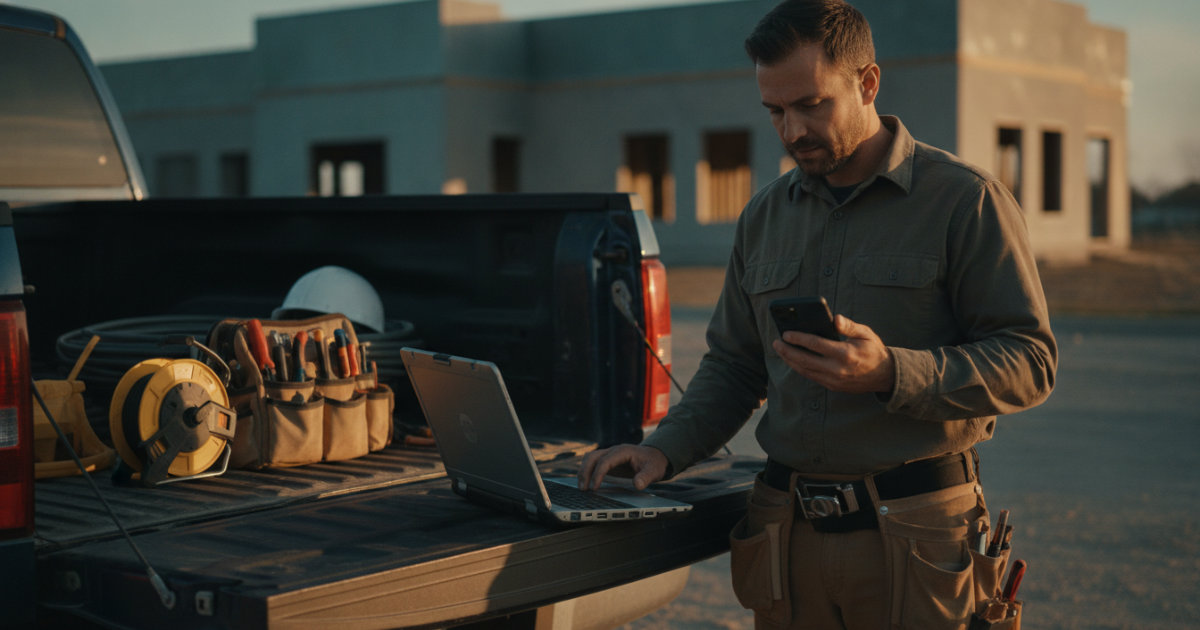
Most electrical work happens away from a desk: a panel swap in a 1960s ranch, a service call for a tripping AFCI, a rough-in inspection at 7:30 AM. Whatever software you run has to survive that reality. A web portal you check at night does not help when the information you need is standing in front of you on a ladder.
Before you evaluate any tool, write down where your day actually loses time. For most small shops the answer falls into four buckets: re-entering the same job data two or three times, writing up site notes hours after leaving the site, chasing paperwork between the field and the office, and driving back out to a job because nobody could confirm what was on the truck. Good field software attacks those buckets directly. Bad software adds a fifth: managing the software itself.
Two practical tests tell you most of what you need to know. First, time yourself doing a real task in the app, like logging a service call note, and compare it to your current method. If the app is slower, your crew will abandon it by week three regardless of what the sales page says. Second, ask what happens with no cell signal, and demand a specific answer. Basements, attics, and metal commercial buildings kill reception, and documentation obligations do not pause while yours is down. OSHA's construction standards overview is a useful reference for the records you are expected to keep on job sites. A vendor who cannot answer the offline question clearly is telling you something.
Core Field Features That Actually Save Time on Jobs
One pipeline, entered once
If you type a quote, then retype it into a job, then retype it into an invoice, the app is costing you hours every week no matter how it looks. The whole point of field software is a financial pipeline that runs from quote to job to invoice to paid, with each stage carrying the previous stage's data forward. AceWatt tracks that full pipeline, and when a customer accepts a quote, the line items copy straight into a draft invoice so nothing gets re-keyed and nothing gets transposed. That single behavior removes the most common source of billing disputes in small shops: the invoice that does not match what the customer agreed to.
Audit your own workflow before you shop. Pull the last ten invoices you sent and check each against the original quote. Every discrepancy is either lost margin, a dispute in the making, or office time spent reconciling the two. That number, multiplied by your weekly volume, is your real budget for better software. For work billed by the hour, our guide to T&M billing with mobile field capture covers how to keep those records defensible when a customer disputes hours.
Collections that run themselves
Chasing late payments is unpaid work. Software should flag aging receivables without you asking. AceWatt emails automatic reminders for overdue invoices at 1, 7, 14, and 30 days past due and includes an invoice aging report from 0 to 30 days through 120-plus days, so past-due accounts surface on their own.
Set a collection policy and let the software enforce it. A common one for residential service work is 50 percent deposit on jobs over a set dollar amount, net 15 on the balance, and a write-off decision at 90 days unless the customer is on a payment plan. Decide the policy once, configure the reminders to match, and stop making a judgment call on every past-due account.
AI Estimating and Job Walk Documentation: From Site Visit to Quote Faster

The highest-value use of AI in electrical contracting right now is documentation, not decision-making. The standard practice is scribbling notes on a pad, then writing the summary back at the shop two days later while the details go cold. That is where estimates leak money.
AceWatt's AI Job Walk lets you walk the site with your phone, dictating notes and snapping photos, and generates a report with material suggestions from what you captured. On the estimating side, its AI drafts a quote for your review from a job walk, photos, a typed description, or an uploaded PDF plan set, using your company's pricebook and assembly templates. You review and adjust before anything goes out.
The photos matter as much as the words. On a 200 amp service upgrade, forgetting a meter base, the right size SE cable, or grounding electrode conductor changes is real money out of your margin. The NFPA publishes the National Electrical Code, and NFPA 70 is the reference your estimator should check against whenever an AI suggests materials. AI output is a first draft; the code check stays yours. For a realistic job cost picture, see our breakdown of 200 amp panel upgrade costs.
To get real value from AI estimating, invest in your pricebook first. An AI drafting from a pricebook with stale material costs, thin labor hours, or no assembly templates produces confident-looking quotes that lose money. Spend a weekend building assemblies for your ten most common job types: panel swaps, ceiling fan installs, EV charger circuits, recessed lighting runs, subpanel feeds. The accuracy of everything downstream depends on that groundwork. For a broader comparison of the category, our AI CRM guide for contractors (2026) covers features and costs.
Dispatch, Scheduling, and Live Location Tracking for Crews
Once you move from solo to a crew, scheduling becomes the bottleneck, and the failure mode is predictable: your best troubleshooter spends Tuesday pulling wire while a complex gear swap waits for someone with the experience to quote it.
AceWatt's dispatch board is drag-and-drop with skill-based scheduling suggestions, so a commercial gear swap does not land on a first-year apprentice. Understand what that means in practice: suggestions, not license verification. Matching a job to a specific license class, like a residential journeyman limit or a state low-voltage endorsement, is still a dispatcher's judgment call, and state licensing boards each set their own scope-of-work rules. Post a license and certification matrix for your crew in the office and check it yourself before assigning anything with a permit attached.
For visibility, techs clock in and out from their phones, and the location is recorded and flagged to show whether the tech was at the job site. While the app is open, tech locations update on a live dispatch map every few minutes. The clock-in flag is the quiet workhorse: it settles payroll disputes and confirms labor billing on T&M work without a single phone call to the field.
Two dispatch habits compound the value of any board. Assign the next day's schedule the evening before, not at 7 AM while techs wait on keys. And batch service calls geographically, since even rough geographic grouping on a same-day board cuts windshield time measurably for a two-truck shop. For tool comparisons in this category, see our roundup of the best electrician apps for daily service work in 2026.
Invoicing, Payment Tracking, and QuickBooks-Ready Exports
For project work, AceWatt supports milestone billing: invoicing a project by percentage of completion. That fits residential remodels and small commercial tenant build-outs where you bill at rough, trim, and final. If you run heavy commercial contracts, know the boundary. Percentage billing is not an AIA G702 pay application, and it does not track retainage. Ask your accountant about the difference now rather than at tax time.
On the accounting side, AceWatt produces QuickBooks-ready exports, and full QuickBooks sync is in development but not live today. Set that expectation with your bookkeeper before you switch, so nobody assumes a real-time connection exists that does not.
One bookkeeping habit pays off regardless of software: reconcile your invoice list weekly, not monthly. A receivables problem found at seven days is a phone call; the same problem at 45 days is a collection effort. Block 30 minutes every Friday, pull the aging report, and touch every invoice past 14 days. Consistency matters more than the tool.
Offline Queuing, Clock-In Verification, and Real-World Field Limits
Every electrician has worked in a basement or a metal building with no bars. Without signal, the AceWatt app queues clock in and out, new leads, field notes, expenses, and project notes, then sends them when the connection returns. Customer and job lists still need a connection to load, so pull up the job details before you descend into the mechanical room. Knowing that boundary up front prevents the worst outcome: assuming something synced when it did not.
Build the same discipline into your crew's routine. Capture everything at the site, in the moment, on the phone, because a note dictated standing in front of the panel beats a recollection written from the driver's seat an hour later. Train techs to open the job record before entering a dead-zone building, and to confirm queued items actually sent once they are back in range. Our post on mobile-first CRM design and offline job handling goes deeper on shaping your workflow around signal reality.
AceWatt Plans and Pricing for Solo Electricians and Growing Shops
Starter is $49/month for 1 user and covers the core pipeline: jobs, quotes, invoices, scheduling, and the AI quote builder. Growth is $99/month for up to 5 users and adds AI Job Walk, AI Copilot and Voice, the schedule optimizer, the customer portal, and priority support. Scale is $199/month for unlimited users with a dedicated support contact. All plans run on a 14-day trial.
Before you commit to any plan, run the trial on live jobs, not sandbox data. Put two real service calls and one real estimate through quote to payment end to end. That is the only test that predicts whether the app survives contact with your actual week.
FAQ
Does AceWatt sync with QuickBooks?
Not in a live, two-way sense today. AceWatt produces QuickBooks-ready exports formatted for import, and full QuickBooks sync is in development.
What happens when a customer accepts a quote in AceWatt?
A draft invoice is created with the quote's line items copied over, so nothing is re-typed.
Can techs clock in at a job site without cell signal?
Yes. Clock in and out, leads, notes, and expenses queue offline and send when the connection returns, with the location recorded and flagged to show whether the tech was at the job site.
Which plan fits a solo electrician?
Starter at $49/month covers one user with the core pipeline and AI quote builder. Solo electricians who want AI Job Walk and voice access need Growth at $99/month.
Try AceWatt free for 14 days and run the quote-to-payment pipeline on your next service call.