
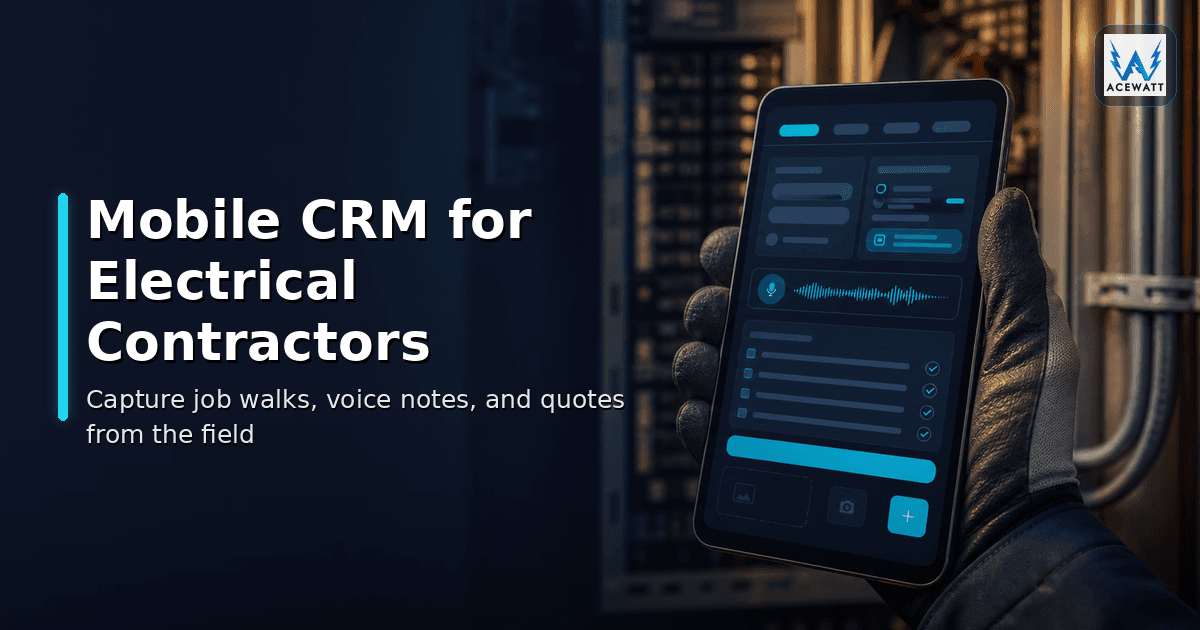
Mobile CRM for Electrical Contractors: 2026 Field Guide
You are halfway up a 14-foot ladder in an attic with a panel cover off, a flashlight in your mouth, and a phone buzzing. A homeowner wants an EV charger next month. A general contractor just texted about a load calculation for a tenant improvement. The office wants an updated estimate before the day ends. None of that matters if the details get lost the moment you climb down. That is the daily reality a mobile CRM for electrical contractors is supposed to solve.
A mobile CRM for electrical contractors is field-ready software an electrician or office admin can run from a phone, tablet, or laptop browser while on a jobsite, in a truck, or mid job walk. It keeps customer history, panel photos, voice notes, estimate drafts, schedule, invoice status, and follow-up in one record. This guide explains what an electrical contractor mobile CRM does, why generic CRMs break down in the field, the features that matter, the red flags to avoid, and where AceWatt fits as one of the tools built specifically for the electrical workflow.
What is a Mobile CRM for Electrical Contractors?
A mobile CRM for electrical contractors is a customer relationship management tool that the field tech, the estimator, and the office admin all open from a phone, tablet, or laptop browser. It is tuned around electrical work: customer and site history, job walks with photos and voice notes, an estimate or quote that can be drafted before leaving the driveway, scheduling and dispatch for the next visit, an invoice with a payment link after the work is done, and a follow-up loop so the next service call or maintenance plan does not depend on someone remembering.
The mobile piece is the differentiator. An electrician CRM app has to work one-handed from a truck dashboard, with a glove on, on a screen that gets glare and dust. Forms have to be short. Capture has to default to voice and photo. The customer record has to load fast.
Field-ready software for electricians also has to match the actual workflow. Most shops run a tight loop of lead → job walk → quote → follow-up → invoice → maintenance plan. A mobile-first electrical contractor CRM treats that loop as the default screen.
For a deeper look at how electrical CRM fits a field-first shop, see AceWatt's overview of the best CRM for electrical contractors and our electrical contractor CRM page.
Why Generic CRMs Break Down in the Field
General-purpose CRMs were built for sales pipelines and inside sales teams. They are built for a mouse and a keyboard, not a phone in a glove. For an electrical contractor, the gap shows up in five ways.
First, capture is slow. Most generic CRMs default to typed notes. The shortcut is to skip the note, which means the office has nothing to quote from later.
Second, the data model is wrong. Electrical work has a layer most CRMs ignore: a site or property with panel history, equipment, and access notes. A repeat customer is rarely a repeat deal. They are a repeat site.
Third, estimation is bolted on. Generic CRMs can store a number, but they cannot help draft the number.
Fourth, the field is offline half the time. Some popular CRMs handle this with offline sync. AceWatt is a mobile-web CRM designed for phone and tablet browsers; offline, clock in/out, new leads, field notes, expenses and project notes queue and send when signal returns.
Fifth, the field and office see different things. A generic CRM rarely shows the technician the next job, the panel photo from last year, and the open estimate in one screen.
Must-Have Mobile CRM Features for Electrical Shops
There is no single "best CRM app for electricians" that fits every shop, but the mobile CRM features that show up in successful rollouts are remarkably consistent.
Voice-first capture. Most job-walk detail is spoken, not typed. A field-ready CRM should default to a voice note attached to a job so the tech can narrate what they see.
Photo capture that stays attached. Panel photos, breaker labels, attic shots, before-and-afters. The CRM should auto-tag photos to the right customer and job.
Customer and site history at a glance. A repeat call should show the previous visit, the equipment on site, the recommended next step, and any open estimate before the technician steps out of the truck.
Quote-ready notes that turn into an estimate draft. Capture should not be a graveyard of voice memos. The CRM should turn field notes into a draft estimate the office can review and price.
Scheduling and dispatch from the phone. Crews, jobs, drive time, and the next available technician should be visible from the field.
Invoicing with a payment link. Once the work is done, the invoice should go out the same day with a payment link customers pay from their phone.
AI assistance for documentation and estimation. Voice notes that organize themselves, estimate drafts assembled from job notes, follow-ups that read like a human drafted them.
A good test is the truck test: in 60 seconds from the cab, can the field tech pull up the next job, see the customer's panel history, dictate a job walk note, take a photo, and send the office an estimate draft? If not, the CRM is asking the field to behave like a desk worker, and the field will quietly stop using it.
For the AI side of this, see AceWatt's voice documentation and automated estimating features. For the broader landscape, the field service mobile app for electricians guide covers how mobile fits alongside field-service software.
Mobile CRM vs Field Service App vs Estimating App
These terms get used as synonyms in this category, and that confuses a lot of buyers. They overlap, but they are not the same product.
A mobile CRM focuses on the customer relationship, job record, quote, invoice, follow-up, and communication history.
A field service app focuses on dispatch, work orders, technician routing, time tracking, and completion reporting.
An estimating app focuses on building accurate electrical quotes, assemblies, material catalogs, labor units, taxes, and price books.
In an ideal stack, the mobile CRM is the system of record for the customer and the job, the field service app handles the day-of dispatch mechanics, and the estimating app plugs into the CRM so quotes do not have to be re-entered.
Popular tools in this space include Jobber, ServiceTitan, Housecall Pro, FieldCamp, and QuoteIQ, each with public pricing on their sites. Jobber and Housecall Pro tend to favor small residential shops. ServiceTitan sits in the multi-crew, multi-location category. QuoteIQ is popular with trade contractors who want a lighter footprint.
For shops that want a CRM that has the estimating built in, AceWatt's automated estimating workflow plugs voice notes and field context directly into a draft quote. See the pricing page for current tier comparison.
The Electrical Service Call Workflow: Lead → Job Walk → Quote → Follow-up → Invoice
Walk one service call through a mobile CRM and the value shows up.
Lead. A homeowner fills out a form, a property manager emails a scope, a general contractor asks for a bid. The CRM captures the lead and routes it to the right estimator.
Job walk. On site, the estimator walks the property with a phone. Photos, voice notes about what the customer wants. Each piece of capture is automatically attached to the job. With AceWatt's AI job walk, field notes become a structured summary the office can use.
Quote. The office reviews a draft the AI has already started, finalizes the price, and sends it through the customer portal for approval.
Follow-up. The customer can e-sign the quote from the portal. If the customer says yes, the job moves into scheduling and AceWatt invoices it with the quote's line items and emails the invoice automatically (a deposit invoice first, if the quote asks for one). If quiet, the follow-up call is yours; automatic reminders cover overdue invoices.
Invoice. The invoice already went out with a payment link when the customer accepted the quote (with a deposit, the balance invoice follows automatically once the deposit is paid). The day the work finishes, the tech adds an "after" photo to the job, and the invoicing record shows what has been paid.
Maintenance loop. Months later, the CRM reminds the office to suggest a panel check or follow-up. Customer history makes the next conversation easy.
This is the loop a mobile CRM makes repeatable. Without it, the same loop depends on memory, texts, and a dispatcher with a whiteboard.
What to Look For Before You Buy
A mobile CRM for electricians is a long-term commitment.
Open it on a phone in a truck. Not in a sales demo. On the actual phone, with one bar of signal, in daylight glare. If it is slow in a quiet conference room, it will be unusable on a rooftop.
Test the offline behavior. Drop your phone to airplane mode and try to capture a job walk. AceWatt is a mobile-web CRM; offline, it queues clock in/out, new leads, field notes, expenses and project notes and sends them when signal returns, while some competitors offer fuller offline sync.
Check the data model for sites and equipment. A residential or light-commercial job needs more than a contact and a deal. Look for native support for sites, properties, equipment, panel history, and recurring service.
Compare public pricing carefully. ServiceTitan, Jobber, Housecall Pro, FieldCamp, and QuoteIQ all publish starting prices on their sites. Read the per-user fee, the per-text fee, the payment-processing rate, and the add-ons at renewal. A low headline price with a long tail of add-ons is a common trap.
Read the support terms. When the field cannot move because the CRM is down, that is a five-alarm fire. A cheap tool with slow support is not cheap.
AceWatt publishes its pricing tiers and includes a 14-day free trial.
Red Flags: Features That Sound Useful but Slow Crews Down
Watch for these features that look good on a slide but become pain points once the field puts hands on them.
Boilerplate industry templates that ignore electrical specifics. A CRM with 47 vertical templates will probably do none of them well.
A "do everything" bundle with a quote module bolted on. These tools often charge more, train slower, and force the field into workflows that work for plumbing or HVAC but not for electrical.
GPS time clock and geofencing as the headline feature. Geofencing tends to create disputes about battery life, personal time, and accuracy. AceWatt focuses on job context, not surveillance, and is a mobile-web app rather than a native iOS/Android app with embedded GPS tracking.
AI features that are labeled AI without proof. Voice-to-text is not AI. A chatbot that cannot read the customer record is not AI. Ask what the AI reads, what it writes back, and where a human reviews the output.
Mandatory native integrations to tools you do not use. Many CRMs lock features behind integrations with specific accounting, payment, or routing tools. Many shops run AceWatt alongside QuickBooks or other accounting software used in the trade.
Per-text and per-email fees for machine-generated reminders. A CRM that charges per reminder will quietly run a $200 bill for routine follow-ups.
Hard-to-export data. If a contractor cannot get their own customer, job, and invoice data out as a CSV, the CRM is holding the business hostage.
How AceWatt Fits the Mobile Electrical Workflow
AceWatt is built for electrical contractors who need one record that travels from the field to the office and back. The mobile experience is a phone-and-tablet browser app tuned for one-handed capture and one-thumb review, with the feature set mapped to the loop above rather than to a generic sales playbook.
The mobile workflow starts with field input. Photos, voice notes, panel labels, breaker directories, attic shots, before-and-afters, all captured against the customer and the job in real time. The AI organizes these notes into structured job walks the office can quote from, without forcing the estimator to retype.
From the customer record, the team can pull up site history, equipment, previous estimates, open invoices, and payment history before the technician climbs the ladder. Scheduling and dispatch keep crews aligned to the day. Invoices go out the same day the work is finished, with payment links customers open from their phone. Financial reports show what is in the pipeline, what is overdue, and what the close rate looks like by estimator.
AceWatt's pricing is published and simple. Starter is $49 a month, Growth is $99 a month, Scale is $199 a month. Every tier includes the core mobile CRM, the AI quote builder, and invoicing; AI job walks and the customer portal start on Growth. See the pricing page for the breakdown and the features overview. There is a 14-day free trial.
For shops that want to compare AceWatt with the broader category, see the best CRM for electrical contractors guide. For scheduling-specific evaluation, electrical contractor scheduling software covers how the calendar side plays into the mobile workflow.
Mobile CRM Checklist for Electricians
Use this checklist before adopting any mobile CRM.
- [ ] Opens fast on a phone in a truck with one bar of signal
- [ ] Lets the field dictate notes without typing
- [ ] Attaches photos to the right job automatically
- [ ] Loads customer and panel history in one screen
- [ ] Turns a voice note into a draft estimate
- [ ] Sends estimates for approval from the portal
- [ ] Schedules jobs and moves them around from the phone
- [ ] Closes the job on a tablet the same day
- [ ] Invoices with a payment link from email and text
- [ ] Keeps customer communication in one thread
- [ ] Configurable without logging into a desktop
- [ ] Exports the shop's own data on demand
- [ ] Fair, predictable pricing with no surprise per-text fees
- [ ] Real human support when the field is stuck
- [ ] 14-day trial
- [ ] Verification of scope, code, and pricing by a licensed electrician before any estimate goes out
A CRM that ticks those boxes can pay for itself within the first few quarters by preventing lost estimates, missed follow-ups, and unpaid invoices that cost many small electrical shops real margin every month.
Frequently Asked Questions
What is the best CRM app for electricians in 2026?
There is no single "best" pick that fits every shop. The right mobile CRM depends on shop size, mix of service versus project work, budget, and how much you want the field and office to live in the same tool. For small residential service shops, lighter tools like Jobber and Housecall Pro are common. For larger multi-crew operations, ServiceTitan is one of the heavier options. For shops that want a trade-specific workflow with built-in AI documentation and estimating, AceWatt is one of the few in that lane. Compare features, public pricing, and the truck test above before signing.
Do I really need a mobile CRM, or can I just use spreadsheets?
Spreadsheets work for a one-person shop with five open jobs. They fall apart around 25 to 50 active jobs, when estimates live in one spreadsheet and invoices in another, and when photos live in a phone's camera roll. The day a customer calls back six months after a job and the office cannot find the photo of the panel, the spreadsheet stops feeling free.
Can a mobile CRM work without an internet connection?
It depends on the vendor. Some CRMs include offline capture that syncs when service returns; others assume constant connectivity. AceWatt is a phone-and-tablet browser app; when signal drops, clock in/out, new leads, field notes, expenses and project notes queue and send when it returns. For shops that regularly work in basements, attics, steel buildings, or remote sites, common places for the 2026 NEC work residential and light-commercial electricians are seeing, ask the vendor to demo the actual offline experience on a phone, not on a slide.
Will a mobile CRM replace my estimating software?
For most small and mid-sized shops, the answer is yes, if the CRM has a real estimating workflow attached, labor units, materials, taxes, assemblies, and a quote a customer can accept electronically. If your current estimating tool is enterprise-class and feeds your accounting software tightly, you may keep both, but make sure they share customer, job, and price data so the field does not have to re-enter anything.
How much should a mobile CRM for electrical contractors cost?
Public pricing from major vendors in 2026 ranges roughly from $49 to $300+ per month depending on tier and headcount, layered with per-user fees, per-text charges, and payment-processing rates. AceWatt's tiers, Starter $49, Growth $99, Scale $199, are flat monthly rates with a 14-day free trial. Compare the all-in cost, not just the headline number. The BLS projects steady demand growth for electricians through 2034, which is why choosing the right tool now compounds in value over the life of the business.
How does AI help a mobile CRM for electricians?
It helps in specific places, not everywhere. In the field, AI should turn voice notes into structured job walks and draft estimates for the office to review. In the office, AI should write quote summaries, follow-up messages, and report drafts the team can edit instead of starting from scratch. AI does not replace a licensed electrician verifying scope, code, and pricing, any vendor that implies otherwise should be treated skeptically.
Bottom line: a mobile CRM for electrical contractors is the difference between a shop that grows by winning the next estimate and a shop that loses margin to memory, missed follow-ups, and unpaid invoices. Pick a tool that passes the truck test, runs on the phone your field already carries, and treats the field-to-office loop as the default screen.
Related reading: CRM + Scheduling Combo for Small Electrical Contractors: Automate Follow-Up Without Hiring Office Staff. For field crews specifically, see Mobile-First CRM for Field Electricians: Offline Mode, Job Photos & QuickBooks Handoff.
Related Reading
- AceWatt vs QuoteIQ comparison — mobile workflow comparison for electrical contractors.