
Offline Field Data, Real Accounting: What Electrical Contractors Should Demand From an App in 2026
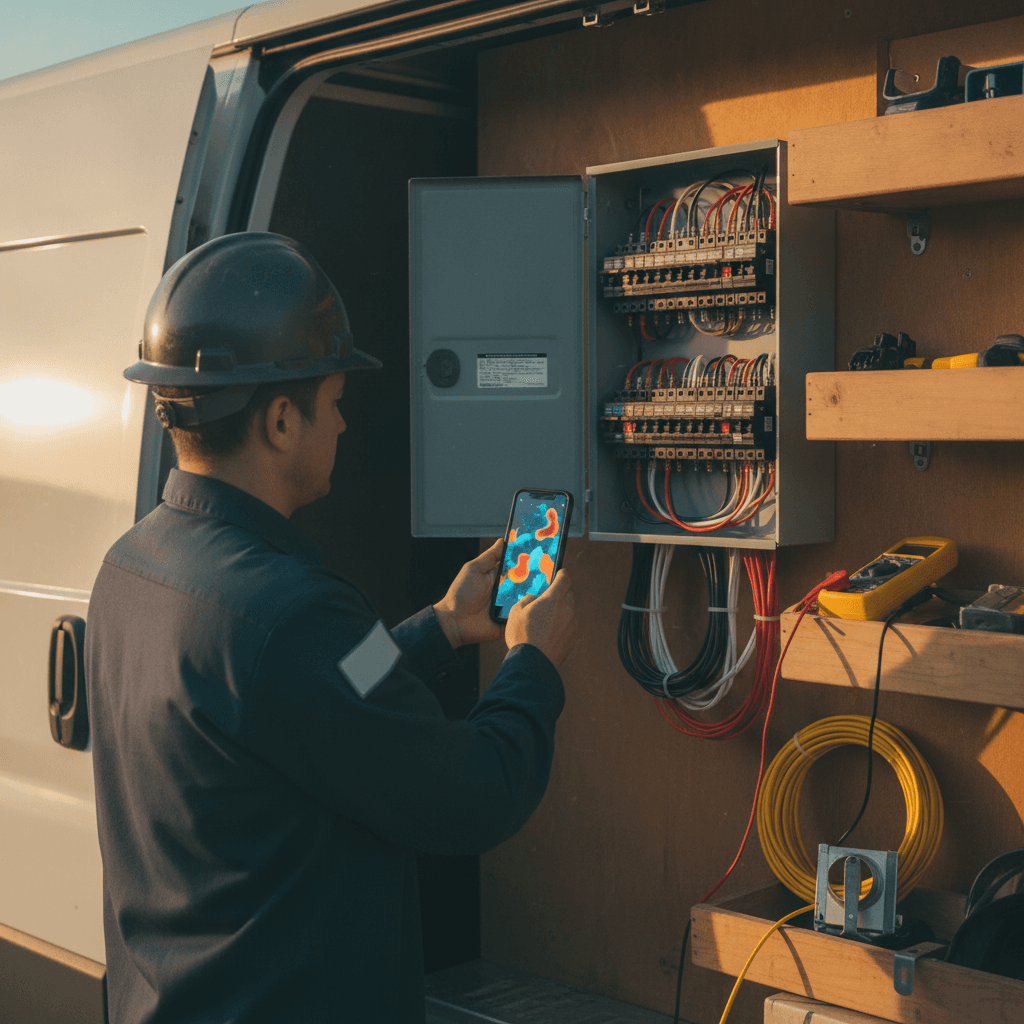
Most electrical work happens where the signal does not. Basements, mechanical rooms, steel-frame buildings with no permanent power yet, crawl spaces, rooftop penthouses. When your app cannot reach the cloud from those locations, your job data lands on a paper ticket, a group text, or the tech's memory. This guide covers why offline capability and accounting sync have become the two features that separate real electrical contractor apps from generic field service software in 2026.
1. Why Electrical Contractors Need Mobile-First Apps in 2026
Office-first software was designed for people at desks. Electrical contractors are not at desks. The estimate starts on a job walk. The hours get logged at the panel. The materials come off the truck at 2 p.m. while standing in a garage with two bars of borrowed Wi-Fi.
A mobile-first electrical contractor app assumes the field is the source of truth. Estimates, job walk notes, photos, time and material tickets, and change order approvals are captured at the point of work, on the device in the tech's pocket.
The economics of 2026 make this non-negotiable. Licensed electrician labor keeps getting more expensive, material pricing swings week to week, and customers now expect a digital estimate, an e-signature approval, and a card payment link within days, not weeks. Solo electricians and three-truck shops alike compete on responsiveness. An app that only works when it is connected leaves your fastest documentation tool dead in exactly the places you work.
2. The Real Cost of Poor Field Data Capture for Electrical Shops
The leak is rarely one big mistake. It is a hundred small ones.
Consider a routine service call: a failed receptacle in a garage. Per NEC 210.8, garages require GFCI protection, and mid-repair the tech finds the circuit also feeds an ungrounded outdoor outlet box on a rotted chase. He fixes it, adds 45 minutes and $40 in materials, and tells the homeowner. If that never reaches the invoice, the shop just ate roughly $110 at a $95 per hour service rate. Multiply one missed $125 change order per tech per week across a four-tech shop and you have lost $26,000 in a year.
Poor field data capture shows up four other ways:
- Unbilled change orders. The customer verbally approves adding a Type 2 surge protective device (installed per NEC Article 285) during a panel upgrade. Without a timestamped record and a signature captured in the app, the $250 to $500 in materials and labor becomes a favor, not revenue.
- Double entry. Paper tickets re-keyed into the office system burn admin hours at $18 to $28 per hour, or worse, your own evening hours at an opportunity cost of $100 or more per billed hour.
- Slow invoicing. Invoice two weeks after completion and you often slide into the customer's next pay cycle, turning a 15 day payment into 45 days.
- Lost disputes. When a homeowner or GC short-pays, undocumented extras are uncollectable extras.
This is the core problem an electrical field data sync platform exists to solve: every billable hour, material, and approval gets captured once, in the field, and flows to the invoice automatically.
3. How Offline Field Data Sync Works for Electricians
True offline mode is an architecture, not a setting. Here is how it should work under the hood:
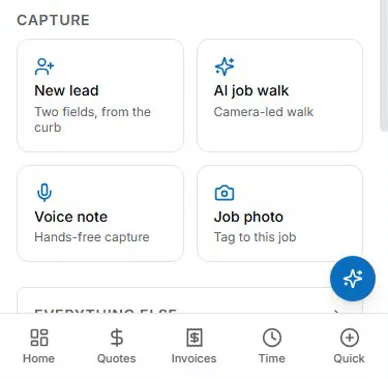
- Local-first capture. The app writes job notes, T&M lines, photos, voice recordings, and signatures to an on-device database. No network calls required, no spinner.
- Timestamping and attribution. Every record is stamped with time, user, and job number the moment it is created, so the audit trail holds up in a payment dispute.
- Queued changes. Offline entries line up in a sync queue on the device.
- Automatic sync trigger. When the tech steps into the truck and picks up LTE, or returns to shop Wi-Fi, the queue uploads in order.
- Conflict resolution. Well-built systems apply clear rules, such as field entries controlling job status and materials, with the full edit history preserved for the office.
Before you buy any app, run a simple test: put the phone in airplane mode in a basement, open a job, add materials, a photo, a voice note, and a signature. Then reconnect. If anything was lost or never queued, the offline mode is a demo feature, not a working one.
4. Connecting Field Data to QuickBooks
Offline capture only pays off when the back office is connected. That is where the QuickBooks handoff matters, and it is worth knowing exactly what a vendor's handoff does: an export still leaves your bookkeeper entering detail in QuickBooks, while a direct integration moves records for you.
Here is what a direct QuickBooks Online integration does:
- Job creation flows to invoices. A T&M ticket closed offline syncs up, and the platform converts it into an invoice with line items already mapped to your QuickBooks service items. No double entry.
- Customer records stay clean. New leads and job sites created in the field sync to QuickBooks without duplicate entries.
- Payments flow back. Card and ACH payments recorded against an invoice update your aging report, and unpaid balances trigger automated follow-up instead of awkward phone calls.
- Job costing becomes real. Labor hours and materials roll up per job, so you can see whether that 200A service upgrade actually hit its 30 percent margin.
For shops that need true two-way sync today, several general field-service platforms offer it; confirm the exact sync behavior with any vendor during a demo.
Same-day invoicing is the compounding benefit. When the invoice goes out the day the job closes, payment cycles compress from 45 or 60 days to under two weeks for many residential customers. QuickBooks Online is the standard here; most new integrations target it first since Intuit stopped selling most new Desktop subscriptions in 2024.
5. AceWatt's Mobile-First Approach: AI Voice, Job Walk Documentation, and Invoicing
AceWatt was built specifically for electrical contractors, not adapted from a generic HVAC or plumbing tool. The platform combines an AI-powered CRM, AI estimating, automated follow-up, crew scheduling and dispatching, job tracking, invoicing and payment tracking, AI voice and job walk documentation, and QuickBooks-ready exports in one system. Our QuickBooks handoff today is QuickBooks-ready exports, not a native two-way sync, and we say that plainly (full sync in development).
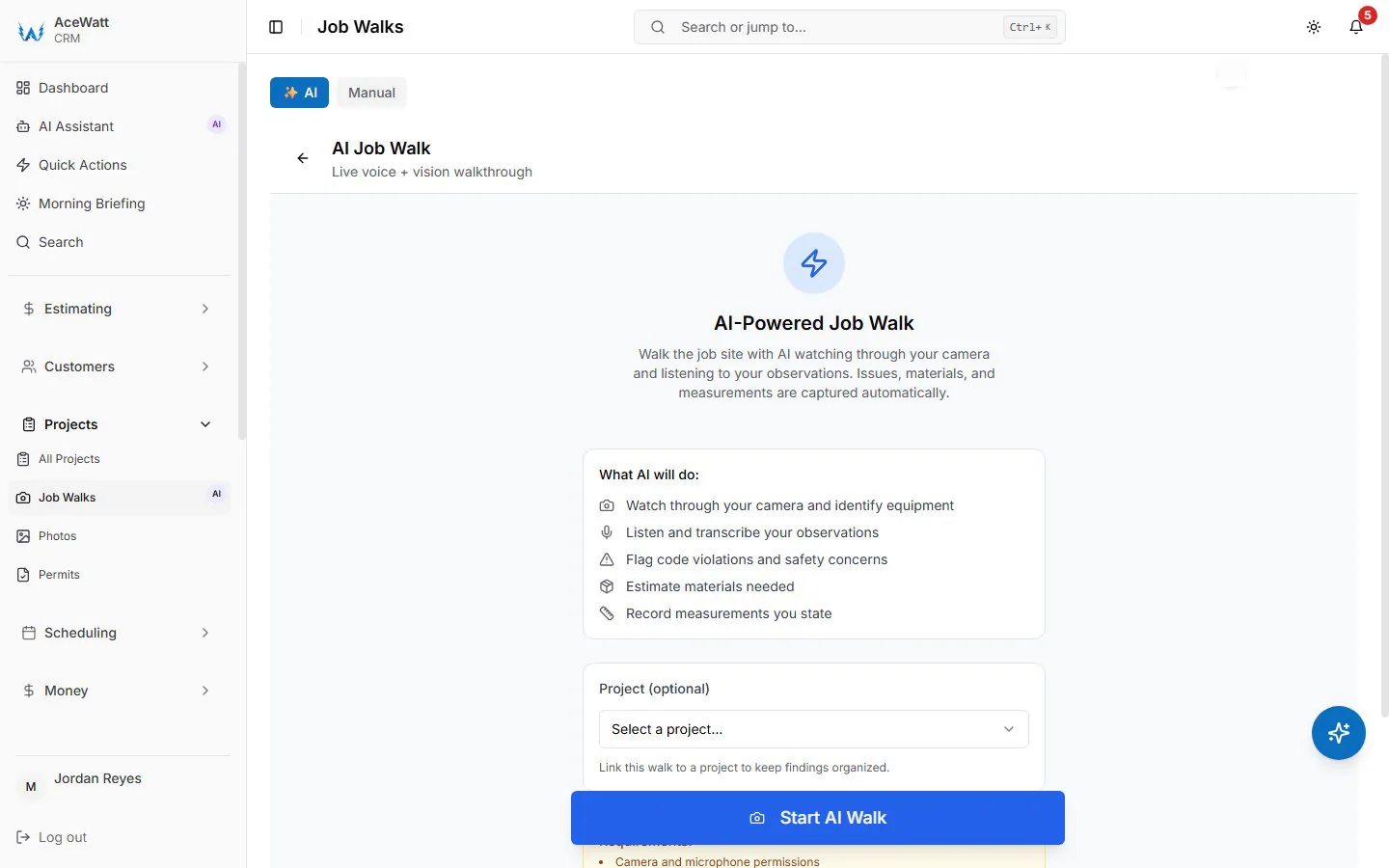
Here is what that looks like on a real job. An electrician walks a homeowner's garage for an EV charger install. Per NEC 625.40, the EVSE needs a dedicated branch circuit, so he dictates load findings and panel capacity into AceWatt's AI voice documentation while standing at the panel. The notes transcribe and structure themselves into the job walk record with attached photos. AI estimating turns that walk into a labor and material estimate, the customer approves by e-signature, and scheduling drops the job on the calendar.
On install day, the garage has no signal. The tech clocks in and out, and field notes, expenses and project notes queue offline and send when signal returns; photos go up once the phone reconnects in the truck. The invoice already went out from the accepted quote's line items when the customer approved (a deposit invoice first, if the quote asked for one), it sits on the invoice-list export for your bookkeeper, and the customer pays from the emailed pay link. Automated follow-up sends email reminders at 1, 7, 14 and 30 days late if the invoice sits unpaid.
For a solo electrician, this replaces an entire evening of paperwork. For a growing shop, it means the dispatcher, the estimator, and the bookkeeper are all looking at the same field data without anyone re-typing it.
6. Choosing the Right Electrical Contractor App for Your Crew
When you evaluate an electrical contractor app, offline field data sync and accounting integration should be non-negotiables. Use this checklist:
- Proven offline mode. Passed the airplane mode basement test, including photos, voice notes, and signatures.
- Trade-specific documentation. Job walks, T&M tickets, change orders, and material lists, not just generic "notes."
- A clean QuickBooks handoff. Either native two-way sync or complete line-level exports, so nobody re-keys a ticket either way.
- AI voice job documentation. Because typing with gloves on a ladder is not a workflow.
- Scheduling and dispatch that reflect offline status changes. The board should update when the field syncs.
- Scalable pricing. Solo electricians should not pay for ten seats, and growing shops should not migrate systems at five trucks.
- Data ownership. You can export your customers, jobs, and history at any time.
The best CRM for electrical contractors is the one your techs will actually use on a Monday in a basement, connected to the accounting system that pays the bills.
7. Frequently Asked Questions About Offline Field Data and Accounting Sync
What happens to my data if the phone dies mid-job? Offline entries (clock in/out, new leads, field notes, expenses and project notes) are written to the device's local storage the moment they are created. A dead battery pauses the sync, it does not lose the queue. Once the phone charges and reconnects, they upload.
Does offline invoicing really work, or does the invoice send later? Not offline. In AceWatt, clock in/out, new leads, field notes, expenses and project notes queue offline and send when signal returns; build and send the invoice once the device reconnects.
How do corrections reach QuickBooks? With a native two-way sync, an office edit updates both systems. With export-based handoffs like AceWatt's today, corrections ride the next export and the edit history stays on the platform side; your bookkeeper reconciles the books against it.
Is offline data on a phone secure? Reputable platforms encrypt data at rest on the device and control access by user role, so a lost phone does not mean exposed customer records.
I am a solo electrician with no office staff. Is this overkill? It is arguably most valuable for you. You are your own dispatcher, bookkeeper, and collections department. Automated sync and follow-up give you back the hours you currently spend at the kitchen table doing data entry.