
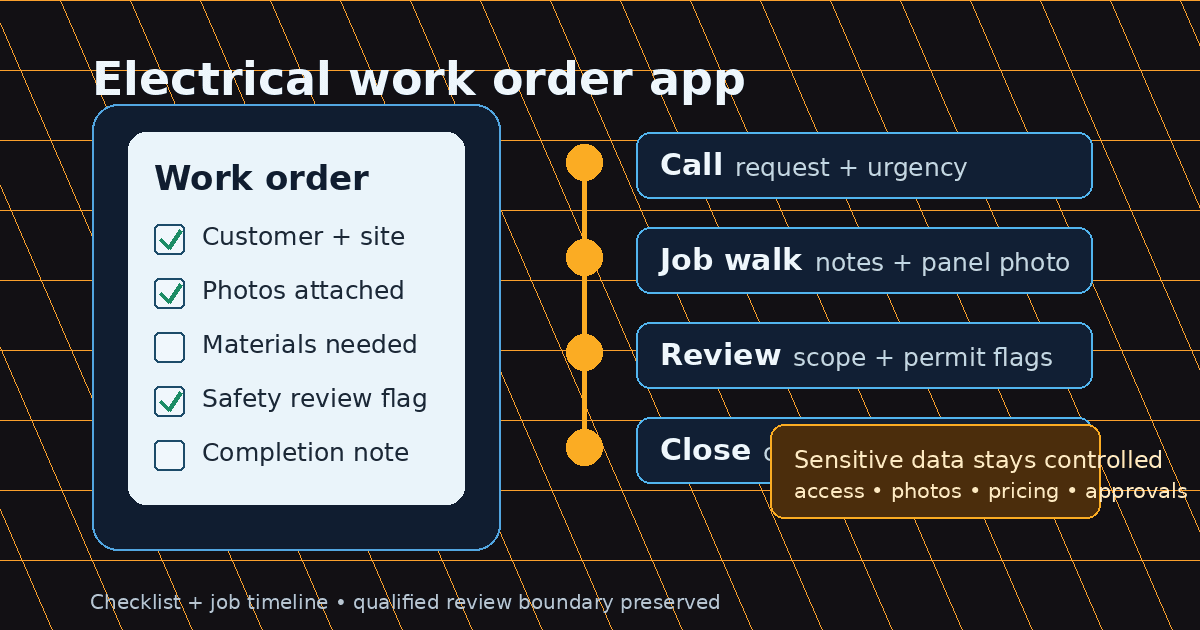
An electrical work order app can help electricians turn customer calls, job walk notes, photos, field observations, and completion details into a cleaner field workflow. For a small electrical contractor, the goal is not just replacing paper. The goal is making sure the office, field tech, estimator, and customer record work from the same job context. If you are comparing options, our <a href="/blog/best-work-order-apps-for-electricians-with-mobile-syncing">best work order apps with mobile syncing comparison</a> scores the leading platforms on offline mode, T&M billing, and QuickBooks sync.
Direct answer: An electrical work order app is software that helps electricians create, document, review, and close electrical service work from a phone or office workflow. Useful electrical work order software captures customer details, site notes, photos, labor, materials, safety context, approvals, and estimate context in a searchable record that still leaves code-sensitive decisions to qualified review.
Electrical Work Order App: Quick Field Checklist
Before comparing platforms, define the information every work order should carry. A simple checklist keeps the app conversation practical instead of turning it into a generic software demo.
| Work order area | What to capture | Why it matters |
|---|---|---|
| Customer and site | Name, contact, address, access notes, property type | Helps reduce callbacks and missed arrival details |
| Job scope | Requested work, symptoms, urgency, known equipment | Keeps the field visit tied to the actual customer need |
| Documentation | Photos, voice notes, panel labels, before/after images | Supports follow-up quoting, callbacks, and recordkeeping |
| Labor and materials | Time on site, parts used, follow-up materials needed | Helps estimate, change-order, and billing preparation |
| Safety and review | Hazards, permit questions, code-sensitive conditions | Flags work that needs qualified review before pricing or completion claims |
| Privacy and retention | Access controls, export options, deletion rules, retention period | Helps protect sensitive customer, property, and job records |
| Completion | Status, customer approval, next step, office note | Keeps open work from disappearing after the visit |
If your current process cannot answer “what happened, who approved it, what changed, and what should happen next,” you may need more than a paper form.
What Is an Electrical Work Order App?
An electrical work order app is a field and office workflow for managing service jobs. It may start with a phone call, website request, estimate, or job walk. From there, the work order carries the job details through field documentation, customer approval, completion notes, and follow-up.
The phrase electrical work order software is often used for the larger system behind the app. The app is what a technician uses in the field. The software may also include office dashboards, customer records, estimate tools, reporting, templates, and integrations. For a solo electrician, a lightweight template may be enough. For a team with multiple open jobs, shared context becomes more important.
A work order is not the same as an estimate or invoice. An estimate proposes the scope and price before approval. A work order tells the team what needs to be done and records what actually happened. An invoice requests payment after work is completed or a billing milestone is reached. A good workflow keeps these connected without pretending they are identical documents.
Why Electrical Contractors Outgrow Paper Work Orders
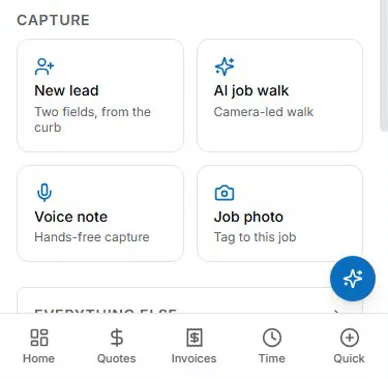
Paper forms and PDF templates work until the business has too many moving parts. A handwritten note can document a ceiling fan replacement, but it gets weaker when a technician needs panel photos, parts history, permit questions, customer approvals, and office follow-up in one place.
Common failure points include lost paperwork, incomplete job notes, unclear scope, missing materials, delayed billing notes, and weak callback documentation. A technician may solve the immediate problem but leave the office guessing about what was replaced, whether a quote is needed for additional work, or what the customer approved.
Electrical work also has higher documentation needs than many generic service categories. A no-power call may uncover an overloaded panel. An EV charger request may depend on distance, conduit path, charger type, panel capacity, and local permit requirements. A commercial lighting retrofit may require fixture counts, ceiling access notes, lift requirements, and after-hours scheduling. Paper can hold these details, but it rarely keeps them searchable and attached to the customer record.
Privacy, Access Control, and Data Retention Matter
Electrical work order records can include sensitive information: customer names, phone numbers, service addresses, gate codes, property photos, panel labels, access instructions, pricing notes, and sometimes tenant or commercial-site details. Treat that information as operational data, not casual notes.
Before collecting work order data in an app, contractors should ask how user permissions work, which team members can view customer records, whether photos and files can be exported, how long records are retained, how deletion requests are handled, and whether the workflow matches the company’s privacy policy and customer authorization process.
This is especially important when photos, videos, or voice notes are captured in the field. Capture enough detail to document the job, but avoid collecting unrelated personal or property information that the team does not need.
Must-Have Features in Electrical Work Order Software
Look for workflow fit before feature quantity. A long feature list does not help if field users avoid the app.
Useful features for electrical contractors include:
- Customer, site, and contact details.
- Job type, priority, and requested work summary.
- Voice notes, photos, videos, and file attachments.
- Field status notes such as scheduled, on site, waiting, complete, or needs follow-up.
- Labor time, materials used, and materials still needed.
- Safety notes, access notes, permit questions, and inspection context.
- Customer approval, signature, or written authorization fields when applicable.
- Connection to estimating, templates, CRM history, or later billing notes.
- Searchable job history by customer, address, technician, or job type.
- Role-based access, export options, retention controls, and deletion procedures.
For related AceWatt resources, use the electrical work order template, AI job walk, automated estimating, estimate template, and bid calculator. All of these are collected under free electrical contractor tools. Those resources support job context and estimate preparation; broader field-service capabilities should be evaluated separately before they are described as live product functionality.
Electrical Work Order Fields to Include
A practical electrical work order should be specific enough that another electrician could understand the job without calling the original technician.
Start with customer and property information: customer name, service address, billing contact, property type, gate codes, pets, parking, tenant details, and site access restrictions. Then capture the requested work in plain language. “Replace outlets” is weaker than “replace two GFCI outlets in kitchen; customer reports breaker trips when microwave and toaster run together.”
Add technical fields for panel location, panel photo, visible equipment labels, circuit information if known, access constraints, ladder or lift requirements, ceiling type, attic or crawl access, and any customer-supplied materials. Include sections for materials used, labor time, follow-up parts, exclusions, and next step.
For safety-sensitive situations, the work order should flag symptoms rather than diagnose beyond the available information. Examples include burning smell, heat at devices, visible arcing, no power, water intrusion, aluminum wiring concerns, old or damaged panels, and overloaded circuits. These should trigger qualified review, not instant generic advice.
Work Order Workflows by Electrical Job Type
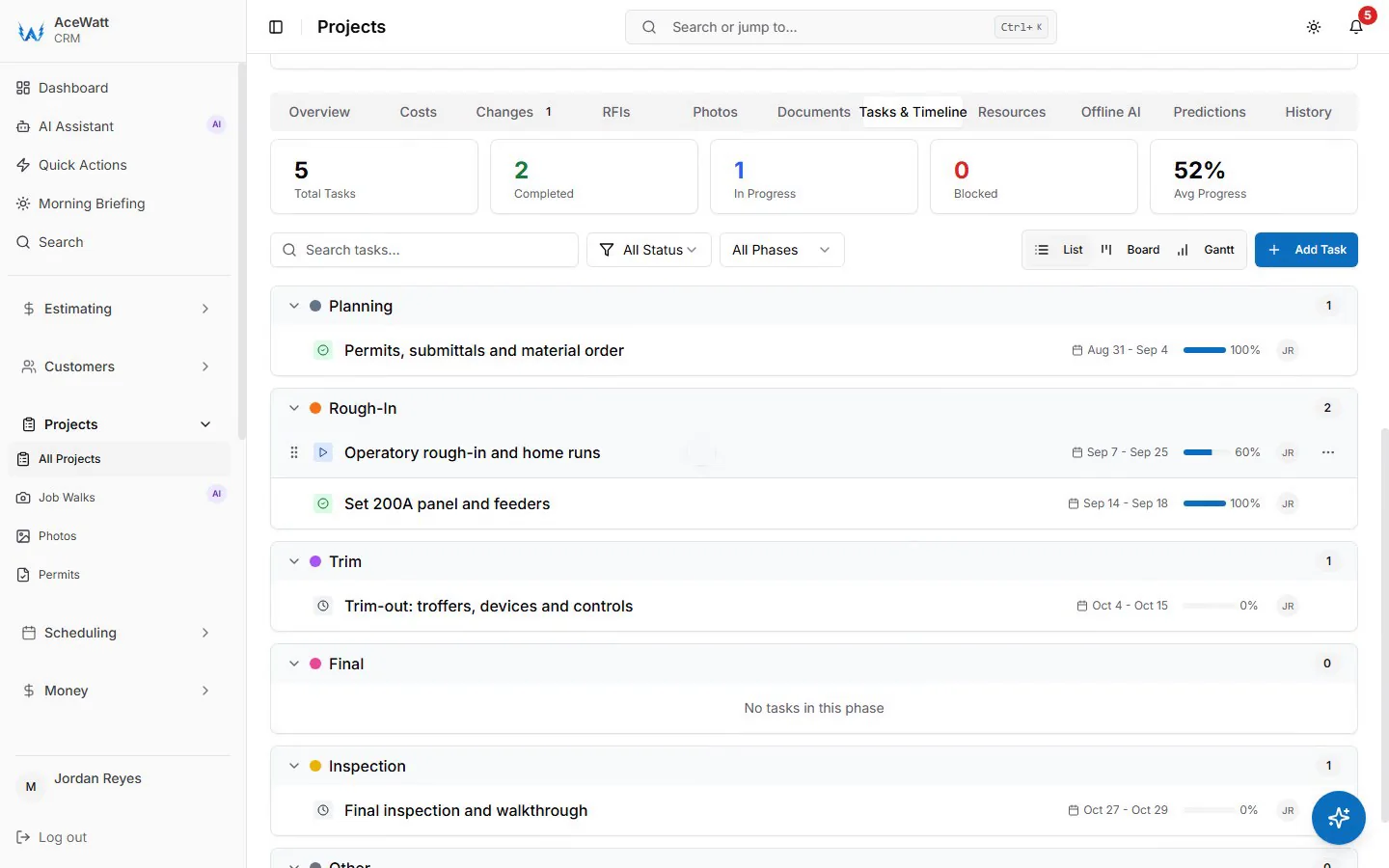
Different electrical jobs need different work order depth.
For a troubleshooting or no-power call, the work order should capture symptoms, affected areas, breaker behavior, recent changes, photos, diagnostic steps, temporary safety actions, and recommended follow-up. The completion note should not imply a whole-property safety guarantee unless that inspection actually happened.
For a panel upgrade or breaker replacement, the work order should include panel photos, amperage if known, utility or meter context, permit and inspection questions, customer access, shutdown planning, and follow-up scope. Pricing and compliance statements should be reviewed because local code and utility requirements vary.
For an EV charger installation, collect charger model, parking location, panel distance, wall or conduit path, Wi-Fi or load management needs if relevant, HOA or permit notes, and photos from panel to parking area. This job is a good fit for structured intake because missing details can change scope quickly.
For ceiling fan, outlet, or switch replacement, a lighter work order may be enough: location, fixture type, ceiling height, existing box condition, number of devices, customer-supplied parts, and whether patching or specialty access is excluded.
For a commercial lighting retrofit, include fixture count, ceiling height, access equipment, operating hours, tenant coordination, disposal needs, controls, and whether the work requires phased scheduling.
Work Order App vs Free Work Order Template
A free template is still useful. The right question is when the team has outgrown it.
| Option | Best for | Limitation |
|---|---|---|
| Work order template | Solo work, one-off jobs, simple documentation, printable records | Manual updates, limited search, easy to lose photos or context |
| Work order app | Daily service operations, multi-tech teams, recurring jobs, searchable job history | Requires process discipline and verified product fit before relying on advanced automation |
| Full field-service platform | Scheduling, larger team coordination, reporting, multi-step service operations | May be more complexity than a solo contractor needs |
A small shop can start with AceWatt’s electrical work order template and move toward connected workflows as the number of jobs, technicians, and follow-ups grows. Templates are the entry point. Apps become valuable when records need to stay searchable and attached to the customer or job history.
How AceWatt Fits the Job-Walk-to-Estimate Workflow
AceWatt’s safest positioning for this topic is job context and estimate preparation, not a claim that AceWatt runs service operations on its own.
A field user can document a job walk with notes and photos, then use that context to prepare estimate-ready details. The AI job walk and automated estimating pages are relevant because work order documentation is most useful when it supports the next reviewed step. The bid calculator and estimate template are useful for teams that need a structured price or proposal after the work record reveals follow-up scope.
AceWatt can be discussed as part of a CRM and job-record workflow for electrical contractors. If a buyer needs features beyond job context, estimating support, templates, calculators, and CRM/job records, those capabilities should be confirmed separately before purchase.
Electrical Work Order App Buying Checklist
Use these questions while comparing options:
- Can technicians record notes and photos while the job details are fresh?
- Can photos, voice notes, and files stay attached to the customer and job?
- Can the workflow separate requested scope, approved scope, completed work, and follow-up recommendations?
- Can office staff review job context without interrupting the technician?
- Does the workflow support estimates or billing notes without requiring unnecessary retyping?
- Can safety, permit, and inspection flags be captured clearly?
- Can you export or retain your job history if you change systems?
- Can the app limit access to sensitive customer, property, and pricing records?
- Does the vendor explain retention periods, deletion procedures, and data ownership?
- Is the product built for electrical workflows, or is it a generic task list with field labels changed?
Need digital safety documentation too? The electrical safety checklist app guide shows how checklist capture can sit beside work orders and job records.
FAQ
What should be included in an electrical work order?
An electrical work order should include customer and site details, requested scope, technician notes, photos, labor time, materials, safety observations, permit or inspection questions, completion status, approvals, and follow-up tasks. For complex or code-sensitive jobs, include review flags instead of relying on a generic completion note.
Is a work order the same as an estimate?
No. An estimate proposes scope and price before approval. A work order organizes and documents the work to be performed or completed. An invoice requests payment. In a good workflow, these documents can share context but serve different purposes.
Can electricians use a work order template instead of an app?
Yes. A template can work for solo electricians, simple service calls, and low-volume operations. An app becomes more useful when multiple technicians, photos, job histories, office notes, and estimate context need to stay synchronized.
What is the best work order app for electricians?
The best option depends on shop size, job mix, data controls, and workflow. A small residential service shop may prioritize notes, photos, and estimate handoff. A commercial contractor may need deeper scheduling, reporting, and project documentation. Verify product capabilities before choosing based on a feature list.
How do electricians track completed work?
Electricians track completed work through completion notes, customer approvals, photos, labor and material records, follow-up recommendations, and customer history. A searchable app can make this easier than paper because the record remains attached to the job and customer.
Related Reading
- Browse the full AceWatt feature set: AI job walk, estimating, invoicing, scheduling.