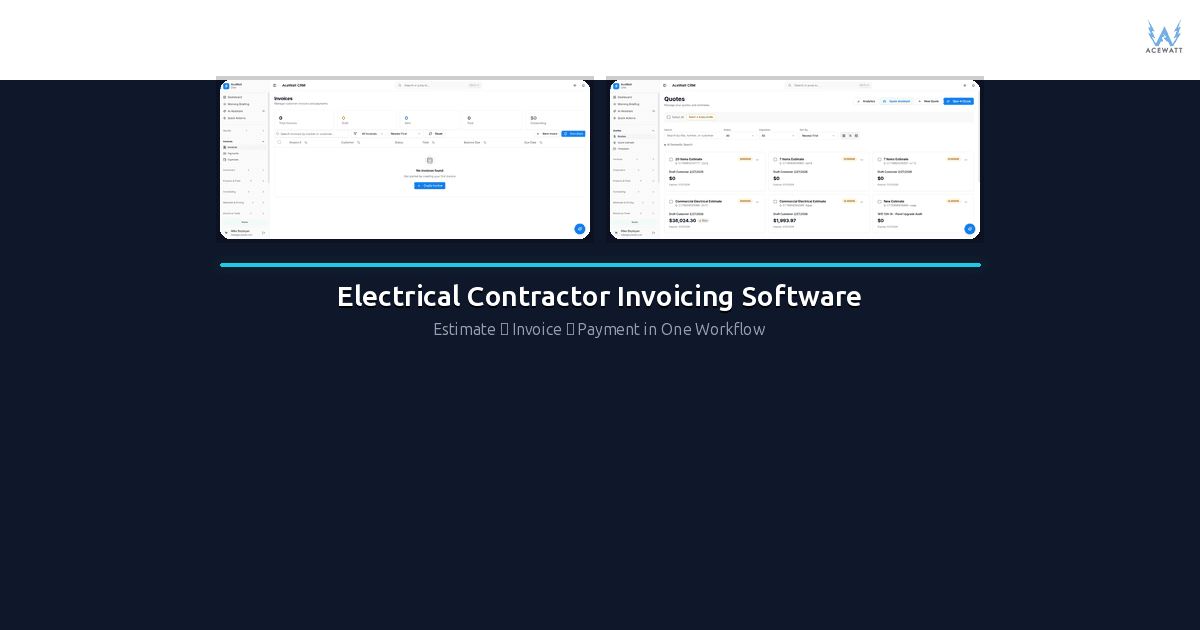
Electrical contractor invoicing software is how a finished work order becomes a sent invoice before the truck leaves the driveway. This guide compares the real options on field speed, job-cost accuracy, and QuickBooks sync.
If you're still writing invoices in Word, texting customers a total, or re-keying estimate numbers into a separate billing system, you're leaving money on the table and hours on the clock. Electrical billing software is purpose-built tooling that takes you from estimate to approved job to accurate invoice, without copying data between apps, forgetting change orders, or chasing customers for payment weeks after the work is done. The right platform handles service-call billing, progress billing on larger projects, deposit tracking, materials-and-labor line items, change-order additions, and syncs everything back to your accounting software so your books stay clean.
Quick answer: Electrical billing software replaces manual invoicing with a connected estimate-to-invoice workflow. It handles service calls, progress billing, deposits, change orders, and QuickBooks sync, so you bill faster, capture every change order, and get paid on time without re-entering data across disconnected apps. According to the National Electrical Contractors Association (NECA), inefficient billing is one of the top cash-flow pain points for trade contractors. The U.S. Bureau of Labor Statistics tracks the wage and employment data that shape how contractors price billable hours.
What is electrical billing software? It's a billing platform built for electrical contractors: it connects estimates, jobs, change orders, and invoices in one system, so every dollar of work shows up on the final bill — from a $275 service call to a $42,000 commercial project. The sections below break down what to look for when choosing one.
Choosing electrical contractor invoicing software comes down to three things: speed, job-cost accuracy, and how little re-typing it forces on your crew.
Why Generic Invoicing Tools Fall Short for Electrical Contractors
Tools like QuickBooks Online, FreshBooks, and Wave are solid for general business billing. But electrical contractors have specific workflows that generic tools simply weren't designed to handle, and that's exactly why purpose-built electrical billing software exists. Here's where the cracks show.
Service Calls vs. Project Billing
A service call is straightforward: show up, diagnose, repair, hand the customer an invoice. But a commercial tenant build-out or a residential whole-home rewire? That's a multi-week project with an estimate, approved scope, milestones, and a final bill that needs to tie back to the original quote. Generic invoicing tools treat every invoice the same. Electrical contractors need software that understands the difference between a $275 service call and a $42,000 project, and handles each with the right workflow, without manual re-entry.
Progress Billing and Retainage
On commercial jobs, you rarely bill the full amount at completion. You bill in stages based on percentage of work completed. General contractors and project owners often hold back 10% retainage until final sign-off. Most generic invoicing platforms have no concept of retainage, billing milestones, or partial payment tracking tied to a master contract value.
Deposits and Upfront Payments
Electrical contractors commonly collect deposits, often 30 to 50% upfront on larger jobs to cover materials. That deposit needs to show on the invoice and reduce the balance owed. Many generic tools treat deposits as standalone payments rather than invoice-linked credits.
Materials + Labor Breakdown
Your customers, especially commercial clients and property managers, often want to see materials separated from labor on invoices. Some also need per-unit pricing (e.g., 24 recessed lights × $185 each). Generic tools let you add line items but don't connect those line items back to an estimate or a bill-of-materials from your original scope.
Change Orders
The job never goes exactly as estimated. You encounter knob-and-tube wiring, the customer adds can lights in the kitchen, or the GC changes the fixture schedule. Every change order needs to flow into the final invoice as a separate, documented addition, not a scribbled note on a napkin that gets forgotten. Generic invoicing tools don't have a change-order workflow.
Sales Tax Complexity
Electrical work has tricky sales tax rules. In many states, labor is taxable on residential jobs but not on commercial new construction. Materials may be tax-exempt when purchased for resale. Your invoicing software needs to handle tax correctly by line item, not just slap a flat rate on the total.
QuickBooks Sync
Most electrical contractors already use QuickBooks (Online or Desktop) as their accounting system. Your invoicing tool needs to sync invoices, payments, customers, and items bidirectionally, not just export a CSV once a month.
For a deeper dive on building invoices that actually get paid on time, see our guide to electrician invoice software.
The right electrical contractor invoicing software turns a finished work order into a sent invoice in minutes, not evenings.
Types of Invoices Electrical Contractor Billing Software Handles
Before you can choose the right electrical contractor billing software, you need to understand the invoice types your business actually uses. Most electrical contractors send a mix of these:
1. Service-Call Invoice
The most common. You complete a service call, whether that's troubleshooting a breaker, replacing an outlet, or installing a ceiling fan, and generate an invoice on-site or within 24 hours. Includes labor, materials, trip charge, and tax. Fast turnaround is critical.
2. Estimate-Based Invoice
You provided a detailed estimate, the customer approved it, and now the work is done. The invoice should mirror the estimate, same line items and same quantities, with any approved change orders added. This is where estimate-to-invoice workflows matter most.
3. Progress Billing Invoice
For larger projects (typically commercial), you bill at milestones: 30% at rough-in, 30% at trim, 30% at final, 10% at punch-list completion. Each invoice shows the cumulative amount billed to date and the remaining balance.
4. AIA Billing (G702/G703)
On many commercial and government projects, owners and general contractors require AIA-style billing documents, specifically the G702 (Application and Certificate for Payment) and G703 (Continuation Sheet). These are standardized forms that show the schedule of values, work completed to date, materials stored on-site, retainage, and the current amount due. Not all invoicing software supports AIA billing.
5. Time-and-Materials (T&M) Invoice
Some work, especially troubleshooting, emergency calls, and unpredictable scopes, is billed time-and-materials. The invoice itemizes every hour of labor and every piece of material used, typically with a markup on materials.
6. Change-Order Invoice
When scope changes mid-project, you document the change order (additional work, added cost, customer signature) and either bill it separately or fold it into the next progress invoice. Either way, it needs to be tracked as a change order, not just an extra line item with no paper trail. Our electrical contractor change order guide covers this in detail.
7. Recurring Maintenance Invoice
If you offer service agreements or maintenance contracts (annual inspections, generator servicing, etc.), you send recurring invoices, monthly, quarterly, or annually. These need to auto-generate and auto-send. See our post on electrical contractor service agreements for more.
Every electrical contractor invoicing software option below was evaluated on field usability first — if a tech can't send the invoice from the van, it fails.
2026 Comparison: Electrical Contractor Billing Software
Here's how the major platforms stack up for electrical contractor billing software. Note: pricing reflects publicly available information as of early 2026 and may vary based on plan tier, team size, and promotions.
| Feature | ServiceTitan | Housecall Pro | Jobber | FieldEdge | Bella FSM | Joist | AceWatt | QuickBooks | FreshBooks |
|---|---|---|---|---|---|---|---|---|---|
| Starting Price | Custom (mid-$100s+/mo) | ~$49/mo | ~$49/mo | ~$125/mo | ~$55/mo | Free to $15/mo | From $39/mo | ~$30/mo | ~$17/mo |
| Service Billing | ✓ | ✓ | ✓ | ✓ | ✓ | ✓ | ✓ | ✓ | ✓ |
| Progress Billing | ✓ | Limited | Limited | ✓ | Limited | ✗ | ✓ | Manual | ✗ |
| AIA G702/G703 | ✓ (add-on) | ✗ | ✗ | ✗ | ✗ | ✗ | ✗ | ✗ | ✗ |
| Estimate→Invoice | ✓ | ✓ | ✓ | ✓ | ✓ | ✓ | ✓ | Manual | Manual |
| Built-in CRM | ✓ | ✓ | ✓ | ✓ | ✓ | ✗ | ✓ | ✗ | ✗ |
| Mobile Invoicing | ✓ | ✓ | ✓ | ✓ | ✓ | ✓ | ✓ | ✓ (app) | ✓ (app) |
| QuickBooks Sync | ✓ | ✓ | ✓ | ✓ | ✓ | ✓ | Export | Native | ✓ |
Key takeaways:
- ServiceTitan is the heavyweight: full-featured for large shops, but the price and complexity are overkill for contractors with fewer than 10 to 15 techs.
- Housecall Pro and Jobber are strong for service-based shops that need scheduling + invoicing in one app, but progress billing and project accounting are limited.
- Joist is a solid free/low-cost option for simple estimate-to-invoice workflows, but lacks CRM, project billing, and deeper features.
- QuickBooks and FreshBooks handle the accounting side well but weren't designed for field-service workflows or construction-style billing.
- AceWatt is built specifically as electrical contractor billing software (see how we compare on pricing) and bridges the gap between field management and project billing. Its QuickBooks handoff is a line-level export your bookkeeper brings into QuickBooks Online or Desktop: there is no native, real-time, bidirectional sync today, and we say that plainly.
For help understanding whether your invoicing process is actually profitable, check out our guide to electrical job costing software.
When comparing electrical contractor invoicing software, look for estimate-to-invoice conversion, QuickBooks sync, and deposit support.
What to Look for in Electrical Contractor Invoicing Software
Not every contractor needs every feature. But if you're evaluating platforms, here's the checklist that matters most for electrical work.
Estimate-to-Invoice Workflow
This is the single most important feature. You should be able to convert an approved estimate into an invoice with one click, with line items, quantities, pricing, and customer info all carrying over. No retyping. If you're still manually re-entering estimate data into invoices, you're wasting 15 to 30 minutes per job and introducing errors.
Mobile Invoicing
Your electricians should be able to create and send invoices from the field, from a phone or tablet, the moment the work is done. The faster the invoice reaches the customer, the faster you get paid. Mobile invoicing also lets techs collect digital signatures confirming the work was completed.
Deposit Tracking
If you collect deposits (and you should on any job over a few thousand dollars), your software needs to track deposits as credits against the total invoice, not as unrelated payments. The customer should see "Deposit Received: -$1,500" right on the invoice.
Change-Order Line Items
Change orders should be created, documented, and approved within the same system, and then automatically appear on the final invoice as distinct line items. You should never have to manually add change-order costs after the fact.
Customer History
When a customer calls about an old invoice, you need to pull up their complete history, every estimate, job, invoice, and payment, in seconds. A built-in CRM with full customer records beats digging through email.
Sales Tax Handling
The software should calculate sales tax correctly based on the job location, work type, and material vs. labor classification. Bonus points if it can handle tax-exempt materials for resale.
Payment Collection
The best invoicing software includes payment collection (credit card, ACH/bank transfer, or financing) right on the invoice. Customers click a link and pay online. No mailing checks, no phone calls with credit card numbers.
Accounting Sync
If you use QuickBooks (and most electrical contractors do), bidirectional sync is non-negotiable. Invoices, payments, customers, and items should flow between your field software and QuickBooks without manual entry. See our CRM for electricians page for more on how CRM and accounting connect.
PDF Delivery and Customer Portal
Every invoice should be email-ready as a professional PDF. Better yet, give customers a portal where they can view all invoices, see payment history, and download documents anytime.
Recurring Billing
For maintenance contracts and service agreements, the software should auto-generate invoices on a schedule and send them without any manual intervention.
For more on building invoices that reflect accurate pricing, see our electrical contractor pricing guide.
Common Invoicing Mistakes Electrical Contractors Make
Even experienced contractors make these invoicing errors. The right software helps prevent most of them.
1. Invoicing Too Late
The longer you wait to send an invoice, the longer you wait to get paid. Set a rule: every job gets invoiced the same day.
2. No Reference to the Original Estimate
When the invoice doesn't tie back to the estimate, customers question the total. "Wait, I thought you said $3,200, so why is this $3,800?" Always show the original estimate amount, any approved change orders, and the new total.
3. Forgetting Change Orders
You did the extra work. The customer agreed to it. But it never made it onto the invoice. This happens more often than most contractors want to admit. Every change order should be documented in your software and automatically included in the final bill.
4. Not Collecting Deposits
On any job where you're buying materials upfront, you should collect a deposit. No deposit means you're financing the customer's project out of your own cash flow. Use software that lets you request and track deposits tied to the invoice.
5. No Late-Payment Terms
Your invoices should clearly state payment terms (Net 15, Net 30, or due on receipt) and include late-payment fees, e.g., 1.5% per month on overdue balances. Without stated terms, customers pay on their own schedule, not yours.
6. Manual Re-Entry Between Systems
Typing estimate data into a proposal, then retyping it into an invoice, then retyping it into QuickBooks. Every re-entry introduces errors and wastes time. One connected system eliminates this entirely.
7. Not Tracking Retainage
On commercial jobs with retainage held by the GC or owner, you need to track what's been retained and ensure it gets released at project closeout. Forgetting about retainage means leaving money on the table permanently.
Understanding your electrical contractor profit margins helps you see how much invoicing errors actually cost you.
How AceWatt Handles Invoicing for Electrical Contractors
AceWatt was built specifically for electrical contractors, not plumbers, not HVAC companies, not generic field-service businesses. Here's how our invoicing works.
Estimate → Job → Change Order → Invoice
The entire lifecycle lives in one system. You create an estimate. The customer approves it. The estimate becomes a job. If scope changes, you add a change order with documentation and a customer signature. When the work is done, you convert everything (original scope plus change orders) into a final invoice. No re-entering data. No lost change orders.
Mobile Invoicing from the Field
Your electricians create and send invoices from their phone or tablet, on-site, before they drive away. The customer gets a professional invoice by email within minutes of the work being completed. This is where electrical contractor billing software earns its cost back.
Deposit Collection
Request deposits at estimate approval or job start. Deposits are tracked as credits against the invoice total. The customer sees exactly what they've paid and what they still owe, and good software makes this repeatable across every job.
Change-Order Line Items
Change orders are documented, approved by the customer, and automatically included as distinct line items on the final invoice. The invoice clearly shows original scope plus approved additions, so there are no surprises for the customer and no missed change orders.
Payment Tracking
See which invoices are paid, partially paid, and overdue at a glance. Follow up with customers directly from the platform. Track payment status across all jobs from a single dashboard.
PDF Delivery + Customer Portal
Every invoice is generated as a clean, professional PDF and emailed to the customer. Customers also get access to a self-service portal where they can view invoice history, download documents, and see payment records anytime, without calling your office.
Where AceWatt Fits (and Where Dedicated Accounting Helps)
AceWatt handles service billing, project billing, estimate-to-invoice workflows, change orders, deposits, and payment tracking for electrical contractors. For full general-ledger accounting, tax filing, payroll, and financial reporting, we recommend pairing AceWatt with QuickBooks: approved invoices, payments, credits, and refunds come out as complete, line-level records your bookkeeper brings into QuickBooks Online or Desktop and maps to your chart of accounts. There is no native, real-time, bidirectional sync today, and we say that plainly. See how it all connects on our invoicing features page.
Progress Billing and AIA for Electrical Contractors
If you do commercial work, you'll encounter progress billing, and possibly AIA billing requirements. Here's what you need to know.
When Progress Billing Is Required
Most commercial contracts over a certain dollar threshold specify progress billing. Instead of one invoice at completion, you bill at milestones or monthly based on the percentage of work completed. The general contractor or project owner typically dictates the billing format.
How AIA G702/G703 Works
AIA billing uses standardized documents:
- G702 (Application and Certificate for Payment): A summary page showing the total contract amount, total completed to date, retainage held, and the amount currently due.
- G703 (Continuation Sheet): A detailed breakdown of the schedule of values, showing each line item, its total value, work completed to date (as a dollar amount and percentage), and the balance remaining.
Together, these documents tell the GC and owner exactly where the project stands financially and how much you're requesting this billing period.
Retainage
Most commercial contracts hold back 5 to 10% retainage until substantial completion and final punch-list sign-off. Your billing documents must correctly calculate and show retainage, both the amount currently being retained and the cumulative retainage held to date.
What Most CRM Tools Do (and Don't Do) for AIA
Most field-service CRM platforms, including Housecall Pro, Jobber, and FieldEdge, do not generate AIA G702/G703 documents. ServiceTitan offers AIA billing as an add-on module. For pure AIA billing, many contractors use dedicated construction accounting software alongside their field CRM.
AceWatt handles service and project billing. For AIA progress billing, pair AceWatt with a dedicated accounting tool. AceWatt's QuickBooks handoff is a line-level export your bookkeeper owns, not a native two-way sync, and we say that plainly. It carries invoices and payments cleanly, so you can manage your field workflows and project invoicing in AceWatt while using QuickBooks or a construction accounting system for AIA-compliant documents.
For more on managing the financial side of electrical projects, see our electrical job costing software guide.
Implementation Checklist: Getting Started with Invoicing Software
Switching invoicing systems is a significant change. Here's a step-by-step checklist to make the transition smooth:
1. Map Your Invoice Types
List every type of invoice your business sends: service calls, estimate-based, progress billing, T&M, change-order, recurring maintenance. Make sure the software you choose handles all of them.
2. Confirm Your Payment Terms
Decide on standard payment terms for each invoice type. Service calls: due on receipt. Larger projects: Net 15 or Net 30. Set up late-payment fee language and make sure it prints on every invoice.
3. Set Up Your Estimate-to-Invoice Workflow
Configure the full pipeline: lead → estimate → approval → job → change orders → invoice → payment → QuickBooks sync. Run a test job end-to-end before going live.
4. Configure Sales Tax
Set up tax rates for every jurisdiction you work in. Labor taxability often differs between residential and commercial work. Consult your accountant if you're unsure.
5. Connect Your Accounting Software
Set up the QuickBooks (or other accounting) integration early. Sync customers, items, and invoices to make sure data flows correctly before billing real customers through the new system.
6. Train Your Field Team
Your electricians need to know how to create and send invoices from the field. Walk them through the mobile app. Have each tech generate a test invoice. The field team's adoption, or resistance, will make or break the transition.
7. Measure KPIs
Track these metrics before and after implementation:
- Days to invoice (time from job completion to invoice sent)
- Days to payment (time from invoice sent to payment received)
- Invoice accuracy rate (invoices that match estimates without corrections)
- Change-order capture rate (change orders billed vs. change orders documented)
- Collections rate (percentage of invoiced revenue actually collected)
Improvement in these KPIs tells you the software is working.
For tips on pricing your work accurately so invoices reflect real costs, see our electrical contractor pricing guide and our post on electrical contractor profit margins.
Frequently Asked Questions
What is the best electrical billing software for a small contractor?
The best electrical billing software for a small contractor combines estimate-to-invoice workflows, change-order capture, deposit tracking, and two-way QuickBooks sync at a price that fits a one-to-five-truck shop. AceWatt, Housecall Pro, and Jobber all cover this price range, though AceWatt's QuickBooks handoff today is a bookkeeper-owned, line-level export rather than a native two-way sync; the right pick depends on whether you bill mostly service calls, larger projects, or a mix. Compare plans on our pricing page.
What's the best invoicing software for a small electrical contractor?
For a one-to-five-truck shop, look for software that's affordable, mobile-friendly, and handles the full estimate-to-invoice workflow. AceWatt, Housecall Pro, and Jobber are all strong options. The right choice depends on whether you focus mostly on service calls, larger projects, or a mix. Start with our pricing page to compare.
Do I need separate software for invoicing and accounting?
Most electrical contractors use two connected tools: a field-management platform (like AceWatt) for estimates, jobs, and invoicing, and an accounting system (like QuickBooks) for the general ledger, tax filing, and financial reporting. The key is making sure they sync, so there's no manual double-entry.
Can I do progress billing in AceWatt?
AceWatt handles service-call and estimate-based invoicing. For progress billing on larger projects, verify current capabilities during a demo, as commercial billing depth varies by plan. For AIA G702/G703 billing required by some commercial and government contracts, we recommend pairing AceWatt with a dedicated construction accounting tool.
How do I handle change orders on invoices?
Change orders should be tracked as distinct items on your invoice so the customer sees the original scope, each change, and the new total, clear and transparent. Verify AceWatt's current change-order workflow during a demo, as billing features vary by plan. For more on managing scope changes, see our change order guide.
What payment methods should I accept on invoices?
At minimum: credit card and ACH/bank transfer. Many electrical contractors also accept checks for larger commercial invoices. The more payment options you offer, especially online payment directly from the invoice, the faster you get paid. Look for invoicing software that includes a payment link on every invoice. For more on mobile billing tools, see our post on electrician invoicing apps.
Choosing the right electrical contractor invoicing software isn't about finding the most features. It's about finding the right features for the way you actually work. Whether you're a one-truck operation billing service calls or a ten-crew shop running commercial projects, the right tool eliminates manual entry, captures every dollar of revenue (including change orders), and gets invoices into customers' hands faster. Explore how AceWatt handles invoicing or compare plans and pricing to find the fit for your business.
Related Reading
- CRM tracking drop-offs and change orders
- Mobile time and material billing for techs
- Electrical invoicing software: how contractors get paid faster in 2026
- Best Electrical Accounting Software with Job Costing & QuickBooks Integration
- Best Accounting Software for Electrical Contractors Using Time & Material Billing
- 7 Best Electrical Contractor Invoice Software (2026 Picks)
- Mobile Invoice Apps That Get Electricians Paid Faster
- Electrician Invoice Apps in 2026: The Complete Guide
- Mobile T&M Billing: GPS-Verified Hours for Electricians