
Electrical Estimating and Accounting Integration: A Field Guide for Electrical Contractors in 2026
Most electrical contractors run a familiar trio of disconnected systems: a spreadsheet or legacy estimating tool, a separate invoice app, and QuickBooks for the books. The estimate wins the job. Then someone re-types it into an invoice. Then someone re-types it again into accounting. Every handoff is a chance to lose line items, hours, and margin. Electrical estimating accounting integration closes that gap by making the estimate, the invoice, the payment record, and the ledger entry one continuous data trail from bid to bank deposit.
Why Electrical Estimating and Accounting Integration Matters in 2026
Three forces are pushing integration from a nice-to-have to a requirement this year.
First, material pricing remains volatile. Copper wire and MC cable pricing can move by double-digit percentages within a quarter, which means an estimate built on last quarter's price book can quietly eat a job's margin. Second, the 2026 NEC cycle is in motion. States adopt the new code on staggered schedules, so contractors working across county or state lines may face different scope requirements mid-year, and every scope change needs to flow into a revised estimate and a revised invoice. Third, labor costs keep climbing. Electricians' workers compensation rates under class code 5190 commonly run several dollars per $100 of payroll depending on the state, and total labor burden often lands 25 to 40 percent above base wage. When labor is that expensive, unlogged hours and unbilled change orders are no longer rounding errors.
An estimate locked inside a spreadsheet cannot inform any of this. When electrical estimating software, invoicing, payment tracking, and QuickBooks sync live on one platform, every approved bid becomes a live job cost record the moment it is signed.
The Real Cost of Disconnected Estimating and Accounting for Electrical Contractors
The losses from disconnected systems show up in four predictable places.
Duplicate data entry. Re-keying a $12,400 residential service upgrade estimate, line by line, into an electrical invoice app and then into QuickBooks takes 30 to 45 minutes of office time per job. At ten jobs a month, that is six to eight hours of administrative work that produces zero revenue.
Missed change orders. A panel replacement that exposes an NEC 110.26 working clearance problem, or a rewiring job that uncovers a buried junction box in violation of NEC 314.29, creates legitimate additional work. When that work is approved verbally and never documented, a contractor can easily leave $500 to $900 unbilled on a single job. Multiply that across a season and it becomes real money.
Job costing blind spots. If the estimate called for 18 labor hours and the crew logged 26, but the estimate and the time records never meet, the margin erosion is invisible until year-end. Accounting software for electrical contractors only helps when actual costs and estimated costs sit in the same system.
Slow cash flow. Invoicing that waits on re-entry routinely slips days past job completion, pushing collections out 45 to 60 days. End-of-month close then burns another 6 to 10 hours reconciling three systems that should have agreed from the start.
How AI-Powered Electrical Estimating Software Syncs with QuickBooks Accounting
Modern AI estimating changes the front end of this workflow. Instead of building estimates cell by cell, a contractor selects electrical assemblies: a 200A meter-main combination, a 20-amp branch circuit with 12/2 NM-B and a single-gang box, or a recessed LED trim assembly with housing, trim, and device. Each assembly carries current material pricing and labor hours. AI tools can also read job walk notes and suggest scope adjustments, such as flagging that a grounding electrode conductor will likely need replacement during a service swap, which many jurisdictions require under NEC 250.53 and 250.66 during service work.
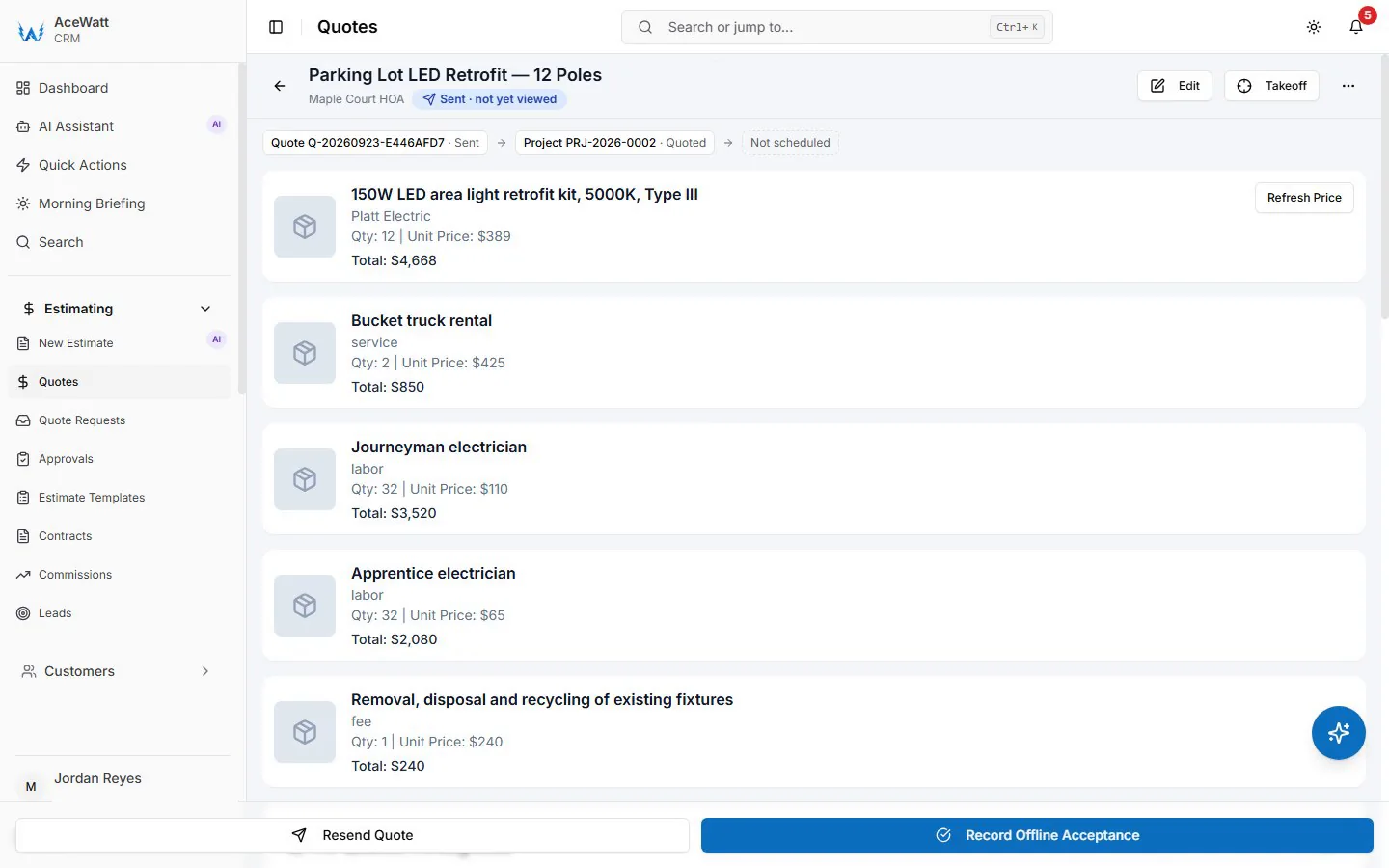
The integration matters after approval. When the customer signs, the platform converts the estimate into an invoice with the same line items. Your bookkeeper still posts those lines to QuickBooks Items and the chart of accounts: materials to a cost of goods sold account, labor to a labor income account, and permit fees as pass-throughs. Deposits are recorded as payments against the invoice in the app. Two-way QuickBooks integration for electrical contractors is the category term, and it is worth asking any vendor exactly what they mean by it: our handoff today is QuickBooks-ready exports, an invoice-list spreadsheet and a QuickBooks-format payroll-hours CSV, not a native, real-time sync; full sync is in development. Payment status stays live in the job management software, so the office can see what is owed on every job without opening QuickBooks at all.
Step-by-Step: Connecting Electrical Estimates to Invoicing and Payment Tracking
A fully integrated flow looks like this:
- Build the estimate. Pull assemblies from the electrical price book, adjust labor hours, and add permit and inspection fees as line items.
- Send it from the CRM. Email the estimate directly; its status stays visible in the CRM so stale bids are not forgotten.
- Capture approval. Collect an e-signature on site or by link. The timestamped approval becomes the audit trail.
- Convert and request the deposit. The approved estimate becomes an invoice in one click. Requesting a deposit at signing is standard practice, though note that California caps home improvement down payments at 10 percent of the contract or $1,000, whichever is less, and other states have their own rules worth checking.
- Hand off to QuickBooks. The invoice, with its deposit and balance, lands on the invoice-list export for your bookkeeper.
- Track payment automatically. Automated payment reminders go out by email at 1, 7, 14 and 30 days past due, with a pay link for card (ACH if enabled in your Stripe account) embedded so customers can pay from their phone.

Handling Time and Material Billing, Change Orders, and Job Costing in One Flow
Time and material work is where disconnected systems hurt the most. Electrical contractor time and material billing software needs to capture three things in real time: labor hours, material markups, and pass-through fees.
Labor hours come from job tracking tied to crew scheduling and dispatching. When a technician clocks onto a job from the dispatch board, those hours attach to the job record. Materials get logged against the job at cost; markup is set on the quote rather than applied automatically. Permit and inspection fees flow through as separate lines. At invoice time, everything is already assembled.
Change orders follow the same discipline. Scope change identified in the field, documented, priced as a revised estimate, approved before work proceeds, and folded into the final invoice. Because the original estimate is the accounting baseline, the change order and the original contract both appear on the invoice, and the invoice total carries into the invoice-list export. Job costing then becomes a live comparison: estimated hours per assembly versus logged hours, estimated materials versus logged material costs. On commercial work with 5 to 10 percent retainage, that comparison is what tells you whether the job is actually profitable before the retainage ever comes back.
Follow-Up and Job Walk Documentation: Closing the Loop After the Estimate
Two features decide whether estimates actually convert and whether invoices hold up under dispute.
A simple follow-up routine helps: a check-in roughly two days after an estimate goes out and a final nudge around day five. Contractors consistently see bids recover that would have quietly died in a customer's inbox. In our platform your team sends those check-ins from the CRM; the automatic reminders cover overdue invoices only.
AI voice job walk documentation covers the field side. During the walk, the electrician records hands-free while climbing around the attic or standing at the panel. The transcription captures specifics: Square D QO versus Homeline, knob and tube found in the upstairs circuits, less than the required NEC 110.26 clearance in front of the existing load center. Those notes become the scope of record. When conditions differ from the walk, the documented baseline supports the change order. When the customer questions a line on the final invoice, the timestamped record answers the question before it becomes a dispute. This is how AI voice documentation protects both margin and reputation.
What to Look for in Electrical Estimating Accounting Integration Software in 2026
Evaluate any platform against this checklist:
- Native, two-way QuickBooks Online sync covering customers, items, invoices, deposits, and payments
- An electrical-specific assembly price book with material price updates, not generic service templates
- Real time and material billing with configurable markups and pass-through fees
- Mobile field access with offline capture for estimates, photos, and time logs
- Timestamped audit trails for approvals, change orders, and payments
- Built-in card and ACH payments with automated reminders
- Crew scheduling and dispatching connected to job tracking and invoicing, so labor hours and travel time land on the final bill
- AI voice job walk documentation tied to the estimate record
- A workflow that scales from a solo electrician to multi-crew operations without a rebuild
How Growing Electrical Shops Can Roll Out Integration Without Disrupting Field Work
Rip-and-replace rollouts fail. A phased approach works:
Phase one: Stand up estimating and invoicing for one estimator or one crew. Migrate your top 50 assemblies first, since they likely cover the majority of residential and light commercial work.
Phase two: Turn on the QuickBooks accounting handoff and run one full billing cycle in parallel with your current process. Reconcile both at month end, then cut over.
Phase three: Add crew scheduling, dispatching, and job tracking. Train crews in 20-minute toolbox sessions on clocking in, logging materials, and recording voice job walk notes.
Time the rollout to a slower stretch. Avoid peak AC season, storm response periods, and the weeks when your local jurisdiction adopts the 2026 NEC and inspectors begin enforcing new requirements. Keep the paper backup for one month, then retire it.
The end state is one record: a bid that became a signed estimate, an estimate that became an invoice, an invoice that became a payment, and a payment that posted to the books without anyone typing it twice. That is what integration delivers, and in 2026 it is the difference between guessing at margin and knowing it.