

The Emergency Dispatch CRM Workflow That Turns 2 A.M. Calls Into Annual Maintenance Revenue
A no-power call at 2 a.m. is the highest-trust moment your company will ever have with a customer. You arrived when their regular "electrician friend" didn't answer, you diagnosed a failed line-side lug while their fridge was off, and you restored power before sunrise. Most shops invoice the time-and-materials ticket and never contact that customer again.
That's the leak. The contractor who fixes a burned panel has earned the right to talk about load calculations, surge protection, and annual thermal scans, and the customer is primed to listen for roughly 24 hours after the lights come back on. This article maps the complete electrical contractor emergency dispatch CRM workflow, from the first ring to the signed maintenance agreement, using the modules that make it repeatable: AI-powered CRM intake, Crew Scheduling and Dispatching, AI Voice and Job Walk Documentation, AI Estimating, Automated Follow-Up, Job Tracking, Invoicing and Payment Tracking, and QuickBooks-Ready Exports. And if the 2 a.m. ring itself goes unanswered while your crew is asleep, an AI answering service for electricians can catch, triage, and queue that emergency call before this workflow ever starts.
1. Why Emergency Calls Are an Electrical Contractor's Biggest Untapped Source of Recurring Revenue
Run the math on a typical storm season. A shop handling 150 emergency calls a year (no-power complaints, tripped mains, storm-damaged service entrances, failed panels, EV charger faults) generates 150 conversations with homeowners or facility managers at the exact moment they're most concerned about their electrical system. Convert even 20% of those into annual maintenance agreements at $200 to $500 per year, and you've added $6,000 to $15,000 in recurring revenue from work you already did, plus priority-dispatch relationships that outlast any advertising campaign.
The problem is that most emergency revenue is captured on paper, invoiced late, and followed up on never. A CRM for electrical contractors fixes the follow-up problem, but only if the emergency workflow is built to feed it. That is why dispatch, documentation, estimating, and follow-up need to live in one system instead of a phone log, a text thread, and a shoebox of handwritten tickets.
2. The Emergency Dispatch Workflow in 2026: From First Ring to En-Route Electrician in Under 10 Minutes
Here is the sequence, module by module, with a target of caller-to-en-route in under 10 minutes:
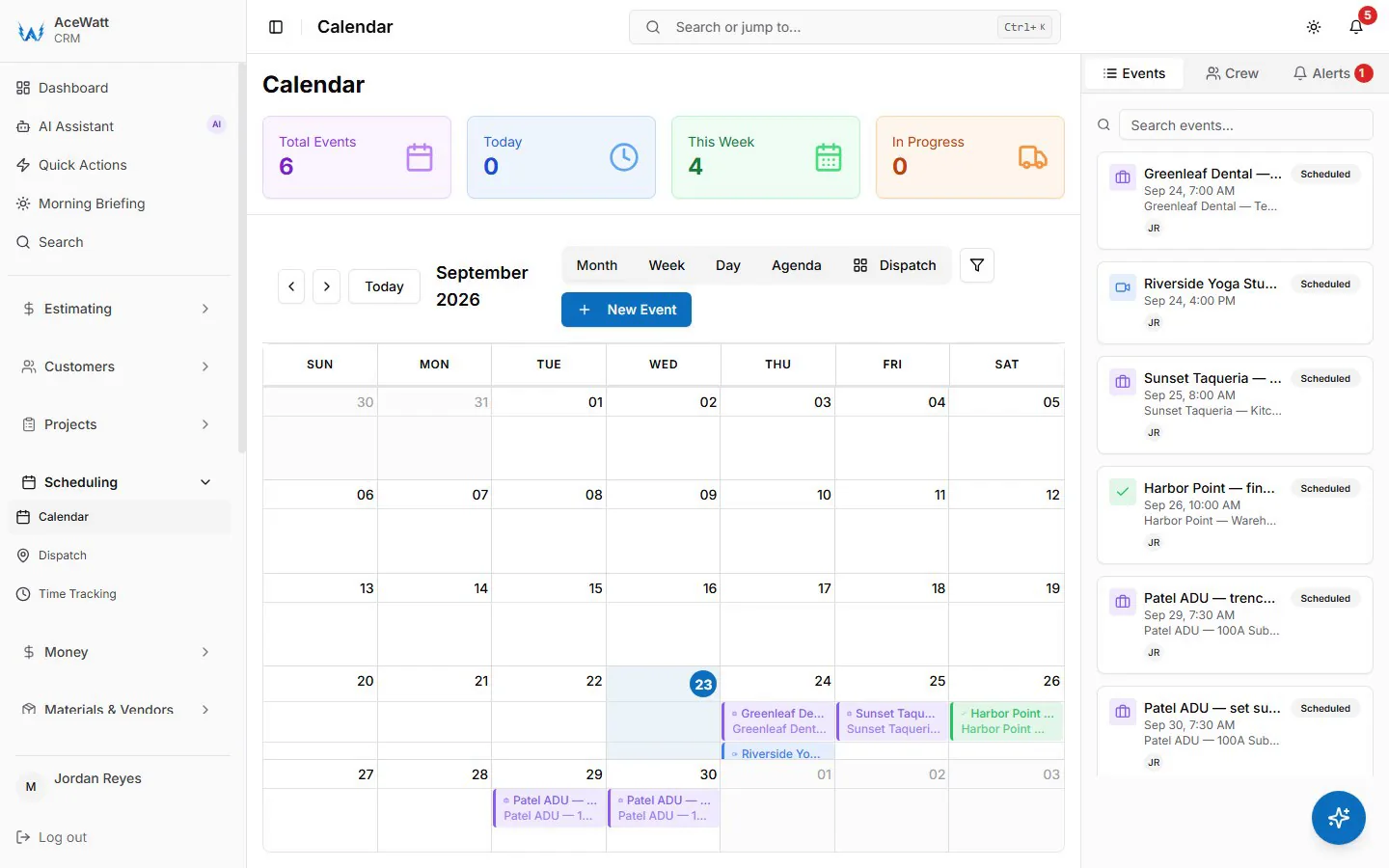
- Intake (AI-powered CRM). The caller's name, site address, and problem description are captured and structured automatically. The AI triages the call type (total loss of power, panel issue, storm damage, EV charger fault) and flags returning customers with their equipment history on file, such as "200A overhead service, Square D QO panel installed 2023, prior IR scan noted a warm breaker at position 12."
- Triage against the utility. For no-power calls, the CRM intake prompt walks the caller through the basics: are neighbors affected, and what does the meter display show. That prevents burning a truck roll on a utility outage and saves a $100-plus dispatch cost before a wrench turns.
- Assignment (Crew Scheduling and Dispatching). The dispatcher board shows the on-call rotation and each electrician's skill tags. Skill-based suggestions help the dispatcher send service entrance and panel work to the master electrician and branch-circuit and receptacle faults to a journeyman. Skill matching is not a luxury. Sending the wrong license level to a service upgrade costs a second trip.
- Customer notification. A quick call or email from the office gives the assigned electrician's name and ETA, which eliminates the "when will you actually get here" call that eats dispatch time.
For the solo electrician, this same workflow runs on your phone. You're under a panel cover at 4 p.m. and can't answer; the AI-powered CRM captures the missed call as a structured intake record, so the 2 a.m. caller becomes tomorrow's first job instead of your competitor's. For multi-crew shops, the dispatcher view and on-call rotation scheduling turn what used to be a phone tree into a drag-and-drop board. This is what separates genuine on-call electrician dispatch software from a shared calendar.
3. Documenting the Emergency Right: AI Voice and Job Walk Documentation on No-Power, Panel, and Storm-Damage Calls
Emergency calls produce the most important documentation you'll ever create, and historically the worst captured. AI Voice and Job Walk Documentation fixes that. Hands-free, on the tailgate or at the panel, you narrate what you see: "200-amp overhead service, weatherhead intact, meter can shows heat discoloration at the line-side lug, 3/0 aluminum conductors, panel is Federal Pacific Stab-Lok, 40 circuits, no exterior emergency disconnect." The AI structures that narration into the job record, timestamped and attached to the site address.
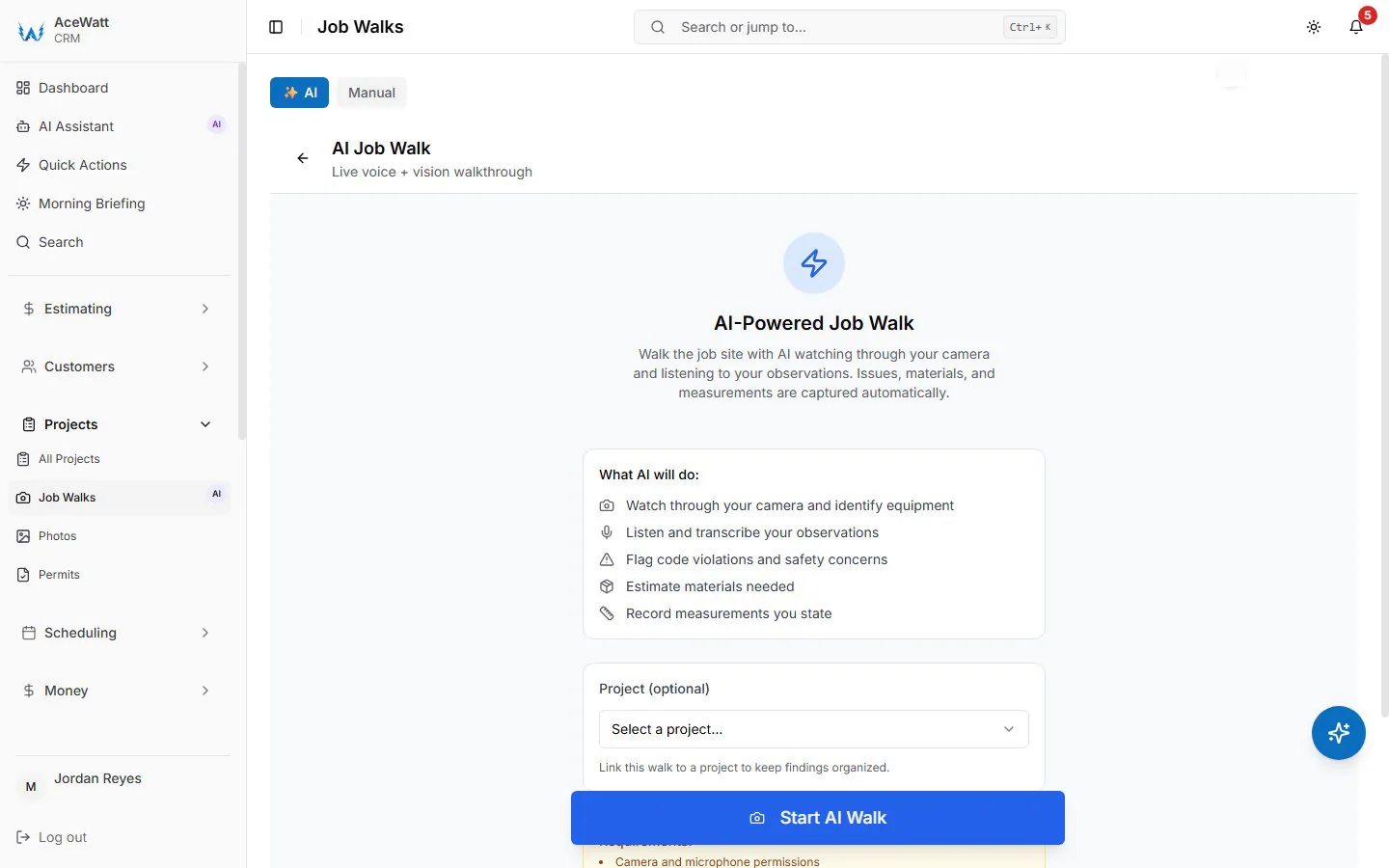
The documentation specifics matter because they carry code and liability weight:
- Panel and service data. Brand, model, serial number, bus condition, breaker type. A documented Federal Pacific or Zinsco panel is the strongest possible basis for a replacement proposal; both have well-documented failure histories.
- Service disconnect compliance. NEC 230.85 requires an exterior emergency disconnect on one- and two-family dwelling services. If the job walk shows the disconnect is missing, that's a code-driven line item for the follow-up proposal.
- Permits and inspections. Photograph and attach the permit, the inspection approval, and the load calculation submitted for any service or panel work. When the next electrician, or an insurance adjuster, opens that panel in 2031, your records tell the story.
- Damage documentation. For storm work, the job walk photos of the damaged mast, weatherhead, and service conductors are what the homeowner's insurance claim runs on. Being the shop with clean documentation earns the repair work.
4. From One-Off Repair to Maintenance Proposal: Using AI Estimating to Price the Fix and the Follow-Up Plan
Once the immediate problem is solved, AI Estimating builds two things on-site. First, the repair estimate itself: diagnostic fee, labor hours, materials at your markup, and any after-hours premium added as its own line. Second (and this is where emergency calls become pipelines), the companion proposal generated from what the job walk actually found:
- Panel or service upgrade priced with a load calculation per NEC Article 220, so the customer isn't just buying "a bigger panel"; they're buying a code-compliant calculation.
- EV charger circuit quoted with the charging load calculated under NEC 220.57 and Article 625 requirements. That detail matters when the customer's emergency was a tripping charger on an overloaded service.
- Whole-house surge protection, meaning a Type 2 SPD installed at the panel per NEC Article 285. It's a natural add-on after any lightning-related or surge-related call.
- Annual maintenance agreement tiers that include a thermal (infrared) scan of the panel and terminations. NFPA 70B, now a standard for electrical equipment maintenance, is the practice basis for scheduled IR inspections, and a documented temperature differential on a lug or breaker is the single most persuasive maintenance-selling asset you can hand a customer.
Present the fix and the plan together while you're standing in front of them. Most customers approve the repair on the spot; the maintenance proposal goes out behind you within 24 hours, while the urgency is still fresh.
5. Follow-Up That Converts Emergency Customers Into Annual Maintenance Agreement Holders
The conversion window after an emergency call is short. Automated Follow-Up only chases overdue invoices (email reminders at 1, 7, 14 and 30 days late), so the rest of this sequence is a schedule the office sends, with the CRM keeping the customer's details in one place:
| Timing | Message | Content |
|---|---|---|
| Day 0 | Job summary plus invoice | What was found, what was fixed, photos, permit status, payment link |
| Day 1 | Maintenance proposal | Tiered plans priced from the actual job walk findings, such as a 38°F rise measured on the line-side lug |
| Day 4 | Value email | Priority emergency dispatch, waived after-hours trip fee for agreement holders, annual IR scan |
| Day 10 | Proposal reminder | Proposal attached again, expiry date stated |
| Day 45 | Seasonal nudge | Storm-season or heating-season timing tied to the original call type |
Because the CRM tagged the customer at intake ("emergency, no power, FPE panel, overhead service"), each message the office sends can reference their actual equipment instead of generic seasonal filler. That specificity is the difference between electrical maintenance agreement software that converts and an email blast that gets deleted.
6. Job Tracking, Invoicing, and Getting Paid On-Site for Emergency and Overtime Work
Emergency time-and-materials work has the worst collection profile in the trade when invoicing waits. Job Tracking moves each ticket through a visible pipeline (dispatched, on site, parts run, completed, invoiced, paid) so nothing stalls in a notebook. Invoicing and Payment Tracking then closes the loop before the truck leaves the driveway:
- One hourly rate per job title bills the labor, while your emergency diagnostic fee (commonly $125 to $300) and any after-hours or holiday premium go on as their own lines; material markup is set on the quote rather than added to the invoice automatically.
- On-site payment capture through a card tap on the phone or an ACH link means the invoice is paid at resolution, not net-45. For larger panel and service work, collect a deposit on the spot.
- Automated reminders flag anything unpaid without a dispatcher chasing it manually.
This is where electrical service call management software and electrical contractor billing software overlap: the same job record that dispatched the truck also generates the invoice. When shops compare the best electrical software tools for scheduling and dispatch, on-site payment capture and same-day invoicing are two of the features that pay for the subscription fastest.
7. Keeping Emergency Job Costs and Recurring Maintenance Billing Clean, With QuickBooks-Ready Exports
Every invoice lands on the invoice-list spreadsheet your bookkeeper exports, and payroll hours export as a QuickBooks-format CSV. There is no native, real-time sync today; full sync is in development. An after-hours diagnostic fee stays its own line on the invoice, and job costing in the app separates emergency T&M revenue from recurring maintenance billing. That means at year-end you can answer the question most shops can't: what is the real margin on after-hours calls, and what does a maintenance agreement holder cost to serve? On the Maintenance Billing page, one click drafts every maintenance plan's due invoices for you to review and send, so the recurring side of the business does not depend on memory. For shops evaluating accounting software for electrical contractors, this clean line between dispatch, invoicing, and job costing is the test that matters.
8. The Week-One Setup Checklist: Building Your Emergency-to-Maintenance Pipeline in Your CRM
- Days 1 and 2: Set up the QuickBooks export and map service items. Set the hourly rate for each job title and add your diagnostic fee and after-hours premiums as price book items; material markup goes on quotes.
- Day 3: Build the on-call rotation in Crew Scheduling and Dispatching with skill tags: master, journeyman, EV charging certified, IR-camera trained.
- Day 4: Configure AI Voice and Job Walk Documentation templates for the four core emergency call types: no-power, panel, storm damage, EV charger fault.
- Day 5: Build two or three maintenance agreement tiers in AI Estimating (annual inspection; inspection plus IR scan plus priority dispatch; commercial quarterly).
- Days 6 and 7: Write the follow-up messages the office will send, confirm Automated Follow-Up's overdue-invoice reminders are on, and test the full path end to end: intake, dispatch, documentation, estimate, invoice, payment, export.
9. Conclusion: Why the Shops Winning in 2026 Treat Every 2 A.M. Service Call as a Contract Opportunity
The shops winning in 2026 stopped treating emergency calls as interruptions and started treating them as the top of their maintenance funnel, because a customer whose power you just restored is the cheapest, highest-intent prospect you will ever have. The workflow is proven: AI-powered intake, dispatch to the right skills in minutes, voice and photo documentation that holds up to any inspector, on-site estimating that prices the fix and the follow-up plan together, payment captured in the driveway, and a maintenance proposal in the customer's inbox before the urgency fades.
Book a walkthrough of the dispatch-plus-CRM workflow with our team and see a no-power call run from the first ring to the renewal invoice: the same path your next 2 a.m. caller will take.