
Electrical Dispatch Software for Emergency Service and Crew Tracking: A 2026 Guide for Electrical Contractors
A routine Tuesday panel upgrade can survive a missed text message. A no-power call at 11 PM on a Saturday cannot. Emergency work is where electrical contractors either build a reputation or lose one, and it is also the work most likely to slip through the cracks of a whiteboard, a phone tree, and a stack of paper tickets. Here is how purpose-built electrical dispatch software changes that, from the first after-hours ring to the invoice that clears QuickBooks the same night.
Why Emergency Electrical Calls Break Manual Dispatch: No-Power Calls, Tripped Mains, and Burnt Panels Can't Wait for a Whiteboard
Emergency electrical calls fail manual dispatch because they arrive at the worst possible time, with the worst possible information. The caller with a total power loss does not know whether the utility dropped the neighborhood or the main breaker failed. The caller with a sparking receptacle may or may not have already turned off the branch breaker. The caller with a burnt service panel is often standing in front of it, frightened, describing a smell you recognize as a scorched bus stab. That call is not a repair. It is a full panel replacement requiring a permit, an inspection, and utility coordination to kill and restore the service.
Manual systems fail these calls in predictable ways. The dispatcher on duty does not know which tech is on which job, who has cleared the last call, or who is ten minutes away versus an hour across town. The on-call tech's voicemail box fills during a storm surge, and most callers hang up on a recording and dial the next contractor on Google. Severity triage happens on the fly: a nuisance-tripping AFCI gets treated like a burning smell, or worse, a genuine hazard waits behind a full callback queue.
The failures compound during weather events. One ice storm can generate 30 to 50 service calls in a night: storm-damaged service entrances, pulled masts, arcing meter sockets. A dispatcher juggling a whiteboard and a personal cell phone will double-dispatch crews, lose addresses, and leave paying customers in the dark, literally.
What Electrical Dispatch Software Must Handle for Emergency Service in 2026
Generic field service platforms were built around scheduled maintenance visits. Emergency electrical dispatch software has to do more, and in 2026 the bar includes:
- 24/7 call capture: AI Voice answering that logs the caller, address, and nature of the emergency even when every human in the shop is asleep or on a ladder.
- A live dispatch board with real-time crew tracking: GPS location and job status for every electrician, visible at a glance.
- Skill-based assignment: routing a generator transfer switch failure or a 200A panel swap only to techs qualified for that work, not just whoever is free.
- Priority queueing: separating "burning smell" from "EV charger won't charge" so hazards jump the line.
- Automated customer communication: ETA alerts that fire without dispatcher involvement.
- Per-job documentation: voice notes, photos, and job walk records attached to the job itself.
- Same-day billing: on-site invoicing and payment capture, with a structured line-level record your bookkeeper brings into QuickBooks, because emergency work is the hardest work to collect on after the fact.
If a platform cannot do all seven, it will handle your scheduled work fine and collapse the first time a derecho rolls through your service area.
Real-Time Crew Tracking: Sending the Nearest Qualified Electrician, Not Just the Next One on the List
The core feature is a live dispatch board that shows each electrician's current status (en route, on site, wrapping up, available) alongside GPS position. When the no-power call comes in, the owner or dispatcher sees instantly that Mike cleared a receptacle replacement four blocks away, while Dave is mid-troubleshoot on the other side of the county.
For electrical contractors, GPS crew tracking solves two problems at once. The first is speed: routing to the nearest available tech instead of working down a phone tree can cut response time by 30 minutes or more on a single call, which matters when a customer has a hospital bed on battery backup or a sump pump going dry. The second is competence: a first-year apprentice can handle a tripped GFCI reset, but a burnt 200A load center, a failed automatic transfer switch on an NEC 702 optional standby system, or a damaged service entrance is work for a journeyman or master electrician. A proper dispatch board lets you tag techs by qualification and filter the emergency by skill, so the right truck rolls the first time.
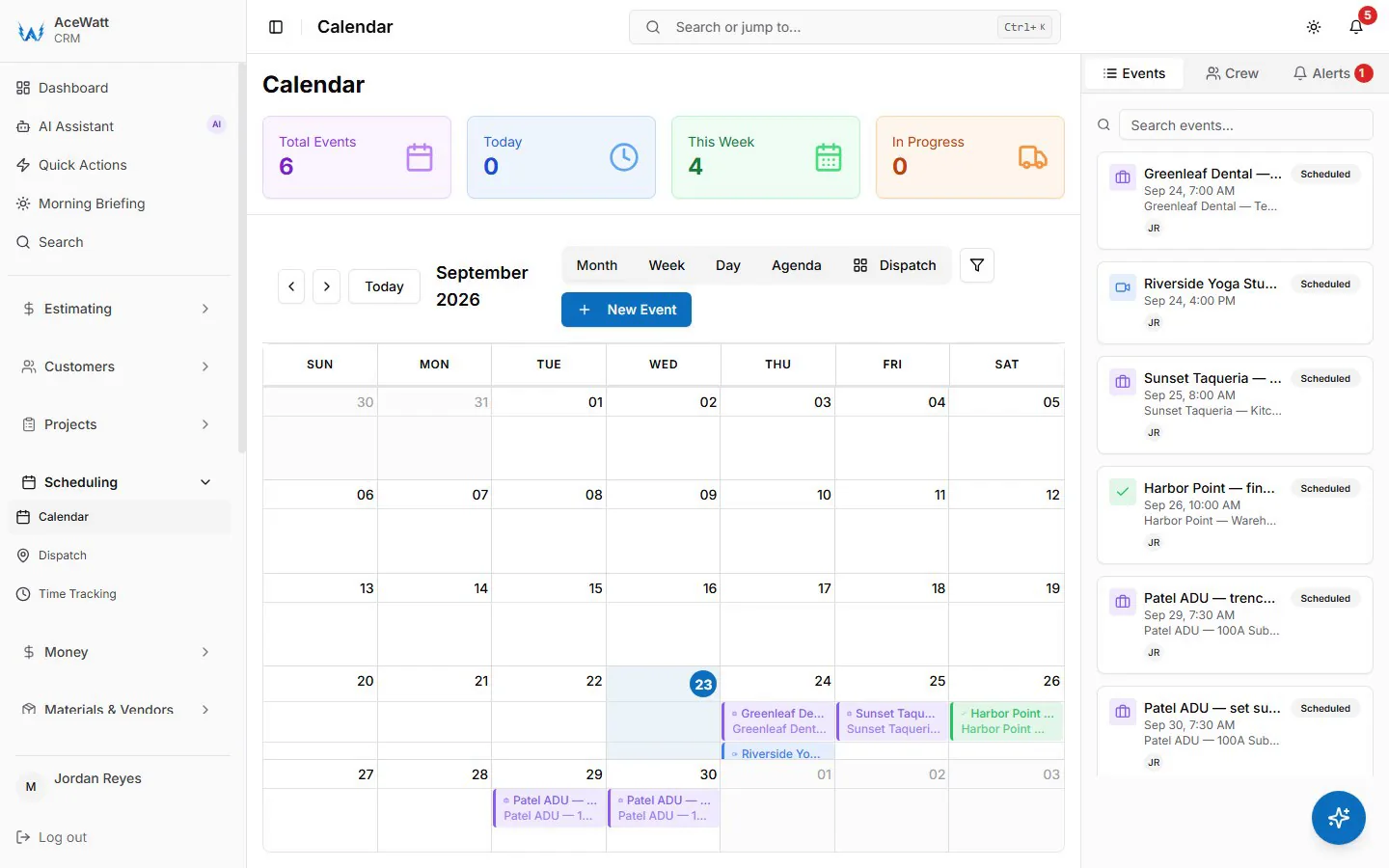
During storm events, real-time tracking also prevents the most expensive manual error in the book: double-dispatching two trucks to the same address while another customer with a sparking panel waits.
Customer ETA Updates: Cutting "Where Is Your Truck?" Calls During After-Hours Emergencies
Every inbound "where is your truck?" call is a dispatcher or owner pulled away from triage. During a storm-driven surge, status calls can outnumber the actual emergencies.
Automated Follow-Up does not send ETA alerts; it runs overdue-invoice email reminders. What cuts the status calls is the live dispatch map: while the app is open, the dispatcher sees where each tech is and can give the caller a real arrival window. Some shops also use that call to disclose the after-hours trip fee before arrival, which removes the single most common point of friction on emergency calls.
The result: status calls get a quick, accurate answer instead of a guess. Customers stay calmer because they have information, and calm customers pay invoices without argument.
Capturing Emergency Calls in an AI-Powered CRM: From First Ring to Resolved Job Without Sticky Notes
Most emergency leads are lost before dispatch ever happens. The 9:40 PM call goes to voicemail, or the owner answers from under a ceiling fan install, scribbles "Henderson, no power, Maple St" on a notepad, and the note is unreadable by morning.
AceWatt does not answer calls with AI. Its phone menu (Voice Receptionist) tells an after-hours caller that a team member will call back and alerts your staff, so the call is not lost to voicemail. The on-call tech calls back and logs the caller's name, address, and a structured description of the problem on the customer record: total loss versus partial loss, burning smell, sparks, water near the panel, and whether the utility is reporting an area outage, next to the customer's history. If you quoted a panel replacement at that address last spring, the tech knows before rolling.
The record then flows through the entire lifecycle. Job Tracking carries it from dispatched to on site to complete while the tech works. Automated Follow-Up emails reminders if the invoice goes overdue. Nothing lives on paper, in a text thread, or in anyone's memory. For a solo electrician, this is the difference between capturing the call and donating it to the competitor who answered.
Documenting Emergency Work with AI Voice and Job Walk Notes: Panel Replacements, Storm Damage, and Insurance-Ready Records
Emergency repairs carry documentation burdens that planned work does not. A burnt panel replacement needs a defensible record of findings. Storm damage needs insurance-ready evidence, timestamped and organized, before anything gets torn out.
AI Voice and Job Walk Documentation handles both. A tech troubleshooting a scorched load center can dictate findings hands-free while both hands are on the meter: "200A main, heat damage at two bus stabs, adjacent 20A breakers discolored, recommending full panel replacement, replacement must maintain NEC 110.26 working clearances." The transcription attaches directly to the job record, so there is no end-of-shift paperwork after a 14-hour storm day.
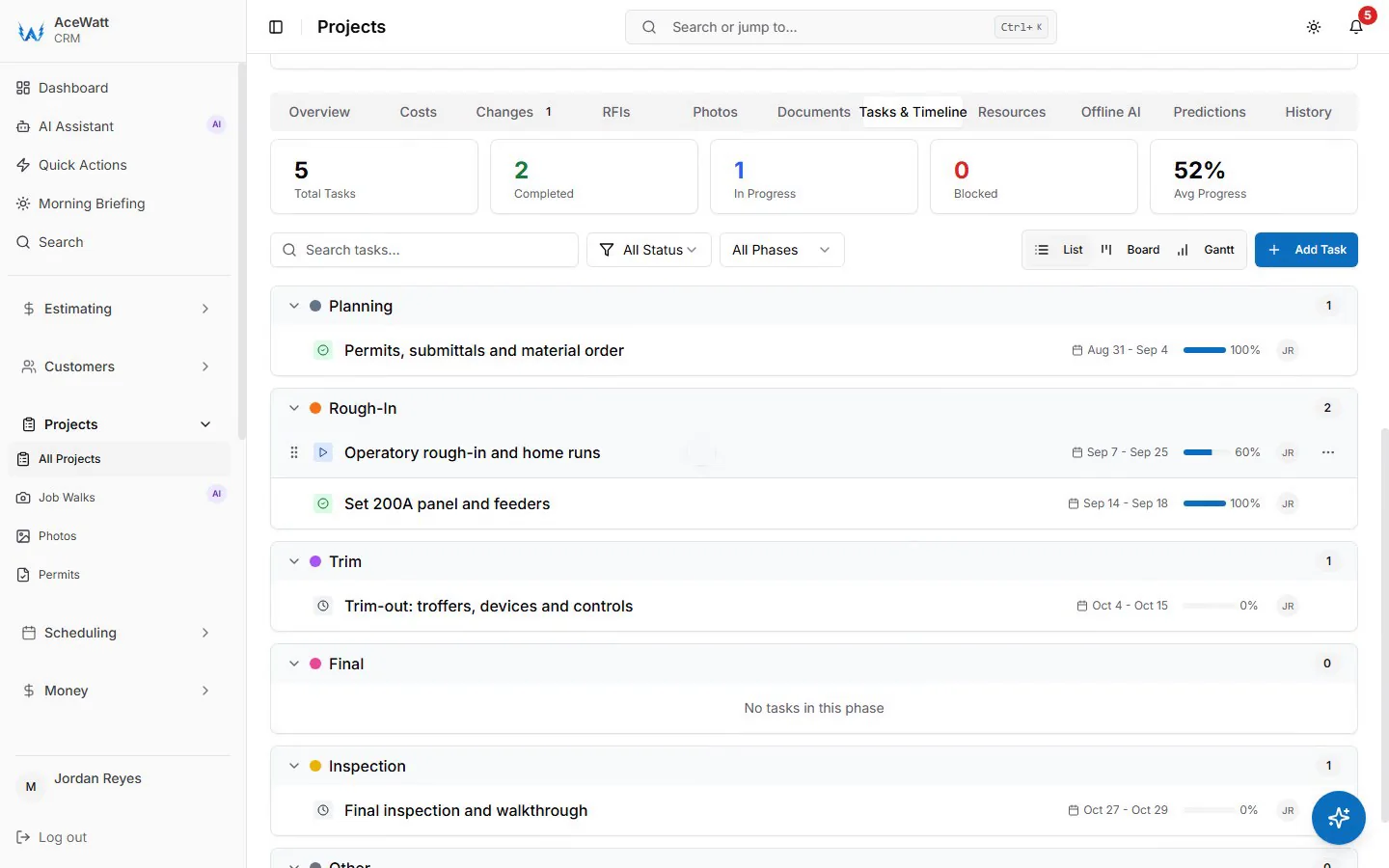
For storm-damaged service entrances, the same workflow captures before photos of the pulled mast, damaged weatherhead, and meter socket prior to repairs, plus after photos of the rebuild. The utility typically owns the service drop while the customer owns the mast and everything load-side in most jurisdictions, so a narrated job walk that documents exactly where damage begins and ends is often the difference between an approved claim and a denial. Geotagged, time-stamped, voice-narrated records attached to the job make the file bulletproof for the homeowner's insurer and for your own lien position if payment stalls.
From Emergency Repair to Paid Invoice: On-Site Invoicing, Payment Tracking, and a Clean QuickBooks Handoff
Emergency work is the hardest work in the trade to bill. The urgency peaks at 1 AM, but the paperwork tolerance does not. Paper tickets written in a truck cab become unbilled work, and unbilled emergency work at time-and-a-half rates is the most expensive revenue a shop can lose.
The fix is closing the loop on site. Through Invoicing and Payment Tracking, the tech builds the invoice from the job record: trip fee, labor at the hourly rate for the tech's job title, parts, and any follow-up work quoted. A residential 200A panel replacement commonly runs $2,000 to $4,500 depending on region and amperage, and AI Estimating can draft that quote on site for your review, priced from your pricebook and assembly templates, before the tech leaves. Payment is captured by card before the truck pulls out of the driveway. Payment Tracking then shows instantly which emergency invoices cleared and which did not, and Automated Follow-Up emails reminders on anything overdue at 1, 7, 14 and 30 days late instead of relying on memory.
The Monday-morning data entry session shrinks instead of running the show. Every invoice lands on the invoice-list spreadsheet your bookkeeper exports. AceWatt has no native, real-time QuickBooks connection today, and full sync is in development; what you get is a complete invoice built at the job site, so a weekend of storm calls shows up on the invoice list as completed, collected revenue rather than a folder of receipts.
On-Call Rotations and Dispatching: Solo Electricians vs. Growing Shops
Solo electricians use emergency dispatch software as an after-hours safety net. AceWatt's phone menu tells after-hours callers a team member will call back and alerts you, and you do the triage: a burning smell gets an immediate callback, and a nuisance-tripping AFCI gets booked for morning. One-tap self-dispatch through Crew Scheduling and Dispatching puts the job on your board before you have found your boots.
Shops running 5 to 20 trucks need on-call electrician scheduling software that manages rotations without burning crews out. That means round-robin on-call assignments that balance the after-hours burden across electricians, storm-mode dispatching that queues emergencies across multiple crews simultaneously, and scheduling that protects the Monday panel upgrade backlog from being cannibalized by Saturday night chaos. The goal in both cases is identical: emergency revenue without wrecking the people who earn it.
Buyer's Checklist: How to Evaluate Electrical Dispatch Software for Emergency Work
If you are comparing the best electrical software tools for scheduling and dispatch in 2026, test each platform against emergency reality, not a demo dataset. Demand:
- Live crew tracking: GPS location and real-time job status on a single dispatch board
- Skill-based routing: assignment by qualification, not just availability
- Automated customer ETA alerts: SMS at dispatch and en route, without dispatcher action
- After-hours AI call capture: every ring answered, logged, and triaged into the CRM
- Mobile job documentation: hands-free voice notes, job walks, and photo capture per job
- Insurance-ready records: time-stamped, geotagged before and after documentation on the job record
- On-site invoicing and payment processing: same-day collection of after-hours rates and trip fees
- CRM and QuickBooks integration: a clean, line-level handoff your bookkeeper can reconcile — ask any vendor to show you, not tell you, whether theirs is a true sync or an export
- On-call rotation tools: fair distribution of after-hours calls across solo or multi-crew structures
- Customer history at dispatch time: prior quotes and past work visible before the truck rolls
Evaluate against your worst night, not your average Tuesday. Run the vendor's demo around a storm scenario: 35 calls, two crews down, one burning panel, and a transfer switch failure at 2 AM. The platform that handles that night cleanly is the one that will handle your business.