

Top Electrical Estimating Software in 2026: From Job Walk to Final Invoice
An electrical estimate is where margin is won or lost, yet most contractors still treat it as a standalone document that dies as a PDF in an email thread. In 2026, the top electrical estimating software does far more than price a panel swap. It carries the bid through work orders, T&M invoices, crew scheduling, and into a clean QuickBooks handoff without a single line of re-entry. This guide breaks down what that looks like in practice, from counting receptacles on a set of plans to defending a change order with time-stamped field notes.
1. Why Electricians Are Ditching Spreadsheet Estimates in 2026
Spreadsheets were workable when material prices held steady between quarters. They do not anymore. When the price of #12 THHN or 12/2 MC cable moves 20 percent over a few months, an estimate built on last quarter's numbers quietly converts a 10 percent margin into a loss, and you find out about it after the wire is pulled.
The second problem is labor. A spreadsheet has no concept of labor units, so hours per device get guessed, and guesses drift the same way on every bid. The third problem is speed. General contractors expect a subcontractor bid within 24 to 48 hours of the walkthrough, and a homeowner collecting three estimates usually decides within a week. The contractor who submits first, then follows up, wins a share of jobs on responsiveness alone.
The fourth problem is structural: a spreadsheet estimate has nowhere to go. It gets retyped into an invoice, retyped into a work order, and summarized by hand for the bookkeeper. Every re-entry is a chance to drop a line item that was already sold.
2. What Defines the Top Electrical Estimating Software: Must-Have Features
Generic construction takeoff tools measure square footage and wall lengths. Electrical estimating software is different because electrical work is counted, not measured by area. When you evaluate options in 2026, the must-haves are:
- Assembly-based takeoffs that pull an entire circuit (device, box, plate, conductor, breaker, labor) in one step
- Live material pricing drawn from electrical supply databases, not a price book you updated eight months ago
- Labor units per device that adjust for conditions, the way the NECA Manual of Labor Units has standardized for decades
- Reusable templates for your bread-and-butter jobs: service upgrades, EV charger circuits, panel replacements, tenant build-outs
- One-tap conversion of an accepted estimate into a work order and a purchasing list
- T&M rate tables with material markups and minimum call-out charges
- QuickBooks sync so the estimate, invoice, and payment land in your books automatically
- Mobile estimating, because solo electricians and foremen quote from the truck, not an office
Most estimating products on the market stop at the PDF bid. The platforms pulling ahead in 2026 treat the estimate as the first step in an estimate-to-cash workflow, not the finish line.
3. Material List Takeoffs: Counting Devices, Circuits, and Conduit Without the Highlighter
A proper electrical takeoff starts with device counts off the plans: duplex and GFCI receptacles, single-pole and three-way switches, lighting fixtures by type and mounting, panels and breakers, smoke and CO detectors. Each count feeds both the material list and the labor hours.
Conduit is where hand counting breaks down. Take a 95-foot run of 3/4-inch EMT. It is never just 95 feet of pipe. NEC 358.26 requires EMT to be secured within 3 feet of each box and every 10 feet along the run, so your takeoff needs roughly 10 straps, couplings for each stick, connectors at both terminations, and a decision on field bends versus manufactured elbows (the free conduit bending calculator works out the take-up either way). Branch wiring in MC cable follows the same logic: connectors and straps within 12 inches of every box per NEC 330.30, plus box fill checks under 314.16 before the inspector does them for you.
This is why assembly-based takeoffs matter. When you drop in a "20A duplex receptacle circuit" assembly, the software pulls the device, a single-gang box, a plate, conductor off the roll, a breaker, the associated fittings, and the labor hours behind it. Good electrical material list software generates the purchasing list at the same time, so the same takeoff that prices the bid also tells the warehouse what to stage.
4. From Estimate to Work Order: Keeping the Bid and the Job Sheet in Sync
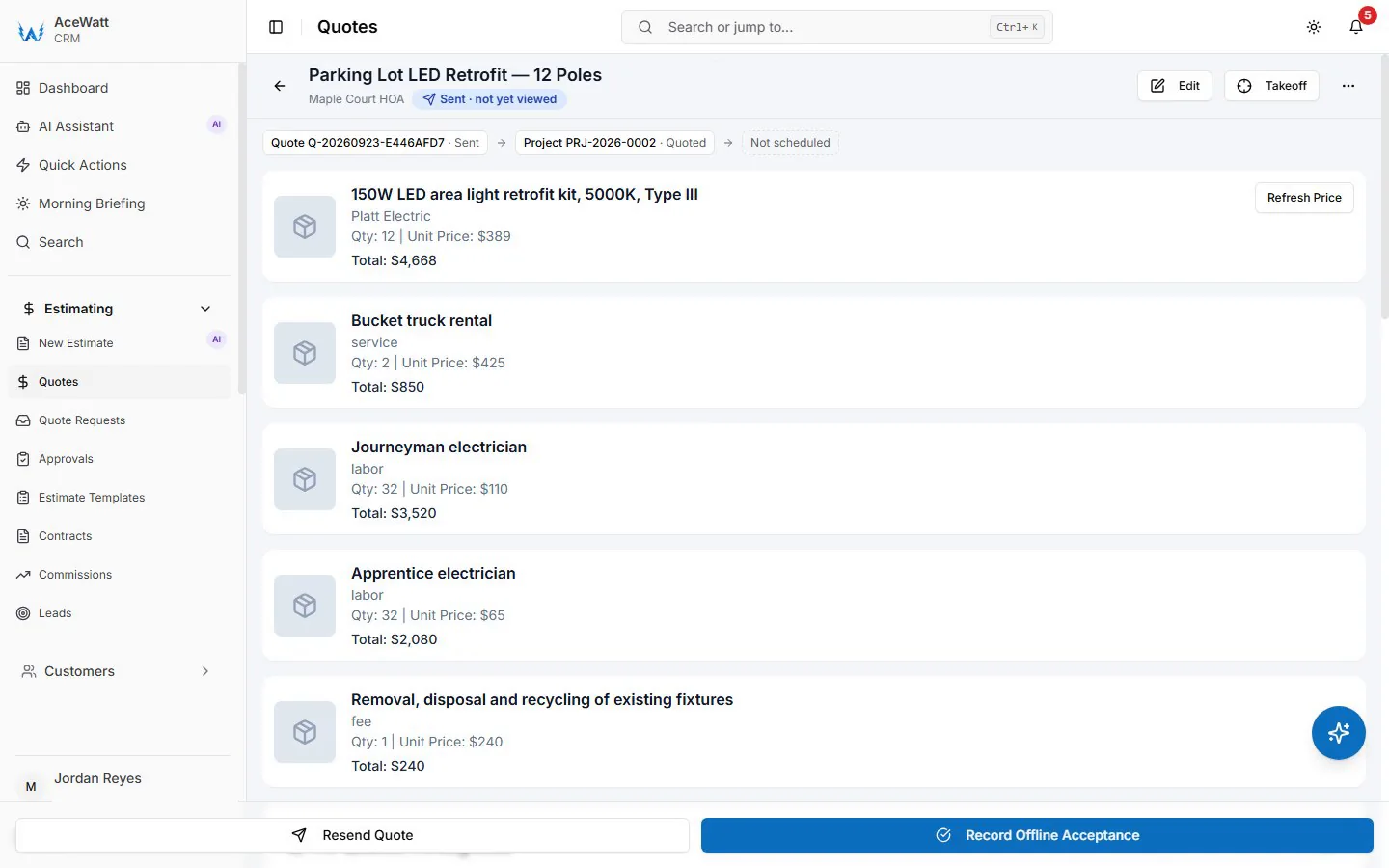
The most expensive gap in most shops sits between "they signed the proposal" and "the tech knows what was sold." When an estimate converts directly into a work order, the job sheet carries the same line items and circuit breakdown the customer agreed to, with the photos from the job walk attached.
For a solo electrician, that means the estimate you sent Monday becomes the job sheet on your phone Wednesday, with no reconstruction from memory. For a multi-crew shop, it means the field never performs work that was never priced. When the homeowner adds four recessed cans after rough-in, the change order starts from the original estimate, so the delta is documented, priced, and approved instead of absorbed.
Our Job Tracking keeps the work order, the photos, and the estimate linked for the life of the job, which is exactly what you want in your pocket when an inspector, a GC, or a customer asks what was included.
5. AI Estimating and Voice Job Walks: Walk the Site, Speak the Scope, Generate the Bid
Here is where electrical contractor software in 2026 separates from the pack. With our AI Voice and Job Walk Documentation, you walk the site with your phone and narrate the scope the way you would explain it to another electrician: "Existing service is 100 amps, Zinsco panel in the garage, meter can on the exterior west wall, customer wants 200 amps plus two EV charger circuits on the driveway side." You note the devices, the access issues, the panel schedule, the anything that affects labor.
The AI transcribes the walkthrough, structures it into a scope of work, drafts the material list, and builds the estimate. You review, adjust, and send it before you leave the driveway. The customer can e-sign the quote, and on acceptance AceWatt emails the invoice with a pay link automatically: a deposit invoice if you take a deposit (the balance invoice follows once it is paid), otherwise the full invoice with the quote's line items.
For a solo operator, a draft quote from the walk is the difference between estimating on Sunday night and spending Sunday with your family.
6. Time and Material Billing: Turning Field Notes Into Defensible T&M Invoices
T&M work exposes margin faster than any bid work because it runs on memory. The tech remembers to bill the material but forgets the trip charge. The markup gets applied to some invoices and not others. The minimum call-out disappears on the short jobs where it matters most.

Purpose-built time and material billing fixes this with rate tables and rules. Each tech carries a labor rate, materials pull a consistent markup (whether your shop runs 20, 25, or 30 percent), and the minimum call-out, whether that is one hour or a $150 trip charge, applies automatically. Our Invoicing and Payment Tracking is simpler: one hourly rate per job title, material logged at cost with markup set on the quote, and time-stamped notes and job photos on the job record, so "customer requested two additional circuits after the walls were closed" is backed by times, materials, and photos instead of a disputed charge.
The result is a T&M invoice the customer can audit line by line, sent from an electrical invoice app before the tech leaves the site, with card payment collected on the spot.
7. Connecting Estimates to QuickBooks, Invoicing, and Payment Tracking
None of this helps if your office staff retypes it into accounting. With our QuickBooks handoff, the invoice list as a spreadsheet and payroll hours as a QuickBooks-format CSV go to your bookkeeper — no native, real-time sync today (full sync is in development), but no hunting through paper tickets either. Items and services are named consistently, so a "200A meter main" line on the estimate becomes the same item on the invoice and in job costing.
Job-level reporting after close tells you what a service upgrade actually earned versus what the estimate promised, which is the only way your estimating gets sharper year over year.
8. Scheduling and Dispatch: What Happens the Moment the Bid Is Won
An accepted estimate should hit the schedule the minute it is signed. In our platform, a won bid becomes a dispatchable job in Crew Scheduling and Dispatching, assigned by skill and availability, with the work order, materials, and job walk photos already attached. Service upgrades get staged properly, including the utility coordination and permit, instead of squeezed between calls.
The point is momentum. The gap between "they said yes" and "the truck is rolling" is where jobs stall, and in 2026 there is no reason for that gap to exist at all.
9. How to Choose the Right Estimating Software for Your Electrical Shop in 2026
Use this checklist to compare any vendors you are evaluating, including us:
| Capability | Why it matters | Ask the vendor |
|---|---|---|
| Assembly-based takeoffs | Prices full circuits, not isolated devices | Can I build my own assemblies? |
| Live material pricing | Protects margin against copper and MC volatility | Where does pricing come from and how often does it update? |
| Labor unit database | Replaces guessed hours with per-device units | Do units adjust for wall type and job conditions? |
| T&M rate tables | Locks in markups and minimum call-out charges | Are markups applied automatically at invoicing? |
| Estimate-to-work-order conversion | Eliminates re-entry and scope drift | Does the accepted bid generate the job sheet and purchasing list? |
| QuickBooks sync | Ends double entry in the office | Which objects sync, both directions? |
| Job cost tracking after close | Proves which job types actually earn | Can I compare estimated versus actual margin per job? |
| AI voice job walks | Cuts bid turnaround from days to hours | Does the transcript build the material list and estimate? |
Solo electricians should weight mobile speed and voice capture most heavily: you need to estimate from the truck and get back under the attic. Growing shops should weight conversion and dispatch hardest, because your bottleneck is moving sold work onto crew schedules cleanly.
If you want to see the full workflow rather than read about it, book a live demo with our team. We will build a real bid in front of you, a 200-amp service upgrade or a commercial tenant build-out, then walk it all the way through the voice job walk, the estimate, the work order, the T&M change order, the invoice, and the QuickBooks entry. One scenario, end to end, exactly the way your shop should run it in 2026.