
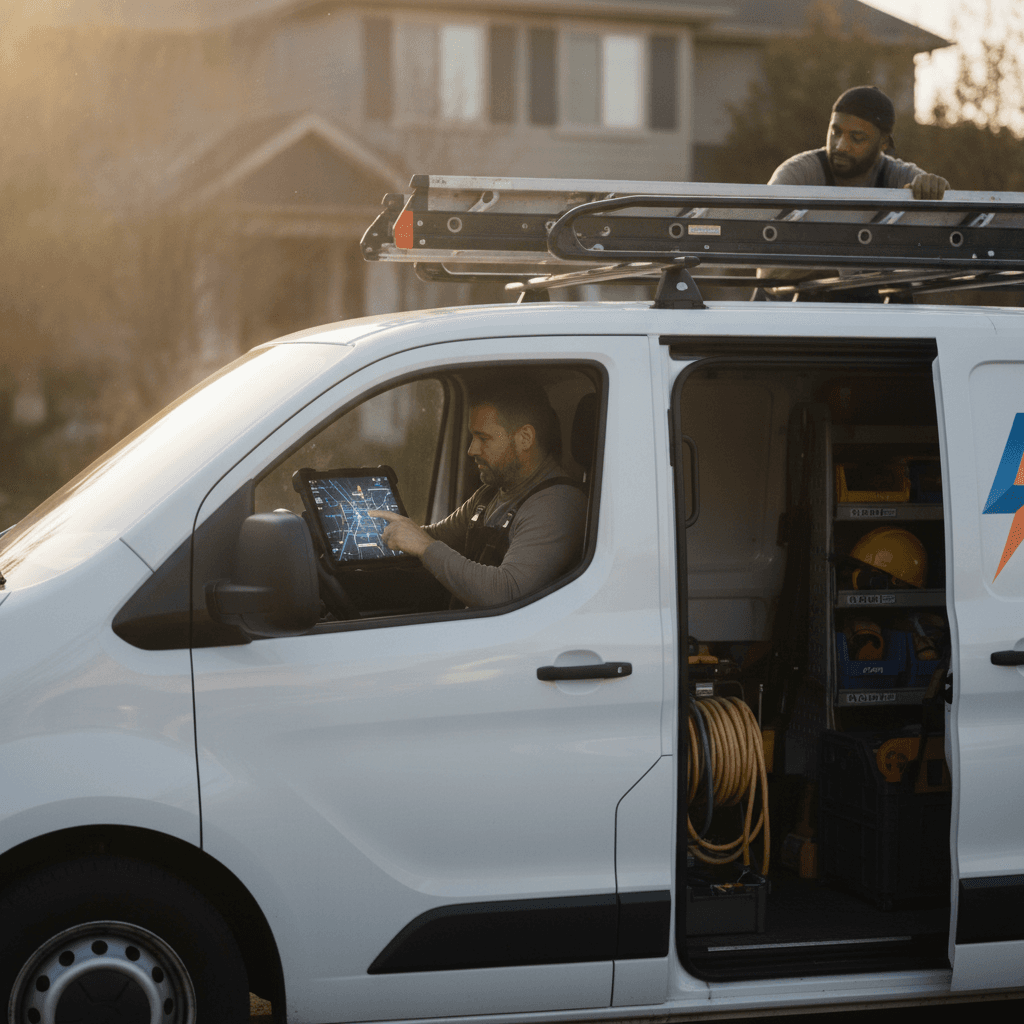
The All-in-One Electrical Contractor App: Running the Whole Job From One System in 2026
If your week looks familiar, the problem is not your electrical work: estimates built in a spreadsheet on Sunday night, scheduling handled through text messages, invoices typed into Word, and a month-end scramble re-keying everything into QuickBooks. Most electrical shops do not lose money on the wire they pull. They lose it in the gaps between six disconnected tools.
In 2026, an all in one electrical contractor app closes those gaps by keeping the lead, the estimate, the schedule, the job record, and the payment inside a single system. Here is what that looks like in practice, piece by piece.
1. Why Electrical Contractors Need an All-in-One App in 2026
Demand for electrical work keeps climbing. Electrification is pushing panel upgrades and service changes, EV charger installs continue to grow, and federal incentives such as the 25C tax credit (30 percent of cost, up to $600 for a qualifying panelboard) have trained homeowners to ask about service upgrades by name. At the same time, the skilled labor shortage means every hour an electrician spends on admin is an hour nobody is pulling wire.
Run the math on double entry. A typical service call gets keyed into a scheduling tool, then an estimate template, then an invoice, then QuickBooks. That is four entries for one job, multiplied across every job, with a typo in any one of them creating a dispute, a wrong address, or a missed permit. At a blended billable rate of $95 an hour, eight hours of weekly admin is $760 in unbilled time, roughly $39,000 a year for a solo electrician, and far more for a shop paying office staff to reconcile five systems.
Consolidation is not about having fewer logins. It is about having one source of truth per job, from first phone call to final payment clearing the bank.
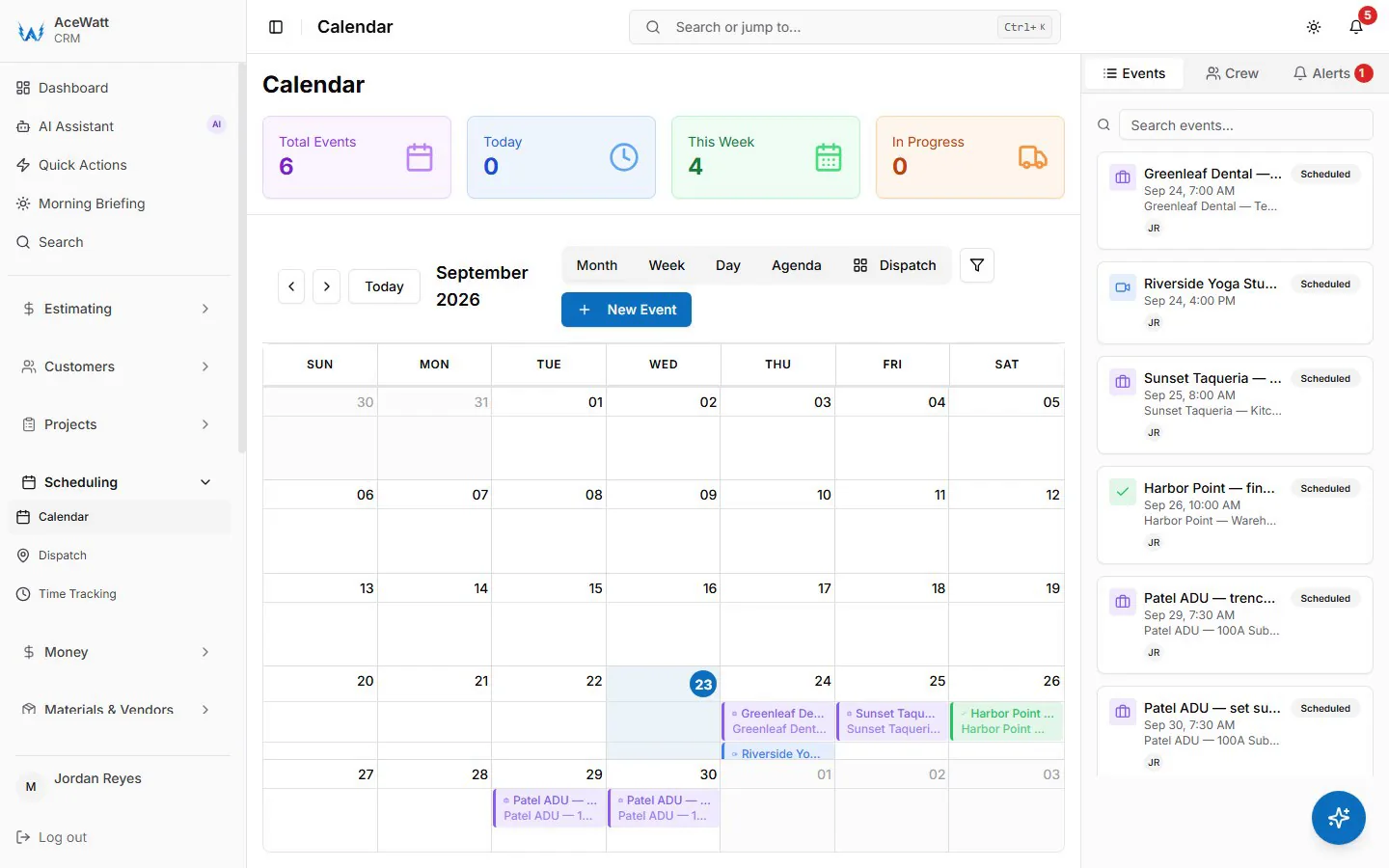
2. Scheduling and Dispatching That Works for Real Electrical Jobs
Generic calendar apps treat every job as a one-hour block. Electrical work does not schedule that way. A panel upgrade is a two-person job that may need a permit, a utility disconnect appointment, and a specific material list staged the day before. A no-power emergency call has to jump the queue ahead of a lighting trim-out. A commercial walkthrough cannot be dispatched to a first-year apprentice.
A proper electrician scheduling app and dispatch board accounts for:
- Skill and license level. In most states only a master or licensed contractor pulls the permit, so dispatch has to match the job to the right credential, not just the nearest truck.
- Job type and duration. Rough-in, trim-out, troubleshooting, and service changes each carry different hour blocks and crew sizes.
- Materials and permits. The scheduled job should carry its own material list and permit number so nobody arrives at a 200 amp changeover without the meter main on the truck.
- Travel time. Drive time between job sites is real capacity. Boards that ignore it will overbook your crews every single week.
- Emergency slots. Shops that reserve one or two triage slots per day can take no-power calls without blowing up the schedule.
Dispatch notifications should push the address, photos, job history, and notes to the tech's phone before they roll. The office should be able to see, at a glance, who is on site, who is en route, and which job is waiting on an inspection.
3. AI Estimating and Job Walk Documentation for Faster Bids
Speed wins bids. The homeowner collecting three estimates usually signs with the contractor who gets a clear quote in hand first, and electrical estimating software built on AI changes that turnaround from days to hours.
Here is the workflow that matters. You walk the job, open the app, and narrate what you see: existing 100 amp Zinsco panel in poor condition, knob and tube found in the attic over the front bedroom, no grounding on the second-floor receptacles, homeowner wants a car charger in the garage. The AI voice documentation transcribes the walk, structures it into a job record, and flags the items that shape the quote. The estimating engine then builds the material list and labor hours from your own pricing: the 200 amp meter main, the grounding electrode system per Article 250, the load calculation per Article 220, the 60 amp circuit and EVSE rough-in per Article 625, and the AFCI and GFCI requirements under 210.12 and 210.8 that vary by the code cycle your jurisdiction enforces.
You review, adjust, and send. The same job record flows into scheduling and invoicing, so the estimate is never retyped. Over time, actual labor hours from completed jobs feed back into your estimates, which is how quoting gets tighter instead of staying a guess.
4. Automated Follow-Up and CRM Built for Electrical Contractors
The average residential customer gets multiple bids and picks one. Very often they pick the contractor who followed up. Yet follow-up is the first thing that collapses when the trucks are full, which is exactly when it matters most.
Automated follow-up takes the collections chase off your plate: when an invoice goes overdue, email reminders go out automatically at 1, 7, 14 and 30 days late. Estimate follow-up is still a call or email you send yourself; after a job is marked complete, AceWatt emails the customer a short satisfaction survey.
The CRM underneath has to be built for electrical work specifically, because a generic contact database does not know that a customer's panel, past service calls, and equipment history are the whole story. The best CRM for electrical contractors tracks each site's service size, panel brand, generator model if one exists, warranty dates, and every photo from every prior visit. That is how a tripping-breaker callback becomes a five-minute diagnosis instead of a re-investigation. It also lets you segment commercial accounts for contract renewals, insurance certificate expirations, and scheduled thermal scans of switchgear, while residential lists get seasonal pushes for surge protection before storm season.
5. Invoicing, Payment Tracking, and QuickBooks-Ready Exports for Electrical Shops
Cash flow problems in electrical contracting rarely come from bad pricing. They come from slow billing and weak collection. Consider the standard commercial reality: net 45 terms with a general contractor holding 10 percent retention until closeout, while you already paid the supply house for the wire. On the residential side, the leak is the invoice that went out two weeks after the job and never got paid.
An electrical invoice app tied to the job record fixes the timing. The tech builds the invoice on site, attaches photos, collects a signature, and takes payment before leaving the driveway. For material-heavy residential work, a 25 to 50 percent deposit gets collected at booking, which covers the panel and wire before the job starts. Commercial jobs get progress billing tied to job milestones.
Behind the scenes, QuickBooks-ready exports hand your bookkeeper the invoice list as a spreadsheet and payroll hours as a QuickBooks-format CSV; it is not a native two-way sync, and full sync is in development. Labor, materials, permits, and subcontracted work stay itemized on each job in the app, so job costing reflects the field. That is the difference between electrical accounting software that is bolted on and one that is built in.

6. Job Tracking and Crew Coordination From Office to Field
Between the estimate and the invoice sits the job itself, and that is where communication breaks down in most shops. The office does not know the rough-in passed inspection. The tech does not know the customer approved the change order. Nobody remembers whether the dimmer switches were pulled from truck stock or bought at the supply house.
Job management software for electricians gives every job a live status: scheduled, materials staged, rough-in complete, inspection passed, trim-out, invoiced, paid. Field techs update status from their phones, attach before and after photos, and log change orders on the job for internal approval, so scope changes are on the record before the work proceeds. The office sees inspection results in real time and books trim-out the same day. Material usage logs against the job so replenishment and job costing stay honest.
For a growing shop, that status board is the difference between managing work and chasing it.
7. Compliance and Documentation Without the Paper Trail
Electrical work is regulated work, and in 2026 the documentation burden is not shrinking. Most jurisdictions require a permit and inspection for panel changes, service upgrades, and new circuits. Code adoption still varies by state, with some areas enforcing the 2020 NEC, most on 2023, and the 2026 cycle beginning its march through state adoption, which changes requirements for GFCI expansion, EV charging infrastructure, and labeling from one county to the next.
A field service management system keeps compliance attached to the job instead of in a filing cabinet:
- Permit numbers and inspection results logged to the job record, with photos of the closed-out permit card.
- Load calculations, grounding and bonding photos, and panel directories stored permanently, which is exactly what you need when a warranty claim surfaces two years later.
- Megger and test records for commercial work, timestamped and tied to the site.
- Certified payroll records for prevailing wage and federally funded jobs, where WH-347 forms and hours tracking are non-negotiable.
- License, continuing education, and insurance certificate dates tracked per team member, so a lapsed credential never stalls a permit.
When the record lives in the system, an inspection dispute or a customer damage claim becomes a two-minute lookup instead of an archaeological dig.
8. Choosing the Right Electrical Contractor Software in 2026
Not every platform labeled field service software fits this trade. HVAC and plumbing tools dominate the category, and their assemblies, job types, and workflows rarely map to panels, feeders, and code cycles. Before you commit, pressure-test any electrical contractor software against these questions:
- Is it actually all-in-one? Scheduling, estimating, CRM, follow-up, job tracking, invoicing, and QuickBooks sync should live in one record per job, not stitched together through fragile integrations.
- Does the AI show its work? AI estimates and voice documentation should produce editable output you can verify against your own pricing and code requirements, never a black box you have to trust.
- Does dispatch understand electrical constraints? Skill level, permits, materials, travel time, and emergency triage should be first-class features of the electrical dispatch software, not afterthoughts.
- Does it work offline? Basements, crawlspaces, and mechanical rooms kill signal. Field documentation should capture and sync later.
- How does the QuickBooks handoff actually work? Ask the vendor to demonstrate it: whether invoices and payments move as a structured export, a one-way push, or a true two-way sync, and how a voided invoice or a late-recorded payment is handled. "It syncs with QuickBooks" is not an answer until you have watched it run.
- What does onboarding include? Migrating customer lists, price books, and open jobs from spreadsheets should be part of the service, not your weekend project.
One System, Start to Finish
The electrical trade rewards shops that estimate fast, dispatch smart, document thoroughly, and collect on time. No standalone tool does all four. An all-in-one platform built for electrical field service management carries each job from the first call through the AI-documented walk, the estimate, the schedule, the inspection, and the payment, with the invoice list exported for your bookkeeper. In 2026, that is not a luxury for large shops. It is the operating standard for electricians who intend to still be growing in 2030.
Related Reading
- Comparing dedicated field apps? Our mobile app for electricians breakdown covers pricing and features.
- Electrical contractor scheduling software: choosing scheduling and dispatch tooling when you are not ready for one platform.
- Best electrician apps: where an all-in-one platform fits against point apps for calculators and code reference.
- Electrical contractor software comparison: how the leading field-service platforms stack up.