

Best Software for Small Electrical Contractors in 2026: An Honest Comparison
Most field service platforms grew up around HVAC maintenance agreements and recurring plumbing visits. Electrical contracting runs on a different loop. You win work by walking the job, estimating it, and returning the quote before two other bidders do. Then you juggle permits, inspections, material pickups, and change orders across several sites, while invoices that were supposed to go out last Friday sit in a folder on the truck.
In 2026 you have five realistic options: Jobber, Housecall Pro, ServiceTitan, a standalone electrical estimating package, or a platform built around electrical workflows. One disclosure before anything else: this guide is published by AceWatt, which sells one of those five. That is exactly why the comparison below credits what the other four do well and says plainly where each falls short for an electrical shop.
1. Why Small Electrical Shops Need Different Software in 2026

Electrical work has five conditions that generic field service tools handle badly.
You price from a job walk. An HVAC company sells a diagnostic visit at a flat rate. You walk a 1970s house for a panel upgrade, count the existing circuits, check for aluminum branch wiring from the 1965 to 1973 era, note whether the meter main is surface or flush mounted, size the grounding electrode conductor, and decide on the spot whether this is a clean 200A swap or a two-day project with grounding upgrades. The software that captures that walk has to work the way you work: gloves on, phone in your pocket, findings spoken aloud and turned into a structured estimate afterward.
Permits and inspections gate your schedule. Every job carries a permit number, an inspection date, and sometimes a correction list. Generic tools give you a text field for that. Electrical job management ties the inspection date to the schedule, so no crew gets sent to trim out a job the inspector has not signed off.
Change orders are routine. Open a wall for a receptacle circuit and find knob and tube. The customer approves another $900 on the spot. If that approval does not flow straight to the invoice, it usually never gets billed.
Material prices move. Copper THHN pricing can swing enough between estimate and install to erase the margin on a large wire pull. Your quotes need expiration dates and your price book needs updating without retyping assemblies.
The code cycle moves. The 2026 NEC publishes this year, and states adopt it on their own schedules. GFCI coverage under 210.8, AFCI requirements under 210.12, and EVSE rules in Article 625 all shift between code cycles, and they change what your estimate must include.
Layered on top of all five: customers in 2026 expect a quote the same day and a text follow-up, not a voicemail. The ten-truck competitor down the road already estimates with AI. Software for small electrical contractors has to close that gap without adding office staff.
2. What Actually Matters in Electrical Contractor Software

Evaluate any platform against this list, in this order:
- Job walk capture. Voice notes converted into structured line items, photos attached to the customer record, no typing on a tailgate.
- Electrical estimating. Assemblies with labor hours and material pricing, support for load calculations when sizing services under NEC 220, and quotes with expiration dates.
- Dispatch built for job sites. Assign work by address, permit dates, and inspection windows, with drive time between stops.
- Change order handling. Capture, approval, and billing in one path.
- Payment tracking. Deposits before material orders, balances after final inspection, retainage tracked on commercial work.
- QuickBooks sync. Two-way, so invoicing, job costing, and tax prep never require double entry.
- Automated follow-up. Every quote chased on a schedule, review requests after completion, recall reminders for annual inspections.
- Owner visibility. The stage of every job, bid through collected, visible on one screen.
If a platform scores well on one or two items and still markets itself to electricians, keep shopping.
3. AceWatt: Built for Electrical Contractors, Not Generic Field Service
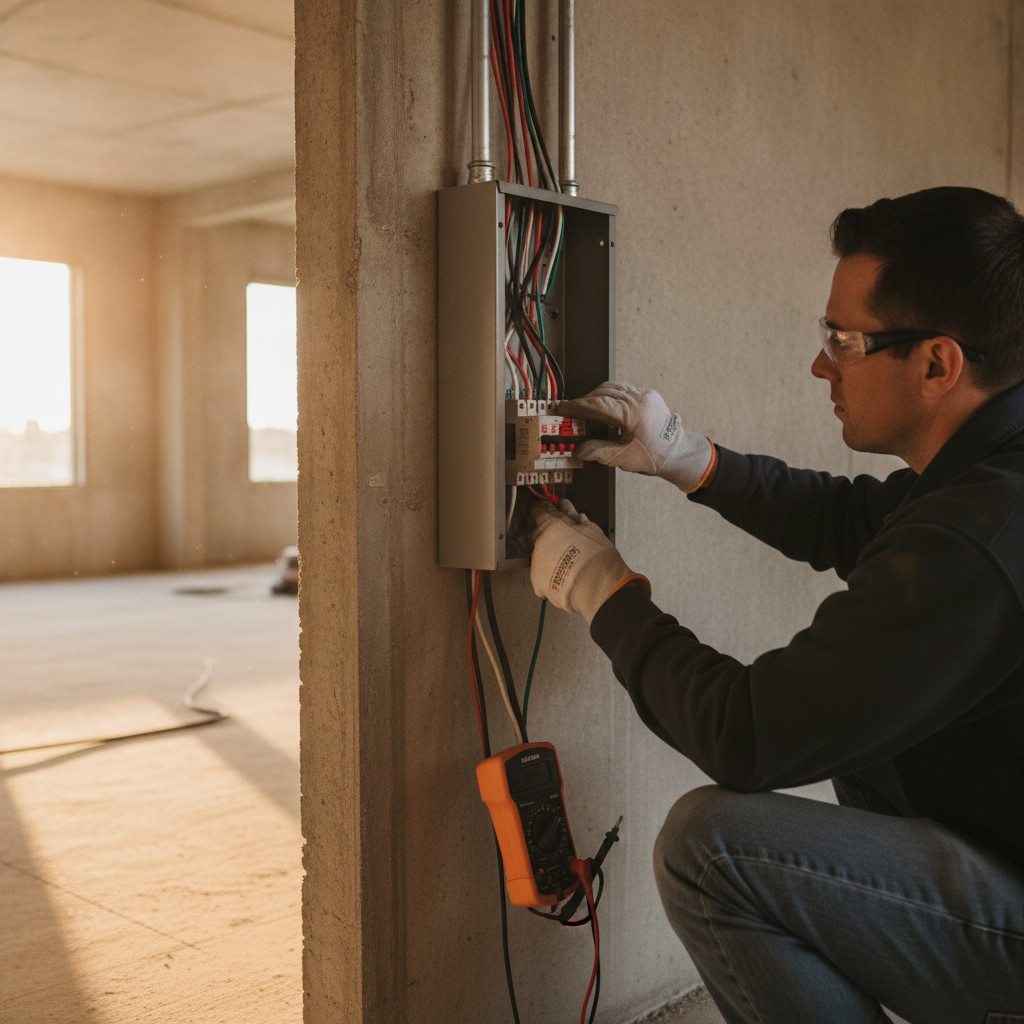
AceWatt was designed against that checklist; here is where it lands, service by service.
The AI-powered CRM keeps every call, text, and walk-through attached to the customer. When someone you quoted for a panel upgrade in March calls about an EV charger in September, the history is already there, including the spare capacity you calculated.
AI estimating turns job walk notes and photos into line items with labor and material pricing. For service upgrades, it walks the load calculation inputs, which matters when a homeowner wants 200A for two EVSE circuits and a heat pump and the math under NEC 220.82 says the existing service is adequate with load management.
Automated follow-up emails reminders on overdue invoices at 1, 7, 14 and 30 days late, so the invoice you sent Monday does not die in an inbox.
Crew scheduling and dispatching puts jobs on a drag-and-drop board the owner controls, respecting inspection dates, with skill-based suggestions and straight-line route optimization on the Scale plan.
Job tracking shows every job's stage across all crews: bid sent, approved, rough-in, inspection, trim, invoiced, collected.
Invoicing and payment tracking handles deposits, balances, and aging, plus milestone (percentage-of-completion) billing on projects.
AI voice and job walk documentation is the on-site layer: talk through findings with dirty hands, and the audio becomes structured documentation attached to the job.
QuickBooks-ready exports (included on Growth and Scale plans) hand your bookkeeper the invoice list as a spreadsheet and payroll hours as a QuickBooks-format CSV. There is no native real-time sync today; full sync is in development.
4. How AceWatt Stacks Up Against General FSM Tools
| Capability | AceWatt | Jobber | Housecall Pro | ServiceTitan | Estimating packages |
|---|---|---|---|---|---|
| NEC-aware estimating with load calc support | Yes | No | No | Limited | Strong |
| Voice job walk documentation | Structured | Basic notes | Basic notes | Notes only | No |
| Automated quote follow-up | No (overdue-invoice email reminders only) | Templates | Campaigns | Campaigns | No |
| Crew dispatch and scheduling | Yes | Yes | Yes | Yes | No |
| Invoicing, payments, retainage tracking | Invoicing and payments yes; milestone billing, no retainage | Yes | Partial | Yes | Limited |
| QuickBooks connection | Ready exports (Growth/Scale) | Native | Native | Native | Limited |
| Typical fit | Electrical, 1 to 20 techs | Multi-trade residential | Multi-trade residential | 20+ trucks, HVAC and plumbing | Estimators and bid rooms |
Jobber is a solid generalist. Scheduling, quoting, invoicing, and payments work well, and advertised plans from the double digits into the low hundreds per month suit small budgets. The estimating side is built around quote templates rather than electrical assemblies, so there is no load calculation support, no material database priced by assembly, and no structured job walk capture.
Housecall Pro competes in the same bracket with strong consumer-facing features like online booking and financing offers, aimed at high-volume residential service. For electricians, the flat-rate pricebook model fits simple swaps like receptacles and ceiling fans. It does not fit panel upgrades or remodel rough-ins that need an estimate built from the walk.
ServiceTitan is the deepest platform on dispatch, reporting, and call booking, and it is priced accordingly: annual contracts, per-technician pricing, and implementation fees that push first-year cost into five figures. It targets companies running 20-plus trucks, mostly HVAC and plumbing. A five-person electrical shop pays for depth it will rarely touch and still estimates from templates rather than assemblies.
Standalone estimating packages such as Electrical Bid Manager and Accubid do one thing very well: takeoff and pricing from assemblies, with databases tuned to electrical labor units. What they lack is everything after the bid: no CRM, no dispatch, no payment tracking, and limited accounting sync. Estimators use them in bid rooms. Running a service shop from one means stitching together three or four separate systems, typically at $1,000 to $3,000 per year on top of whatever else you buy.
The honest summary: if you run a multi-trade handyman operation, Jobber or Housecall Pro deserve the shortlist. If you run 30 trucks across plumbing and HVAC, ServiceTitan. If you bid commercial work from plans, keep the estimator. For electrical shops from one truck to about twenty, the gaps above land squarely on the workflows that decide whether you win the job and collect for it.
5. The Hidden Costs of Spreadsheets and Paper in 2026
Run the math on a five-person shop still run from a binder and Excel.
Double entry. Typing estimates, invoices, and payments into QuickBooks by hand costs roughly 40 minutes a day. That is about 3.5 hours a week, or 175 hours a year. At a $75 billable rate, the shop burns over $13,000 in re-keying.
Unbilled change orders. Two per month at $350 that never reach an invoice is $8,400 a year, and it happens when approvals live in texts and photos with no path to billing.
Slow follow-up. The quote that gets a follow-up within two days gets answered. The one that sits past a week usually does not. Follow-up is the first thing dropped on a busy Friday, which is exactly why it belongs in software rather than memory.
Aged receivables and retainage. Without payment tracking, deposits go unrequested, balances age, and retainage sits past the release date. On commercial work, missing a state's preliminary notice deadline can cost lien rights on the entire balance, and those deadlines can be as short as 20 days in states like California.
Stale pricing. A price book in a spreadsheet reflects copper prices from whenever someone last updated it. Quotes without expiration dates lock you into material costs that have since moved.
6. Choosing the Right Fit for Your Crew Size and Job Mix
Solo electrician. You need speed above all: voice documentation on the walk, an estimate out the same day, payment collected on site before you leave the driveway. Dispatch features matter little. CRM history and follow-up automation matter most, because you have no office staff to remember anything.
Two to five techs. The owner still estimates and now schedules other people. You need the dispatch board, job tracking across concurrent sites, and QuickBooks sync, since bookkeeping errors multiply with volume. Automated follow-up covers the quotes you no longer have time to chase personally.
Six to twenty techs. Job profitability becomes the central question: which job types make money, which customers pay slowly, which crews run efficient routes. You need margin reporting by job, aging by customer, and material ordering tied to job stages.
Job mix drives features just as hard. Residential service runs on speed and follow-up. Remodels run on change orders and rough-in to trim stage tracking. New construction runs on bids, schedules, and retainage. Commercial T&M runs on daily tickets and signed time sheets. Shops doing heavy plan-and-spec commercial work may still want a dedicated takeoff package; pair it with a back-office platform rather than expecting one tool to do both jobs well.
7. How to Switch Without Losing Your Mind or Your Data
A clean migration takes about two weeks if you follow the order:
- Export before you cancel anything. Pull your customer list, open invoices, price book, and the last two years of job history from the old system in CSV. Paper shops should gather the customer list, the price book, and every open job into a spreadsheet before setup begins.
- Connect QuickBooks first. Let the sync map invoices and items, and settle the item mapping before migrating history. Bad item mapping is the single most common cause of a messy cutover.
- Rebuild the price book as assemblies, importing from your CSV where possible and adding labor hours to each assembly as you go.
- Start with the next new job, not mid-job migrations. Estimates and scheduling go live on new work; active jobs finish under the old system so nothing falls between the two.
- Migrate open jobs with their current stage marked: rough-in, awaiting inspection, trim, invoiced. Collect the balances while you migrate so aging starts accurate.
- Train crews on three functions only. Check today's schedule, update job status from the site, send the invoice. That is 20 minutes of training. Everything else can wait.
- Keep the old system read-only for 90 days for warranty lookups and past-job references, then cancel.
Time the cutover for the start of a light week, never the week a big rough-in inspection is scheduled.
8. Final Verdict: Best Software for Small Electrical Contractors in 2026
For electrical contractors running one to twenty techs on residential service, remodel, and light commercial work, AceWatt is the strongest fit in this field. It is the option in this comparison that combines NEC-aware estimating, voice job walk documentation, automatic overdue-invoice reminders, dispatch, payment tracking, and QuickBooks-ready exports in one platform, and every feature maps to a step in the electrical job cycle rather than a generic service visit.
Choose Jobber or Housecall Pro if you run a genuinely multi-trade operation and can live with template-based estimating. Choose ServiceTitan if you are past 20 or 25 trucks across HVAC and plumbing and can absorb the contract. Choose a standalone estimating package if you bid commercial work from plans, and expect to buy separate systems for everything after the bid.
If you are still on paper and spreadsheets, this is where the return comes from fastest: at the conservative math above, a five-person shop leaks more than $20,000 a year between double entry, unbilled change orders, and aged receivables.
The next step costs nothing but an afternoon. Take your last three job walks, run them through a trial of AceWatt's estimating, and compare two numbers against your current process: how fast the quote went out, and how many minutes of admin each job actually took. Those two numbers tell you whether 2026 is the year to switch.