
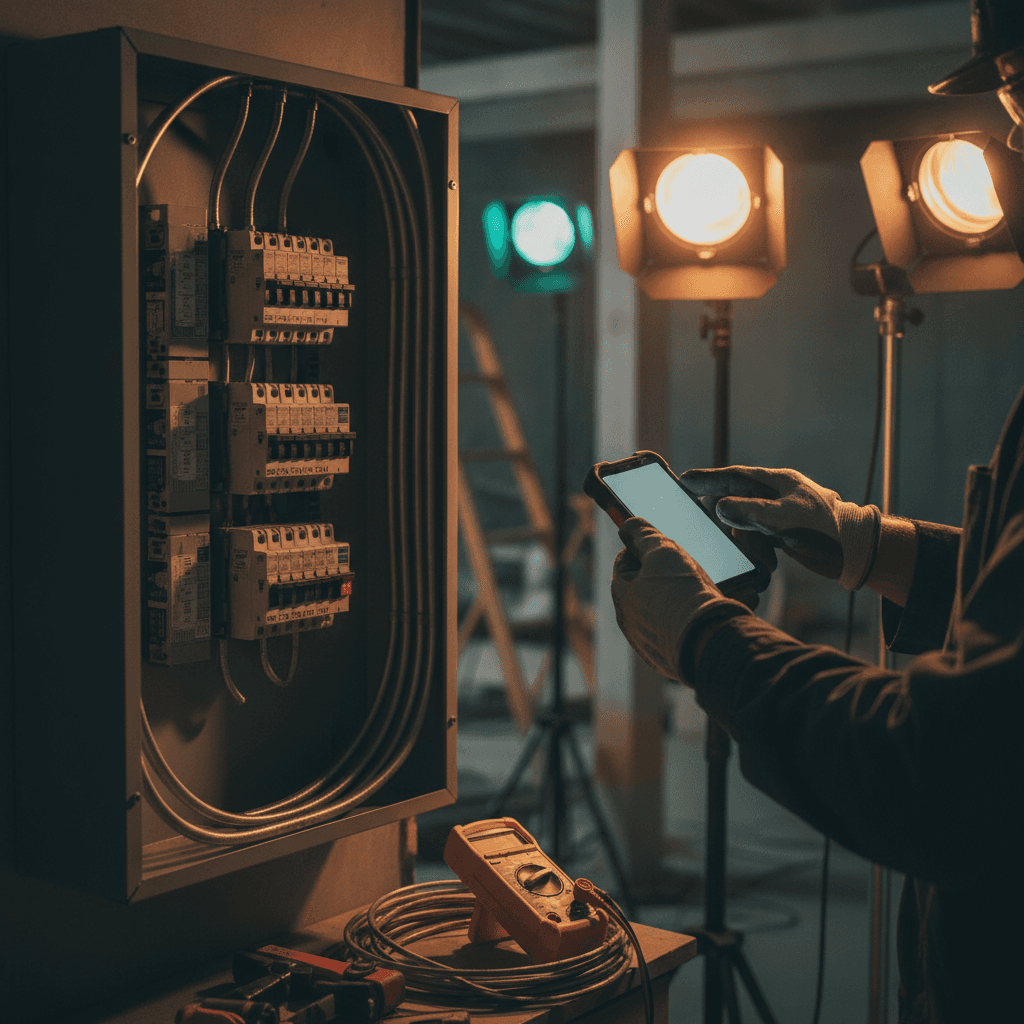
Every Billable Minute, Captured: Mobile T&M Billing for Electrical Contractors in 2026
Most electrical contractors don't lose money on the big quoted jobs. Panel upgrades, EV charger installs, and new-construction rough-ins get priced off a formal estimate. The revenue leaks out on time-and-material work: the service call, the troubleshoot, the "while you're here" circuit add. Paper tickets, texted photos, and memory-based invoicing quietly convert billable hours into write-offs. This guide breaks down where T&M revenue actually disappears, what to demand from an electrical contractor mobile time material billing app in 2026, and how field capture should reach your CRM, job tracking, and QuickBooks as complete line items with zero re-keying. For a deeper buyer side comparison, see mobile-first electrical invoice apps that capture time.
1. The Hidden Cost of Paper T&M Tickets
The paper ticket is written on the hood of the truck, folded into the door pocket, and faded by Friday. "6ish hrs, panel + breakers, misc wire" is not an invoice. It's a reconstruction project for whoever sits down at the kitchen table on Sunday night. Every guess in that reconstruction rounds in the customer's favor, never yours.
Run the math on a shop billing $500,000 a year in T&M service work. If paper capture leaks even 4% (unbilled minutes, forgotten materials, skipped markups), that's $20,000 a year. That's a truck payment, funded by work you already performed. Paper also delays invoicing by three to seven days, which delays payment by weeks. That's why so many contractors confuse a busy week with a profitable one. This is exactly the gap electrical contractor billing software is supposed to close, but only if it captures time and materials where the work happens.
2. Anatomy of Revenue Leakage on a Typical Residential Service Call
Here's where the money goes on a routine call, line by line:
- The minimum service call fee that never gets billed. The tech spends 45 minutes diagnosing a tripping AFCI, writes up $95 in parts and labor, and the $125 minimum call charge never makes the invoice.
- Material markup skipped on T&M tickets. $400 in materials at a 25% markup is $100 gone. Small parts are worse: the $14 in wire connectors, bonding bushings, and Noalox gets billed at cost, or not itemized at all.
- Windshield time between job sites. Thirty minutes of unpaid driving between the 8 a.m. call and the 10 a.m. call, twice a day, adds up to a full unbilled week per year.
- After-hours rates applied incorrectly. If you bill a 9 p.m. no-power emergency at your daytime rate while paying your non-exempt tech time-and-a-half past 40 hours under FLSA overtime rules, you're financing the emergency.
- The second trip to the supply house. A 40-minute round trip because the panel package was missing the correct meter socket, logged nowhere.
- Admin time billed nowhere. Twenty minutes on the municipal permit portal pulling history, the panel schedule drawn up for the inspector, the NEC 220.82 optional-method load calculation for the service upgrade. Real work, zero line items.
Add it up and a single job can shed $200 to $400. Multiply by three to five service calls a week and leakage becomes your biggest unpriced line item.
3. What to Look for in an Electrical Contractor Mobile Time & Material Billing App in 2026
Most electrician invoice apps on the market are generic invoice builders with a wire icon. What separates a purpose-built electrical contractor mobile time material billing app from a generic invoice app comes down to seven capabilities:
- True offline mode. Basements, attics, metal buildings, and fresh slab with no bars. Capture has to work with zero signal and sync the moment the tech surfaces.
- A material catalog with preset markup rules. Select the 20A dual-function AFCI/GFCI breaker from a catalog and the markup applies automatically: 30% on stock materials over $100, a 2x multiplier on small parts, set once and enforced on every ticket instead of recalled from memory.
- A T&M-vs-flat-rate toggle per job. Run the service call as T&M and the hallway rewire as flat-rate from the estimate, in the same work order system.
- Photo and voice attachments tied to line items. When a homeowner disputes the charge for the damaged feeder six weeks later, you have the before-and-after photos and the spoken job walk attached to the invoice.
- Signature capture on the spot. The customer signs before the tech leaves the driveway, closing the dispute window.
- Timestamped job tracking, so billed hours match actual on-site hours rather than estimates.
- Direct-to-invoice flow with QuickBooks item mapping, so nothing gets typed twice.
If an app can't do all seven, it's a ticket book with a screen.
4. From Ladder to Invoice: AI Voice and Job Walk Documentation for Hands-Free Capture
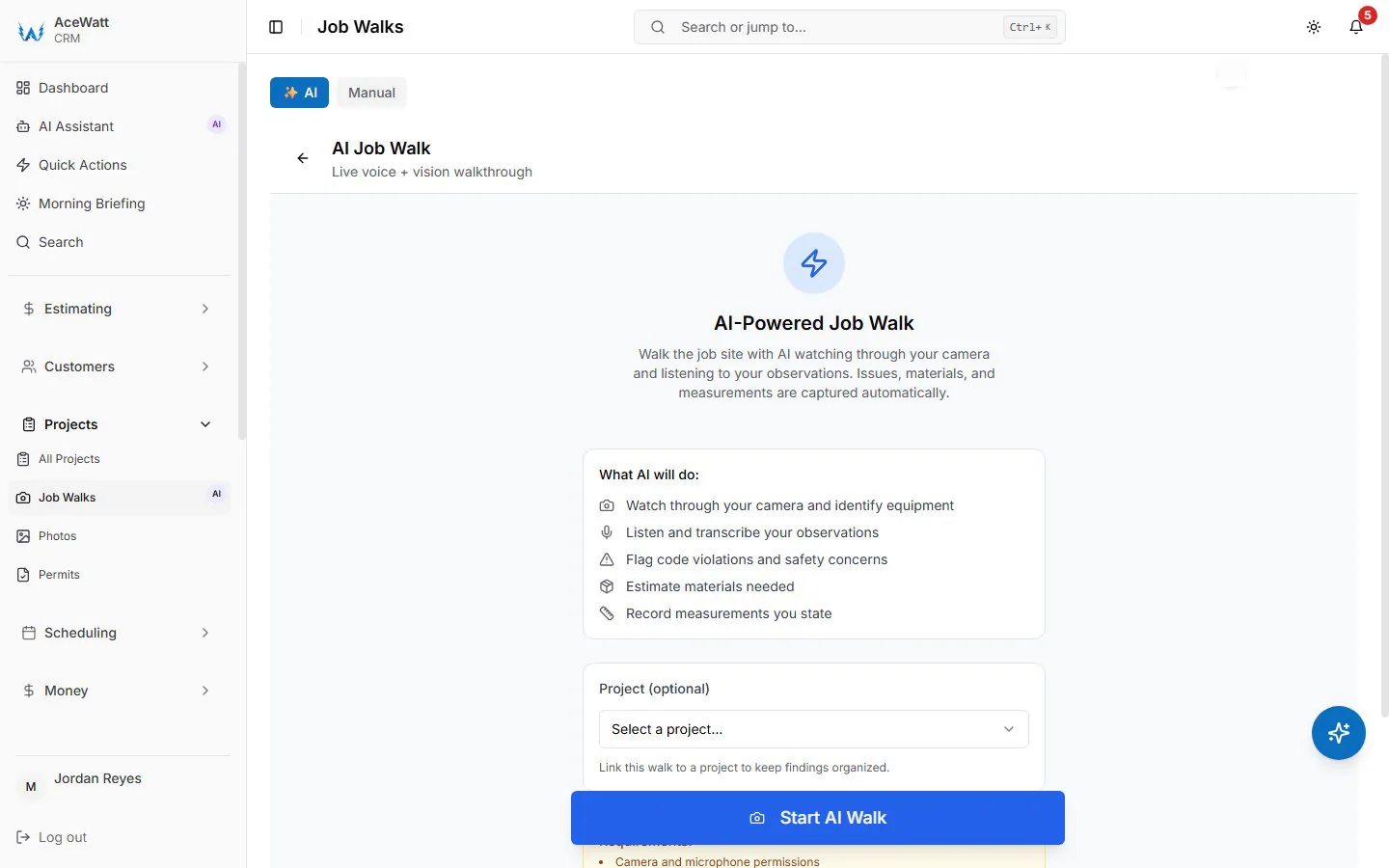
Tuesday, solo electrician, 200-amp panel replacement on a 1980s split-bus service. Job's done, city inspector signed off. Standing at the truck, the electrician opens the work order, taps job walk, and talks for 60 seconds:
"Six and a half hours labor at the service rate. Square D 200-amp, 30-space main breaker panel. Four 20-amp dual-function breakers at roughly sixty each. Sixty feet of 4/0 aluminum service entrance cable. Two ground rods, acorn clamps, bonding bushings. Photos of the panel schedule and grounding electrode attached."
That's the entire billing record. Our AI Voice and Job Walk Documentation converts the spoken notes into a job walk report with an itemized materials list and attaches the photos, all before the truck leaves the curb; materials stay at cost, with markup set on the quote.
Contrast that with the paper version of the same job: a coffee-ringed ticket on the passenger seat reading "panel, wire, 6 hrs??" rebuilt three days later from memory. The four AFCI breakers get forgotten, the markup gets forgotten, and the invoice goes out the following Monday, a full week after the work, with payment landing 30 days after that.
5. Tying T&M Capture to Job Tracking and Crew Dispatch
For shops running multiple techs, capture starts before the truck rolls. Crew Scheduling and Dispatching assigns the job. The tech taps En Route, On Site, and Complete. Job Tracking timestamps arrival and departure, so billable hours are logged as the work happens, from actual clocks instead of end-of-week recollections. Windshield time between stops becomes visible to the dispatcher instead of invisible to everyone.
The operational payoff is the unbilled work order view: at any point, the office can see exactly which completed jobs haven't produced an invoice yet. That eliminates the Friday-afternoon scramble to reconstruct the week, and it means no job silently sits unbilled for two weeks because a ticket went through the wash in a work shirt.
6. Closing the Loop: Invoicing, Payment Tracking, and QuickBooks-Ready Exports

Because the line items already exist, Invoicing and Payment Tracking turns the completed work order into a sent invoice in one tap, before the tech is off the customer's street. The homeowner gets a payment link by email, pays by card (or ACH when your Stripe account has it enabled), and Payment Tracking updates the balance in real time. Automated Follow-Up nudges the invoices that age past terms without anyone making an awkward phone call.
On the back end, QuickBooks-ready exports hand your bookkeeper the invoice list as a spreadsheet and payroll hours as a QuickBooks-format CSV — no native, real-time sync today, and full sync is in development — while the invoice, the payment, and the sales tax stay itemized in the app. That's the distinction between accounting software for electrical contractors and accounting software that treats electrical contractors as a rounding error: the field data and the invoice line up instead of being rebuilt from memory. Month-end close stops being a ticket hunt and becomes a review.
7. T&M Billing Best Practices: Solo Electricians vs. Growing Electrical Shops
Solo electricians. Invoice from the truck, every job, every time. Same-day invoicing routinely cuts collection from net-45 to same-week. Set your minimum call charge and markup rules in the system once so they're enforced on every ticket. The discipline you can't maintain at 7 p.m. on a Friday, the software maintains for you.
Growing shops. Centralize pricing policy so every tech bills the same minimum fee and the same markups, then hold techs accountable to capture rate (hours captured versus hours scheduled). Give the dispatcher the unbilled work order dashboard, and give your office manager their month back: tickets arrive complete and nobody chases a tech for a panel schedule at close.
8. Why T&M Capture Belongs Inside Your CRM, Not a Separate Ticket App
A standalone mobile T&M ticket app is one more silo. Its data never meets your customer history, your estimates, or your follow-ups. When capture lives inside your CRM, the pieces compound: an AI Estimating quote converts to a T&M work order the moment the customer approves it, the field record of today's service call informs next year's panel upgrade quote, and the deferred 200-amp service replacement stays on the customer record for your next conversation with that homeowner. That's the difference between electrical contractor apps that generate data entry and field service management that turns field work into working capital.
If T&M leakage is showing up in your margins, start at the source. Our AI-powered CRM for electricians, with AI Estimating, Automated Follow-Up, crew scheduling and dispatching, job tracking, voice documentation, and QuickBooks-ready exports, is built for electrical contractors across the US. Book a walkthrough and see how much of last month's work never made it to an invoice.