
Mobile Time and Material Invoicing for Electrical Contractors: The 2026 Standard
Time and material work pays for accuracy. The hours, the wire footage, the device counts, and the change orders all live in one place: the job site, while the work is still open and verifiable. Invoicing that starts anywhere else is reconstruction, and reconstruction leaks revenue.
1. Why Electrical Invoicing in 2026 Starts at the Breaker Panel, Not the Office Desk

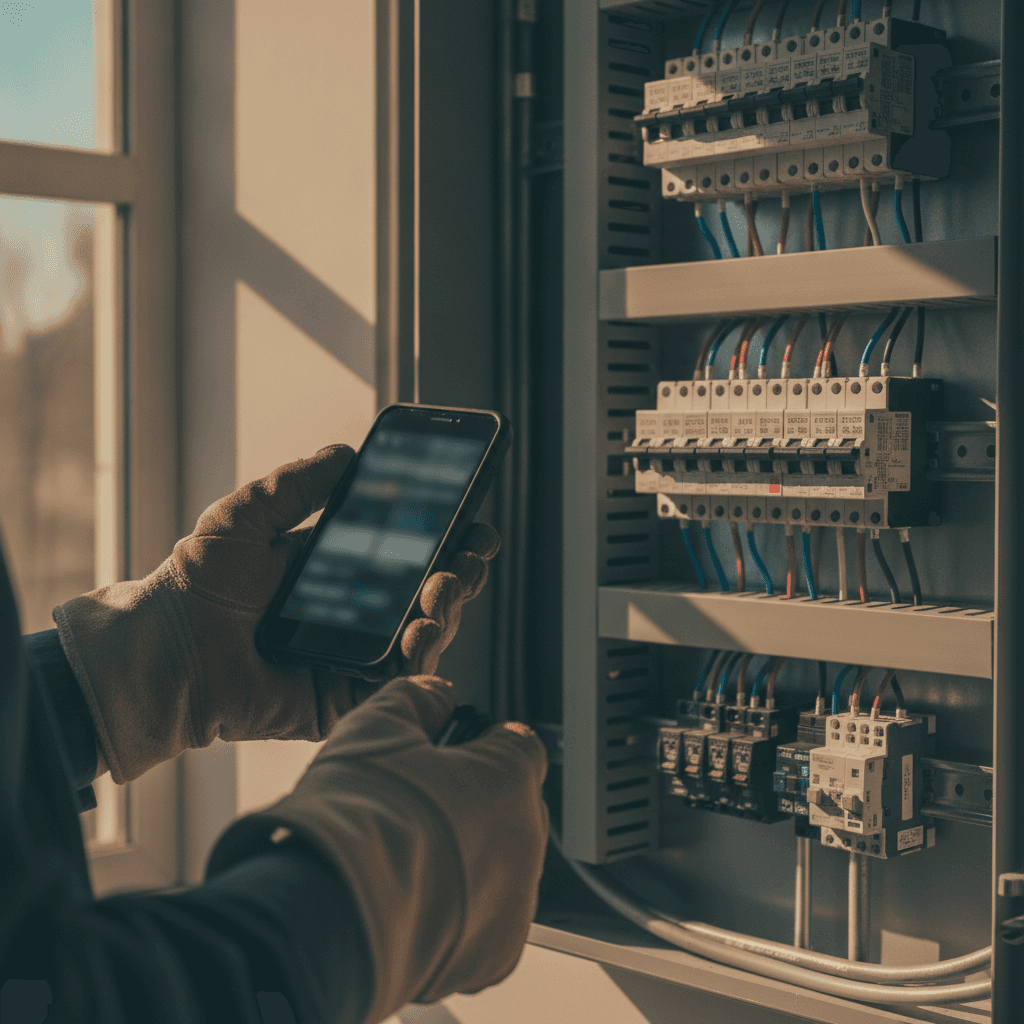
Walk an active T&M service call and count the billing data in the room. The arrival time. The failed 20-amp breaker and its replacement pulled from truck stock. The 60 feet of #12 THHN pulled to the disconnect. The 25 minutes at the supply house because the 50-amp GFCI breaker for the spa was out of stock. Every item belongs on the invoice, and every item is easiest to record while standing in front of it.
The office version of the same job looks different. The tech leaves at 4:30 and reconstructs the day from a paper ticket, three photos texted to a personal phone, and a receipt in the van door pocket. Underbilling is the result, and it compounds. At $110 an hour, 45 minutes of unrecorded labor per tech per day works out to roughly $20,000 a year per technician, before counting the forgotten EMT fittings and the partial spool of copper nobody logged.
The 2026 standard treats the electrical invoice as a field document. Capture happens at the panel, in the attic, and at the truck before the driveway.
2. What Mobile-First Really Means for Time and Material Capture on Active Job Sites

Mobile-first has a precise meaning for T&M capture, and it has little to do with opening a PDF on a phone. A mobile electrician app built for time and material work does five things on site:
- Clocks the tech in and out against the job, GPS-verified, so billable time starts when the truck arrives.
- Accepts line items between tasks, with labor and material entries and markup rules applied automatically.
- Attaches photos to the work order: panel schedules, before-and-after shots, nameplate ratings.
- Collects a customer signature on the glass before the tech leaves.
- Sends the invoice by email or text from the curb, same day.
Picture the record for a branch-circuit addition: two 20-amp circuits, 140 feet of 12/2 NM-B, four single-gang old-work boxes, two hours of labor at $115 an hour, material marked up 35 percent. Entered as the work happens, the invoice is out at 4:45 p.m. Entered that night, half of it is guesswork.
One capability separates true field tools from office software wearing a mobile skin: offline capture. Basements, mechanical rooms, and new slabs routinely kill cell signal. The app has to record time and material with no connection and sync when signal returns.
3. Where Office-Only Tools Break Down: Missed Change Orders, Unbilled Hours, and Material Guesswork

Office-only invoicing fails in predictable places, and the failures map directly to lost revenue.
Missed change orders are the biggest. A homeowner approves a toggle switch package, then picks dimmers at the lighting showroom. A receptacle addition reveals a box already at capacity under the NEC 314.16 box fill rules, so the job grows by an old-work box, a drywall patch, and paint. On a commercial fit-out, drywall stacked in front of the panelboard has to be moved to restore the 30-inch-wide, 3-foot-deep working clearance required by NEC 110.26. Each event changes the price. Signed on site, each one gets billed. Described three days later to a project manager, each one gets negotiated down or dropped.
Unbilled hours follow the same pattern: the mid-job run to the supply house, the 40 minutes waiting on the inspector, the return trip for a mislabeled breaker. Time and material billing software for electricians exists to catch exactly these entries.
Material guesswork is the quiet one. Estimating wire from an empty spool produces invoices that are wrong in the customer's favor. On commercial jobs the stakes rise: without a contemporaneous record of quantities and photos, the general contractor's closeout team writes down the line item, and there is no evidence to defend it.
4. How AI Estimating and Job Walk Documentation Turn Field Notes into Accurate Invoices
Accurate T&M invoicing starts before the work does, at the job walk. AI voice and job walk documentation turns the walk itself into structured data. The estimator moves through the house narrating into the phone: kitchen with 12 recessed cans, under-cabinet strip lighting, two 20-amp small-appliance branch circuits per NEC 210.11(C)(1), island feed, 200-amp panel with 14 spare spaces. The transcript converts into device counts, circuits, and a panel schedule, with no typing back at the office.
AI estimating then prices the counts: labor hours per device, material takeoffs, and a quote the field can be measured against. The payoff appears during installation. The field record shows 14 cans installed against 12 quoted, and the change order is generated and signed before the drywall closes. On an EV charger installation, the load calculation under the NEC 220.82 optional method shows the existing 100-amp service cannot support a 48-amp charger on a 60-amp circuit, so the service upgrade becomes a documented quote instead of a week-three argument.
The estimating record also defends the invoice. When the quoted scope and the installed scope line up item for item, disputes end before they start, because both documents came from the same data.
5. Crew Scheduling, Dispatching, and Real-Time Job Tracking as Invoice-Ready Data Sources
Crew scheduling and dispatching should do more than put the right tech at the right address. Done right, the dispatch record is the skeleton of the invoice.
The schedule creates the job. Dispatch timestamps the arrival. Electrical job tracking software records on-site duration and status changes per user. Two technicians on a three-hour rough-in each get their hours attached to the job automatically, at separate rates if the shop bills journeyman and apprentice time differently. A Sunday-night emergency call gets the after-hours multiplier applied at dispatch, not remembered on Monday.
Travel billing runs through the same record. Shops that bill portal-to-portal on service work need drive time captured as part of the job. Field notes entered during job tracking become invoice notes: replaced failed 50-amp GFCI breaker at spa panel, load tested at the receptacle, terminations torqued to marked values per NEC 110.14(D). When scheduling, dispatch, and tracking feed one record, the shop gets hours and activity that support the invoice without a second round of administrative work at the end of the day.
6. Automated Follow-Up and Payment Tracking: Closing the Gap Between Work Done and Cash Collected
Work completed and cash collected are separate events, and the distance between them is where small shops get hurt. A $3,200 service change sitting unpaid for 45 days is a materials bill the shop is fronting.
Automated follow-up closes that gap without hiring office staff, which matters most for the solo electrician carrying 12 open invoices. Deposit invoices at acceptance, online card payment through the invoice's pay link, and automatic email reminders at 1, 7, 14 and 30 days late keep collections moving while the tech is under the next panel. Payment tracking shows aging by customer, so the shop knows who gets a phone call before who gets more work.
Bigger jobs need billing structure. Remodels bill in stages: a 30 percent deposit, progress payments at rough-in and trim, and a final. Commercial work carries retainage, commonly 5 to 10 percent held to closeout, with applications for payment on AIA G702 forms tied to a schedule of values. Lien rights add deadlines. In California, a 20-day preliminary notice preserves mechanic's lien rights on private work, and automated notice generation is the only realistic way a small shop keeps those deadlines straight across a dozen jobs.
7. QuickBooks Sync for Electrical Shops: Keeping Field Data and Accounting Clean
None of the field data has accounting value if it has to be re-entered. The QuickBooks sync is where Sunday-night double entry ends.
The mechanics matter. Labor lines map to service items, material lines to product items, and each job maps to a customer and class so job-level revenue lands in the right place. An invoice built on site posts to QuickBooks, the payment posts once, and the deposit reconciles without duplicate entries. Job costing follows: material costs against the invoice total show the actual margin on the $2,800 service change, not the one estimated in the quote.
For a growing shop, clean sync also means clean filings. 1099s for subcontractors, quarterly estimates, and year-end accountant work all depend on books that match the field. An electrician QuickBooks integration that moves invoices, payments, and item detail in both directions turns the books into something that reconciles in an afternoon instead of a spreadsheet project in March.
8. What Solo Electricians and Growing Shops Should Look for in an Electrical Invoice App
Type electrical invoice app time material mobile into a search bar and you get pages of generic tools with stock photos of vans. The phrase reads like a keyword dump, but it describes the correct buying standard for 2026: field capture of labor, material, photos, signatures, change orders, and payment status from the truck. Electrician invoicing software earns its subscription only if it passes a live field test. Take any candidate to a real job and check:
- Clock in and out with GPS verification, and confirm the time attaches to the job record.
- Create a T&M line item mid-task and attach a photo to it. If the photo and the line item cannot link, keep shopping.
- Enter material with no cell signal in a basement, then confirm it syncs later.
- Build a change order for a box fill problem found mid-job and capture an e-signature before leaving.
- Apply material markup rules and after-hours rates automatically.
- Split time between two techs on one job.
- Take a card payment on site and watch it post to QuickBooks.
- Record a voice note and confirm it lands as text on the work order.
An app that fails any of these tests moves the paper ticket to a screen, with the same gaps in it.
9. Choosing Software Built for Electrical Contractors, Not Generic Field Service
Most field service platforms were designed around plumbing and HVAC workflows: one part number, one flat-rate price, one invoice line. Electrical work does not fit that shape. A branch-circuit addition bills wire by the foot, devices by the count, labor by the hour, and change orders by whatever the wall contained. Commercial jobs add retainage, progress billing, and lien notices.
An electrical contractor invoicing app has to handle the trade's actual records: panel schedules, circuit numbers, box fill counts, load calculations, torque values, and T&M entries with photo evidence. Around that core, the platform should connect the rest of the operation: an AI-powered CRM logging every call and text against the customer, AI estimating from job walk documentation, crew scheduling and dispatching, job tracking, automated follow-up, invoicing and payment tracking, and the QuickBooks sync. Electrical field service management software that ties those pieces to one record is what turns a day of work into a same-day invoice and a collectible account.
Run the decision as a pilot, not a demo. Put the software on real T&M service calls for two weeks alongside the current method, then compare billed revenue per job, days to payment, and hours spent on paperwork. The delta between those columns makes the decision for you.
Related Reading
- Electrician invoice software: time captured in the field flows into this billing workflow.