

Electrician Dispatch and Invoice Apps Compared: A 2026 Guide for Electrical Contractors
An unbilled panel upgrade is a loan you gave your customer for free. Most electrical shops know the pattern: work finishes Thursday, the invoice gets written Monday between phone calls, and the check arrives 30 to 45 days later. Meanwhile the distributor bill for the 200-amp service gear and the labor were already paid.
The fix is not working faster in the office. It is moving dispatch, documentation, and billing onto the phone your techs already carry. This guide compares five electrician dispatch and invoice app options in 2026, including what each one does well and where it falls short for trade-specific electrical work. For a deeper look at the scheduling side, see our electrical contractor dispatch software guide, and for field payment collection specifics, our electrical contractor invoicing software walkthrough. For the full handoff sequence, see the mobile dispatch-to-invoice workflow for electrical contractors.
Why Mobile-First Dispatch and Invoicing Matters for Electrical Contractors in 2026
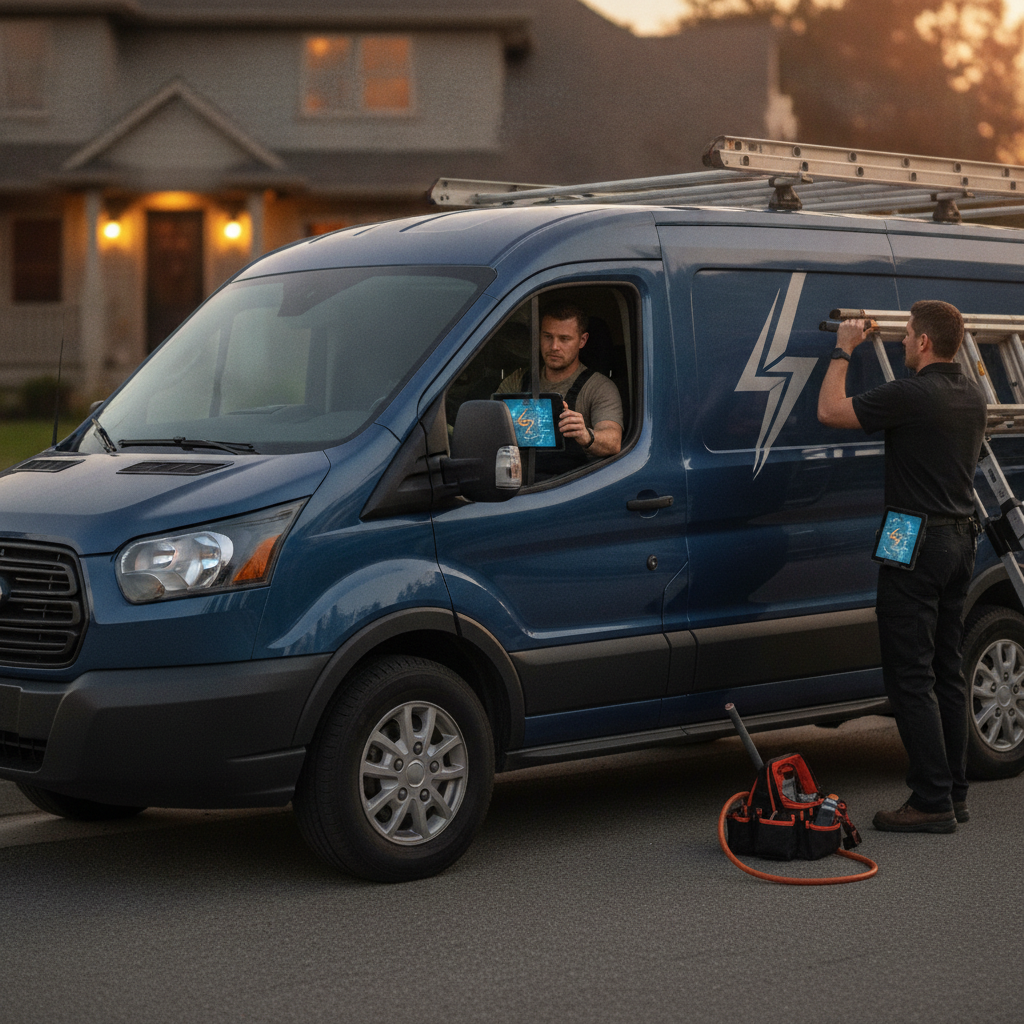
Electrical billing has a timing problem built into the workflow. A service call gets diagnosed in the field, priced in the truck, and then waits for someone at a desk to turn a text message into an invoice. Every hour between completed work and sent invoice is unpaid time.
Mobile-first apps close that gap by handling the whole sequence at the job site:
- Same-day invoicing. An invoice created from the job record before the tech leaves the driveway typically gets paid a week or more faster than one mailed after the weekend.
- Change-order capture. The customer approves a ceiling fan add or an extra circuit while standing next to the open wall, and the change order attaches to the original estimate instead of living in a text thread.
- Card and ACH collection at the door. Card processing commonly runs about 2.6 percent plus $0.10 per transaction, and ACH around 1 percent capped near $10. Collecting a $2,800 panel invoice by card on the spot costs real money but beats waiting 45 days for a check.
- Documentation at the source. Photos of the panel, the meter can, and the load calc notes are captured once, correctly, and never re-typed.
For a solo electrician, that is the difference between invoicing from the driver's seat at 4:45 p.m. or from a kitchen table on Sunday night. For a shop with crews, it is the difference between knowing job status in real time and calling three foremen to find out.
What Electricians Need From a Field-to-Invoice App
Generic field service software treats electrical work like plumbing with different nouns. It is not. Electrical contractors bill in phases (rough-in, trim-out, final), price against permits and inspections, and carry real estimating risk on things like load calculations and service upgrades.
Any electrician dispatch and invoice app you evaluate should handle the following:
- Fast mobile dispatch. Assign a service call, see tech location and availability, and push the job to a phone without a phone call.
- Clear job status. Scheduled, in progress, waiting on inspection, waiting on parts, complete. If you cannot tell which state a job is in, customers will call to ask.
- Photo and voice documentation. Panel labels, meter numbers, existing conditions, NEC 110.26 working-clearance problems, prior handyman work. Photos protect you on change orders and callbacks.
- Change-order capture tied to the original estimate. The approved change should carry the same customer, job site, and tax treatment as the base contract.
- Invoice creation from the estimate or job record. Materials with markup, labor hours, trip or diagnostic fees, and permit line items should flow to the invoice without re-entry.
- Payment collection. Card, ACH, and deposits, with balances tracked automatically.
- QuickBooks sync. Estimates, invoices, payments, and item codes posting to the correct accounts without a CSV export on Friday afternoon.
Job-type depth matters too. Panel upgrades, EV charger installs (with load calcs run under NEC 220.57 or 220.83), service calls with diagnostic fees, T&M work, and fixed-price rough/trim packages all bill differently. The app needs to support all of them.
Acewatt: AI-Powered Dispatch, Job Tracking, and Invoicing Built for Electrical Shops

Acewatt covers the full electrical workflow from first job walk to cleared payment, and the pieces talk to each other.
AI Estimating turns job walk input into priced estimates instead of a night of spreadsheet work. A tech walks a panel upgrade, speaks the notes, and the system drafts the estimate for your review from the materials and labor the walk captured.
AI Voice and Job Walk Documentation is built for the reality of electrical site visits: your hands are full and your phone works by voice. Record panel details, load calculation inputs, equipment problems like a corroded meter can or double-tapped neutrals, and customer approvals out loud. The documentation lands in the job record without typing a report in the truck.
Crew Scheduling and Dispatching puts jobs on a live board with status tracking, so a dispatcher can see that crew two finished the rough-in on Elm Street and is available for the service call that just came in.
Job Tracking carries each job through its real stages, including permit and inspection waits, so nothing stalls silently.
Invoicing and Payment Tracking builds invoices from the job record, collects deposits and final payments, and flags balances automatically.
Automated Follow-Up handles the reminders that recover money without office labor: automatic email reminders on overdue invoices at 1, 7, 14 and 30 days late. Estimate check-ins, pre-job confirmations, and completion notices stay with your office. Shops that automate invoice reminders typically see unpaid invoices shrink simply because nothing gets forgotten.
QuickBooks-Ready Exports give your bookkeeper the invoice list as a spreadsheet and payroll hours as a QuickBooks-format CSV (full sync is in development).
For solo electricians, the win is one app replacing a notebook, a texting habit, and Sunday-night invoicing. For growing shops, the win is estimating and billing that stay consistent across every crew.
Jobber: Scheduling and Invoicing for Small Electrical Teams
Jobber is a solid generalist electrician scheduling app for teams under roughly ten people. It handles quotes, scheduling, invoicing, and payment collection cleanly, and its Core plan has started around $40 per month for a single user in recent pricing, with larger plans adding client communication tools.
Where it is thin for electrical work: estimating is template-driven rather than trade-aware, there is no concept of load calculations or code-driven scope, and multi-phase jobs like rough-in and trim-out billing require manual setup. Shops doing mostly residential service calls will like it. Shops doing panel upgrades and new construction phases will feel the limits.
Housecall Pro: Mobile Payments and Follow-Up for Residential Electricians
Housecall Pro built its reputation on residential home service: booked jobs, card on file, text-to-pay, and automated follow-up campaigns. As an electrician payment app for residential service work, it is strong. Basic plans have started around $70 to $80 per month for one user.
The fit narrows for commercial work, formal estimating, and multi-phase project billing. Its estimating tools suit straightforward jobs like receptacle replacements and ceiling fan installs more than service upgrades or EV charger installations with permit staging. Follow-up automation is its best feature and worth using if residential service is your core business.
ServiceTitan: Dispatch and Billing for Larger Electrical Operations
ServiceTitan is the heavyweight of electrical field service management software, with a full dispatch board, CSR phone tooling, pricebook selling, payroll, and reporting. It is built for established companies running many technicians and an office staff.
The cost of that depth: ServiceTitan is quoted custom, with publicly reported pricing in the low hundreds of dollars per technician per month, annual contracts, and implementation measured in months. For a shop with three vans, the seat cost and setup weight usually exceed the return. If you are past twenty techs with dedicated dispatchers and a service manager, it belongs on your shortlist.
QuickBooks Field Service: Basic Invoicing With Accounting Sync
QuickBooks Field Service Management bolts scheduling and mobile invoicing onto QuickBooks, at roughly $30 per user per month in recent pricing. QuickBooks sync for electricians is the whole point here, and it is native. Invoices, payments, and customers land in your books with zero effort.
What you give up is field depth: documentation, trade-aware estimating, change-order workflows, and automated follow-up are minimal or absent. It suits a solo electrician who already lives in QuickBooks and wants dispatch-lite, and it works as a stepping stone until estimating and follow-up volume outgrow it.
How to Choose the Right Electrician Dispatch and Invoice App for Your Shop
| App | Best fit | Entry cost (early 2026) | Watch out for |
|---|---|---|---|
| Acewatt | Solo to mid-size shops wanting AI estimating, documentation, and follow-up in one system | Request current pricing | Broadest feature set takes a week to adopt fully |
| Jobber | Small teams doing residential service | Around $40/mo, 1 user | Generalist templates, light electrical estimating |
| Housecall Pro | Residential service with heavy payment collection | Around $70 to $80/mo, 1 user | Weak for commercial and phased projects |
| ServiceTitan | 20+ tech operations with office staff | Custom, reported low $100s per tech/mo | Cost and multi-month implementation |
| QuickBooks FSM | Solo electricians living in QuickBooks | Around $30/user/mo | Minimal field documentation and automation |
Decision comes down to six questions:
- Crew size. One to ten techs rarely justify ServiceTitan's cost and setup. Jobber and Housecall Pro fit small teams. Acewatt scales from solo to multi-crew without changing systems.
- Residential versus commercial. Residential service rewards payment tools and follow-up. Commercial and new construction reward phase billing, job tracking, and estimate depth.
- Dispatch complexity. If a dispatcher assigns work all day, you need a real board. If you dispatch yourself between jobs, mobile job assignment is enough.
- Estimating needs. Fixed-price residential work runs fine on templates. Service upgrades, load calcs, and T&M commercial work need electrical estimating software that captures scope at the job walk.
- Payment processing. Compare card and ACH rates, deposits, and card-on-file, and check whether payments sync to your books.
- QuickBooks. If your accountant expects QuickBooks, treat native sync as a requirement, not a nice-to-have. Re-keying invoices is the exact problem these apps exist to solve.
Move Faster From Job Walk to Paid Invoice With Acewatt
Every week an estimate or invoice sits unbilled is a week of material and labor cost carried on your line of credit. Acewatt connects the sequence electrical shops lose the most money on: the job walk documented by voice, the estimate generated from that documentation, the crew dispatched and tracked, the change order captured with the customer's approval, the invoice sent from the job site, the payment collected and exported for QuickBooks, and the follow-up reminders that close out balances without office hours.
Start by mapping it to one recurring job type in your shop, such as panel upgrades or EV charger installs, and run it end to end on a single crew. Request a demo, bring your last five estimates and the invoice cycle times behind them, and compare what the same jobs look like when documentation, dispatch, billing, and follow-up run in one system.