

Emergency Electrical Calls: A 2026 Guide to Real-Time Crew Tracking and Smarter Dispatch
Friday, 8:40 p.m. A homeowner calls: half the house just went dark and there is a burning smell coming from the panel. She is calling three contractors, and the first one to give a confident ETA wins the job. If your dispatch model is a whiteboard, a group text, and a stack of unanswered voicemails, you cannot give that ETA. You do not know where your trucks are, when your current jobs will wrap, or which electrician is qualified to open that panel tonight.
Emergency electrical work has always exposed the gaps in manual dispatch. Contractors closing those gaps with electrical dispatch software, real-time crew tracking, and AI-assisted scheduling are the ones answering those 8:40 p.m. calls with confidence instead of chaos.
1. Why Emergency Electrical Calls Break Traditional Dispatch Models
Scheduled electrical work rewards planning. Emergency work punishes it. A failed panel, a total outage, a sparking receptacle, or storm damage arrives unscheduled, with undefined scope, and a customer who started timing your response at the first ring.
Manual dispatch fails here for concrete reasons:
- No visibility into crew location or status. When the office manager works down a phone tree, every unanswered call adds minutes to the response clock. A 90-minute ETA becomes three hours, and the customer books the competitor who answered first.
- Skill matching becomes guesswork. Sending a residential-only tech to troubleshoot 480V three-phase commercial gear means a second truck roll. Energized troubleshooting in switchgear requires NFPA 70E qualified personnel, and guessing wrong is both a safety and liability problem.
- Jobs stack and overtime spirals. Promising the same journeyman to two emergencies guarantees one angry customer and one burned-out tech.
- The stakes are higher than inconvenience. For facilities with emergency systems under NEC Article 700 or legally required standby systems under Article 701, such as hospitals and data centers, delayed restoration is a life-safety and compliance issue, not just a service failure.
Emergency work is also where the money is. After-hours time-and-material rates commonly run 1.5x to 2x standard labor, and most contractors charge a diagnostic or trip fee in the $100 to $200 range. A dispatch model built for scheduled work leaves that premium revenue on the table.
2. What Real-Time Crew Tracking Actually Means for Electrical Contractors in 2026
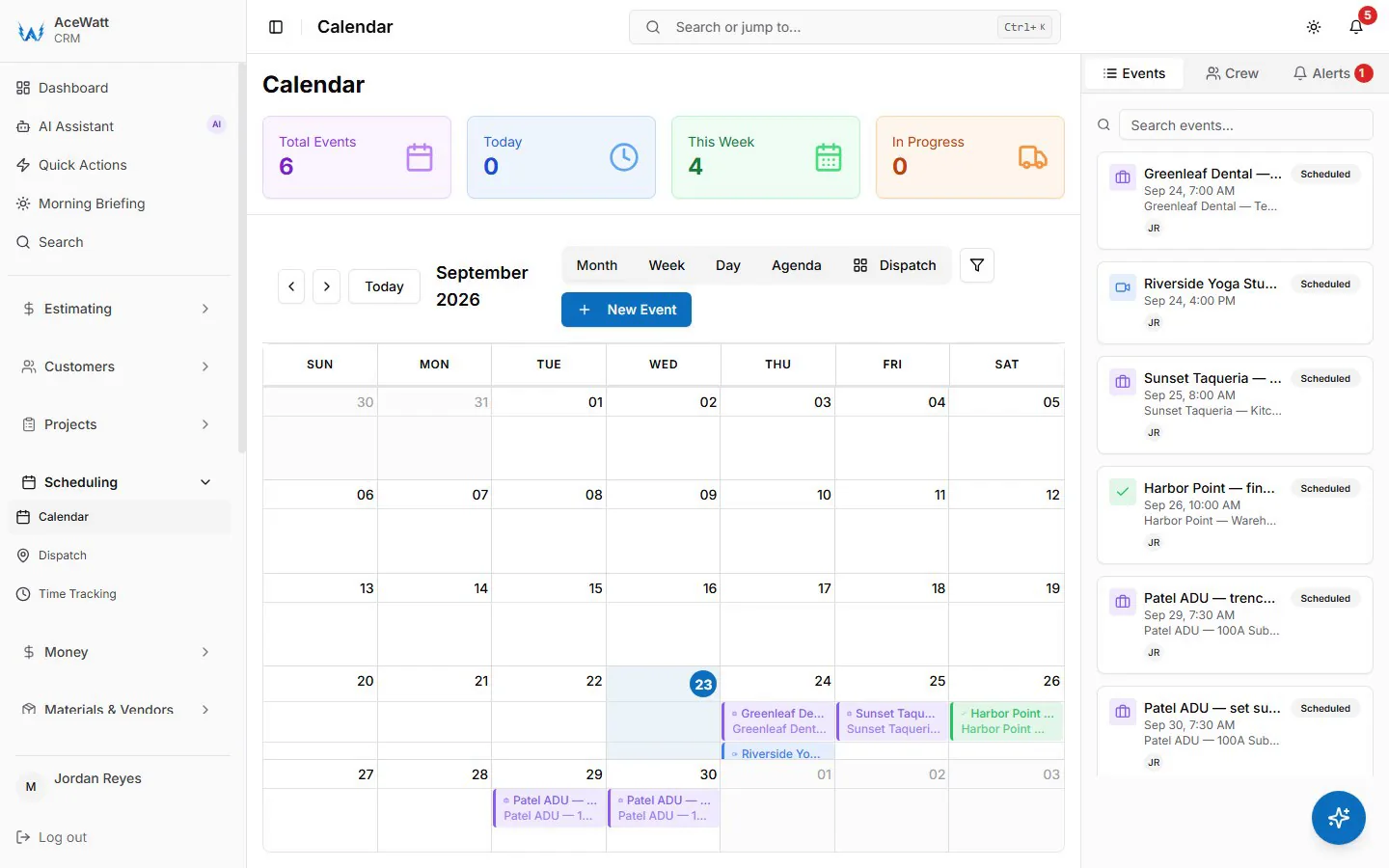
Real-time crew tracking is not a dot on a map for the sake of surveillance. It is knowing, at a glance, which licensed electrician is closest, what they are doing right now, and when they can realistically be at the next address.
Modern crew scheduling and dispatching platforms pull live GPS from each technician's mobile app, paired with status updates: en route, on site, parts run, wrapping up. Drive-time estimates replace "he should be done soon." That visibility pays off in three ways:
- Faster response. When a no-power call comes in, dispatch sees exactly which qualified electrician can arrive first, instead of rolling the nearest truck and hoping.
- Honest ETAs. The customer gets an accurate arrival window, texted automatically, which builds trust before your tech ever knocks on the door.
- Storm triage. When a line of thunderstorms generates twelve outage calls in two hours, a live board lets you rank them by severity and route crews geographically instead of zigzagging across the county.
Tracking also protects your scheduled work. Before stacking a panel replacement onto a tech's afternoon, dispatch sees that he is still mid-job 40 minutes away, and assigns someone else.
3. How AI-Powered Dispatching Matches the Right Electrician to the Right Emergency
Real-time tracking tells you where your crews are. AI-powered dispatching decides which one should go, and in what order. Instead of a dispatcher mentally juggling a dozen variables under pressure, the system evaluates them together:
- Urgency tier. A burning smell at a Federal Pacific Stab-Lok or Zinsco panel, both documented fire hazards, outranks a nuisance GFCI trip that can wait until morning.
- Qualifications. Commercial emergencies route to techs with NFPA 70E training; service upgrades route to the licensed master electrician; generator calls route to your factory-certified tech.
- Workload and realistic availability. Who finishes their current job soonest without blowing the promised ETA?
- Service history. The AI-powered CRM shows this customer's equipment, past visits, and notes, so the assigned tech arrives knowing that panel is a 1968 original with no main breaker disconnect.
- Truck inventory. If the emergency likely needs 20A AFCI breakers or a specific fuse, send the truck that has them.
The AI recommends; you or your dispatcher approve. Judgment stays with the people who know the trade. The software just removes the guesswork that turns a two-hour response into a four-hour one.
4. Connecting Dispatch to Job Tracking, Invoicing, and Payment for Faster Resolution
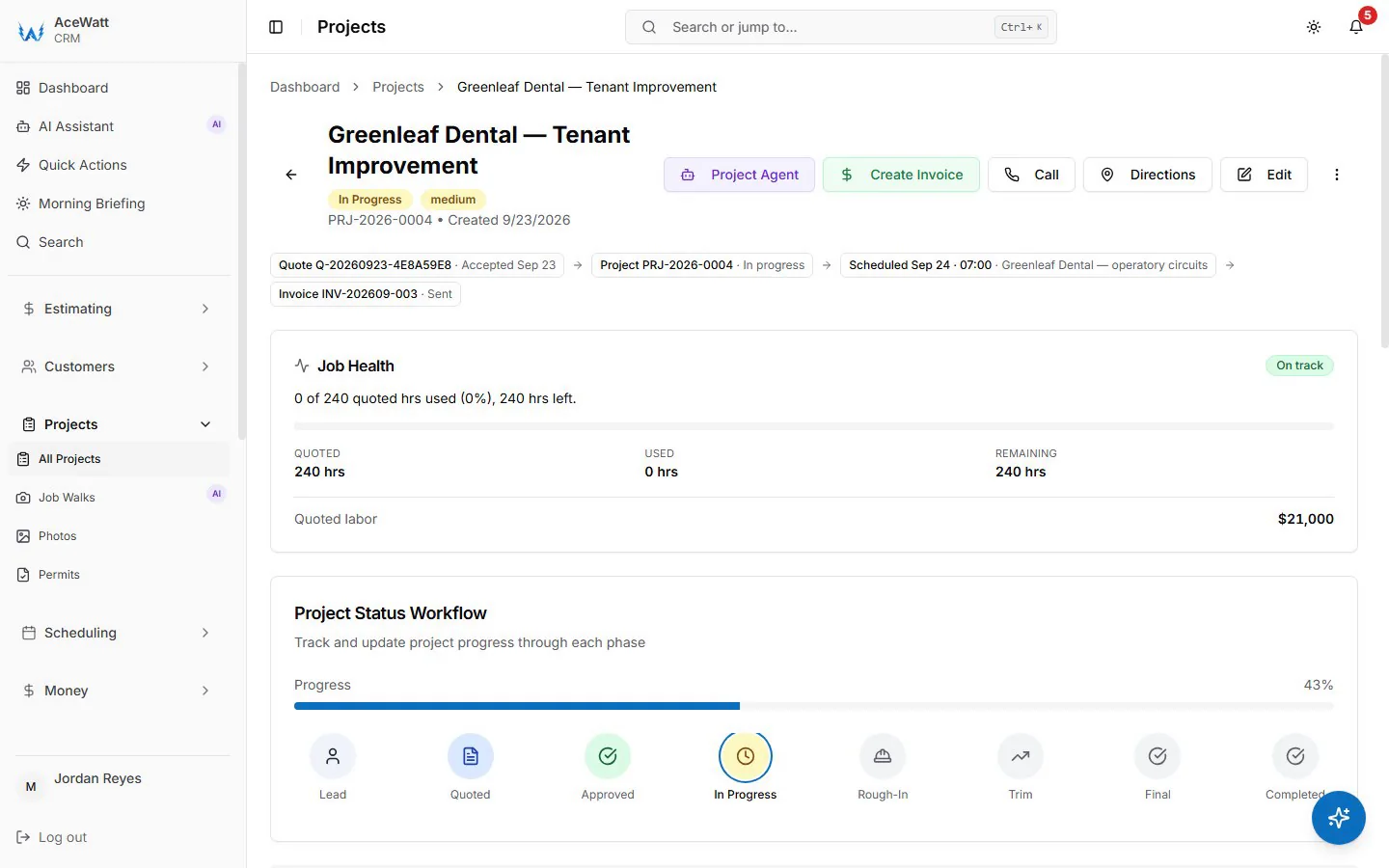
Dispatch should never live in isolation from the money. When a platform connects dispatch directly to job tracking, invoicing, and payment collection, an emergency call becomes one continuous record from first ring to deposited payment:
- The job is created at dispatch, with the address, urgency tier, and after-hours rate already applied.
- Job tracking shows live status from the office without anyone calling the tech mid-diagnosis.
- Time-and-material details are captured on site: clock-in at arrival, materials photographed and logged as they are used.
- The invoice is generated and emailed, or presented with card payment, before the tech leaves the driveway.
- Payment tracking flags anything unpaid, because emergency jobs are the easiest invoices to lose track of once the adrenaline fades.
This closed loop matters on emergency work more than anywhere else. Scope is unknown until diagnosis, labor hours are irregular, and after-hours multipliers must appear on the invoice exactly as quoted on the phone. When dispatch, documentation, and billing share one system, the night's work is billed the same night instead of surfacing 45 days later in accounts receivable.
5. Follow-Up and Documentation During High-Pressure Emergency Jobs
Emergency jobs generate disputes when documentation is thin. AI Voice and Job Walk Documentation solves this at the source: the electrician narrates findings hands-free while diagnosing, photographs the panel, breaker labels, and wiring as found, and the platform converts that narration into structured job notes. If a customer later disputes three hours of troubleshooting labor, the record shows exactly what was found, tested, and replaced.
That same documented diagnosis becomes a sales asset. A few follow-up touches, sent by your office, keep the relationship warm after the truck leaves:
- A same-day email confirming the repair and thanking the customer, with a review request.
- A follow-up a few days later referencing the actual findings, for example recommending whole-home surge protection after a storm-related repair, or a panel replacement quote when the documented job walk shows hazardous legacy equipment.
- AI Estimating drafts a repair or replacement quote from those documented findings for your review, in minutes rather than an evening of paperwork.
The homeowner who just lived through a partial outage at 9 p.m. is the warmest lead your shop will touch all year. Follow-up done right converts a one-time emergency call into a service agreement customer.
6. Syncing Emergency Dispatch with QuickBooks and Accounting Workflows
Emergency nights create accounting messes when field data never reaches the books cleanly. With QuickBooks-ready exports, each emergency invoice lands on the invoice-list spreadsheet and after-hours labor hours on the QuickBooks-format payroll CSV for your bookkeeper, while every time-and-material line and material cost stays itemized on the invoice. There is no native, real-time sync today; full sync is in development. No shoebox receipts, no month-end backlog.
The payoff is visibility. Each emergency call is its own job in the app, so job costing shows whether last Tuesday's 2 a.m. panel call actually made money after overtime labor and parts. Any after-hours premium sits on its own line, and materials are logged at cost with markup set on the quote. For a growing shop, that is the difference between guessing at margin on emergency work and knowing it.
7. Choosing Electrical Dispatch Software Built for Emergency Service Operations
Not every field service platform fits electrical work. When you evaluate options, demand these capabilities:
- Real-time crew tracking with live GPS and job statuses, not check-in reports compiled at day's end.
- AI-powered dispatching that weighs urgency, certifications, workload, and service history, with final approval left to you.
- Electrical-specific job tracking and T&M billing, including after-hours rate handling, because generic work-order tools break on time-and-material detail.
- On-site invoicing and payment capture, so emergency revenue closes the same night.
- AI Voice and Job Walk Documentation built for hands-busy diagnosis work.
- Automated follow-up tied to the CRM, so every emergency call feeds future service work.
- A QuickBooks handoff without rekeying — a native two-way sync, or line-level export records complete enough that your bookkeeper imports them once (confirm the exact handoff in a demo).
Our platform was built around this workflow for electrical contractors: skill-based suggestions on a drag-and-drop dispatch board, a live crew map while techs have the app open, voice and photo documentation of emergency jobs, on-site billing and collection, QuickBooks-ready exports for your bookkeeper, and automatic email reminders on overdue invoices. After-hours premiums go on as their own invoice line rather than applying automatically. Emergency calls will never stop arriving at the worst hour. With the right system, they stop being chaos and start being the most profitable work your shop does.