

Electrical equipment tracking software is the tooling that lets an electrical contractor record every piece of equipment installed at a customer site (the panel, the transformer, the generator, the EV charger, the lighting controller) and track its service history, warranty expiration, maintenance schedule, and replacement lifecycle. For electrical contractors, equipment tracking software replaces the binder in the truck, the spreadsheet that one person maintains, and the institutional knowledge that walks out the door when a senior technician retires. The software turns installed equipment from a one-time install into a long-term service relationship: when a warranty is about to expire, when a maintenance interval is due, or when a customer calls with a problem, the contractor knows exactly what is installed, when it went in, and what has happened to it since.
Why Electrical Contractors Need Equipment Tracking
The financial logic is straightforward: equipment tracking is how a service-oriented electrical shop turns a one-time installation into recurring revenue. But the operational reasons matter more.
Warranty work without guesswork. A customer calls: "The generator you installed three years ago is acting up." Without equipment tracking, you are asking the customer for the model number, the serial number, and the install date, and hoping they kept the paperwork. With tracking, you pull up the customer record, see the exact unit, the install date, the warranty status, and the full service history before the truck rolls. That is the difference between a profitable service call and a money-losing diagnostic scramble.
Maintenance contract renewal. Many commercial customers (property managers, retail chains, medical facilities) want preventive maintenance on their electrical systems: generator load tests, breaker inspections, thermal imaging scans, service agreement checkups. Equipment tracking software knows when each unit is due for maintenance and generates the work order automatically. That recurring maintenance contract is stable, predictable revenue, but only if the tracking is reliable.
Replacement lifecycle forecasting. Electrical equipment has a service life. A panel installed in 2005 is approaching twenty years. A transformer installed in 1998 is past it. When your software tracks install dates across a customer's portfolio, you can forecast which equipment is approaching end-of-life and proactively quote the replacement before the customer experiences a failure. This is the same forward-looking pipeline logic that drives electrical contractor lead generation, but anchored to a real asset rather than a cold prospect.
Insurance and compliance documentation. On commercial properties, building owners and insurance carriers increasingly want documentation of what electrical equipment is installed, when it was last inspected, and whether it meets current code. Equipment tracking that produces a site-level equipment register, with install dates, inspection records, and compliance status, satisfies that documentation requirement. This complements broader electrical permit tracking software by focusing on the installed asset rather than the permit process.
Knowledge continuity. When a senior technician who knows every customer's system leaves, that knowledge leaves with them unless it is in the system. Equipment tracking captures the model numbers, the wiring notes, the quirks ("this panel trips if circuits 12 and 14 are loaded simultaneously") in the customer record, not in someone's head.
What Equipment Tracking Software Should Do
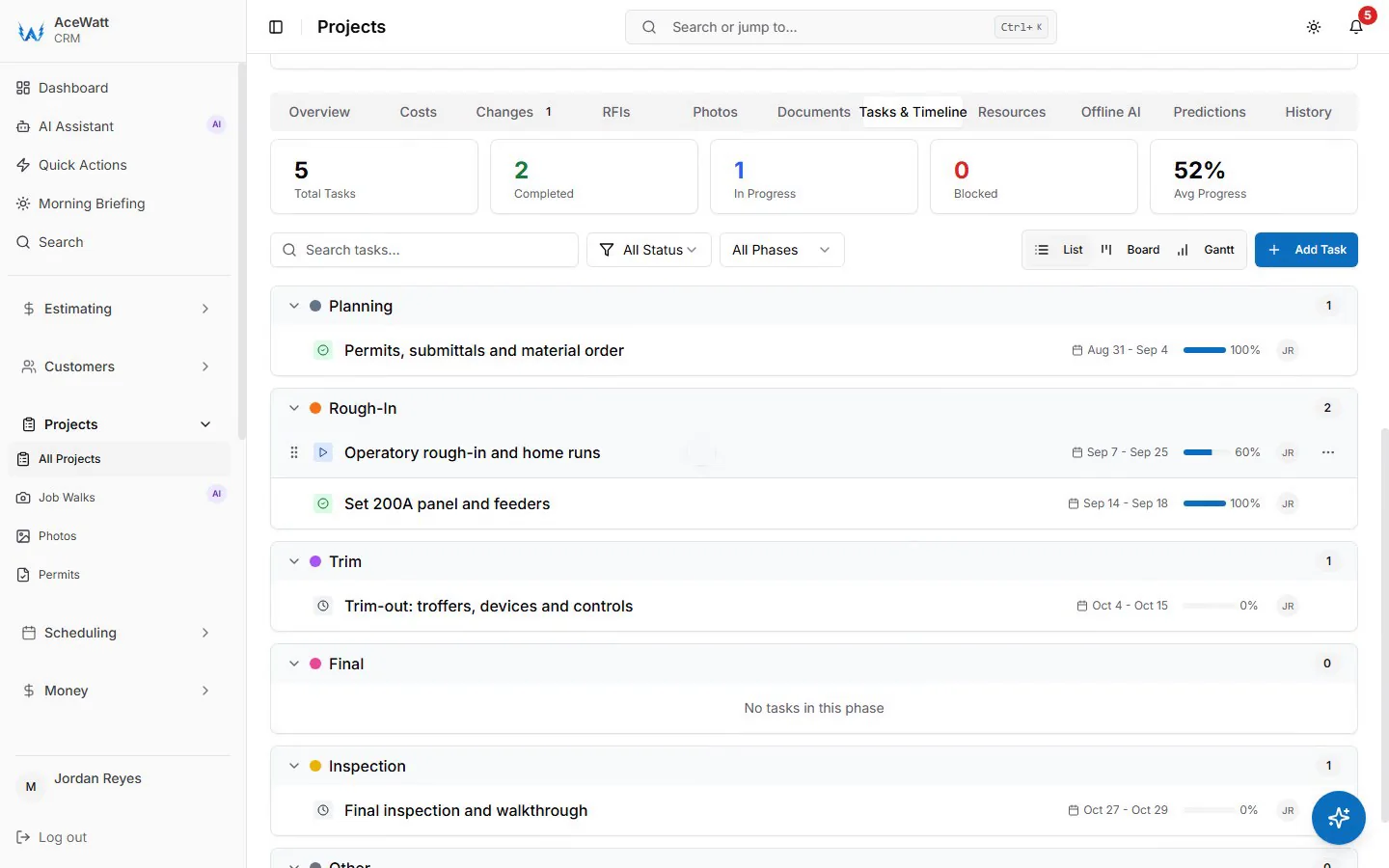
The useful tools go beyond a list of serial numbers. They manage the lifecycle of each asset and connect it to the service workflow.
Asset registry per customer site. Every piece of installed equipment (make, model, serial number, install date, installer, location within the site, and a photo) lives in the customer record. When a technician opens a job at that site, the full equipment list is visible. This is the same customer-record structure that powers electrical contractor client portals and broader CRM workflows.
Service history per asset. Every service call, every repair, every inspection, every daily report entry that touched that equipment is logged against the asset record. When a technician arrives for a service call, they see what has been done before, not just "customer called, go fix it" but "breaker C-7 replaced in March 2024, thermal scan flagged hotspot on bus bar in November 2024, customer declined recommended upgrade at that time."
Warranty and maintenance scheduling. The software tracks each asset's warranty expiration and each maintenance interval (monthly, quarterly, annually, per manufacturer spec). When a date approaches, the software generates a reminder or a work order. For a shop running service agreements, this is the engine that keeps the maintenance calendar full.
Photo and document attachment. An equipment record with a nameplate photo, a wiring diagram, and an install photo is worth ten times one with just a serial number. When a technician needs to identify a part or verify a wiring configuration, the photo is already in the record. This is the same field-photo capability that powers AI job walk documentation.
Cross-site reporting. Which customer sites have equipment approaching end-of-life? Which manufacturers' products generate the most service calls? Which maintenance contracts are up for renewal this quarter? Reporting that aggregates equipment data across the customer base turns asset tracking into a business development tool.
How Equipment Tracking Differs from Inventory Tracking
This distinction matters and confuses many contractors. They are related but solve different problems.
Inventory tracking is about the materials and consumables you buy, stock on trucks, and pull onto jobs: wire, conduit, breakers, fittings, the items in your price book. The question inventory answers is "what do I have in the van and what did I use on this job?" It is about consumption and cost recovery.
Equipment tracking is about the assets you install at a customer site that remain there after the job is done: the panel, the generator, the transformer, the charger. The question equipment tracking answers is "what did I install at this customer's site, what is its service history, and when does it need attention next?" It is about lifecycle and service revenue.
The two systems connect: the equipment installed at a site came from your inventory (or was special-ordered). But the tracking logic is different. A 15-amp breaker leaves inventory as a consumable; a 200-amp panel enters equipment tracking as a long-term asset. Software that conflates the two, treating every item as either inventory or equipment, misses the lifecycle management that makes service contracts profitable. See our electrical contractor inventory software guide for the materials side.
Common Equipment Tracking Mistakes
Tracking only the big assets. Many contractors track the generator and the main panel but not the sub-panels, the transfer switches, the surge protectors, or the lighting controllers. The equipment that generates the most service calls is often the mid-range gear: the transfer switch that sticks, the surge protector that has taken one too many hits, the lighting controller with the failing photocell. Track all of it, not just the headline equipment.
No service history entries. An equipment record with a serial number and install date but no service history is a snapshot, not a tracking system. Every service call, every inspection, every customer-reported issue should be logged against the asset. The history is what makes the next service call faster and more profitable.
Ignoring warranty expiration. A manufacturer warranty that expires silently is a missed revenue opportunity. When the warranty ends, the customer transitions from "call the manufacturer" to "call you" for every issue. If you do not track the expiration, you lose the chance to offer a service agreement that replaces the warranty coverage, and the customer may find another contractor when they realize the warranty is gone.
No maintenance schedule enforcement. A maintenance contract that says "quarterly generator load test" is only valuable if the load test actually happens quarterly. If the schedule lives in a spreadsheet that no one checks, the maintenance gets skipped, the customer is unhappy, and the contract is not renewed. Software that enforces the schedule, generating work orders on the interval, is what makes maintenance contracts work.
Choosing Electrical Equipment Tracking Software
Customer-site structure. The software must organize equipment by customer and by site within that customer, not as a flat list of serial numbers. A property management company with fifteen buildings needs equipment grouped per building, with the building address, the site contact, and the access notes attached. This mirrors the customer-site structure of dedicated electrical contractor software.
Mobile field access. A technician on a service call needs to pull up the equipment list for the site from their phone, add a service history entry, and capture a nameplate photo without returning to the office. Offline access matters; basements and mechanical rooms have poor signal.
Maintenance scheduling engine. The scheduling capability should support configurable intervals per asset type, automatic work-order generation, and a calendar view that shows all upcoming maintenance across all customers. This connects to your broader scheduling workflow.
Integration with service agreements. If the shop runs recurring maintenance contracts, the equipment tracking should connect to the service agreement record, so the maintenance schedule, the contract terms, and the billing cycle are in one place.
AceWatt and Equipment Tracking
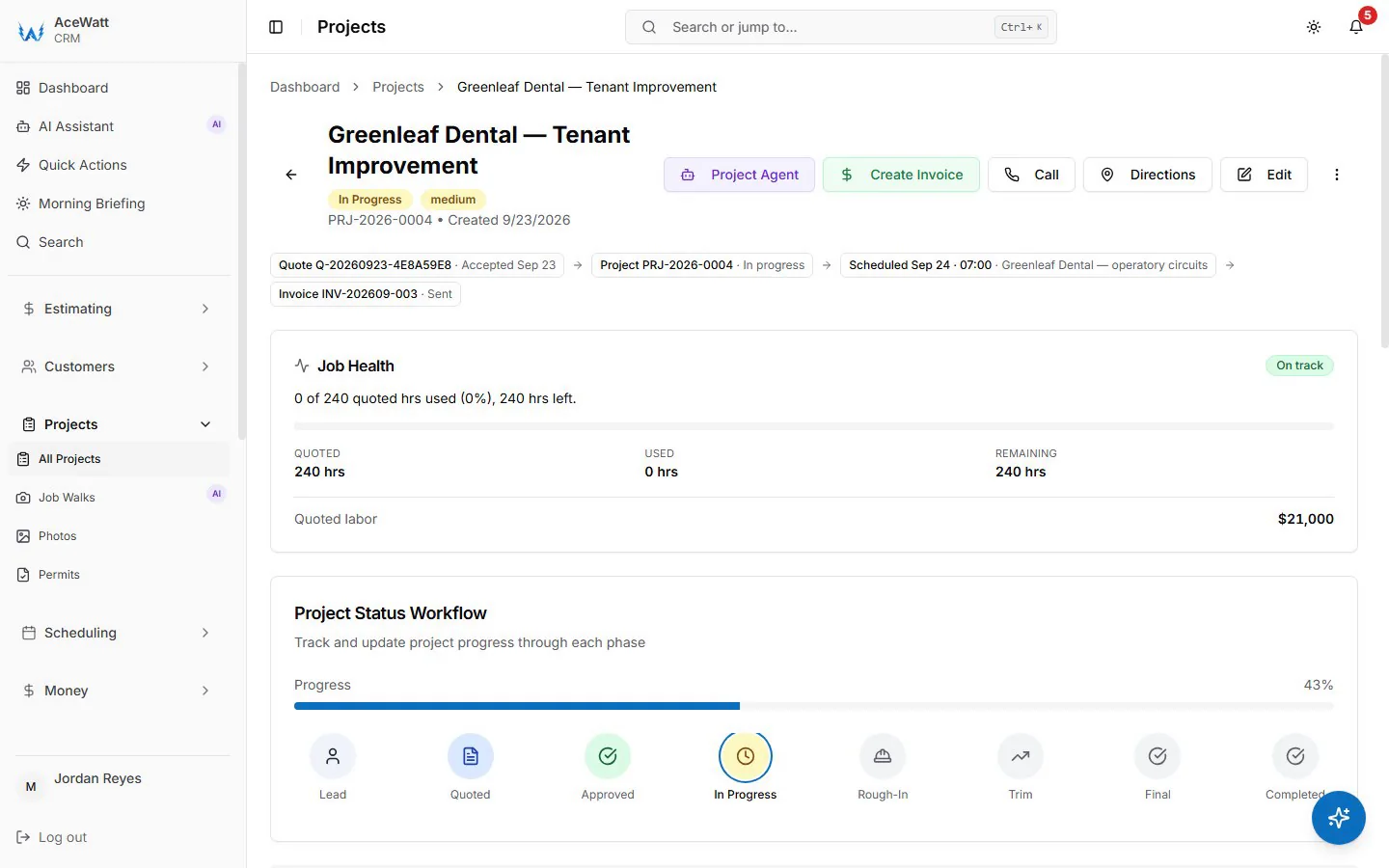
AceWatt's CRM organizes work around the customer and job record. Installed equipment is not a separate asset record in AceWatt today; what you get is the job history per customer, with the estimate, the invoice, photos, and the daily report on the same record, which shows what was installed and when. When a customer calls about a unit, the technician sees the full history before the truck rolls.
Because AceWatt is built for electrical contractors, the equipment record is trade-aware: it knows the difference between a panel and a generator, between a warranty interval and a maintenance interval, between a service call and an inspection. As electrical equipment tracking software, AceWatt connects each asset to the job, the customer, and the billing cycle, not as a standalone asset list. A licensed electrician or qualified reviewer verifies scope, code compliance, and safety for any work performed on tracked equipment. Plans start at $49/month for solo electricians, with a 14-day free trial that does not require a credit card.
Frequently Asked Questions
What is electrical equipment tracking software?
Electrical equipment tracking software records every piece of equipment an electrical contractor installs at a customer site (panels, generators, transformers, chargers, controllers) and tracks its service history, warranty status, maintenance schedule, and replacement lifecycle. For electrical contractors, equipment tracking software turns a one-time installation into a long-term service relationship.
How is equipment tracking different from inventory tracking?
Inventory tracking manages the materials and consumables a contractor buys, stocks on trucks, and uses on jobs: wire, conduit, breakers. Equipment tracking manages the long-term assets installed at a customer site that remain after the job ends: panels, generators, transformers. Inventory is about consumption and cost recovery; equipment tracking is about lifecycle and service revenue.
Why do electrical contractors track installed equipment?
Tracking installed equipment enables warranty service without guesswork, maintenance contract renewal, replacement lifecycle forecasting, insurance and compliance documentation, and knowledge continuity when technicians leave. It is how a service-oriented shop turns installations into recurring revenue.
Can equipment tracking software manage maintenance contracts?
Yes. The software tracks each asset's maintenance interval (monthly, quarterly, annually, per manufacturer spec) and generates work orders or reminders when maintenance is due. For shops running service agreements, this scheduling engine keeps the maintenance calendar full and contracts renewed.
Does AceWatt track installed electrical equipment?
Not as an equipment module. AceWatt keeps the customer record, past quotes and invoices, and job photos together, so you can see what was installed and when from the job history, but it does not have installed-equipment records with maintenance schedules or warranty dates today. A licensed electrician or qualified reviewer verifies code compliance and safety for any work on that equipment.
Should equipment tracking replace the manufacturer's warranty system?
No. Equipment tracking software manages the contractor's internal record of what is installed and when it needs service. The manufacturer's warranty system governs the actual warranty claims, coverage terms, and repair authorizations. The two systems complement each other: the contractor's tracking flags when a warranty is about to expire, and the manufacturer's system processes the actual claim while the warranty is in force.
To map equipment tracking against every other module, start with the AceWatt features overview.