
_Last updated: September 9, 2026. Re-verified feature list, pricing ranges, and the shop-size recommendations against the current AceWatt feature set._
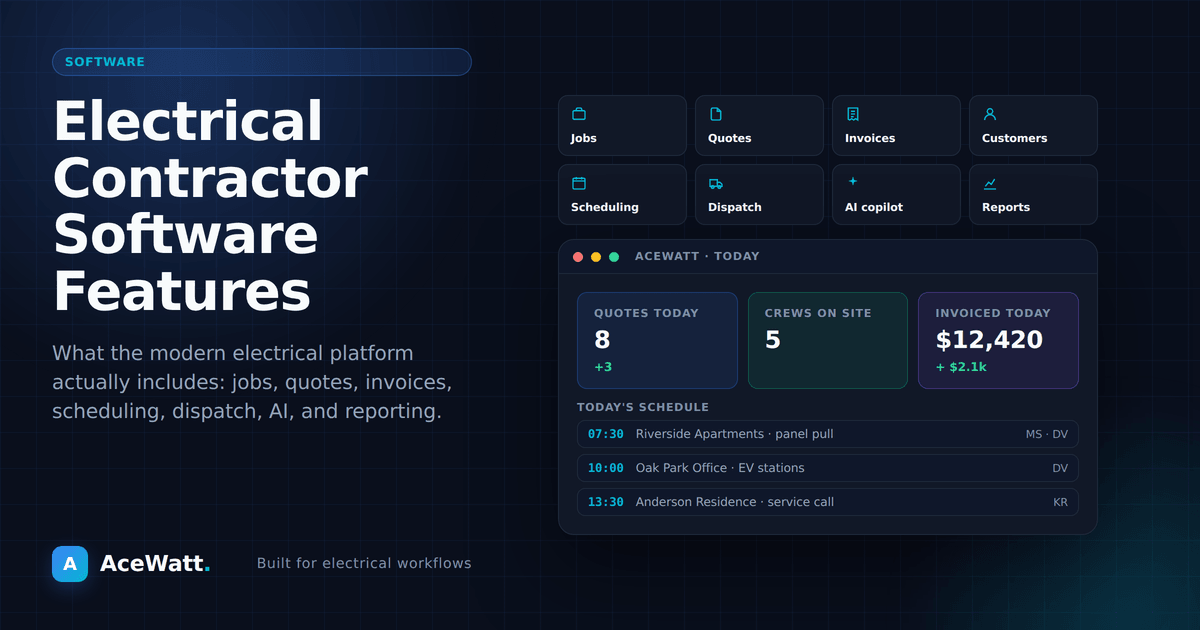
Direct answer: The 12 must-have electrical contractor software features are (1) AI-powered estimating, (2) job walk documentation, (3) scheduling and dispatch, (4) invoicing and payment collection, (5) CRM, (6) a real mobile app, (7) voice documentation, (8) work order management, (9) reporting and analytics, (10) accounting integration, (11) team communication, and (12) compliance and safety documentation. A solo electrician needs the first five; a multi-crew shop needs all twelve. Each feature below explains what it does and why it protects your margin.
Running an electrical contracting business without dedicated software is like wiring a house without a voltage tester: you can probably get by, but you're taking unnecessary risks and wasting time. The right electrical contractor software handles the business side so you can focus on the electrical side. And in 2026, the gap between shops running an integrated platform and shops running text messages plus spreadsheets shows up directly in how fast they quote, and how fast they get paid.
But with dozens of options on the market, how do you know which features actually matter? This guide breaks down the 12 features that make a real difference for electrical contractors, explains why each one matters for your bottom line, and ends with a choosing checklist and honest cost expectations.
Why Electrical Contractors Need Dedicated Software
Generic business software wasn't built for the electrical trade. Electricians have specific workflows (job walks, code compliance tracking, material ordering, permit management) that general-purpose tools don't handle well.
Electrical contractor software brings your estimating, scheduling, dispatching, invoicing, and customer management into one system. Instead of juggling a spreadsheet for estimates, a calendar app for scheduling, a notebook for client info, and QuickBooks for invoicing, you manage everything from a single dashboard.
The result: less time on admin work, fewer dropped balls, faster payment collection, and more capacity to take on jobs. According to the Bureau of Labor Statistics, there are roughly 77,000 electrician openings projected every year, most of them in lean shops where the owner is also the estimator, scheduler, and collections department. For those shops, admin hours are billable hours lost.
Here are the 12 features that matter most.
Feature 1: AI-Powered Estimating
Estimating is where money is won or lost. Underestimate and you eat the difference. Overestimate and you lose the job to a lower bidder.
Modern electrical contractor software uses AI to help you build accurate estimates faster. Instead of starting from scratch every time, AI can analyze your past jobs, local material prices, and labor data to generate estimates in minutes rather than hours.
Look for software that lets you generate estimates from job walk notes, voice memos, or photos. The AI should handle the grunt work (looking up material costs, calculating labor hours, applying your markup) while you review and approve the final numbers. The licensed electrician or estimator always reviews scope, pricing, and code compliance before a quote goes out.
AceWatt's automated estimating feature does exactly this, turning job site documentation into polished estimates ready for client review.
Feature 2: Job Walk Documentation
Every electrical job starts with a walk-through. What most contractors don't have is a system for capturing what they see in a way that's actually useful later.
Job walk documentation features let you record photos, voice notes, measurements, and observations on-site, organized by job. When it's time to write the estimate or plan the work, everything is in one place. No digging through your camera roll or trying to remember what you saw three days ago.
Some platforms, including AceWatt's AI job walk tool, go further by automatically transcribing voice notes and converting them into structured job data.
Feature 3: Scheduling and Dispatch
If you're still scheduling jobs with text messages and a paper calendar, you're spending too much time coordinating and not enough time working.
Scheduling software for electricians should include:
- Drag-and-drop calendar so you can move jobs around quickly when things change (and they always change)
- Crew management to assign the right electricians to the right jobs based on skills, location, and availability
- Route optimization to minimize drive time between jobs
- Client notifications that automatically text or email clients with arrival windows and updates
- Recurring job scheduling for maintenance contracts and inspections on autopilot
For a deeper comparison of dispatch tools, see our electrical contractor dispatch software guide.
Feature 4: Invoicing and Payment Collection
You did the work. Now get paid.
Electrical contractor software should let you generate invoices immediately after completing a job, while you're still on-site if possible. Look for:
- One-click invoicing that pulls job details, materials, and labor directly from the work order
- Online payment processing so clients can pay by credit card or ACH directly from the invoice (when payment processing is enabled on your account)
- Automated payment reminders that follow up on overdue invoices without you having to make awkward phone calls
- Deposit collection for larger jobs
The faster you send the invoice, the faster you get paid. AceWatt's invoicing tools are built around this principle.
Feature 5: Customer Relationship Management (CRM)
A CRM for electrical contractors isn't the same as a CRM for software salespeople. You need:
- Contact management to store every client's info, job history, and communication log
- Lead tracking so you know which estimates are pending, which clients have followed up, and which jobs you've won or lost
- Follow-up automation that automatically reaches out to leads who haven't responded to an estimate
- Job history so you can pull up any past job instantly when a client calls with a question or a warranty issue
Without a CRM, you're relying on memory and text message history. That's not a system; that's a recipe for lost business. If you're currently running on spreadsheets, our guide on moving from spreadsheets to a CRM covers the warning signs and the switch.
Feature 6: Mobile App
Electricians don't work at desks. Your software needs to work as well on a phone in a crawlspace as it does on a laptop in your office.
A strong mobile app should give you full access to:
- Client and job information
- Estimating tools
- Scheduling
- Invoicing
- Photo and document capture
- Time tracking
If the mobile experience is an afterthought (a stripped-down version of the desktop app), it's the wrong tool for an electrical contractor.
Feature 7: Voice Documentation and AI Assistant
This is where electrical contractor software is heading in 2026. Voice AI lets you interact with your business software by talking instead of typing.
Imagine finishing a job and saying: "Log 4 hours on the Johnson panel upgrade. Materials were a 200-amp panel, 50 feet of 2/0 SER, and 6 breakers. Send the invoice to the client."
Voice AI captures that on the job record, so the hours and materials are there when you build and send the invoice. All while you're loading the truck.
This isn't futuristic; it's available now. AceWatt's voice documentation feature is built specifically for contractors who need to capture information hands-free.
Feature 8: Work Order Management
Estimates become jobs. Jobs become work orders. Work orders become invoices. Your software should connect all three without friction.
Work order management means:
- Converting approved estimates into active jobs with one click
- Assigning tasks to specific crew members
- Tracking job progress in real-time
- Storing all job-related documents (permits, inspection reports, photos) in one place
- Noting completion and triggering the invoicing process
Feature 9: Reporting and Business Analytics
You can't improve what you don't measure. Your software should tell you:
- Revenue by month, by job type, by client
- Job profitability: are you making money on the types of jobs you're doing most?
- Estimating accuracy: how do your estimates compare to actual job costs?
- Sales pipeline: how many leads are you converting to jobs?
- Accounts receivable: who owes you money and how old is it?
These aren't vanity metrics. They're the numbers that tell you whether your business is healthy or heading for trouble.
Feature 10: Integration with Accounting Software
Your electrical contractor software shouldn't replace QuickBooks or your preferred accounting tool; it should connect to it.
Look for integrations that sync:
- Invoices and payments
- Customer records
- Expense tracking
- Tax-ready financial data
Double data entry is a waste of time and an invitation for errors. Good software eliminates it. For shops evaluating the full bookkeeping stack, our electrical contractor accounting software comparison covers what to keep in QuickBooks and what to move into your job platform.
Feature 11: Team Communication
If you have employees or subcontractors, you need a way to communicate that doesn't rely on group texts or phone calls during jobs.
Built-in team communication features should include:
- Job-specific chat threads
- Photo sharing with annotations
- Task assignments with due dates
- Push notifications for schedule changes
When the office needs to tell a crew about a change in plans, it should take one message in the app, not five phone calls.
Feature 12: Compliance and Safety Documentation
Electrical work is regulated work. Your software should help you stay compliant by:
- Tracking license renewal dates
- Storing safety data sheets
- Documenting job site safety conditions
- Maintaining records of inspections and permits
- Generating safety checklists for different job types
This isn't exciting, but it's essential. One compliance gap can cost you your license. Software that helps you track these details is cheap insurance.
12 Features at a Glance: What Each Shop Size Actually Needs
Not every contractor needs every feature on day one. This table maps the 12 electrical contractor software features to shop size so you can prioritize:
| Feature | Solo electrician | 2-5 tech shop | 6+ crew company | What it replaces |
|---|---|---|---|---|
| AI estimating | Day 1 | Day 1 | Day 1 | Spreadsheet takeoffs |
| Job walk documentation | Day 1 | Day 1 | Day 1 | Camera roll + memory |
| Scheduling & dispatch | Later | Day 1 | Day 1 | Paper calendar + texts |
| Invoicing & payments | Day 1 | Day 1 | Day 1 | Paper invoices, mailed checks |
| CRM | Day 1 | Day 1 | Day 1 | Notebook + text history |
| Mobile app | Day 1 | Day 1 | Day 1 | Trips back to the truck |
| Voice documentation | Nice to have | Day 1 | Day 1 | Typing with dirty hands |
| Work orders | Later | Day 1 | Day 1 | Sticky notes and whiteboards |
| Reporting | Later | Later | Day 1 | End-of-year tax prep panic |
| Accounting integration | Later | Day 1 | Day 1 | Double data entry |
| Team communication | Later | Day 1 | Day 1 | Group texts |
| Compliance tracking | Later | Later | Day 1 | Filing cabinet |
How to Choose the Right Software for Your Electrical Business
Not every contractor needs every feature. Here's how to think about it based on your business size:
Solo electricians (1 person): Focus on estimating, invoicing, and CRM. These three features will have the biggest immediate impact on your revenue and professionalism.
Small shops (2-5 electricians): Add scheduling, dispatch, and mobile access. Coordinating a team is where software really starts paying for itself.
Growing companies (6+ electricians): You need the full package: everything listed above. At this scale, running your business without integrated software means you're spending more time on administration than on growing the company.
Two buying questions that cut through vendor noise:
- Does the trial use my real workflow? Build one real estimate from a real job walk during the trial. If you can't, the demo was theater.
- What does data export look like? Ask before you buy. Your job history and customer records are your business's memory; they belong to you.
What Does Electrical Contractor Software Cost?
Pricing varies, but here's what you should expect across the market in 2026:
- Basic plans: $30-$60/month for core features
- Mid-tier plans: $80-$120/month for full feature sets
- Enterprise plans: $150-$300/month for advanced features and multiple users
The question isn't whether you can afford the software. It's how many hours per week you spend on tasks software could handle, and what those hours are worth at your billable rate. For current numbers, see our guide to electrical contractor hourly rates.
AceWatt offers multiple plans with a 14-day free trial; review current pricing and trial terms before deciding. Check out the full feature list and pricing details to see what fits your operation.
Frequently Asked Questions
What features should electrical contractor software have?
At minimum: estimating, job walk documentation, invoicing, and CRM. Those four cover the quote-to-cash loop every electrical business runs. Shops with two or more techs should add scheduling and dispatch, a real mobile app, and accounting integration. Larger companies add reporting, team communication, and compliance tracking.
What is the best software for a small electrical contractor?
For small shops, the best software is the one your crew will actually use in the field: one platform covering estimates, scheduling, invoices, and follow-up, with a mobile app that works one-handed. AceWatt is built for exactly that 1-to-20-tech range. For a broader market comparison, see our best electrician apps roundup.
How much does electrical contractor software cost?
Most small-contractor platforms run $30-$60/month for basic plans and $80-$120/month for full feature sets; enterprise systems run $150-$300+/month. Pricing changes often, so verify current numbers on each vendor's pricing page before buying.
Can electrical contractor software replace QuickBooks?
No, and it shouldn't try. Job-management platforms handle estimates, scheduling, invoicing, and job history, then sync invoices, payments, and customer records to QuickBooks. You keep your accountant's system of record and drop the double data entry. Confirm the specific sync behavior with the vendor before purchasing.
Does AI estimating work for electrical work?
Yes, as a drafting tool. AI turns job walk notes, photos, and voice memos into a structured draft estimate with materials, labor hours, and markup in minutes. The licensed electrician or estimator still reviews scope, pricing, and code compliance before the quote goes out. AI accelerates the paperwork; it doesn't replace licensed judgment.
Sources and Verification Notes
- Electrician job outlook and openings: U.S. Bureau of Labor Statistics, Electricians
- Software feature expectations and pricing ranges reflect publicly listed plans across major field-service vendors as of September 2026; verify current pricing with each vendor before purchase.
Ready to Modernize Your Electrical Business?
The right electrical contractor software doesn't replace your skills; it amplifies them. You're already a great electrician. Now it's time to run a great electrical business.
Start your 14-day free trial of AceWatt and see how the right tools can transform your estimating, scheduling, invoicing, and customer management in days, not months.
Visit acewatt.com to get started.