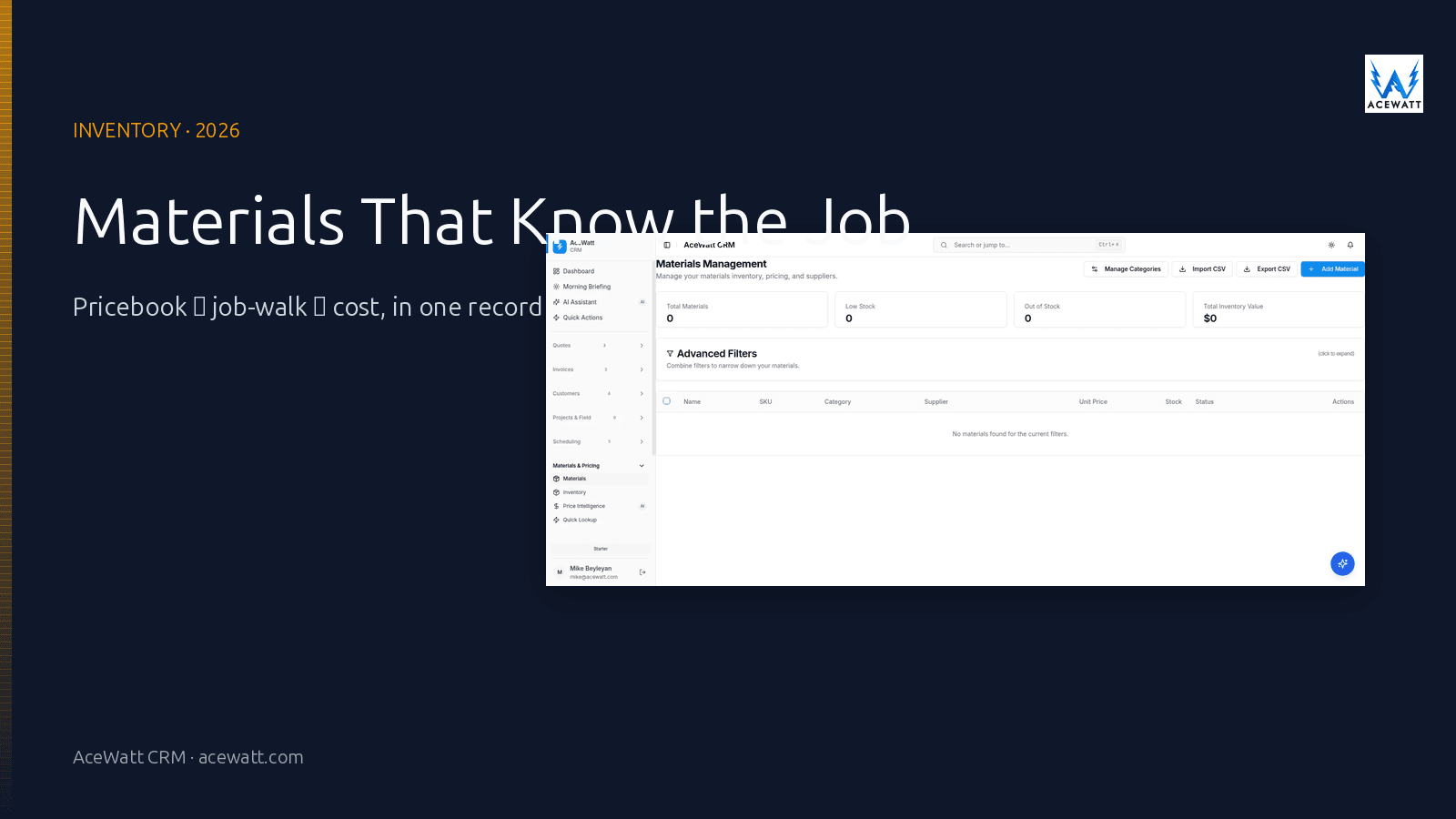
Direct answer: Electrical contractor inventory software is the tooling that tracks the materials, tools, and consumables an electrical shop buys, stocks on trucks, pulls onto jobs, charges to customers, and reconciles at the end of the month. The category splits into three sub-problems: the pricebook (what you charge per line item), the van inventory (what is on each truck), and the job materials (what was actually used on each job). The most useful software in 2026 connects all three, the pricebook drives the estimate, the job-walk captures what got pulled, the materials used post to the job cost, and the van inventory reconciles at the end of the day. None of it replaces a licensed electrician reviewing the materials against code and the scope of work.
Important disclaimer: Materials, quantities, and pricing in this article are illustrative. Actual material selection, code compliance, and quantities must be verified by a licensed electrician against the scope of work and the applicable local code.
What "inventory" actually means for an electrical contractor
For a retailer, "inventory" is what is on the shelf waiting to be sold. For an electrical contractor, inventory is a much messier category that includes things the retailer never has to track.
Three sub-problems, one operational loop
A residential service electrician carrying 80 line items on the truck thinks about inventory differently than a commercial project manager staging a 200-amp panel upgrade for a hospital. The work splits into three sub-problems that share the same SKU list but answer different questions:
- The pricebook. What does it cost to do this work? What does the customer pay? The pricebook is the structured list of services and materials you charge for: panel upgrades, device changes, dedicated circuits, service calls, code corrections. Each line item carries a description, a labor allowance, a materials allowance, and a price.
- The van inventory. What is actually on each truck? Every truck in a multi-truck shop carries its own stock of breakers, wire, devices, fittings, and consumables. The shop needs to know what is on which truck so the tech rolls out with the right materials and the office can re-order before the truck goes empty.
- The job materials. What did this job actually use? When the tech closes out the job, the materials that got pulled from the truck (and the materials that got purchased at the supply house for that specific job) have to land on the job's cost record. The job's margin report is the difference between what the customer paid and what the materials actually cost.
The most useful inventory software for electrical contractors is the one that connects all three: the pricebook drives the estimate, the van inventory knows what was on the truck, and the job materials post to the job cost when the job closes.
Why electrical inventory is its own category
Generic inventory software (the kind built for retail or warehouses) treats every item as the same thing. For an electrical contractor, the same SKU behaves differently depending on the role it plays.
Job-coded materials, not shelf stock
A 20-amp GFCI breaker in a residential service truck is inventory; the same breaker pulled for a specific job is a job cost; the same breaker sold to a customer as a flat-rate line item is a billed material. Generic inventory software tracks the SKU and the count; electrical contractor inventory has to track the SKU, the count, the job it landed on, and the price the customer paid for it.
Materials that expire (or have to be staged by job)
Some electrical materials (certain adhesives, certain gasses, certain prep materials) have shelf lives. Others (large items like panels, transformers, switchgear) have to be staged by job, not by SKU. Generic inventory software does not handle job staging; it treats every item as a quantity on a shelf.
Truck stock vs warehouse stock vs job-purchased materials
A multi-truck electrical shop typically operates three inventory pools: warehouse stock (the bulk of materials purchased at supply-house pricing), truck stock (the subset of fast-moving items the tech rolls out with), and job-purchased materials (the items bought specifically for a job, often at a different supplier or a different price). Inventory software for electrical contractors has to track all three and reconcile them.
Materials at the price the supplier actually charged
The price you negotiated with the supplier for 500 feet of 12-2 Romex last Tuesday is the price that should land on the job cost when that wire gets installed on Wednesday. Generic inventory that uses an average cost or a last-known cost will quietly misstate job margin by 3, 8% on materials alone.
Materials that get returned
Not every material pulled for a job gets installed. Returns are a regular part of electrical work, wrong device, wrong size conduit, breaker that did not fit the panel. The materials that come back have to land on the truck inventory again (or on a return credit) and have to be excluded from the job's cost record. Generic inventory software that does not model returns as a first-class workflow makes this a once-a-month reconciliation mess.
Tools, not just materials
Electrical contractors also track tools: the thermal camera, the megger, the torque wrench, the drill, the bender, the van itself. Tools are inventory in the sense that they are assets the shop owns and deploys, but they are not inventory in the sense that they are sold to a customer. A useful inventory system for electrical contractors distinguishes tools from materials and tracks both, but does not confuse them.
What to look for in electrical contractor inventory software
A short checklist, in the order it tends to matter when a shop is comparing tools.
1. A real electrical pricebook
A spreadsheet is not a pricebook. A real electrical pricebook is a structured catalog of the services and materials you charge for, with a description, a labor allowance, a materials allowance, a unit price, and the ability to roll up to flat-rate service bundles (a "panel upgrade" line item that includes the panel, the breaker, the labor, the permit, and the inspection). The pricebook drives the estimate and the invoice; if it is not structured, every quote is a fresh build.
2. Mobile job-walk capture
The materials that get used on a job start their life at the job walk. A tech on a service call needs to be able to add a line item, snap a photo, and tie the material to the job in under 30 seconds. The pricebook is most useful when it is in the tech's hand on the jobsite, not in the office on a desktop.
3. Van inventory with check-in / check-out
For a multi-truck shop, the office needs to know what is on each truck so the reorder triggers fire when a SKU crosses the minimum threshold, and so the tech rolls out Monday morning with a stocked van. The check-in / check-out workflow (tech scans items out at the start of the day, scans items in at the end) keeps the van inventory accurate without forcing a monthly physical count.
4. Job-costing link (material cost → job → margin)
Every material line on a job has to land on the job's cost record. The system that owns the operational record of the job (the estimate, the time, the materials, the change order) is the system that has to produce the job-costing report. Inventory software that does not carry a job code is forcing you to import material usage into a separate job-costing tool every week.
5. Purchase order and receiving
The supply-house invoice is the first place the price your shop actually paid shows up. The inventory system that owns the PO and the receiving workflow can update unit cost at the moment of receipt, so the next job that pulls the same SKU gets the right cost. Generic inventory software that does not tie PO to receiving to job cost makes this a manual reconciliation.
6. Supplier catalog sync (if your supplier supports it)
Some electrical distributors (and some electrical-specific software vendors) maintain electronic catalogs of the SKUs they stock, with current pricing. Sync saves the shop from typing in part numbers and keeps the pricebook current. Not all suppliers support it, and the ones that do often have a per-seat cost, but it is a real time-saver for shops that buy the same materials from the same supplier every week.
7. Returns and credits
The system has to model returns as a first-class workflow. A material pulled for a job that does not get installed has to come back to the truck (or warehouse) inventory, has to drop off the job's cost record, and has to generate a return credit at the supplier. The shop that does this well saves 2, 4% of material spend that otherwise leaks into the job margin.
8. Tool and asset tracking (optional, but useful)
If you carry a thermal camera, a megohmmeter, a torque wrench, or other calibrated or expensive tools, the inventory system that also tracks tools (as a separate category from materials) gives you a single place to know what the shop owns, where it is, and when it is due for calibration.
Electrical contractor inventory options in 2026
There is no single "best" answer. The right tool is the one that matches the part of the loop that hurts most today.
| Category | Examples | Pricebook | Van inventory | Job materials | Mobile job-walk | Best fit |
|---|---|---|---|---|---|---|
| Generic inventory / ERP | Sortly, Wasp, inFlow, Cin7 | Limited | Yes | Limited | Limited | Warehouse-heavy operations, less field |
| Construction-specific inventory | FOUNDATION, BuildOps | Yes | Limited | Yes | Limited | Commercial shops, warehouse + jobsite |
| Field-service platforms with inventory built in | ServiceTitan, Housecall Pro, AceWatt CRM | Yes | Yes | Yes | Yes | Mixed shops that want one vendor |
| Field-service platforms that hand off to a books system | AceWatt + QuickBooks, Jobber + QuickBooks | Yes | Yes | Yes | Yes | Shops that want best-of-breed: operational + proven books |
| All-in-one (general contractor focused) | Buildertrend, CoConstruct, Procore | Yes | Limited | Yes | Limited | Larger residential remodel / GC shops; less electrical-specific |
| Tool and asset tracking (specialized) | Tool Tracking System, Asset Panda | No | Limited | No | Limited | Tool-heavy shops, calibration tracking |
The most common working pattern for an electrical shop in 2026: a field-service platform that owns the pricebook, the van inventory, the job-walk capture, and the job materials, with the books of record (QuickBooks Online) handling the GL and the financial reporting. That pattern wins on integration depth and on the fact that the operational loop (pricebook → job-walk → job cost → invoice → paid) stays inside one system.
What most electrical inventory setups get wrong
Even when the system is "right" on paper, the same operational failures repeat. These are the patterns that cost electrical contractors money and time every month.
No structured pricebook
The most common failure: a pricebook that lives in the head of the most experienced estimator, in a spreadsheet on his desktop, or in a stack of paper printouts in the tech's truck. The shop that does not have a structured pricebook rebuilds the same quote from scratch every time, and the materials that get billed vary from job to job with no consistency.
Van inventory that nobody updates
The second most common failure: a van inventory list that was built once, printed out, and lives in a binder. Nobody updates it when the tech pulls a box of breakers for a job, nobody reorders when the count gets low, and the tech rolls out Monday morning with a half-empty truck. The check-in / check-out workflow is the fix; without it, the van inventory is a fiction.
Materials at average cost, not at supplier cost
The third most common failure: a job-costing report that uses the average cost from the pricebook, not the price the supplier actually charged. The shop that tracks PO receipts and updates unit cost at the time of receipt knows the true material margin; the shop that uses a static pricebook is guessing.
Job materials that never land on the job
The fourth most common failure: techs pull materials from the truck, install them on a job, and the materials never make it onto the job's cost record. The job's invoice goes out, the customer pays, and the shop has no idea what the materials on that job actually cost. The check-in / check-out workflow combined with a "close out this job" prompt that requires the tech to confirm materials used is the fix.
Returns that leak margin
The fifth most common failure: the tech returns unused materials to the warehouse (or the truck) but does not document the return, so the materials stay on the job's cost record. The shop pays for materials it did not use, the customer was charged for them, and the margin on the job is overstated. The return workflow that ties to the supplier credit is the fix.
No tool tracking
The sixth most common failure: tools that walk off the truck, get left at a job, or get borrowed and not returned. The shop that tracks tools as inventory (as a separate category from materials) has a single place to know what it owns and where it is.
How inventory connects to the rest of the electrical business
Inventory is a downstream consumer of three things:
- The pricebook that drives the estimate and the invoice.
- The job-walk that captures what materials the tech is going to need.
- The job closeout that records what materials actually got used.
A connected inventory workflow looks like this:
- The tech closes out a service call; the pricebook line items become the invoice line items.
- The tech checks the materials that were actually used against the materials that were on the estimate; any delta becomes a change order or a credit.
- The materials that were used post to the job's cost record; the materials that came back to the truck go back into van inventory.
- The job's margin report updates with the actual material cost, and the pricebook's average cost updates from the supplier receipt.
- At month-end, the warehouse inventory reconciles against the PO receipts and the returns, and the reorder list fires for any SKU that crossed the minimum threshold.
That is the value a field-service platform like AceWatt adds to an inventory setup: it is the operational system of record for the pricebook, the job-walk capture, the job materials, and the van inventory. The accounting system (QuickBooks Online) is the books of record. The two are complementary, not competing.
How AceWatt fits alongside inventory software
AceWatt is not a dedicated inventory system in the Sortly / Wasp / inFlow sense, and we want to be honest about that boundary. What AceWatt owns is the operational record of the job: the pricebook, the job-walk capture, the time, the materials used, the change order, the invoice, the paid record. For an electrical shop, that covers the parts of the inventory loop that are tied to a specific job.
What that looks like in practice:
- A real electrical pricebook. Line items with descriptions, labor allowances, materials allowances, unit prices, and the ability to roll up to flat-rate service bundles. The pricebook drives the estimate and the invoice.
- Mobile job-walk capture. The tech adds a line item, snaps a photo, and ties the material to the job from the truck.
- Job-coded materials at supplier cost. Every material line on a job lands on the job's cost record at the price the supplier actually charged, updated at PO receipt.
- Change orders that adjust both scope and materials. A scope change adjusts the line items, the materials, and the cost, all in one record.
- Customer and job record alignment. Every customer and every job in AceWatt maps to a customer and a job class in QuickBooks, so the books of record stay connected to the operational record.
If you already run a dedicated warehouse inventory system (Sortly, Wasp, inFlow, Cin7) for the parts of inventory that are not tied to a specific job, the right move is to keep it and to add AceWatt for the operational loop. If you do not yet have any inventory system, the right question is which part of the loop hurts most: the warehouse / van inventory, or the job-coded materials. Most electrical shops find that the job-coded materials (the pricebook, the job-walk, the materials used) are the higher-use problem to solve first.
How to choose: by shop size and job type
A simple decision framework, matched to the most common shop profiles.
Solo / 1, 3 tech residential service
For this size, the pricebook is the most valuable piece. A structured pricebook that drives the estimate and the invoice, plus a mobile job-walk that captures the materials on the truck, is usually enough. The warehouse inventory is small enough to manage by visual inspection, and the job-coded materials roll up through the invoice.
4, 15 tech mixed service/project
This is the threshold where van inventory and PO-receipt tracking start to matter. A field-service platform with a real pricebook, mobile job-walk, van inventory, and PO receipt that updates unit cost is the right answer. Pair it with a basic warehouse inventory tool if the SKU list is large or if the shop stocks a meaningful amount of fast-moving consumables.
15+ tech commercial / public works
At this size, the job is dominated by the staging of materials against the schedule of values, the AIA billing for materials on the job, and the supplier credit reconciliation. Construction-specific inventory (BuildOps, FOUNDATION) becomes a candidate because it bundles the pricebook, the job materials, the PO receipt, and the supplier credit. The trade-off is integration depth against flexibility.
Inventory setup and migration checklist
If you are switching or upgrading inventory systems, the sequence matters.
- Build the pricebook first. Even if it lives in a spreadsheet for the first month, build it: descriptions, labor allowances, materials allowances, unit prices, the line items you actually charge for. The system is only as good as the pricebook.
- Map the operational record to the chart of accounts. The inventory system's SKU list, the pricebook's line items, and the chart of accounts in QuickBooks need to agree. Do the mapping in a worksheet before you turn on the integration.
- Connect PO receipt to unit cost. The price the supplier actually charged is the price that should land on the job cost. Update unit cost at PO receipt, not at quarter-end reconciliation.
- Roll out the mobile job-walk with the techs, not for the techs. The job-walk capture only works if the techs actually use it in the field. Train on the workflow, not the software; the software is the easy part.
- Reconcile van inventory monthly for the first quarter. A monthly physical count of the van inventory for the first three months is the only way to know that the check-in / check-out workflow is producing accurate numbers. After three months, the workflow either works or it does not, and you adjust.
FAQ
What is the best inventory software for electrical contractors?
There is no single "best", the right answer depends on which part of the inventory loop hurts most today. For most electrical shops, the right answer is a field-service platform like AceWatt that owns the pricebook, the job-walk capture, the job-coded materials, and the invoice, paired with a dedicated warehouse inventory tool (Sortly, Wasp, inFlow) for the parts of inventory that are not tied to a specific job. For commercial and public-works shops at 15+ techs, a construction-specific inventory system (BuildOps, FOUNDATION) becomes a candidate because it bundles the pricebook, the PO receipt, the job materials, and the supplier credit.
Do electrical contractors need inventory software?
Yes, and the pain usually shows up first on a job-costing report that does not have the actual material cost. The shop that does not track job-coded materials either under-bills (because the estimate was built from a pricebook that does not match the supplier cost) or over-bills (and the customer notices). A structured pricebook combined with mobile job-walk capture and PO-receipt-tracked unit cost is the foundation.
Can I track electrical inventory in a spreadsheet?
For a solo electrician, yes, a spreadsheet pricebook plus a mental model of what is on the truck is enough. For a 4+ tech shop, the spreadsheet becomes a liability: the pricebook drifts from the supplier cost, the van inventory drifts from reality, the job-coded materials drift from the invoice. The first time a job goes sideways because the materials cost was not what the pricebook said, the spreadsheet stops being good enough.
How does electrical inventory connect to estimating and invoicing?
The pricebook is the connection. The same pricebook line item shows up on the estimate (what you intend to charge), on the job (what was actually done), on the invoice (what you bill), and on the job-costing report (what it cost). When those four records use the same pricebook, the estimate, the invoice, and the margin report agree. When they do not, the shop is reconciling by hand at the end of every month.
Does AceWatt do inventory management?
AceWatt owns the parts of inventory that are tied to a specific job: the pricebook, the job-walk capture, the materials used on a job, and the change orders that adjust materials. AceWatt does not own the parts of inventory that are not tied to a specific job (the warehouse stock, the bulk consumables, the calibrated tool tracking), those belong to a dedicated warehouse inventory tool. For most electrical shops, the job-coded parts of inventory are the higher-use problem to solve first, and the warehouse parts can be handled by a separate tool or by visual inspection.
Internal links
- AceWatt CRM for electricians
- Features overview
- Pricing plans
- Electrical contractor price book
- Electrical estimating software
- Electrical job costing software
- How to manage an electrical contracting business
- Best CRM for electrical contractors
- AI CRM for contractors
- Free electrical contractor tools
Disclaimer
This article describes operational patterns for electrical contractor inventory management as of 2026. It is not electrical code or installation advice. Material selection, code compliance, and quantities must be verified by a licensed electrician against the scope of work and the applicable local code.