An electrical contractor daily report is a written record of everything your crew did on a jobsite in one day: tasks completed, hours worked, materials used, problems encountered, and what's coming next. It's not a work order (which authorizes work), not a time card (which tracks payroll hours), and not an invoice (which requests payment). It's proof of work, the document that protects you when a general contractor questions your billing, a project owner disputes a change order, or an insurance adjuster wants to know what happened on site last Tuesday.
Why Daily Reports Matter
If you've ever been on the wrong end of a "we don't remember approving that" conversation with a general contractor, you already know why daily reports exist. But the reasons go deeper than covering yourself:
Proof of work for commercial and government projects. Most contracts, especially federal, state, and municipal, require daily reports as a condition of payment. No report, no pay. The Davis-Bacon Act and similar state prevailing-wage laws often tie daily documentation directly to certified payroll compliance.
Dispute and change-order documentation. When a GC pushes back on a change order, your daily report is your best evidence. Notes like "customer-requested receptacle relocation added 4 hours and $120 in materials" are far more persuasive when they're timestamped and written the same day, not recalled from memory two weeks later. For a deeper dive, see our guide to electrical contractor change orders.
Insurance and liability protection. If a worker is injured, a fire starts, or property is damaged, investigators will ask for your daily reports. A report showing that your crew followed lockout/tagout procedures, identified a safety hazard, or documented a pre-existing condition can be the difference between a denied claim and a paid one. Our electrical safety checklist app guide covers the companion safety side.
Foreman-to-office communication. Your office can't manage what it can't see. Daily reports tell your project manager whether you're on schedule, over budget on materials, or waiting on an inspector, without a phone call that interrupts the work.
Progress tracking. Over the life of a project, daily reports create a timeline you can use for billing milestones, schedule-of-values updates, and percent-complete calculations. That data feeds directly into electrical job costing software.
NEC and code compliance documentation. When an inspector asks "who installed this and when," your daily report should answer that question. Referencing NEC articles in your daily log, even casually, shows diligence and creates a paper trail that matters during audits or litigation.
What Goes Into an Electrical Contractor Daily Report
Every daily report should capture the same core information, whether it's scribbled on a clipboard or generated by an app. Here's what to include:
- Date, project name, and location. The basics. Include the project number or job code your accounting system uses.
- Crew members and hours. Who was on site, what time they arrived, what time they left, and total hours. Note overtime if applicable.
- Weather conditions. Temperature, precipitation, wind, and any weather-related delays. This matters for force-account billing and schedule-impact claims.
- Tasks performed with NEC references where relevant. What work was done, where on the project, and which NEC articles applied. Example: "Installed ¾\" EMT from Panel A to J-box B, per NEC 358.10."
- Materials used. Quantities and descriptions of everything consumed or installed. This feeds your job costing and inventory tracking.
- Issues, delays, and safety incidents. Anything that slowed you down or created risk. Document who caused the delay (GC, owner, weather, material delivery) and how long it lasted.
- Visitors and inspections. Anyone who came to the site: inspectors, the GC's superintendent, the owner's rep, engineers. Note pass/fail results.
- Photos. Before, during, and after photos of work performed. Timestamped photos are one of the most powerful pieces of evidence you can have.
- Foreman notes. Freeform observations, concerns, and commentary. This is where you document the stuff that doesn't fit neatly into a form field.
- Next-day plan. What's happening tomorrow: crew assignments, material deliveries, scheduled inspections, coordination with other trades.
- Signature. Foreman sign-off, and in some cases, the GC's acknowledgment.
Daily Report Template
Use this as a starting outline and adapt it to your contract requirements. This is not a legal document, and daily report requirements vary by contract, GC, and jurisdiction. Always check your specific contract language before finalizing your format.
ELECTRICAL CONTRACTOR DAILY REPORT
Date: _______________ Report #: _________
Project Name: _____________________________ Project #: ____________
Location: ____________________________________________________________
GC / Customer: ___________________________ Foreman: ________________
CREW
| Name | Trade/Level | Time In | Time Out | Total Hours | OT Hours |
|---|
Total crew hours today: ________ Total OT hours: ________
WEATHER
AM: Temp ___°F ☐ Clear ☐ Cloudy ☐ Rain ☐ Snow ☐ Wind
PM: Temp ___°F ☐ Clear ☐ Cloudy ☐ Rain ☐ Snow ☐ Wind
Weather delays: ☐ None ☐ Yes, duration: _____ hrs Reason: _______________
WORK PERFORMED
| Area / Floor / Room | Task Description | NEC Ref (if applicable) | Est. % Complete |
|---|
MATERIALS USED
| Item | Qty | Unit | Notes |
|---|
ISSUES / DELAYS / SAFETY
☐ No issues today
Description: ___________________________________________________________
Cause: ☐ GC delay ☐ Weather ☐ Material shortage ☐ Design conflict ☐ Other
Safety incidents: ☐ None ☐ Near-miss ☐ Incident, details: ___________________
VISITORS / INSPECTIONS
| Name / Title | Organization | Purpose | Time | Result |
|---|
PHOTOS
Photo 1: _____________________ Photo 2: _____________________
Photo 3: _____________________ Photo 4: _____________________
FOREMAN NOTES
_________________________________________________________________________
_________________________________________________________________________
NEXT-DAY PLAN
_________________________________________________________________________
_________________________________________________________________________
Foreman Signature: _________________________ Date: _______________
Superintendent / GC Acknowledgment (if required): _________________________
Template disclaimer: This is a starting outline. Adapt fields, sections, and formatting to meet your contract requirements, GC specifications, and local jurisdiction rules.
Paper vs. App vs. Voice: Three Ways to Do Daily Reports
Contractors generally fall into one of three camps when it comes to daily reporting. Here's how they compare.
Paper Forms
The original method: a clipboard, a pre-printed form, and a pen. Some contractors still prefer this approach, and for very small operations it can work.
Pros: Essentially free. No learning curve. Works everywhere, no signal required. Some older foremen are more comfortable with it.
Cons: Illegible handwriting. Forms get lost, damaged, or left in the truck. No photos attached (those live on someone's phone camera roll, unconnected). No searchability. Data entry happens later, often days later, when someone in the office transcribes it into your system. By then, details are fuzzy and hours are rounded.
Construction Apps
Purpose-built construction daily report apps give you structured forms, photo attachment, and cloud storage. This is where most mid-size contractors have landed by 2026.
Pros: Structured data. Photos attached directly to the report. Timestamped entries. Cloud backup. Searchable archives. Some integrate with project management or accounting software.
Cons: Foreman still has to type everything into a phone or tablet at the end of the day (or worse, during the day when they should be managing crews). Form fields can feel rigid. Data entry is still manual, just digital instead of handwritten. If your foreman doesn't fill it out before driving home, it doesn't get done.
Voice-Powered Documentation
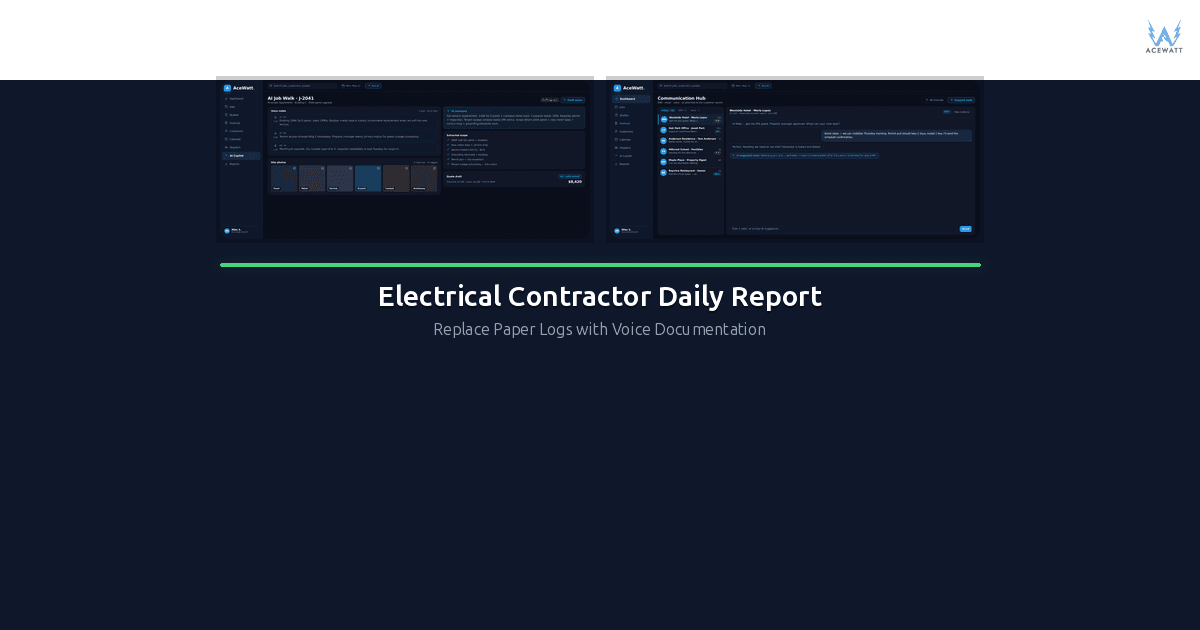
The newest approach: the foreman speaks the report aloud, and AI structures it into a formatted document that files itself to the job record. Voice job-walk documentation tools like AceWatt are making this viable for field crews.
Pros: Fast; most foremen can speak a report in 2-3 minutes vs. 10-15 minutes of typing. Works while walking the site. Hands-free. AI structures the raw audio into formatted sections automatically. Connects to your CRM and job records without re-keying.
Cons: Requires a smartphone and signal (or offline recording that syncs later). Not every voice tool produces the exact format your GC or contract requires, so you may still need to edit or reformat for formal submissions. Voice is excellent for internal documentation and job-walk records but may not replace government-mandated signed reports in every jurisdiction.
Which fits your operation? Solo electricians doing residential service calls can often get by with a simple electrical work order app that captures the essentials. Commercial crews working for GCs need structured reports that match the GC's format. Voice documentation shines as an internal tool that feeds your CRM and creates a searchable archive, even if you still submit a formal version to the GC.
2026 Daily Report Tool Comparison
| Tool | Price (per user/mo) | Mobile App | Photos | Voice Input | Auto-File to CRM | Electrical Templates | Offline |
|---|---|---|---|---|---|---|---|
| GoCanvas | ~$35 to $55 | ✅ | ✅ | ❌ | Partial | Custom builds | ✅ |
| CompanyCam | ~$25 to $49 | ✅ | ✅ (core strength) | ❌ | Partial | ❌ | ✅ |
| busybusy | ~$15 to $25 | ✅ | ✅ | ❌ | ❌ | ❌ | ✅ |
| Raken | ~$30 to $50 | ✅ | ✅ | ✅ (basic) | Partial | ✅ | ✅ |
| Fieldwire | ~$35 to $75 | ✅ | ✅ | ❌ | Partial | ❌ | ✅ |
| AceWatt Voice Docs | See pricing | ✅ | ✅ | ✅ (core feature) | ✅ | ✅ | ✅ |
| Smartsheet / Excel | Varies | Limited | Manual | ❌ | Manual | Build your own | ❌ |
| Google Forms | Free | ✅ | ✅ | ❌ | Manual | Build your own | Limited |
Key takeaway: Most tools handle forms and photos well. Very few handle voice natively. Even fewer auto-file the structured output back into your CRM or job management system. If you're evaluating tools for an electrical contracting business specifically, check out our breakdown of electrical contractor software for small business.
How AceWatt Voice Documentation Replaces Paper Daily Reports
Here's what the workflow looks like in practice:
1. The foreman speaks the report. At the end of the day (or during a walk-through), the foreman opens the AceWatt app, hits record, and talks through the day. "We had four guys on site today. Me, Rodriguez, Chen, and Davis. Started at 7, wrapped at 3:30. Pulled wire from Panel L-2 to the third-floor distribution, about 800 feet of 3/0 THHN. Rodriguez and Chen mounted 14 J-boxes on the second floor. Inspector came by at 11, passed rough-in on floors one and two. No issues. We're waiting on the transformer delivery; it was supposed to be here today. Tomorrow we start on floor three branch circuits if the material shows up."
2. AI structures it. AceWatt's voice engine transcribes the audio and organizes it into sections (crew, hours, tasks, materials, inspections, issues, next-day plan) matching the format your business uses. No manual formatting.
3. It auto-files to the job record. The structured report is saved to the correct project in your CRM for electricians, linked to the estimate and any open change orders. No re-keying, no "I'll file it tomorrow," no lost reports.
4. It connects to estimates and change orders. Because the voice document lives inside your job management system, you can reference it when justifying a change order, updating a schedule of values, or responding to a payment dispute. See how this works with our voice documentation feature.
5. It's searchable. Six months from now, when the project owner asks "when did the inspector sign off on the second-floor rough-in?", you can search your archive and find the exact report, with the date, the inspector's name, and the audio recording.
Honest caveat: Voice documentation is an incredibly efficient way to create internal records and job-walk documentation. However, some contracts, government projects, and GCs require signed daily reports in a specific format. AceWatt's voice docs can produce the content, but you should verify whether your specific contract requires a formal signed document in a particular format. Daily report requirements vary by contract, GC, and jurisdiction, so always check before relying on any single method.
Common Daily Report Mistakes
These are the errors that cost contractors real money:
Writing reports from memory the next day. By tomorrow morning, you've forgotten the exact hours, the material quantities, and the conversation with the inspector. Write the report before you leave the site. Every time.
No photos. A daily report without photos is just a story. A daily report with timestamped photos is evidence. Take before, during, and after photos of every significant task.
Vague task descriptions. "Ran wire" tells nobody anything. "Pulled 4 runs of ¾\" EMT with three #4 THHN conductors from Panel A to J-box B-12, second floor, Room 204" is useful. Specificity protects you.
Missing hours or inaccurate crew lists. If your daily report says 3 guys were on site but your certified payroll says 4, you've got a compliance problem. Keep them consistent.
Not documenting in real time. The best daily reports are built throughout the day, not assembled at 4:45 PM from scribbled notes. Even a quick voice memo at lunch is better than nothing.
No connection to estimates or change orders. A daily report that lives in a vacuum is less valuable than one that's linked to your project estimate and any pending change orders. This is where connecting your reports to your job costing system pays off.
Filing but never reviewing. Daily reports are only useful if someone reads them. Set up a weekly review where your project manager or office manager reads every report from the past week and flags issues.
Adapting to Job Type
Not every job needs the same level of daily reporting. Here's how to scale your approach:
Residential Service Calls
A full daily report is overkill for a one-hour service call. Instead, use a simplified version: arrival/departure time, work performed, materials used, photos, and customer signature. Most electrical work order apps handle this well. If you're operating under a service agreement, match the report fields to what the agreement requires.
Residential Remodel
More detail than a service call, less than a commercial job. Document scope changes (homeowners change their minds constantly), take photos of concealed work before you cover it, and note any change-order discussions. Keep it simple but thorough.
Commercial Project with GC Format
The GC will likely dictate the format. Use their form, fill it out completely, and get their superintendent's signature every day. If their format is weak, supplement it with your own internal report. Don't let a GC's weak documentation standard become your liability gap.
Government / Municipal
Follow the contract documents to the letter. Government projects often require specific forms, certified payroll tie-ins, and notarized signatures. Missing a daily report can be grounds for withholding payment. This is where rigid compliance matters most. If you're managing multiple public jobs, our guide on how to manage an electrical contracting business covers the systems you need.
Maintenance Agreements
For ongoing maintenance clients, keep a log of each visit with date, scope, issues found, and recommendations. This builds a service history that justifies renewal pricing and protects you if a client claims you missed something.
Implementation Checklist
Ready to improve (or start) your daily reporting process? Here's the playbook:
- [ ] Choose your format. Paper, app, or voice: pick one that your foremen will actually use. The best system is the one that gets used consistently.
- [ ] Define your required fields. Start with the template above and add/remove fields based on your contracts and job types. Keep it under 15 fields, since anything more and foremen will start skipping them.
- [ ] Set up templates by job type. Residential service, commercial, government: each gets its own version. Don't force a one-size-fits-all form.
- [ ] Train your crew. Walk every foreman through the process. Show them completed examples. Do a practice week where you review reports daily and give feedback.
- [ ] File to your CRM or job management system. Reports that live in a foreman's truck aren't helping anyone. Make sure every report ends up in a central, searchable location. Consider electrical contractor software that automates this step.
- [ ] Review weekly. Someone in your office should read every daily report from the past week. Flag issues, update the schedule, and follow up on open items.
- [ ] Measure compliance. Track how many days have reports vs. how many days had work. If you're below 90%, figure out why and fix it. A report that's never filed is worse than no report at all: it means you're paying for a process that isn't working.
FAQ
Is a daily report required by law?
It depends on your contract and jurisdiction. There is no federal law that requires private-sector electrical contractors to keep daily reports. However, most government contracts do require them, and many private commercial contracts include daily reporting as a condition of payment. Even when it's not legally required, it's a best practice that protects your business. Daily report requirements vary by contract, GC, and jurisdiction.
Who is responsible for filling out the daily report?
Typically the foreman or lead electrician on site. In some companies, the project manager or superintendent handles it. The key is that the person writing the report was physically on the jobsite that day. Reports written by someone who wasn't there are less credible in a dispute.
How long should I keep daily reports?
Most attorneys recommend keeping project records, including daily reports, for at least 7 years after project completion. Some jurisdictions have longer statutes of repose for construction defects (up to 10 years in some states). Store them digitally with backups so they're searchable and accessible.
Can I use photos instead of a written daily report?
Photos are powerful supporting evidence, but they don't replace a written report. A photo shows what the work looked like, but it doesn't tell you who did it, when they started, how long it took, what materials were used, or what issues came up. Use photos to supplement your written report, not replace it.
What's the fastest way to complete a daily report?
Voice documentation is the fastest method available in 2026. Most foremen can speak a complete daily report in 2-3 minutes vs. 10-15 minutes of typing or writing. Tools like AceWatt's voice documentation transcribe and structure the spoken report automatically, then file it to the correct job record. For commercial jobs that require a specific GC format, you can use voice to capture the content quickly and then transfer it to the required format, which is still faster than writing from scratch. To connect reported hours to billing and payroll, see our electrician time tracking app guide.