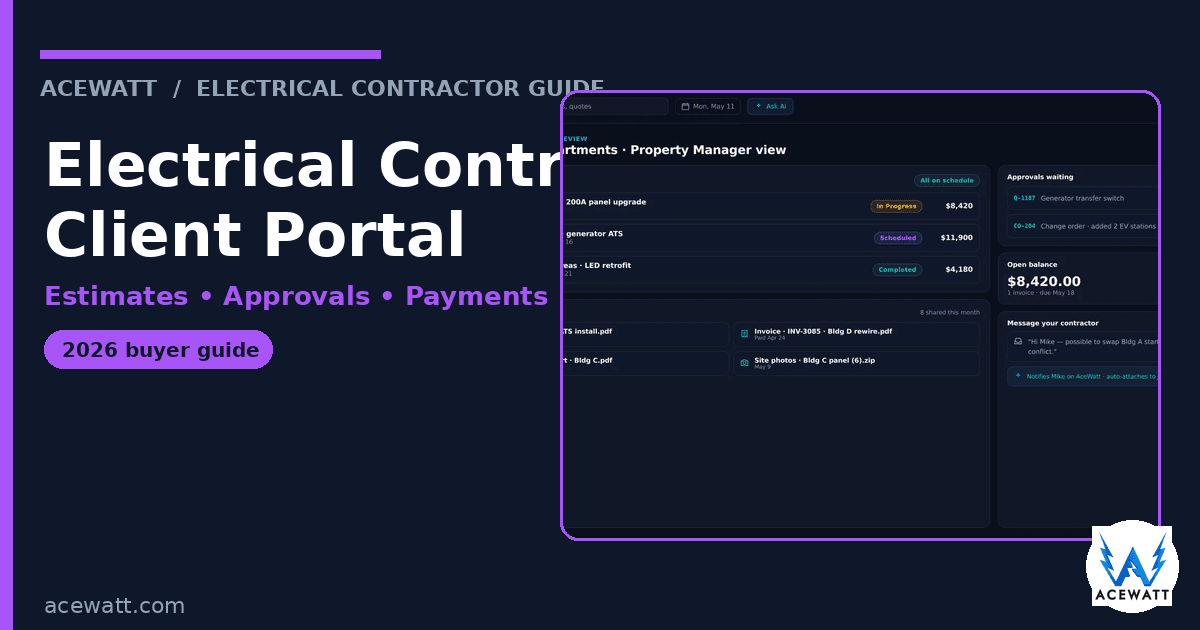
An electrical contractor client portal is a branded, self-service hub where homeowners and commercial clients can view estimates, approve quotes, see invoices, pay online, track job progress, view job photos, and message your team without leaving their browser. Instead of scattered texts, PDFs, and phone-tag, the portal becomes the single place customers use to manage every touchpoint of an electrical job.
Quick answer: what is an electrical contractor client portal?
A quick definition before we go deeper: an electrical contractor client portal is the customer-facing side of your CRM, the place where approvals, payments, photos, and messages live so your customer never has to dig through texts or voicemails to find the answer. It is one of the most useful features you can add to an electrical contractor client portal workflow, because it shortens the time between quote and cash.
A client portal for electrical contractors is the customer-facing layer of your CRM workflow. It lets customers log in to:
- Approve estimates with a single tap, eliminating the need to print, sign, scan, or reply by email.
- View and pay invoices instantly via credit card or ACH, which shortens the cash-flow cycle.
- Track job progress by seeing the scheduled technician, status updates, and completion notes in real time.
- See job photos, permits, and service history tied to the correct property or location.
- Message your crew through a two-way thread that is automatically logged against the job record.
- Schedule appointments and receive automated reminders, reducing no-shows and "when are you coming?" calls.
Because the portal is built on top of the same CRM that stores your job records, schedules, and invoices, every action taken by the customer (approve, pay, message) updates the underlying record automatically. There is no double-entry or manual reconciliation needed. For more on how a portal fits into end-to-end workflow design, see our guide on how to manage an electrical contracting business.
Why a client portal matters for electrical contractors
Electrical contractors consistently cite three operational pain points that a portal directly addresses:
- Approval bottleneck: many estimates die because a customer never returns a signed PDF. A portal that enables instant electronic approval turns a pending quote into a scheduled job faster, moving revenue forward.
- Late payments: an invoice sitting in an inbox is not a payment. Inline "Pay now" buttons on the portal let customers settle the bill the moment they open it, which typically reduces days-sales-outstanding by 20-30%.
- Status interruptions: technicians spend a lot of time answering "when will you be here?" or "is the job done?" calls. A portal where customers can see the appointment window, technician ETA, and job status eliminates most of those calls, freeing up focus for actual electrical work.
Beyond speed, a portal projects a more professional image. When a homeowner can approve a quote, upload a photo of a panel, and pay from a couch, the contractor looks organized and modern. That perception often sways the decision when customers compare multiple bids, and it creates a natural moment to request reviews or referrals on the same page where the job history lives. For a closer look at measuring impact, see our post on best CRM for electrical contractors.
What a good electrical contractor client portal does
A useful portal software for electricians handles the interactions that occur on almost every job. The following capabilities are now expected by customers and therefore must be present in any serious portal offering:
- Estimate viewing and one-tap approval: customers see the full scope, line-item pricing, and terms, then approve with a single click. The approval instantly updates the job status in the CRM, triggering scheduling without any manual hand-off.
- Invoice viewing and online payment (card / ACH): the portal displays the outstanding balance and offers a "Pay now" button. ACH is especially valuable for larger electrical jobs where credit-card fees would erode margins.
- Job photos, documents, and service history: before-and-after images, permits, panel labels, warranty notes, and past invoices remain attached to the correct property, giving clients transparency and reducing disputes.
- Two-way messaging: conversations are threaded to the job, so a customer's question never gets lost in a personal text thread. All messages are stored alongside the job record for future reference.
- Appointment scheduling and reminders: the portal shows the scheduled service window, lets customers confirm or request a change, and sends automated reminders that cut no-show rates dramatically.
- Service-agreement and maintenance-plan visibility: for shops that sell recurring maintenance contracts, the portal can display plan status, coverage details, and upcoming service dates, turning the portal into a revenue-retention tool.
Because every one of these actions synchronizes back to the CRM, there is no need for copying data between separate systems. This single source of truth eliminates double-entry, reduces errors, and gives you a complete audit trail for every customer interaction. For examples of how estimating, invoicing, and job documentation integrate, see our articles on electrician invoice software and electrical estimating software.
Client portal vs online booking vs CRM: what's the difference?
These terms are often conflated, but they serve distinct purposes:
- Online booking is pure lead intake. It captures a request for service, records contact info, and creates a tentative appointment. The customer never sees anything beyond that request.
- A CRM is the internal system of record. It stores customer details, job histories, schedules, invoices, and communications. The customer typically never interacts with the CRM directly.
- A client portal is the selective window into that CRM. It exposes only the pieces customers need (estimates, invoices, photos, appointments) and lets them act on those items directly. When the three layers are stitched together, a booking becomes a job becomes a paid invoice with almost no rekeying. When they are siloed, you end up manually copying a booking into the CRM, emailing a PDF quote, and chasing approvals by text, exactly the workflow a portal is meant to replace.
Because the portal draws data from the same CRM that powers your scheduling, estimating, and invoicing engines, the connection is the real value proposition. To explore how a connected workflow looks in practice, review our side-by-side analysis in the best CRM for electrical contractors guide.
Electrical contractor client portal options in 2026
Portal features and pricing shift frequently, and many vendors hide the portal behind higher tiers or bundle it with other modules. Always verify current pricing and included features on the vendor's site before buying.
Below is a concise comparison of the seven most-evaluated portal-enabled solutions that electrical contractors consider in 2026. The table includes a brief description of each platform's strongest feature, the shop size it typically serves, and the pricing approach you will see on their public pages.
| Option | What its portal does best | Best fit | Pricing approach (public) |
|---|---|---|---|
| AceWatt CRM | Portal is the CRM's customer-facing layer; estimate approvals, invoices, payments, job photos, and messaging are all tied to the job record | Solo to mid-size electrical shops that want portal + CRM + estimating + invoicing in one workflow | Public; portal is included on Growth ($99/mo, up to 5 users) and Scale ($199/mo, unlimited users) plans, not on Starter ($49/mo, 1 user) |
| QuoteIQ ClientHub | Bundles two-way texting and a business phone line with a clean client-facing hub | Contractors whose primary bottleneck is fast estimating plus customer communication | Quote-based; verify on vendor site |
| Housecall Pro | Self-service portal with online booking and payments | Small teams that want booking, payments, and a portal together | Public starting plans; verify on vendor site |
| Jobber client hub | Online approvals, payments, and simple booking for very small shops | Solo operators needing simplicity | Public plans; verify on vendor site |
| ServiceTitan client portal | Enterprise-grade self-service portal for large operations | Contractors with complex dispatch and multi-crew operations | Quote-based; verify on vendor site |
| Knowify client portal | Shows or hides job details, invoices, and photos; strong for commercial projects | Commercial and project-based contractors who need document control | Public-ish plans; verify on vendor site |
| Contractor Foreman client portal | Included in a broader construction-management suite | Contractors managing projects, documents, and finances in one tool | Public plans; verify on vendor site |
AceWatt's portal is real but part of the Growth and Scale plans; it is not a standalone product and is not available on the Starter tier. The broader field-service tools (Housecall Pro, Jobber) have solid portals but are not electrical-specific, so test them against a real electrical estimate rather than a generic service visit. The enterprise option (ServiceTitan) is powerful but heavy for a small shop. The estimating-focused options (QuoteIQ, Knowify) may fit if quoting is your primary pain point. For a comprehensive side-by-side review, see our best CRM for electrical contractors comparison.
What most contractors get wrong with client portals
Even when a portal is technically functional, adoption often fails because of avoidable mistakes:
- Customers never log in: if estimates still arrive as PDFs and invoices still say "mail a check," the portal becomes a shelf-ware feature. The portal must be the default path for approval and payment, not an optional extra.
- Portal-only communication: forcing every client to use the portal while they prefer a phone call or text creates friction. Keep other channels open; make the portal the easiest option, not the only one.
- Missing sync: if a client approves an estimate or pays an invoice but your team still manually creates the job or marks the invoice paid elsewhere, you have simply moved double-entry into a new screen. Verify that the portal updates the estimating, invoicing, and job records automatically.
- No adoption driver: without a link on every estimate and invoice, and without a technician mention on site, the portal sits unused. Track login rates and payment-speed improvements over the first 90 days to measure real value; then iterate the rollout plan accordingly.
- Treating the portal as a checkbox: adding a portal because a competitor has one, then never integrating it into daily workflow, yields no ROI. Measure outcomes like reduced phone-tag time, faster invoice settlement, and higher referral rates to prove effectiveness.
How a portal connects to the rest of your electrical business
A portal works best when it sits at the end of a tightly connected workflow. Here is a typical end-to-end flow for an electrical job:
- Estimate → portal approval → scheduled job: a job walk produces scope and photos. That scope becomes an estimate in your CRM, is sent to the client via the portal, and the client's approval instantly triggers scheduling without any manual hand-off.
- Job completion → portal invoice → portal payment: when the technician closes out the work, the completed job becomes an invoice that the client sees in the portal. They pay instantly by card or ACH, and the payment posts to the job record automatically, eliminating the need for a separate accounting entry.
- Portal history → repeat work & referrals: all photos, invoices, and payments remain in the client's history inside the portal. When that customer needs another job or refers a neighbor, the easy-pay, easy-view experience makes renewal or referral far more likely.
Because every action updates the same job record, there is no duplicated data, no extra admin, and a complete audit trail for every customer interaction. For a visual representation of how approvals, payments, and communication flow together, see our best CRM for electrical contractors article.
Where AceWatt fits alongside a client portal
AceWatt is a trade-specific CRM built for electrical contractors, and its customer portal is the client-facing layer of that CRM, not a standalone product. The portal is included on the Growth plan ($99/mo, up to 5 users) and Scale plan ($199/mo, unlimited users); it is not part of the Starter plan ($49/mo, 1 user).
Where AceWatt excels
- Tight job-record sync: approvals and payments update the exact same record that stores the estimate, schedule, and technician notes. This eliminates any double-entry and ensures that estimating, invoicing, and job documentation are always in harmony. Those features tie directly into our electrical estimating software and electrician invoice software capabilities.
- Centralized communication: two-way messages from the portal appear in the same communication hub that your office already uses, so nothing gets lost in personal texts.
- AI-driven follow-up: automated reminders nudge pending approvals and unpaid invoices, which is one of the biggest drivers of portal-generated payments. For a deeper look at AI assistance, read our AI CRM for contractors guide.
- Visible job documentation: the portal surfaces the same photos, permits, and service notes your crew captures, giving clients the transparency they expect.
Where AceWatt has limits
If your shop requires deep enterprise dispatch, multi-branch inventory control, or complex commercial accounting, a dedicated enterprise portal may complement or surpass what AceWatt offers today. Verify integration capabilities and roadmap items on the current AceWatt site before committing. In addition, AceWatt is newer than legacy incumbents, so confirm the maturity of any custom integrations you rely on.
If a connected, electrical-first workflow with a built-in portal sounds like the right shape for your business, you can explore the CRM for electricians page, compare capabilities on the features page, or review plans and the portal details on the pricing page. For a side-by-side view of how AceWatt stacks up against other electrical CRMs, see the best CRM for electrical contractors comparison.
How to choose: by shop size and customer type
The right portal hinges on the size of your operation and the type of customers you serve.
- Solo residential electrician: you typically need only online approval and payment, plus basic scheduling. A lightweight portal bundled with a small-business CRM is sufficient; avoid enterprise platforms that you'll never fully configure.
- Mid-size mixed shop (2-5 trucks): you need the full suite: estimate approvals, invoices, job photos, scheduling, maintenance-plan visibility, and two-way messaging. Prioritize a portal that syncs cleanly to estimating and invoicing, and that can grow with you as you add crews.
- Commercial or multi-property contractor: you likely need client hierarchy (one account, many properties), document exchange for permits, and role-based access to hide or show job details per site. Verify the portal handles multi-property records and controlled document sharing.
- Service-agreement driven shop: ensure the portal displays plan status, coverage, and renewal reminders so recurring revenue flows through the same portal experience.
Match the portal's depth to the complexity of the jobs you do most; the right fit saves time, money, and admin headaches.
Client portal rollout checklist
A portal only pays off when it is launched with intention. Use the following checklist to give it a real chance of success:
- Add portal links to every estimate and invoice: make the portal the default place to approve or pay. If the link is missing, customers will never discover it.
- Train technicians to mention the portal on site: a 30-second note like, "You'll see the invoice and photos in your portal, and you can pay from there," drives far more logins than any email campaign.
- Pick one primary action to optimize first: start with either estimate approvals or invoice payments; measure the lift, then expand to messaging or scheduling.
- Enable automated follow-up: reminders for pending approvals and unpaid invoices are the single biggest driver of portal-generated payments.
- Track adoption and payment speed over 90 days: count how many customers log in, how many estimates are approved through the portal, and how fast invoices get paid compared with before. If adoption is low, the fix is usually process-oriented, not software-oriented.
- Keep other communication channels open: let customers who prefer calls or texts continue to use them; the portal should be the easiest, not the only, option.
Frequently Asked Questions
What is the best client portal for electrical contractors?
The best client portal is the one that ties approvals, payments, job photos, and communication to the job record instead of sitting beside it. For solo and mid-size electrical shops, a trade-specific CRM with a built-in portal, like AceWatt (where the portal ships on the Growth and Scale plans), often fits better than bolting a standalone portal onto separate estimating and invoicing tools. Larger operations may also evaluate enterprise portals such as ServiceTitan. The right answer depends on shop size, customer type, and whether the portal syncs to the rest of your workflow.
Do electricians need a client portal?
Not every electrician needs one, but most growing shops benefit. If you regularly lose track of approvals, chase unpaid invoices, or field repeated status calls, a portal can speed up approvals and payments and cut phone tag. A solo electrician with more work than they want and a handful of repeat customers may not need one yet. Once you are quoting enough jobs that follow-up and payment speed matter, a portal can become a useful tool. Whether that translates to enough time saved to justify the plan cost depends on your quote volume and current follow-up discipline.
Does AceWatt have a client portal?
Yes. AceWatt includes a customer portal as part of the CRM workflow. It is available on the Growth plan ($99/mo, up to 5 users) and the Scale plan ($199/mo, unlimited users), and it is not included on the Starter plan ($49/mo, 1 user). The portal lets customers view and approve estimates, see and pay invoices online, view job photos and service history, and message your team, all tied back to the job record. It is the customer-facing layer of the CRM, not a standalone product. All plans include a 14-day trial, and through the current promo (ending 2026-11-19) plans include monthly promotional AI credits: 5,000 on Starter, 10,000 on Growth, and 25,000 on Scale.
How much does an electrician client portal cost?
For AceWatt, the portal is included with the Growth plan at $99/mo and the Scale plan at $199/mo; there is no separate portal add-on. Other vendors bundle or gate the portal behind higher tiers, so always confirm current pricing, included users, payment-processing fees, and which plan includes the portal directly on the vendor's site before buying.
Can a client portal help me get paid faster?
Usually, yes, when it is actually used. A portal that shows an invoice with a one-tap "Pay now" button removes friction at the moment the client is looking at the bill, which shortens the time from completed job to paid invoice. Pairing the portal with automated reminders for unpaid invoices typically improves payment speed further. The caveat: a portal only helps if customers log in; adoption is the deciding factor, which is why rolling it out with links on every estimate and invoice and a nudge from technicians matters as much as the software itself.
Disclaimer
This article is for educational and software-evaluation purposes only. AceWatt plan features, pricing, AI credit amounts, and promo dates referenced here were accurate at the time of writing but can change; confirm current details on the AceWatt site before purchasing. Competitor descriptions are general and based on publicly available positioning; competitor pricing and feature availability change frequently and must be verified directly on each vendor's site. All figures, examples, and workflow descriptions are illustrative and do not constitute a guarantee of results. Electrical estimating, scoping, code compliance, permitting, safety, and final pricing decisions require the judgment of a licensed electrical professional; software and AI-assisted tools support but do not replace qualified human review.
Related Reading
- Compare AceWatt vs ServiceTitan client-portal capabilities → ServiceTitan alternative
- QuoteIQ alternative page with client-portal focus → QuoteIQ alternative
- Jobber vs. AceWatt for Electrical Contractors (2026)
- ServiceTitan vs. AceWatt: an honest 2026 comparison for electrical contractors
- All head-to-head pages → AceWatt alternatives for electricians