
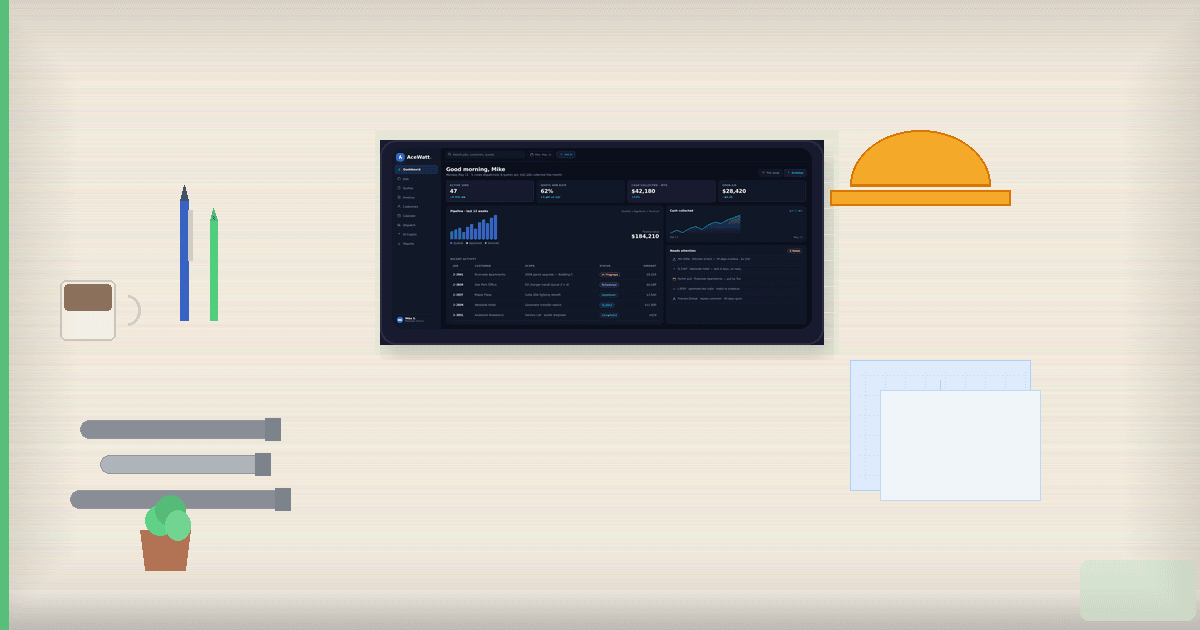
Best Electrical Contractor Software for Small Business (2026)
Quick answer: Electrical contractor software for small business is field service software built for 1 to 10 person electrical shops, combining estimates, scheduling, invoicing, customer management, and payment tools in one platform without per-user pricing that punishes small crews. The best option depends on shop size and budget: AceWatt ($49 to $199/mo, electrical-specific with AI), Jobber ($29 to $299/mo, general field service), or Housecall Pro (~$49+/mo, home-service focused).
You're an electrical contractor with one to ten people on your crew. You need electrical contractor software for small business operations: software that handles estimates, scheduling, invoicing, and customer management without a six-month onboarding process or a price tag built for a company three times your size.
The problem? Most electrical contractor software was built for shops with 20, 50, or 200+ employees. The dashboards are cluttered with features you'll never touch. The pricing scales per user, so adding your apprentice doubles your bill. And the sales process feels more like buying enterprise IT than picking a tool to run your electrical business.
This guide compares the best electrical contractor software for small business use in 2026, covering what small shops actually need, what to skip, and how the top options (AceWatt, Jobber, Housecall Pro, FieldPulse, and ServiceTitan) stack up.
Why most electrical contractor software for small business shops still misses the mark
Here's something most vendors won't tell you: the field service software market builds for the top 20% of contractors, meaning fleets, dispatch centers, and dedicated office managers. That leaves the other 80% (solo electricians, small crews, and growing shops) stuck between two bad options:
- Oversized platforms like ServiceTitan that are powerful but expensive, complex, and designed for dedicated administrative staff. Onboarding takes weeks, and pricing (often $200+ per technician per month with thousands in setup fees) makes it a non-starter for a three-person operation.
- Generic tools like spreadsheets, Google Calendar, and paper invoices. These cost nothing but create chaos as you grow: lost job details, missed follow-ups, and the "I'll enter it all into QuickBooks this weekend" routine that steals your Sunday.
What's missing is the middle ground: software built specifically for small electrical contractors that understands what a one-truck shop needs versus what a 50-person company needs.
What small electrical contractors actually need from electrical contractor software for small business
Before comparing platforms, it helps to pin down what matters for a 1-10 person electrical business shopping for electrical contractor software for small business use. The feature list on a software page and the features you actually use are two very different things.
7 features that matter for 1-10 person shops
1. Fast estimating and quoting. You need to turn a site visit into a professional estimate quickly. This is the first place electrical contractor software for small business teams proves its worth: if the tool requires six clicks and three screen changes to build a quote, you won't use it. Look for tools with templates, material databases, and, increasingly, AI-assisted quote building that can pre-fill line items based on the job type. According to the National Electrical Contractors Association (NECA), accurate job-cost tracking is one of the most common operational gaps reported by small contractors, the very gap that good estimating tools exist to close.
2. Simple scheduling and dispatch. A visual calendar where you can drag, drop, and reassign jobs. For solo operators, this might just be a daily agenda. For a five-person crew, you need to see who's available, where they are, and what's next. Tools that offer electrical contractor software features like route optimization can save drive time.
3. Professional invoicing and payment collection. Invoicing should take minutes, not hours. Built-in payment processing (credit card, ACH) means you get paid faster. The best platforms let you send an invoice from the field and accept payment before you leave the job site.
4. Customer relationship management. A CRM for electricians doesn't need to be complicated. You need a customer database with job history, contact info, communication logs, and the ability to follow up on past estimates. When someone calls and says "we had you out two years ago for a panel upgrade," you should be able to pull up their record in ten seconds.
5. Mobile access. If the software doesn't work well on your phone, you won't use it. You're in the field, not at a desk. Every core function (estimates, scheduling, invoicing, customer lookup) needs to work on a mobile device without a frustrating experience.
6. QuickBooks or accounting integration. Most small contractors already use QuickBooks (or similar). Your field service software should sync with it, not replace it. Double-entry is a waste of time and introduces errors.
7. AI-powered assistance. This is the newest category, and it's changing fast. AI features (like automatic quote building from job photos, voice-to-text job notes, or intelligent scheduling suggestions) can save small business owners hours per week. For shops where the owner is also the estimator, dispatcher, and bookkeeper, AI can act like an extra team member who handles the data entry. If you're still running your business on spreadsheets, you might want to read about CRM vs spreadsheets for electricians to understand the upgrade path.
5 features you DON'T need (and shouldn't pay for)
1. Complex dispatch boards. Fewer than ten technicians? You don't need a satellite-view dispatch center with real-time GPS tracking. A shared calendar works fine.
2. Multi-location or franchise management. Features for companies with multiple branches add cost and complexity you don't need.
3. Advanced inventory and warehouse management. Small contractors typically buy materials per job or keep a modest van stock. You don't need barcode scanning or multi-warehouse tracking.
4. Custom API access and developer tools. Unless you have an in-house developer, you won't use this. Don't pay for it.
5. Enterprise reporting dashboards. Monthly revenue, job profitability, and accounts receivable reports are valuable. But you don't need 47 customizable report templates with pivot tables. A few clear reports cover 95% of what a small shop needs.
Top electrical contractor software for small business: compared (2026)
Here's how the leading electrical contractor software for small business teams compares on pricing, features, and fit. All prices are published starting rates as of August 2026.
Here are the platforms most small electrical contractors consider. We'll compare them on what matters: pricing, features, ideal team size, and AI capabilities.
| Feature | AceWatt | Jobber | Housecall Pro | FieldPulse | ServiceTitan |
|---|---|---|---|---|---|
| Starting price (as of 2026) | $49/mo | $29/mo (Lite, annual) | ~$49 to $59/mo (Basic) | ~$99/mo | Custom quote (~$245+/tech/mo reported) |
| Best for | Electrical-focused small shops | General field service solos | Home service teams | Growing trade businesses | Large operations (10+ techs) |
| Trade-specific (electrical) | Yes | No (general) | No (general) | No (general) | No (general, multi-trade) |
| AI features | AI quote builder, AI copilot & voice, AI schedule optimizer, AI job walk, AI document scanner | Limited (basic automations) | Limited (basic automations) | Limited (basic automations) | Limited (some reporting AI) |
| Per-user pricing | Flat rate (up to 5 on Growth; unlimited on Scale) | Per-plan tiers | Per-user add-on (~$30+/user/mo reported) | Per-user (~$54/user/mo reported) | Per-technician |
| QuickBooks integration | QuickBooks-ready exports (Growth & above); full sync in development | Yes (higher tiers) | Yes (higher tiers) | Yes | Yes |
| Mobile app | Yes | Yes | Yes | Yes | Yes |
| Setup time | Minutes | Minutes | Minutes | Days | Weeks |
| Contract required | No | No | No | Varies | Often yes (annual+) |
AceWatt
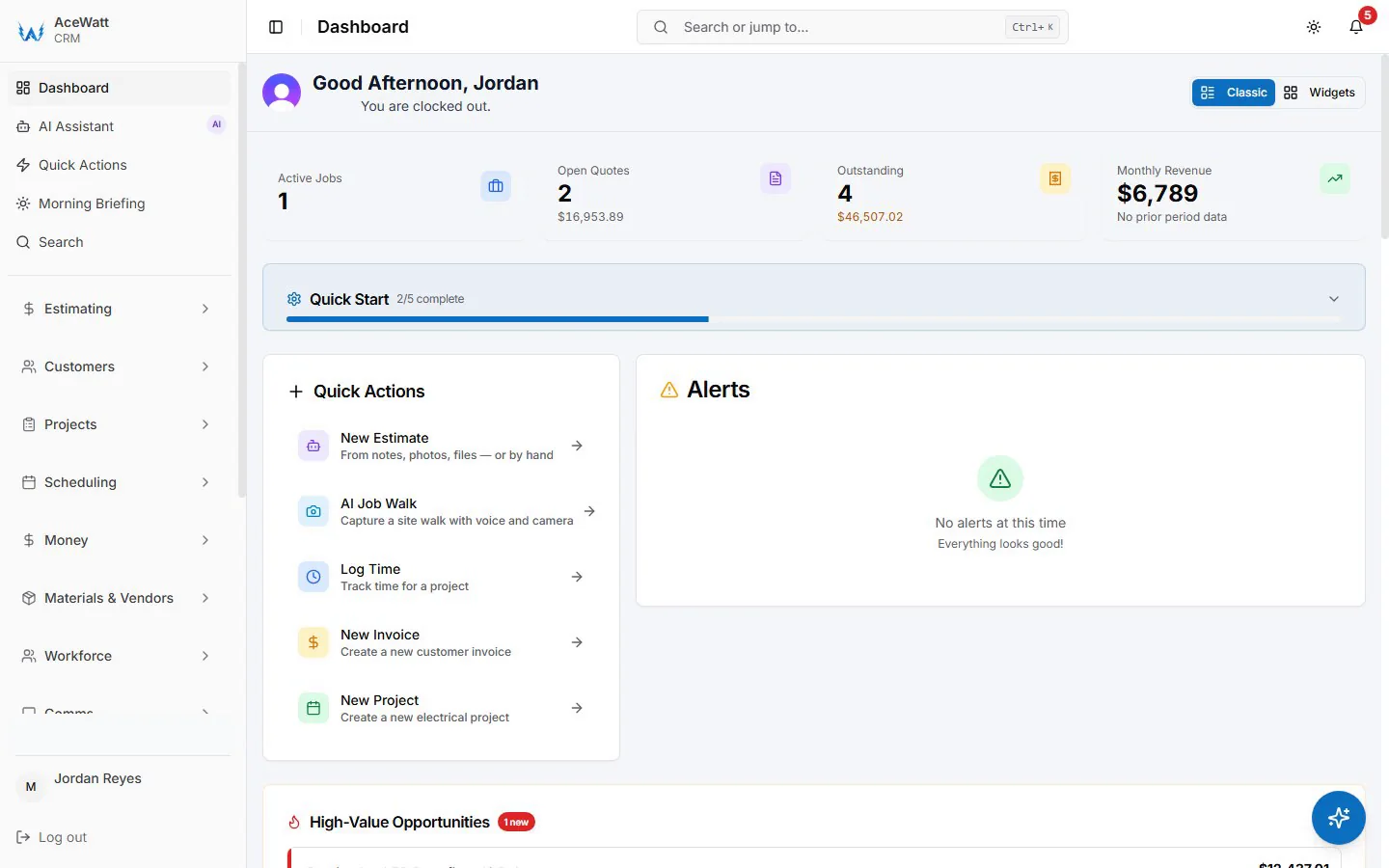
AceWatt is an AI-first CRM for electricians built specifically for the electrical trade. It's designed for small shops (1-10+ employees) and focuses on reducing the admin burden that keeps electrical contractors working late into the evening.
Pricing: Starter at $49/mo (1 user), Growth at $99/mo (up to 5 users), Scale at $199/mo (unlimited users). All plans include a 14-day free trial. See AceWatt pricing for current details. Among electrical contractor software for small business teams, this is one of the few structures with no per-user pricing on Growth and Scale plans.
Strengths: Trade-specific: the estimating templates, terminology, and workflows are built for electrical work, not generic field service. AI features are the most comprehensive among the platforms in this comparison, including an AI quote builder, voice copilot, schedule optimizer, document scanner, and a unique AI job walk feature. No per-user pricing on Growth and Scale plans means your bill doesn't jump when you hire.
Trade-offs: Because AceWatt is focused on electrical, it's not the right fit for multi-trade contractors who also do plumbing, HVAC, or general contracting. It's also a newer platform, so third-party integrations are still growing. Check out AceWatt features for the full list.
Jobber
Jobber is one of the most popular general field service platforms, used by lawn care, cleaning, HVAC, and electrical contractors alike. It's known for being easy to set up and use.
Pricing: Lite at $29/mo, Core at $49/mo, Connect at $149/mo, Grow at $299/mo (annual billing). Month-to-month pricing is higher.
Strengths: Very user-friendly interface. Quick setup. Solid scheduling, invoicing, and client communication tools. Large user community and plenty of online tutorials.
Trade-offs: Generalist platform: nothing is tailored to electrical work, so you'll need to create your own templates. AI capabilities are limited. Some features (like QuickBooks integration) are locked behind higher tiers. For a deeper comparison, see our AceWatt vs Jobber page.
Housecall Pro
Housecall Pro is another well-known general field service platform, popular among home service businesses. It offers strong invoicing, scheduling, and customer communication features.
Pricing: Three tiers starting around $49-59/mo for a single user (Basic). Per-user add-ons cost approximately $30+ per user per month, which can increase costs quickly for growing teams.
Strengths: Good online booking and customer communication features. Solid payment processing. Clean mobile app. A well-known brand in the home service space.
Trade-offs: Like Jobber, it's not trade-specific. Per-user pricing means costs escalate as you add team members. AI features are limited. For an alternative comparison, see AceWatt vs Housecall Pro.
FieldPulse
FieldPulse positions itself as a mid-tier field service management platform with more customization options than the entry-level tools. It serves multiple trades.
Pricing: Starts at approximately $99/mo, with per-user pricing reported around $54/user/month. Pricing is sales-quoted for higher tiers.
Strengths: More customizable workflows than Jobber or Housecall Pro. Good customer management features. Decent reporting capabilities for a mid-tier tool.
Trade-offs: Higher entry price point. Per-user pricing model. Not specific to electrical. Setup can take longer compared to simpler tools. Some features may require working with their support team to configure.
ServiceTitan
ServiceTitan is the dominant name in field service software for larger operations. It's comprehensive, powerful, and built for companies with dedicated office staff and dispatchers.
Pricing: Not publicly listed. Third-party sources report pricing starting around $245 per technician per month with setup fees ranging from $5,000 to $50,000+. Requires a sales demo and contract.
Strengths: Extremely comprehensive. Handles everything from marketing to dispatch to accounting. Deep integrations with supply houses and business intelligence tools. Industry-standard for large operations.
Trade-offs: Too much for a 1-10 person shop. Reported pricing ($245+/tech/month with substantial setup fees) makes it impractical. Onboarding takes weeks and often requires a dedicated administrator. If you're the owner-operator who's also the lead electrician, ServiceTitan will feel like running a second business just to manage the software.
How to choose electrical contractor software for small business teams
The right choice depends on where you are today and where you're headed. As a rule of thumb, pick software that matches your current team size and budget rather than buying ahead for scale that may never come. The U.S. Small Business Administration's business guide is a useful resource for small-business technology decisions. Here's a breakdown of how to evaluate electrical contractor software for small business teams by team size.
Solo operator
If it's just you (and maybe a part-time helper), your priorities are:
- Speed of use. You don't have time to learn a complex system. Pick something you can set up in under an hour and start using immediately.
- Low cost. You're watching every dollar. A platform that costs $49/mo and replaces your spreadsheet, your paper invoices, and your weekend QuickBooks sessions is an easy ROI. A platform that costs $200+/mo is much harder to justify.
- Mobile-first. You do everything from your truck. The mobile experience isn't optional: it's primary.
For solo operators, AceWatt Starter ($49/mo), Jobber Lite ($29/mo), or Housecall Pro Basic (~$49/mo) are all reasonable starting points. The differentiator is whether you want trade-specific features and AI assistance (AceWatt) or a more general tool with a larger user community (Jobber).
Small crew (2-5 people)
With a small crew, you need everything a solo operator needs, plus:
- Multi-user access. Your lead electrician needs to see their schedule. Your office manager (even if that's your spouse two hours a day) needs to handle invoicing.
- Flat or predictable pricing. Per-user pricing starts to sting at 3-5 users. Look for plans that include multiple users at a fixed rate.
- Dispatch capability. Not a full dispatch center, but the ability to assign jobs to specific team members and see who's where.
At this stage, AceWatt Growth ($99/mo for up to 5 users) can be cost-effective because there's no per-user add-on. Jobber Connect ($149/mo) and Housecall Pro's higher tiers (with per-user fees) are also options, though the total cost may be higher when you factor in additional user charges.
Growing shop (5-10+ people)
Once you're past five people, your needs change:
- More users without price shocks. Per-user pricing can become a major expense at this size.
- Advanced reporting. You need visibility into job profitability, technician productivity, and revenue trends.
- Integrations. Accounting, marketing, and possibly inventory integrations become important.
At this stage, you're choosing between AceWatt Scale ($199/mo, unlimited users), higher tiers of general platforms, or beginning to consider enterprise options. When comparing electrical contractor software for small business growth at this stage, watch how each vendor prices additional users. For a CRM-specific deep dive, see the best CRM for electricians 2026.
What small contractors actually pay for electrical contractor software
Published starting prices only tell part of the story. Here's what you're likely to pay in practice for electrical contractor software for small business use, based on publicly available pricing as of early 2026.
| Scenario | AceWatt | Jobber | Housecall Pro | ServiceTitan |
|---|---|---|---|---|
| Solo operator | $49/mo (Starter) | $29-49/mo (Lite or Core) | ~$49-59/mo (Basic) | Not practical at this size |
| 3-person team | $99/mo (Growth) | $49-149/mo (Core or Connect) | ~$119-149/mo (Basic + 2 users) | Not practical at this size |
| 7-person team | $199/mo (Scale) | $149-299/mo (Connect or Grow) | ~$250+/mo (varies by tier + users) | ~$1,700+/mo (estimated) |
| Setup fees | None | None | None | $5,000-$50,000+ reported |
| Free trial | 14 days | 14 days | 14 days | Sales demo required |
These numbers are approximate and based on publicly available information. Always verify current pricing on each vendor's website before making a decision.
Hidden costs: per-user fees, add-ons, integrations
The sticker price is almost never the final price. Watch for these common add-ons:
- Per-user fees. Platforms like Housecall Pro and FieldPulse charge extra for each additional team member. A $49/mo plan becomes $139/mo when you add three users. AceWatt's Growth plan includes up to 5 users at $99/mo, and Scale includes unlimited users at $199/mo, which can be significant for growing teams.
- Payment processing fees. Most platforms charge 2.5-3% + $0.30 per credit card transaction. This is standard across the industry and not unique to any one platform, but it adds up, especially on large commercial jobs.
- Integration costs. QuickBooks integration may require a higher-tier plan on some platforms. Other integrations (marketing, fleet tracking, etc.) may cost extra or require a third-party subscription.
- Training and onboarding. Enterprise platforms like ServiceTitan often include onboarding in their setup fees, but the time investment from your team is a real cost. For simpler platforms, onboarding is usually self-serve and takes minutes.
- Feature upgrades. Some platforms gate key features (like advanced reporting or commission tracking) behind their highest tiers. Make sure the features you need are included in the plan you're considering.
Why AI matters for small electrical contractors
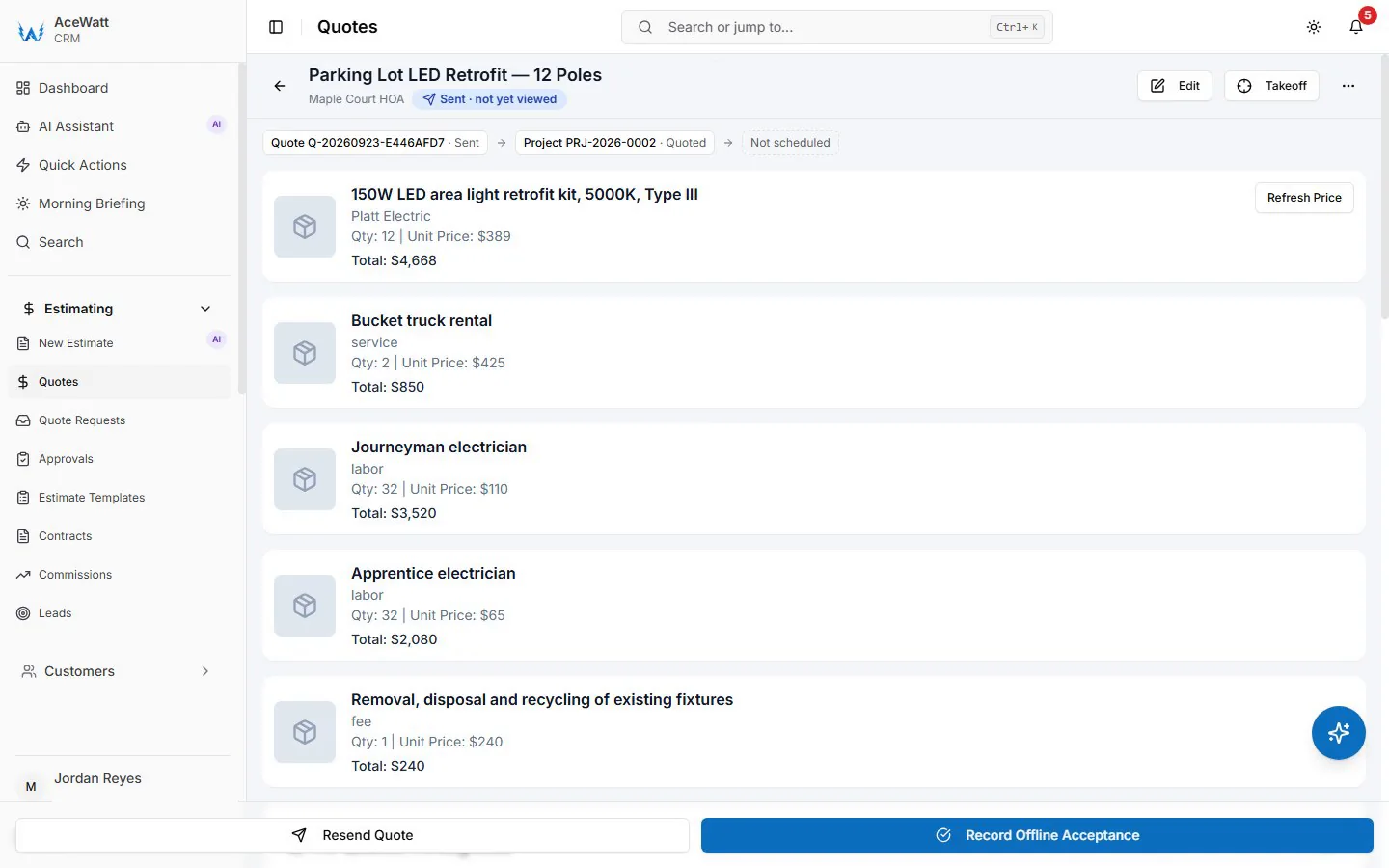
Artificial intelligence in field service software has moved from buzzword to practical tool. When you're evaluating electrical contractor software for small business use, AI features are where the biggest generational gap shows up — modern platforms help small shops compete with larger companies that have dedicated administrative staff.
Here's what AI can do for a small electrical shop in 2026:
Speed up estimating. AI-assisted quote builders can pre-fill line items, suggest materials based on job descriptions, and format estimates in seconds. Instead of 20 minutes building a quote from scratch, you may do it in five.
Reduce data entry. Voice-to-text job notes, automatic photo logging, and AI document scanning mean less time typing and more time doing electrical work. AceWatt's AI job walk captures site conditions via voice and photos while you're on site.
Optimize scheduling. AI scheduling tools analyze job locations, durations, and technician availability to suggest efficient routes. For a solo operator with five jobs across town, this can save 30-60 minutes of drive time per day.
Improve follow-up. AI can flag overdue invoices, suggest follow-up timing for past estimates, and draft customer communications, which is the administrative work that falls through the cracks when you're busy running jobs.
The key takeaway: AI is most valuable for the smallest shops, where the owner wears every hat. If you have a full-time office manager, AI is a nice-to-have. If you ARE the office manager at 10pm after a full day on site, AI is the difference between getting admin done and skipping it.
FAQ
What is the best electrical contractor software for small business teams?
There's no single "best" answer. It depends on your team size, budget, and priorities. For trade-specific features and AI capabilities, AceWatt is a strong option among electrical contractor software for small business shops in the 1 to 10 person range. For a simple, general-purpose tool with a large community, Jobber is popular. For teams focused on home service jobs, Housecall Pro is worth considering. Evaluate based on your specific needs, not just the loudest marketing.
How much does electrical contractor software for a small business cost?
For a 1-5 person electrical shop, expect to pay between $29 and $199 per month, depending on the platform and features. Entry-level plans from Jobber and Housecall Pro start around $29-49/mo. AceWatt's plans range from $49-199/mo. Enterprise platforms like ServiceTitan are typically $200+ per technician per month and not cost-effective for small shops.
Do I need electrical contractor software for small business, or can I use a general field service tool?
General tools like Jobber and Housecall Pro work fine for many small contractors, especially if you're just getting organized. However, electrical contractor software built for small business teams may offer pre-built estimating templates, electrical terminology in customer-facing documents, and workflows designed for how electrical jobs actually progress. The trade-off is that general tools often have larger user communities and more third-party integrations.
Is there free electrical contractor software?
Some platforms offer free trials (typically 14 days) or limited free plans with basic features. Fully free options are usually generic business tools (Google Sheets, Trello, etc.) rather than trade-specific software. For a small electrical contractor, a $49/mo tool can be easier to justify when it shortens estimating time, reduces missed follow-ups, and supports faster payment collection.
Can electrical contractor software help me estimate jobs faster?
Yes, this is one of the primary benefits. Most platforms offer estimate templates, material databases, and (increasingly) AI-assisted quote building. The time savings can be significant: instead of building estimates from scratch each time, you can start with a template and customize it per job. AI features like those in AceWatt can further reduce estimating time by pre-filling line items based on job descriptions or photos.
What's the difference between AceWatt and Jobber?
AceWatt is built specifically for electrical contractors and includes AI-powered features like voice copilot, AI job walk, and AI-assisted estimating. Jobber is a general field service platform that serves many trades. Jobber has a larger user base and more years in the market; AceWatt offers deeper electrical-specific functionality and more comprehensive AI tools. See our AceWatt vs Jobber comparison for details.
Is ServiceTitan worth it for a small electrical contractor?
For most shops with fewer than 10 employees, ServiceTitan is likely not the right fit. It's designed for larger operations with dedicated administrative staff and budgets to match. The reported pricing ($245+/tech/month with substantial setup fees) makes it impractical for small shops. If you're considering ServiceTitan, it's usually because you've outgrown the platforms discussed in this guide.
How long does it take to set up electrical contractor software?
It varies by platform. AceWatt, Jobber, and Housecall Pro can typically be set up in minutes to an hour. You can import your customer list, configure your services, and start using the platform the same day. FieldPulse may take a few days for initial configuration. ServiceTitan typically requires weeks of onboarding with a dedicated implementation team.
Does electrical contractor software include payment processing?
Most modern platforms include integrated payment processing, allowing you to accept credit cards and ACH payments directly through invoices. Payment processing fees (typically 2.5-3% + $0.30 per credit card transaction) apply across all platforms. This feature can significantly speed up payment collection compared to mailing paper invoices and waiting for checks.
Can I try electrical contractor software before committing?
Yes. Most platforms in this comparison offer a free trial period, typically 14 days. AceWatt offers a 14-day trial across all plans. Jobber and Housecall Pro also offer free trials. We strongly recommend taking advantage of trial periods. The best way to evaluate software is to use it for a real week of work. Try the mobile app, build a real estimate, send a real invoice. That'll tell you more than any comparison table.
Choosing the right electrical contractor software for small business use is one of the most consequential decisions you'll make as a contractor. The right tool won't just organize your business: it can give you back hours every week, help you close more jobs, and scale with you as you grow. If you're ready to see what an AI-powered, electrical-specific platform looks like, start your free trial of AceWatt.
Related Reading
- AceWatt vs FieldPulse comparison — side-by-side breakdown for small electrical shops.
- FieldPulse alternative overview for small electrical shops → FieldPulse alternative
- All head-to-head pages → AceWatt alternatives for electricians