
_Last updated: September 2026._
Direct answer: A voice job walk documentation app lets electricians capture job-site notes by speaking instead of typing. The useful version keeps voice notes, photos, customer context, materials, access notes, exclusions, and estimate handoff in one job record. AI can organize the notes into draft scope, but a qualified electrician still reviews safety, code, site conditions, materials, labor, permits, pricing, and final customer commitments.
The job walk is where profit is won or lost. Miss one panel detail, attic constraint, access issue, fixture count, trenching condition, or customer expectation and the estimate can be wrong before it leaves the truck. The problem is not that electricians do not notice these details. The problem is that the details live in memory, camera roll, texts, and a notepad until someone has time to type them.
What is a voice job walk documentation app?
A voice job walk documentation app is a field workflow that captures spoken notes, photos, job details, customer context, and follow-up items during a site visit. For electricians, the app should be fast enough to use while walking the property and structured enough that the office can turn the record into an estimate.
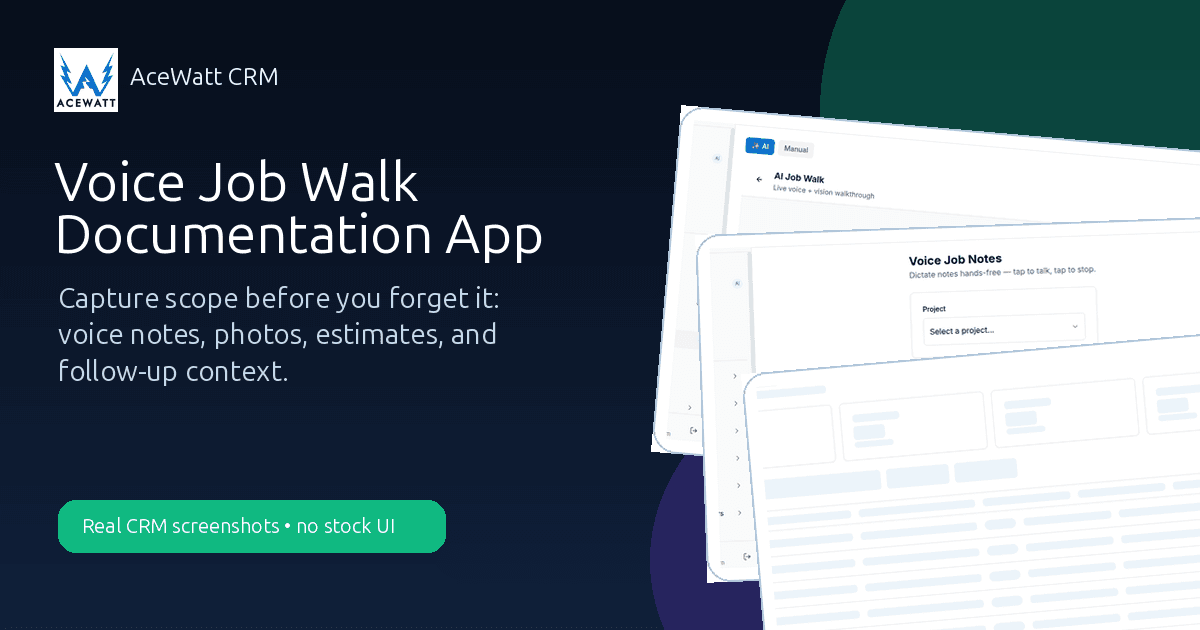
Generic note apps can record thoughts. A real job walk app for electricians connects those thoughts to the customer, project, estimate, schedule, and invoice. AceWatt's workflow includes AI job walk and voice documentation screens in the actual CRM, plus quote, scheduling, communication, invoice, and reporting screens that keep the work connected after the visit.
Voice notes, photos, scope, materials, and customer context in one record
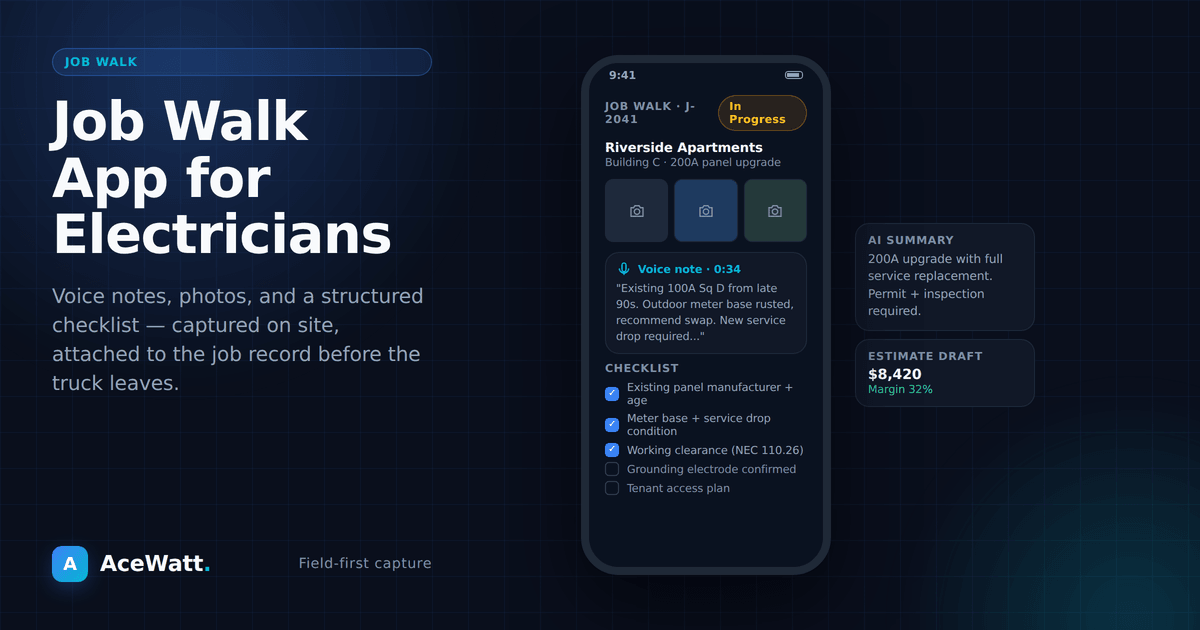
Voice alone is not enough. A useful job walk record should include the spoken observation, the photo that proves it, the customer objective, the property context, the materials or equipment involved, and the office action that comes next. That is why disconnected audio files are weak. They tell you what was said, but not what job, customer, estimate, or invoice it belongs to.
Why job walk documentation matters for electricians
Electrical work is full of hidden conditions and handoff risk. A panel upgrade may need utility coordination. An EV charger may require load review and routing decisions. A commercial lighting retrofit may involve access windows, lift rental, controls, fixture counts, and tenant restrictions. A troubleshooting call may reveal a different issue than the customer first described.
Good documentation protects the customer, the technician, the estimator, and the office. It also creates a cleaner record if the customer asks why a line item exists later.
The electrical job walk problem: details get lost between site visit and quote
The classic job walk goes like this: the electrician walks the site, talks with the customer, takes a few photos, makes mental notes, promises a quote, and moves to the next call. Later, the office asks for details. The electrician remembers most of it, but not all of it. The quote goes out with assumptions. The customer approves, then the crew discovers a missing exclusion or a scope mismatch.
A voice documentation workflow is not about replacing the electrician. It is about reducing memory loss between inspection and estimate.
Notes scattered across texts, camera roll, truck notepad, and memory
When notes live in four places, the estimate depends on whoever can reconstruct the story. A photo in the camera roll needs a caption. A voice memo needs a customer. A text thread needs a job ID. A napkin note needs a date. The app should gather them into one place.

Missing exclusions, materials, permits, and access details
Most estimate mistakes are not dramatic. They are small missing details: drywall repair excluded, trenching not included, fixture supplied by owner, utility disconnect required, attic access limited, lift rental needed, permit responsibility unclear, or panel space unknown. Voice documentation makes it easier to say the detail while you are looking at it.
Slow estimates lose jobs
Customers often call more than one electrician. The contractor who sends a clear, accurate estimate first has an advantage. A voice job walk documentation app can shorten the time from site visit to estimate because the notes are already structured for review.
The 2026 landscape: voice capture is multiplying, connection is not
Voice capture itself is becoming a commodity. Electricians can now pick from generic voice memo apps, AI meeting note tools repurposed for site visits, standalone voice documentation apps built for trades, and voice-to-estimate point tools that promise a quote from a recording. Several of these are genuinely fast at turning speech into tidy text.
The hard part is not transcription. The hard part is what happens next. The same split applies one step earlier in the job: if calls are going unanswered before a walk is even booked, an AI answering service for electricians covers the front door, and this article covers everything after it. A tidy transcript with no customer record, no photo set, no estimate handoff, and no invoice trail is a faster version of the same scattered notes problem this article opened with. When you evaluate a voice tool, ask three questions: where do the words go after they are transcribed, who reviews them against photos and site conditions, and which document do they feed next.
That is the difference between a voice feature and a workflow. A voice feature gives you text. A workflow gives the office something it can quote, schedule, bill, and defend later.
What electricians should capture during every job walk
A repeatable checklist beats memory. During a job walk, capture:
- Customer goal and decision timeline.
- Service address, access notes, parking, lockbox, tenant, and gate details.
- Existing panel, breaker, circuit, equipment, fixture, and load context where relevant.
- Photos of current conditions and work areas.
- Materials, equipment, labor assumptions, and owner-supplied items.
- Permit, inspection, utility, or AHJ considerations.
- Exclusions: drywall, paint, trenching, patching, cleanup outside scope, utility fees, or hidden-condition repairs.
- Follow-up item: estimate, callback, site revisit, purchase order, or schedule hold.
Do not use AI to make code, safety, or load decisions without qualified review. Let AI organize what the electrician observed. Keep final judgment with the contractor.
How voice documentation turns into an estimate
The workflow is simple when the data stays connected:
- Speak the scope while walking the job.
- Attach photos to the same customer or job record.
- Let AI structure the notes into draft scope and checklist items.
- Review materials, labor, exclusions, safety, permits, code, and site assumptions.
- Convert approved scope into an estimate.
- Follow up after the customer receives the quote.
AceWatt supports this connected path through voice documentation, AI job walk documentation, and automated estimating. The app can help structure information. The contractor still owns the estimate.
Speak the scope while walking the job
Typing during a site walk is awkward. Speaking is natural. The electrician can say, "Customer wants EV charger on garage wall, panel is on opposite side, attic access is clear near the route, customer wants conduit concealed where possible, exclude drywall repair." Those details are easier to capture in the moment than to remember at 7 p.m.
AI structures notes into line items
AI can help convert spoken notes into organized draft scope: job type, materials to verify, labor assumptions, missing questions, and follow-up tasks. Treat the output as a draft. Review it against photos and site conditions before sending anything.
Review materials and labor before sending
A voice note can say "add 50 amp circuit," but the actual materials, conductor, breaker, installation method, load review, code considerations, permit, and final price need qualified review. The app speeds documentation; it does not replace professional estimating.
Voice job walk documentation app features to look for
Mobile voice capture that works on site
The app has to be usable in a real job-site environment. If it takes ten taps, the crew will skip it. Voice capture should be fast, easy to find, and tied to a customer or job record.
Photo attachment and organization by job
Photos without context are weak evidence. The app should keep photos with notes, scope, and customer history. It should be clear which photo supports which line item or exclusion.
Customer and job history in the same record
If the customer called last year, had prior work done, or has an unpaid invoice, the job walk should not be blind. A CRM for electricians keeps that history connected.
Estimate and invoice handoff
The job walk should not end in a transcript folder. It should feed the estimate and later the invoice. See the electrical estimate template and electrical work order template for the documents that surround this workflow.
Office handoff and follow-up
The office needs a clear next step: send quote, request photos, schedule site revisit, call customer, or hold for review. Good documentation makes handoff obvious.
Voice job walk app vs generic note app vs field service software
| Option | Strength | Weakness |
|---|---|---|
| Apple Notes or Google Keep | Fast note capture | Disconnected from customer, estimate, invoice, and follow-up |
| Generic forms app | Structured fields | Slow for field crews and usually not electrical-specific |
| Broad field service software | Scheduling and dispatch | May require extra setup for voice job-walk scope capture |
| AceWatt CRM workflow | Electrical contractor CRM with AI job walk, voice documentation, quotes, scheduling, invoices, and reporting | Contractors still need to verify plan features and keep licensed review in control |
The best option is the one your crew will actually use and your office can act on without retyping.
Example workflows
Residential panel upgrade
During the visit, the electrician captures panel photos, existing service context, access notes, utility coordination assumptions, permit notes, customer goals, and exclusions for drywall or painting. The estimate reviewer uses the notes to draft scope, check assumptions, and confirm what needs human review.
EV charger installation
The job walk captures charger location, panel location, route constraints, access, customer-supplied equipment, load-review needs, permit requirements, and surface repair exclusions. AI can organize the notes, but the contractor decides final installation method and pricing.
Commercial lighting retrofit
The contractor captures fixture counts, lift access, tenant work windows, controls, ceiling conditions, disposal notes, and change-order risks. The office can build a clearer proposal because the site context is not trapped in one person's memory.
Troubleshooting call with photos
The electrician documents symptoms, observed conditions, photos, customer statements, and next recommended diagnostic step. The record supports follow-up without overpromising what the issue is before qualified review.
FAQ: Voice Job Walk Documentation Apps
What should a voice tool buyer check in 2026?
Beyond the basics above, test the handoff. Record a two minute walkthrough of a real job type, then check whether the output lands in a connected record or an export folder. Tools that stop at the transcript shift the organizing work back to the office.
What is the best job walk app for electricians?
The best app connects field notes to the customer, estimate, schedule, invoice, and follow-up. For electrical contractors, look for voice capture, photo organization, AI-assisted scope drafting, and clear licensed-review boundaries.
Can voice notes become an electrical estimate?
Voice notes can become draft scope and estimate context. A qualified contractor should review materials, labor, exclusions, permits, safety, code considerations, and final pricing before anything is sent.
Should electricians document every site visit?
Yes, at least with a basic note and photo set. Documentation helps with scope clarity, customer communication, callbacks, disputes, and future service history.
What photos should electricians take during a job walk?
Take photos of the work area, panels, equipment, access paths, existing conditions, damage or constraints, customer-supplied items, and anything that supports an exclusion or change order. Avoid private customer information when photos are used publicly.
Can voice documentation reduce change-order disputes?
It can help by documenting what was observed, what was excluded, and what changed. It does not eliminate disputes, and contract/change-order language should still be reviewed by counsel.
Can AI replace an estimator?
No. AI can organize job-walk notes and draft scope language. Estimators and licensed electricians still review safety, code, site conditions, materials, labor, permits, pricing, and final commitments.
Bottom line
A voice job walk documentation app is valuable because it captures details before they disappear. For electricians, the winning workflow is not just voice notes. It is voice notes plus photos, customer history, estimate handoff, follow-up, invoice context, and human review where electrical judgment matters.
See AceWatt's job walk app for electricians, voice documentation, and AI job walk documentation pages to compare the connected workflow.
Browse every download in one place: the free electrical contractor templates hub.
Related Reading
- See the hands-free flow end to end: Watch AceWatt's AI voice job walk in action.
To see how voice documentation fits the full platform, start with the AceWatt features overview.