
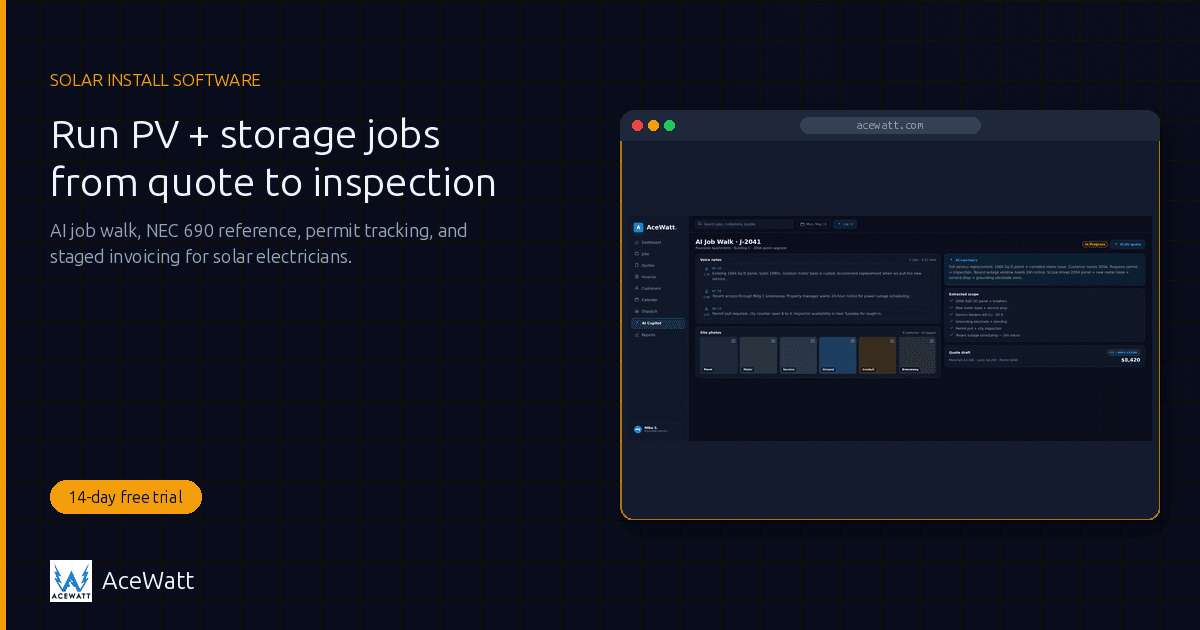
Solar Installation Software for Electricians: Run PV + Storage Jobs From Quote to Inspection
More electrical contractors are adding photovoltaic (PV) and battery storage work to their service mix in 2026, driven by federal ITC incentives and surging demand for home and commercial battery backup. The catch: most solar tools are built for solar-only sales companies, not licensed electricians. That is the gap solar installation software for electricians is built to close. This guide covers what solar installation software for electricians should do, how it differs from solar design tools like Aurora Solar, and how AceWatt runs the business layer (quoting, site survey, NEC 690 reference, permitting, inspection, and staged billing) for contractors adding solar without a second CRM.
Why More Electricians Are Adding Solar in 2026
The economics pulling electricians into solar are simple. Driven by federal ITC incentives and steady demand for residential and commercial battery storage, more property owners want PV plus storage, and the work that makes a solar system safe and legal is, at its core, licensed electrical work. A solar install touches the service panel, requires a utility interconnection agreement, often triggers a service upgrade, and always ends with an AHJ inspection. Solar-only sales crews that lack an electrical license routinely subcontract the genuinely electrical parts of the job. The licensed electrical contractor is the natural installer: you already own the panel, the permit relationship, and the code knowledge.
What changes is the workflow, not the trade. Solar jobs are longer, more permit-heavy, and more dependent on staged billing than a typical service call. The holdup is not the electrical work; it is the business process around a multi-week job. Solar installation software for electricians runs that process instead of letting it live in a clipboard, a spreadsheet, and three different apps. On the code side, the install lives inside NEC Article 690 (Solar PV) and, for batteries, Article 706 (Energy Storage Systems), which is why your software needs an electrical-code layer, not just a generic quoting tool.
Solar Design Software vs. Solar Business Software
This is the single most important distinction on this page, and the one most buyers get wrong. There are two categories of "solar software," and an electrician doing solar needs both:
> Solar design software engineers the array: panel layout, stringing, shading analysis, and energy yield modeling. Solar business software runs the job: quote, site survey, permit, install, inspection, and invoice. Aurora Solar, RatedPower, PVComplete, and SolarEdge Designer are design tools. AceWatt is business software for the electrician who runs solar jobs.
Solar design / engineering tools (Aurora Solar, RatedPower, PVComplete, and SolarEdge Designer) model the sun, lay out modules, calculate energy yield and shading, string the array, and produce engineering documentation. They are engineering environments, not business tools; they do not quote the customer, walk the site, track the permit, or send the staged invoice.
Solar business software, the layer AceWatt owns, runs everything around the engineering: lead intake, a tiered quote, a mobile site survey, permit application and tracking, install scheduling, inspection and interconnection coordination, staged invoicing, and warranty tracking. This is where the electrician spends the day. Pair a design tool (Aurora is the common residential choice) with AceWatt: the design tool engineers the array, AceWatt runs the job from quote to final invoice.
The Solar Install Workflow Electricians Must Manage
A solar PV plus storage install is a multi-step job with several friction points the electrician owns end to end:
- Lead intake. A homeowner or business wants solar, often with battery backup. You qualify roof condition, panel capacity, budget, and whether a service upgrade is likely.
- Site survey. You walk for roof structure and access, shading, panel and inverter location, conduit runs, battery location, and clearance. This is where a clipboard survey breaks down on a real solar job.
- Quote. You present tiered options: a grid-tied PV system, a PV-plus-battery system, and a larger PV-plus-storage-plus-service-upgrade package, letting the customer choose backup level and budget.
- Design (external tool). The array is engineered in a tool such as Aurora Solar, RatedPower, PVComplete, or SolarEdge Designer: module layout, stringing, and energy yield. AceWatt does not do this layer; it carries the design result into the job record.
- Permit. Solar installs are permit-heavy: an electrical permit, often a structural permit for roof loading, and a utility interconnection agreement. Permit tracking tied to the schedule is the single biggest friction reliever on a solar job.
- Install. The crew mounts racking and modules, lands the inverter, installs the battery rack and ESS, runs conduit, and makes the panel interconnection. All of it sits inside NEC 690 and 706.
- Inspection and interconnection. The AHJ inspects the install, the utility approves interconnection, and the system is energized. The inspection paper trail comes straight from the site survey documentation.
- Invoice and warranty. Staged invoicing (deposit, equipment delivery, install milestone, final/PTO) protects cash flow on a high-ticket job, and warranty plus maintenance tracking keeps the customer relationship alive for years.
How AceWatt Maps to the Solar Workflow
AceWatt runs the business layer of that workflow: every step except the external array design, which stays in your design tool of choice.
- Tiered quoting with the AI Quote Builder. The AI Quote Builder lets you present a grid-tied PV tier, a PV-plus-battery tier, and a PV-plus-storage-plus-service-upgrade tier in one estimate, so the customer compares backup level and budget at a glance. The chosen tier flows into the same job record as the site survey and permit.
- Site survey by voice and photo with AI Job Walk. AI Job Walk replaces the clipboard survey. The tech records roof condition, orientation, shading, panel and inverter location, conduit runs, battery location, and clearance by voice and photo from a phone, landing as a structured record tied to the job that feeds the permit and inspection trail. See how AI Job Walk works for solar site surveys.
- NEC code reference, including Article 690 and 706. AceWatt surfaces NEC reference as part of the workflow and stays current with the NEC 2026 code changes that affect PV and energy storage installs. The reference keeps the work code-aware; it does not replace the licensed electrician's sign-off or the AHJ's final call.
- Permit tracking. Electrical, structural, and interconnection permits tied to the job schedule, with inspection and Permission to Operate (PTO) dates tracked so nothing slips. Permit tracking is where most solar jobs stall, and it is the feature contractors cite most.
- Staged invoicing. Deposit at contract, milestones at equipment delivery and install, and final at PTO/interconnection. Solar jobs are expensive and span weeks, and staged billing protects cash flow instead of fronting equipment costs.
- Job costing and change orders. Solar jobs generate change orders (shade-removal, service upgrade, additional battery capacity). Job costing and structured change-order tracking keep margin visible on a long, equipment-heavy job.
What AceWatt does not do is solar design: array layout, stringing, shading, or energy yield modeling. Pair it with a design tool like Aurora Solar for that step; AceWatt runs the business around the engineering.
NEC Compliance for Solar: What Your Software Should Catch
A solar PV plus storage install sits inside a specific set of NEC articles, and your software should at least surface them so the work stays code-aware rather than relying on memory:
- NEC Article 690, Solar Photovoltaic Systems. Covers PV circuit sizing, overcurrent protection, disconnecting means, grounding, and rapid-shutdown requirements that have changed across recent code cycles. This is the core article for the array and DC side of a solar install.
- NEC Article 705, Interconnected Electric Power Production Sources. Covers the interconnection of the PV system to the utility, including the point of common coupling and the interaction with the service panel.
- NEC Article 706, Energy Storage Systems. Covers battery ESS installation, including listing, spacing, ventilation where required, disconnecting means, and overcurrent protection. If the job includes a battery, Article 706 applies.
AceWatt surfaces these references as part of the workflow so the work stays code-aware. What software cannot do is guarantee an inspection pass; the licensed electrician and the AHJ make the final call on compliance, site conditions, and local amendments. Always verify against the current NEC edition and your local AHJ, since jurisdictions amend the code on their own schedules. AI assists with surfacing code; it does not replace licensed electrician sign-off on load calcs, permits, or compliance.
For the conductor-side math that feeds a solar install, the free electrical load calculator, voltage drop calculator, and wire size calculator handle the load calc, voltage drop, and conductor sizing that NEC 690 and 705 reference. The whole calculator set lives on the tools hub.
Tools Comparison: Design vs. Business Software for Solar Electricians
The honest comparison. Solar design tools and business software do different jobs, and no single tool does both well.
| Tool | Layer | Best For | Solar Design | Job Walk | NEC Ref | Permit | Staged Billing |
|---|---|---|---|---|---|---|---|
| Aurora Solar | Design | Residential array layout & yield | Yes | No | Partial | Limited | No |
| RatedPower | Design | Commercial / utility-scale PV | Yes | No | Partial | Limited | No |
| PVComplete | Design | AutoCAD-style PV design | Yes | No | Partial | Limited | No |
| AceWatt | Business | Electrician running solar jobs | No | Yes | Yes | Yes | Yes |
| ServiceTitan | Business | Multi-trade home services | No | No | No | Partial | Yes |
| Jobber | Business | Generic small-business scheduling | No | No | No | Partial | Yes |
Aurora Solar, RatedPower, and PVComplete genuinely own solar design; an electrician doing residential solar will typically run Aurora for the engineering, and AceWatt does not compete on design. On the business side, AceWatt is the electrical-native entry: NEC reference (690, 705, 706), voice-and-photo job walk, permit tracking, and staged billing are built for an electrician, not retrofitted onto a multi-trade template. ServiceTitan and Jobber run scheduling and invoicing, but lack the code layer and electrician-native site survey a solar install needs. The honest pairing is Aurora (design) plus AceWatt (business).
Buyer's Checklist: Solar Software for an Electrical Contractor
If you are evaluating solar installation software for electricians, here is what actually matters on a real PV plus storage job:
- Mobile site survey. Can a tech capture roof condition, shading, panel and inverter location, conduit runs, and battery location by voice and photo on a phone, tied to the job? That kills the clipboard.
- NEC reference, including Article 690 and 706. Does it surface the PV and ESS articles so the work stays code-aware, not generic?
- Permit workflow. Does it track the electrical permit, any structural permit, and the utility interconnection agreement, tied to the schedule and inspection/PTO dates?
- Staged billing. Can you invoice deposit, equipment delivery, install milestone, and final/PTO separately to protect cash flow?
- Tiered quoting. Can you present a grid-tied PV, a PV-plus-battery, and a PV-plus-storage-plus-upgrade option in one estimate?
- Warranty and maintenance tracking. Does it track equipment warranty start dates and annual service or monitoring agreements for recurring revenue?
- Design tool pairing. Does it coexist cleanly with your design tool (Aurora, RatedPower, PVComplete) without double entry?
- QuickBooks sync. Does it sync invoicing and job costing to your accounting so a long solar job stays in one set of books?
AceWatt checks every box except the design layer, which stays in your design tool. On the accounting box, the QuickBooks handoff is QuickBooks-ready exports (an invoice-list spreadsheet and a QuickBooks-format payroll-hours CSV), not a native, real-time sync; full sync is in development. Plans start at $49/month with a 14-day trial.
Frequently Asked Questions
What software do electricians use for solar installations? Electricians doing solar typically use two tools together: a solar design tool (Aurora Solar, RatedPower, PVComplete, or SolarEdge Designer) to engineer the array, stringing, and energy yield, and a business CRM/FSM like AceWatt to run the job: quoting, site survey, NEC 690/706 reference, permitting, scheduling, inspection, and staged invoicing. AceWatt is electrical-native, so it includes the code reference and voice-and-photo job walk that generic multi-trade tools lack. Solar installation software for electricians is the business layer; pair it with a design tool.
Does AceWatt do solar panel design? No. AceWatt does not do array layout, stringing, shading analysis, or energy yield modeling. It runs the business of solar installs: tiered quoting, AI Job Walk site survey, NEC 690/706 reference, permit tracking, staged invoicing, and warranty tracking. For design, pair AceWatt with Aurora Solar for residential or RatedPower for commercial work. AceWatt carries the design result into the job record and runs everything around it.
Can AceWatt handle NEC 690 compliance? AceWatt surfaces NEC Article 690 (Solar PV), Article 705 (interconnection), and Article 706 (Energy Storage Systems) as code reference inside the workflow, and stays current with the NEC 2026 changes that affect solar and storage installs. The reference keeps your work code-aware. It does not guarantee an inspection pass; the licensed electrician and the AHJ make the final call on compliance and local amendments. Always verify against the current NEC edition and your local AHJ.
How does AceWatt help with solar permits? Solar installs are permit-heavy: typically an electrical permit, sometimes a structural permit for roof loading, and a utility interconnection agreement. AceWatt's permit tracking records each permit's number, type, jurisdiction, and status, and the AI Job Walk site survey documentation gives you what the application needs; inspection dates and Permission to Operate (PTO) deadlines stay on your own calendar.
Can I do staged billing for solar jobs in AceWatt? Yes. Solar jobs are high-ticket and span weeks, so AceWatt's invoicing supports staged billing through milestone (percentage-of-completion) billing on the project: you draft each milestone's invoice, for example at contract, equipment delivery, install, and PTO/interconnection, and send it. Staged billing protects cash flow instead of forcing you to front equipment costs, and each staged invoice lands on the QuickBooks-ready invoice-list export on the Growth plan and above, rather than a native, real-time sync.
Add Solar to Your Electrical Business Without Adding Software Chaos
AceWatt runs the business of solar and storage installs (tiered quoting, voice-and-photo site survey with AI Job Walk, NEC 690/706 reference, permit tracking, and staged invoicing) in one electrician-native CRM, from $49/month with a 14-day trial. Pair it with Aurora Solar for the array engineering and you have the full stack: design in one app, the rest of the job in AceWatt, one set of books at the end.
See how AceWatt handles the permit workflow that slows solar installs, explore the NEC 2026 code changes affecting solar and storage, or start your 14-day trial and run PV plus storage jobs from quote to inspection in one CRM.