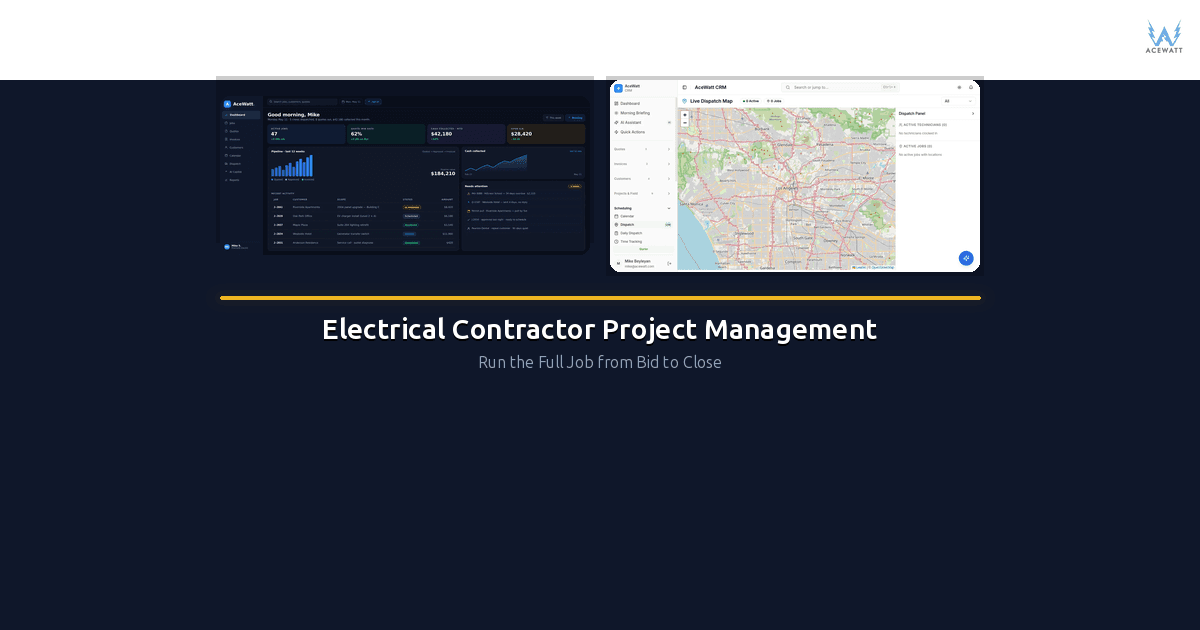
Electrical contractor project management software is a specialized platform that handles every phase of an electrical job, from the first customer call through estimating, scheduling, dispatch, job tracking, change orders, invoicing, and payment. Unlike generic project management tools like Asana or Monday.com, which are built for office workflows, electrical contractor PM software is designed around how electricians actually work: managing crews in the field, tracking materials and labor costs per job, handling permits and code compliance, and converting estimates directly into invoices. If you're running an electrical contracting business and still juggling spreadsheets, text messages, and three separate apps to get through a single project, this guide breaks down what to look for and how to choose the right tool for your operation.
Quick answer: Electrician project management software connects estimates, schedules, change orders, documents, and invoicing so multi-week electrical projects stay on budget and on schedule.
Scope creep is the silent killer in electrical contractor project management — every untracked extra becomes free work.
Electrical contractor project management is a different discipline from residential service work — longer timelines, multiple crews, and inspections that gate progress payments.
What Is Electrical Contractor Project Management Software?
Electrical contractor project management software is a purpose-built platform that manages the complete lifecycle of electrical work: residential service calls, commercial projects, and industrial installations alike. It combines the functions that electricians normally spread across five or six separate tools: lead tracking, estimating, scheduling and dispatch, job progress tracking, change order management, invoicing, payment collection, and job costing.
The key word is purpose-built. A tool like Asana or Monday.com can track tasks and deadlines, but it doesn't know what an NEC code is, can't convert an estimate into an invoice, and won't help you track whether Crew A or Crew B is available for a panel upgrade next Tuesday. Accounting software like QuickBooks handles the money side but has no concept of field operations. Single-feature apps (a standalone estimating tool, a separate scheduling app) create data silos where information has to be re-entered manually from one system to the next.
Electrical contractor PM software ties all of these functions together in one system, so that a lead comes in, gets estimated, gets scheduled, gets completed, gets invoiced, and gets tracked for profitability without anyone re-typing data or losing track of a change order in a text message thread.
If you're evaluating options, our guide to electrical contractor software features goes deeper into individual feature breakdowns.
Why Electrical Contractors Need More Than Generic PM Tools
Most electricians who try to use generic project management software hit the same walls. Here's why electrical work demands something different.
Code compliance and permits. Electrical work is regulated differently than almost any other trade. Permits, inspections, NEC compliance, and local code variations aren't optional; they're the job. Generic PM tools have no concept of permit status, inspection scheduling, or code requirements. Electrical contractor PM software tracks permits alongside the job, so you know what's been filed, what's been approved, and what's still outstanding.
Materials and labor change mid-job. On a typical electrical project, the material list shifts as the work progresses. You discover the existing wiring won't support the new load, or the customer wants to add recessed lighting to the original scope. Generic PM tools treat a project as a fixed set of tasks. Electrical PM software handles change orders that ripple through the schedule and the budget simultaneously.
Change orders affect schedule and budget together. A change order isn't just a line item on an invoice. It changes the materials you need to order, the hours of labor required, and the timeline for completion. When your PM system treats change orders as an integrated part of the project rather than a separate document, you stop losing money on untracked scope changes. Our post on electrical contractor change order management covers this in detail.
Multiple crews and service calls. If you're running more than one crew, you need dispatch functionality that accounts for crew skills, certifications, and location, not just who's "available." A journeyman electrician and an apprentice aren't interchangeable on every job. Electrical PM software lets you match the right crew to the right job.
Licensing, insurance, and lien requirements. Electricians carry specific licensing requirements that vary by state and municipality. Your PM system should be able to track license expiration dates, insurance certificates, and lien waiver deadlines. A generic task manager doesn't touch any of this.
Estimates need to convert to invoices. This is the big one. In electrical work, the estimate you give a customer is often the basis for the final invoice, plus or minus change orders. When your estimating tool and your invoicing tool are the same system, you eliminate hours of double entry and reduce billing errors. Our article on electrical contractor estimating software explains how this works.
Good electrical contractor project management software connects the schedule, the estimate, and the invoice as one record.
Core Features to Look For
Not every electrical contractor PM platform includes every feature below. But these are the capabilities that matter most when you're evaluating options for your business.
Lead Intake and CRM
A good system captures leads from your website, phone calls, and referrals in one place. It should track where each lead came from, log all communication, and move leads through your sales pipeline. Your CRM for electricians should be built into the same platform where you estimate and schedule, not bolted on as an afterthought.
Estimating
Electrical estimating should support both flat-rate and time-and-materials pricing. It should pull from a material cost database (ideally one that updates with current pricing), calculate labor hours based on the scope, and produce a professional estimate the customer can approve digitally. The estimate should then convert directly into a job and an invoice with no re-entry.
Scheduling and Dispatch
Scheduling for electrical contractors means more than putting names on a calendar. You need to see crew availability, skill sets, drive time between jobs, and job priority. Dispatch should handle same-day service calls alongside scheduled projects, and field techs should see their daily schedule on their phone with job details and customer information.
Job Tracking
Once a job is in progress, you need visibility into what's been completed, what's pending, and whether the job is on budget. Job tracking should show progress in real time based on field updates, not require a foreman to fill out paperwork at the end of the day. For more on this, see our guide to electrician job management software.
Change Order Management
Change orders should be created from the field, approved by the customer on site (digitally), and automatically update the job budget and invoice. No driving back to the office to type up a change order and hand-deliver it for a signature.
Invoicing and Payment
Invoices should generate from the approved estimate plus any change orders. Payment collection should support credit cards, ACH, and financing, ideally with the customer paying on the spot from their phone or your tech's tablet.
Job Costing
Job costing compares what you estimated against what you actually spent on materials, labor, subcontractors, and overhead. Without it, you're guessing at profitability. Our breakdown of electrical job costing software explains how to track real costs per job.
Photo and Voice Documentation
Electrical jobs require documentation: before-and-after photos, code reference photos, voice notes from the job walk. A PM system that lets field techs capture photos and voice memos attached to the specific job saves hours of back-and-forth and protects you on warranty disputes.
Reporting and KPIs
You need to know your close rate on estimates, your average job ticket, your crew use rate, and your profit margin per job type. Built-in reporting surfaces these numbers without exporting to spreadsheets.
Mobile App
Your field electricians aren't sitting at desks. A full-featured mobile app (not a read-only portal) lets them view schedules, update job status, create change orders, capture photos, and collect payments from the field.
Customer Portal
A customer portal lets homeowners and property managers view their estimate, approve change orders, check job progress, and pay invoices without calling your office.
Accounting Integration
Even if your PM platform handles invoicing, you likely need it to sync with your accounting software. Look for native integrations with QuickBooks, Xero, or whatever your bookkeeper uses.
2026 Comparison Table
This table compares the platforms most commonly used by electrical contractors for project management. Features and pricing reflect publicly available information as of early 2026, so always verify directly with the vendor before making a decision.
| Feature | ServiceTitan | Housecall Pro | Jobber | BuildOps | AllBetter | ReachOut Suite | FieldCamp | AceWatt | Monday.com | Asana |
|---|---|---|---|---|---|---|---|---|---|---|
| CRM | Yes | Yes | Yes | Yes | Yes | Yes | Yes | Yes | No | No |
| Estimating | Yes | Yes | Yes | Yes | Yes | Yes | Limited | Yes | No | No |
| Scheduling | Yes | Yes | Yes | Yes | Yes | Yes | Yes | Yes | Yes | Yes |
| Invoicing | Yes | Yes | Yes | Yes | Yes | Yes | Limited | Yes | No | No |
| Change Orders | Yes | Limited | Limited | Yes | Limited | Yes | No | Yes | No | No |
| Mobile App | Yes | Yes | Yes | Yes | Yes | Yes | Yes | Yes | Yes | Yes |
| Job Costing | Yes | Limited | No | Yes | No | Limited | No | Yes | No | No |
| Price Range | Enterprise | $49 to $199/mo | $49 to $299/mo | Enterprise | ~$99/mo | ~$79 to $199/mo | ~$49/mo | From $79/mo | $9 to $19/user/mo | $10 to $25/user/mo |
| Electrical-Specific | Partial | Partial | No | Yes (commercial) | Partial | No | No | Yes | No | No |
Key takeaway: Monday.com and Asana are solid task managers but lack estimating, invoicing, change order management, job costing, and any trade-specific functionality. ServiceTitan and BuildOps are powerful but priced and positioned for larger operations. AceWatt is built specifically for electrical contractors and covers the full lifecycle at a price point accessible to smaller and mid-size shops.
For a deeper look at how features stack up for small electrical businesses, see our electrical contractor software for small business guide.
When shops evaluate electrical contractor project management tools, change-order tracking is usually the dealbreaker feature.
What Most PM Tools Get Wrong for Electrical Contractors
After talking with electricians who've tried (and often abandoned) various PM platforms, the same complaints come up repeatedly.
No estimate-to-invoice flow. Too many platforms treat estimating and invoicing as separate modules. You build an estimate, the customer approves it, and then you have to manually create an invoice from scratch. This is the single biggest workflow gap in generic and even some trade-specific tools. When the estimate IS the invoice (plus change orders), you save time and reduce errors.
Generic scheduling without crew skills. Most scheduling tools put a name on a calendar. They don't account for whether that person holds a master electrician license, has experience with commercial panel work, or is still an apprentice. Electrical scheduling needs skill-based dispatch, and most tools don't offer it.
No NEC, code, or permit tracking. Electrical work has a regulatory layer that plumbing, HVAC, and general contracting don't match. The National Electrical Code updates on a three-year cycle, local amendments add complexity, and permit requirements vary by jurisdiction. PM tools built for "home services" or "field service" in general ignore this entirely. Always verify code compliance requirements with your local authority having jurisdiction (AHJ). Software can help you track permits, but it doesn't replace knowing your local codes.
Change orders as afterthoughts. In many platforms, a change order is just a note or an email. It doesn't update the budget, the schedule, or the invoice. For electrical contractors, where mid-job scope changes are the norm, not the exception, this is a critical gap.
No voice or photo documentation. Electricians walk jobs, take photos of existing conditions, and leave voice notes about what they found behind the wall. If your PM tool doesn't support attaching voice memos and photos directly to the job record, that documentation lives in someone's phone gallery and never makes it into the project file.
Accounting separate from job management. When your PM platform and your accounting software don't talk to each other (or sync poorly), you end up with two sets of numbers and nobody knows which one is right. This is especially painful at tax time and when trying to figure out if a job was profitable.
Built for general contractors, not electricians. Several popular construction PM tools are designed for GCs managing multiple trades on a single project. The workflow is oriented around subcontracts, RFIs, and draw schedules, not the day-to-day reality of an electrical contractor managing multiple smaller jobs across multiple customers simultaneously.
How AceWatt Runs Electrical Projects End-to-End
AceWatt is built specifically for electrical contractors: not plumbers, not HVAC companies, not general contractors. Here's how the platform handles a typical project from start to finish.
1. Lead Intake
A customer finds you through your website, a referral, or a Google search. The lead lands in AceWatt's CRM with the source tracked automatically. You see every lead in one dashboard, along with contact history, so nothing falls through the cracks. Learn more about this in our CRM for electricians overview.
2. AI-Powered Estimating
Create an estimate based on the job scope, pulling from up-to-date material pricing and your configured labor rates. AceWatt's AI assists with scope suggestions based on the job type, whether it's a residential panel upgrade, a commercial lighting retrofit, or a new construction rough-in. The customer receives a professional estimate they can approve digitally.
3. Schedule and Assign Crew
Once the estimate is approved, the job moves to the scheduling board. Assign it to the right crew based on availability, skills, and location. The assigned electricians see the full job details (scope, materials, customer info, site access instructions) in the AceWatt mobile app.
4. Voice Job-Walk Documentation
Your field tech walks the job and records voice notes: what they found, what changed from the original scope, what materials they need that weren't on the original list. Those voice notes attach directly to the job record, time-stamped and searchable. No more scribbling on notepads that get lost in the truck.
5. Change Orders from the Field
When the scope changes (and it always does), the field tech creates a change order from their phone. The customer reviews and approves it on the spot with a digital signature. The change order automatically updates the job budget and the final invoice. See our electrical contractor change order guide for the full workflow.
6. Invoice and Payment
When the job is done, the invoice generates from the approved estimate plus any approved change orders. No re-entering data. The customer pays by credit card, ACH, or financing directly from the invoice. Payment syncs back to the job record.
7. Job Costing and Profit Tracking
After the job closes, AceWatt compares estimated costs against actual costs (materials, labor, and overhead) so you see your real profit margin on every job. Over time, this data helps you estimate more accurately and price more competitively. Our electrical contractor profit margins article shows how to use this data.
8. Follow-Up and Reviews
After completion, AceWatt can trigger an automated follow-up to the customer requesting a review and offering to schedule any additional work. This keeps your pipeline full and builds your online reputation.
Honest note on scale: AceWatt is designed for electrical contractors from solo operators up to mid-size multi-crew operations. If you're running a large enterprise with complex accounting requirements, multi-entity structures, or advanced inventory management across multiple warehouses, you may need to supplement with a dedicated accounting platform or evaluate enterprise-focused tools like ServiceTitan. AceWatt bridges that gap with structured, line-level exports your bookkeeper brings into QuickBooks or other popular accounting software. Check our features page and pricing for current capabilities and plans.
Small Shop vs. Growing Shop vs. Multi-Crew Operation
The right PM setup depends heavily on the size and complexity of your operation. Here's how to think about it.
Solo Electrician (1 person)
What you need: CRM, estimating, invoicing. You're the office and the field. You need a system that captures leads, lets you build and send estimates quickly (ideally from your phone between jobs), and invoices the customer when the work is done. Job costing matters even at this stage; you need to know if you're making money.
What you can skip: Crew dispatch, advanced scheduling, reporting dashboards. You know where you are.
When to upgrade from spreadsheets: The moment you realize you've lost track of an estimate, forgotten to follow up on a lead, or can't remember whether a customer paid. If you're doing more than 5-8 jobs per month, spreadsheets are costing you money.
Small Shop (2 to 5 people)
What you need: Everything above, plus scheduling and dispatch, job tracking, and change order management. With multiple people in the field, you can't coordinate via group text. You need a shared schedule that everyone can see, with job details attached. Change orders become more frequent and more complex when you have multiple jobs running simultaneously.
What to add: Mobile app for field techs, customer portal, basic reporting. Our guide for electrical contractor software for small business goes deeper on this tier.
Key metric to track: Close rate on estimates and average ticket size.
Growing Shop (5 to 15 people)
What you need: Full crew management with skill-based dispatch, detailed reporting and KPIs, job costing on every project, and accounting integration. At this size, you need to know which crew is most efficient, which job types are most profitable, and where your estimating is off.
What to add: Crew performance reporting, profitability by job type, integration with your bookkeeper's accounting software.
Key metrics to track: Crew use rate, profit margin by job type, estimate-to-actual variance. Our electrical contractor scheduling software guide covers crew management in detail.
Multi-Crew Operation (15+ people)
What you need: Everything above, plus deep accounting integration, potentially API access for custom workflows, advanced reporting, and possibly multi-location support. At this scale, your PM system is the operational backbone of the business.
What to consider: Whether your PM platform can scale with you, or whether you'll outgrow it and face a painful migration. Also whether you need features like electrical contractor service agreements management for maintenance contracts.
Key metrics to track: Revenue per electrician, overhead allocation per job, customer lifetime value.
For a broader look at running the business side, our guide on how to manage an electrical contracting business covers operations, finance, and growth strategy.
Every electrical contractor project management workflow in this guide starts from what a small shop can actually adopt.
Implementation Roadmap: 6-Week Plan
Switching to a new PM platform is a project in itself. Here's a realistic week-by-week plan.
Week 1: Setup and Configuration
- Create your AceWatt account and configure your company profile
- Set up your service types, pricing templates, and labor rates
- Import your existing customer list (CSV import or manual entry)
- Connect your accounting software if applicable
- Metric: Account fully configured, customer data imported
Week 2: Estimate and Invoice Templates
- Build estimate templates for your most common job types (panel upgrades, EV charger installations, lighting retrofits, service calls, etc.)
- Set up your invoice templates with your branding and payment terms
- Configure payment processing (credit card, ACH)
- Run a test estimate and invoice end-to-end
- Metric: 3 to 5 estimate templates live, test invoice successfully sent and paid
Week 3: Scheduling and Mobile App
- Set up your crew profiles with skills, certifications, and availability
- Build out the scheduling board with recurring jobs and standing appointments
- Have your field techs download and log into the mobile app
- Run a live job through the system from estimate to completion
- Metric: All field team members active on mobile app, one real job completed in the system
Week 4: Change Orders and Documentation
- Train the team on creating change orders from the field
- Set up voice note and photo documentation workflows
- Run through a job with a change order to test the full flow
- Metric: At least one change order created, approved, and reflected on the invoice
Week 5: Reporting and Job Costing
- Review your first completed jobs in the reporting dashboard
- Check job costing accuracy: do the estimated vs. actual numbers make sense?
- Identify any gaps in how costs are being tracked
- Metric: First job costing report reviewed, at least one adjustment made to estimating process based on data
Week 6: Optimization and Full Adoption
- Review close rate, average ticket, and collection speed
- Identify any team members still working around the system
- Set up automated follow-ups and review requests
- Plan your first monthly business review using AceWatt reports
- Metric: All new jobs entered in the system, no parallel spreadsheets running
The payoff of tight electrical contractor project management is fewer surprises: scope, schedule, and margin visible at a glance.
Sources
- U.S. Bureau of Labor Statistics: Electricians: employment and wage data for electrical contractors.
- NFPA 70 (National Electrical Code): code-compliance boundaries for field work.
Frequently Asked Questions
What's the difference between electrical contractor PM software and generic project management tools?
Generic tools like Asana, Trello, and Monday.com manage tasks and deadlines. They're built for office teams and software projects. Electrical contractor PM software is built for field service operations: it handles estimating, scheduling crews across multiple job sites, tracking materials and labor costs per job, managing change orders, collecting payments, and tracking permits and code compliance. Generic tools can't do most of that.
Can I use QuickBooks instead of dedicated electrical contractor software?
QuickBooks is accounting software, not project management software. It tracks income and expenses, but it doesn't estimate jobs, schedule crews, manage change orders, or track job progress in the field. Many electrical contractors use QuickBooks alongside a PM platform like AceWatt: the PM system handles operations, and a structured, line-level QuickBooks export your bookkeeper owns keeps the books accurate. There is no native, real-time sync today, and we say that plainly. For more on this, see our guide to electrical job costing software.
How much does electrical contractor project management software cost?
Pricing ranges from roughly $49/month for basic platforms to $300+/month for mid-tier tools, and into custom enterprise pricing for platforms like ServiceTitan. Most charge per user or per feature tier. AceWatt starts at $79/month, so check our pricing page for current plans. The real question isn't what the software costs, but what it costs to keep running your business without it: lost estimates, missed follow-ups, unbilled change orders, and jobs where you can't tell if you made money.
Do I need PM software if I'm a solo electrician?
If you're doing fewer than 5 jobs per month and have a perfect memory, maybe not. But most solo electricians find that once they pass 5 to 8 jobs monthly, the admin work starts eating into field time. A PM platform that handles CRM, estimating, and invoicing can save significant admin time, and in the jobs you stop losing track of. Our electrical contractor software for small business guide has more detail for solo and small operations.
How long does it take to implement electrical contractor PM software?
Most electrical contractors can be fully up and running on AceWatt in 4 to 6 weeks, with the first live jobs happening in week 2 or 3. The key is not to try to migrate everything at once. Start with new jobs and let historical data stay where it is. The implementation roadmap above lays out a realistic timeline.
Choosing the right electrical contractor project management software comes down to understanding your current pain points and matching them to a platform that handles the full job lifecycle, not just one piece of it. Whether you're a solo electrician tired of chasing estimates in your inbox or a growing shop that needs crew dispatch and job costing, the right tool eliminates the gaps between the field and the office and gives you clear visibility into what's actually happening across every job.
If you want to see how AceWatt handles electrical project management from bid to close, explore our features or check out pricing to find the right plan for your operation.
Related Reading
- CRM that syncs with estimating and dispatch
- Compare AceWatt vs BuildOps for electrical project management → BuildOps alternative
- 2026 State of Electrical Contractor Software Adoption and Costs