
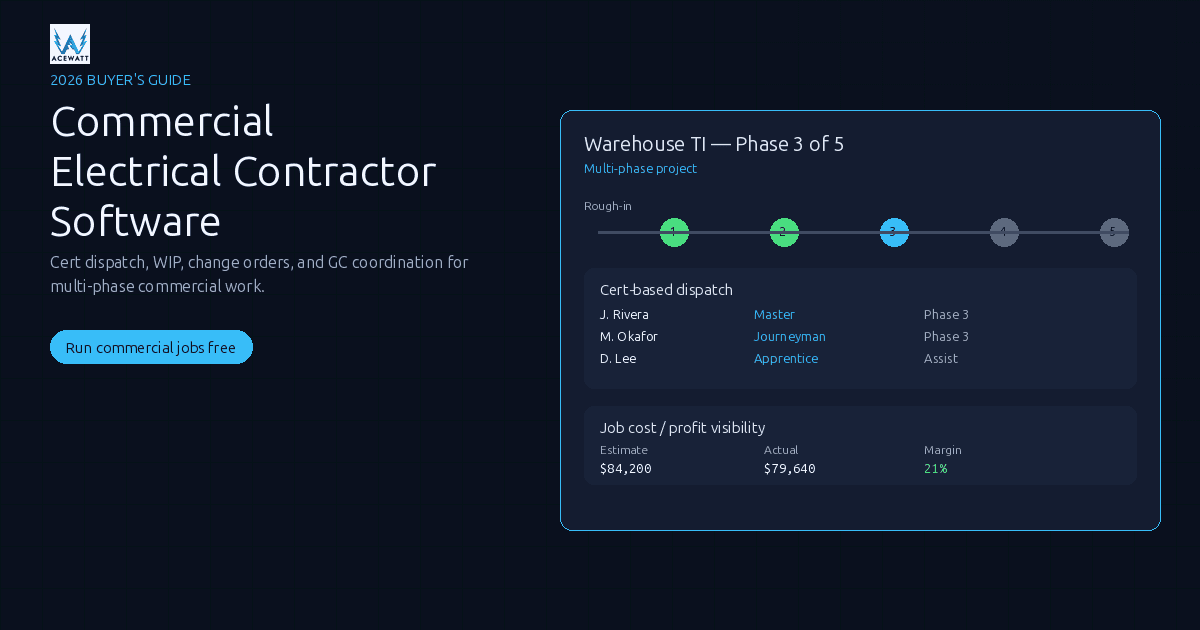
Commercial Electrical Contractor Software (2026 Buyer's Guide)
Commercial electrical contractor software is field-service + project-management tooling built for multi-phase, GC-billed, permit-heavy commercial electrical work, not residential service calls. The differentiators that matter: certification-based dispatch, real-time WIP/job-cost, AIA/progress billing, change-order audit trails, and GC coordination.
This guide compares the platforms commercial electricians actually evaluate in 2026, including where AceWatt fits honestly and where it has real gaps for the heaviest commercial shops. The cheapest option that fails an audit is more expensive than the right option you actually use.
What makes commercial electrical work different
A residential service call ends when the panel is closed and the customer pays. A commercial electrical job is a project: weeks or months long, billed on a schedule of values, paid on a progress draw, inspected by a building official at rough-in, top-out, and final. Software has to reflect that reality or it becomes shelfware.
The structural differences a commercial shop hits every week:
- Project length and phasing. Rough-in, trim, device, equipment setting, startup, commissioning, closeout, each with its own crew mix and material staging. One-truck, one-day service software cannot model that. See electrical contractor project management.
- Three-phase power, conduit, switchgear. Estimates have to handle gear assemblies, switchgear line items, feeder homeruns, transformer taps, and conduit runs by material and size, not just device counts.
- Billing to GCs. AIA G702/G703-style pay applications on a schedule of values, retainage (typically 10% until punchlist), 45 to 90 day payment cycles, retainage and stored-materials tracking. See electrical contractor change order and electrical job costing software.
- Permit and inspection lifecycle. Permit pulls, three milestone inspections, and inspector notes that trigger field changes. AI helps document; the licensed electrician certifies.
- Certification-based dispatch. Master, journeyman, apprentice are not interchangeable. State and local rules restrict wire pulling, terminations, and energized work.
- Multi-crew, multi-site. One TI may have one crew roughing in panel A Monday and another trimming panel B Tuesday, with materials staged in three locations.
- Staged materials and long lead times. Switchgear runs 8 to 14 weeks. Inventory lives at the truck, warehouse, staging area, and on the job, and recovers at closeout. See electrical contractor inventory software.
What commercial electrical contractor software must do
Use this ten-item checklist to score any shortlist before you take a demo.
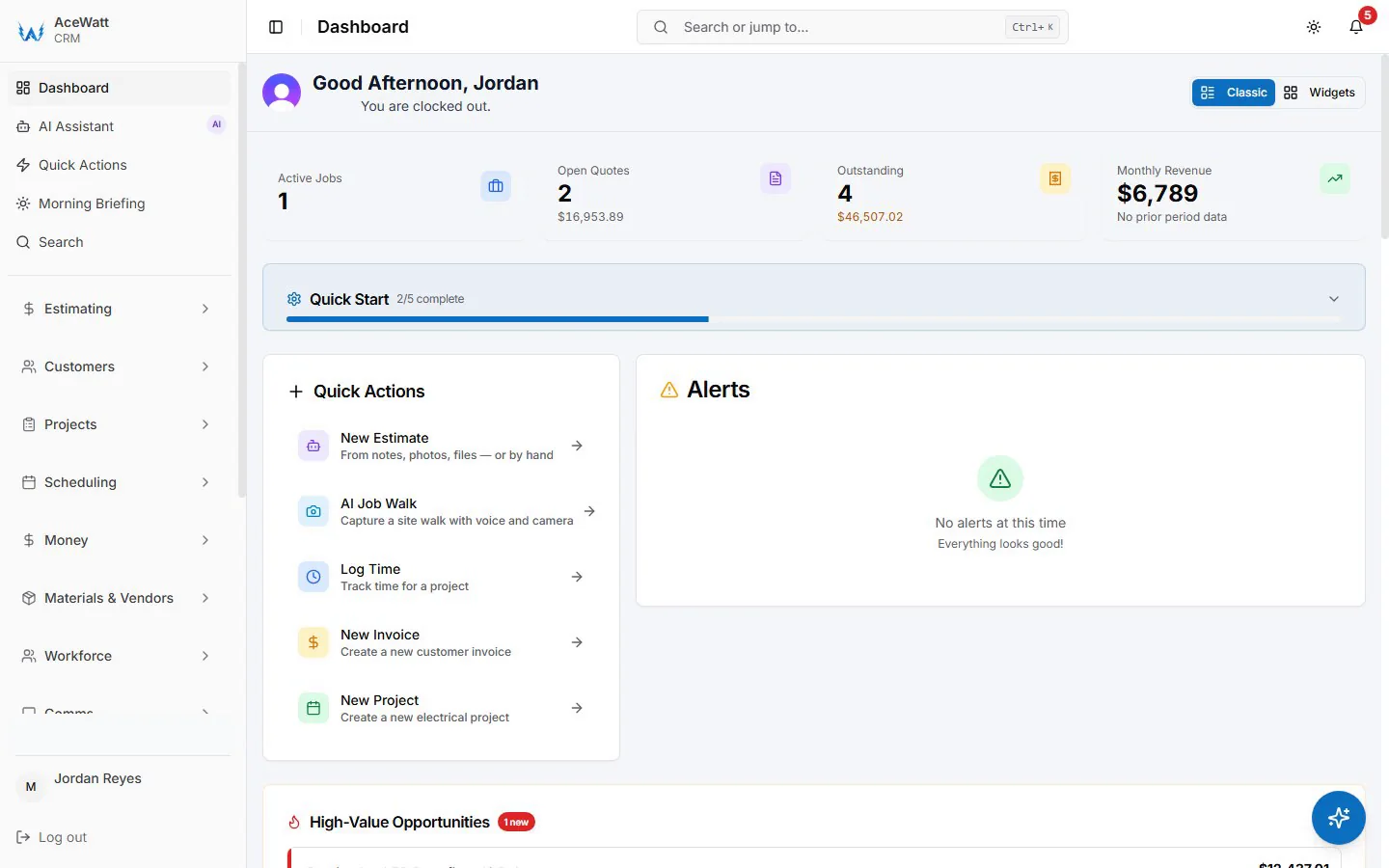
- Multi-phase project management: Gantt/phase view, percent-complete per phase, dependencies between rough-in / top-out / trim, ability to slice one job into multiple work orders across crews and dates.
- Certification-based dispatch: crew profiles tagged with license level (apprentice / journeyman / master), restrictions on voltage class, automatic matching. See electrical dispatch software.
- Real-time WIP and job cost: labor, material, subs, and change-order posting against the estimate, with margin visible by phase before final billing.
- AIA / progress billing: AIA G702/G703-style pay applications, schedule of values, retainage, stored materials, lien-waiver tracking. Not every platform does this natively; that is the line between commercial-grade and residential-leaning.
- Change-order management with audit trail: versioned COs, customer/GC signature capture, original-scope references, photos and drawings, unbroken link from CO → invoice → payment. See electrical contractor change order.
- Permit and inspection tracking: permit number, AHJ, scheduled inspections, results, inspector notes attached to the job record, with reminders.
- GC coordination: daily logs, RFIs, submittals, drawings, field directives in a shared timeline. AI assists documentation; it does not replace licensed judgment.
- Inventory and staging by job: material allocation per job, van vs warehouse vs on-site, long-lead tracking, closeout recovery. See electrical contractor inventory software.
- QuickBooks / Sage two-way sync: customers, jobs, vendors, invoices, payments reconciled to the GL your bookkeeper already runs. See electrical contractor QuickBooks integration.
- Customer hierarchies and contract billing: owner / GC / property / unit hierarchy, contract-level billing when one contract has many job releases, ability to bill multiple jobs under one master agreement.
A platform that hits 6 to 7 of these works for a mid-market commercial shop. A platform that hits 9+ typically prices into enterprise territory. Match the platform to your actual commercial revenue share; see the decision framework below.
Commercial vs residential electrical software: when you need both
The most popular FSM tools (Jobber, Housecall Pro, ServiceTitan in residential mode) were built around one-truck, one-day work. They handle that well and get thin on six-month TIs with retainage.
| Work profile | What dominates | Software that fits | Why |
|---|---|---|---|
| 100% residential service | Quick jobs, one tech, same day | Jobber, Housecall Pro, ServiceTitan (residential) | Dispatch + pricebook + payments + CRM are the whole job |
| 75% residential, 25% light commercial | Mostly service, occasional TI | Jobber / Housecall, AceWatt, mid-tier FSM | Budget-friendly; trade-specific estimating lifts the 25% |
| Mixed, mostly commercial | TI, service work, multi-phase | AceWatt (mid-market) and/or Knowify (WIP/AIA) | AI quote + skills dispatch cover the field; job cost and AIA cover the office |
| Pure commercial / industrial, multi-crew | Multi-phase, GC-billed, heavy WIP | Simpro, BuildOps, ServiceTitan (commercial mode) | Project controls and contract billing outweigh FSM niceties |
| Large commercial, multi-trade GC work | GC-facing, document-heavy | Procore | Document control, RFI/submittal, and contract tools are the entire job |
If revenue is more than 70% commercial, prioritize a multi-phase, GC-billed platform even if it costs more. If your mix is 30 to 50% commercial, you can ride a mid-market platform as long as the AIA gap is paired with another tool or accepted as a manual step.
Top commercial electrical contractor software in 2026
The table below is a like-for-like comparison across the features that actually matter for commercial electrical work. It is a fit map, not a scorecard: your shop profile decides which row to read first.
| Tool | Cert Dispatch | WIP / Job Cost | AIA Billing | Multi-Phase PM | Price | Best For |
|---|---|---|---|---|---|---|
| BuildOps | Partial (role tags) | Strong (services + projects) | Partial (workarounds) | Strong | Quote-based / enterprise-priced (verify) | 15 to 80 tech commercial shops running recurring contracts + projects |
| ServiceTitan | Strong (role/zone tags) | Strong (residential service WIP) | Limited native AIA | Partial (better at service than pure construction) | Generally $245+/tech/mo (verify with vendor) | Large residential + commercial service; mixed-contractor enterprises |
| Procore | Not native (manual) | Strong (project + cost controls) | Strong (native GC-style billing) | Strong (deepest in this list) | Enterprise-priced (quote-based) | GC-facing, multi-trade, document-heavy commercial work |
| Simpro | Partial (role tags) | Strong (project + service) | Partial (workarounds) | Strong | Quote-based / mid-to-high | Mixed service and commercial project shops |
| Knowify | Not its center | Strong (job cost + AIA focus) | Strong (native AIA, SOV) | Partial (project, less Gantt depth) | Generally mid-tier (verify current plan) | Commercial-heavy QBO shops that need AIA without enterprise pricing |
| Jobber / Housecall Pro | Not native | Weak on commercial WIP | Not native | Not native | Generally $39 to $299/mo range (verify) | Residential service, light-commercial with low project depth |
| AceWatt | Partial (skill-based suggestions; no license-level matching) | Strong (job-cost + profit visibility) | Not native (roadmap: pair with Knowify for heavy AIA) | Strong (multi-phase scheduling) | $49 to $199/mo (Starter / Growth / Scale) | Mid-market mixed commercial shops that want AI-first field + PM without enterprise pricing |
Honest notes:
- AIA G702/G703 is the line. BuildOps, Simpro, and Knowify do some progress billing or schedule-of-values billing. Procore does it natively as part of GC-style contract billing. ServiceTitan is service-first; native AIA is weak. Jobber and Housecall Pro don't attempt it. AceWatt does not do native AIA today; pair AceWatt with Knowify for commercial-heavy shops running real pay apps.
- "WIP" means different things. AceWatt's job-cost + profit visibility is real and live, but the deep, accountant-style WIP (over/under billing, cost-to-complete, percent-complete revenue recognition) in Knowify, Simpro, or Procore-tier tools is a different category. For shops where the owner also wears the controller hat, that distinction matters.
- GC coordination ≠ RFI/submittal document control. Most FSM tools handle daily reports. Procore owns document control. Tools claiming "full RFI/submittal" without being a true PM system usually mean "we can attach PDFs to jobs," which is not the same.
- Verify pricing. ServiceTitan generally publishes above $245/tech/mo with implementation; Jobber and Housecall publish in the $39 to $299 range; Knowify, BuildOps, Simpro, and Procore are quote-based. Treat third-party aggregators as stale.
How AceWatt runs commercial electrical work
AceWatt is the smallest platform in this list by company age, and that honesty matters: it is not an enterprise PM suite. It is the most AI-first electrical-specific platform for a mid-market commercial shop that wants field intelligence, job-cost visibility, and QuickBooks-ready exports without enterprise licensing.
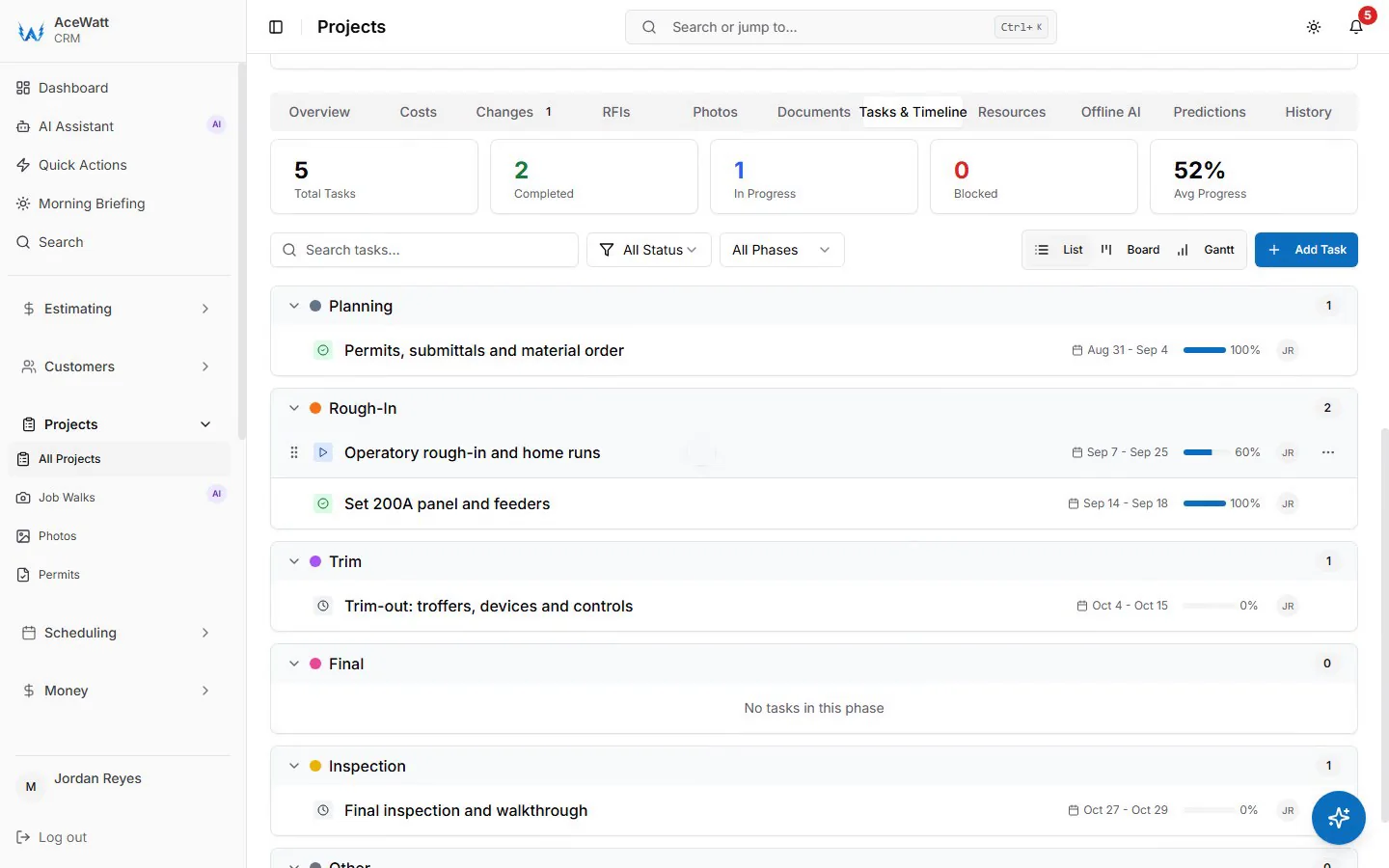
- AI skills-matched dispatch. Suggests technicians on the drag-and-drop dispatch board from the skill tags you set on each technician profile; it does not check license level, so the dispatcher confirms who takes 480V gear or energized work.
- AI Job Walk. A foreman or PM walks a TI, warehouse, or service upgrade, records voice notes and photos, and the AI assembles a structured job record: panel observations, circuit notes, code flags, material suggestions. That record feeds the estimate. AI does the documentation pass; the licensed electrician signs.
- Change-order audit trail. Every CO draft, internal approval, photo, and pricing breakdown is versioned and tied to the original estimate. See electrical contractor change order.
- Job-cost + profit visibility. Labor, material, subs, and change orders post against the estimate as the job runs, so margin per phase is visible before final billing. Deep, accountant-grade WIP is a different category; pair with Knowify for that depth. See electrical job costing software.
- NEC code reference built in. Common NEC sections are tagged inside the platform so an estimator or tech can confirm the rule behind a wiring method, panel fill, or grounding requirement without alt-tabbing.
- Voice AI. A tech leaving a site dictates a wrap-up note; the AI summary reaches the office without retyping.
- QuickBooks Online handoff. Your invoice list exports as a spreadsheet and payroll hours as a QuickBooks-format CSV for your bookkeeper. There is no native, real-time, bidirectional sync today; full sync is in development. See electrical contractor QuickBooks integration.
Honest boundaries. Native AIA G702/G703 pay application with retainage, schedule of values, and stored materials is on the AceWatt roadmap, not in the product today. Full document-control-grade RFI/submittal workflows are not in scope; AceWatt covers daily reports, jobsite photos, and a customer/PM-facing thread, the field-to-office side of GC coordination, without pretending to be Procore. For commercial-heavy shops whose primary lever is progress billing, pair AceWatt (field intelligence, dispatch, job cost, QuickBooks) with Knowify (AIA / progress billing / WIP depth). That pairing is more useful than either tool alone. Pricing: Starter $49/mo, Growth $99/mo, Scale $199/mo, with a 14-day free trial; see the pricing page.
How to choose: decision framework by shop profile
Skip "what is the best commercial electrical contractor software?" and ask "what does my shop actually do, and which platform fits that picture?"
- Solo residential, no commercial. Jobber or Housecall Pro at $39 to $299/mo (verify). A commercial platform will overcomplicate your day and underdeliver on pricebook polish.
- Two- to five-tech mixed residential + light commercial. AceWatt Starter or Growth ($49 or $99/mo). AI quote building, AI Job Walk, skills-matched dispatch, change-order audit trails, and QuickBooks-ready exports lift commercial efficiency without paying for enterprise overhead. See electrical contractor project management.
- Commercial-heavy QBO shop running TI and small new construction. AceWatt Growth + Knowify, the cleanest "AI-first field + best-of-breed billing" combination for 2026.
- 20+ tech commercial-only shop running service + TI + new construction. BuildOps or Simpro shortlist, or ServiceTitan in commercial mode if you're already ServiceTitan-trained. Expect quote-based enterprise pricing and 4 to 12 weeks of implementation.
- Large GC multi-trade, doc-heavy, paper-trail-driven. Procore. Its strength is document control (RFI, submittal, drawings), which is the entire job for a commercial EC working under a paper-heavy GC.
Two reminders: (1) verify current pricing on each vendor's site, because competitive categories move plans, seats, and bundles every quarter; (2) trial at least two finalists side-by-side before committing; what looks slick in a demo is rarely what your foremen adopt.
Implementation & adoption for commercial shops
The implementation plan that mid-market commercial shops actually follow:
- Map your workflow before the demo. Draw the rough-in-to-final-pay-app journey on one page with every handoff (permit, inspection, CO, pay app, retainer release) labeled. Reject any platform that cannot model a step on it.
- Pilot on one project. Pick a 4-to-12-week commercial project with a GC contract, schedule of values, and pay app due. Run the new platform alongside existing tools; don't replace anything yet.
- Import the price book first, customer list second, job history third. Many mid-market AI-first tools (AceWatt included) ship with electrical pricebooks you can extend rather than rebuild.
- Set permission rules by cert class before turning on dispatch. Apprentice tags should not appear in 480V work.
- Run a weekly "WIP review." A 30-minute Friday review of job-cost + profit per active job catches slippage inside two weeks.
- Build the GC-facing artifact early. Daily log export, change-order packet, and pay app should be readable by the GC's PM without them learning your software.
- Keep QuickBooks Online as the source of truth. Sync field data into accounting, never the other way.
- Re-evaluate at 90 days. Most vendors ship updates weekly; roadmap features at signing are often shipped by month three.
Frequently asked questions
What is the difference between commercial and residential electrical contractor software? Residential software optimizes for single-day, single-tech, single-customer service calls: pricebook, dispatch, payment, repeat-customer CRM. Commercial software optimizes for multi-phase, GC-billed, permit-heavy, multi-crew projects: schedule of values, AIA pay apps, retainage, change-order audit trails, certified-crew dispatch, inspector tracking. A one-size-fits-all platform usually fails at one end or the other.
Does commercial software replace my accountant? No. The best platforms integrate with QuickBooks Online, Sage, or similar; they produce the field-side artifacts (estimates, invoices, pay apps, change orders) and reconcile to the GL. Your bookkeeper or controller still owns the GL, period close, WIP roll, bonding support, and tax filings.
How much does commercial electrical software cost in 2026? Jobber and Housecall publish plans in the $39 to $299/mo range (verify directly). ServiceTitan typically prices above $245/tech/mo with implementation (verify with a quote). Knowify, BuildOps, Simpro, and Procore are quote-based. AceWatt publishes $49 / $99 / $199 per month on Starter / Growth / Scale with a 14-day free trial. Always request a current quote.
Does AceWatt do AIA G702/G703 billing? Not natively today. Job-cost + profit visibility gives the estimator and PM live margin insight, but formal AIA G702/G703 pay application with retainage, schedule of values, and stored materials is on the roadmap. For commercial-heavy shops running real pay apps, pair AceWatt (field intelligence, dispatch, job cost, QuickBooks) with a platform that does native AIA, such as Knowify.
How long does implementation take? Mid-market AI-first platforms like AceWatt are typically running inside one to two weeks on a single commercial project, with the pricebook loaded and the QuickBooks handoff in place. Enterprise platforms (BuildOps, Simpro, ServiceTitan commercial mode, Procore) generally take 4 to 12 weeks of structured onboarding. Pilot on one project before switching the back office.
Do commercial platforms support AI? Yes, increasingly in 2026. AI quote building, AI Job Walk (voice + photo → structured job record), AI skills-matched dispatch, AI-assisted documentation, and Voice AI wrap-ups are real and shipping in mid-market platforms including AceWatt. Deep AI-native progress billing, AI-native RFI drafting, and AI-native submittal review are early and less proven. AI is assistive: it does not replace a licensed electrician's authority on code, a PM's authority on schedule, or a GC's authority on contract.
Run commercial electrical jobs from bid to final pay app
AceWatt covers the field, PM, and customer side of a commercial electrical job: AI Job Walk, skills-matched dispatch, change-order audit trail, job-cost + profit visibility, NEC code reference, Voice AI, and QuickBooks-ready exports. For shops running multi-phase, GC-billed, QBO-based work, AceWatt sits in the middle: field and PM intelligence up top, accounting where the bookkeeper already trusts it, and Knowify pairing in cleanly when you need real AIA.
Start a 14-day free trial of AceWatt: plans from $49/mo, no card to start.
Related Reading
- Data Center Boom: What Electrical Contractors Do (2026) — megaproject demand and what it means for commercial shops.