
You finished the job at 4 PM on a Friday. The client was happy. They said they'd send a check. Three weeks later, you're still waiting. You've left two voicemails and sent a text. Nothing.
Sound familiar?
For too many electrical contractors, getting paid is harder than doing the actual work. And the problem usually isn't the client, it's the invoicing process. Handwritten invoices get lost. Emailed estimates with "we'll send the invoice later" get forgotten. Mailed checks take a week to arrive and another week to clear.
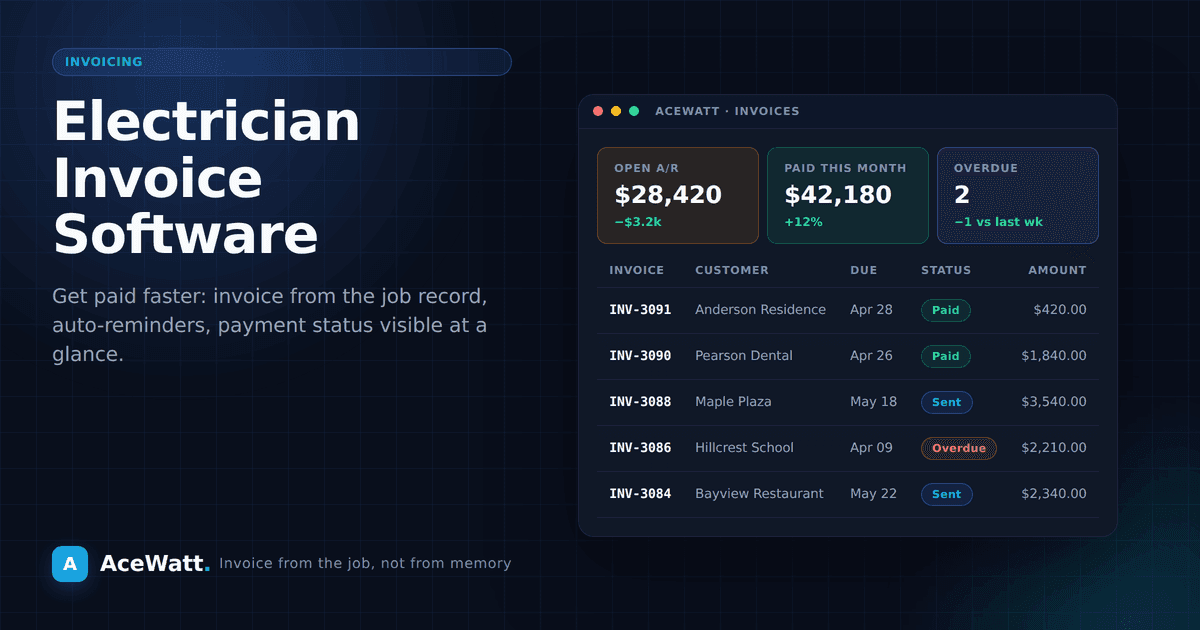
Electrician invoice software changes the billing workflow. It lets you generate professional invoices on the job site, offer online payment links when payment processing is enabled, and configure follow-up reminders for overdue balances. This guide covers what to look for, how it works, and where connected invoicing can reduce billing friction.
Quick Answer: Electrician Invoice Software in AceWatt
Electrician invoice software helps electrical contractors create, send, track, and follow up on invoices without rebuilding billing details by hand. In AceWatt, electrician invoice software fits inside the same CRM workflow as the customer record, estimate, job notes, schedule, communication history, and payment follow-up.
The right electrician invoice software should make billing easier while still keeping the contractor in control. Electrician invoice software can carry approved scope and line items forward, but the contractor still reviews customer details, tax assumptions, payment terms, change orders, and final totals before sending an invoice.
Use electrician invoice software when invoices are getting delayed because job records live in one place, photos in another, and customer communication in another. Use electrician invoice software to send clearer invoices, make enabled payment-processing workflows easier to follow, and trigger consistent reminders when an invoice becomes overdue. Electrician invoice software is most valuable when it is connected to estimating and CRM records, because the bill reflects the work that was actually approved and completed.
AceWatt treats electrician invoice software as one part of the electrical contractor operating system: quote the job, complete the work, review the invoice, send it, record payment status, and keep the customer history intact.
Before choosing electrician invoice software, confirm how it handles estimates, photos, payment links, reminders, and customer records. Electrician invoice software should reduce duplicate entry. Electrician invoice software should make the invoice easier for the customer to understand. Electrician invoice software should also leave room for the contractor to review taxes, change orders, fees, and payment terms before the bill goes out. If electrician invoice software cannot connect billing back to the job record, the electrician invoice software workflow will still need manual reconciliation.
Why Electricians Need Dedicated Invoicing Software
You're Losing Money to Slow Payments
Many electrical contractors wait weeks to get paid after completing a job. That's time spent carrying materials you've already paid for, labor you've already covered, and overhead that doesn't stop while you wait.
Businesses that send invoices immediately and offer online payment options usually create a shorter, clearer path to payment than teams that rely only on paper invoices and mailed checks.
Generic Invoicing Tools Don't Fit the Trade
QuickBooks, FreshBooks, and Wave are solid accounting tools, but they weren't built for field service businesses. They don't understand that:
- Your invoice should pull data from the estimate and work order automatically
- You need to invoice from your phone while standing in a client's garage
- Different clients have different payment terms (homeowners vs. property managers vs. GCs)
- Sales tax on materials and labor varies by jurisdiction
- Deposit collection and progress billing are standard in electrical work
Electrician-specific invoicing software should support these trade-specific billing needs, but contractors should verify the exact feature set, payment processor, fees, and tax handling before buying.
You Need More Than Just an Invoice Generator
Invoicing doesn't happen in a vacuum. It's connected to your estimate, your work order, your schedule, and your customer database. When these systems are separate, you spend hours doing data entry and chasing information across different apps.
Integrated software connects the entire workflow: estimate → approved job → work order → completed work → invoice → payment → deposit. No duplicate entry. No lost information.
Key Features to Look for in Electrician Invoice Software
Mobile Invoicing
The best time to send an invoice is the moment the job is done, while the client is still there, while the work is fresh in everyone's mind. Mobile invoicing lets you:
- Generate an invoice on your phone or tablet
- Include photos of completed work
- Present the invoice to the client on-screen
- Collect a digital signature confirming completion
- Accept payment by credit card right there on the spot
This is the standard to look for if you want billing to happen while the work is still fresh, not days later from scattered notes.
Online Payment Processing
Checks are slow. Cash is risky. Electronic payments are fast, secure, and traceable.
Look for software that includes:
- Credit card processing, Clients can pay directly from the invoice with a card
- ACH/bank transfer, Lower processing fees for larger payments
- Payment links, When payment processing is enabled, send a link the client can use instead of mailing a check
- Auto-generated receipts, Sent to the client as soon as payment processes
Credit-card processing fees often run a few percentage points, so compare the fee against job size, customer preference, processor funding time, and the cost of chasing checks manually.
Automated Payment Reminders
Following up on unpaid invoices is uncomfortable, but necessary. Good invoicing software handles this automatically:
- 3 days before due date, Friendly reminder that payment is coming due
- On the due date, Payment notice with a direct pay link when the account has payment processing enabled
- 3 days past due, Follow-up with a slightly firmer tone
- 7+ days past due, Final notice before you consider collection action
You set the schedule and tone. The software handles the delivery. No more awkward phone calls.
Estimate-to-Invoice Conversion
If your estimating software and invoicing software are different products, you're doing double work. Look for a platform that converts approved estimates into invoices with one click.
When the job is complete, the invoice should already have:
- Client information
- Scope of work from the estimate
- Materials and costs
- Labor charges
- Any change orders or additional work
- Payment terms
All you do is review, adjust if needed, and send.
Progress Billing and Deposits
Larger electrical jobs, panel upgrades, full rewires, commercial projects, often require deposits and progress payments. Your invoicing software should handle:
- Deposit collection, Bill and collect a percentage upfront before work begins
- Progress billing, Send invoices at project milestones (rough-in, trim, final)
- Retainage tracking, Common in commercial work where GCs hold 10% until final completion
- Change order billing, Add additional costs to the next invoice automatically
Professional Invoice Templates
Your invoice is a reflection of your business. It should look clean and professional, with:
- Your company logo and branding
- Clear itemization of work performed
- Payment terms and due dates
- Multiple payment options
- Your license number and contact information
A polished invoice says "professional business." A handwritten piece of paper says "side job."
Reporting and Accounts Receivable
You need to know, at any given moment, who owes you money, how much, and for how long. Invoicing software should give you:
- Aging reports, What's current, 30 days, 60 days, 90+ days overdue
- Revenue tracking, By month, by client, by job type
- Payment trends, Which clients pay on time and which ones don't
- Outstanding balance totals, Your total accounts receivable at a glance
If you can't answer "how much is outstanding right now?" in 10 seconds, your invoicing system isn't working.
How Electrician Invoice Software Speeds Up Payment
Let's look at the before and after:
Before: Paper and Manual Process
- Complete job → write handwritten invoice → leave with client
- Client misplaces invoice → waits two weeks → mails a check
- Check arrives → you drive to the bank to deposit it
- Check clears 3-5 business days later
- Total time to payment: 25-35 days
After: Digital Invoicing Software
- Complete job → generate professional invoice on your phone
- Client receives invoice by email with a "Pay Now" button
- Client clicks and pays by credit card or ACH
- Funding reaches your account on the processor's timeline after customer approval
- Payment timeline: often faster when the client can pay from a clear digital invoice, depending on processor funding times and customer approval.
Same job. Same work. Less billing friction.
How AceWatt Handles Invoicing for Electricians
AceWatt's invoicing features were built specifically for electrical contractors. Here's how it fits into your workflow:
- You complete a job and mark it done in AceWatt
- You build the invoice from the approved estimate, work order, and any change orders
- You review and send, customize if needed, then email it to the client
- The client pays online when payment processing is enabled, credit card or ACH, directly from the invoice
- Payment status is recorded, so your team can see what is paid, pending, or overdue
- Overdue invoices can trigger reminders, reducing manual follow-up when configured
AceWatt also connects your electrician invoice software to your CRM, scheduling, and estimating tools so everything stays in sync without duplicate data entry.
A Practical Invoicing Workflow You Can Start This Week
If you want faster payments, consistency matters more than complexity. Use this simple weekly workflow:
- Same-day invoice policy: Send every invoice the same day work is completed.
- Clear payment terms: Put due dates and accepted payment methods directly on the invoice.
- Photo and scope backup: Attach job photos or a short scope summary when helpful.
- Automatic reminders: Schedule reminders at 3, 7, and 14 days past due.
- Dispute log: Track every payment dispute and the resolution date.
This creates a repeatable billing process your whole team can follow.
Common Invoicing Mistakes That Slow Down Payment
- Vague line items: “Electrical work” invites questions. Itemize the work.
- Missing approvals: If change orders are not documented, invoices get delayed.
- Delayed sending: Waiting even 2-3 days lowers payment urgency.
- No payment link: Friction kills speed. Make payment one click.
- No follow-up cadence: Friendly, consistent reminders beat one awkward phone call.
You do not need perfect systems on day one. You just need a reliable process that gets invoices out quickly and makes payment easy.
How Much Does Invoice Software Cost?
Dedicated invoicing software for electrical contractors typically costs between $30-$100 per month depending on the features and number of users. When you consider:
- The time saved on creating and sending invoices
- The faster payment collection
- The reduction in overdue and unpaid invoices
- The professional appearance that builds client trust
Many contractors find invoicing software easier to justify when it reduces duplicate entry, improves billing consistency, and helps invoices go out faster.
AceWatt includes invoicing capabilities; check the current plan page for up-to-date pricing tiers and trial details.
Stop Waiting to Get Paid
Every day an invoice goes unpaid is a day you're financing your clients' projects with your own money. That's not a sustainable way to run a business.
Electrician invoice software can help invoices go out faster, look more professional, and make follow-up more consistent. If you're still writing invoices by hand or waiting weeks for checks to arrive, it's time to evaluate a connected billing workflow.
Start your free 14-day trial of AceWatt at acewatt.com and send your first professional invoice today.
For a fuller comparison of the category, read electrical invoicing software: how contractors get paid faster.
If faster quote turnaround is a priority, review automated estimating for electricians. If billing records are still split across files, the CRM vs. spreadsheets guide for electricians explains when to move customer and job history into one system.