
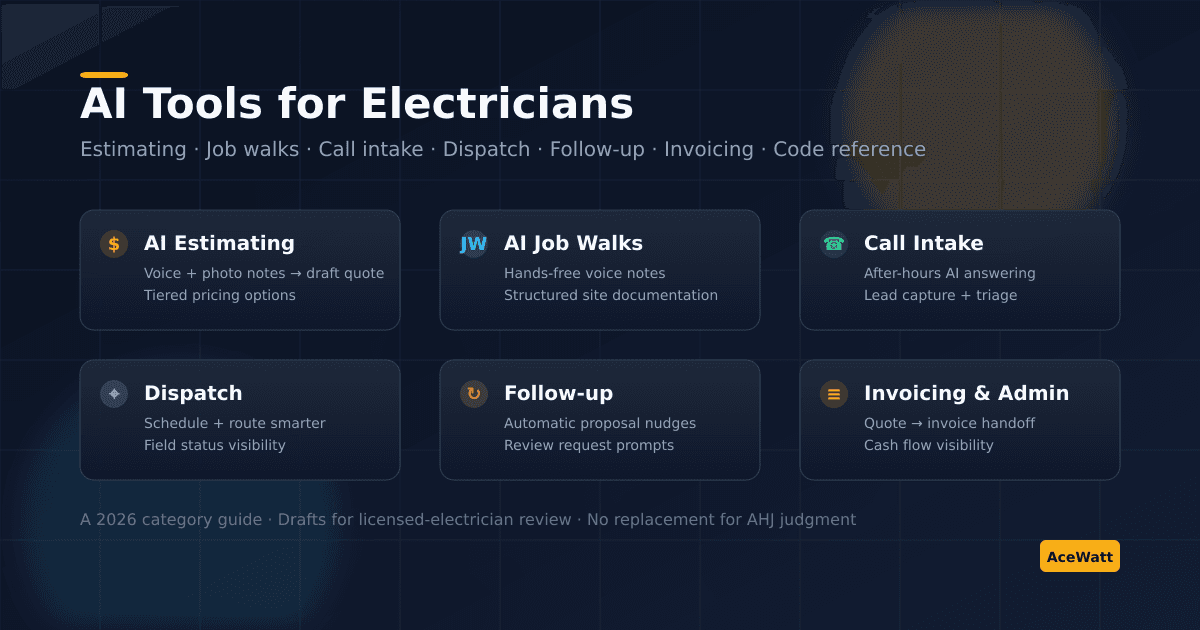
AI Tools for Electricians: 7 Categories Contractors Should Actually Care About in 2026
Direct answer: The AI tools that matter for electricians in 2026 fall into seven categories: AI estimating and quoting, AI job-walk note capture, AI call intake and after-hours answering, AI-assisted scheduling and dispatch, automated customer follow-up, AI invoicing and admin support, and AI code/reference research. None of these replace a licensed electrician, the National Electrical Code (NFPA 70), or your local authority having jurisdiction (AHJ). Every AI-generated estimate, note, or recommendation is a draft for human review. The contractors getting real value treat AI as a faster admin assistant, not as a code expert or decision-maker.
There is more "AI for the trades" marketing in 2026 than any electrical contractor can reasonably read. Most of it skips the boring question: which categories of AI tools actually save you hours per week without creating new risk in the field?
This guide breaks the AI options for electricians into seven concrete categories, each with the workflow it replaces, what to look for, what to be skeptical of, and where AceWatt fits. For a buyer-style view of full platforms, read the AI electrician software guide. Where we mention specific vendors, treat their pricing and feature claims as pointers to verify on their own pages, because the market moves quickly.
How to Think About AI in Your Electrical Shop
Before the categories, a few rules of thumb that keep AI tools useful instead of dangerous in the trade:
- AI assists. Licensed electricians decide. AI can summarize, draft, and surface information, but it should never be the final word on circuit design, sizing, code compliance, or safety.
- Code interpretation belongs to humans. The National Fire Protection Association publishes NFPA 70 (the NEC). Local AHJs interpret it. AI tools can search and summarize, but they are not a replacement for either.
- Confidence ≠ correctness. Generative AI can sound certain about wrong things. Build in a review step before anything reaches a customer or inspector.
- Connected beats clever. A modest AI feature that lives inside your CRM and shows up at the right moment beats a brilliant standalone tool that nobody on the team opens.
With that framing, here are the categories.
1. AI Estimating and Quoting
What it does. Turns job-walk notes, photos, or a plan upload into a draft estimate. Applies your pricebook, labor rates, and templates. Generates good-better-best tiered proposals from the same scope.
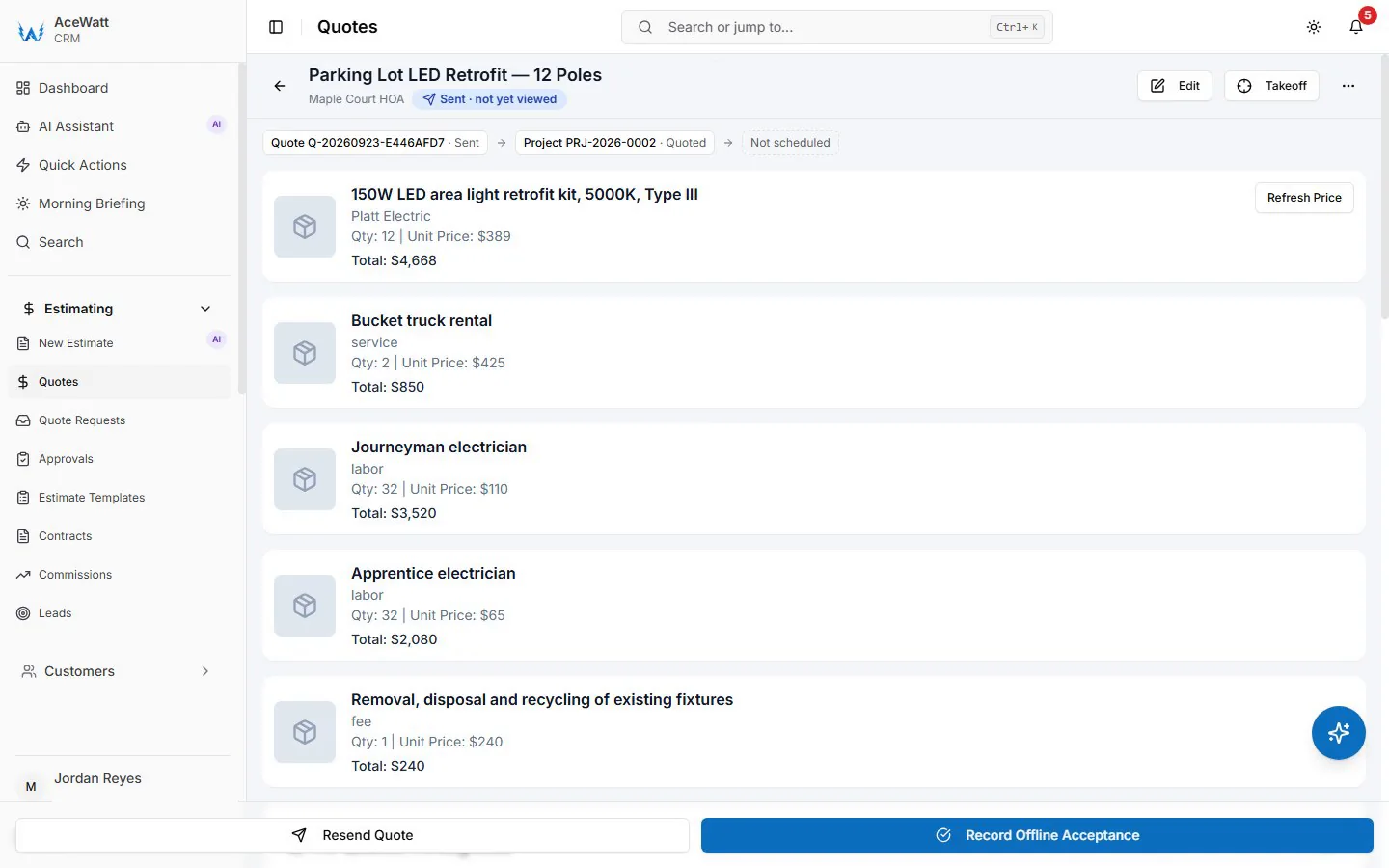
Where it helps. Service calls, panel upgrades, EV charger installs, lighting circuits: anywhere you currently re-type the same lines into a spreadsheet.
What to look for.
- Electrical-specific templates (residential service, EV, panel, light commercial)
- Voice and photo input, not just keyword fields
- Your pricebook, not a generic catalog
- Drafts that you must approve, not auto-sent quotes
What to be skeptical of.
- "AI builds your estimate" without a review step
- Tools that quote material pricing themselves without letting you pin your own costs
- Claims that AI replaces takeoff judgment on commercial bids
Where AceWatt fits. AceWatt's AI job walk and automated estimating features convert voice and photo notes into draft estimates you review and edit. See the deeper category guide at electrical estimating software and AI quote builder for electricians.
2. AI Job-Walk and Field Note Capture
What it does. Lets you talk through a site walk while AI structures the notes (outlets, panel condition, accessibility, customer concerns, code-related items to verify) so you do not lose context between the walk and the quote.
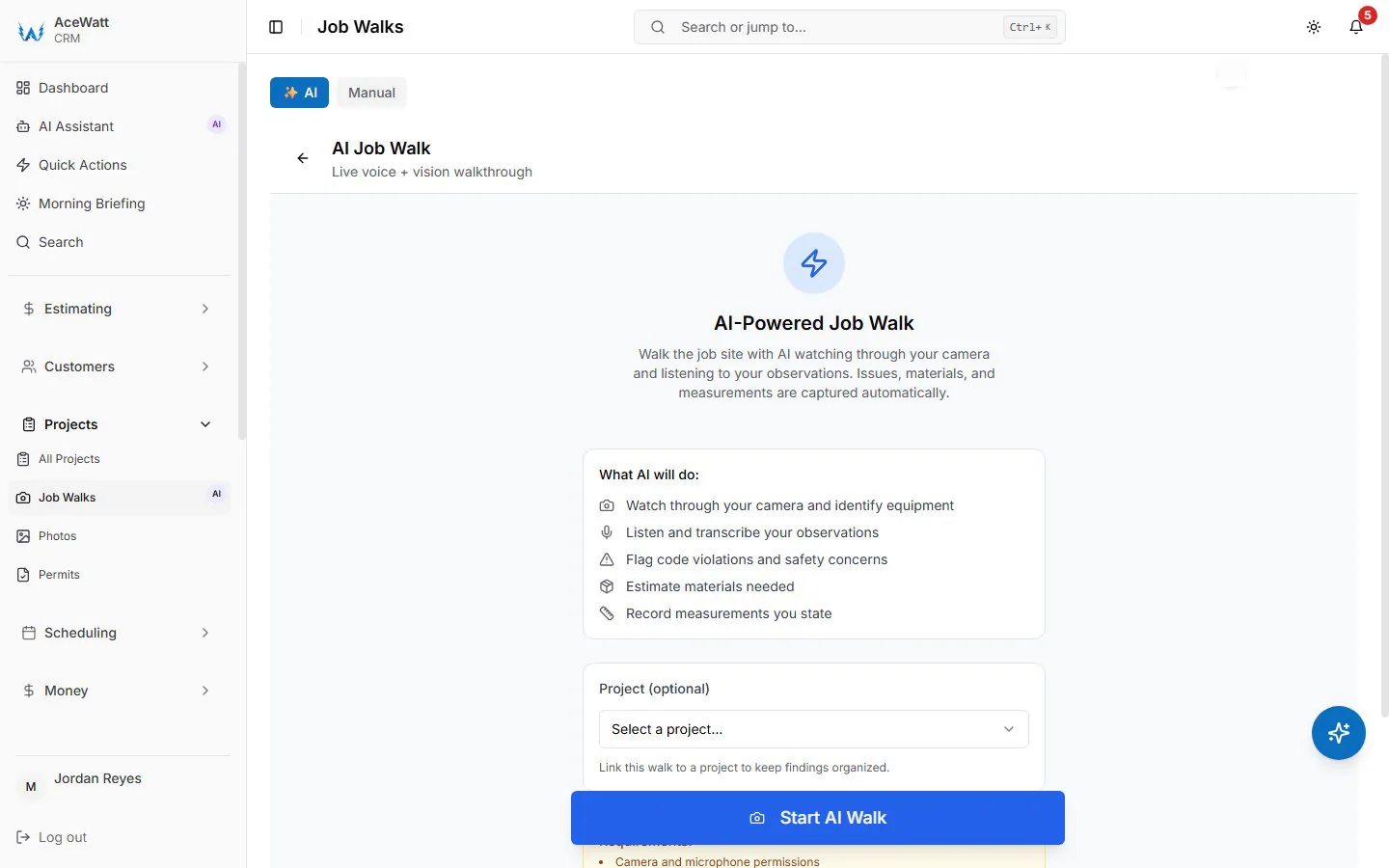
Where it helps. First-visit service calls, retrofit projects, anything you currently sketch on a notepad and retype later.
What to look for.
- Hands-free voice capture (you are not typing on a phone in a crawl space)
- Photos linked to specific notes, not a giant unsorted album. If the goal is notes that keep themselves current across the whole job record, see AI tools that auto-update CRM notes.
- A clean handoff into estimating and the customer record
What to be skeptical of.
- Tools that claim AI can do the code check for you
- Single-vendor "AI inspector" claims, because inspections belong to the AHJ
Where AceWatt fits. AI job walks are designed exactly for this: your walk becomes structured notes attached to the customer and the future estimate. See best electrician apps for category alternatives.
3. AI Call Intake and After-Hours Answering
What it does. Picks up calls when your team cannot, captures caller intent, qualifies the lead, and writes a structured ticket into your CRM. Some setups route urgent calls to an on-call electrician.
Where it helps. Solo operators and small shops bleeding leads after 5pm or during job-site days. Larger shops with peak-hour overflow.
What to look for.
- Clear handoff into your CRM (no orphaned voicemails)
- Customer-friendly voice and tone
- Configurable triage (what counts as urgent vs schedule-later)
- Logging and transcript review so you can audit calls
What to be skeptical of.
- Tools that promise "AI books appointments automatically" without confirmation
- Pricing models that scale punitively per minute
- Generic small-business answering with no trade context
Where AceWatt fits. See AI answering service for electricians for a deeper category breakdown; AceWatt itself has only a phone menu (Voice Receptionist) that routes callers and, after hours, alerts your staff, alongside the CRM that holds your estimates and follow-up.
4. AI-Assisted Scheduling and Dispatch
What it does. Suggests assignments based on technician skills, location, and current load. Surfaces conflicts before they become double-bookings. Re-routes when an emergency call arrives.
Where it helps. Multi-truck shops where dispatch is currently a whiteboard or shared calendar.
What to look for.
- Visibility into who is where (and what they are working on)
- Mobile-first interface for field updates
- Smart re-prioritization when emergencies hit
- A connection to estimating and invoicing, not a calendar in isolation
What to be skeptical of.
- "Autonomous dispatch": you still need a human to call the customer
- Generic field-service tools that do not respect electrical job context
Where AceWatt fits. AceWatt scheduling ties assignments to the same job record as the estimate and invoice. For a side-by-side, see electrical contractor scheduling software and electrical dispatch software.
5. Automated Customer Follow-Up
What it does. Watches your open proposals and triggers nudges (text, email, or task) when a quote has been sitting too long. Some setups draft the follow-up message with AI so you can review and send.
Where it helps. Almost every electrical shop under $2M leaks revenue here. Most quotes never get a second touch.
What to look for.
- Templates that sound like a contractor, not a SaaS company
- Cadence you control (24h, 48h, 7 days, 14 days)
- Logging back into the customer record
- Easy override for jobs that are obviously dead
What to be skeptical of.
- "AI closes deals" framing, because humans still close
- Tools that spam customers; aggressive cadences hurt your brand
Where AceWatt fits. AceWatt's Automated Follow-Up covers overdue invoices rather than open proposals: it emails reminders at 1, 7, 14 and 30 days late from the same CRM that holds the original quote. See the broader electrical estimating software and AI quote builder electrical guides.
6. AI Invoicing and Admin Workflow
What it does. Converts approved estimates into invoices. Drafts payment-reminder emails. Categorizes incoming bills. Surfaces collections risk before it hurts cash flow.
Where it helps. Owners spending nights on QuickBooks and statements instead of pricing the next job.
What to look for.
- Direct estimate → invoice handoff (no double-entry)
- Online payment options the customer actually wants to use
- Reporting that shows days-outstanding by customer
- Sync with your accounting software, not a replacement for it
What to be skeptical of.
- AI bookkeeping tools that promise to replace your accountant; they cannot
- "AI tax filing" claims; in the U.S., the IRS small-business hub and a licensed CPA are still the source of truth
Where AceWatt fits. Invoicing inside AceWatt connects the approved quote, the job notes, and the field-completed status into one outbound invoice. See electrical job costing software for the deeper margin view. Permit paperwork is part of that admin load too; keep a reusable electrical permit application template on hand so submissions stay consistent.
7. AI Code, Reference, and Research Support
What it does. Helps electricians search and summarize technical material (NEC sections, manufacturer specs, AHJ bulletins, training material) faster than skimming PDFs.
Where it helps. Estimators sanity-checking scope. Apprentices learning the trade. Owners researching new equipment categories.
What to look for.
- Citations back to the original source
- Awareness that AHJ requirements vary by jurisdiction
- Clear "this is not legal/code advice" language
- A licensed electrician in the loop for any actual decision
What to be skeptical of.
- Generative AI giving you a specific NEC interpretation without citing the article it claims to be quoting
- Tools that present manufacturer data as if it were generic
- Any AI that claims to replace permit, plan-review, or AHJ judgment
Where AceWatt fits. AceWatt does not market itself as a code authority, and you should not trust any platform that does. Treat AI code search as a faster research tool that still requires a licensed electrician and your AHJ to interpret. The Electrical Training Alliance training calendar is a good entry point for ongoing code education.
Category Comparison: What to Adopt First
| Category | Workflow it Replaces | Time Saved | Risk Level | Adoption Order |
|---|---|---|---|---|
| AI Estimating | Spreadsheet quoting from memory | High | Low (with review step) | 1 |
| AI Job Walks | Notepad + retyping | High | Low | 2 |
| Automated Follow-Up | "I forgot to call them back" | High | Low | 3 |
| AI Call Intake | Missed after-hours leads | Medium to High | Medium (tone, routing) | 4 |
| AI Invoicing | Double-entry from quote to invoice | Medium | Low | 5 |
| AI Dispatch | Whiteboard + group text | Medium | Medium (over-automation) | 6 |
| AI Code/Reference | Manual NEC + manual search | Medium | High (never autonomous) | 7 |
The first three are where most electrical contractors should start: they save real time, the risk surface is small, and they pay back in weeks. The last category (code) is the one where AI is most overhyped and where licensed-electrician judgment is most essential.
Selection Checklist Before You Buy
Before signing up for any AI tool, walk through this checklist:
- [ ] Is the tool built for electrical contractors, or is it a generic AI bolted onto a generic CRM?
- [ ] Does every AI output land in a human-review step, or can it auto-send to customers?
- [ ] Can your pricebook, labor rates, and templates be locked down per-shop?
- [ ] Where does the tool draw the line at code/AHJ judgment? Is that line clearly disclosed?
- [ ] Does the AI feature plug into your CRM, schedule, and invoicing, or sit in a silo?
- [ ] Is pricing public and verifiable on the vendor's site? (If not, treat that as a signal.)
- [ ] What does the cancel and data-export path look like? Run that question through their sales rep.
How AceWatt Fits the AI Stack
AceWatt is built for one category, electrical contractors, and bundles the AI features above into one connected CRM:
- AI job walks → draft estimates (categories 1 and 2)
- AI call intake → CRM lead capture (category 3)
- Connected scheduling and dispatch (category 4)
- Automated follow-up on overdue invoices, not proposals (category 5)
- Quote → invoice handoff (category 6)
- No AI code authority claims (category 7); code is for your licensed electricians and AHJ
Pricing is on the AceWatt pricing page and changes occasionally, so confirm the current numbers there before budgeting. For an AceWatt vs alternatives view, see best CRM for electrical contractors and AI CRM for contractors. To see how these categories chain into one end-to-end workflow, read the full-lifecycle AI agent for electricians guide.
FAQs
What are AI tools for electricians in plain English?
Software that uses machine learning or generative AI to speed up specific contractor workflows: drafting estimates, capturing job-walk notes by voice, answering after-hours calls, sending follow-up nudges, generating invoices, and helping with research. The good ones are narrow, fast, and live inside your CRM. The bad ones are generic chatbots wrapped in trade language.
Will AI replace electricians?
No. AI replaces admin steps, not licensed-electrician work. Circuit design, sizing, code compliance, safety judgment, and physical installation all stay with a licensed electrician and your local AHJ. AI saves you time on the paperwork around the trade (quoting, follow-up, scheduling) so you can spend more hours actually billable.
Is it safe to use AI for NEC code questions?
Use AI as a faster research assistant, not as a code authority. AI tools can summarize sections of NFPA 70 and surface common interpretations, but final code interpretation belongs to a licensed electrician and the local AHJ. The NFPA 70 page is the source of truth for the standard itself.
How much do AI tools for electricians cost?
It varies. Bundled platforms like AceWatt typically sit in the $50-$200/month range per shop depending on team size and features. Standalone AI call-answering services can be priced per-minute. Always verify pricing directly on the vendor's pricing page and ask about overage or per-call costs before signing.
Where should an electrical contractor start with AI?
Start with the AI feature closest to your highest-leak workflow. If you are losing quotes to slow estimating, start with AI estimating and job walks. If you are losing leads after hours, start with AI call intake. If your proposals never get followed up, start there. Adding everything at once is a fast way to confuse your team and miss the wins.
Does AceWatt make any "AI replaces licensed electrician" claims?
No. AceWatt's AI features generate drafts and admin assistance: every quote, note, and recommendation is a draft for licensed-electrician review, and code interpretation always defers to your AHJ. If any AI vendor in the trade tells you their product replaces a licensed electrician, walk away.
Related Reading
- Start with the strategy: target niche long-tail keywords for electrical contractors.
- Turn those queries into ranked pages: target niche long-tail keywords with dedicated landing pages.
- For a broader trade-level view, read how AI is reshaping work for electricians.
To see every AI tool in one place, start with the AceWatt features overview.