
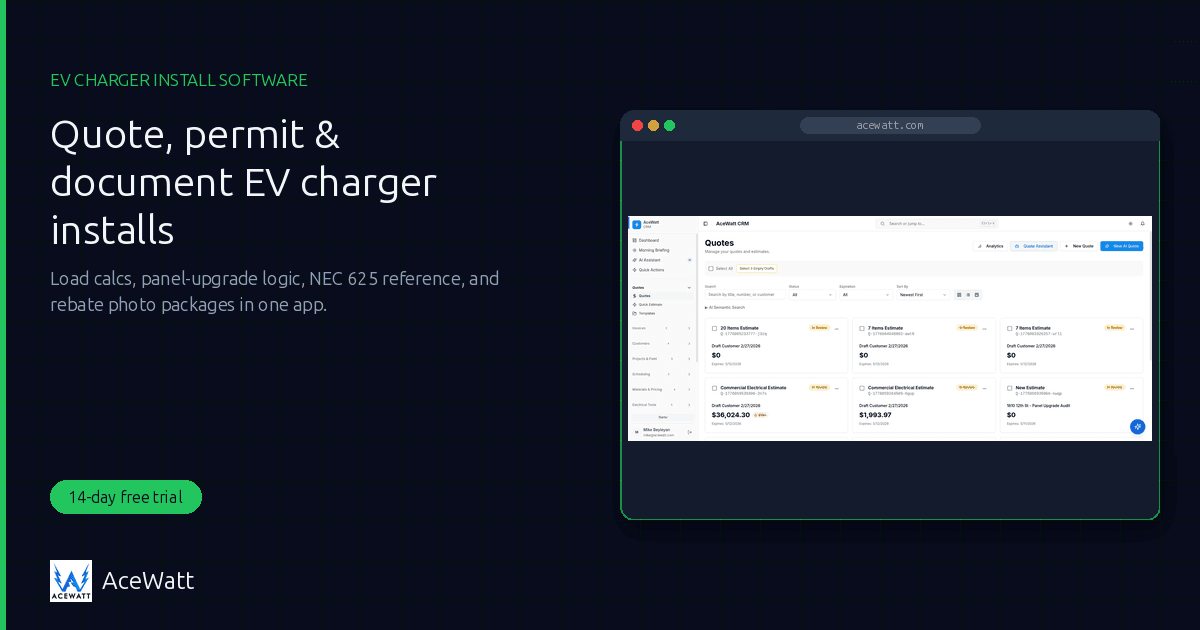
EV Charger Installation Software for Electricians (2026)
EV charger installation software is the business layer electricians need as EV adoption turns charging into one of the fastest-growing residential and commercial scopes. A Level-2 home charger looks like a simple outlet add, until the load calculation reveals a 100-amp panel can't take a new 40 to 80-amp circuit, and the job balloons into a service upgrade, a permit, an AHJ inspection, and a utility rebate filing that needs timestamped before-and-after photos. EV charger installation software runs that whole arc in one place: lead capture, site survey, load calc, tiered quoting, permit workflow, install documentation, and rebate paperwork.
The honest framing: AceWatt is built for electricians and runs the business workflow around an EV charger install, covering quoting, job-walk documentation, permit tracking, and invoicing. It references NEC Article 625 and points you to load-calc tools, but does not auto-calculate panel upgrades or guarantee an inspection pass. The licensed electrician performs the calc, and the AHJ makes the final compliance call. What software kills is the friction between those steps: the missed permit, the undocumented site condition, the rebate denied for lack of photo proof. Demand underpins it: the U.S. Bureau of Labor Statistics projects roughly 81,000 openings for electricians each year, on average, through 2034, and EV charging is one of the scopes pulling that demand.
Why EV Charger Installation Is a Different Workflow
An EV charger install isn't a service call. It's a code-driven project with its own logic. Treating it like a routine receptacle add is how shops underbid, fail inspection, and leave rebate money on the table:
- Load calcs and panel capacity. A dedicated 40 to 80-amp EV circuit can consume a large share of a residential panel. A proper load calc (NEC Article 220) tells you whether the existing service can accept it; if not, the install triggers a service upgrade, and that upgrade, not the charger, is often where the real revenue lives.
- NEC Article 625 compliance. EV charging systems have their own code article covering wiring methods, disconnecting means, interlocks, and listed equipment, often tightened by local amendments. Software should surface the relevant references so your work stays code-aware.
- AHJ permits and inspection. Most jurisdictions require an electrical permit for a dedicated EV circuit and any service upgrade, with rough-in, service, and final inspections before closeout. The permit lifecycle is where disorganized shops bleed margin on re-inspection fees.
- Utility interconnection. Many utilities want notification or an agreement when a new charging load ties in, especially commercial DC fast charging. That paperwork is part of the job.
- Rebate paperwork needs photo proof. Federal, state, and utility incentives frequently require the installed unit, the permit, and before-and-after photos. Capture the proof during the install or the rebate gets denied.
- Two segments: residential Level-2 vs commercial DCFC. A home Level-2 install is a one- or two-day job; a commercial DC fast-charge site is a multi-week project with trenching, transformers, and progress billing. They share a backbone but diverge in scale and tooling.
- The site survey makes or breaks the quote. Panel location, breaker space, conductor run length, mounting surface, and signal for connected chargers all need capturing before you commit to a price. A clipboard and memory aren't a system.
What EV Charger Installation Software Must Do
Here's the feature checklist that actually matters for an EV charger installation software tool. Generic field-service apps cover some of these; few cover all with electrical context.
- Quoting with panel-upgrade logic. Present a charger-only option and a charger-plus-service-upgrade option side by side, because the load calc often forces the upgrade. Tiered good/better/best quoting separates a consultative sale from a single-price bid.
- Load-calc tools. A built-in or linked electrical load calculator sizes the service requirement during the site visit. Verify every result against NEC and your AHJ.
- Permit workflow. Tie the electrical permit to the job record with status, AHJ, inspection dates, and expiry alerts, so the install can't stall between rough-in and final.
- AI job walk and site docs. Capture panel photos, conductor runs, mounting location, and nameplate data by voice and photo, structured into a record that feeds the quote, permit, and rebate package.
- NEC Article 625 reference. Surface the relevant code article so the work stays code-aware; software references code, it doesn't replace the licensed electrician and the AHJ inspection.
- Rebate documentation export. Bundle install photos, permit, and invoice into a package for utility and incentive programs.
- Invoicing and online payment, or progress billing. Residential jobs need fast deposit-and-balance invoicing; commercial DCFC needs progress billing and change orders as scope evolves.
- Lead capture. EV-curious homeowners and fleet managers search and call; the system should capture and qualify them.
AceWatt covers most of the list for residential work and the field workflow for commercial, with two honest gaps: permit tracking is status-only, with no expiry alerts, and there is no native AIA progress billing (addressed below). For the broader toolset, see AI tools for electricians.
EV Charger Install Software Comparison
An honest, feature-level comparison. These are strong, widely used platforms: we credit their real strengths; the point is fit for this scope, not a blanket ranking.
| Platform | Panel-Upgrade Quoting | Load-Calc Tools | Permit Workflow | AI Job Walk | NEC Ref | Best For |
|---|---|---|---|---|---|---|
| AceWatt | Tiered AI quotes, charger-only + upgrade side by side | Linked load-calc + wire/voltage-drop tools | Permit status tracking + application template | Voice + photo AI Job Walk (mobile) | Built-in NEC reference incl. Art. 625 | Electricians who want an AI-first, code-aware EV install workflow |
| Jobber | Manual line-item quotes | None native | Task/reminders, not permit-specific | Standard photo notes | None | Solo/small shops running mixed residential trades |
| Housecall Pro | Manual flat-rate quotes | None native | Job reminders, not permit-specific | Standard photo notes | None | Home-service shops focused on dispatch and payments |
| ServiceTitan | Price-book estimating | None electrical-specific | Strong job/workflow tracking | Photo + form documentation | None | Large multi-trade contractors with dispatchers |
| QuoteIQ | AI-assisted estimating | None native | Limited | None | None | Contractors wanting AI quoting atop another FSM |
The honest read: Jobber and Housecall Pro excel at scheduling, dispatch, and payments for general home service, but neither carries electrical load-calc tools, NEC reference, or a permit lifecycle built for code work. ServiceTitan is the enterprise standard for large, dispatch-heavy operations, with a genuinely strong price book and reporting, though it's electrical-agnostic. QuoteIQ is a capable AI estimating layer that depends on a separate FSM. AceWatt is the row in this comparison that is both electrical-native and AI-first, which is what the panel-upgrade-and-load-calc reality of EV charger installs rewards. Pick the fit for your shop size and how much electrical context you need built in.
The EV Charger Install Workflow in AceWatt
For a stage-by-stage walkthrough of the same workflow — lead capture, load calc handoff, permit tracking, and final payment — see how to manage EV charger installation jobs.
Here's how an EV charger install moves through AceWatt's EV charger installation software, from first call to collected payment.
- Lead intake. A homeowner or fleet manager reaches out via your lead form, online booking, or a call. AceWatt logs the lead so you can qualify it: charger type, vehicle, panel location, budget.
- Site survey via AI Job Walk. Run an AI Job Walk: speak observations and snap photos of the panel, main breaker, mounting spot, and conductor run. The AI structures it into a job record, so there's no clipboard and no notes lost in a truck.
- Load calc. Run the electrical load calculator to see whether the existing service can accept the new circuit. All free calculators are listed on the tools page. If the panel is at or near capacity, a service upgrade is on the table. Always verify against NEC Article 220 and your AHJ.
- Tiered quote via AI Quote Builder. The AI Quote Builder turns the job-walk record and load calc into tiered options: charger-only, charger plus a sub-panel, or charger plus a full 200-amp service upgrade. The customer picks the tier that fits their budget.
- Permit via template + tracking. Generate paperwork from the permit application template, then track the permit's status from issued to final in permit tracking. You still submit to your AHJ's portal, and the lapse dates go on your own calendar, since AceWatt tracks status rather than sending alerts.
- Install and document before/after. The crew installs the charger (and upgrade, if scoped), capturing before-and-after photos against the job record. That's the documentation the inspection and rebate both depend on.
- Rebate photo package. Bundle the installed-charger photos, permit, and invoice into a package for the utility or incentive program. Because the proof was captured during the install, the filing is ready the day the job finishes.
- Invoice and collect. Send the invoice tied to the quote with online payment, and collect deposit and balance. For commercial jobs, layer in change orders and hand the invoice to your bookkeeper on the invoice-list export.
The whole arc lives in one job record: quote, load calc, permit, photos, and invoice all reference each other, the continuity that stops the rebate denial and the forgotten final inspection.
Residential Level-2 vs Commercial DCFC
EV charger installation software has to serve two segments that share a backbone but diverge sharply.
Residential Level-2 is AceWatt's sweet spot. A home install (wall-mounted Level-2 charger, dedicated 40 to 80-amp circuit, optional service upgrade, permit, rebate) runs end-to-end in AceWatt: lead → AI Job Walk → load calc → tiered quote → permit tracking → install + photo docs → rebate package → invoice. This is the segment most electrical shops are entering, and it maps cleanly onto the workflow above.
Commercial DC fast charging is bigger and needs an honest pairing. A DCFC site (depot, fleet, retail, workplace) involves load analysis that can require transformer and service upgrades, trenching, utility coordination, and timelines measured in weeks. AceWatt handles the field workflow well: AI Job Walk documentation, tiered quoting, change orders, job costing, invoicing, and QuickBooks-ready exports for your bookkeeper.
The honest boundary: AceWatt does not do native AIA G702/G703 progress billing. Commercial DCFC projects with a GC or owner frequently require AIA-style payment applications (G702 schedule of values, G703 continuation sheets). For those, run the field workflow in AceWatt and pair it with a dedicated AIA progress-billing tool. Claiming a residential FSM handles G702/G703 out of the box would be dishonest, so we won't. AceWatt covers invoicing, change orders, and cost tracking; the AIA schedule-of-values layer is a specialized tool best handled separately.
Why Generic FSM Software Falls Short for EV Installs
Generic field-service software is built for the average trade, and the average trade doesn't run load calcs or reference NEC Article 625. Here's where it breaks for EV installs:
- No load-calc or panel-upgrade logic. A generic FSM quotes a charger like any other product, with no concept of panel capacity or service-upgrade triggers, so it can't surface the upgrade the job actually requires.
- No NEC reference. Article 625, Article 220, and local amendments aren't in a generic tool's vocabulary. You cross-reference the code book manually while the clock runs.
- No rebate-documentation export. Generic apps store photos but don't bundle install proof, permit, and invoice into an incentive-ready package, so the rebate step becomes a manual scramble.
- Photo docs need a third-party add-on. Structured before/after photos tied to a job and inspection often mean bolting on another app: another login, another sync, another place for data to get lost.
The shop running generic FSM ends up managing the electrical-specific parts in a spreadsheet, a notes app, and a camera roll. That's exactly the fragmentation the software was supposed to eliminate. Electrical-native EV charger installation software closes those gaps; AceWatt's automated estimating and built-in NEC reference exist precisely because the alternative is duct-taping electrical context onto a tool never built for it.
How to Price EV Charger Installs
Pricing EV charger installs means pricing the real scope, which the load calc often reveals mid-quote. The figures below are industry-reported ranges, not guarantees. Your costs, region, and scope will vary. For the full methodology, see the electrical contractor pricing guide.
- Level-2 install (existing panel can take it): commonly reported at roughly $500 to $1,500, covering the dedicated circuit, breaker, wiring, mounting, and basic commissioning.
- Service / panel upgrade: often $2,000 to $4,000+ when the load calc shows the panel can't accept the new circuit, frequently the larger line item on a residential EV job.
- Commercial DCFC: typically $5,000 to $50,000+ per site depending on charger power, trenching, transformer/service upgrades, and utility work. This is where job costing and change orders earn their keep.
Quote tiered options (charger-only, charger plus sub-panel, charger plus full service upgrade) so the customer sees the upgrade as a deliberate choice, not a surprise add-on. The tiered AI Quote Builder is built for exactly this. Confirm final pricing with a licensed reviewer before the estimate reaches the customer.
Frequently Asked Questions
What is EV charger installation software? It's field-service and CRM tooling built to run the business of installing EV chargers: lead capture, site survey, load calcs, tiered quoting, permit workflow, install documentation, rebate paperwork, and invoicing. Unlike generic FSM, it carries the electrical context the scope requires: load-calc tools, NEC Article 625 reference, and panel-upgrade-aware quoting. AceWatt is one example, electrician-native and AI-first.
Do I need special software to install EV chargers? You can install them without it, but the workflow (load calc, permit, inspection, rebate documentation) is where disorganized shops lose margin. Software built for the scope ties those steps to one job record so nothing slips. AceWatt runs the business workflow around the install; it references NEC code and provides load-calc tools, but the licensed electrician still performs the calc and the AHJ makes the final compliance call.
Does AceWatt handle commercial DC fast-charge installs? Partially. AceWatt runs the field workflow for commercial DCFC: site documentation via AI Job Walk, tiered quoting, change orders, job costing, invoicing, and QuickBooks-ready exports. It does not do native AIA G702/G703 progress billing, which many commercial projects with a GC or owner require. For those, run the field workflow in AceWatt and pair it with a dedicated AIA progress-billing tool.
Can AceWatt help with utility rebate paperwork? Yes. AceWatt captures before-and-after photos and site documentation against the job record and lets you bundle them with the permit and invoice into a package for utility and incentive programs. Because you captured the proof during the install, the filing is ready when the job closes. AceWatt helps assemble the package; the program administrator still approves the rebate.
How do I quote a panel upgrade with an EV charger install? Run the load calc first to confirm the existing service can't accept the new circuit, then present tiered options: charger-only (if the calc allows), charger plus a sub-panel, or charger plus a full 200-amp service upgrade. The AI Quote Builder generates the tiered estimate from your job-walk record and load-calc inputs. Verify against NEC Article 220 and your AHJ, and have a licensed reviewer approve final pricing before it reaches the customer.
Run EV Charger Installs From Quote to Rebate
AceWatt runs the business of EV charger installs (AI Job Walk site survey, load-calc-informed tiered quoting, permit tracking, NEC Article 625 reference, rebate photo documentation, and invoicing) in one electrician-native EV charger installation software platform. From $49/month with a 14-day trial.
See how AceWatt handles the permit workflow that slows EV installs, or start your 14-day trial and run charging jobs from quote to rebate in one CRM.