
Electrical Proposal Software: Good-Better-Best Estimates
Electrical proposal software helps electrical contractors turn site notes, scope details, pricing, and follow-up into a cleaner sales process. The goal is not just a prettier PDF. It is a proposal that explains the work clearly, protects margin, gives the customer realistic options, and helps the contractor move from “I’ll think about it” to a signed decision faster.
What Is Electrical Proposal Software?
Electrical proposal software is a tool that helps contractors package estimates into customer-ready proposals with clear scope, pricing, options, exclusions, and next steps. For electrical teams, it can connect estimating, job notes, photos, templates, and follow-up so the customer understands the recommended work before comparing price alone.
The best fit depends on where your sales process breaks down. Some teams need an electrical bid proposal software platform with formal documents, approval workflows, and presentation templates. Others need better estimating discipline before the proposal stage, because the problem starts during the job walk: missing photos, vague notes, unclear material assumptions, or a price built from memory.
A proposal tool can help you look more professional. But the proposal is only as accurate as the information behind it. If the field tech captures weak scope, even the cleanest electrical proposal template can still hide risk.
Why Electrical Estimates Lose Margin Before the Job Starts
Most margin loss does not happen after the crew arrives. It starts earlier, when the estimate is built from incomplete information.
A contractor might miss a panel constraint, forget a fixture count, underestimate access difficulty, or assume the customer wants the lowest-cost option when they would have paid for a safer, longer-lasting upgrade. The proposal may look finished, but the job already contains unpaid labor, unclear responsibilities, or an expectation gap.
Common margin leaks include:
- Scope gaps: The proposal says “replace outlet,” but not whether drywall repair, device type, troubleshooting time, permit handling, or code-required upgrades are included.
- Unpriced conditions: Attic access, panel crowding, conduit routing, old wiring, and occupied-space work can change labor dramatically.
- One-option selling: A single low number trains the customer to compare only price, not value or long-term outcome.
- Weak follow-up: If nobody follows up while the job is fresh, another contractor with a cleaner explanation can win the work.
- No review boundary: A licensed electrician or qualified reviewer still needs to verify scope, code compliance, safety assumptions, and final pricing before a proposal is sent.
If your estimates routinely feel rushed, start by tightening the estimating process. This guide on how to estimate electrical work covers the fundamentals of scope, labor, materials, and review. Proposal software should sit on top of that discipline, not replace it.
Good-Better-Best Electrical Proposals Explained
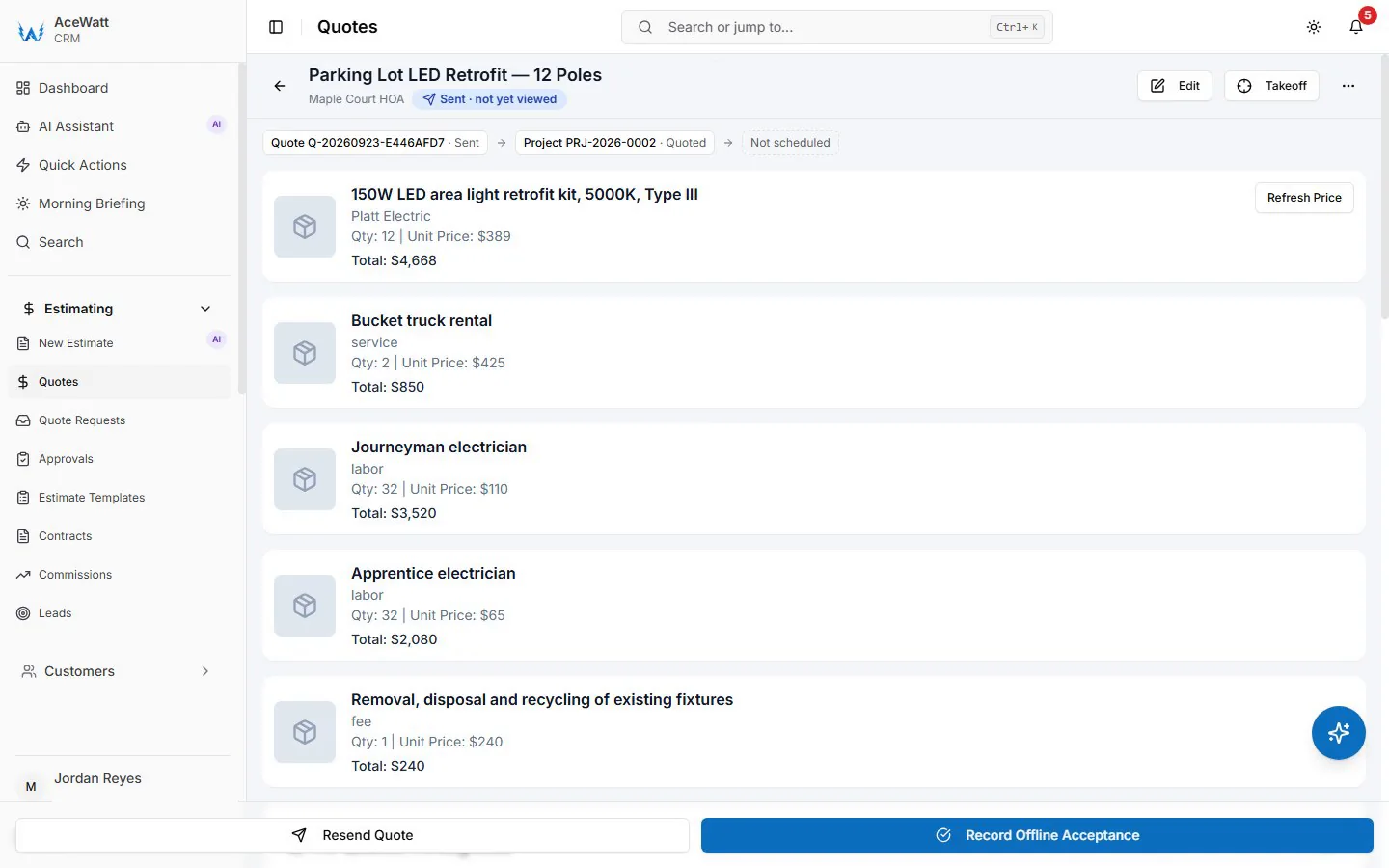
Product screenshots show Brightline Electric (Demo) with fictional sample data.
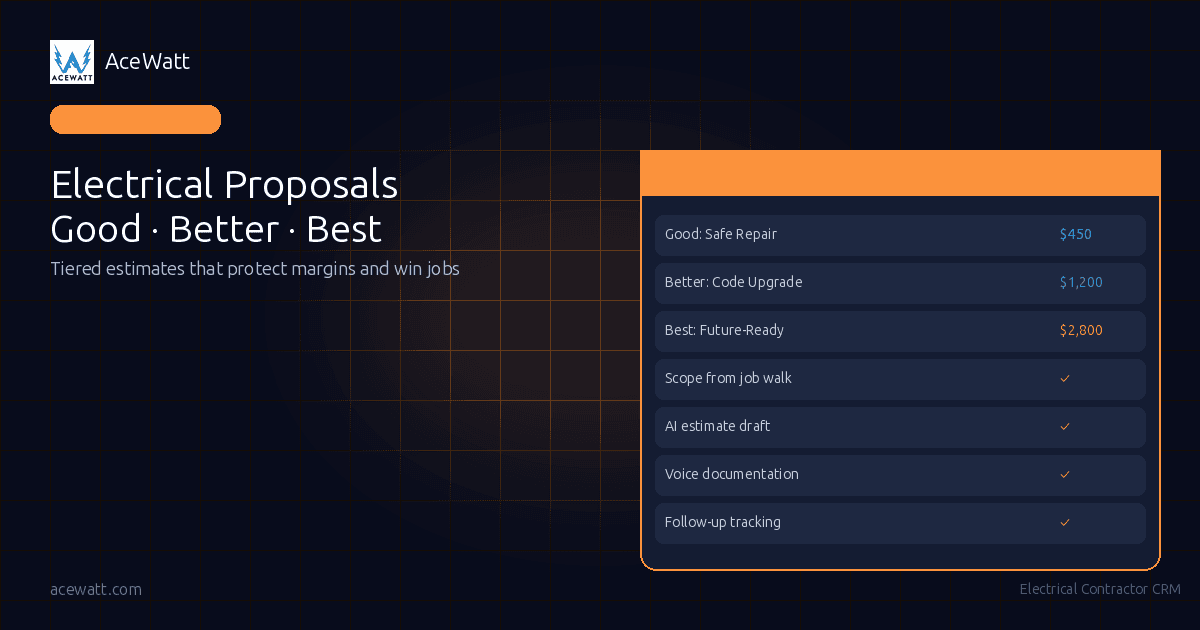
Good-better-best electrical estimates give the customer three clear choices instead of one take-it-or-leave-it number. This works especially well for service work, panel upgrades, lighting projects, EV charger preparation, safety repairs, and any job where the customer has different budget and longevity goals.
The point is not to pressure the customer into the most expensive option. The point is to show the tradeoffs clearly so they can choose with confidence.
A simple framework looks like this:
| Option | Customer-facing name | Scope | Price position | Best fit |
|---|---|---|---|---|
| Good | Safe Repair | Fix the immediate problem with code-minimum scope | Lowest cost | Customer needs the issue solved now |
| Better | Code-Compliant Upgrade | Fix the issue and upgrade related items to current code | Moderate cost | Customer wants fewer callbacks and a longer-lasting result |
| Best | Future-Ready Upgrade | Fix, upgrade, and add capacity for future loads such as an EV charger, solar, or battery | Highest cost | Customer wants the best long-term value |
For example, imagine a customer calls about a failing outdoor receptacle.
Good: Safe Repair could replace the failed device, correct the immediate hazard, and restore safe function within the limited area of work. It is the lowest-cost option and should clearly state what is and is not included.
Better: Code-Compliant Upgrade could replace the failed device, update the weatherproof cover, verify GFCI protection, and address related deficiencies in the affected circuit. A licensed electrician should confirm the code requirements for the actual site and jurisdiction.
Best: Future-Ready Upgrade could include the repair, code-compliant upgrade, improved exterior capacity, and planning for future loads such as landscape lighting, a hot tub circuit, or EV charging. It costs more, but it may prevent paying twice for related work.
This good-better-best structure helps the customer understand value. It also helps the contractor protect margin because each option has a defined scope instead of a vague discount conversation.
What Every Electrical Proposal Should Include
An electrical proposal should be more than a number at the bottom of a page. Whether you use an electrician proposal app, a spreadsheet, or a formal proposal platform, the customer needs enough detail to understand what they are approving.
A strong proposal includes:
- Customer and job information: Name, property address, contact details, proposal date, and expiration date.
- Problem summary: A plain-English explanation of what the customer called about and what was observed during the job walk.
- Recommended scope: Specific tasks, quantities, equipment assumptions, and work areas.
- Good-better-best options: Clear differences between the safe repair, code-compliant upgrade, and future-ready upgrade.
- Exclusions and assumptions: Drywall repair, utility coordination, permit handling, trenching, access limitations, after-hours work, and anything else that may change price.
- Review boundary: A licensed electrician or qualified reviewer verifies code compliance, safety assumptions, final scope, and final pricing before the proposal is delivered.
- Timeline: Expected start window, duration, scheduling constraints, and what must happen before work begins.
- Acceptance instructions: How the customer approves the work, who to contact with questions, and what the next step is.
This is where a template can help. An electrical proposal template gives your team a consistent structure so every customer gets a professional explanation. Just make sure the template does not become a shortcut for thinking. If the template says “included as needed” or “standard materials” without detail, it can create the same margin risk as no template at all.
Proposal Software vs Estimating Software vs Bidding Software
Contractors often use these terms interchangeably, but they solve different problems.
Electrical estimating software helps build the price. It supports material counts, labor assumptions, assemblies, quote drafts, and review. If this is the biggest gap in your business, start with the basics of electrical estimating software before worrying about proposal polish.
Electrical proposal software helps present the price. It turns the estimate into a customer-facing document with options, scope, branding, acceptance steps, and follow-up. Some tools include e-signature, customer financing, payment links, or a proposal presentation experience. Those features can be valuable, but you should verify them directly before buying any platform.
Electrical bidding software is usually more formal and project-oriented. It may support takeoffs, bid packages, plan-based estimates, subcontractor communication, and commercial bidding workflows. If you are evaluating that category, this comparison of electrical bidding software may be a better starting point.
A growing contractor may need all three over time. A small service shop may only need better field capture, cleaner estimate drafts, and a simple proposal process. The right stack depends on whether you lose jobs because the price is wrong, the proposal is unclear, or the follow-up is weak.
How to Build Tiered Options Without Confusing the Customer
Tiered electrical estimates work best when each option has a clear reason to exist. Customers get confused when the options are just “cheap, normal, expensive” with no explanation.
Use these rules:
Name the outcome, not the package. “Safe Repair,” “Code-Compliant Upgrade,” and “Future-Ready Upgrade” are easier to understand than Bronze, Silver, and Gold. They tell the customer why the option exists.
Keep the option count to three. More than three choices can slow the decision. If there are many variables, keep the main proposal simple and use notes or add-ons for detail.
Show what changes between options. Use short bullets or a comparison table. The customer should be able to see what extra labor, materials, safety improvements, or future capacity they receive.
Do not bury exclusions. If drywall repair, patching, painting, permits, utility coordination, or panel labeling are excluded, say so clearly. Hidden exclusions create conflict later.
Protect the licensed review step. AI tools, templates, and proposal software can speed up drafting, but a licensed electrician or qualified reviewer should verify the work before it goes out. That review protects the customer and the business.
Anchor value before price. Explain the practical difference first, then show the price. If the customer sees only three numbers, they may choose the cheapest by default. If they understand callbacks, code risk, future loads, and access constraints, the middle or best option may make more sense.
This is especially important for good better best electrical estimates because the sales conversation changes from “Can you do it cheaper?” to “Which level of solution is right for this property?”
Proposal Follow-Up: Where Most Contractors Lose the Job
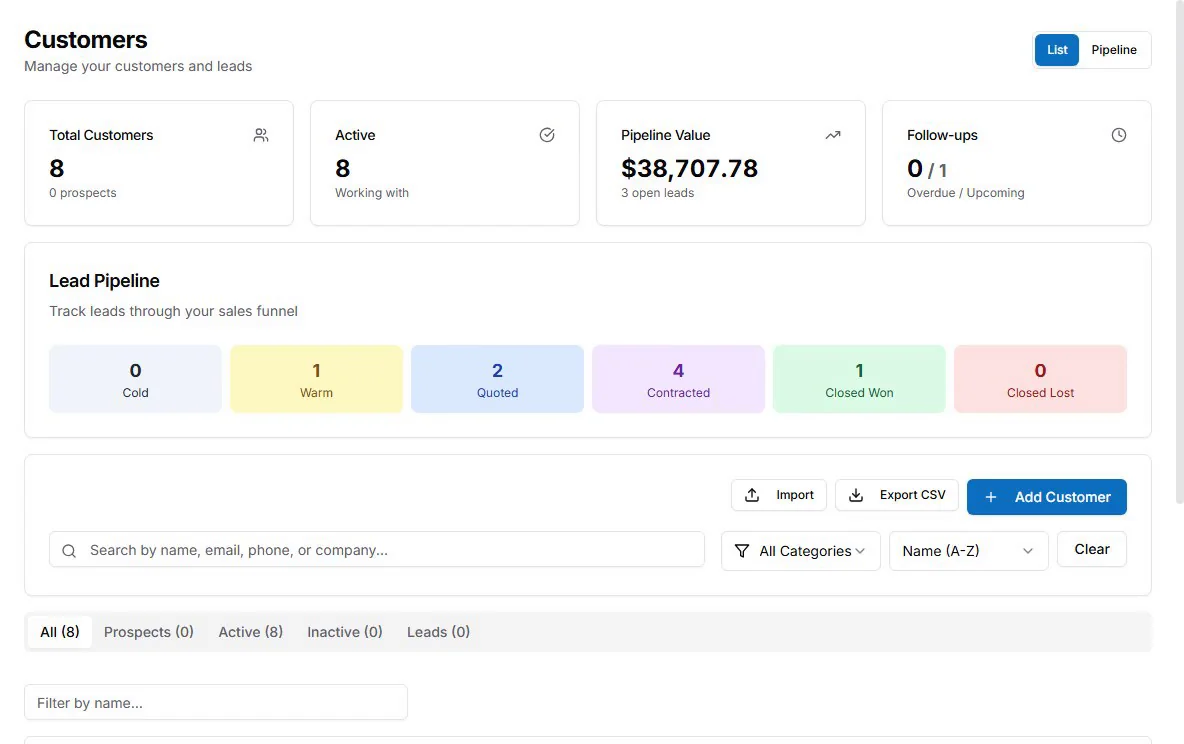
A good proposal still loses if nobody follows up.
Many electrical contractors send the estimate, move to the next call, and hope the customer replies. Meanwhile, the customer is comparing three contractors, trying to understand technical language, or waiting for a spouse, property manager, or board member to approve the spend.
Follow-up should be helpful, not pushy. A strong follow-up message can say:
- “Do you want me to walk through the difference between the repair and upgrade options?”
- “The future-ready option is only worth it if you expect an EV charger or added outdoor loads. If not, the middle option may be enough.”
- “Before you decide, here are the two assumptions that could affect price.”
This is where clean job notes matter. If your team captured the customer’s concern, photos, and site context during the visit, follow-up becomes specific. If the notes are vague, follow-up becomes generic and less useful.
Proposal follow-up also protects margin. Instead of discounting to close the job, you can clarify scope, explain the tradeoff, or adjust an option while preserving the price of the work that remains.
Electrical Proposal Software Checklist
Use this checklist when comparing tools or tightening your internal process.
Look for software or workflows that help you:
- Capture site notes, photos, and customer concerns during the job walk.
- Turn scope into an estimate draft quickly.
- Separate labor, materials, assumptions, exclusions, and optional upgrades.
- Build tiered electrical estimates without rewriting every proposal from scratch.
- Present scope in plain English, not just contractor shorthand.
- Track whether a quote has been sent, approved, revised, won, or lost.
- Schedule the work after approval without re-entering the same job information.
- Create invoices from accepted work.
- Sync financial details with QuickBooks if your accounting workflow depends on it.
- Support your actual sales process, including follow-up reminders or CRM visibility.
Also check what the tool does not do. If you need e-signature, customer financing, payment plans, payment portals, or native good-better-best presentation templates, verify those features directly with the vendor. Do not assume every proposal tool includes them, and do not assume every estimating or CRM tool is a full proposal presentation suite.
How AceWatt Supports Faster Quote-Ready Proposals
AceWatt is built for electrical contractors who need better quote-ready context before the proposal is packaged. It supports the path from job walk to estimate draft: capture better site data, organize scope, create cleaner quotes, and manage the customer workflow around jobs, quotes, invoices, and scheduling.
Here is the honest fit.
AceWatt’s AI job walk helps capture voice and photo context during the site visit. That matters because the best proposal starts with accurate field information: what the customer said, what the tech saw, which areas were affected, and what assumptions need review.
AceWatt’s AI quote builder and estimating tools help turn those notes into quote-ready drafts faster. You can also read more about the workflow in the guide to the AI quote builder for electrical contractors. The system helps with drafting, but it does not remove the need for licensed review of scope, code, safety, and pricing.
AceWatt’s AI copilot and voice documentation support faster documentation when techs are moving between calls. That can reduce the gap between what happened in the field and what the office needs to build a clean estimate.
AceWatt also includes core CRM functionality for jobs, quotes, invoices, scheduling, and dispatch, plus QuickBooks-ready exports. Pricing is simple: Starter is $49/month for 1 user, Growth is $99/month for up to 5 users, and Scale is $199/month for unlimited users. There is a 14-day free trial, and you can compare plans on the pricing page.
What AceWatt is not: a full proposal presentation suite with native good-better-best proposal templates, customer financing, or payment plans (customers can e-sign quotes, and quotes and invoices go out with a portal link where invoices are paid by card). If your sales process requires those features, AceWatt may work best alongside a complementary proposal presentation tool. AceWatt’s role is to help you capture better site data, build better estimate drafts, and keep the job workflow organized before and after the proposal step.
Frequently Asked Questions
What is the best electrical proposal software for small contractors?
The best tool depends on the bottleneck. If customers are confused by your proposals, look for presentation templates, option tables, and follow-up tools. If your estimates are inaccurate because field notes are weak, focus first on job walk capture, estimating, CRM, and licensed review. Many small contractors need better quote-ready context before they need a heavier proposal suite.
How do good better best electrical estimates improve close rates?
Good better best electrical estimates help customers compare outcomes instead of comparing only price. The good option solves the immediate issue, the better option adds code-compliant improvements, and the best option plans for future needs. This makes the sales conversation clearer and can reduce discounting, but it still requires accurate scope and professional review.
Should every electrical proposal include three options?
No. Three options work well when there are meaningful tradeoffs in scope, longevity, safety, convenience, or future capacity. For a very small repair, one clear option may be enough. Do not create artificial tiers just to make the proposal look bigger. Every option should be defensible and useful.
Can an electrician proposal app replace a licensed electrician’s review?
No. Software can help organize notes, draft estimates, and present options, but it should not replace professional judgment. A licensed electrician or qualified reviewer should verify code requirements, site conditions, safety, scope, and final pricing before the customer receives the proposal.
What is the difference between an electrical proposal template and proposal software?
An electrical proposal template is a reusable document structure. Proposal software usually adds workflow around that structure, such as stored customer information, option presentation, reminders, acceptance steps, and sometimes e-signature or payment features. Templates help with consistency, but software can help with speed and tracking.
Does AceWatt include full proposal presentation features?
AceWatt supports quote-ready preparation through AI job walk capture, AI estimating, voice documentation, jobs, quotes, invoices, scheduling, dispatch, and QuickBooks-ready exports. It is not positioned as a full proposal presentation suite with native good-better-best templates, financing, or payment plans, though customers can e-sign quotes and pay invoices by card from the portal link. Teams that need those features may use AceWatt alongside a dedicated proposal tool.
Turn Cleaner Job Walks Into Better Proposals (CTA)
Cleaner proposals start before the document is created. They start when your team captures the customer’s concern, photos, access issues, existing conditions, and scope assumptions while the job is still fresh.
If your current process depends on memory, paper notes, or late-night estimate cleanup, AceWatt can help you build a better front end for quoting. Use AI job walk capture, voice documentation, estimating tools, and core CRM workflows to move from site notes to cleaner quote-ready context faster.
Start with the 14-day free trial, review the estimate internally, and keep the licensed-electrician review step in place before sending proposals to customers.
Proposals are one part of the platform: compare every module on the AceWatt features overview.