
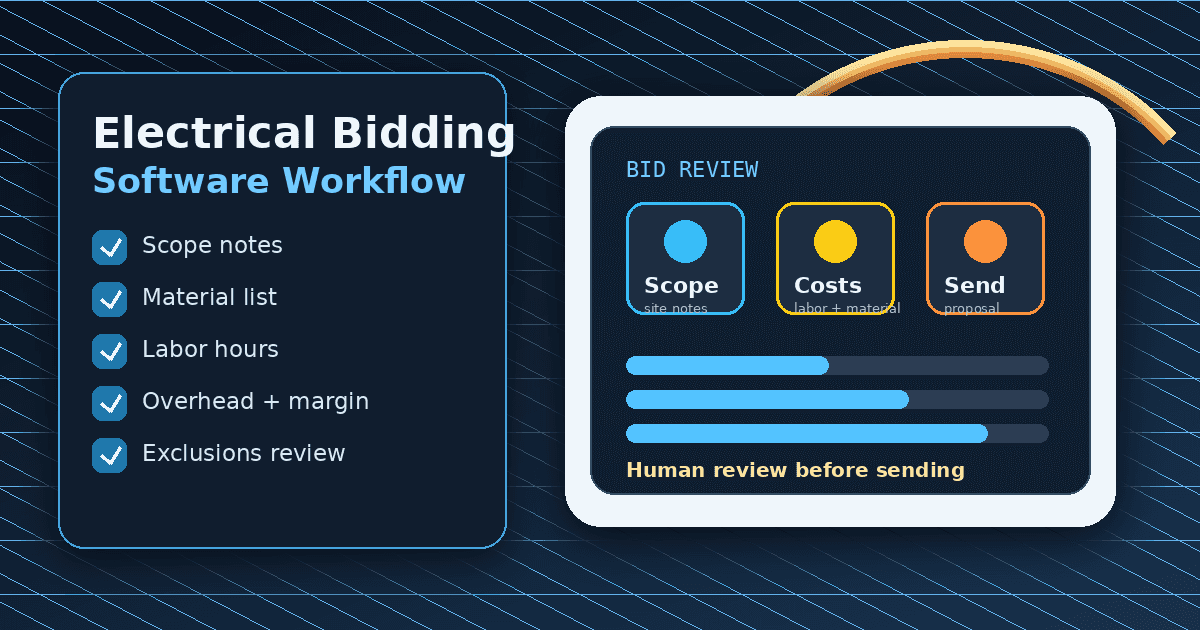
Electrical bidding software helps contractors turn job-walk notes, scope decisions, labor assumptions, material costs, overhead, margin, exclusions, and follow-up into a professional bid. The best tool is not always the biggest platform. It is the one that helps your shop collect the right details, review the numbers, send a clear proposal, and keep the customer from falling through the cracks.
Direct answer: Electrical bidding software is software that helps electrical contractors create and manage bids from scope through submission. It can include job-walk documentation, estimating inputs, bid templates, customer records, approval status, reminders, and invoice handoff. For code-sensitive, safety-sensitive, or price-sensitive electrical work, a licensed electrician or qualified reviewer still verifies scope, code/compliance considerations, site conditions, pricing, permits, and exclusions before the bid goes to the customer.
If you already use AceWatt, start with the AI job walk, automated estimating, free bid calculator, and estimate template. If you are still comparing platforms, use this guide to decide whether you need a lightweight CRM workflow, a field-service suite, or a deep takeoff/estimating system.
Electrical Bidding Software Comparison for 2026
Use this table as a buying framework, not as a universal ranking. Fit depends on shop size, job type, budget, integrations, and how much of the work happens from plans versus field visits.
| Option | Best fit | Strength to evaluate | Watch-out |
|---|---|---|---|
| AceWatt | Small electrical contractors that want CRM, job-walk context, estimates, follow-up, and invoice workflow in one place | Electrical-first workflow from field notes to reviewed quote and follow-up | Not positioned as enterprise plan-takeoff software |
| ServiceTitan | Larger service businesses that need broad field-service operations | Deep dispatch, reporting, call handling, and enterprise workflows | May be heavier than a small shop needs |
| BuildOps | Commercial contractors and operations-heavy teams | Commercial field operations and project workflow | Validate exact estimating/takeoff needs before buying |
| Jobber | Home-service shops that want broad scheduling and client management | General service workflow, booking, and customer management | Less electrical-specific than a dedicated electrical workflow |
| Housecall Pro | Residential service teams that want all-in-one field service | Scheduling, dispatch, customer communication, and invoicing workflows | Compare electrical scope/detail handling carefully |
| McCormick | Electrical estimators who need deeper estimating databases and takeoff support | Electrical estimating depth and assemblies | CRM/follow-up workflow may require separate tools |
| Accubid / Trimble workflows | Larger estimating teams and plan/spec work | Estimating rigor for complex jobs | Implementation complexity can be high |
| Spreadsheet plus templates | Solo operators and very early-stage shops | Low cost and flexible | Easy to lose notes, photos, revisions, and follow-up |
The safe way to compare tools is to bring real jobs into the evaluation: a service call, a panel upgrade, an EV charger request, a commercial lighting job, and a callback that needs documentation. Watch how each tool handles scope, assumptions, approval, revisions, exclusions, and customer follow-up.
Electrical Bidding vs. Estimating vs. Quoting
Electrical contractors often use these words interchangeably, but they are not the same workflow.
An estimate is the internal cost model. It answers: What labor, materials, equipment, overhead, risk, and margin do we need to account for? A good estimate is not only a price. It is a set of assumptions.
A quote is the customer-facing price and scope. It answers: What work are we offering to perform, what is included, what is excluded, and what does the customer need to approve?
A bid is a competitive proposal. It may include price, scope, alternates, exclusions, terms, schedule, assumptions, deadlines, and proof that your shop understands the work. A bid may be used for residential service, commercial maintenance, tenant improvements, remodels, or larger plan/spec opportunities.
Electrical bidding software should help with all three steps without blurring accountability. Software can organize information and draft documents. It should not replace judgment about code, permits, safety, site conditions, labor productivity, or final pricing.
When Electrical Contractors Need Bidding Software
You may not need a dedicated bidding system on day one. A clean template and careful review process can work for simple jobs. But the pain shows up quickly when the owner has more bids than memory can handle.
Common signs include:
- Job-walk photos live on phones instead of customer records.
- Material assumptions get rebuilt every time.
- Quotes go out without clear exclusions.
- Change-order conversations are hard to reconstruct.
- Follow-up depends on a sticky note or group text.
- Won bids do not hand off cleanly to invoices or job records.
- Similar jobs produce inconsistent prices because each bid starts from scratch.
Electrical bidding software becomes valuable when the team needs repeatable context. The goal is not to make every bid automatic. The goal is to make every bid easier to review.
Job-Walk-to-Bid Workflow
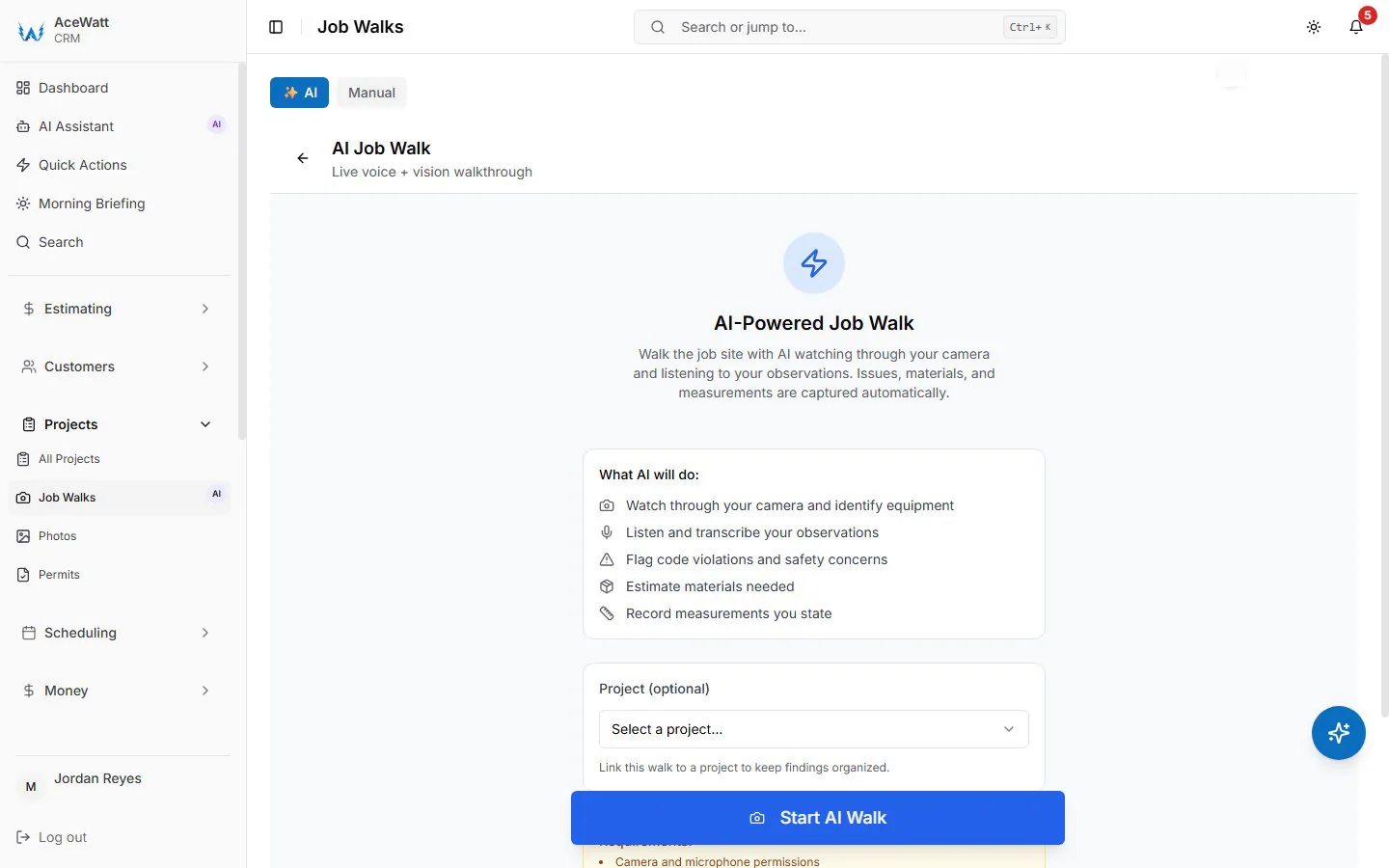
A practical bidding workflow starts before anyone opens a pricing screen.
1. Capture the customer request
Record the customer name, address, contact details, property type, requested work, urgency, access notes, and any constraints. A bid for “install EV charger” is incomplete until you know charger model, parking location, panel location, wall path, distance, access, and whether permitting or utility coordination may apply.
2. Document the site
During the job walk, collect photos, notes, measurements when appropriate, customer preferences, known constraints, and open questions. Keep safety-sensitive observations as observations until reviewed. For general electrical safety context, OSHA maintains public electrical safety resources at osha.gov/electrical, but job-specific decisions still belong to qualified professionals and local authorities.
3. Break the scope into tasks
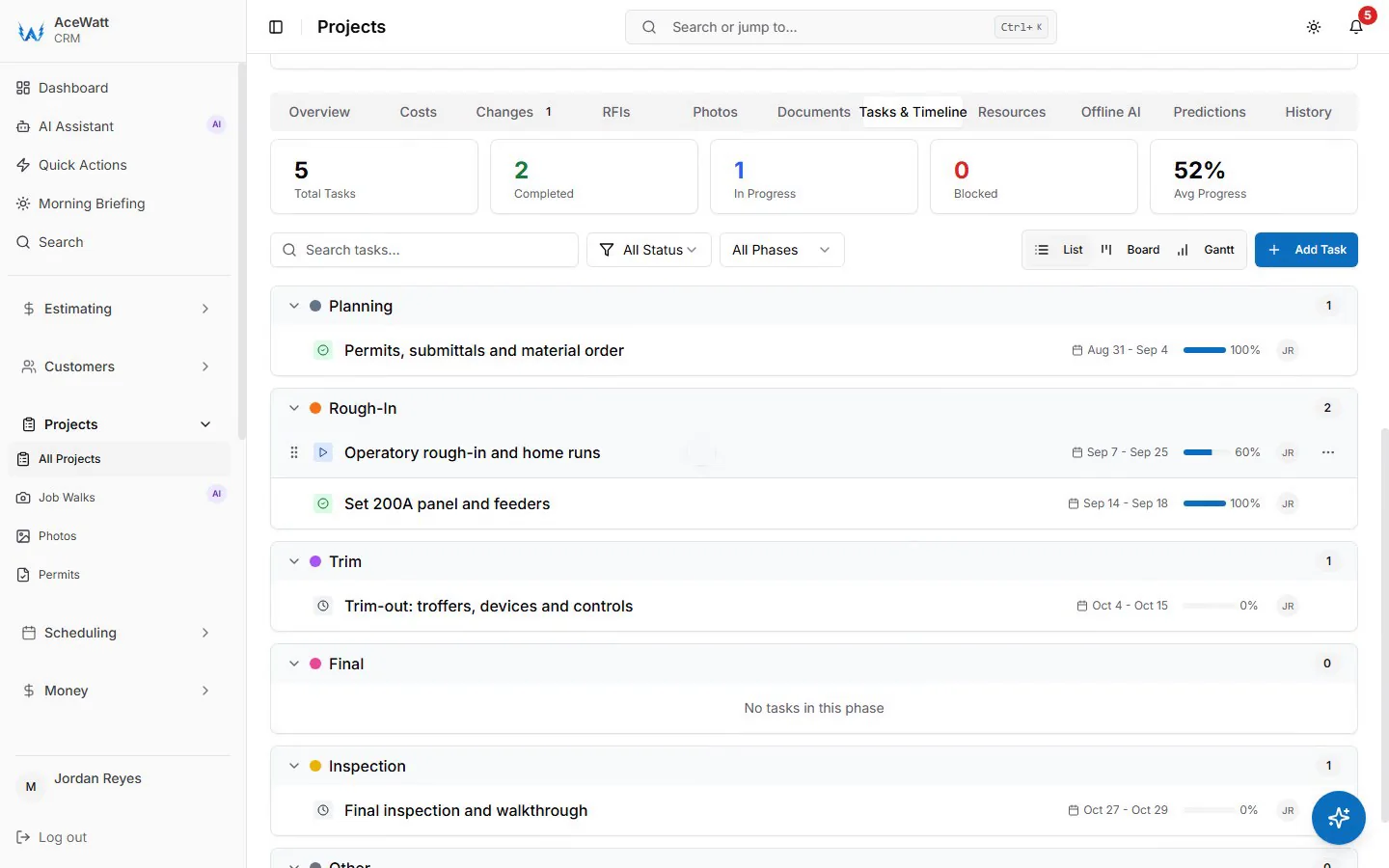
Divide the work into the tasks that drive labor and materials: demo, access, wiring, conduit, devices, panels, fixtures, testing, cleanup, return trips, permits, inspections, and customer communication. A clear task list makes the final bid easier for the customer to understand.
4. Add labor, materials, overhead, and margin
A bid should account for loaded labor cost, expected hours, material costs, material handling, overhead allocation, profit margin, permits, equipment, travel, disposal, warranty risk, and any uncertainty that could change the job. The SBA's finance guidance at sba.gov is a useful reminder that pricing needs to support cash flow and business health, not just direct costs.
5. Write exclusions and assumptions
Exclusions protect both sides. They clarify what is not included, what is customer-provided, what depends on site conditions, what requires approval, and what could become a change order. Avoid vague promises such as “all electrical work included” unless the scope truly supports it.
6. Review before sending
Before a bid goes out, a licensed electrician or qualified reviewer should review scope, code/compliance considerations, safety-sensitive details, assumptions, pricing, permit notes, and site conditions. The final bid should be clear enough that another team member can understand what was promised.
7. Track follow-up
Many bids are lost after submission because no one follows up. A CRM-connected workflow keeps the customer record, bid status, reminders, and next action visible.
Features Electrical Contractors Should Compare
A bidding tool can look impressive in a demo and still fail in daily use. Evaluate the features that protect your actual workflow.
| Feature | Why it matters |
|---|---|
| Job-walk notes and photos | Keeps field context attached to the bid instead of scattered across phones |
| Scope templates | Helps repeat common job types without starting over |
| Labor and material inputs | Supports consistent pricing assumptions |
| Overhead and margin fields | Keeps profit from being treated as an afterthought |
| Exclusions and assumptions | Reduces confusion, change-order disputes, and vague commitments |
| Revision tracking | Shows what changed between bid versions |
| Customer records | Keeps bids tied to history, notes, and follow-up |
| Follow-up reminders | Prevents submitted bids from going stale |
| Invoice handoff | Helps accepted work move toward billing without rebuilding context |
| Export and data controls | Protects job history if your process or vendor changes |
If a vendor claims automatic code compliance, guaranteed profit, or autonomous electrical decision-making, slow down. Electrical work needs human review.
Best Electrical Bidding Software Options in 2026
AceWatt
AceWatt is a strong fit for electrical contractors that want job-walk documentation, CRM context, estimates, quote follow-up, and invoice workflow connected. It is especially useful when the bottleneck is not deep plan takeoff, but the handoff from field notes to a reviewed customer bid. The electrical contractor software page gives the broader platform view, and the field service software for electricians page explains the connected job workflow.
AceWatt should be evaluated as an electrical CRM and workflow tool. If your team needs enterprise-grade plan takeoff, complex bid calendars, or specialty estimating databases, compare dedicated estimating tools too.
ServiceTitan
ServiceTitan is often evaluated by larger home-service and trade businesses that need broad field-service operations. It may be a fit when dispatch, call center workflows, reporting, and multi-team operations are the main problem. Smaller electrical shops should confirm whether the setup and process complexity match their current stage.
BuildOps
BuildOps is often relevant for commercial contractors and operations-heavy teams. It can be worth evaluating when a company needs commercial workflow, project context, and field operations. Contractors should verify exactly how estimating, proposal, CRM, and invoice handoff work for their own jobs.
Jobber
Jobber is a general field-service platform used by many home-service businesses. It may fit electrical contractors that want scheduling, customer management, and invoicing workflows in a broad service-business system. The trade-off is that electrical-specific bidding detail may require careful setup.
Housecall Pro
Housecall Pro is another broad field-service option. It can be useful for residential service teams that want scheduling, dispatch, customer communication, and invoice workflows. Compare how it handles electrical job notes, estimates, revisions, and qualified review before relying on it for complex bids.
McCormick
McCormick is associated with electrical estimating depth and may be relevant when assemblies, takeoff, and estimating structure matter more than CRM follow-up. A shop using this kind of tool may still need a separate system for customer communication and post-bid follow-up.
Accubid / Trimble workflows
Accubid and related Trimble workflows are commonly evaluated by larger estimating teams. They can be overkill for a small service shop, but they may be appropriate for plan/spec work where takeoff rigor matters.
Spreadsheets and templates
A spreadsheet can work when job volume is low and the owner controls every bid. The risk is that the spreadsheet does not capture photos, customer conversations, revision history, follow-up, or invoice handoff. If you stay with spreadsheets, pair them with a disciplined template and a CRM record.
Common Bidding Mistakes That Kill Profit
Missing scope from rushed job walks
A bid built from memory is fragile. Photos, access notes, customer constraints, site conditions, and open questions should be captured while the details are fresh.
Confusing labor cost with labor price
Labor cost is what the company pays to perform the work. Labor price is what the customer pays after overhead, margin, and risk are considered. If your bid only covers wages and material cost, it may not support the business.
Forgetting exclusions
If the bid does not state what is excluded, customers may assume everything is included. Common exclusions might involve drywall repair, trenching, customer-supplied equipment, utility coordination, permit fees, after-hours work, patching, or hidden conditions. Use language appropriate for the job and have it reviewed.
Treating AI output as final
AI can summarize notes, organize scope, and draft customer-friendly language. It should not independently approve code-sensitive work, final pricing, safety decisions, permits, or compliance statements.
No follow-up after submission
A clean bid still needs a next step. Track sent, viewed, needs revision, approved, declined, and follow-up due. If the customer asks a question, keep that conversation attached to the bid.
How AceWatt Fits
AceWatt helps electrical contractors keep bidding context connected:
- Use AI job walk to organize field notes and photos.
- Use automated estimating to support reviewed quote drafts.
- Use the free electrical bid calculator to structure labor, material, overhead, and margin inputs.
- Use the estimate template to create cleaner customer-facing proposal language.
- Browse all free electrical contractor tools for bid prep, NEC calculators, templates, and job walk reporting.
- Use pricing to compare plans and trial signup.
- Use the electrician invoice software page to understand invoice workflow after a bid is accepted.
The safe position is simple: AceWatt helps organize the workflow around electrical bids. The contractor still owns final scope, safety, code/compliance review, pricing, and customer commitments.
Electrical Bidding Software Buying Process
Do not buy from a polished demo alone. Build a short evaluation pack from real work and use it with every vendor.
Start with one service job, one quoted installation, one troubleshooting call, one commercial maintenance job, and one job that produced a change order. For each example, collect the original request, photos, field notes, estimate assumptions, final quote or bid, customer questions, approval status, and invoice or follow-up outcome. Then run the same examples through each product.
Score the tool on practical questions:
- How fast can a field user capture enough detail for an estimator?
- Can the office review scope without calling the technician back for basic context?
- Can the estimator see assumptions, exclusions, and revision history?
- Can a manager verify the bid before it reaches the customer?
- Can a sent bid stay connected to reminders and customer follow-up?
- Can accepted work move into a job record or invoice workflow without retyping everything?
- Can your team export the data if you change systems later?
This buying process protects you from choosing software because it has the longest feature list. Electrical bidding succeeds when the workflow matches how your shop actually sells and performs work.
Bidding Software Implementation Checklist
Once you choose a tool, implement it gradually. Start with the job types that create the most rework: panel work, EV charger installs, commercial maintenance, generator work, troubleshooting, and recurring service customers.
Create templates for repeatable scope language, exclusions, required photos, permit questions, customer approvals, and follow-up steps. Train the team to record uncertainty instead of hiding it. A note such as “panel access blocked; customer to clear area before work” is better than pretending the job has no access risk.
Review the first few weeks of bids as a team. Look for missing materials, vague scope, forgotten overhead, weak exclusions, and follow-up gaps. Software will not fix a weak process by itself, but it can make the weak spots visible.
FAQs About Electrical Bidding Software
What is electrical bidding software?
Electrical bidding software helps contractors turn scope, materials, labor, overhead, margin, assumptions, exclusions, and customer details into a reviewed bid or proposal. It often connects job documentation, estimating inputs, customer records, and follow-up reminders.
Is bidding software the same as estimating software?
No. Estimating software helps calculate cost and scope. Bidding software helps turn that information into a customer or project proposal, track revisions, and manage the submission/follow-up process. Some platforms include both.
What is the best electrical bidding software for small contractors?
The best option depends on job type and process maturity. Small electrical contractors often need job notes, estimate context, CRM history, and follow-up more than enterprise takeoff. AceWatt fits that workflow, while deeper estimating tools may fit larger plan/spec work.
Can AI help write electrical bids?
AI can help summarize notes, organize scope, draft proposal language, and flag missing context for review. It should not replace a licensed electrician or qualified reviewer for scope, code/compliance considerations, permits, safety, site conditions, or final pricing.
Do electricians need takeoff software and CRM software?
Some do, and some do not. Contractors bidding from plans may need takeoff or estimating software. Contractors whose pain is field notes, quotes, follow-up, customer history, and invoices may need CRM-connected workflow first. Many growing shops eventually use both.
How do you avoid underbidding electrical work?
Avoid underbidding by documenting scope, calculating loaded labor, checking materials, adding overhead and margin, writing exclusions, accounting for risk, and reviewing the bid before sending it. Software can support this process, but disciplined review is still required.
For a focused look at the AI-assisted side of that stack (takeoff, quote drafts, and follow-up), see best AI estimating software for electrical contractors (2026).
Related Reading
- Browse the full AceWatt feature set: AI job walk, estimating, invoicing, scheduling.
- bid software tools compared for faster bids
- How to bid electrical jobs
- Electrical contractor bidding software for a broader bid workflow and vendor comparison.
Related reading: AI for Electrical Contractors: 7 Ways to Win More Bids.