
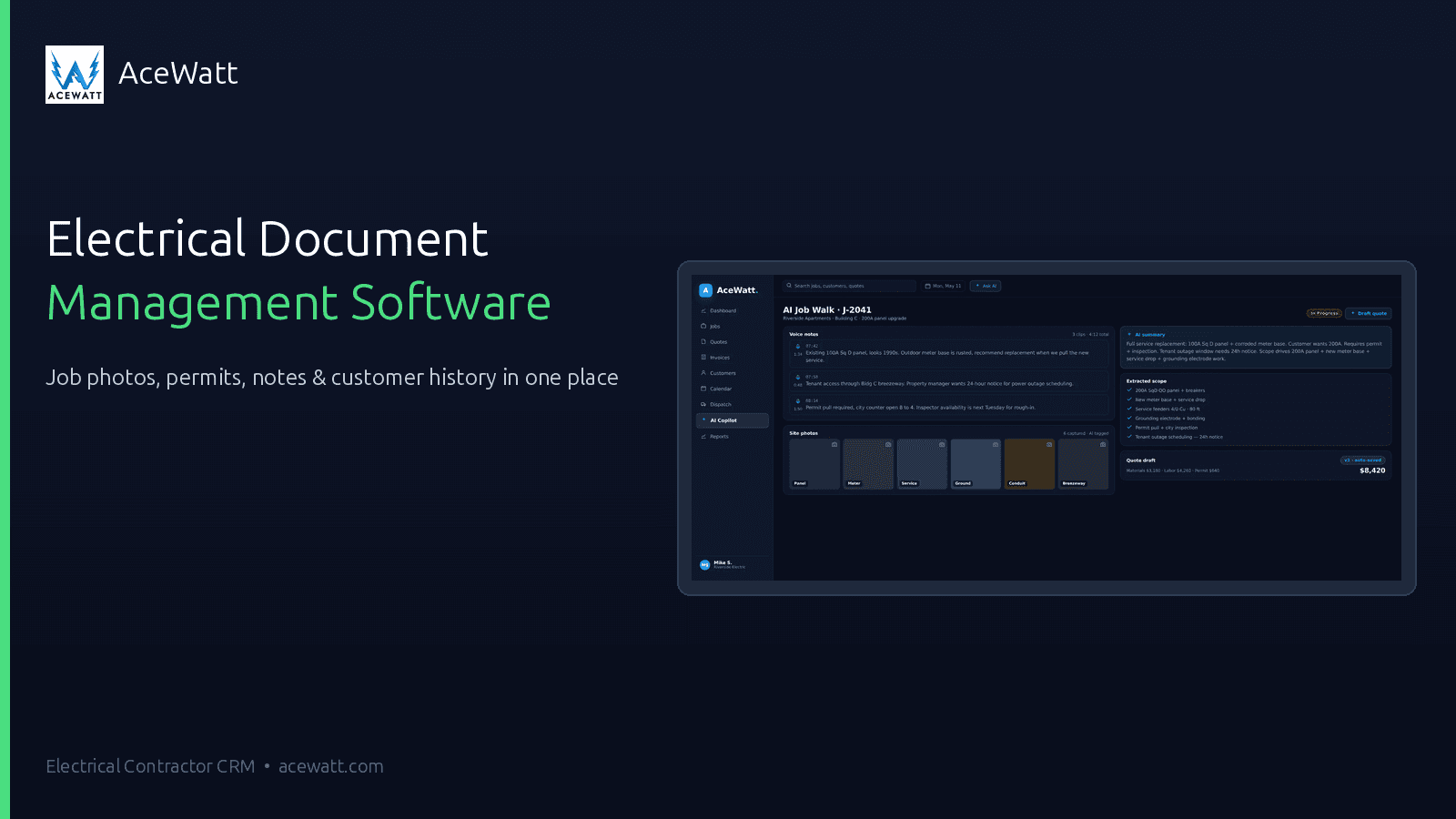
Electrical Document Management Software: Job Photos, Notes, Permits, and History in One Place
BLUF: Electrical document management software is more than cloud storage for contractors; it is a connected job record where photos, notes, permits, estimates, invoices, diagrams, and customer history live beside the work they explain. In AceWatt, documentation connects to customers, jobs, estimates, invoices, scheduling, and follow-up so the office can quote, dispatch, bill, and answer questions without rebuilding context from texts and camera rolls.
Why Electricians Lose Margin When Job Documents Live Everywhere
Electrical contractors rarely lose job context in one dramatic moment. It leaks across phone camera rolls, text threads, email attachments, shared-drive folders, handwritten notes, paper permit packets, and supplier receipts. By the time the office needs to build a proposal, answer a customer question, prove a change order, or hand the job to invoicing, the evidence is scattered across people and devices.
That scattered workflow creates real margin loss. A technician may re-walk a panel because the photo missed breaker labels. An estimator may underprice because the conduit path, attic access, or shutdown window was described in a text but never attached to the estimate. A disputed invoice may stall because before-and-after photos, signed approvals, and scope notes are hard to find.
Document control is not admin busywork for electrical shops. It protects estimating accuracy, schedule coordination, customer communication, and invoice confidence. For larger service work and small projects, it belongs beside customer intake, job walks, proposals, scheduling, and billing. A CRM-connected approach matters because the file is useful when it is attached to the customer and the job, not sitting in a generic folder.
The Documents Every Electrical Job Should Keep Together
A good electrical job record should tell the story from intake to final payment. The exact documents depend on service type, local requirements, and the contractor’s process, but the categories are familiar to most shops.
Keep these items together whenever they apply:
- Customer contact details, site address, gate codes, access notes, and communication preferences.
- Panel photos, breaker-label photos, directory notes, subpanel photos, and service entrance photos.
- Existing-condition photos of the work area, access path, attic, crawlspace, ceiling space, equipment, fixtures, or damage.
- Load calculation notes, service sizing context, equipment nameplates, manufacturer model numbers, and customer-supplied device details.
- Permit notes, AHJ comments, inspection scheduling details, correction notes, and utility coordination reminders.
- Drawings, one-lines, sketches, marked-up photos, diagrams, and takeoff support.
- Material lists, supplier quotes, fixture schedules, device counts, and long-lead-item notes.
- Safety notes, lockout/shutdown planning, lift or ladder access notes, and site-specific hazards.
- Before-and-after photos, completion photos, testing notes, and punch-list items.
- Signed approvals, change-order support, accepted estimates, invoices, receipts, and customer handoff notes.
This is electrical contractor file management with a purpose. A panel photo helps the estimator. A breaker-label photo helps the return technician. A signed approval helps the office bill. An inspection note helps the project manager coordinate with the AHJ. When those documents are tied to the job, each team member can use the same source of truth.
Jobsite Photos and Voice Notes: The Fastest Way to Preserve Context
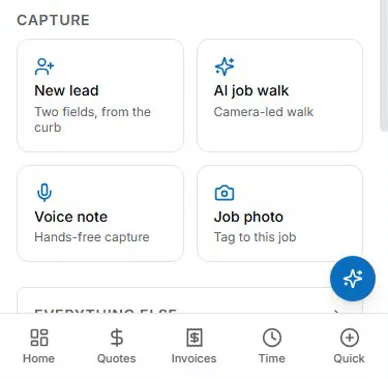
Field documentation works best when it matches how electricians move through a jobsite. Typing long summaries on a phone beside a panel, ladder, or crowded mechanical room is slow. Photos and voice notes are faster when the crew needs to capture context before moving to the next call.
AceWatt’s AI job walk workflow is built around that reality. A technician or estimator can capture field observations, jobsite photos, and voice context during the walkthrough, then keep that information attached to the customer and job record. The goal is to preserve what the field saw so the estimate, schedule, follow-up, and invoice do not depend on memory.
A practical jobsite photo app for electricians should make it easy to capture:
- Wide shots that show where the work is located.
- Close-ups of panels, labels, terminations, nameplates, fixtures, controls, and visible defects.
- Photos that show access constraints, ceiling type, wall construction, trench path, parking, or equipment placement.
- Before-and-after photos for customer communication and invoice support.
- Annotated or narrated context that explains what the photo means.
Voice documentation is especially helpful for details a photo cannot show. With AceWatt’s voice documentation, field notes can be captured while the technician talks through the issue: “Existing 200-amp panel in garage, customer wants EV charger on opposite wall, route likely surface conduit, verify load calculation and permit requirements.” The note can then be organized as job context for review instead of living as a forgotten voice memo.
If your shop is evaluating an electrical job documentation app, pay attention to speed. A tool that takes too long in the field will not be used consistently. Fast photo and voice capture keeps more context inside the job record. For a deeper job-walk workflow, see AceWatt’s guide to a job walk app for electricians.
Permit, Inspection, and Panel Documentation Workflows
Permits and inspections create another layer of documentation. The contractor still needs licensed review, code awareness, and AHJ communication. Software should not be treated as a compliance guarantee. It can help organize the documents, photos, notes, and dates that support better communication with customers, inspectors, utilities, and the office.
For permitting, keep the job record organized around questions that usually slow the process down:
- What is the scope being permitted?
- Which drawings, calculations, product sheets, or one-lines support the application?
- Who submitted the permit, and when?
- What did the AHJ request or clarify?
- What inspection windows, access requirements, or utility coordination steps are still open?
- What photos or documents should be ready before the inspector arrives?
Panel documentation deserves special attention. A clear panel cover photo, interior photo where appropriate and safe, breaker directory photo, service label photo, and nearby equipment photo can prevent return trips. When the office knows the panel brand, available spaces, labeling condition, and visible service information, it can answer basic planning questions without another site visit.
For inspection corrections, attach the notice, related photos, crew notes, and follow-up appointment to the same job record. That does not replace AHJ direction or qualified review, but it helps the contractor avoid “the notice is in someone’s truck” while the customer waits for an answer.
How Documentation Improves Estimates, Proposals, Invoices, and Follow-up
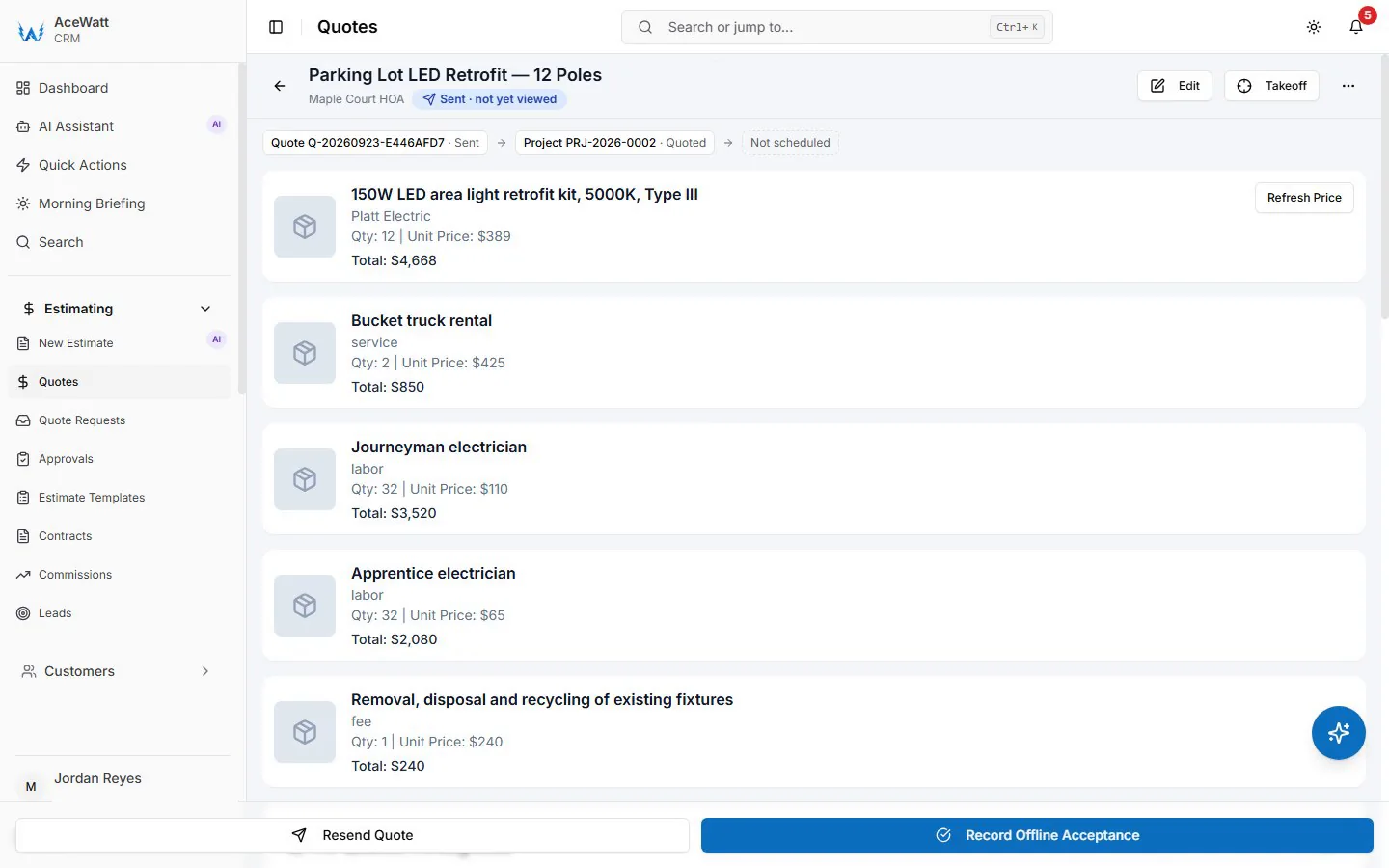
Better documentation makes the commercial workflow cleaner. A photo-backed estimate can show the customer that the contractor looked at actual site conditions, not just a generic scope. It also helps the estimator price access difficulty, material needs, shutdown coordination, panel constraints, and exclusions with more confidence. If your team is tightening its estimating process, connect documentation practices to AceWatt’s guide on how to estimate electrical work.
Proposals benefit from the same job record. Photos, job-walk notes, and signed approvals can clarify what is included and what is not. If a customer asks why surface conduit is included, the estimator can point back to photos showing finished walls or route constraints. If the customer approves a change, the approval belongs with the job documents, not buried in a text thread.
Invoicing is easier when the work history is complete. Completion photos, signed approvals, change-order notes, permit fee support, and material documentation can help the office send an invoice that matches the scope. Attachments can also make the invoice easier for a property manager, homeowner, or commercial customer to understand. AceWatt’s electrical work order template can support the same handoff mindset.
Follow-up improves because customer history is visible. If a customer asks about a past panel upgrade, generator inlet, EV charger rough-in, lighting retrofit, or inspection correction, the office should not have to ask where the old photos went. AceWatt’s electrical CRM keeps customer and job history connected so follow-up can start from the prior record. For broader workflow planning, see AceWatt’s guide to electrical contractor project management.
Electrical Document Management Feature Checklist
Use this checklist when comparing electrical document management software, a field service document management tool, or an electrician photo documentation app:
- Customer-linked files so every document belongs to the right account and location.
- Job-linked photos, notes, permits, diagrams, estimates, invoices, and approvals.
- Fast mobile photo capture from the field.
- Voice-to-text notes or AI-assisted summaries for technicians who cannot stop to type.
- Ability to attach photos and notes to estimates and proposals.
- Invoice PDF and attachment support for customer handoff.
- Customer history timeline that shows past jobs, open quotes, invoices, and follow-up.
- Search by customer, job, address, keyword, or document type.
- Clear status tracking for open estimates, scheduled work, permit steps, inspections, and invoices.
- User permissions appropriate to your team’s roles and customer-data policies.
- Export or download options for records you need to share with customers, inspectors, accountants, or internal reviewers.
- Practical privacy controls and team habits: protect customer data, avoid unnecessary personal information, and do not store payment credentials in job notes or file attachments.
The best checklist item is simple: can a new person open the job record and understand what happened? If the answer is yes, the documentation system is supporting operations. If not, the shop still has hidden work living in someone’s phone.
Sample Job-Record Structure for Electrical Contractors
You do not need a complicated naming system. You need a repeatable structure that helps the team find documents quickly. In AceWatt, the preferred pattern is a connected record: customer, site, opportunity or job, estimate, schedule, invoice, and history. If you also use folder names for exports, keep them predictable.
A practical convention might look like this:
Customer: Smith Residence
Site: 123 Maple Street
Job: 2026-07-03_EV-Charger_JobWalk

01_Intake
- customer-request.txt
- site-access-notes.txt

02_Job-Walk-Photos
- 2026-07-03_panel-cover.jpg
- 2026-07-03_panel-directory.jpg
- 2026-07-03_garage-wall-route.jpg
- 2026-07-03_driveway-access.jpg

03_Scope-and-Estimate
- scope-notes.md
- material-list.csv
- estimate-v1.pdf
- accepted-estimate.pdf

04_Permit-and-Inspection
- permit-application.pdf
- ahj-notes.txt
- inspection-result.pdf
- correction-photos/

05_Work-Completion
- before-photos/
- after-photos/
- test-notes.txt
- customer-handoff.pdf

06_Invoice-and-Follow-Up
- invoice.pdf
- payment-notes.txt
- recommended-next-work.txt
Use dates in YYYY-MM-DD format. Use plain-language labels such as panel-directory, existing-damage, attic-access, fixture-schedule, or inspection-correction. Avoid vague names like IMG_3049 when exporting or sharing. Inside the CRM, record connection matters more than the folder label: the document should attach to the customer, job, estimate, invoice, or follow-up step it supports.
File Storage vs Field Service Document Management vs Electrical CRM with Documentation
Cloud storage can be useful, but storage by itself does not run an electrical business. Field service document management adds job context, while a CRM-connected system ties documents to the revenue workflow: lead, job walk, estimate, follow-up, schedule, invoice, and customer history.
| Capability | Basic file storage | Field service document management | Electrical CRM with documentation |
|---|---|---|---|
| Store PDFs and photos | Yes, usually in folders | Yes, often by job or work order | Yes, connected to customer, job, estimate, invoice, and history |
| Mobile photo capture | Possible, but often manual | Common | Built into the field-to-office workflow |
| Voice notes and summaries | Usually separate | Sometimes available | AceWatt supports voice documentation and AI-assisted job-walk summaries for review |
| Estimate connection | Manual linking or file naming | Sometimes connected to work orders | Photos and notes can support estimate context and proposal follow-up |
| Invoice handoff | Manual attachment | May support work-order attachments | Job history, approvals, completion photos, and invoice context stay together |
| Customer history | Folder search | Job-by-job view | CRM timeline across leads, jobs, estimates, invoices, and follow-up |
| Search and accountability | Depends on folder discipline | Better by job | Better aligned to customer, job, and revenue workflow |
| Best fit | Simple file archive | Dispatch-heavy operations | Electrical contractors that want documentation tied to sales, operations, and billing |
AceWatt fits the CRM-connected category. If you are comparing tools, start with how your team works: who captures the jobsite photo, who builds the proposal, who schedules the crew, who invoices, and who answers the customer six months later? The right system should keep that chain connected. Learn more about AceWatt as a CRM for electricians when documentation needs to support the full customer lifecycle.
FAQ: Job Documentation for Electricians
What is electrical document management software?
Electrical document management software helps contractors keep job photos, notes, permits, estimates, invoices, diagrams, approvals, and customer history connected to the correct customer and job. The important difference from basic cloud storage is context: the file is tied to the workflow where it is needed.
Why do electricians need a jobsite photo app?
Electricians need jobsite photos to document existing conditions, panel details, access constraints, completed work, inspection corrections, and customer approvals. A jobsite photo app for electricians is most useful when photos attach directly to the job record instead of staying in a technician’s phone camera roll.
Can documentation software help with permits and inspections?
It can help organize permit documents, AHJ notes, inspection dates, correction notices, and related photos. It should not be treated as a substitute for licensed electrical review, local code interpretation, AHJ direction, or qualified safety judgment.
What should be included in an electrical job record?
A strong job record includes customer details, site notes, panel and work-area photos, scope notes, material lists, load calculation context when applicable, permit and inspection documents, approvals, change orders, completion photos, invoices, and follow-up recommendations.
How does AceWatt use job documentation?
AceWatt connects job-walk photos, voice notes, estimate context, scheduling, invoices, and customer history inside an electrical CRM. That helps the field and office work from the same record while the contractor still reviews scope, pricing, safety, code-related questions, and customer-facing communication.
Use AceWatt to Keep Electrical Job Documents Connected
Electrical documentation works when it is fast in the field and useful in the office. AceWatt helps electrical contractors capture job-walk photos, voice notes, estimates, scheduling details, invoices, and customer history in one electrical CRM so each file supports the next step in the job.
If your team is tired of searching through camera rolls, texts, emails, and shared folders, use AceWatt to bring the record together. Review AceWatt pricing, compare the CRM workflow, and give your team a cleaner way to preserve the details that protect estimates, proposals, invoices, and follow-up.
Browse every download in one place: the free electrical contractor templates hub.
See how document storage fits the rest of the platform on the AceWatt features overview.