
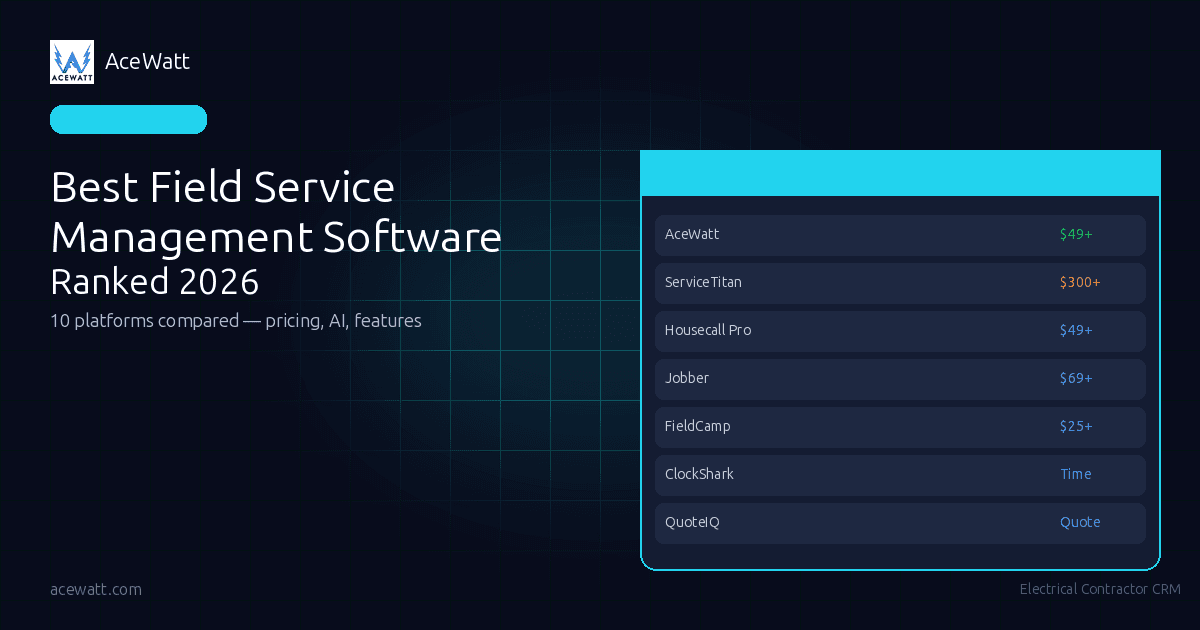
Best Field Service Management Software in 2026: Ranked & Compared
Choosing the best field service management software in 2026 is not about finding the biggest platform or longest feature list. It is about matching your trade, crew size, budget, and workflow to a system your team will use. This FSM software comparison covers ten tools, including ServiceTitan, Housecall Pro, Jobber, and AceWatt, with pricing notes, strengths, limitations, and buying guidance for contractors moving beyond paper and spreadsheets.
What Is Field Service Management Software?
Field service management software helps contractors run office and field work from one system: customer records, quotes, scheduling, dispatch, job notes, invoices, payments, and reporting. The best FSM tools reduce missed details between the estimate, the calendar, the truck, and the final invoice.
For an electrician, plumber, HVAC company, cleaner, or pest control operator, that means fewer whiteboards, fewer lost text threads, and less double entry. A good field service CRM gives the office a clear view of every lead, quote, appointment, technician, and invoice. A good field app gives the technician enough context to finish the job without calling the office five times.
The category has matured quickly. In 2026, buyers are comparing AI estimating, voice notes, route optimization, customer portals, QuickBooks sync, and reporting. The right choice depends heavily on your trade and stage of growth.
If your biggest bottleneck is estimating electrical work, start with the comparison below and also read our guide to electrical estimating software. If your bottleneck is field notes and documentation, look closely at platforms that support voice, photos, and structured job walk workflows.
How We Evaluated These Platforms
This list is for contractors with buying intent: teams deciding whether to start a trial, book a demo, or shortlist vendors.
We evaluated each platform across seven practical criteria:
- Trade fit: Does the software fit electrical, multi-trade home services, cleaning, pest control, lawn care, or enterprise teams?
- Core workflow coverage: Can it handle leads, customers, jobs, quotes, invoices, scheduling, dispatch, and field updates?
- Pricing transparency: Can a contractor understand the likely monthly cost before a sales call?
- Ease of adoption: Will a busy crew use it, or will the owner chase updates?
- AI and automation: Does AI reduce quoting, documentation, scheduling, or admin work without replacing professional judgment?
- Accounting and reporting: Does it support billing, accounting handoff, job tracking, and management visibility?
- Limitations: Where is the product less ideal? Every tool has tradeoffs, and a useful comparison should name them.
A note on rankings: this is not a universal claim that one vendor is best for every contractor. ServiceTitan may fit a large multi-location company. Housecall Pro may fit a broad small-business audience. AceWatt ranks first here for electrical contractors who want AI-first estimating, job documentation, scheduling, and transparent pricing.
Top 10 Field Service Management Software Platforms
AceWatt
Best for: Electrical contractors that want an AI-first field service CRM built around estimating, job walks, scheduling, and daily electrical operations.
Pricing: AceWatt is transparent: Starter is $49/month for 1 user, Growth is $99/month for up to 5 users and is the most popular plan, and Scale is $199/month for unlimited users. AceWatt also offers a 14-day free trial, with free trial signup at acewatt.com.
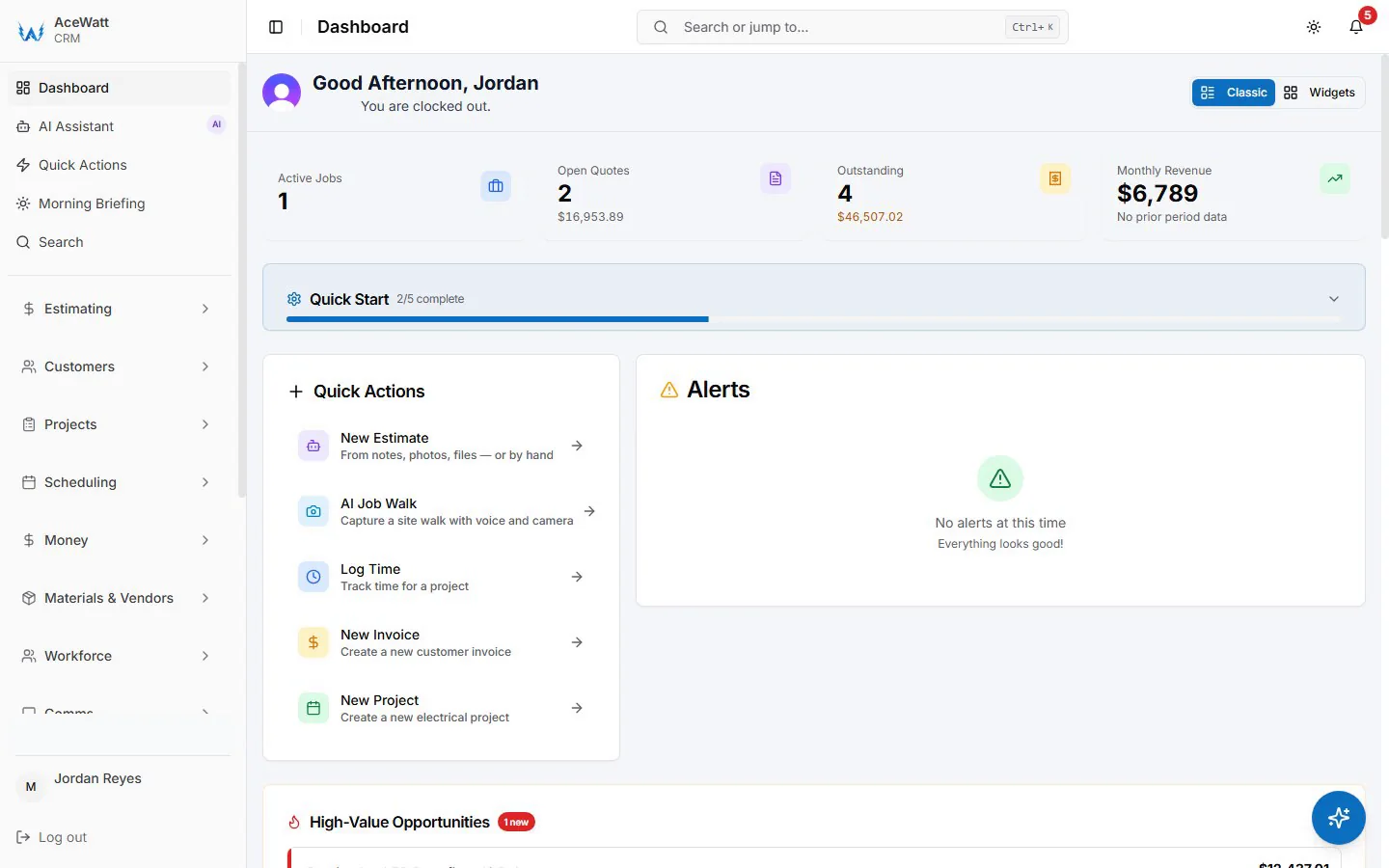
Key features: AceWatt includes AI quote builder / AI estimating, AI job walk with voice and photos, AI copilot & voice, AI schedule optimizer, AI document scanner, core CRM for jobs, quotes, invoices, and scheduling, QuickBooks-ready exports, commission tracking, customer portal, dispatch & calendar, and Scale-plan access to route optimization and advanced reports & analytics.
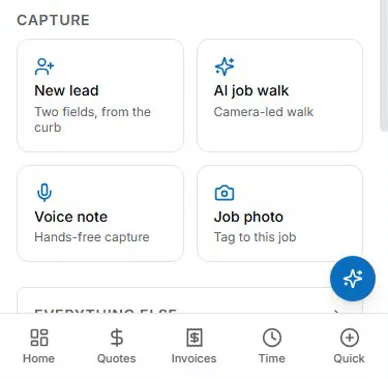
Contractors comparing AI features should look at AceWatt's automated estimating, AI job walk, and voice documentation workflows. The goal is to capture field conditions on site, turn messy job information into a cleaner quote workflow, and keep a human reviewer in control.
Pros:
- Built specifically for electrical contractors instead of trying to serve every trade equally.
- Strong AI focus across estimating, job walks, voice, documents, and scheduling.
- Transparent pricing is easier to budget than quote-only enterprise software.
- Growth plan gives small teams up to 5 users for $99/month.
- Scale plan keeps pricing predictable for larger crews because it includes unlimited users.
Cons:
- Newer platform with a smaller user base than long-established vendors.
- Electrical-focused, which is a strength for electricians but not ideal for every trade.
- Large multi-location businesses may still prefer an enterprise platform with a longer implementation history.
Verdict: AceWatt is the best field service management software choice in this comparison for electrical contractors specifically. It is not trying to be the default for every home service company. Its advantage is focus: electrical estimating, field documentation, AI-assisted job walks, scheduling, and clear pricing for small and growing electrical shops. If your company lives in panels, service calls, rough-ins, troubleshooting, and quote follow-up, AceWatt belongs near the top of your shortlist.
ServiceTitan
Best for: Large home service businesses that need deep operations, call center, dispatch, marketing, reporting, memberships, and enterprise-level controls.
Pricing: ServiceTitan pricing is typically quote-based and commonly discussed as starting around $300+/month, often with setup, onboarding, or implementation fees. Actual pricing depends on company size, modules, and contract terms, so buyers should confirm directly with ServiceTitan.
Key features: ServiceTitan is one of the most powerful field service management tools in the market. It supports dispatching, technician management, call booking, customer history, estimates, invoices, memberships, reporting, marketing tools, integrations, and operational dashboards for larger service organizations.
Pros:
- Deep feature set for larger contractors and multi-department home service companies.
- Strong reporting, dispatch, and operational controls.
- Mature ecosystem with extensive implementation resources.
- Good fit for companies that have dedicated office staff, managers, and budget for rollout.
Cons:
- Expensive for many small contractors.
- Setup and onboarding can be a larger project, not a quick weekend switch.
- The breadth can feel heavy for a small electrical shop that mainly needs quotes, scheduling, and clean job records.
- Pricing is not as transparent as self-serve tools.
Verdict: ServiceTitan is genuinely powerful and expensive. It is often the right conversation for larger home service companies that need enterprise-grade field service management software 2026 buyers can scale. For a two-to-ten-person electrical contractor, it may be more platform than the business needs today.
Housecall Pro
Best for: Small and midsize home service companies that want a widely adopted, polished platform with broad trade coverage.
Pricing: Housecall Pro plans typically start around $49/month, with higher tiers for more users and advanced features. Always check current pricing because packaging can change.
Key features: Housecall Pro covers scheduling, dispatch, estimates, invoices, online booking, payments, reminders, and customer communication. It has broad recognition in home services and has reported 200K+ users, which matters if you want a mainstream platform with a large adoption footprint.
Pros:
- Large user base and strong brand awareness in home services.
- Friendly interface for small service businesses.
- Good coverage of common scheduling, billing, and customer communication needs.
- Useful for multiple trades, not just one niche.
Cons:
- Not built specifically around electrical estimating or electrical job walks.
- Advanced features can require higher-tier plans.
- AI-first workflows may not be as central to the product as they are in newer specialist platforms.
Verdict: Housecall Pro is a strong, mainstream field service CRM for small home service companies that want proven adoption and broad trade support. It is a safer generalist choice than many niche tools. Electrical contractors should compare its simplicity and scale against the more focused AI estimating and job walk workflows in AceWatt.
Jobber
Best for: Small service businesses that want simple quoting, scheduling, invoicing, and customer communication without a heavy enterprise rollout.
Pricing: Jobber plans typically start around $69/month, with higher tiers for more users and more advanced workflow features. Confirm current packaging before buying.
Key features: Jobber includes quoting, scheduling, dispatch-style job assignment, invoicing, payments, client communication, reminders, and a client hub. It is popular with small field service teams that want a clean system for daily admin.
Pros:
- Easy to understand and approachable for small teams.
- Good customer-facing workflows, reminders, and client communication.
- Strong fit for businesses moving from spreadsheets or generic invoicing tools.
- Broad enough for many service trades.
Cons:
- Not as deep as enterprise systems for large dispatch operations.
- Electrical-specific AI estimating and voice job walk workflows are not the main product angle.
- Some useful automation and reporting features may sit in higher tiers.
Verdict: Jobber is one of the best FSM tools for small service companies that value simplicity. It is a practical choice if your main goal is to organize quotes, schedules, invoices, and customer updates. Electrical contractors should compare it with AceWatt if trade-specific estimating and field documentation are priorities.
FieldCamp
Best for: Budget-conscious service teams that want an affordable starting point for scheduling, dispatch, and job tracking.
Pricing: FieldCamp plans typically start around $25/month, making it one of the lower-cost options in this FSM software comparison. Check current terms, user limits, and feature packaging before making a final decision.
Key features: FieldCamp focuses on job scheduling, dispatch management, customer information, invoices, field staff tracking, and service operations. It is designed for small service teams that need structure without a major software budget.
Pros:
- Lower entry price than many competitors.
- Useful for companies that need basic field service management tools quickly.
- Can help replace manual scheduling and disconnected job tracking.
- Good option for teams testing FSM software for the first time.
Cons:
- May not have the same ecosystem depth as larger vendors.
- Contractors needing advanced AI, trade-specific estimating, or deep analytics should compare carefully.
- Low entry price can be appealing, but feature limits matter.
Verdict: FieldCamp is a budget-friendly candidate for contractors who need core scheduling and job management. It may not be the deepest platform here, but it can be a practical first step for teams that want structure and affordability.
QuoteIQ
Best for: Service businesses that sell through fast quotes and want a quote-centered workflow, especially in trades where visual estimates and follow-up discipline matter.
Pricing: QuoteIQ uses plan-based subscription pricing, and current costs can vary by package and promotions. Review the vendor's pricing page or request current terms before comparing it against full FSM platforms.
Key features: QuoteIQ is more quote-focused than some all-in-one field service management tools. Buyers often look at it for estimates, customer follow-up, quote organization, and sales workflow support rather than a full enterprise dispatch system.
Pros:
- Strong fit when quoting speed and presentation are the main bottlenecks.
- More focused than broad platforms that try to cover every operational workflow.
- Can be easier to evaluate if your pain is sales follow-up rather than large crew dispatch.
Cons:
- May not replace a full field service CRM for companies needing strong scheduling, invoices, dispatch, accounting sync, and analytics in one place.
- Trade fit depends on the service category and quoting process.
- Buyers should verify integrations and accounting handoff before committing.
Verdict: QuoteIQ is worth reviewing if quoting is your biggest operational leak. For electrical contractors, compare it against dedicated electrical estimating workflows and make sure the system supports the level of job detail, documentation, and scheduling your crew needs.
ClockShark
Best for: Contractors that need time tracking, crew scheduling, GPS timesheets, and job costing support more than a full sales-to-invoice CRM.
Pricing: ClockShark pricing is typically subscription-based and often depends on users, crews, and features. Verify the current base price, per-user price, and required add-ons before comparing it with all-in-one FSM tools.
Key features: ClockShark is known for mobile time tracking, GPS-enabled timesheets, crew scheduling, job costing visibility, approvals, and payroll-related workflows. It can sit alongside accounting or job management systems when labor tracking is the main need.
Pros:
- Stronger labor and timesheet focus than many general field service platforms.
- Helpful for crews that need cleaner time records by job.
- Can improve payroll handoff and reduce manual timesheet chasing.
Cons:
- Not positioned as a complete field service management software replacement for every company.
- Quoting, CRM, invoicing, dispatch, and customer portal depth may require other tools.
- Electrical contractors still need a system for estimates, scope notes, customer records, and invoices.
Verdict: ClockShark is a strong specialist for time tracking and crew visibility. It is best evaluated as part of your operations stack, not automatically as the main field service CRM for the whole business.
Service Fusion
Best for: Growing service companies that want dispatch, customer management, estimates, invoices, and operational control without jumping straight into the highest-cost enterprise tier.
Pricing: Service Fusion pricing can vary by package, users, and add-ons. Public pricing has not always been presented as simply as self-serve tools, so buyers should confirm current monthly cost, onboarding requirements, and contract terms with the vendor.
Key features: Service Fusion covers customer management, estimates, invoices, dispatch, scheduling, field technician workflows, payments, reporting, and integrations. It is often considered by companies that have outgrown basic scheduling tools but are not ready for the complexity or cost of the largest platforms.
Pros:
- Solid all-in-one coverage for service operations.
- Useful dispatch and customer management capabilities.
- May be a practical middle ground for growing contractors.
- More operationally complete than narrow quoting or time-tracking tools.
Cons:
- Pricing transparency can be less straightforward than AceWatt, Jobber, or other self-serve plans.
- AI-first estimating and electrical-specific job walk workflows are not the central positioning.
- Implementation still requires process cleanup, not just software purchase.
Verdict: Service Fusion is a practical contender for service companies that need a broad operations platform. It is especially worth comparing if your business has grown beyond basic scheduling but does not want an enterprise-heavy rollout.
Workiz
Best for: Home service companies that want dispatch, communications, scheduling, payments, and call-related workflows in a modern interface.
Pricing: Workiz pricing typically varies by plan, user count, and advanced features. Entry tiers may be accessible for smaller teams, while more complete configurations can cost more. Confirm current pricing and feature limits before buying.
Key features: Workiz includes scheduling, dispatching, invoicing, estimates, payments, job communication, automation, and phone/call-related workflows. It is often considered by teams that handle a lot of inbound calls and need office-to-field coordination.
Pros:
- Strong fit for call-driven home service teams.
- Modern field service management tools for jobs, dispatch, and customer communication.
- Useful for teams that need better visibility between office staff and technicians.
Cons:
- Advanced modules and phone-related capabilities can affect total cost.
- Not electrical-specific, so contractors should verify estimating and documentation fit.
- Buyers should compare accounting, reporting, and plan limits carefully.
Verdict: Workiz is a credible option for service teams that want modern dispatch and communication workflows. It is especially relevant if call handling is a major part of your operation. Electrical contractors should test whether its estimating and job documentation match their day-to-day field work.
GorillaDesk
Best for: Pest control, lawn care, and route-based service businesses that need simple scheduling, routing, invoicing, and customer management.
Pricing: GorillaDesk pricing is generally plan-based and can be more accessible than enterprise FSM platforms. Exact pricing, user limits, and features should be verified on the vendor's current pricing page.
Key features: GorillaDesk focuses on scheduling, routing, customer records, invoices, reminders, payments, and route-based field service workflows. It has a clear niche in pest control and similar recurring service businesses.
Pros:
- Stronger fit for pest control and route-based services than many broad platforms.
- Simple workflow for recurring jobs, routes, and customer communication.
- More approachable than enterprise systems for small route businesses.
Cons:
- Not built around electrical estimating or electrical service job walks.
- Less ideal for contractors with complex quote scope, change orders, and project-style work.
- Buyers outside pest control or lawn care should test trade fit carefully.
Verdict: GorillaDesk is a good reminder that the best software is trade-specific. It may be excellent for a pest control route business and still be the wrong fit for an electrical contractor. Match the system to your workflow before comparing price alone.
Quick Comparison Table
| Platform | Best fit | Pricing snapshot | Standout strengths | Watch-outs |
|---|---|---|---|---|
| AceWatt | Electrical contractors | $49, $99, or $199/month | AI estimating, AI job walks, voice, transparent pricing | Newer platform, electrical-focused |
| ServiceTitan | Large home service companies | Often $300+/month plus setup | Enterprise operations, reporting, dispatch | Cost and rollout complexity |
| Housecall Pro | Small/midsize home services | Starts around $49/month | Broad adoption, 200K+ users, polished workflows | Less electrical-specific |
| Jobber | Small service teams | Starts around $69/month | Simple quotes, scheduling, invoicing | Less deep for advanced operations |
| FieldCamp | Budget-conscious teams | Starts around $25/month | Affordable entry, basic scheduling | Fewer advanced/specialist capabilities |
| QuoteIQ | Quote-centered service teams | Verify current plans | Sales and quote follow-up focus | May not replace full FSM |
| ClockShark | Labor tracking and crews | Verify current user pricing | GPS timesheets, job costing, payroll support | Not a full CRM by itself |
| Service Fusion | Growing service companies | Confirm current quote/plans | Broad all-in-one operations | Pricing transparency varies |
| Workiz | Call-driven home services | Verify current plan limits | Dispatch, calls, communications | Add-ons can affect total cost |
| GorillaDesk | Pest/lawn route businesses | Verify current plans | Recurring routes and simple operations | Not ideal for electrical workflows |
A comparison table is a shortlist tool, not the final decision. A two-person electrical shop, a 30-truck HVAC company, and a pest control route business have different definitions of "best."
How to Choose the Right FSM Software
Start with the work you do every week, not the software category. Field service software for contractors should match your trade, not create new admin.
For electrical contractors, the biggest questions are usually: Can the system help build accurate quotes? Can field notes, photos, and voice details make it back to the office cleanly? Can dispatch see who is booked and what each job requires? Can invoices and QuickBooks stay aligned? If so, compare AceWatt with your current process and read our guides to AI for electrical contractors, voice AI for electrical contractors, electrical dispatch software, and electrical contractor scheduling software.
For large multi-trade businesses, the questions change. You may care more about call center workflows, memberships, marketing attribution, multi-location reporting, sales performance, and technician scorecards. ServiceTitan, Service Fusion, Workiz, and Housecall Pro may deserve more attention there.
For route-based businesses, look at routing, recurring visits, service history, and fast invoicing. GorillaDesk may be a better fit than a tool built around project-style estimating.
For labor-heavy crews, time tracking and payroll handoff can be the highest-friction admin task. ClockShark may solve that specific problem better than a general CRM.
Before signing, run a real test. Enter three recent customers, create two quotes, schedule two jobs, add field notes, turn one quote into an invoice, and check the accounting handoff. If it cannot handle your normal week, rollout will not fix that.
Key Features to Look for in FSM Software
The best field service management tools should reduce admin work without hiding important details. Use this checklist when comparing demos and trials.
1. Customer and job history. Every call, quote, job, invoice, and note should be easy to find. If your technician cannot see what happened last time, the customer will feel like they are starting over.
2. Quotes and estimates. For contractors, estimating is where profit is won or lost. Electrical shops should pay close attention to whether the system supports detailed scope, photos, voice notes, and human review before a quote is sent.
3. Scheduling and dispatch. A calendar is not enough. You need a clear view of crews, job status, availability, and changes. If scheduling is your bottleneck, compare each platform against your current dispatch routine.
4. Field documentation. Photos, notes, voice recordings, and scanned documents protect the business. They help explain scope, avoid forgotten details, and support better customer communication.
5. Invoicing and accounting handoff. If the office has to retype invoice details into accounting software, you will keep leaking time. QuickBooks sync or a clean accounting workflow matters.
6. Customer portal and communication. Customers expect professional updates. A portal, reminders, and clean quote/invoice delivery help small contractors look more organized.
7. Reporting and analytics. At minimum, owners should see open quotes, scheduled jobs, invoice status, revenue, and bottlenecks. Larger teams need deeper analytics around crews, job types, and profitability.
8. Integrations and webhooks. As the business grows, you may need more than out-of-the-box features. Integration tools like custom webhooks can matter when a contractor wants to connect CRM data to other systems.
9. Ease of use. If your field team hates the tool, the data will be incomplete. A simpler product that crews actually use beats a giant system that sits empty.
The Rise of AI in Field Service Management
AI is becoming a serious differentiator in field service management software 2026 buyers are evaluating, but it should be judged by practical outcomes, not hype.
The useful question is not, "Does this platform have AI?" The useful question is, "Which task does AI make easier, and where does a human stay in control?"
For contractors, AI can help in realistic ways: turning job walk notes into a quote draft, summarizing voice notes, extracting details from photos and documents, helping schedule jobs, and organizing customer information so the office has fewer gaps.
That is different from claiming AI can replace trade judgment. Electrical scope, code implications, safety, pricing, permits, and customer commitments still need review by a qualified person. A licensed electrician or qualified reviewer should verify important details before work is sold or performed.
AceWatt's position in this market is AI-first but not human-free. The platform is designed to help electrical contractors capture better job information, estimate faster, and reduce admin drag while keeping the contractor responsible for final decisions. That is the right balance for field service: automation where it removes busywork, human review where the work has cost, safety, code, and reputation consequences.
When comparing vendors, ask for concrete AI workflows. Do not stop at a website badge that says "AI-powered." Ask whether the system can take voice and photos from a job walk, help create an estimate, scan documents, assist scheduling, and let you review everything before it reaches the customer.
Frequently Asked Questions
What is the best field service management software for electrical contractors in 2026?
AceWatt is the strongest fit in this comparison for electrical contractors specifically because it combines electrical focus, AI estimating, AI job walks with voice and photos, scheduling, QuickBooks-ready exports, and transparent pricing. It is newer than larger platforms, so contractors should test the trial against their real workflow before switching.
How much does field service management software cost?
Small-business FSM software often starts around $25 to $70 per month, depending on the vendor and plan. More advanced platforms can cost hundreds per month, and enterprise tools like ServiceTitan are commonly discussed around $300+/month with setup or onboarding fees. Always confirm current pricing, user limits, and add-ons.
What is the difference between field service management software and a field service CRM?
A field service CRM manages customers, leads, follow-ups, quotes, and communication. Field service management software usually goes further by adding scheduling, dispatch, technician workflows, invoices, payments, route planning, and reporting. Many modern platforms combine both, which is why buyers often use the terms together.
Should a small contractor choose ServiceTitan?
ServiceTitan can be excellent for larger home service companies, but it may be too expensive or complex for very small contractors. A small electrical shop should compare total cost, setup effort, and daily workflow fit against simpler options such as AceWatt, Housecall Pro, Jobber, or other focused tools.
Which FSM features matter most for contractors?
The most important features are customer history, quotes, scheduling, dispatch, field notes, invoices, accounting handoff, and reporting. Contractors should also look at customer communication, document capture, route optimization, and AI assistance if those features solve real daily bottlenecks.
Is AI field service software worth it?
AI field service software is worth evaluating when it reduces quoting, documentation, scheduling, or admin work without removing human review. For electrical contractors, AI job walks, voice notes, document scanning, and estimate drafts can be valuable, but qualified people should still review scope, safety, code considerations, and pricing.
Find the Right FSM Software for Your Trade (CTA)
The best FSM tools do not all serve the same contractor. ServiceTitan is a serious platform for larger home service companies. Housecall Pro and Jobber are proven generalist options for small service businesses. GorillaDesk is a strong niche fit for route-based pest control and lawn care. ClockShark is valuable when labor tracking is the real problem.
If you are an electrical contractor, AceWatt deserves a close look because it was built around your daily work: estimates, job walks, voice notes, scheduling, dispatch, invoices, QuickBooks-ready exports, and AI-assisted admin. It is newer and electrical-focused, so test it with your jobs.
Start with the 14-day free trial, review the AceWatt pricing, enter a few real customers, create an estimate, run a job walk with voice and photos, and see whether the workflow saves office time without taking control away from your team. That real-world trial will tell you more than any comparison table.
Related Reading
- Browse the full AceWatt feature set: AI job walk, estimating, invoicing, scheduling.