
Why more electricians are adding standby generator installs in 2026
Standby and whole-home generator installation is a growing revenue line for electrical contractors. The drivers are practical: outage frequency is rising in many regions, homeowners and small businesses want backup power they can rely on, and battery-plus-generator hybrid systems are creating new installation scenarios. Rather than invent a specific growth percentage, the honest framing is that generator installs are a rising vertical that more electrical contractors are adding to their service mix, and the software side has not caught up.
If you search for "generator installation software for electricians" today, the results are thin. You find a YouTube short, homeowner install guides, and Reddit threads. There is no electrician-vertical software page dedicated to running the business of generator installs. That gap is the reason this guide exists. Generac and Kohler have sizing tools for designing a generator system. What electricians also need is software for running the job: quoting, site survey, permitting, install scheduling, commissioning, inspection, and staged invoicing. This page owns that business layer.
Generator sizing software vs generator business software: what electricians need
The first distinction to make is between two very different kinds of "generator software," because they serve different parts of the job and electricians need both:
- Generator sizing / design software: tools from OEMs like Generac and Kohler that take a load calculation and recommend a generator model, transfer switch, and conductor size. These are engineering tools. They tell you which generator. Generac's sizing tool and Kohler's sizing tools are the standard references.
- Generator business software: the CRM and field service management layer that runs the job: lead intake, load-calc-informed quoting, site survey, permit application, install scheduling, commissioning, inspection coordination, staged invoicing, and warranty or maintenance-agreement tracking. This is where AceWatt sits.
An electrician adding generator installs uses the OEM sizing tool to pick the generator and AceWatt to run everything around it. Confusing the two leads to frustration: a sizing tool will not schedule your crew or track a permit, and a business CRM will not engineer a load calculation. Pair them and the workflow is clean.
The standby generator install workflow electricians must manage
A standby generator install is a multi-step job with several friction points. The workflow an electrical contractor has to manage looks roughly like this:
- Lead intake: homeowner or business wants backup power; you qualify the lead (fuel source available, panel access, budget range).
- Load calculation and sizing: you (or the OEM sizing tool) calculate the load, size the generator, and select the transfer switch. This is where the OEM sizing tool does the engineering and AceWatt captures the result for the quote.
- Quote: you present options, often tiered: a manual transfer switch plus portable generator entry point, an automatic transfer switch with a mid-size standby, or a whole-home standby system. AceWatt's AI quote builder handles tiered estimates.
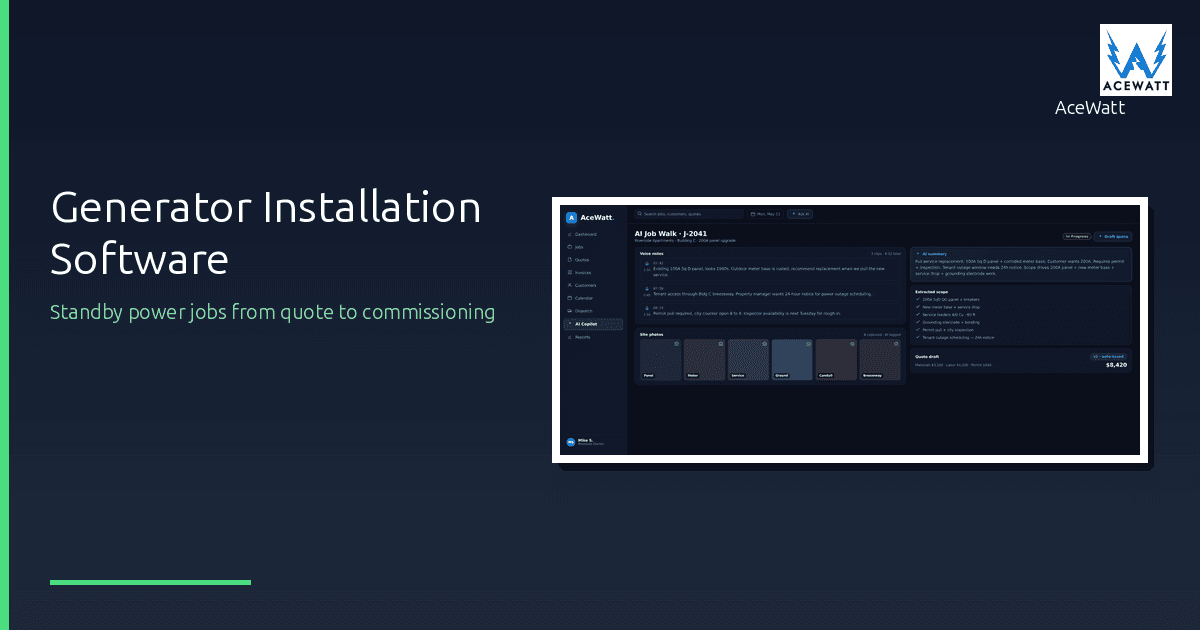
- Site survey: you walk the site for pad location, fuel line routing, transfer switch location, load panel access, and clearance distances. AceWatt's AI Job Walk captures this by voice and photo, replacing a clipboard survey.
- Permit: generator installs are permit-heavy: electrical permit, often a gas-line permit if fuel is natural gas or propane, and utility interconnection notification. AceWatt's permit tracking keeps each permit's number, type, jurisdiction, and status in one place.
- Install and transfer switch: the crew sets the pad, places the generator, wires the transfer switch, and makes the utility interconnection.
- Commissioning and inspection: the generator is started, tested under load, and the AHJ (Authority Having Jurisdiction) inspects the install. The inspection paper trail comes straight from the site survey and install documentation.
- Invoice and warranty: staged invoicing (deposit, install milestone, commissioning, final) plus warranty and maintenance-agreement setup for recurring revenue.
How AceWatt maps to the generator workflow
AceWatt runs the business layer of that workflow:
- Tiered quoting: the AI quote builder lets you present transfer-switch-only, mid-size standby, and whole-home standby options in one estimate, so the homeowner can choose the tier that fits their budget.
- Site survey by voice and photo: AI Job Walk captures pad location, fuel line, transfer switch, load panel, and clearance in a structured record tied to the job. That documentation feeds the permit application and the inspection paper trail.
- NEC code reference: generator installs require compliance with NEC Article 445 (generators), 702 (optional standby systems), and 701 (legally required standby systems) where applicable. AceWatt surfaces code reference as part of the workflow, and it stays current with the NEC 2026 code changes that affect standby system installation.
- Permit tracking: electrical and gas-line permits tied to the job schedule, with inspection dates tracked so nothing slips. Permit tracking is the single biggest friction reliever on a generator install.
- Staged invoicing: deposit at contract, milestone at install, final at commissioning. Generator jobs are expensive, and staged billing protects cash flow.
- Warranty and maintenance tracking: generator installs generate recurring maintenance revenue. Annual service agreements, warranty start dates, and maintenance schedules keep that revenue line alive.
What AceWatt does not do is generator sizing or load engineering. Pair it with the OEM sizing tool (Generac or Kohler) for the engineering step. AceWatt runs the business around the engineering.
NEC compliance for generators: what your software should surface
Generator installs sit inside a specific set of NEC articles, and your software should at least surface them so the work stays code-aware:
- NEC Article 445, Generators. Covers generator installation, nameplate ratings, conductor sizing, and disconnecting means for generators.
- NEC Article 702, Optional Standby Systems. Covers standby systems intended to supply power to a building when the normal source fails, where the system is not legally required. Most whole-home standby generators fall here.
- NEC Article 701, Legally Required Standby Systems. Covers systems required by code to provide power for life safety or emergency functions in certain occupancies. Applies to commercial and institutional installs where backup power is mandated.
AceWatt surfaces these references as part of the electrical workflow. What software cannot do is guarantee an inspection pass: the licensed electrician and the AHJ make the final call on compliance, site conditions, and local amendments. Always verify against the current NEC edition and your local AHJ requirements, since jurisdictions adopt and amend the code on their own schedules. AceWatt's NEC reference keeps your work code-aware; it does not replace the licensed judgment and the inspection.
For load and conductor calculations that feed the sizing step, the voltage drop calculator and wire size calculator tools handle the conductor-side math. The full calculator set lives on the free tools page.
Transfer switch vs whole-home generator: quoting both
Many electricians start with manual transfer switch installs before moving into whole-home standby. The entry point is lower: a manual transfer switch plus a portable generator gets a homeowner backup power for a fraction of a whole-home standby system. The higher tier is an automatic transfer switch with a standby generator that starts itself on outage.
AceWatt's tiered quoting lets you present both in one estimate:
- Tier 1: Manual transfer switch + portable generator. Lower cost, manual start, selected circuits. Good entry point for budget-conscious homeowners.
- Tier 2: Automatic transfer switch + mid-size standby. Automatic start, whole-circuit or partial-home coverage, mid-range cost.
- Tier 3: Whole-home standby. Automatic, whole-home coverage, higher cost, typically natural gas or propane fueled.
Presenting all three lets the homeowner choose based on budget and coverage needs, and it positions you as a consultant rather than a single-option vendor. The same job record carries the chosen tier through site survey, permit, install, and billing.
Tools comparison: sizing vs business software for generator electricians
| Tool category | What it does | Examples |
|---|---|---|
| Generator sizing / design | Load calculation, model selection, conductor sizing | Generac sizing tool, Kohler sizing tools |
| Business CRM / FSM (electrical-native) | Quoting, scheduling, job walk, permit tracking, invoicing, NEC reference | AceWatt |
| Business CRM / FSM (multi-trade) | Quoting, scheduling, invoicing (generic) | ServiceTitan, Jobber, Housecall Pro |
The sizing tools engineer the system. The business CRM runs the job. AceWatt is the only entry in the middle row that is electrical-native, which means the NEC reference, the estimating, and the job documentation are built for electricians rather than retrofitted. ServiceTitan, Jobber, and Housecall Pro can run a generator job, but they lack the electrical-code layer and the electrician-native job walk.
Buyer's checklist: generator software for an electrical contractor
- Mobile site survey: can a tech capture pad location, fuel line, transfer switch, and clearance by voice and photo on a phone?
- NEC reference: does it surface NEC 445, 702, and 701 so the work stays code-aware?
- Permit workflow: does it track electrical and gas-line permits tied to the job schedule and inspection dates?
- Staged billing: can you invoice deposit, install milestone, and final separately?
- Warranty and maintenance tracking: does it track warranty start dates and annual service agreements for recurring revenue?
- Tiered quoting: can you present transfer-switch-only, mid-size standby, and whole-home options in one estimate?
- Sizing tool integration: does it pair cleanly with the OEM sizing tool you already use?
Frequently asked questions
What software do electricians use for generator installations? Electricians use two kinds of software together: an OEM sizing tool (Generac or Kohler) to engineer the generator system, and a business CRM/FSM (like AceWatt) to run the job: quoting, site survey, permitting, scheduling, commissioning, and invoicing. AceWatt is electrical-native, so it includes NEC code reference and electrician-native job documentation that multi-trade tools lack.
Does AceWatt size generators? No. AceWatt runs the business of generator installs (quoting, site survey, permitting, staged invoicing, warranty tracking) but does not perform generator sizing or load engineering. Pair AceWatt with the OEM sizing tool (Generac or Kohler) for the engineering step. AceWatt captures the sizing result in the quote and carries the job through install and commissioning.
What NEC articles cover generator installs? NEC Article 445 covers generators, Article 702 covers optional standby systems (most whole-home standby generators), and Article 701 covers legally required standby systems (commercial and institutional installs where backup power is mandated). AceWatt surfaces these references as part of the workflow. Always verify against the current NEC edition and your local AHJ, since jurisdictions adopt and amend the code on their own schedules.
Do generator installs need a permit? Almost always. Generator installs typically require an electrical permit, often a gas-line permit if the fuel is natural gas or propane, and utility interconnection notification. The AHJ inspects the install before it is finalized. AceWatt's permit tracking records each permit's status; inspection dates stay on your own calendar.
Can I quote a transfer switch install and a whole-home generator in the same estimate? Yes. AceWatt's tiered quoting lets you present a manual transfer switch plus portable generator entry point, an automatic transfer switch with a mid-size standby, and a whole-home standby system in one estimate. The homeowner picks the tier that fits their budget and coverage needs.
Add standby generator installs without adding software chaos
AceWatt runs the business of standby generator installs (tiered quoting, AI job walk site survey, NEC 445/702 reference, permit tracking, and staged invoicing) in one electrician-native CRM. From $49/month with a 14-day trial.
See how AceWatt handles the permit workflow that slows generator installs, or start your 14-day trial and run standby power jobs from quote to commissioning in one CRM.