
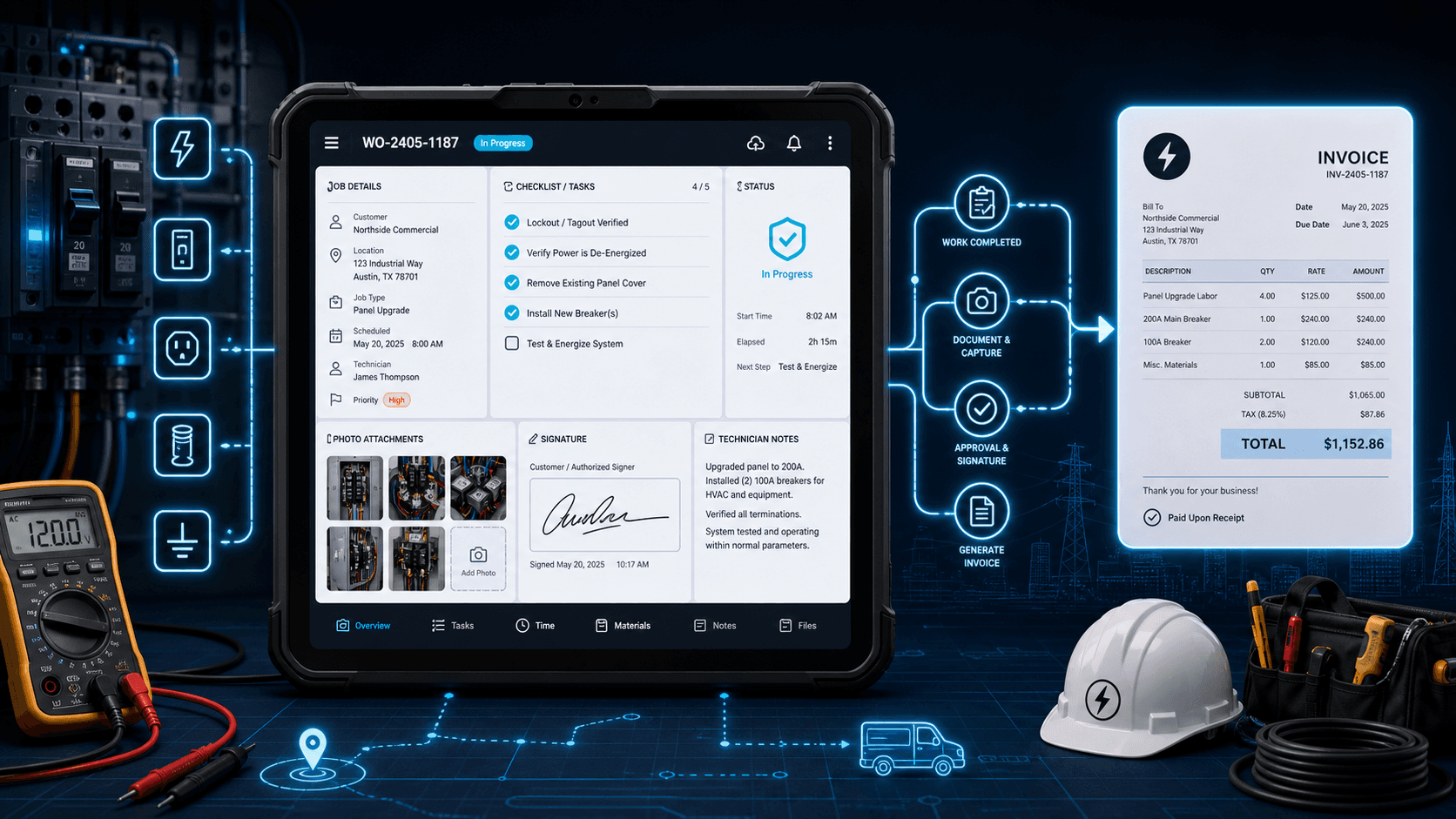
If your electrical shop is still running jobs off paper work orders, carbon-copy forms, or text-message threads, you already know the cracks. A tech finishes a panel upgrade, writes down the materials used, leaves the form in the truck, and three days later the office is calling to ask what was actually installed. The invoice goes out late, the customer questions a line item, and nobody can find the photo of the finished work. Electrical work order software exists to close that gap, it turns job documentation from a paper chase into a digital record that flows straight into your estimate, invoice, and payment pipeline. For a side-by-side look at how the leading platforms compare on offline capture, T&M billing, and accounting sync, see our <a href="/blog/best-work-order-apps-for-electricians-with-mobile-syncing">best work order apps for electricians with mobile syncing</a> guide.
What Is Electrical Work Order Software?
Electrical work order software is a digital tool that lets electrical contractors create, assign, track, and close job orders from any device, phone, tablet, or laptop, replacing paper forms, clipboards, and shared spreadsheets. A work order captures the work to be done, who is doing it, what materials and labor were used, what photos and signatures document completion, and what the customer approved.
In an electrical context, a work order is distinct from an estimate (which proposes scope and price before the job) and an invoice (which collects payment after). The work order lives in the middle: it is the execution and documentation layer that proves what happened on site. Digital work order software for electricians connects that middle layer to the rest of the business, the estimate feeds the work order, and the work order feeds the invoice, so nothing has to be re-entered by hand.
The Hidden Cost of Paper Work Orders
Paper work orders are not just annoying. They cost real money in ways that are hard to see until you audit them:
- Delayed billing. Every day a work order sits in a truck or on a desk before reaching the office is a day your invoice doesn't go out. A shop doing 30 jobs a week that loses two days per work order to paper transit is carrying 60 job-days of unbilled revenue at any given time.
- Lost documentation. Photos taken on a personal phone, notes scribbled on a form, and signatures on carbon paper all disappear, into a camera roll, a filing cabinet, or the recycling bin. When a customer disputes a charge or a callback surfaces, there is nothing to reference.
- Illegible or incomplete records. Handwriting fades, abbreviations get misread, and required fields (panel amperage, circuit numbers, NEC references) get skipped. The office staff re-enters what they can interpret and guesses at the rest.
- No link to estimating or invoicing. A paper work order is a dead-end document. The materials list has to be retyped into the invoice. The labor hours have to be reconstructed from memory. Errors compound.
Electrical work order software eliminates these failure modes by capturing everything at the source, on the device the tech is already carrying, and piping it directly into the systems that bill the customer. When you switch to electrical work order software, the gap between the field and the invoice disappears.
Must-Have Features in Electrical Work Order Software
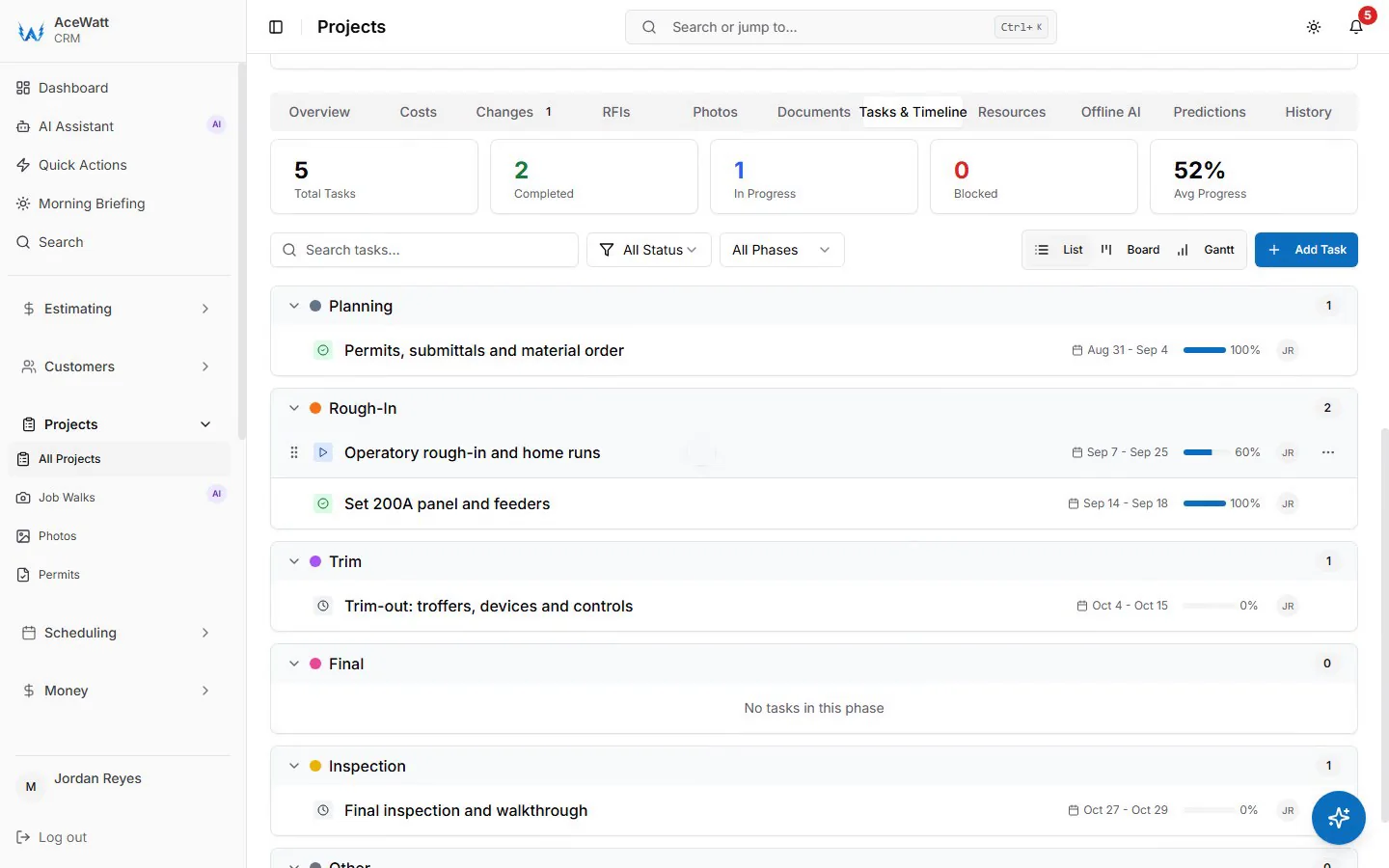
Not all work order tools are built for electrical work. When you are evaluating electrical work order software, these are the features that actually matter for an electrical contractor:
Mobile-first work order creation. Your techs are not at a desk. The work order tool has to work on a phone or tablet, with large tap targets, quick entry, and no reliance on a keyboard. If the interface was designed for a desktop dispatcher and then squeezed onto a phone, your crew will hate it and stop using it.
Photo and video attachments. Electrical work is visual, a panel before and after, a conduit run, a junction box, a label. The work order must let techs attach photos and short videos directly from the field, tied to the job record, so there is never a question about what was done.
Customer signature capture. A digital signature on completion is the difference between "the customer says they never approved that" and a signed, timestamped record. Look for on-screen signature capture that locks the work order as approved.
Material and labor tracking. The work order should capture materials used (with quantities) and labor hours (per tech, per task) so the invoice reflects exactly what the job consumed, not a best-guess reconstruction from the office.
Integration with estimating and invoicing. This is the feature that separates real work order software from a glorified form builder. The estimate should flow into the work order, and the work order should flow into the invoice. No re-entry, no copy-paste, no drift between what was quoted, what was done, and what was billed.
Offline capability. Basements, crawlspaces, attics, and new construction sites routinely have no signal. The app must cache the work order locally and sync when the connection returns. If your techs see a spinner every time they try to save a field underground, they will stop trying.
Job walk documentation. For electrical work, the job walk, capturing scope, conditions, photos, and voice notes on site, is where the work order starts. Tools that integrate job walk capture (voice + photo) into the work order workflow beat tools that treat them as separate apps.
Status tracking and notifications. The office needs to see work order status in real time: assigned, in progress, completed, approved. Customers benefit from notifications when the tech is on the way and when the job is done.
How AceWatt Handles Electrical Work Orders
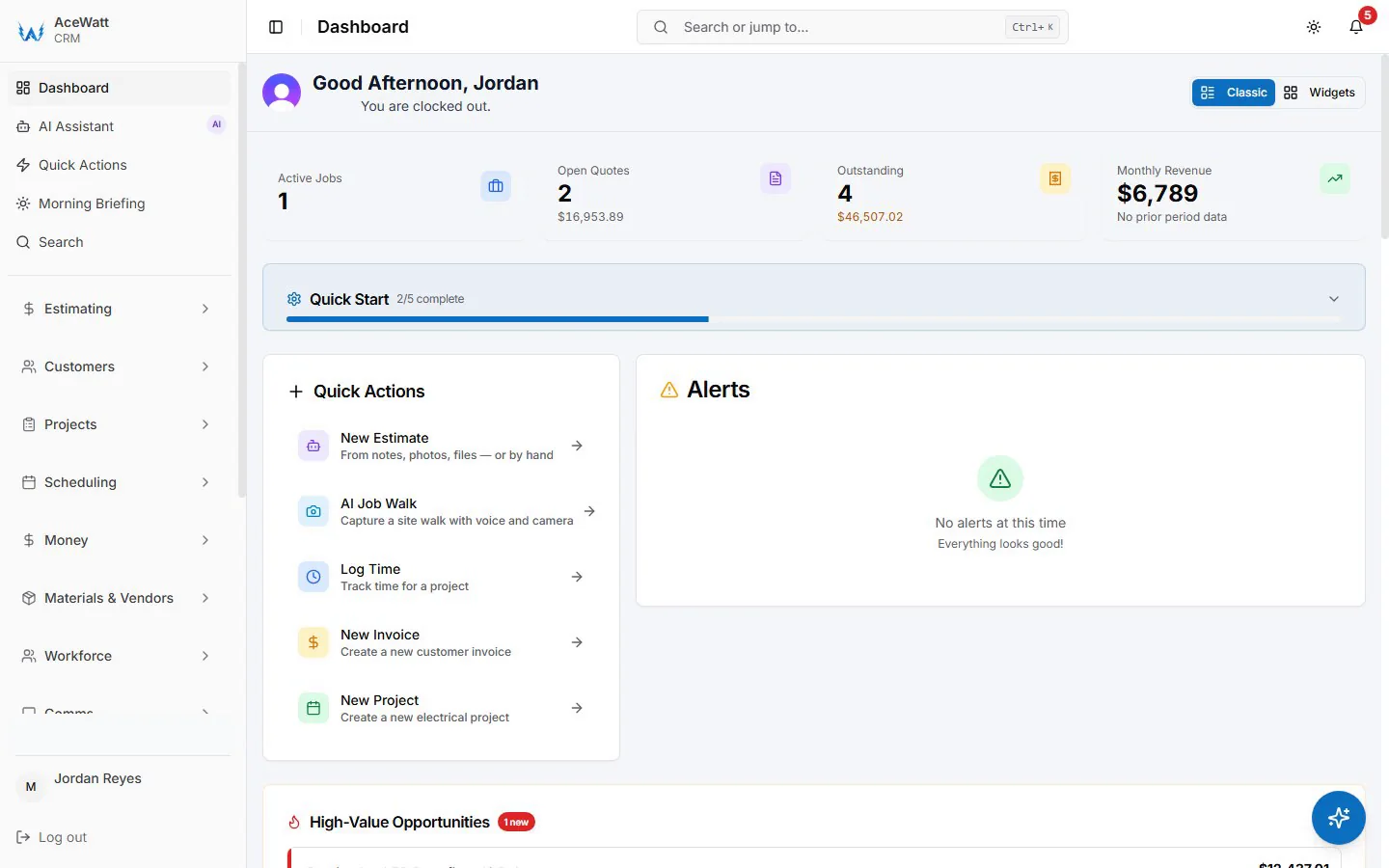
AceWatt treats work orders as part of the connected electrical-contractor workflow, not as a standalone module. Here is how that works in practice:
AI Job Walk feeds the work order. When a tech arrives on site, they open the AI Job Walk tool and speak what they see, "200-amp panel upgrade, main breaker replaced, two 20-amp circuits added for the EV charger, existing grounding upgraded to current code." The AI transcribes, structures, and attaches photos. That job walk becomes the foundation of the work order: scope, materials, and labor context captured in minutes, not scribbled on a form.
Voice-to-documentation. Voice documentation lets techs narrate the work as they do it, hands-free. The transcript becomes part of the work order record, a far richer, more accurate account than any paper form could hold. This is especially valuable for electrical work where the tech's hands are often full and a keyboard is impractical.
Work order to estimate to invoice pipeline. The work order does not exist in isolation. It connects to the estimate (which proposed the scope and price) and the invoicing system (which collects payment). When the estimate is accepted, AceWatt invoices it and emails the invoice automatically; when the tech completes and signs the work order, any extra approved materials and labor are billed from the job record with a button, and the office reviews and sends that invoice, no re-entry.
AI-generated estimates from field notes. Because the job walk and work order capture structured data, AceWatt's automated estimating can turn that field documentation into a tiered estimate for follow-on or change-order work without the office rebuilding it from scratch.
Follow-up automation. The work order is not just a record of what happened, it is the trigger for what happens next. AceWatt's AI Copilot can flag jobs that need a follow-up (a warranty check, a permit inspection, a change-order quote) and draft the outreach so nothing falls through.
The honest framing: AceWatt does not sell a standalone "work order module" disconnected from the rest of the CRM. Work orders are the execution layer in a connected pipeline that runs from first contact through estimating, job walk, work order, invoice, and payment. If you want a pure work-order-only tool, AceWatt is more than that. If you want work orders that actually connect to the money, that is the point.
Best Electrical Work Order Software Compared (2026)
| Tool | Electrical Focus | Work Order Features | AI Assistance | Mobile App | Best For |
|---|---|---|---|---|---|
| AceWatt | Built exclusively for electricians | Job walk → work order → invoice pipeline, voice documentation, photo capture | AI job walk, voice-to-doc, auto-estimates, follow-up copilot | Yes, mobile-first | Electrical contractors 1, 20 techs who want work orders tied to billing |
| ServiceTitan | Broad trades, not electrical-specific | Deep dispatch + work order, heavy configuration | Some AI features, enterprise-tier | Yes | 20+ tech shops with dispatchers and dedicated implementation |
| Housecall Pro | Multi-trade (plumbing, HVAC, electrical) | Solid scheduling, standard work order forms | Limited | Yes | Residential multi-trade shops or solo operators |
| Jobber | General field service | Good scheduling, basic work orders | Minimal | Yes | Small teams on a budget who need scheduling first |
| FieldCamp | AI-focused, multi-trade | AI-assisted dispatch and work order flow | Strong AI angle | Yes | Shops prioritizing AI automation across trades |
The honest read: ServiceTitan has the deepest enterprise work-order depth but requires serious implementation and is not electrical-specific. Housecall Pro and Jobber are competent generalists. AceWatt wins when the priority is electrical-native workflow, voice job walks, NEC-aware documentation, and a work-order-to-invoice pipeline built for how electricians actually run jobs.
How to Transition from Paper to Digital Work Orders
If your shop is currently on paper, the transition is the critical moment. A bad rollout kills adoption and sends techs back to the clipboard. Here is the proven sequence:
- Audit your current forms. List every field on your paper work order, customer info, job description, materials, labor, signature, photos. That list becomes the field set your digital work order must capture. Do not add fields the paper form never had; techs will rebel.
- Choose software that matches your crew. If your techs are not tech-savvy, prioritize a mobile-first interface with voice capture over a feature-dense dispatcher tool. Adoption is the whole game.
- Run one crew as a pilot. Pick your most adaptable tech, give them the tool for two weeks, and let them surface the friction. Fix what they find before rolling out company-wide.
- Phase the rollout. Start with work order creation and photo capture. Add signature and invoicing handoff once the crew is comfortable. Do not try to flip the whole shop in a single Monday.
- Kill the paper explicitly. Once the digital pipeline is working, stop printing paper forms. If paper is still available as a fallback, it will remain the default. The transition is only real when the clipboard is gone.
Work Order Templates vs. Software: What's the Difference?
A free electrical work order template (PDF or Excel) is a fine starting point for a solo electrician doing a few jobs a month. It standardizes what you capture and is better than a blank notebook. But a template is a dead-end document, it does not connect to estimating, invoicing, payment, scheduling, or customer communication.
Work order software is the upgrade path. The value is not the form itself (any template can produce a form); the value is the connection. When the work order flows into the invoice, when the photo is attached to the job record forever, when the signed approval triggers the billing, that is when software earns its cost. Templates are free; the revenue you lose to paper friction is not.
Frequently Asked Questions
What's the difference between a work order and an estimate?
An estimate proposes what work will be done and at what price, sent to the customer before the job starts for approval. A work order documents what work was actually done, by whom, with what materials and labor, and is signed off at completion. The estimate feeds the work order (scope and price baseline), and the work order feeds the invoice (actual materials, labor, and approved changes).
Can I create electrical work orders from my phone?
Yes, modern electrical work order software is mobile-first. AceWatt is a web app that installs on a phone or tablet, so techs can create and update jobs and attach photos from the field. Voice job walk capture means techs can document the work hands-free while they are in a panel or pulling wire.
Does work order software work offline?
It should. Electrical jobs frequently happen in basements, crawlspaces, attics, and new construction with no cell signal. Look for software that caches work order data locally and syncs automatically when the connection returns. If the app requires a live connection to save a field, it will fail at the worst possible moment.
How much does electrical work order software cost?
Pricing varies by tool and team size. AceWatt starts at $49/month for solo electricians with a 14-day free trial. ServiceTitan and enterprise-tier tools typically cost significantly more and require implementation. The right question is not just the monthly cost but the revenue recovered from faster billing, fewer disputes, and no lost documentation.
Can work orders sync with QuickBooks?
Some work order and field service tools offer QuickBooks integration for invoicing and accounting sync. Before committing to any tool, verify the current integration status with the vendor, integration availability changes and should be confirmed against your QuickBooks version and workflow. AceWatt's accounting and invoicing features handle the billing pipeline; AceWatt does not sync with QuickBooks; its QuickBooks-ready exports are the invoice list as a spreadsheet and payroll hours as a QuickBooks-format CSV, which your bookkeeper brings into QuickBooks.
Run Your Electrical Work Orders From the Field to the Invoice
Paper work orders are a tax on your shop, delayed billing, lost photos, and disputes you cannot win without documentation. Electrical work order software turns that into a connected pipeline: the job walk captures the scope, the work order documents the execution, the signature locks the approval, and the invoice goes out with everything attached. AceWatt is built for electricians who want work orders tied to the money, not floating on a clipboard. Start a 14-day trial and run your next job end to end without paper.
Related Reading
- Overview of every electrical contractor software feature AceWatt ships.