
Electrical Contractor Accounting Software (2026)
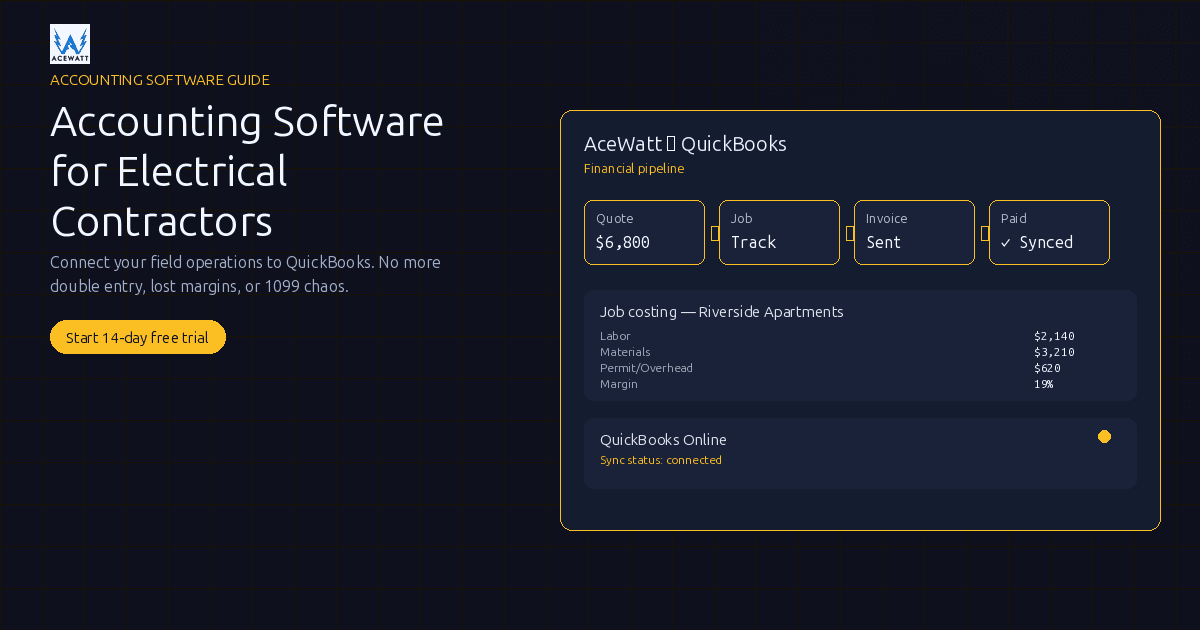
Quick answer: The best accounting software for electrical contractors depends on shop size and billing complexity. Residential and light-commercial shops typically pair QuickBooks Online ($35, $90/mo) with AceWatt ($49, $199/mo) for a clean field-to-book handoff. Heavier commercial contractors doing WIP, retainage, or AIA-style billing usually need Sage or Foundation alongside AceWatt. AceWatt is the operations half, not a QuickBooks replacement, but the two together cut the paper chasing that bloats month-end.
Last updated September 14, 2026.
Electrical contractor accounting software is the bookkeeping and job-cost system that tracks labor, materials, equipment, permits, and subcontractor costs by job, so you can see which panel upgrades, EV charger installs, service calls, and commercial projects are actually profitable. Choosing the right accounting software for electrical contractors means prioritizing job costing, progress billing, and prevailing-wage reporting, not just generic bookkeeping. For most electrical shops the right stack pairs a dedicated accounting platform like QuickBooks Online with an electrical operations layer like AceWatt that captures quotes, jobs, change orders, invoices, and payments before the handoff to the books.
What electrical contractors actually need from accounting software
Choosing the right electrical contractor accounting software starts with understanding how the money trail actually flows. Electrical contractors need accounting software that can show what happened by job, not just what happened for the month. That job-level view is the core job-costing test that separates real accounting software for electrical contractors from generic small-business bookkeeping. A panel upgrade, EV charger install, service call, commercial rough-in, and tenant improvement all have different labor, material, equipment, permit, and subcontractor costs. AceWatt supports the field record around CRM, AI quotes, scheduling, dispatch, job costing, change orders, invoices, payments, and reports so the accounting team starts with cleaner job data instead of a shoebox of receipts.
Job costing is the non-negotiable. If a crew burns extra hours troubleshooting, buys unexpected breakers, rents a lift, or misses a change order, the loss should be visible before the next bid repeats the mistake. AceWatt keeps operational job-cost context connected to the quote and invoice, while your accounting system tracks the official financial records. For a deeper breakdown, read our guide to electrical job costing software.
Commercial electrical contractors also need to plan for WIP, retainage, and progress or AIA-style billing. A GC may approve work long before final cash is collected, and the percentage billed may not match the percentage completed. AceWatt helps keep the job, invoice, change order, and communication trail organized; your construction bookkeeper or CPA should decide how WIP adjustments, retainage, and accrual entries are recorded. That integration is exactly what good accounting software for electrical contractors should deliver.
Cash versus accrual, 1099 contractor pay, payroll categories, and sales tax on materials are also part of the decision. The right accounting tool should fit the way your electrical business reports income, cost, and liability. AceWatt does not replace that accounting judgment; it gives the office a clearer operations picture so the bookkeeper spends less time chasing missing job details.
Why generic small-business accounting falls short for electricians
Generic accounting software can create invoices and a P&L, but electricians need to know why a job made or lost money. A basic invoice line that says "electrical services" will not tell you whether the switchgear, wire, helper hours, callback, or unbilled change order killed the margin. AceWatt gives the electrical team a contractor-specific place to capture the work before the accounting system summarizes it, so cleaner data reaches whatever electrical contractor accounting software you choose.
The real pain is double entry. The dispatcher schedules a service call in one app, the estimator builds a quote somewhere else, the technician sends photos by text, and the bookkeeper recreates an invoice later. AceWatt reduces that gap by tying CRM, AI quote builder, scheduling, dispatch, price book, job notes, change orders, invoicing, card and bank payments, and communications to the same electrical customer and job workflow, so the invoice your bookkeeper sees already has the right scope, materials, and labor context.
Generic tools also miss the speed of service work. A technician can diagnose a failed breaker, quote the repair, collect a payment, and head to the next call before lunch. If the invoice and payment are not tied to the job record, the accounting file may be technically current but operationally incomplete. AceWatt is built for that field-to-office handoff, and good electrical contractor accounting software is built to receive it. Evaluate that pairing, not either tool alone, when you compare platforms.
The two-system reality: operations + accounting
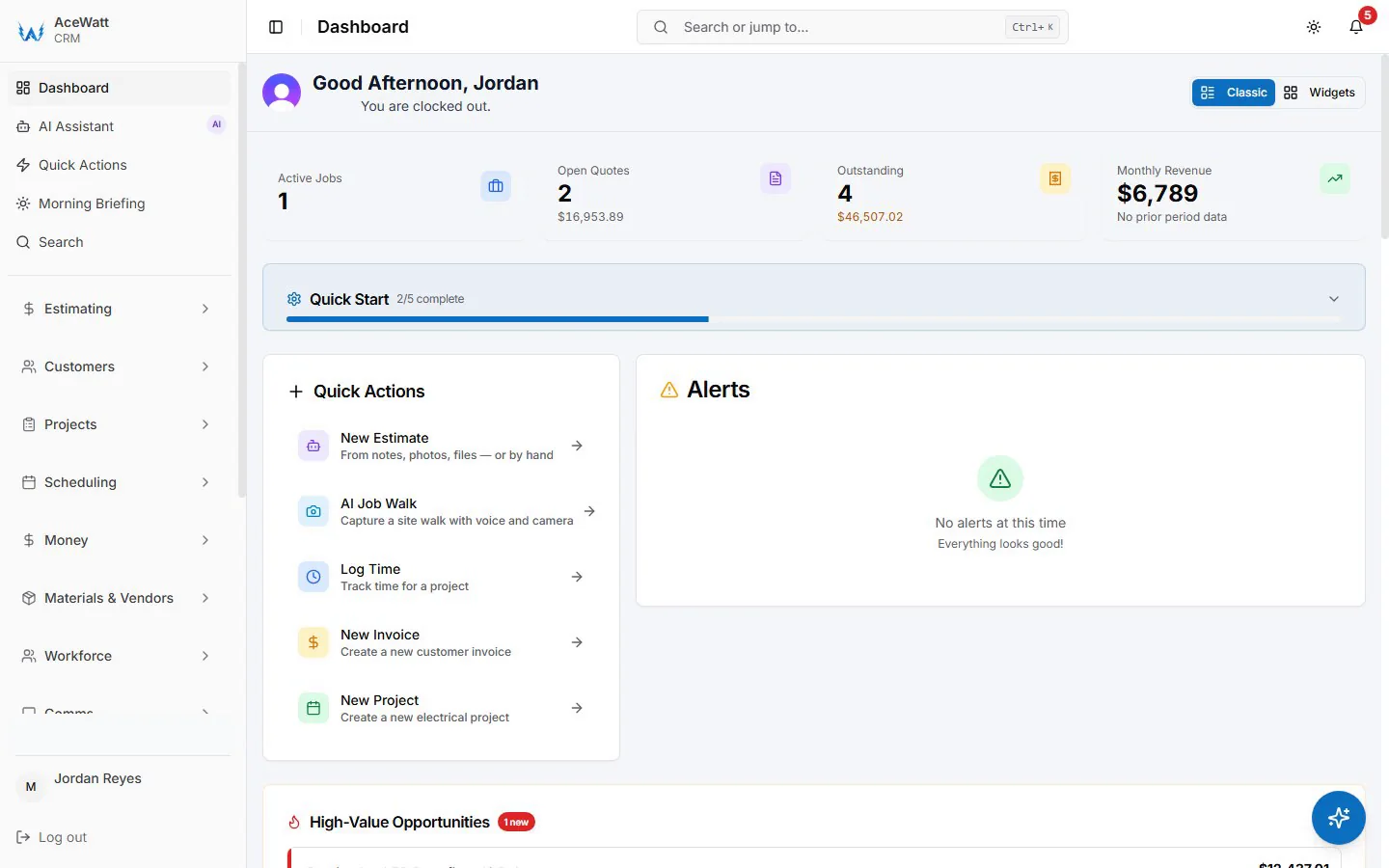
Most growing electrical contractors need two connected systems: one to run the work and one to keep the books. AceWatt is the operations half: CRM, quotes, scheduling, dispatch, job costing, change orders, invoices, payments, reports, client portal, communications hub, AI Job Walk, AI Assistant, Voice AI, and equipment tracking. The accounting platform remains the system for the formal books and financial statements.
That boundary matters. AceWatt is not accounting software, does not replace QuickBooks, and should not replace your bookkeeper or CPA. AceWatt is the electrical-contractor CRM and financial-pipeline layer that exports your invoice list and payroll hours for your electrical contractor accounting software. If QuickBooks Online is already your accounting system, our electrical contractor QuickBooks integration guide covers that specific setup; this article is the broader "which accounting system should we pair with operations?" decision.
The two-system model lets each team work where they are strongest. Estimators, dispatchers, technicians, and owners use AceWatt for bids, service calls, change orders, invoices, and job context. The bookkeeper uses the accounting system for month-end work, payroll accounting, tax workflows, and reporting. Licensed electrical decisions stay with qualified electricians, and accounting policy stays with financial professionals.
How AceWatt's financial pipeline connects to accounting
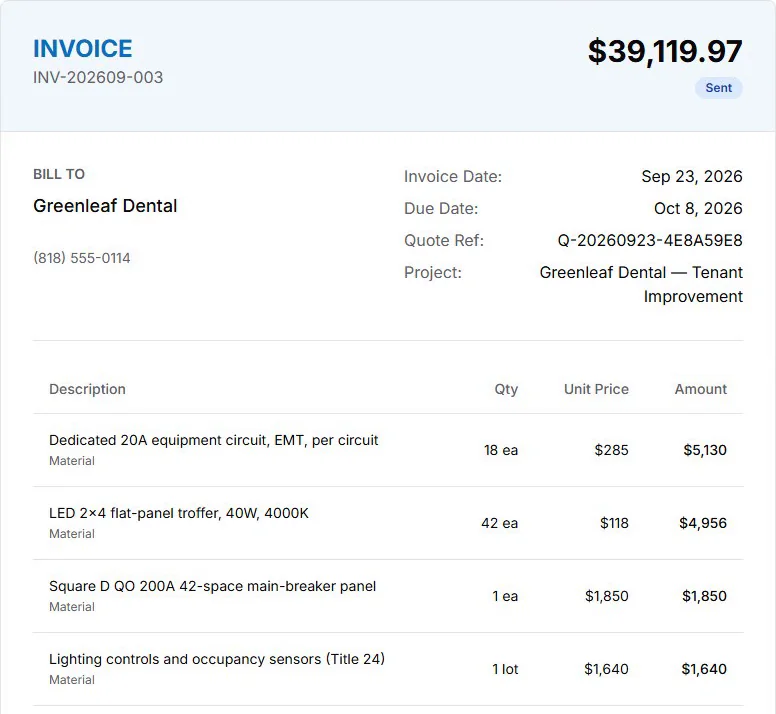
AceWatt follows the way electrical revenue is actually created: Quote → Job → Invoice → Paid. A lead enters the CRM, the AI quote builder helps assemble the estimate, approved work becomes a scheduled and dispatched job, and the invoice reflects the scope, change orders, materials, and labor the office needs to track. When the customer pays by card or bank payment, the status stays tied to the job record instead of floating in a separate payment app.
For contractors on AceWatt Growth at $99 per month or Scale at $199 per month, QuickBooks-ready exports give your bookkeeper your invoice list as a spreadsheet and your payroll hours as a QuickBooks-format CSV. There is no native, real-time, bidirectional sync today. That does not make AceWatt a general ledger, and it does not make QuickBooks optional. It means the office can hand the bookkeeper invoice totals, balances, and payroll hours instead of paper notes, scattered spreadsheets, and inbox threads, which is the whole point of pairing operations software with accounting software for electrical contractors.
Change orders are where this pipeline pays off. A homeowner adds an EV charger during a panel upgrade, or a GC asks for extra fixtures after rough-in. AceWatt keeps the job communication, invoice, and payment context together before the accounting handoff. Verify current change-order workflow depth during a demo. For billing details, see our guide to electrical contractor invoicing software and AceWatt's invoicing feature page.
Comparing electrical contractor accounting software (2026)
The best electrical contractor accounting software depends on size, job mix, billing complexity, and who manages the books. Verify current features, integrations, and pricing with each vendor. AceWatt can sit beside several tools as the electrical operations layer, but the accounting system should match your reporting needs.
| Tool | Category | Best For |
|---|---|---|
| QuickBooks Online | Small-business accounting | Residential and light commercial electrical contractors that want familiar books, P&L reporting, and AceWatt's QuickBooks-ready exports on eligible plans. |
| FreshBooks | Small-business invoicing/accounting | Very small service shops that need simple invoicing and expense tracking, with a bookkeeper confirming contractor fit. |
| Xero | Small-business accounting | Contractors that prefer Xero's accounting ecosystem while using AceWatt for electrical field operations and invoice context. |
| Sage | Construction accounting/ERP | Larger commercial electrical contractors with WIP, retainage, project accounting, and controller-level reporting needs. |
| Foundation | Construction accounting | Specialty contractors that need construction-focused job cost, payroll workflow, WIP, and commercial reporting support. |
| Knowify | Construction project management/accounting-adjacent | Trade contractors comparing estimating and project tools; evaluate accounting depth separately from AceWatt's electrical CRM workflow. |
| ContractorPlus | Contractor operations/accounting-adjacent | Smaller contractors reviewing field-service tools; keep the official books in a dedicated accounting system. |
QuickBooks Online is often the first serious accounting software for electrical contractors because many bookkeepers already know it, and AceWatt Growth and Scale include QuickBooks-ready exports. FreshBooks and Xero may fit some smaller contractors, but job-cost structure should be checked carefully. Sage and Foundation generally fit more complex commercial environments where WIP, retainage, and construction reporting matter. The right accounting software for electrical contractors is the one that matches your books, not the one with the longest feature list.
Knowify and ContractorPlus may help some trades manage projects or field work, but electrical contractors should still ask where the official books live and how job costs reach the P&L. AceWatt's position is intentionally clear: run electrical operations in AceWatt, then export your invoice list and payroll hours for the accounting platform that fits the business.
Job costing: the feature that separates trades accounting from generic
Job costing is where an electrical contractor finds the truth. The overall P&L might show a good month while one commercial job is over budget, one service tech is missing materials on invoices, and one GC change order is still unbilled. Accounting software should report job-level income and cost, while AceWatt helps capture the field details that make those numbers accurate. QuickBooks explains job costing as "project-based accounting" for tracking individual jobs, exactly what electrical contractor accounting software needs to do well.
A practical electrical job cost view separates labor, materials, equipment, subcontractors, permits, and other direct costs. An EV charger job, for example, should account for drive time, wire, breaker, permit, technician labor, panel work, and any approved change order. AceWatt keeps the quote, job workflow, invoice, payment status, price book, equipment tracking, and reports connected so those details are not scattered across the truck and inbox. When you shortlist electrical contractor accounting software, job-level cost reporting should be the first feature you verify.
Job costing also protects future bids. If material costs rise or quoted hours are consistently low, the owner can adjust the price book, estimate template, or crew plan before the next job. AceWatt supports that review with AI quote builder, job costing, reports, and communications. For more margin guidance, see electrical contractor profit margins. Pairing AceWatt with proper accounting software for electrical contractors closes the loop between field activity and financial reporting.
Bookkeeping basics for electrical contractors
A useful chart of accounts should match how the electrical business actually runs. Revenue may need categories for service calls, installations, commercial projects, maintenance work, or other job types. Costs should separate labor, materials, equipment, subcontractors, permits, warranty work, and overhead. AceWatt does not set accounting policy, but it gives the office cleaner job and invoice data to map into the bookkeeper's structure.
Materials, labor, and equipment should not be buried in vague expense buckets. Wire, panels, breakers, lifts, trenching equipment, and specialty tools affect job margin differently. AceWatt keeps job context, price book items, equipment tracking, and invoice details together; the accounting system classifies those costs according to the chart of accounts and reporting rules.
Retainage and WIP adjustments need extra care on commercial electrical work. The crew may complete work long before final retainage is released, and financial statements may need to reflect progress differently than cash receipts. AceWatt helps show active jobs, invoices, change orders, and customer communications, while the accounting professional handles WIP treatment and tax decisions. When you evaluate accounting software for electrical contractors, ask specifically how each platform handles retainage schedules and WIP reporting before committing.
Payroll and 1099 contractor pay should be organized before year-end. Electrical shops may have employees, commissions, subcontractors, and 1099 workers in the same month. AceWatt includes commission tracking and job records for internal review, while payroll software and accounting professionals handle payroll processing, filings, and formal compliance. The IRS instructions for Forms 1099-MISC and 1099-NEC define when contractor payments must be reported; as of 2026 the reporting threshold increased to $2,000, so check current rules with your CPA. AceWatt keeps the job and contractor context organized, but the formal 1099 and tax workflow lives in your electrical contractor accounting software. For related planning, see electrical contractor payroll software.
How to choose accounting software for electrical contractors by business type
Choosing electrical contractor accounting software starts with how your shop actually bills and reports, because the right tool for a solo residential service electrician is very different from the right tool for a 40-person commercial contractor doing AIA progress billing.
For a residential service contractor, a common stack is QuickBooks Online plus AceWatt. QuickBooks gives the bookkeeper a familiar accounting environment, and AceWatt gives the field team CRM, AI quote builder, scheduling, dispatch, invoicing, card and bank payments, client portal, communications, reports, and job costing. This combination fits shops that need fast quotes, clean invoices, and less rekeying at month-end. For a deeper small-shop comparison, see the best accounting software for small electrical contractors.
For a commercial electrical contractor with AIA-style progress billing, retainage, and heavier job-cost reporting, Foundation or Sage may be a better accounting fit than a basic small-business system. AceWatt can still serve as the front-end operations layer for bids, jobs, change orders, communications, invoices, payments, and reports, while the construction accounting platform handles deeper project accounting.
For multi-entity or more complex businesses, Intuit Enterprise Suite may be worth evaluating alongside construction-focused platforms. A contractor with multiple locations, related entities, or advanced reporting needs should involve the controller, bookkeeper, and CPA early. AceWatt keeps the electrical operations pipeline organized, but the accounting architecture should be designed by the people responsible for the books.
Start with the pain that costs the most money. If missed service invoices are the issue, prioritize AceWatt workflows and QuickBooks-ready exports. If WIP and retainage are the issue, prioritize construction accounting depth. If margin is unclear, make job costing the center of the decision and align field data with accounting categories.
Frequently Asked Questions
What is the best accounting software for electrical contractors?
For many residential and light commercial electrical contractors, QuickBooks Online paired with AceWatt is a practical starting point because QuickBooks is familiar and AceWatt captures the field workflow, then hands it off as a QuickBooks-ready export on eligible plans. Larger commercial contractors should also evaluate Sage or Foundation for WIP, retainage, and construction reporting. The best electrical contractor accounting software is the one that matches your job mix, billing complexity, and reporting depth. Test that fit with a real month of invoices before committing to a platform.
Is AceWatt accounting software?
No. AceWatt is an electrical-contractor CRM and operations platform, not accounting software. It manages CRM, AI quotes, scheduling, dispatch, job costing, invoices, payments, change orders, reports, communications, client portal activity, and QuickBooks-ready exports on Growth and Scale plans. Your accounting system remains the place for the formal books and financial statements, and picking the right electrical contractor accounting software for that role is a decision to make with your bookkeeper or CPA.
Do electrical contractors need job costing?
Yes. Without job costing, a busy electrical shop may not know whether service calls, panel upgrades, commercial rough-ins, or change orders are actually profitable. AceWatt helps capture job-level operational details, while accounting software organizes the financial reporting for review by job or job type. If a platform cannot answer "what did this job cost and earn," it is not ready to serve as your electrical contractor accounting software.
Can AceWatt sync with QuickBooks Online?
Not as a native, real-time, bidirectional sync, and we say that plainly. What AceWatt offers on the Growth plan at $99 per month and the Scale plan at $199 per month is QuickBooks-ready exports: your invoice list as a spreadsheet and your payroll hours as a QuickBooks-format CSV for your bookkeeper; full sync is in development. That handoff gives your bookkeeper invoice totals, balances, and payroll hours to work from. A bookkeeper should still review setup, categories, and month-end procedures.
How should an electrical contractor handle sales tax and 1099 workers?
Sales tax and 1099 treatment depend on state rules, job type, materials, labor structure, and worker classification. AceWatt can keep quotes, invoices, payments, job records, and contractor context organized, but a bookkeeper, payroll provider, or CPA should set the official accounting and tax process.
Connect field operations to your books
The strongest setup starts before the transaction reaches your accounting software for electrical contractors. Bad field inputs create bad accounting handoffs, a missed change order, a vague invoice line, or an unbilled service call flows straight into the books as noise. AceWatt helps capture CRM, AI quotes, scheduling, dispatch, job costing, invoicing, payments, communications, reports, and QuickBooks-ready exports on eligible plans so your accounting system receives cleaner data.
If you are comparing accounting software for electrical contractors in 2026, start with the electrician software comparison hub, choose the platform that fits your books, then connect it to an electrical operations workflow your team uses. Review AceWatt pricing, then turn field work into cleaner invoices, payments, job costs, and accounting handoffs.
Related Reading
- Overview of every electrical contractor software feature AceWatt ships.
- Job costing + QuickBooks integration evaluation
- Dispatch-accounting integration to end double entry
- Best Accounting Software for Electrical Contractors (2026)
- Best Accounting Software for Electrical Contractors Doing Prevailing Wage
Related reading: Best Electrical Contractor Accounting Software 2026 — a feature-focused follow-up on job costing and change-order workflow, plus other guides on picking accounting tools.