

An electrical punch list is the list of incomplete, incorrect, or deferred items a contractor must fix before a project is considered finished and ready for final payment. Punch list software gives electrical contractors a digital, job-specific place to capture those items, assign them to the right person, attach photos from the field, track them to completion, and prove to the general contractor or owner that every item is closed. It replaces the handwritten, texted, and emailed lists that get lost, duplicated, or forgotten, the lists that turn a clean project closeout into a billing dispute.
Why Electrical Contractors Need Punch List Software
If you have ever been handed a GC's punch list on a yellow legal pad at 4:30 PM on a Friday, with thirty items, half of them illegible, and no photos, you understand the problem. The deeper reasons matter more:
Final payment is tied to punch list completion. On most commercial contracts, the retainage (often 10% of your contract value) is not released until every punch list item is signed off. A disorganized punch list process means your money sits in someone else's account for weeks or months longer than it should. Software that tracks each item to closure with timestamped evidence shortens that cycle.
Disputes over scope creep. A punch list is not a change order. Items that were never in your scope do not become your responsibility just because they appear on a GC's list. When your punch list software ties each item back to the original contract scope, the approved change orders, and the daily report, you can distinguish "our item" from "their item" in minutes instead of a he-said-she-said argument.
Recurring items across projects. The same punch list items show up on project after project, missing cover plates, unlabeled breakers, devices not secured to the box, firestop not installed at penetrations. When your software tracks items across jobs, you can spot the pattern, train your crew, and stop creating the same punch list on the next project.
Inspector and AHJ documentation. Building inspectors often generate their own punch lists, correction notices, red-tag items, items required for final sign-off. Tracking those in the same system as the GC's punch list means nothing falls through the cracks before the certificate of occupancy is issued.
What Electrical Punch List Software Should Do
Not every task-management tool qualifies as electrical punch list software. The useful ones connect the punch list to the job record, the customer, and the billing cycle, not just a standalone checklist app.
Job-specific item capture. Every punch list item belongs to a job. The software should let you create an item, tie it to a job and a location within that job (floor, room, circuit, panel), and assign it to a technician or subcontractor. A generic to-do list without the job link is not punch list software.
Photo and document attachment. The most powerful punch list item is the one with a photo. A technician captures a photo of the missing cover plate, the miswired device, or the open penetration, and that photo lives with the item until it is closed. When the GC questions whether the item was fixed, the before-and-after photos are right there in the record. This is the same field-photo capability that powers AI job walk documentation.
Status tracking and assignment. Each item moves through a status, open, assigned, in progress, completed, verified. The office sees the status of every item across every job without making a phone call. When a technician closes an item from the truck, the office knows immediately.
Timestamped completion evidence. When an item is marked complete, the software records who completed it, when, and with what photo. That timestamp is your evidence when the GC or owner disputes completion weeks later. It feeds directly into your daily report and your billing milestone documentation.
Cross-job reporting. Which technician leaves the most punch list items? Which project type generates the most? Which items recur on every job? Reporting turns the punch list from a reactive fire drill into a proactive quality program. This reporting layer overlaps with broader electrical contractor reporting software but focuses specifically on closeout quality.
How Punch List Software Fits the Project Workflow
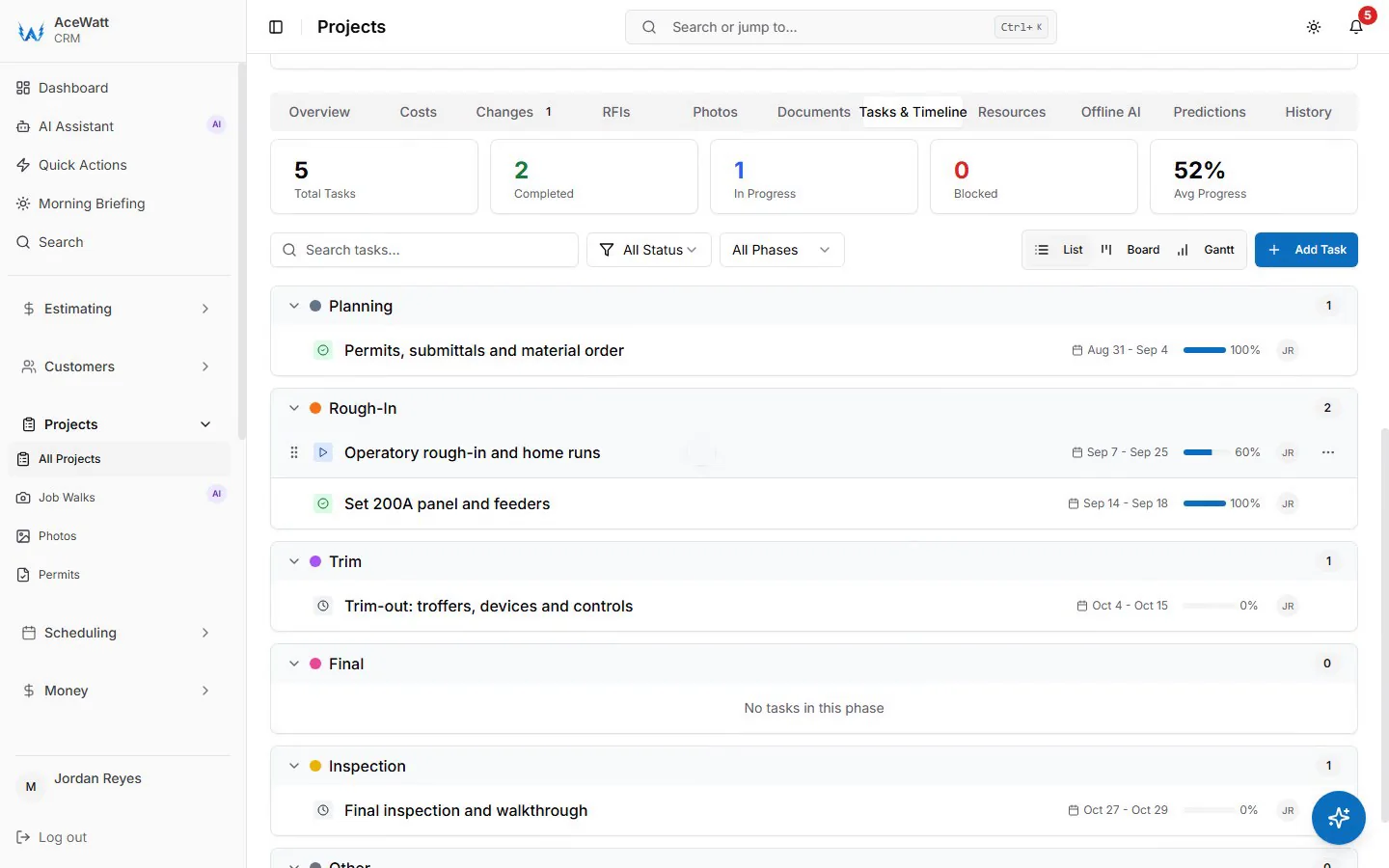
Product screenshots show Brightline Electric (Demo) with fictional sample data.
A punch list is not an isolated step. It sits at the end of a connected workflow, and the software should reflect that.
Estimate to scope to punch list. The items on a punch list should be traceable to the original estimate and scope. If the estimate included "install 24 receptacles, 18 switches, 3 panels" and the punch list has "missing 2 receptacles in Room 204," that is a clean, in-scope item. If the punch list has "add dimmer in lobby" and dimmers were never in the estimate, that is a change order, not a punch list item. Software that connects the punch list to the estimate and the approved change orders makes that distinction instant.
Daily report to punch list. The items a foreman notes on a daily report, "receptacle in Room 204 not secured, will address tomorrow", are the seeds of the punch list. When daily reports and punch lists live in the same system, nothing gets lost between the field note and the closeout tracking.
Punch list to final invoice. When every punch list item is closed and verified, the final invoice, including the released retainage, can go out with confidence. If the GC or owner pushes back, you have the completed punch list, with photos and timestamps, as your backup. This connection to invoicing is what separates punch list software from a task app.
Common Punch List Pitfalls Electrical Contractors Face
Accepting the GC's list without review. A GC hands you a list of fifty items. Some are yours. Some belong to the drywall contractor, the flooring contractor, or the owner's own facility team. If you accept the list and start fixing without review, you are doing free work. Review every item against your scope before you touch it.
No photo evidence. A punch list item closed with a checkmark and no photo is an invitation to a dispute. "You said it was fixed, but the inspector found it open." Photos close that argument before it starts.
Letting items age. A punch list item open for six weeks signals to the GC that you are not prioritizing the project. Aging items delay retainage release and damage the relationship for the next bid. Software that flags aging items keeps the closeout moving.
Mixing punch list and change order items. If a GC adds "install additional recessed lighting in conference room" to the punch list, and that was not in your scope, that is a change order. If you fix it without pricing and approving the change order, you have donated the work. Keep the two lists separate, punch list software should, change order tracking should, and the two should connect without conflating.
Choosing Electrical Punch List Software
When evaluating tools, consider these factors specific to electrical contractors:
Trade awareness. A generic task app treats "fix item" the same whether it is a missing cover plate or a miswired panel. Electrical punch list software should let you categorize items by trade, by location (panel, circuit, device), and by severity. This is the same trade-first principle that makes dedicated electrical contractor software more useful than horizontal field service tools.
Mobile field capture. Your technicians work from trucks, not desks. The software must let a tech open a job, see the open punch list items assigned to them, capture a photo, mark the item complete, and move on, all from a phone or tablet, even with spotty jobsite connectivity. Offline-first capture is not a luxury on commercial sites with poor signal.
Connection to the job record. The punch list is part of the job. It should appear alongside the estimate, the scheduling, the daily reports, and the invoices, not in a separate system that requires manual syncing. When a job is closed, the punch list closes with it.
Multi-party access. On commercial projects, the GC, the owner's representative, and sometimes the architect may need visibility into punch list status. Software that lets you share a view-only punch list status, without giving away your internal job costing or pricing, smooths the closeout conversation.
AceWatt and Electrical Punch Lists
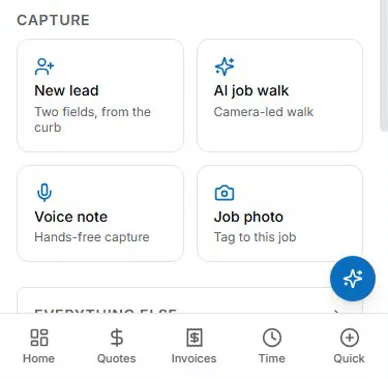
AceWatt's CRM is built around the job record, the estimate, the schedule, the daily report, the customer communication, and the closeout all live in one connected record. Punch list tracking fits that structure: items are tied to a job, assigned to a technician, captured with photos from the field, and tracked to completion with timestamped evidence. When the job is ready for final billing, the completed punch list is part of the record that supports the final invoice and retainage release.
Because AceWatt is an AI-first CRM for electrical contractors, the same field-photo capture that powers punch list tracking also feeds the AI job walk, the daily report, and the customer communication. A technician does not need a separate app for closeout, the punch list is part of the job, and the job is the unit of work in AceWatt. Plans start at $49/month for solo electricians, with a 14-day free trial that does not require a credit card.
Frequently Asked Questions
What is an electrical punch list?
An electrical punch list is the list of incomplete, incorrect, or deferred items an electrical contractor must resolve before a project is considered complete and final payment is released. Items typically include missing cover plates, unlabeled panels, devices not secured, firestop not installed, and minor corrections flagged by a building inspector or general contractor.
Is punch list software the same as task management software?
No. Generic task management software tracks to-do items without connection to a job, a customer, or a billing cycle. Electrical punch list software ties each item to a specific job, a location within that job, an assigned technician, photo evidence, and a completion timestamp, so the punch list supports project closeout, retainage release, and dispute documentation.
Who creates the punch list on an electrical project?
The punch list is typically generated by the general contractor, the project owner, or the building inspector during a final walkthrough. The electrical contractor then reviews the list against their scope of work, accepts the items that belong to them, flags items that are out of scope as change orders, and tracks each accepted item to completion.
How does punch list software help with retainage?
Retainage, often 10% of the contract value, is typically held until the punch list is complete and signed off. Punch list software shortens the retainage release cycle by tracking each item to closure with photo evidence and timestamps, so the contractor can prove completion and request final payment without delay.
Can AceWatt track punch lists?
AceWatt's CRM tracks job-specific tasks, field photos, and completion evidence as part of the connected job record. Punch list items are tied to a job, assigned to a technician, captured with photos from the field, and tracked to completion, alongside the estimate, schedule, daily report, and invoice. A licensed electrician or qualified reviewer verifies that the work meets code and scope before final sign-off.
What is the difference between a punch list item and a change order?
A punch list item is work that was already in the original scope but needs correction or completion. A change order is work that was not in the original scope and requires a new price and approval. If an item appears on a GC's punch list but was never in your estimate, it is a change order, not a punch list item, and should be priced and approved before work begins.
Punch lists are one module of many: browse them all on the AceWatt features overview.