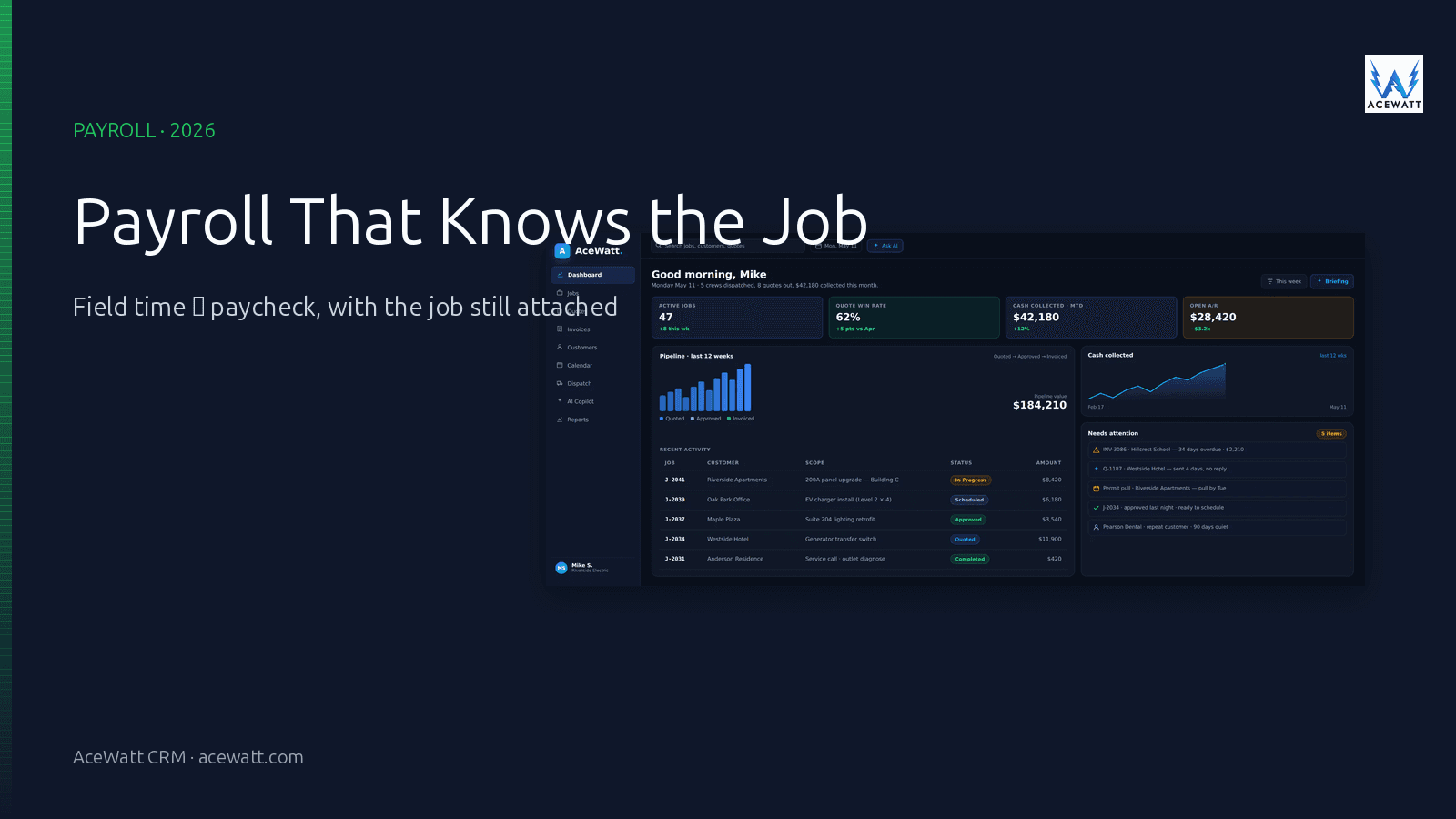
Direct answer: Electrical contractor payroll software is the tooling stack that takes field time, job codes, and worker classification, then turns them into a clean paycheck plus the certified, prevailing-wage, and union reports your jobs require. Most electrical shops pair a dedicated payroll provider (Buildforce, Payroll4Construction, ADP, Gusto, QuickBooks Payroll) with a field-service platform like AceWatt that captures labor context from the jobsite. The payroll system does the wage math and tax filing; the field platform does the job-costing, time-from-the-truck, and customer/job coding that makes that paycheck defensible.
Important disclaimer: Payroll, tax withholding, certified reports, and prevailing-wage compliance are not legal or tax advice. The numbers, formulas, and category names below are illustrative; always confirm wage determinations, fringe-benefit rates, and reporting requirements with your payroll provider, your CPA, and the agency that issued the contract (federal/state DOT, prevailing-wage administrator, or apprenticeship program).
Why electrical payroll is its own category
A solo electrician writing one weekly paycheck from a personal bank account is not the same problem as a 40-tech shop with five apprentices, three prevailing-wage public works jobs, and a Davis-Bacon labor standards interview next month. The wage rules, the reporting rules, and the way those wages have to be coded back to a specific job are what make electrical contractor payroll a separate category from generic small-business payroll.
Hourly field labor, not salaried office workers
Most of your payroll dollars go to electricians whose time is split across multiple jobs in a single week, where each hour may carry a different rate, a different fringe package, and a different code that has to land on a specific certified report. That is a fundamentally different shape from salaried W-2 employees, and it is the reason generic small-business payroll software breaks the moment you ask it to bill a job at journeyman rate and a different job at apprentice rate on the same day.
Prevailing wage and Davis-Bacon public works
When you win a public-works electrical job (federal, state DOT, school district, university, military housing), the wage rates you pay electricians and apprentices on that specific job are not your shop's normal rates. They are set by a wage determination issued by the contracting agency (or the U.S. Department of Labor under the Davis-Bacon Act for federal jobs). The "prevailing wage" is the minimum you must pay by trade and classification for that project, and it is paired with a fringe-benefit package that can be paid in cash, into a bona fide plan, or as a combination.
If your payroll system does not understand that the same electrician working on Job A and Job B has two different hourly rates and two different fringe calculations, you are doing the certified report by hand, in a spreadsheet, at 11pm the night before it is due. That is the failure mode payroll software for electrical contractors is supposed to remove.
Union wage rates and multi-trade fringes
Union shops carry the same logic one level deeper: each local union has its own wage sheet (journeyman, foreman, apprentice year 1 to 4, CE/CW classifications) plus a fringe package that may be remitted to multiple trust funds (health, pension, annuity, training, NEBF, LMCC). Every hour, on every job, has to be split between base wage and the right fringe lines, and the totals by fund are what the union's monthly remittance report and the trust-fund statements reconcile against. Doing this in a generic payroll product means a lot of custom earnings codes and a lot of spreadsheet reconciliation.
Certified payroll reports (WH-347)
On federally funded prevailing-wage jobs, prime contractors and subcontractors file a weekly certified payroll report (U.S. Department of Labor Form WH-347, or a state equivalent). The form documents the worker, the trade classification, the hours worked, the rate paid, the fringe benefits paid (and where), and the gross wages for that week. The contractor signs the certification statement under penalty of perjury. A signed WH-347 with a number that does not tie back to the check is the kind of inconsistency that triggers a labor standards interview.
The cleanest path to a clean WH-347 is a payroll system that already knows the prevailing-wage determination for that project, the worker's trade classification, and the hours and fringe allocations the field already coded.
Multi-state withholding
Electrical contractors whose crews cross state lines (a job in one state, the shop in another, an apprentice living in a third) run into a multi-state withholding question on every check. The withholding state is generally the state where the work is performed, not the home state, and the unemployment insurance state is set by the worker's recurring work pattern. The payroll system has to track work-state per job and apply the right withholding, SUTA, and local taxes; doing that by hand is one of the most error-prone parts of electrical payroll.
Apprentices vs journeymen vs masters
A single week's payroll often includes apprentices at multiple steps, journeymen, and master electricians, each with their own rate, their own fringe allocation, and their own reporting line on a certified report. Many states also have apprenticeship ratios (one journeyman to one apprentice, sometimes different per trade) that affect how the crew can be scheduled. Payroll software that treats every worker as the same W-2 line cannot carry that structure without a spreadsheet sitting next to it.
What to look for in electrical contractor payroll software
A short checklist, in the order it tends to matter when a shop is comparing tools:
1. Certified payroll report generation
The system needs to produce a signed-ready WH-347 (or your state equivalent) directly from the same time-and-pay data that produced the paycheck. If the report is a separate export you build in Excel, you are doing certified payroll by hand.
2. Prevailing-wage and union-rate handling
Each project should carry its own wage determination (or union wage sheet) with rates by trade and classification. When time is coded to a project, the system applies the right rate for that project's hours. Generic payroll systems that only carry one rate per employee force you to override the rate every hour, which is exactly the workflow certified payroll is supposed to replace.
3. Time capture from the field
The hours feeding the paycheck should be job-coded at the point of capture: the truck, the service van, the tablet on the jobsite. Mobile clock-in with job selection is the single most effective change a shop can make; it removes the "I forgot what I worked on Friday" issue that drives every other payroll error.
4. Job-costing link (labor cost → job → margin)
Every hour on a job should hit that job's cost record, and every labor cost should eventually roll up to the job's margin report. The shop that knows its true labor cost per job, per quarter, is the shop that can raise rates on the work that does not pay. Payroll software that does not carry a job code is forcing you to import timecards into a separate job-costing tool every week.
5. Multi-state tax filing
For shops crossing state lines, the system needs to handle work-state withholding, multi-state unemployment, reciprocal agreements, and the right local taxes per jurisdiction. This is the area where generic small-business payroll tools fail most often for electrical contractors.
6. Worker classification
W-2 employee vs 1099 subcontractor is the most expensive mistake in electrical payroll: misclassifying a worker shifts employer tax burden onto you, plus penalties, plus the state-specific retaliation. The payroll system should make the classification decision visible per worker, and it should let you attach a W-9 to every 1099 so year-end 1099-NEC generation is a one-click action.
7. Workers' comp tracking by class code
Electrical work is one of the higher-rated workers' comp classifications in most states, but apprentices doing office work are not the same class code as apprentices pulling wire. Payroll systems that track work-class hours per pay period make the annual workers' comp audit dramatically less painful.
8. Integration with your accounting/CRM platform
A paycheck that does not flow into QuickBooks (or your accounting tool) as a journal entry is a paycheck you have to re-enter. The same goes for labor cost not flowing into the CRM's job record. Look for direct integrations, not CSV exports you re-key by hand.
Electrical contractor payroll options in 2026 (comparison)
There is no single "best" answer for every shop. Below is a working map of the categories, with the most common candidates in each. The columns you actually need to compare are the ones that match your job mix (residential service vs commercial vs public works vs union), not the columns the vendor's landing page leads with.
| Category | Examples | Certified payroll | Prevailing wage | Union fringes | Field time | Job costing | Multi-state | Best fit |
|---|---|---|---|---|---|---|---|---|
| Construction payroll specialists | Buildforce, Payroll4Construction, FOUNDATION, Deltek ComputerEase | Yes | Yes | Yes | Often via integration | Yes | Varies | Public works + commercial shops, 5 to 50 techs |
| General payroll with construction features | ADP Workforce Now, Paychex, Gusto, QuickBooks Payroll | Limited / via add-on | Limited / via add-on | Limited | Manual timecard entry | Via integration | Yes | Mixed shops that need reliable tax filing |
| Field-service platforms feeding payroll | ServiceTitan, Knowify (QB sync), Housecall Pro, AceWatt CRM | No | No | No | Yes (mobile clock-in) | Yes | Limited | Field time + job costing layer that hands off to a payroll provider |
| In-house payroll (CPA / bookkeeper) | Local CPA firm or bookkeeper on construction software | Varies | Varies | Varies | Manual timecard | Varies | Varies | 15+ tech shops with a dedicated finance person |
A useful way to read this table: the row you choose is the row that owns your most painful compliance risk. For a 6-tech shop running two prevailing-wage jobs a year, a general payroll product (Gusto, QuickBooks Payroll) plus a focused certified-payroll add-on is usually the cheapest correct answer. For a 40-tech shop with steady public-works work, a construction payroll specialist is the answer that can justify its cost the first time it prevents a labor standards interview.
What most electrical payroll setups get wrong
Even when the system is "right" on paper, the same failures repeat. These are the patterns that cost electrical contractors money and time on every pay period.
Running certified-payroll jobs on generic software
The most common error is using a generic small-business payroll product to run a certified-payroll job. It works until it doesn't, and the failure is usually an unmatched fringe-benefit line or a missing apprentice step. When the certified report you sign does not match the wage determination for the project, the agency that paid you can withhold payment until it is reconciled.
No link between field time and the paycheck
If the field fills out paper timecards, the office re-keys them into payroll, and nobody copies the data into the job-costing system, you have three sources of truth and zero sources of truth. The fix is to capture time at the point of work and route it into both payroll and job costing from the same record.
Forgetting to tie labor cost to job margin
Payroll can be perfect and the shop can still go broke, because labor cost is not the same as labor cost on this job. A job that bills for 40 hours but consumes 60 hours of labor is a margin failure, not a payroll failure. The system has to roll labor cost back to the job record, and the office has to look at the resulting margin.
Misclassifying workers
The IRS and most state labor agencies treat worker misclassification as a deliberate error, not an honest mistake. Penalties stack: back wages, back taxes, back benefits, interest, and in some states a per-violation fine. The payroll system should make the W-2 vs 1099 decision explicit per worker, with a W-9 attached to every 1099, and the company's classification policy documented.
Paying for enterprise payroll when a 3-person shop needs simpler tooling
The opposite failure: a 3-tech residential shop buys a construction-enterprise payroll suite, never uses half of it, and pays the support cost of running the other half. Match the tool to the job mix, not to the size of the industry you wish you were in.
How payroll connects to the rest of your electrical business
Payroll is a downstream consumer of three things that happen earlier in your business:
- Field time: the hours an electrician worked, on which job, in which classification.
- Job cost: the labor dollars tied to each customer and each project.
- Customer billing: the invoice that converts the time-and-materials record into revenue.
When those three are connected, the same hour flows cleanly from the truck to the paycheck, from the paycheck to the job's margin report, and from the job's margin to the invoice the customer pays. When they are not connected, the same hour is typed into the timeclock, the payroll system, the job-cost sheet, and the invoice. Any of those four can disagree with the others.
A connected workflow looks like this:
- Tech clocks in to Job A on a Monday morning, selects "Service call: Smith residence," and the timer starts.
- Tech clocks out, the system stamps the duration and the cost code, and the timecard posts to Job A's record.
- The office reviews the timecard Monday afternoon; if approved, it flows to the next payroll run and the job's labor cost column updates.
- When the office closes the job and sends the invoice, the labor cost that hit Job A is right there in the margin report, and the payroll line items for that technician already include the right rate for that job.
That is the value a field-service platform adds to a payroll setup: it is the system of record for time, job, and cost. The payroll provider is still the system of record for the wage math, the taxes, and the certified report. The two are complementary, not competing.
How AceWatt fits alongside payroll
AceWatt is not a payroll provider, and we want to be honest about that boundary. What AceWatt does is the field-time, job-coding, and customer/job context layer that produces a clean payroll handoff. If you already have a payroll provider you trust (Buildforce, Gusto, QuickBooks Payroll, ADP, your CPA on construction software), the right move is to keep them and to use AceWatt to feed them better data.
What that looks like in practice:
- Schedule, job, and time context from the field. Techs see the day's work on their phone, clock in and out against the right job, and add notes or photos while the timer is running.
- Customer/job record alignment for cost coding. Every hour lands on the right customer and the right job, so labor cost rolls up the way you need it to.
- Estimate → invoice → paid workflow that captures true labor cost. A quote that goes to a customer and becomes a job that becomes an invoice that becomes a paid record, with the labor cost from the timecards attached to each step.
- Integration points with the payroll provider that already owns your wage math. AceWatt's time and job data exports cleanly into the systems that handle the rest.
If you do not yet have a payroll provider, AceWatt will not be the system that cuts the checks, but the time and job data you build inside AceWatt is the single most valuable input to whichever system you choose. Start with the field data, then add the payroll layer that matches your job mix.
How to choose: by shop size and job type
A simple decision framework, matched to the most common shop profiles.
Solo / 1 to 3 tech residential service
For this size, the pain is usually "I forgot to log my time again," not certified payroll. A simple field-time-and-invoicing setup plus a basic payroll product (Gusto, QuickBooks Payroll) is usually enough. The job is to make sure time is captured at the truck, not at the kitchen table on Sunday night.
4 to 15 tech mixed service/project
This is the threshold where a connected field-service platform starts to justify its cost. Time capture from the truck, job-costing that rolls up to margin, customer records that carry job history. Pair it with a general payroll product that handles multi-state and supports a tax-filing integration. Add a certified-payroll add-on or a one-time CPA setup the first time you take a public-works job.
15+ tech commercial / public works
At this size, the compliance risk dominates. Prevailing wage, union fringes, multi-state withholding, and certified reports on multiple concurrent jobs all need to be right every week. A construction payroll specialist (Buildforce, Payroll4Construction, FOUNDATION) is usually the correct answer; pair it with a field platform that captures time and job-coding at the truck. A dedicated finance person on staff or on retainer becomes the operating norm, not the exception.
Payroll setup and migration checklist
If you are switching or upgrading payroll systems, the sequence matters. Doing it in this order prevents the most common mid-migration problems.
- Classify workers and set pay types before launch. W-2 vs 1099 for every worker, with a W-9 on file for every 1099. Apprentices on the right step. Foremen marked. Union classifications set to the local's wage sheet.
- Map cost codes and jobs to labor categories. Decide whether cost codes follow division (service, commercial, public works), customer type, or project. Whichever you pick, set it up before the first payroll runs through.
- Decide certified-payroll reporting workflow up front. WH-347 directly from the system, or an export into a form the agency accepts. Document who signs the certification statement and where the signed copy is stored.
- Run a parallel pay period before cutover. Pay the same week twice (once in the old system, once in the new) and reconcile. Do not run a parallel period under the assumption that the new system is right and the old one is wrong; check both.
- Reconcile with your bookkeeper the first quarter. Quarter-end tax filings, workers' comp audit prep, and the first union remittance are the integration tests. A small reconciliation error in week 1 is a small fix; the same error in week 12 is a journal-entry mess.
FAQ
What is the best payroll software for electrical contractors?
There is no single "best"; the right answer depends on your job mix. For 1 to 3 tech residential shops, a general payroll product (Gusto, QuickBooks Payroll) plus mobile time capture is usually enough. For 5 to 15 tech mixed shops, pair a field-service platform like AceWatt with a general payroll product that supports multi-state and add a certified-payroll add-on. For 15+ tech public works / union shops, a construction payroll specialist (Buildforce, Payroll4Construction, FOUNDATION) plus a field platform for time-and-job context is the working answer.
Do electrical contractors need certified payroll software?
If you do any federal, state, or municipal prevailing-wage work, yes, at least for the weeks you are running those jobs. The cleanest path is a payroll system that already knows the prevailing-wage determination for the project, the worker's trade classification, and the hours and fringe allocations the field has already coded. Doing certified payroll by spreadsheet works until the first labor standards interview, and then it is much more expensive to fix than to set up correctly from the start.
Can I run electrical payroll through QuickBooks?
Yes, with caveats. QuickBooks Payroll handles the wage math, the tax filing, and the 1099 generation. It does not natively handle prevailing-wage project rates, multi-trade union fringes, or WH-347 generation. For shops that take one or two prevailing-wage jobs a year, QuickBooks Payroll plus a certified-payroll add-on (or a CPA on construction software) is the most common working answer. For shops with steady public-works or union work, a construction-specific payroll system tends to justify its cost quickly.
How does prevailing wage affect electrical contractor payroll?
Prevailing wage sets a minimum hourly rate (and a fringe-benefit package) for each trade and classification on a specific public-works project. The rates are set by a wage determination issued by the contracting agency, and they apply only to the hours worked on that project; your shop's normal rates apply to your non-public-works jobs. Certified payroll reports (WH-347 or state equivalent) document that the wages paid on the project meet the determination. If the payroll system does not apply the right rate per project, the certified report is wrong, and the agency can withhold payment until it is corrected.
Does AceWatt do payroll?
No, and we are clear about that. AceWatt captures the field time, the job codes, the customer/job records, and the labor-cost-to-margin roll-up. We hand the time and job data to your payroll provider of choice: Gusto, QuickBooks Payroll, ADP, Buildforce, or your CPA on construction software. The payroll provider owns the wage math, the tax filing, the certified reports, and the union remittance; AceWatt owns the field context that makes the rest of it correct.
Internal links
- AceWatt CRM for electricians
- Features overview
- Pricing plans
- Electrical labor rate calculator
- Electrical job costing software
- Electrician invoice software
- How to manage an electrical contracting business
- Best CRM for electrical contractors
- AI CRM for contractors
- Electrical contractors landing page
- Free electrical contractor tools
Disclaimer
This article describes operational patterns for electrical contractor payroll as of 2026. It is not tax, legal, or labor-standards advice. Wage determinations, fringe-benefit requirements, certified-payroll forms, and reporting deadlines vary by jurisdiction and contract. Confirm with your payroll provider, your CPA, and the agency issuing the contract before relying on any specific approach.