
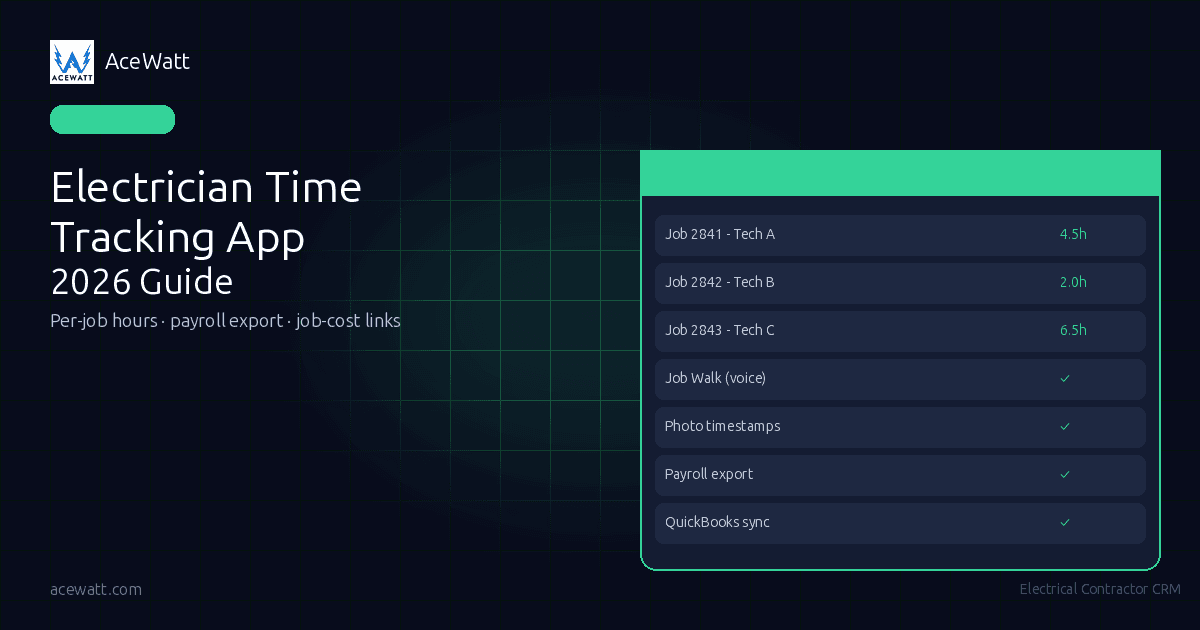
Electrician Time Tracking App: 2026 Guide for Electrical Contractors
Quick answer: An electrician time tracking app captures field hours by technician, job, and date so electrical contractors can bill accurately, run payroll, and understand job cost. The best electrician time tracking app ties every hour to the job record, not just the employee, so billing, payroll review, and job costing all start from the same source of truth.
An electrician time tracking app replaces paper timesheets and memory-based entries with job-accurate records that hold up at invoice, payroll, and job-cost review. Whether you choose a dedicated GPS clock-in tool like ClockShark or a connected electrical CRM like AceWatt, the right electrician time tracking app makes it easy for techs to record time from the field and easy for owners to connect labor hours back to the job.
Time tracking for electricians is not about watching every minute of a technician's day. It is about making sure labor lands on the right job, in the right pay period, with enough context to support billing, payroll review, and job-cost decisions. The right electrician time tracking app, whether a dedicated clock-in tool or a connected CRM like AceWatt, replaces paper timesheets with job-accurate records that hold up at invoice, payroll, and job-cost review. This guide compares dedicated time-clock tools with AceWatt's job-centered workflow.
Electrical labor is a major cost center for contractors, so even small leaks in untracked field hours compound quickly across a crew over a year.
Why Electricians Need a Dedicated Time Tracking App
Electrical labor is expensive, mobile, and hard to reconstruct after the fact. When a tech finishes a panel replacement, drives to a service call, stops for parts, then helps another crew troubleshoot a commercial lighting issue, the office needs more than “8 hours” on a timesheet. An electrician time tracking app answers practical questions owners ask every week:
- Which technician worked on which job?
- Did the scheduled time window match the actual field activity?
- Which hours are billable, warranty, callback, overhead, or training?
- Did the job estimate include enough labor?
- What should payroll, commission review, and invoicing use as the source of truth?
Paper timesheets can work for a tiny crew, but they break down as soon as the schedule changes. Texts and memory-based entries push cleanup onto the office: someone still has to interpret “left Smith job around lunch” and decide where those hours belong.
Dedicated electrical contractor time tracking reduces that guessing. The goal is not a perfect surveillance log. The goal is job-accurate time: hours connected to a customer, work order, technician, and scope of work, exactly what a modern electrician time tracking app is built to produce.
If scheduling is also a pain point, start with a connected system for electrical contractor scheduling software. A schedule is often the first time record because it defines who was assigned, where they were expected to be, and what work window was planned.
What to Look for in an Electrician Time Tracking App
The right construction time tracking app for electricians depends on how your shop runs. A residential service company with five vans has different needs than a commercial contractor moving crews across multi-week jobs. Still, the buying criteria for an electrician time tracking app are similar.
Look for these capabilities first:
- Per-job time capture. Hours should attach to the job, not just the employee. Payroll needs employee totals, but billing and job costing need job-level detail.
- Simple field entry. If techs hate the workflow, they will delay entries until the end of the day. That is when mistakes happen.
- Schedule context. The time record should connect to the dispatch calendar or job assignment so the office can see planned versus actual work.
- Notes, photos, and timestamps. Time without context can still create disputes. A quick job note or photo timestamp helps explain what happened.
- Payroll review support. The system should make it easier to approve hours, export data, or hand clean records to payroll. For a deeper payroll workflow, see this guide to electrical contractor payroll software.
- Job costing connection. Labor hours should feed estimates, gross margin review, and future pricing decisions. That is where electrical job costing software becomes important.
- Accounting fit. If your office uses QuickBooks, make sure the operational record and accounting record do not drift apart.
Also decide how much location verification you really need. Some shops need GPS-first time clocks because they manage large field crews and remote jobsites. Others mainly need hours tied to the right work order, with field documentation that proves what happened. For any electrical crew, OSHA's electrical standards for construction and the NFPA 70 National Electrical Code frame the licensed-electrician review boundaries that field documentation should support, so the electrician time tracking app you choose is not just convenience, it is part of a defensible field record.
The Real Cost of Bad Time Data for Electrical Contractors
Bad time data does not look expensive at first. It looks like a few rounded entries, a missing lunch note, or a tech forgetting whether a callback took 45 minutes or two hours. The cost shows up later, and it is exactly what an electrician time tracking app is designed to prevent.
Billing leaks when a 2.5-hour service call becomes two hours because the office is unsure. Payroll review slows down when staff chase missing entries, translate notes, and ask techs what happened days earlier. Job costing gets distorted when labor is assigned to the wrong job, causing the next estimate to use bad history. Accountability also becomes emotional when there is no clean record of time, notes, photos, and assignments.
For daily field documentation, many contractors pair time review with an electrical contractor daily report. The more complex the job, the more valuable it is to connect labor hours with what actually happened in the field.
How AceWatt Captures Job-Accurate Time
AceWatt is not a dedicated time-clock app. If your top requirement is a GPS-first clock-in product with location trails, ClockShark, BusyBusy, or another time-clock-focused tool may be the better fit. But AceWatt is the electrician time tracking app for contractors who want time tied to the job record.
AceWatt is built for electrical contractors who want time tied to the job record. Instead of treating time as a separate spreadsheet, AceWatt captures job-accurate time through scheduling, job tracking, and AI job-walk documentation.
Here is the honest workflow:
- Scheduling assigns techs to jobs with time windows. The dispatch calendar defines who is expected on a job and when. AceWatt's scheduling feature keeps that assignment connected to the job.
- Job tracking records what happened. The job record becomes the operational source of truth for status, work performed, notes, and invoicing context.
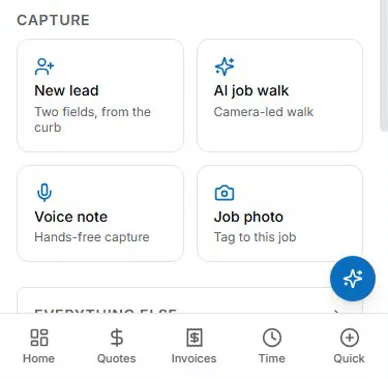
- AI job walk adds field documentation. Techs can use voice and photo capture with timestamps, creating timestamps from job-walk capture without asking the office to reconstruct the day later. Learn more about AI job walk and voice documentation.
- Invoicing connects to job records. Because invoices are connected to job records, billing review starts from the same place the field team documented the work.
- QuickBooks-ready exports support the back office. AceWatt helps keep operational and accounting data closer together, while your payroll process still needs its own approval and compliance checks.
This is the difference between a traditional electrician clock-in app and AceWatt's job-centered model. A clock-in app asks, “When did the employee clock in and out?” AceWatt asks, “What job was assigned, what happened, what evidence was captured, and what should be billed or reviewed?”
AceWatt pricing is straightforward: Starter is $49/month for 1 user, Growth is $99/month for up to 5 users, and Scale is $199/month for unlimited users. Scale includes reports & analytics. Every plan has a 14-day free trial, and you can review current plan details on the pricing page.
Electrician Time Tracking App Comparison (2026)
There is no universal best app for every electrical contractor. The right choice depends on whether you need a dedicated clock, a broader field service platform, QuickBooks-centered operations, or electrical-specific job documentation. Here is a side-by-side comparison to help you choose the best electrician time tracking app for your shop, whether you run a residential service company or a commercial electrical crew.
| Tool | Best fit | Strengths | Watch-outs |
|---|---|---|---|
| ClockShark | Contractors who want a dedicated time-clock + GPS niche tool | ClockShark is widely recognized as a leader in contractor time tracking and says it serves 9,500+ companies | Strong time-clock focus; may need another system for electrical CRM, job documentation, and sales workflow |
| Jobber | General field service teams that want scheduling, dispatch, and customer communication | Broad FSM platform; typically starts around $69/month depending on plan and promotions | Generalist product, not electrical-specific job-walk documentation |
| BusyBusy | Construction teams that want mobile time tracking with a free tier | Field-friendly time cards, crew time, and mobile workflows | Evaluate fit for electrical service invoicing and CRM needs |
| Knowify | Contractors who want QuickBooks-integrated project and job-cost workflows | Strong construction accounting and job-cost orientation | May be more project/accounting-heavy than a small residential service shop needs |
| KaamCam | Teams that want GPS photo documentation for field proof | Photo documentation and location-aware field records | More documentation-focused than full CRM or scheduling platform |
| AceWatt | Electrical contractors who want scheduling, job tracking, AI voice/photo job-walk capture, invoicing, QuickBooks-ready exports, dispatch, customer portal, commission tracking, and job-centered records | Time tied to the job record, hours captured per job via scheduling, timestamps from job-walk capture, electrical-first workflow | Not a standalone GPS time clock; choose a dedicated clock app if that is the main requirement |
GPS Time Tracking for Electrical Crews: What It Actually Does
Searches for GPS time tracking electrical contractors usually come from one concern: “How do I know my crew was actually at the job?” That is a fair question, especially for commercial work, remote sites, prevailing-wage jobs, or crews that start from home instead of the shop. It is one of the most common reasons contractors start shopping for an electrician time tracking app.
GPS-based tools can help verify location at clock-in, show travel patterns, flag off-site punches, and support disputes about arrival or departure. For some businesses, that is essential.
But GPS is not the same as job costing. Knowing that a tech was near a building does not automatically tell you whether the time was billable, warranty-related, change-order work, or a parts run. Location data still needs job context.
That is why electrical contractors should separate two needs:
- Location verification: Did the person clock in near the jobsite?
- Job-accurate documentation: What job was worked, what happened, what photos or notes support the work, and what should flow into billing or review?
AceWatt focuses on the second category. It uses scheduling, job tracking, and job-walk capture to make time tied to the job record. If you need both categories, you may use a GPS-first time-clock tool alongside AceWatt, then confirm how payroll, accounting, and job-cost review will be reconciled.
How an Electrician Time Tracking App Connects to Payroll and Job Costing
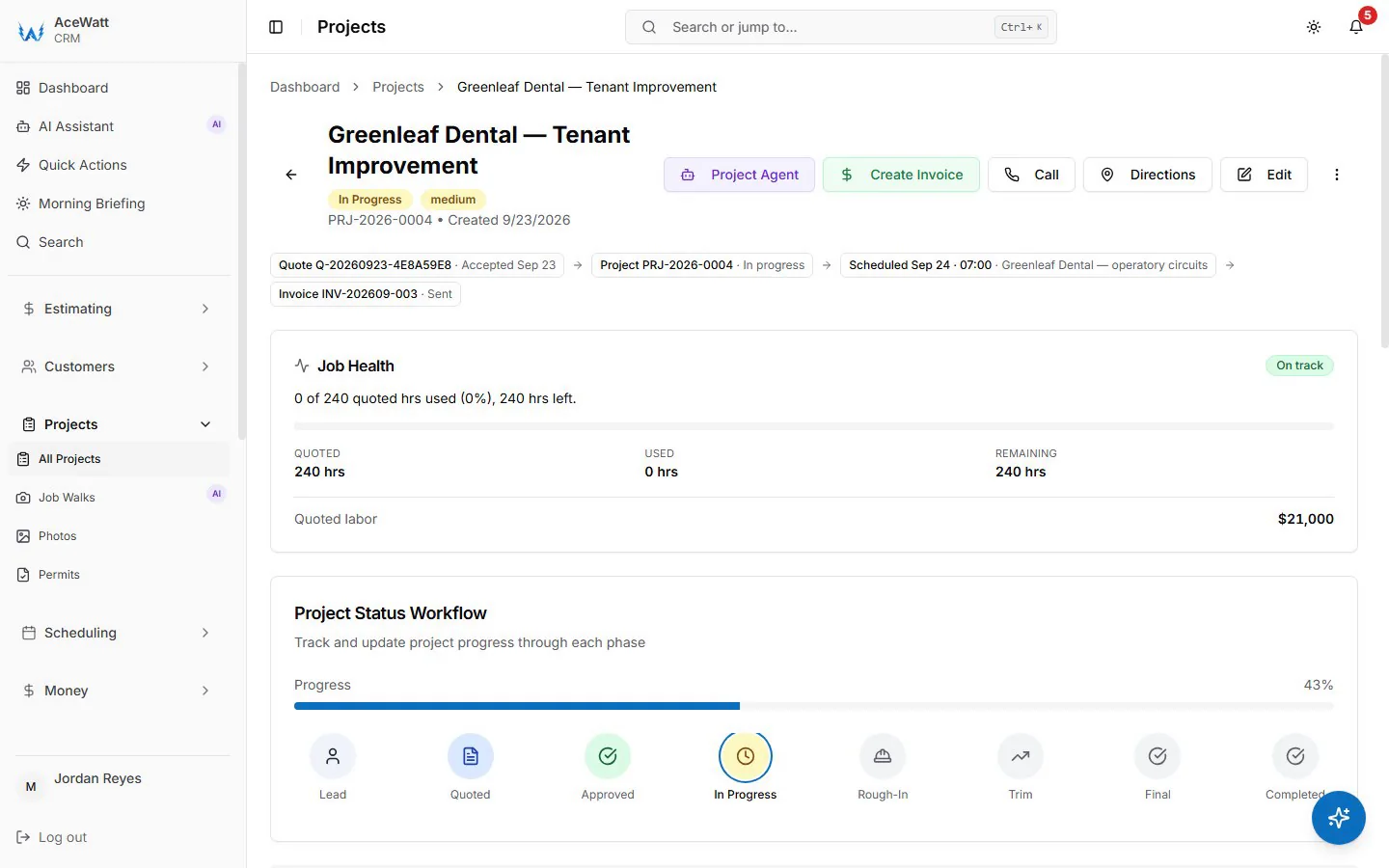
Time tracking becomes valuable when it connects to decisions. A clean timesheet is useful, but the real win is connecting labor to payroll review, invoice review, and future estimating.
For payroll, owners need accurate employee totals, pay periods, overtime review, and supporting notes when something looks wrong. AceWatt does not replace your payroll system. It helps the office review field work by keeping hours captured per job via scheduling and supporting context in the job record.
For job costing, the question is different: did the work make money? A job that sold for $1,200 may look fine until you realize it consumed two techs, a return trip, and unbilled troubleshooting time. When labor history is tied to job records, owners can spot which work types need better estimates, better dispatching, or clearer change-order rules.
Commission tracking also becomes cleaner when the job record is organized. If your shop pays commissions or bonuses, the review should not depend on scattered notes. AceWatt includes commission tracking, invoicing connected to job records, QuickBooks-ready exports, and customer portal workflows that help the office keep the operational record together.
On the Scale plan, reports & analytics add another layer for owners who want to review job performance across a growing team. The point is not to bury your office in dashboards. It is to create enough clarity that the next estimate, payroll review, and customer invoice are based on better information.
Time Tracking for Residential Service vs Commercial Electrical Work
Residential service time tracking is usually about speed and accuracy. Techs move from call to call, the office needs to know what happened, and invoices often need to go out quickly. In this environment, the biggest risks are missed billable time, unclear notes, and slow customer follow-up.
For residential shops, an electrician clock-in app can help with basic hours. AceWatt helps when the bigger need is connecting dispatch, job notes, voice capture, photos, invoicing, and customer communication.
Commercial electrical work has a different rhythm. Crews may stay on the same project for days or weeks, and the office may need daily logs, progress documentation, change-order context, and cleaner labor allocation by phase or job. Payroll questions may involve overtime, union rules, certified payroll, or project-specific requirements. The IRS Employer's Tax Guide (Publication 15) is a useful reference for federal withholding, deposit, and reporting obligations on employee wages, always confirm compliance workflows with your payroll provider, accountant, or qualified advisor.
Commercial contractors often need both structured time review and strong job documentation. That is where job-accurate time matters. If a crew spends the morning on rough-in, waits for another trade, and then handles a change-order task, the job record should explain the day instead of forcing the project manager to remember it later. A commercial-grade electrician time tracking app handles both the residential fast-turn and the commercial long-job rhythm in one operational record.
In both residential and commercial settings, the best system is the one your field team will actually use. If it takes too long, techs will avoid it. If it separates time from the job record, the office will still do manual cleanup.
Frequently Asked Questions
What is an electrician time tracking app?
An electrician time tracking app is a mobile and web application that helps electrical contractors capture hours by technician, job, and date. Depending on the product, an electrician time tracking app may include mobile clock-in, crew time, schedule links, GPS verification, notes, photos, payroll export, job-cost reporting, or accounting connections, but the core job is turning field activity into clean, job-accurate records.
Does AceWatt include GPS time tracking?
Not continuous GPS tracking. Techs clock in and out from the phone, which records location and flags whether they are at the job site; there is no tracking when the app is closed, and the time sits on the job record for billing and review.
What is the difference between a time-clock app and AceWatt?
A time-clock app focuses on clock-in, clock-out, and employee hours. AceWatt focuses on the electrical job record: scheduling assignments, dispatch & calendar, job tracking, AI copilot & voice, AI job walk, invoicing, QuickBooks-ready exports, customer portal, commission tracking, and Scale-plan reports & analytics.
Which app is best if I mainly need GPS clock-ins?
If your main requirement is location-verified clock-in and crew time cards, start with dedicated time-clock options like ClockShark or BusyBusy. ClockShark is especially strong in the contractor time-clock category. Then evaluate whether you also need an electrician time tracking app like AceWatt for electrical CRM, job tracking, invoicing, and job-walk documentation.
How should electrical contractors connect time tracking to payroll?
Use a workflow where field hours are captured consistently by the electrician time tracking app, reviewed by the office, and then passed to your payroll process or payroll provider. Do not rely on memory-based totals. For overtime, prevailing wage, union rules, or certified payroll, confirm requirements with a qualified payroll or accounting professional.
How much does AceWatt cost?
AceWatt offers Starter at $49/month for 1 user, Growth at $99/month for up to 5 users, and Scale at $199/month for unlimited users. A 14-day free trial is available, so electrical contractors can test scheduling, job tracking, AI job walk, invoicing, QuickBooks-ready exports, and related workflows before choosing a plan.
Capture Every Billable Hour With AceWatt (CTA)
If you are looking for a dedicated GPS time clock, AceWatt is not pretending to be that. ClockShark and similar tools lead that category for contractors who need clock-in controls first.
If you want an electrical-first system where scheduling, dispatch, job tracking, voice/photo job-walk capture, invoicing, QuickBooks-ready exports, customer portal, commission tracking, and job records work together, AceWatt is built for that workflow. It is the electrician time tracking app that ties every field hour back to the job it belongs to.
The practical outcome is job-accurate time: hours captured per job via scheduling, field context added through job tracking, and timestamps from job-walk capture that help the office bill, review payroll inputs, and understand job cost with less guesswork.
Start a 14-day free trial of AceWatt and see how much cleaner your field records feel when time is tied to the job record from the beginning.
Time tracking is one part of the platform: compare every module on the AceWatt features overview.