
What an electrical subcontractor actually manages
An electrical subcontractor is a specific kind of contractor: you work under a general contractor (GC) on commercial or industrial projects, and your scope lives in Division 26, Electrical of the CSI MasterFormat spec. That distinction matters because the software an electrical sub needs is different from what a residential service electrician needs. A residential shop lives in dispatch, routing, and one-visit invoicing. A commercial sub lives in daily reports, change orders, WIP reporting, cert tracking, and coordination with a GC and a design team.
The Division 26 lifecycle runs roughly like this: you bid the job, you submit product data and shop drawings for approval, you install, you answer requests for information (RFIs), you file daily logs, you price and track change orders, and you close out with as-builts, warranties, and final billing. Every one of those artifacts has to be documented, tracked, and handed to the GC on schedule. Lose the paper trail and you lose money, or you lose the argument when a change order gets disputed.
Electrical subcontractor software is the tool layer that runs that lifecycle. This guide breaks down what that layer actually is, how it segments honestly, and where AceWatt fits a Division 26 operation.
The three layers of electrical subcontractor software
The single most important thing to understand about electrical subcontractor software is that no single tool does everything, and any vendor that claims otherwise is overselling. There are three distinct layers, and a working commercial sub typically uses tools from more than one:
- Business CRM / field service management, runs the sub's business: leads, jobs, crews, estimates, scheduling, invoicing, daily logs, change orders, WIP, and financial reporting. AceWatt, Jobber, Housecall Pro, and ServiceTitan sit here. This is the layer that runs your operation day to day.
- GC coordination / construction management, the platform the GC runs the project in: RFIs, submittals, drawings, punch lists, and ball-in-court tracking. Procore, PlanGrid, Autodesk Construction Cloud, and Fieldwire sit here. The GC usually dictates which one.
- Pure RFI / submittal tracking, purpose-built tools for the submittal and RFI workflow specifically, often used by subs who want their own ball-in-court tracking outside the GC's platform. Knowify, eSUB, and SpecsLine (a newer electrician-vertical entrant) sit here.
The honest framing: AceWatt is a business CRM/FSM layer, not a GC coordination tool and not a pure RFI/submittal ball-in-court tracker. It runs your operation and produces the artifacts, daily logs and change orders, that flow into whatever GC coordination tool the project uses. Knowing which layer you are buying is the difference between a tool that fits and a tool that disappoints.
RFIs and submittals: what they are and where they live
Two terms come up constantly in commercial electrical work, and getting them right is part of being taken seriously by a GC.
An RFI (Request for Information) is a formal question from the contractor to the design team. When the drawings or specs are unclear, ambiguous, or conflicting, the sub issues an RFI asking for clarification. The answer can change scope, cost, or schedule, which is why RFIs are tracked carefully and often become the basis for change orders.
A submittal is formal product data, shop drawings, or samples the contractor submits to the design team for approval before installing. For Division 26, that includes panel schedules, conductor specs, fixture cut sheets, switchgear data, and similar product information. The design team reviews and approves (or marks up) the submittal before material is ordered and installed.
Where do these live? In most commercial projects, the GC's coordination platform (Procore, PlanGrid, Fieldwire) owns the RFI and submittal ball-in-court, the revision history, the approval workflow, the routing. AceWatt does not replace that. What AceWatt does is run the electrical sub's operation: the crews, the daily logs, the change orders, the documentation that feeds into the GC's system. If you need dedicated RFI/submittal ball-in-court tracking with approval workflows separate from the GC's platform, a tool like Knowify, eSUB, or SpecsLine is the right fit for that specific layer.
Daily reports: the #1 deliverable a GC wants from your crew
If there is one artifact every GC demands from every sub every day, it is the daily report (also called a daily log or daily field report). The daily report documents who was on site, what work was performed, what weather conditions were, what deliveries arrived, what delays occurred, and what coordination issues came up. It is the paper trail that protects you when a schedule dispute or a change order argument surfaces months later.
AceWatt's daily report capability maps directly to this need. A foreman or crew lead captures the day's work on a phone, crew, hours, work completed, photos, notes, and the report is tied to the job and timestamped. That is exactly what a GC is asking for when they say "send me your daily log." Leading with daily reports is the fastest way to show a GC your operation is run professionally.
Change orders, WIP, and cert tracking for commercial electrical work
Beyond daily reports, three artifacts define commercial electrical subcontractor work:
Change orders. When scope changes, and on commercial jobs, scope always changes, the change order is how you price and track the delta. AceWatt's change order capability lets you price the change, document the basis (often tied to an RFI answer), and track approval status. Clean change order tracking is how a sub protects margin on a commercial job.
WIP reporting. Work-in-progress reporting shows how much of a job is complete versus how much has been billed. Commercial GCs and accounting teams demand WIP reports because they reveal overbilling and underbilling. AceWatt's WIP reporting capability produces the numbers a GC or an accountant needs, tied to the job and the billing schedule.
Cert tracking. Commercial GCs require trade-license and journeyman certifications on file before a sub's crew steps on site. AceWatt's cert tracking capability keeps license numbers, expiration dates, and cert documents organized and tied to the crew members who hold them. When a GC asks for proof a journeyman is licensed, you have it.
Together, daily reports, change orders, WIP, and cert tracking are the commercial cluster. They are the artifacts that make a Division 26 sub credible to a GC. AceWatt runs most of that cluster; WIP it covers only as job profitability and AR aging, so the WIP schedule itself comes from your accounting side.
How AceWatt fits an electrical subcontractor's operation
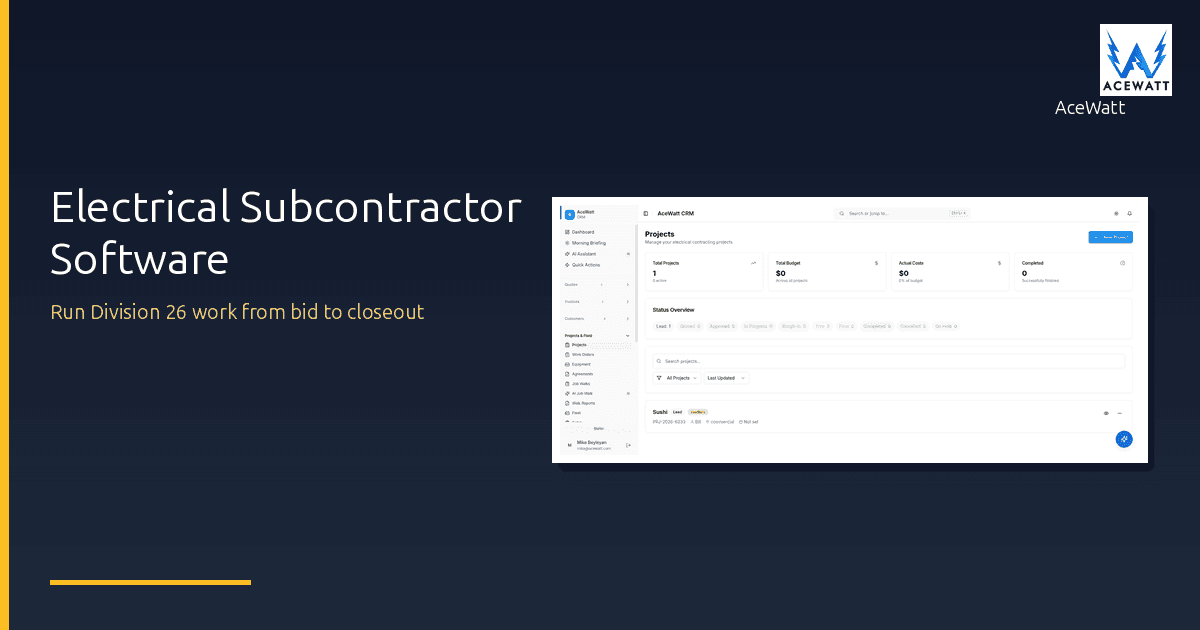
AceWatt sits in the business CRM/FSM layer and runs the operation around your Division 26 work:
- Jobs and crews, schedule and dispatch electrical crews to commercial sites, with skill-based crew suggestions and, on the Scale plan, straight-line route optimization.
- Estimating and quoting, bid commercial electrical work with tiered estimates and AI Estimating quote drafts for your review.
- Daily reports, field-captured daily logs tied to the job, timestamped, photo-documented.
- Change orders, priced, documented, tracked through approval.
- WIP reporting, progress and billing status for GC and accountant reporting.
- Cert tracking, license and certification records for crew and company.
- Permit tracking, commercial electrical permits tied to job schedule and inspection dates.
- Job walk documentation, AI Job Walk captures site conditions by voice and photo, replacing clipboard field notes the GC demands.
- Invoicing and progress billing, staged billing for commercial jobs with multiple billing milestones.
What AceWatt does not do is native RFI and submittal ball-in-court tracking with revision history and approval workflows. That lives in the GC coordination layer (Procore, PlanGrid, Fieldwire) or a dedicated submittal tool (Knowify, eSUB, SpecsLine). The seam is honest: AceWatt runs your operation and produces the artifacts; the GC coordination tool owns the project's RFI and submittal workflow.
Buyer's checklist: software for electrical subcontractors
If you are evaluating software for a Division 26 operation, here is what to check:
- Mobile daily logs, can a foreman capture the day's work on a phone, with photos, tied to the job and timestamped?
- Photo and signature documentation, does it capture before/after photos, crew signatures, and site conditions that hold up in a dispute?
- Change order tracking, can you price a change, document the basis, and track approval status against the job?
- WIP reporting, does it produce work-in-progress numbers a GC or accountant can use?
- Cert and license management, does it track crew certifications, expiration dates, and license numbers a GC will ask for?
- Permit tracking, does it tie electrical permits to the job schedule and inspection dates?
- GC coordination integration, does it produce artifacts (daily logs, change orders, photos) that flow cleanly into the GC's platform?
- Pricing transparency, can you see the price and start a trial without a sales call, or is it sales-led?
AceWatt checks the operation boxes. If your bottleneck is specifically RFI and submittal ball-in-court tracking outside the GC's platform, pair AceWatt with a dedicated submittal tool, the two layers complement each other rather than competing.
Frequently asked questions
What is Division 26? Division 26 is the Electrical section of the CSI MasterFormat, the standard specification system used in commercial construction. Division 26 covers electrical: service, distribution, lighting, low-voltage, and related systems. When a GC says "your scope is Division 26," they mean the electrical portion of the project. Other divisions include Division 23 (HVAC) and Division 22 (Plumbing).
Do electrical subs use Procore? Many do, but usually because the GC requires it. Procore is a GC coordination and construction management platform. Subs use it to submit RFIs, submittals, daily logs, and drawings into the GC's system. A sub typically also runs their own business CRM/FSM (like AceWatt) for the operational layer Procore does not cover, estimating, crew scheduling, invoicing, and cert tracking.
What is the difference between an RFI and a submittal? An RFI (Request for Information) is a formal question from the contractor to the design team asking for clarification when drawings or specs are unclear. A submittal is formal product data, shop drawings, or samples submitted to the design team for approval before installation. RFIs ask questions; submittals seek approval for materials and methods.
Does AceWatt track RFIs? AceWatt runs the electrical sub's operation, daily logs, change orders, job profitability, cert tracking, permits, and job documentation (not WIP schedules). It does not provide native RFI and submittal ball-in-court tracking with revision history and approval workflows. That workflow lives in the GC coordination layer (Procore, PlanGrid, Fieldwire) or a dedicated submittal tool. AceWatt produces the operational artifacts that feed into those systems.
What daily-log information does a GC need? A GC typically wants: date, weather, crew names and hours, work performed, areas of work, deliveries, equipment on site, delays or disruptions, visitors, and any coordination issues. Photos are increasingly expected. A clean daily log tied to the job and timestamped is the single most important deliverable a sub can hand a GC.
Run your Division 26 operation in one CRM
AceWatt runs the operational layer of an electrical subcontractor's business, daily reports, change orders, job profitability, cert tracking, permits, and job walk documentation, in one electrician-native CRM. From $49/month with a 14-day trial and no sales call.
See how AceWatt fits a Division 26 operation, and see how AceWatt's daily reports satisfy what your GC demands.